 MetaTrader 5
 Experts
 지표
지표
 라이브러리
라이브러리
 유틸리티
유틸리티
 위젯
위젯
 규칙
규칙
MetaTrader 4용 새 트레이딩 유틸리티 - 10
 다음은 MetaTrader 4에서 외환 거래를 단순화하는 거래 프로그램입니다. 아래 목록의 유틸리티 위로 마우스를 가져가면 해당 설명과 용도를 읽을 수 있습니다.
IzaRP - Risk / Profit Monitor (MT4) IzaRP — это вспомогательный индикатор для трейдеров, предназначенный для анализа открытых позиций и контроля рисков в реальном времени. Индикатор автоматически рассчитывает ожидаемый риск и ожидаемую прибыль по всем открытым сделкам на торговом счёте на основе установленных уровней Stop Loss и Take Profit и отображает результат непосредственно на графике. Основные возможности Анализирует все открытые рыночные ордера (BUY и SELL) Игнорирует отложенные орде
FREE

Pro Manager EA What is Pro Manager EA? The Advanced Pro Manager EA is a professional trade management Expert Advisor for MetaTrader 4 that does not open trades but provides comprehensive management of your existing open positions. Key Features Multi-Instrument Management No need to load EA on multiple charts, works on just one Manages all trades across all currency pairs from a single chart 2. Multiple Exit Methods: Trailing Stop Loss - With start trigger and following distance Profi

MOOTA Progressive Trailing Stop is a professional trade management Expert Advisor designed for serious traders who want structured, intelligent risk control.
Important Note: This EA only manages trades that do not already have a Stop Loss or Take Profit . Trades with pre-existing SL/TP will not be modified or trailed.
The EA works as follows: Profit-Locking R-Multiples: You define up to six RR thresholds and the percentage of profit to lock at each step. The Stop Loss moves only once per thre

MT4 거래의 오픈, 종료, 부분 종료 및 수정에 대한 실시간 알림을 Telegram으로 자동 전송합니다. 이 유틸리티는 다음 16개 언어를 지원합니다: English, French, German, Indian (Hindi), Indonesian, Italian, Kazakh, Korean, Dutch, Polish, Portuguese, Russian, Spanish, Turkish, Ukrainian 및 Vietnamese. 알림 텍스트를 사용자 지정하여 다른 언어를 사용할 수도 있습니다. 이 제품은 터미널을 계속 확인하지 않고 Telegram 알림을 받고자 하는 트레이더를 위해 설계되었습니다. Expert Advisor 사용자가 자신의 활동을 추적하거나, 여러 종목을 거래하는 트레이더 및 VPS 사용자에게 적합합니다. 포지션의 전체 및 부분 종료가 정확하게 감지되며 (예: 0.10 / 0.30 랏), 중복 메시지 방지 기능이 구현되어 있습니다. 알림은 계정의 모든 종목에 대해
FREE

과거 차트를 재생하고 특정 시간 포인트에 즉시 포커스를 이동할 수 있습니다. 생성된 포커스 라인으로 차트를 이동하여 중요한 시간 포인트를 효율적으로 관찰하고 분석할 수 있습니다.
특징 포커스 시간 포인트로 즉시 이동 자동 재생으로 차트의 움직임과 흐름을 파악하고 패턴 검색이 가능 재생 사양 재생 방향: 과거 → 미래 이동 바 수: 1 재생 속도: 고정 재생 중 일시정지 / 재개 가능 END 버튼으로 프로그램 종료 조작 방법 Crt FocusLine: 포커스 라인 생성 Position: 표시 위치 전환 (오른쪽 / 가운데 / 왼쪽) Focus: 생성된 포커스 라인으로 즉시 이동 Pause / Restart: 재생 일시정지 / 재개 END: 프로그램 종료 에디션별 기능 비교 본 제품(Player Edition)과 상위 모델(Full Version)의 기능 차이는 다음과 같습니다. 사용자 인터페이스(UI)의 레이아웃은 동일하지만, 사용 가능한 모드와 설정 범위가 다릅니다.
주요 기
FREE

차트를 얼마나 움직이든 상관없이 선택한 시간 포인트로 즉시 포커스를 이동할 수 있으며, 원하는 시점을 손쉽게 확인할 수 있습니다. Focus Time Line Player는 조작이 간단하여 필요한 시간에 빠르게 집중할 수 있습니다.
【기능】 ・Focus Mode: SingleLine (기본 표시) ・Crt FocusLine: 원하는 시간에 포커스 라인 1개 생성 ・Position: 표시 위치 전환 ・Focus: 생성한 포커스 라인으로 차트 화면 이동 ・X 버튼: 프로그램 종료
【조작 방법】 ・Focus Mode는 기본 SingleLine으로 사용 ・Crt FocusLine 버튼을 눌러 FocusTimeLine 1개 생성 ・Position 버튼으로 표시 위치 선택 ・Focus 버튼을 눌러 차트를 선택한 포커스 지점으로 이동 ・X 버튼으로 프로그램 종료 에디션별 기능 비교 본 제품( Player Edition )과 상위 모델( Full Version )의 기능 차이는 다음과 같
FREE

이 프로그램은 트레이더와 투자자를 위해 설계된 간단한 차트 플레이어로, 과거 시장 데이터를 재생하여 시장의 흐름과 가격 움직임을 더 잘 이해할 수 있도록 도와줍니다. 이 플레이어를 사용하면 다양한 전략을 검증하고, 시장 상황에 맞춘 트레이딩 연습도 효율적으로 수행할 수 있습니다. 캔들을 한 개씩 진행하며 시장 흐름을 순서대로 확인할 수 있습니다. 재생 중 언제든지 일시 정지하고 다시 재개할 수 있습니다.
[특징] 과거에서 미래 방향으로 자동 재생 일정 간격으로 1봉씩 진행 재생 중 일시 정지 가능 [ 재생 사양] 재생 방향: 과거 → 미래 재생 속도: 고정 이동 봉 수: 1봉 고정 재생 일시 정지 / 재개 END로 재생 종료 [조작 방법] Pause / Restart: 재생 일시 정지 / 재개 END: 재생 종료 및 프로그램 중지 본 제품은 'Player' 버전입니다. 보다 고도의 분석과 기능을 원하신다면 제목에
FREE

MT4 거래의 오픈, 종료, 부분 종료 및 수정에 대한 실시간 알림을 discord로 자동 전송합니다. 이 유틸리티는 16개 언어를 지원합니다: 영어, 프랑스어, 독일어, 힌디어, 인도네시아어, 이탈리아어, 카자흐어, 한국어, 네덜란드어, 폴란드어, 포르투갈어, 러시아어, 스페인어, 터키어, 우크라이나어, 베트남어. 이 제품은 터미널을 지속적으로 모니터링하지 않고도 discord 알림을 받아야 하는 트레이더를 위해 설계되었습니다. Expert Advisor 사용자는 물론, 여러 심볼로 거래하는 트레이더와 VPS 사용자에게 적합합니다. 전체 및 부분 포지션 종료가 정확하게 감지되며 (예: 0.10 / 0.30 lot), 중복 메시지 방지 기능이 구현되어 있습니다. 알림은 계좌의 모든 심볼에 대해 전송하거나, 유틸리티가 적용된 차트의 심볼에 대해서만 전송할 수 있습니다 (선택 사항).
Test Discord 버튼을 통해 채팅 기능을 확인할 수 있으며, 설정 후 차트에서 숨길 수 있습니다
FREE

시장이 4H 또는 1H 이동평균선 위에 있을 때 매수를 고려하고, 그 아래에 있을 때 매도를 고려하는 것만으로도 큰 손실 위험이 줄어듭니다. 이는 승률을 높여줍니다.
5분 봉의 종가가 1시간(H1) 또는 4시간(H4) 차트의 20MA를 교차하여 확정되는 정확한 순간에 알림을 보내드립니다.
이 유틸리티는 상위 타임프레임의 확증을 중시하는 트레이더를 위해 설계되었습니다. 백그라운드에서 시장을 모니터링하므로, 다른 차트를 보고 있는 동안에도 중요한 추세 변화를 놓치지 않습니다. M5 캔들의 종가 확정 시점을 기준으로 판정하므로, 일시적인 급등락으로 인한 '노이즈'와 '속임수(꼬리)'를 효과적으로 제거합니다.
주요 특징:
H1 및 H4 20일 이동평균선 실시간 모니터링. M5 캔들이 확정된 순간에만 알림 발생. 모든 종목에서 작동하며, 다른 차트를 보고 있어도 활성 상태 유지. 간결하고 전문적인 알림 메시지. 본 제품은 단순한 유틸리티로 제공됩니다.
동일한 개발자의 다른 제품
FREE

오랫동안 같은 트렌드가 지속될 때, 눈앞의 움직임에 휘둘리고 있지는 않습니까?
"이제 반전하겠지"라는 생각으로 근거 없는 역추세 매매. "수익을 잃고 싶지 않다"는 불안감 때문에 너무 빠른 익절. 이 모든 것들은 캔들이 확정될 때까지 기다릴 수만 있다면 막을 수 있었던 후회들입니다.
모니터 앞에서 계속 기다려야 하는 스트레스를 없애고, 규칙적인 매매를 지원하기 위해 이 도구를 만들었습니다.
이 도구는 상승(양봉) 또는 하락(음봉) 캔들이 확정되는 순간 알람을 울리는 간단한 모니터링 EA입니다. 조작: "매수(양봉)" 또는 "매도(음봉)"를 선택하고 SET 버튼을 누르기만 하면 됩니다. 알림: 지정한 캔들이 확정되는 순간 알람 통지. 다국어 대응: 11개국 언어 지원 (Language 버튼으로 전환 가능). We also offer other useful products. Check them out!
FREE

Automatically sends real-time notifications about trade opening, closing, and partial closing from MT4 to Slack. The utility supports 16 languages : English, French, German, Indian (Hindi), Indonesian, Italian, Kazakh, Korean, Dutch, Polish, Portuguese, Russian, Spanish, Turkish, Ukrainian, and Vietnamese. The product is designed for traders who need to receive Slack notifications without constantly monitoring the terminal. It is suitable for Expert Advisor users who want to monitor their activi
FREE

MetaTrader 4 Trade Copier (MT4 Version) This Expert Advisor is developed for copying trading operations between MetaTrader terminals. This version is intended for use on MetaTrader 4.
For copying operations involving MetaTrader 5, please use the corresponding MT5 version available in the Market. https://www.mql5.com/en/market/product/161757
Supported platform combinations: MT5 to MT5 MT4 to MT4 (This Version) MT4 to MT5 MT5 to MT4 The copier transfers market orders according to the selected

Trade Signal Pro (MT4) — Telegram Signal Provider (Utility)
A lightweight utility that sends trade notifications from your MT4 account to Telegram. It does NOT open/close trades. It only reads positions/deals and sends messages.
What it sends Entry signal (BUY/SELL) with Entry, SL, TP, pips + Risk:Reward Updates when SL/TP is modified (reply/tag to the original signal) Close notifications: TP hit / SL hit / Breakeven / Manual close Optional Daily & Weekly performance summary (win

Easy Lot Size Calculator Stop calculating lot sizes manually and start trading visually.
Automatic position lot size calculator for MT4 (MT5 also available)
The Easy Lot Size Calculator is the ultimate trade management dashboard. It is designed for traders who need speed, precision, and strict risk management. Whether you are a scalper needing split-second execution or a swing trader demanding exact risk percentages, this EA handles the math so you can focus on the chart. Why Use This Calcu
FREE

Smart Trade Copier is a high-performance trade copying solution designed for fast, accurate, and reliable synchronization between multiple MT4/5 platforms. It supports both local terminal copying and VPS/cloud-based trade replication, making it suitable for professional traders, prop firms, money managers, and signal providers. The system delivers near-instant execution with advanced filtering, risk control, and flexible lot management, while maintaining stability across different environments.

The Performance Logger is a utility for MetaTrader 5 designed to track and report account metrics. It identifies trades based on specific criteria and provides summaries of account activity. Main Functions Automated Reporting : Generates summaries of account performance and sends them to specified communication channels (Telegram or Discord) on a weekly, monthly, or yearly basis. Strategy Analysis : Organizes performance data based on the specific Expert Advisor or strategy used for each trade.

AlphaLogic PropProtector: The Ultimate Equity Shield Protect your Prop Firm account with institutional-grade precision. Are you tired of losing Prop Firm challenges due to emotional over-trading or a few dollars' calculation error? Most traders fail because they lose track of their Daily Drawdown or Absolute Equity Floor . AlphaLogic PropProtector is a professional-grade utility designed for traders who take risk management seriously. Whether you are trading a $50,000 challenge or managi
FREE

Advanced Basket EA MT4 — Portfolio Management System
Advanced Basket EA MT4 is a professional account-level basket manager for MetaTrader 4. It treats all open positions as one portfolio, applying intelligent profit-taking, risk limits, and automated protection. The EA does not open trades itself — it manages existing manual or EA-driven positions.
Overview - Account-level basket management - Daily profit and loss limits - Equity, drawdown, and margin protection - Break-even, trailing st

FREE 7-DAY TRIAL After your trial ends, continue using this essential trading tool for only $30 one-time payment. EA Close All MT4 FEATURES - Close ALL orders instantly - Close by type: BUY or SELL only - Close by P/L: PROFIT or LOSS only - Close BUY PROFIT / BUY LOSS - Close SELL PROFIT / SELL LOSS - Delete all PENDING orders - Real-time P/L display - Zero configuration needed
LIVE DASHBOARD - Total positions counter - BUY/SELL breakdown - Individual P/L tracking - Pending orders count - Colo

FREE 7-DAY TRIAL After your trial ends, continue using this essential trading tool for only $30 one-time payment. This utility is designed to assist traders in monitoring account status, open positions, and trading performance in real time.
It provides consolidated information related to account metrics, risk exposure, and statistical performance to support trading analysis and decision-making. The product does not execute trades automatically and does not provide trading signals. It is intende

This MT4 Trading Journal Indicator is a powerful, professional-grade tool that transforms the standard MetaTrader 4 platform into a comprehensive trading management system. Its unique multi-instance capability, customizable interface, and automatic tracking features make it an exceptional value proposition for traders seeking organization and discipline in their trading activities. 1. VISUAL BRANDING & CUSTOMIZATION Dynamic Color Coordination : The title bar automatically matches the toggle

ApexTPGrid is a powerful Trade Management Utility designed to professionalize your grid and averaging strategies. Whether you trade manually or use other EAs, this utility takes control of your open "basket" of orders to manage them to a safe exit. The standout feature is the Swap-Aware Logic . We all know the pain of holding a grid for weeks, only to close at "breakeven" and realize negative swaps ate your capital. ApexTPGrid solves this by automatically calculating all accumulated costs (Swap
FREE

Clonify PRO - Local Trade Copier for MT5 and MT4 Professional tool for copying trades between MT5 and MT4 accounts (via the shared "Common" folder). FEATURES: 1. SENDER: Exports trades in real-time Sends everything (no filters) Requires no additional settings 2. RECEIVER: Copies trades. Magic Number: Uses the sender's account ID (default) or a custom number. Lot Modes: Analogous: Exactly the same volume as the sender. The Lot Multiplier allows you to decrease or increase the transmitted lot. Pr
FREE

출시 기념 세일: 선착순 10명 한정. 특별 가격: $30 (정가: $40). 남은 수량: 10 인지도 향상을 위해 선착순 10분께 할인 혜택을 드립니다.
"과거 차트를 실시간 움직임으로 재현하다"
Chart Auto Flow는 과거 차트를 가변 속도 로 캔들 단위 에서 재생 및 역재생 할 수 있는 검증 지원 도구입니다. 멈춰 있는 차트를 보는 것만이 아니라, 실시간에 가까운 움직임 으로 재현할 수 있어 실전에 가까운 트레이닝 이 가능해집니다. 또한, 고속 재생 을 통해 방대한 과거 차트에서 단시간에 목적하는 차트 패턴을 찾아낼 수 있습니다. 외환(FX), 주식, 골드, 가상화폐 등 모든 금융 상품에서 사용 가능합니다.
【이런 분들께 추천합니다】
재량 트레이딩 연습 및 검증을 효율화하고 싶은 분
더블 바텀이나 헤드앤숄더와 같은 특정 패턴을 고속 재생으로 단시간에 찾고, 그 형성 과정을 슬로우 재생으로 상세히 분석할 수 있습니다.
특정 패턴의 '출

출시 기념 세일: 선착순 10명 한정. 특별 가격: $30 (정가: $40). 남은 수량: 10 인지도 향상을 위해 선착순 10분께 할인 혜택을 드립니다.
「보고 싶은 시간」을 쉽고 빠르게 포착. 멀티 타임 프레임 분석에 궁극의 동기화를.
상위 차트에서 주목한 시간 포인트가 하위 차트 어디에 있는지,
이제 더 이상 반복해서 스크롤하며 찾아 헤맬 필요가 없습니다. 단일 차트는 물론, 여러 차트를 동기화하여 목표 시간 포인트에 고정밀로 일제히 포커스.
「찾는 스트레스」를 없애고 분석 정밀도를 극한까지 높입니다.
당신의 차트 분석을 획기적으로 바꿔줄 포커스 특화형 툴입니다. 제품 개요
【3가지 포커스 모드 선택 가능】 Single Line: 주목하는 하나의 시간 포인트로 원클릭 포커스 이동 Multi Lines: 여러 시간 포인트를 설정하여 순서대로 포커스 이동 SnglSync: 여러 차트를 동기화하여 하나의 시간 포인트로 일제히 포커스 이동 【주요 활용 장점】 즉각적인 복귀: 차트

Telegram Buddy – Professional Reporting and Notification Tool
Are you worried about losing your balance when you're away from your computer? Do you need to check your account balance frequently, but find it inconvenient to log into the MT5 mobile terminal each time? The problem with standard reports: Most Telegram tools send huge amounts of text detailing each trade. These messages are difficult to read on a smartphone, and over time, traders stop paying attention to them, risking missing cri

Signal Provider Utility Pro (Telegram & Discord) The Professional Solution for Signal Providers. Automated Broadcasting | Smart GUI Panel | Performance Reports Stop managing your signals manually. Signal Provider Utility Pro is the realiable bridge between your MetaTrader 4 terminal and your community on Telegram and Discord. Designed for high-performance signal services, this tool gives you instant control over your broadcasts without ever needing to open the settings window. From real-ti

Metrics Pro for Telegram - MT4 Metrics Pro for Telegram is a reporting utility for MetaTrader 4 that automatically sends your account performance data to a Telegram chat or channel via the Telegram Bot API. It is designed for algo-traders, signal providers, and fund managers who need scheduled performance summaries delivered directly to their phone without checking the terminal manually. The utility runs in the background on a chart and posts formatted reports at a scheduled server time. Reports

Metrics Pro for Discord - MT4 Metrics Pro for Discord is a reporting utility for MetaTrader 4 that automatically sends your account performance data to a Discord server via a Webhook. It is designed for signal providers, prop firm traders, and community managers who want to share structured trading results without manual effort. The utility runs in the background on a chart and posts formatted reports at a scheduled server time. Reports include account-level data as well as a breakdown per strat

Индикатор "Стрелки" (Arrow Drawing Tool) Краткое описание: Удобный инструмент для рисования стрелок на графике с помощью кнопки и мыши. Позволяет визуально отмечать направления движения цены, уровни поддержки/сопротивления и важные ценовые зоны. Основные возможности: Простое управление - кнопка "Стрелка" для активации режима рисования Автоматическая окраска - зеленые стрелки для движения вверх, красные для движения вниз Настраиваемый дизайн - регулируемая длина и угол наконечника стрелки Г
FREE

//+------------------------------------------------------------------------+ //+------------------------------------------------------------------------+
简单交易面板,应部分朋友建议,现更新为2.1版本。
//+------------------------------------------------------------------------+
//---更新如下:
1 价格显示参考系统自带面板样式对部分价格数字进行了放大处理。 2 交易手数上次已成功交易使用的手数。
FREE

The ultimate tool for Prop Firm traders. Automatically closes trades before weekends/swaps and reopens them later. Features spread protection, CSV crash recovery, and multi-schedule support. Swap Shield is a professional utility designed specifically for traders dealing with Proprietary Trading Firms (Prop Firms) rules and those looking to avoid negative Swap fees. Many Prop Firms strictly prohibit holding positions over the weekend. Failing to close trades can lead to the immediate loss of you

RTX EA — Precision Trading Intelligence RTX EA is a next-generation Expert Advisor designed for traders seeking consistency, stability, and long-term measurable results . Built with advanced algorithmic architecture and real-time market analysis, RTX EA delivers optimized trade execution under both low and high-volatility conditions. With its intelligent multi-filter logic system, RTX EA is capable of identifying high-probability market setups , avoiding unnecessary entries, and maximizing

ProfRoboTrading Dashboard MultiSymbol is Expert Advisor a lightweight on-chart control panel that provides a clear overview of your trading account and open positions across multiple symbols. The dashboard displays key account metrics, summarizes open BUY/SELL orders and lots per symbol, calculates profit for Day/Week/Month, and offers quick manual close actions directly from the table. Key features Multi-symbol table (symbols list configurable). Account metrics panel: Balance, Equity,

사용자 설명서: 전문가 어드바이저 "범용 지표 커넥터" 이 시스템은 재프로그래밍 없이 모든 사용자 지정 지표(.ex5)의 신호를 실행하도록 설계된 고성능 자동화 브리지입니다. 이 전문가 어드바이저는 지능형 주문 관리자 역할을 하여, 기존에는 시각적인 전략에만 의존했던 방식에 청산 규칙, 자금 위험 관리, 시간 제어 등을 적용할 수 있도록 지원합니다.
1. 지표 링크 구성 전문가 어드바이저를 사용하려면 외부 지표를 다음과 같이 정확하게 "매핑"해야 합니다.
IndicatorName: Indicators 폴더에 있는 파일의 정확한 이름입니다.
Signal Type:
Intra-bar: 신호가 나타나는 즉시 주문을 실행합니다.
Finished_bar: 캔들이 마감될 때까지 기다렸다가 신호를 확인하고 "리페인팅"을 방지합니다.
NBuffer Buy/Sell: 지표가 화살표를 생성하는 데이터 채널(0, 1 등)을 지정합니다.
Operations Type: 매수만, 매도만 또는

Watch a few videos in the playlist, turn on subtitles, and select a translation into your language. MOPS ( Managing Open PositionS ) is an expert advisor for managing open trades. Its key features include sending notifications to Telegram and automatically closing all positions when specified virtual take-profit and stop-loss levels are reached for all currency pairs, a specific pair, or a "magic number." The advisor not only sends sound alerts and push notifications to the mobile app but also
FREE

This is a RISK MANAGER utility for MetaTrader. To activate it, after downloading it, you must enable all autotrading controls on MetaTrader, as with EXPERT ADVISORS. The user must enter control settings as indicated in the indicator properties, which initially have default data. RISK MANAGER will perform checks and display pop-up alerts when certain behaviors exceed the user-entered settings. It's free; use it, try it, develop it, or contribute ideas. It's just a utility; the programmer assumes
FREE

================================ ENGLISH MANUAL ================================
Product Name: One-Click Close Utility v9.4 Developer: Gemini Partner Version: 9.40 Platform: MetaTrader 4 Type: Expert Advisor
I. PRODUCT OVERVIEW --------------- One-Click Close is a professional order management utility designed for MetaTrader 4 platform. It provides rapid batch closing operations through intuitive button interface, integrated with intelligent risk management system. Suitable for both manual

[ MT5 Version ] DoIt Trade Coach AI (MT5/MT4) — AI Trade Validator for Manual Traders You are the trader. The AI is your second opinion. DoIt Trade Coach AI is a MetaTrader utility that helps you validate your trade ideas before you enter: you propose direction + Entry/SL/TP, the AI analyzes the setup, explains what’s strong/weak, suggests improvements, and lets you execute directly from the panel. This is NOT an automated trading EA.
You stay in control — the AI supports your decision-making.
I

출시 기념 세일: 선착순 10명 한정. 특별 가격: $ 50 (정가: $90). 남은 수량: 10 인지도 향상을 위해 선착순 10분께 할인 혜택을 드립니다. 이후 가격은 $90로 복구됩니다.
과거 차트와 차트 패턴을 찾는 데에만 너무 많은 시간을 쓰고 있지 않습니까? 특정 차트 패턴을 찾기 위해 화면을 계속해서 스크롤하고 있다. 마침내 찾았다고 생각하는 순간, 하위 시간대에서는 어디에 있는지 알 수 없게 된다. 차트를 조금만 이동하거나 확대·축소해도 다시 놓쳐버린다. 이 도구를 사용하면:
과거 차트를 자동으로 고속 이동할 수 있어 효율적으로 검색할 수 있습니다. 주목하고 싶은 시간 포인트를 정하면, 차트를 어떻게 이동하거나 확대·축소하더라도 즉시 해당 위치로 이동할 수 있습니다. 과거 차트를 재생하여 실제와 같은 가격 움직임을 재현할 수 있습니다. 이를 통해 차트 분석과 모의 트레이딩의 효율이 크게 향상되며,
트레이딩 실력 향상에 도움이 됩니다. 제품 개요 이 제품은 차트 검

Autopilot Easy Panel: The Essentials for Effective Trading Designed to simplify your trading, the Autopilot Easy Panel is the ideal tool for traders who want to increase efficiency without getting lost in complex features. Developed by market experts, it provides you with the essential tools for optimal management of your money and positions. A carefully crafted user experience and an intuitive interface allow you to focus on what matters most: your trades. Key Features: Visual trade preparation

ATR Grid Risk Controller – Trade Management Utility ATR Grid Risk Controller is a manual trade execution and risk management Expert Advisor , designed for discretionary traders and prop firm traders who require strict risk control, precision, and execution discipline . This EA does NOT generate trading signals , does NOT decide when to enter , and does NOT use martingale or lot multiplication .
The trader keeps full control of trade decisions, while the EA handles risk calculati

AI Trade Analyzer is an intelligent market analysis tool implemented in the indicator format. The program visualizes signals on the chart and helps the trader evaluate the market situation based on technical indicators and news background. All signals and levels are for guidance only and should be validated with your own trading strategy and risk management. Supported Models:
Compatible with the latest ChatGPT versions — GPT-5.1 , GPT-4o , GPT-4o-mini , O1 , and GPT-3.5-turbo .
GPT-5.1 provide

EchoTrade Telegram Signal Backtester VALIDATE TELEGRAM SIGNALS IN MINUTES - STOP GUESSING, START BACKTESTING Stop blowing accounts on "VIP" signals that don't deliver.
The EchoTrade Telegram Signal Backtester is the professional solution to audit, verify, and optimize any Telegram signal provider's performance on historical data. Most signal providers show you their wins but hide their losses. This tool reveals the naked truth. By combining a powerful Data Manager (included) with an advanced MT4

Sentinel Pro V is a professional-grade MetaTrader 4 Expert Advisor designed for traders who demand precision and mobility. By combining three layers of RSI and Stochastic analysis with custom trendline tracking, this bot ensures you stay informed of every critical market move via instant Telegram notifications. Key Specialized Features 1. Triple-Level RSI & Stochastic Alerts Unlike standard bots, Version 2 allows you to set three distinct alert zones for both RSI and Stochastic indicators. This
FREE

This is a light version of OneClickWonder. It has a limitation of lotsize ( 0.01 ) and also the trade direction (only SELL ) and magic number is fiexd (magic number = 11 ) ------------------------------------ OneClickWonder manages open trades by Magic Number and Symbol , providing: · Individual or Basket Trailing Stop · Optional Averaging system (adds new trades automatically) · OneClickOrder buttons (BUY / SELL directly from chart) · Works
FREE

This EA is designed to transmit charts to Telegram, as illustrated in the example image. It provides the capability to send charts according to the selected timeframe directly to Telegram. A sample channel is included for demonstration purposes. After installation, please select your own channel or any other preferred option.
Please note that this sample channel may be removed without prior notice.
The indicator shown in the image is for demonstration purposes only.

FREE 7-DAY TRIAL After your trial ends, continue using this essential trading tool for only $35 one-time payment. Telegram Trading Report Pro Telegram Trading Report Pro is a professional MT4 Expert Advisor designed to keep traders fully informed about their trading activity through real-time Telegram notifications and automated performance reports. This EA is ideal for traders who want full transparency, instant alerts, and clear performance summaries without staying in front of the trading ter

OneClickWonder manages open trades by Magic Number and Symbol , providing: · Individual or Basket Trailing Stop · Optional Averaging system (adds new trades automatically) · OneClickOrder buttons (BUY / SELL directly from chart) · Works with manual trades (Magic 0) or EA trades by number. EA Features 1. Basket Trailing o Groups trades with the same Magic Number and direction. o Stop Losses are adjusted based on weighted average price o

• Please test the product in the Strategy Tester before purchasing to understand how it works.
• If you face any issues, contact me via private message—I’m always available to help.
• After purchase, send me a screenshot of your order to receive a FREE EA as a gift.
Overview Daily Trading Limiter is an Expert Advisor (EA) for MetaTrader 4 that helps traders maintain discipline by enforcing daily trading limits. The EA prevents overtrading and excessive drawdown by automatically blocking ne

NNFX TOOL – The Essential Order Management Tool for the Modern Trader A "small but mighty" EA, designed to optimize your trading workflow: High Performance: Lightweight yet powerful operation, ensuring precise and efficient order execution. Versatile: Perfect for NNFX method followers, while being incredibly user-friendly for beginners and sophisticated enough for pro-traders. SPECIAL FEATURE - Mobile Trading Support: Automatically sets immediate Stop Loss (SL) and Take Profit (TP) for pending
FREE

This EA does not make entry,you must setup first. After setup this EA will execute order based on input parameter.
For MT5 version : CLICK HERE TO BUY MT5 VERSION
EA BOOM CODED NEWS Time-Locked Entry System
Executes one precise market order exactly at your predefined MT4 server time (HH:MM:SS). Single Trade Per News
Designed to avoid overtrading — ideal for news. Recommended on high impact news like NFP,CPI,FOMC and other red high impact news Auto-Off After Entry
EA can automatic

Risk/Reward Tool은 MetaTrader 4에서 거래를 계획, 시각화 및 실행하는 방식을 혁신하도록 설계된 전문가급 Expert Advisor입니다. 정밀한 리스크 관리를 중시하는 재량 트레이더이든, 거래 설정을 시각적으로 테스트해야 하는 전략 개발자이든, 이 도구는 우아하고 직관적인 인터페이스에서 필요한 모든 것을 제공합니다. 기본적인 포지션 계산기와 달리, Risk/Reward Tool은 시각적 거래 계획을 즉각적인 실행 기능, 실시간 손익 모니터링 및 포괄적인 거래 관리 기능과 결합합니다. 이 도구는 MT4 전략 테스터와 완전히 호환되어 실제 자본을 위험에 빠뜨리지 않고 거래 전략을 연습하고 접근 방식을 개선할 수 있습니다. 도구의 전체 매뉴얼은 여기에서 확인할 수 있습니다: https://www.mql5.com/en/blogs/post/766244 MT5 version: https://www.mql5.com/en/market/product/158601
주요 기능

MT4 Send To Telegram – Real-Time Trade Alerts & Monitoring for Telegram MT4 Send To Telegram EA is a read-only monitoring and notification utility for MetaTrader 4. It sends clean, real-time trading activity from your MT4 account to Telegram , so you can stay informed from anywhere on mobile or desktop. Safe by design: this EA does not open, close, modify, or manage trades . It only monitors your account, sends alerts, and replies to supported read-only Telegram requests. Receive alerts for new
This EA deletes pending orders that stay on the account longer than a period you define. It does not open or close any market position and it makes no trading decision.
Note on the name: "timeframe" here means the lifetime of an order in minutes, not the chart period. The EA works on any chart timeframe; what matters is how long a pending order has existed.
A pending order that has been forgotten can occupy margin or get filled at a price you no longer want. This utility removes such orders a

Time-Based Auto-Close Order Management Tool (MT4) — Technical Description Overview
This is an automated order management EA based on time-algorithm logic. Its core function is to automatically execute preset closing operations when user-defined holding periods expire, aiming to help traders enforce predetermined rules mechanically and reduce emotional interference. Core Closing Modes Closing Mode Functional Definition Close All Closes all eligible positions when the set time is reached. Close

Ultimate Extractor - Professional Trading Analytics for MT4 Ultimate Extractor transforms your MetaTrader 4 trading history into actionable insights with comprehensive analytics, interactive charts, and real-time performance tracking. Ability to combine multiple accounts and MT4 and MT5 into a single dashboard. What It Does Automatically analyzes your MT4 trading history across all Expert Advisors and generates detailed HTML reports with interactive visualizations. Tracks live performance metric

This Utility seeks to establish points of interest in a given trading week, by visually plotting the areas on a given chart. Some of the features include: Opening range of the week(Monday) Initial balance of the week(Monday + Tuesday) Daily abiter definitions(opening range for each day[Monday through Friday] - first 8 hours) Fibonacci retracement(representing the weeks area of interest, by calculating the retracement levels for the given week) Page lines(which define the weekly page, an area in

MT4 Local Trade Copier A file-based trade copying system for MetaTrader 4 that synchronizes trades between Master and Client terminals on the same computer or network. Key Features Master/Client Architecture : One Master terminal broadcasts trades, multiple Client terminals can receive and replicate them File-Based Communication : Uses shared folder system for reliable inter-terminal communication Flexible Lot Management : Copy exact lot sizes or use fixed lot sizes on client accounts Customizab

~~~~~Product Description~~~~~ This Ea can use to modified all Sell Limit (SL) or Take Profit (TP) entry with same symbol or not to value that u entry on input box . Sell Limit (SL) can be use as Breakeven (BE) when u entry value on input box . Only if empty = True , just change all value follow input box if your order not set Sell Limit (SL) or Take Profit (TP) . May be some broker delay to use this EA Just trade with amount you dare to lose .
FREE
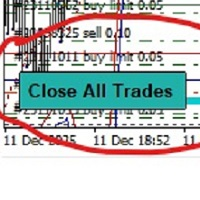
-Product Description- This close_all_entry button can use to close all your active entry with profit or lose . Button can't use to delete all your pending order . Just one click can close all active entry , no need anymore to close one by one . Maybe get some delay to close all your active entry . Just trade with amount you dare to lose . o.o.o.o.o.o.o.o.o.o.o.o.o.o.o
FREE

JVH Trading Information Panel v3.93 Professional Trading Dashboard for MetaTrader 4 The JVH Trading Information Panel is an advanced, real-time trading dashboard for MetaTrader 4 , designed to give traders a clear, structured overview of risk, performance and execution quality — all in one clean, dark-themed panel. Built for retail traders and prop-firm traders (FTMO, FundedNext, etc.) who require accurate, equity-based risk tracking and professional-level statistics. Key Advantages Liv
FREE

MT4 to MT4 Two Way Copier: Skyrocket Your Trading Success with Seamless Precision!
Unlock the power of automated trade replication with This Copier, the ultimate Expert Advisor (EA) designed to revolutionize your trading experience on MetaTrader 4 Whether you are a seasoned trader, a hedge fund manager, or a prop firm guru, this robust, feature-packed tool ensures your trades are copied with lightning-fast accuracy across multiple accounts or platforms. Say goodbye to manual trade management a

Smart Equity Protector (PropFirm Edition) Smart Equity Protector (PropFirm Edition) is a professional account equity protection and risk-management utility for MetaTrader 4. This Expert Advisor is designed to protect trading accounts from excessive losses by monitoring account equity in real time and automatically closing trades when predefined risk limits are reached. ️ This product does NOT open trades and does NOT generate trading signals .
It works as a safety and protection system for manu
FREE

Risk-based position sizing utility (MT4 Script) that helps traders calculate position size and place pending orders directly from the chart. It let trader specifies entry price, stop loss price and a fixed cash risk; the script then calculates the appropriate lot size and sends the pending order with Stop Loss (SL) and Take Profit (TP) attached in a single step. This tool is designed for manual trading only: it does not run autonomously, does not use any built-in strategy, and executes one ope

Professional Trading Expert Advisor (EA) Description for MetaTrader 4 Captivating Title: SmartStop & Trail Pro: Automated Risk Management and Profit Protection EA for MT4 ️ Full Product Description: Are you looking for a powerful tool to completely automate risk management and profit protection for your trades on MetaTrader 4? SmartStop & Trail Pro is an advanced Expert Advisor (EA) designed to take over trade management immediately after any position is opened (either manually or b
Pending Orders EA BOT MT4 – 당신의 최고의 트레이딩 파트너 MetaTrader 4를 위한 가장 강력한 원클릭 예약 주문(Pending Order) 그리드 EA (XAUUSD, NAS100, GER40, BTCUSD, Volatility 75 및 모든 주요 통화쌍에 최적화됨) 점진적 랏 사이징(lot sizing), 3가지 모드의 스마트 트레일링 스탑, 그리고 차트 내 완전 제어 기능을 통해 100~1000개 이상의 완벽하게 계층화된 Buy Limit/Buy Stop 또는 Sell Limit/Sell Stop 주문을 단 몇 초 만에 배치하세요. 복잡한 메뉴 없이 크고 아름다운 버튼과 라이브 대시보드만 있으면 됩니다. 이 EA는 최소 가격 간격 0.01로 스캘핑을 하여 몇 분 만에 수백 건의 거래를 배치하거나 장기 트레이딩 시그널을 설정하는 데 완벽합니다. 앞으로 당사는 이 EA를 통해 트레이딩 시그널을 제공하여 귀하의 거래를 더욱 쉽게 만들 계획입니다. 자세한
FREE

Product Name: Risk Commander: Trade Assistant & Strategy Simulator Risk Commander is more than just a trade panel—it is a complete Manual Trading Ecosystem . It serves two powerful purposes: Live Assistant: Helps you execute trades with speed, precision, and perfect risk management in real-time markets. Training Simulator: Fully compatible with the Strategy Tester (Visual Mode) , allowing you to practice manual trading on historical data without risking a cent. NEW! Built-in Simulator Mode Stop

This utility trails not each position separately, but the entire profit on the account (by money or by percentage).
Activate_Trailing - activation of trailing by money or by percentage of profit. Start_Trailing - the required profit value to start the trailing. Size_Trailing - the size of the trailing stop. Min_Value_for_Close - the minimum profit value after the start of trailing to close positions (in case of a large negative gap to stay in the game). Select_trades - selecting positions t

AZ Trade Recovery Assistant MT4 combines manual trading flexibility with intelligent automated management.This advanced on-chart panel isn’t just for trade execution — it’s a complete trade management assistant. You can open or close positions instantly, adjust lot size, manage trailing stops, and modify Take Profit or Stop Loss — all directly from the panel. It’s built for traders who want full control of their trades with smart automation running in the background. What truly makes this assi
MetaTrader 플랫폼 어플리케이션 스토어에서 MetaTrader 마켓에서 트레이딩 로봇을 구매하는 방법에 대해 알아 보십시오.
MQL5.community 결제 시스템은 페이팔, 은행 카드 및 인기 결제 시스템을 통한 거래를 지원합니다. 더 나은 고객 경험을 위해 구입하시기 전에 거래 로봇을 테스트하시는 것을 권장합니다.
