 MetaTrader 5
 Experts
 지표
지표
 라이브러리
라이브러리
 유틸리티
유틸리티
 위젯
위젯
 규칙
규칙
MetaTrader 4용 새 트레이딩 유틸리티 - 16
 다음은 MetaTrader 4에서 외환 거래를 단순화하는 거래 프로그램입니다. 아래 목록의 유틸리티 위로 마우스를 가져가면 해당 설명과 용도를 읽을 수 있습니다.
Initial Stop Loss Setup : Automatically applies an initial stop loss (in points) immediately when a trade is opened. Provides peace of mind by ensuring every trade is protected against unfavorable price movements. Dynamic Trailing Stop : Adjusts the stop loss at the close of each candle based on a fixed point distance. Moves the stop loss incrementally closer to the current price, locking in profits as the market moves in your favor. Works Across All Timeframes : The EA adapts to any chart time

Dashboard.mq4 - 간단한 거래 관리자 수동 거래를 즐기고 거래를 간편하게 관리할 수 있는 방법을 찾는 트레이더를 위해 설계된 이 강력한 MQL4 유틸리티는 거래 효율성을 향상시켜 실시간 대시보드를 통해 거래를 관리할 수 있도록 도와줍니다. MetaTrader에 원활하게 통합되어 로트 크기 계산과 리스크 지표 추적을 간편하게 수행합니다. 주요 기능: 리스크 및 마진 표시 : 실시간 로트 크기, 마진 요구 사항 및 승률 계산을 통해 정확한 거래 결정을 지원합니다. 거래 관리 버튼 : 매수/매도 주문을 배치하고, 거래(모두, 수익성 있는 거래 또는 손실 거래)를 종료하거나, 이익 실현 및 손절매를 취소하는 버튼을 한 번의 클릭으로 제공합니다. 사용자 정의 가능한 승률 추적 : 현재 월, 최근 거래 또는 전체 히스토리와 같은 다양한 기간에 걸쳐 거래 성과를 분석할 수 있습니다. 인터랙티브하고 직관적인 UI : 빠른 액션을 위한 사용자 정의 가능한 버튼이 있는 명확하고 쉽게 탐색할

Simple and Easy MT4 Trade Panel by Winidecorw I created this EA to make your life easier by making it easier and faster to open your trades. The price will increase progressively, take advantage now! Simplify Your Trading with the Simple and Easy MT4 Trade Panel Are you tired of wasting time setting up each trade in MetaTrader 4? With the simple and easy MT4 trading dashboard, taking your trading to the next level has never been so quick and easy!
This Trade Assistant dashboard is the Simple an

In version 4.2 we have combined this tool with our own indicator written by our experts. You can download the indicator (Volume Time Marvel) for free from the Indicators section of MQL5.com and use it alongside this tool to better manage your open positions with a better understanding of market timing and trading volume.
Forex trading is conduct 24 hours a day, but trading volume is not the same at all hours. Identifying the best times to trade can significantly improve your trading strategy. Wi
FREE

Automate your Trendsurfer trailing stop management - day and night With this Expert Advisor for Metatrader 4 you save time, avoid mistakes and trade more relaxed - specially developed for the Trendsurfer trading system.
Always the right stop loss Fully automatic Simple to use Saves you time How it works
1. download the Expert Advisor and install it in Metatrader 4 (I will give you instructions on how to do this)
2. define your stop-loss rule
3. run your computer or VPS - the Expert Advisor

Скрипт для быстрого закрытия рыночных и отложенных ордеров. Этот зацикленный скрипт гарантированно закроет все выбранные ордера. Он будет работать, пока не закроет все выбранные позиции и удалится когда сделает свою работу. Если у Вас много открытых позиций этот скрипт поможет вам. Интуитивно понятный интерфейс 1) Просто бросьте его на график. 2) Выберите ордера, которые надо закрыть. По умолчанию выбраны все! 3) нажмите кнопку "Close". Версия для MT5 https://www.mql5.com/ru/market/product/1297
FREE

Blow Stopper Genesis Prop Firm EA (MT4) Overview
Blow Stopper Genesis is an advanced trading algorithm tailored for MT4 and optimized for the 1-hour timeframe . Designed with precision and adaptability, it identifies the best entry points and manages trades efficiently, ensuring performance across all currency pairs and XAUUSD (Gold). Key Features Precision Entry Logic :
The EA uses the Vidya Moving Average to identify optimal entry points, ensuring high-quality trades only when conditions are

Chart Refresher EA is a simple yet powerful tool for many traders struggling with repainting EAs and indicators. These tools often recalculate and change their visualized graphics upon chart refresh or timeframe switching, leading to misleading trading signals. The Chart Refresher EA is designed to periodically switch between chart timeframes in the blink of an eye, ensuring that all attached indicators and EA graphics remain currently fresh and recalculated. This allows the trading tools to fu

Telegram에서 MT4로: 최고의 신호 복사 솔루션 최첨단 유틸리티인 Telegram to MT4를 사용하여 거래를 간소화하세요. DLL 없이도 Telegram 채널과 채팅에서 MetaTrader 4 플랫폼으로 거래 신호를 직접 복사할 수 있습니다. 이 강력한 솔루션은 탁월한 정밀도와 맞춤 설정 옵션을 통해 원활한 신호 실행을 보장하여 시간을 절약하고 효율성을 높여줍니다. [ Instructions and DEMO ] 주요 특징 직접 Telegram API 통합 전화번호와 보안 코드를 통해 인증하세요. 사용자 친화적인 EXE 브리지를 사용하여 채팅 ID를 손쉽게 가져오고 관리하세요. 여러 채널/채팅을 추가, 삭제, 새로 고침하여 동시에 신호를 복사합니다. 고급 필터를 사용한 신호 파싱 사용자 정의 예외 단어(예: "보고서", "요약")가 포함된 원치 않는 신호를 건너뜁니다. 유연한 SL 및 TP 형식을 지원합니다: 가격, 핍 또는 포인트. 신호가 가격 대신 지점을 지정

주요 기능 자동 포지션 사이즈 계산 : 손절매 거리와 티켓 기반 위험 금액을 기준으로 자동으로 로트 사이즈를 결정합니다. 자동 피보나치 되돌림 진입 : 시장 움직임을 추적하고 지정된 되돌림 수준에서 풀백 시 거래에 진입합니다. 다중 시간대 종가 손절매 실행 : 선택한 시간대의 바 종가를 기준으로 손절매를 실행합니다. 시간대 코드 및 피보나치 되돌림 코드 : TF 및 FB 코드를 사용하여 거래를 정밀하게 제어합니다. 이 코드는 종가 실행 및 피보나치 되돌림 수준 진입에 대해 각각 손절매 및 이익 실현 가격의 소수점 이하 마지막 자리 에 해당합니다. 소개 CosyTrader EA는 모바일 트레이더 를 위해 특별히 설계된 강력한 도구입니다. 로트 사이즈 계산, 피보나치 되돌림 진입 및 종가 손절매 실행 을 다중 시간대에서 자동화합니다. 이러한 중요한 거래 작업을 간소화함으로써 EA는 트레이더가 화면 시간을 최소화하면서 정보에 입각한 결정을 내릴 수 있도록 지원합니다. 배경 정보
By :ForextraderEanow SnowBall 2028 Ea. 1.0
This EA is Famous Grid Strategy that open positive grid of trades with the larger size first and smaller size after. It makes PROFIT when the Forex price moves i

PositiveSwap
Легкий, бесплатный скрипт на языке MQL4, который выводит на график, в виде простой таблицы, все торговые пары с положительным свопом и указывает направление (покупка или продажа).
Скрипт автоматически просматривает все доступные торговые пары из окна "Обзор рынка". Поэтому, чтобы увидеть все возможные пары с положительным свопом, рекомендуется включить показ всех символов.
FREE

Key Features and Functionality Trade Detection: The tool actively monitors the trading account for newly opened trades. Once a trade is detected, it begins its operations automatically without requiring manual intervention. Initial Stop Loss Placement: Immediately after a trade is opened, the tool sets an initial stop loss at a predefined level. The initial stop loss serves as the first line of defense against unfavorable price movements. Dynamic Stop Loss Adjustment (Trailing Mechanism): As the

The panel is designed to manage trading positions: to open new trades and close already opened ones. To open new trades, you can set the position LotSize, Stop Loss in points, risk in dollars or in percent, Take Profit in points or Profit in dollars, you can set the Profit/Risk parameter. It is possible to place a panel on the active chart to visually set the parameters of a new trade, select a market order or a pending one. If you fix the RR parameter, then when the Risk changes, the Profit wil

Risk Calculatorr Panel MT4
Professional trading assistant for MetaTrader 4.
Open trades faster, calculate precise risk instantly, and manage positions like a professional trader.
WHY TRADERS NEED THIS PANEL
Many traders lose money because they:
• use wrong lot size • risk too much per trade • enter too slowly • manage positions emotionally • open trades without clear RR ratio
This panel helps solve these problems in seconds.

Ruler is important but just a simple tool. Why people make it too complex? Easy Ruler makes it great again. Almost zero setup required, nothing annoying on chart, quick and accurate. Easy Ruler MT4 just help you measure 2 points on chart quickly and accurate. That's all!
To support you better, it has magnet mode to pick points more accurate and works on indicator windows too (30 indicators that provided by MT4 by default). This smart ruler provides these information right on chart in no time t

Auto SLTP Pro can help you setSL & TP automatically for positions & pending orders * 2 modes: - Points - USD * Symbol Filter: Select All or a specific symbol * For pending orders: Select true to set SLTP for pending orders Note: Only valid for positions (pending orders) without SL&TP! Join my channel here for more useful management tools: * Remote Tools via Telegram: Super Assistant, Master Close, Master Control, Master Notify * Free Tools: Tele Notify, Price Alert, Quick Close
FREE

Feel free to contact me for any extra features :) [SEE MT5 VERSION https://www.mql5.com/en/market/product/128846
The Local Reverse Copier is an Expert Advisor designed to synchronize positions between a Master account and a Slave account with a twist: it reverses the trades. When a buy position is opened on the Master account, the EA opens a sell position on the Slave account, and vice versa. This allows for a unique form of trade copying where positions are mirrored in opposite directions bet

Feel free to contact me for any extra features or for support :) [SEE MT5 VERSION https://www.mql5.com/en/market/product/128845 ] The Local Copier EA is an Expert Advisor (EA) designed to synchronize trading positions between a master account and a slave account, operating in either Master or Slave mode. Key Features: Master Mode :
In Master mode , the EA monitors open positions and stores relevant trade details. These details include symbol, volume, stop loss, take profit, and position type, w

Download DEMO here: https://www.mql5.com/en/blogs/post/759769 An ultimate panel you've never seen before. Compact and nice Trade panel with large Total P/L and it's percentage display. Groups for trades summary available: Ticket, Symbol, Type, Category, and Magic. Average price field helps you know your trading average price and direction. Set magic and comment of your trading in a very easy way. Group closing by symbol, type, category or magic - only by one click. Close All button for a qu

Automated account protection for prop trading. PropProtector monitors your trading rules in real time, closes trades when a limit is reached, and helps protect your capital on funded and challenge accounts. Important: test on a demo account first Never run PropProtector on a live account with open trades before verifying all settings on a demo account. Adjust min/max balance, loss limit, profit target and trade limits to match your account size and strategy. Incorrect settings can immediately cl

Advanced Trailing Stop Loss Utility Optimize your trading strategy with the Advanced Trailing Stop Loss Utility , a powerful tool designed to dynamically protect your profits and minimize losses. Whether you're a beginner or an experienced trader, this utility ensures that your trades remain secure while maximizing potential gains. Key Features: Dynamic Stop Adjustment : Automatically adjusts the stop loss level as the market moves in your favor, locking in profits while allowing for market fluc

거래하고자 하는 주요 영역을 파악한 후 자동으로 거래 지원 및 저항 또는 공급 및 수요 구역을 설정합니다. 이 EA를 사용하면 한 번의 클릭으로 매수 및 매도 구역을 그린 다음 가격이 바뀔 것으로 예상되는 정확한 위치에 배치할 수 있습니다. 그런 다음 EA는 해당 구역을 모니터링하고 구역에 대해 지정한 가격 액션에 따라 자동으로 거래를 수행합니다. 초기 거래가 수행되면 EA는 대상 구역이 되는 반대 구역에서 이익을 얻습니다. 그런 다음 거래를 종료하고 진입할 새 구역을 그리거나 이익을 얻고 즉시 반대 방향으로 거래를 역전하여 "항상 시장" 스타일 전략을 만드는 두 가지 선택이 있습니다.
입력 및 전략이 포함된 전체 매뉴얼은 여기에 있습니다: https://www.mql5.com/en/blogs/post/760256
이 EA는 시장에서 고정 또는 하드 스톱 로스를 사용하지 않는 포지션 트레이더 또는 달러 비용 평균 거래 전략을 위해 설계되었습니다. 대신, 다음에 가능한 지지 또는

이 도구는 두 가지 주요 이점을 제공합니다. MT5 경제 지표의 사용 편의성을 향상시키고 MT4와 데이터를 원활하게 공유할 수 있습니다. 예를 들어, 10년 이상 전의 경제 지표 데이터를 효과적으로 활용하여 훈련 및 백테스팅을 수행할 수 있습니다. 또한, MT4의 PracticeSimulator 와 호환되어 과거 데이터 거래 연습부터 MT4 실시간 거래까지 활용할 수 있는 소중한 도구입니다. 중요 사항
이 도구는 MT5의 경제 지표 데이터를 필요로 하므로 MT4 버전에서는 독립적으로 작동하지 않습니다. MT5 버전이 설치되어 있는지 확인하세요. => MT5 버전
MT5 경제 지표의 개선 사항 역사 데이터 액세스 : 10년 이상 전의 이벤트를 포함한 경제 지표 데이터를 분석하여 상세한 백테스팅 및 과거 검토가 가능합니다. 사용자 정의 가능한 표시 : 경제 지표는 차트에서 눈에 띄지 않게 표시되며 배경과 조화를 이루도록 조정 가능합니다. 자동 시간 조정 : 시간대 및 서머타임을 자동으
FREE

DMI Telegram Notifier: Your Trading Notification Assistant on Telegram The DMI Telegram Notifier is a powerful and customizable tool designed to send detailed and instant trade notifications directly to Telegram.
Whether you are a professional trader or a passionate enthusiast, this Expert Advisor helps you track your positions, receive alerts on order modifications, and share your results in real time with your followers or trading group. Key Features: Instant Notifications: Receive detailed a

Introduction
Take your forex trading to the next level with our vibrant, color-coded session indicator! Designed for MT4/MT5, this tool visually separates the Asian (Purple) , London (Yellow) , and NYC (Pink) trading sessions for optimal trading strategy. Key Features Color-Coded Precision : Asian (Purple), London (Yellow), NYC (Pink) sessions marked directly on your chart. Perfect for Session Traders : Focus on the overlaps and high-volatility periods. Compatibility : Works seamlessly with MT4

DMI MultiTimeFrame Candle Timer: Track Candle Countdown Across Multiple Timeframes with Clarity The DMI MultiTimeFrame Candle Timer is an advanced indicator designed to provide traders with real-time countdown timers for the remaining time before candle closes on multiple timeframes. This tool allows you to monitor multiple timeframes simultaneously, providing a clear and customizable visual of the candle countdown, helping you make precise and timely trading decisions. Key Parameters: Display O

* Super Assistant is an useful management tool that helps traders perform management tasks on MT4/MT5 account remotely via Telegram such as: - Get info (account, details of positions, pending orders, floating PL, price, economic news, etc) - Open trade (open instantly with preset parameters) - Manage trade (set SLTP automatically, break-even mode, max risk, close time every day, etc) - Close trade (close all, buy, sell, win positions by one click, set awaiting close by PL, time) - Set up no
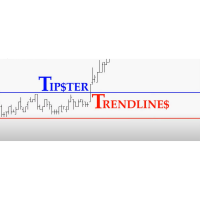
Trade Assistant MT4 Introducing Tipster Trendlines 2: The Future of Manual Trading is Here! This is a Trade Assistant for MT4. Are you ready to elevate your trading game? Tipster Trendlines 2 isn’t just another tool; it’s your ultimate trading companion —designed to empower you, save time, and help you trade smarter. For 9 years, this tool has been a game-changer for traders who value control, precision, and results. Now it’s your turn to experience its magic. What Makes Tipster Trendlines 2 S
FREE

Description of the Expert Advisor (EA) - Stop Loss Reverse Objective: The "Stop Loss Reverse" is an Expert Advisor (EA) designed to automate the management of pending orders by leveraging the Stop Loss (SL) level of open trades. Its main feature is the ability to automatically place pending orders at the Stop Loss level, creating a dynamic strategy that adjusts risk and Take Profit (TP) levels as the market moves. Key Features: Management of Open Orders: The EA monitors open orders on the chart,

I'm a trader in Vietnam, I mainly trade during the London session.
However, the morning in Vietnam is midnight in London, and evening in Vietnam is afternoon in London.
This time difference makes it difficult for me to visualize how other traders, especially Floor Traders and Bank traders, operate in London. I also didn’t want to buy a physical clock, so I created this indicator. Main Features: Displays time in specific time zones like UTC/GMT+0 or GMT+2 Customizable clock settings: adjust font,
FREE

Quick Close Pro by one click: * Close Buy positions * Close Sell positions * Close Win positions * Close All positions * Close All pending orders To close all positions by one click from your Telegram, please refer Master Close . Thank you! Join my channel here for more useful EAs: - Tele Notify, Price Alert, Equity Alert, Remote Algo OnOff - Auto SLTP, Close Timer
FREE

Break-Even Pro * 3 BE modes: - RewardRisk_Single for single trade (only valid for positions with SL) - Points_Single for single trade - Points_DCA for multiple DCA trade * Start Value: value of RR or # points to start SL moving * Offset: distance in points between BE level & entry * Symbol Filter: Select All or a specific symbol * Partial Close (%): Close % initial volume when moving SL to BE (0 for no partial close) Join my telegram channel here for more useful free EAs. Thank yo
FREE
DMI Drawdown Watcher: Track your Drawdowns in Real Time 100% free, functional and without limitations!
The DMI Drawdown Watcher is an essential tool for traders, designed to monitor your drawdowns in real time. Ideal for optimizing your risk management,
this indicator tracks your current and maximum losses, helping you meet the strict criteria of prop firms and protect your capital.
Key Features: Max DrawDown Value Alert: Triggers an alert when the maximum drawdown threshold is reached. (Def

Easy Toolbar is a user-friendly toolkit that provides fundamental tools and utilities which can helps you analyze market , get notifications and calculate trade factors faster, more accurate and much easier.
Easy Toolbar is born with the mission to make analysis tools of MT4 really work & provide more useful utilities .
If you are not fully depend on EAs and do your own work to analyze market, this tool is for you! Main features New way to use market analysis tools Introduce new important object

This is a free trial version of ScalTradeAssist Pro ( https://www.mql5.com/en/market/product/25920 ) You can use all functions of the tool without any restriction except the lot size. (fixed as 0.01)
I hope you'd like it and decide to purchase the professional version :)
Below is the explanation of the ScalTradeAssist Pro.
*If you see that the orders are not being placed, please check your spread setting, this tool watches it and never place orders if the spread is not matching.
ScalTradeAssis
FREE

THIS EA WILL PROTECT YOUR ACCOUNT IN MANY WAYS KEY FEATURES ARE : 1. CLOSE ALL TRADES IN ONE CLICK. 2. CLOSE ALL TRADES WHEN INPUT MENTIONED LOSS LIMIT REACH. 3. CLOSE ALL TRADES WHEN INPUT MENTIONED PROFIT LIMIT REACH. 4. IF REVERSE MODE IS ON THIS EA WILL TAKE OPPOSITE TRADES IF YOUR OTHERS EA MAKES LOSS OR MANUAL TRADING ALSO IF YOU ARE GETTING ALWAYS LOSS THEN YOU CAN SWITCH ON REVERSE MODE SO IT WILL TAKE OPPOSITE TRADES WHENEVER ANY TRADES PLACED IN YOUR ACCOUNTS. 5. FIX LOT SIZE 6. STOP

Dynamic Trailing Stop Distance Logic Base Trailing Distance : Define a minimum trailing distance for small profits. Profit-Dependent Distance : Scale the trailing stop distance based on the current profit level. Cap Distance (Optional) : Optionally, limit the maximum trailing stop distance to avoid overly large values. Input Parameters MagicNumber : Filters trades by their magic number. BaseTrailingStop : Minimum trailing stop distance (in points). ActivationThreshold : Profit threshold in pips

EA CREATED WITH THE AIM TO HELP SIMPLIFY AND SPEED UP IN TRADING ANALYSIS. This EA is based on SNR Breakout, This EA works Multitimeframe This EA can accurately identify Support & Resistance, accurately identify SnR Breakouts. provides alerts when there is a Breakout on All TimeFrames. The EA has an Information Dashboard that makes it easy for traders to see the current market conditions. The Dashboard displays the status of the last Breakout in each TimeFrame and the history of the setup that

Telecontrol MT4 is a solution for integrating the MetaTrader 4 terminal with a Telegram channel. The server-based operation simplifies the creation of tokens and identifiers, consolidates data from multiple terminals, and generates valuable information in Telegram. The functionality includes: notifications about trades, orders, and balance changes; monitoring of drawdowns and lot limit exceedances; trade reports and expert advisor analysis; notifications about significant events with color highl
FREE

### Description This Expert Advisor is designed to instantly close active positions and/or pending orders based on user-defined criteria. It supports filtering by trade type, magic number, and symbol scope, and is optimized for fast execution.
### Features - Close buy trades, sell trades, or both. - Filter by symbol: close trades on current chart only or across all symbols. - Filter by magic number or close all trades regardless of magic. - Set maximum allowed slippage for execution control. -
FREE

This Expert Advisor is designed to help traders manage their positions automatically. It can hedge manual trades when a specified (loss or win) threshold is reached, reducing risk. The EA also allows traders to close buy or sell trades individually based on profit or loss, and it can close all trades when a certain total profit or loss is achieved. With customizable settings for trade management, this EA helps traders automate their strategies and improve efficiency. The EA opens trades using th

Master Notify via Telegram can help you perform some management tasks on MT4/MT5 remotely via your Telegram by one click, easy to set up & use. Demo here (see more Master Close Master Control ) ************************************************************************************ LIST OF COMMANDS: info_acc - Get account info info_pos - Get positions details price - Get symbol price noti_price - Set price alert noti_pl - Set floating PL alert noti_equity - Set equity alert noti_margin

Master Control via Telegram can help you perform some management tasks on MT4/MT5 remotely via your Telegram by one click, easy to set up & use. Demo here (see more Master Close Master Notify ) ************************************************************************************ LIST OF COMMANDS: info_acc - Get account info info_pos - Get positions details price - Get symbol price buy - Open a buy position sell - Open a sell position inst_set - Set parameters for instant trade i

Tele Notify can help you send notifications for opened & closed trades to a Telegram channel or your personal Telegram. (see Master Notify for more options of notifications: price, equity, profit, etc. Get more EAs here ) Update: Now you can check your account info anytime from your Telegram by simple command: /check. This option is only valid when you use your Telegram User ID on EA inputs
******************************************************************************************** HOW TO SET U
FREE

RR Visualizer - Enhance Your MT4 Risk Management RR Visualizer is an essential MT4 utility for traders looking to optimize their risk management effortlessly. This tool calculates the ideal lot size based on your preferred risk percentage and the custom stop-loss distance you set, giving you full control over your money management. Designed with a user-friendly and attractive interface, RR Visualizer keeps the focus on your trading, not on complex calculations. Key Features Customizable Ris
FREE

Order Closer Manager Order Closer Manager Order Closer Manager is a powerful and easy-to-use MetaTrader 4 (MT4) Expert Advisor designed to help traders efficiently manage their open orders. This EA is ideal for traders who want precise control over their trades with minimal manual intervention. Key Features: Close Orders by Percentage: Automatically close a specified percentage of your total open lot size with a single click. Breakeven Management: Apply breakeven levels to buy, sell, or all open

카피 마스터 MT4 MetaTrader 4 및 MetaTrader 5 터미널용 트레이딩 복사 도구입니다. 양방향 복사를 지원합니다.
MT4에서 MT5로, MT5에서 MT4로, 그리고 동일 유형의 계정 간 MT4에서 MT4로. 올바르게 작동하려면 모든 터미널이 동일한 PC나 VPS에서 실행되어야 합니다.
[ Instruction and Demo ] MetaTrader 4에 복사하려면 별도 버전이 필요합니다. 카피마스터 MT5 — 필수입니다. 주요 특징: 복사 모드
마스터 및 리시버 역할을 모두 지원합니다. 거래 송수신을 위한 유연한 설정이 가능합니다. 주문 관리
시장가 및 보류 주문을 복사합니다. 동기화 및 부분 마감, 매매 반전, 손절매/실현가 수정을 지원합니다. 심볼 처리
접두사와 접미사를 지원합니다. 특정 기호를 제외하거나 포함하고, 자산에 사용자 지정 이름을 지정할 수 있습니다. 위험 관리 및 한도
일일 거래 한도, 최대 손실 한도,

News Filter EA: Advanced Algo Trading Assistant News Filter EA is an advanced algo trading assistant designed to enhance your trading experience. By using the News Filter EA , you can integrate a Forex economic news filter into your existing expert advisor, even if you do not have access to its source code. In addition to the news filter, you can also specify trading days and hours for your expert. The News Filter EA also includes risk management and equity protection features

Position Accelerator is an innovative solution for traders that helps maximize profits by capitalizing on trending market movements. The utility automatically increases the size of your trading positions once they reach a predefined profit level, significantly enhancing your profitability. This product is also available for MetaTrader 5 => https://www.mql5.com/en/market/product/126702 How does Position Accelerator work? 1. Acceleration through additional positions: When your open position reac

LogEverything EA
The LogEverything EA is a comprehensive tool designed for logging and recording various trading metrics, account information, and market data. It is a robust solution for traders who want to track the performance of their trades, analyze historical data, and ensure accurate record-keeping.
Key Features: Logs trade executions, including details such as entry price, lot size, stop loss, take profit, and comments.
Tracks closed trades with detailed information on profit or loss
Equity Watcher: Your Ultimate Risk Management Tool ---------------------------------------------------------------------------------------------------------------------------------------------
Equity Watcher is a must-have for traders who value precision and control over their accounts. This powerful EA monitors all trades on your account in real time, ensuring that your equity stays within safe limits. When the drawdown exceeds a user-defined threshold, Equity Watcher takes immediate action by

Introduction PMR (Prix Moyen de Revient) est un algorithme conçu pour MetaTrader 4 (MT4) . Cet outil innovant vous permet de suivre et d'analyser les prix moyens de vos positions et ordres dans vos comptes de trading. Que vous soyez un trader débutant ou un professionnel, PMR est conçu pour vous aider à mieux comprendre vos coûts de transaction et à optimiser vos stratégies de trading. Fonctionnalités Clés Calcul du Prix Moyen de Revient : Positions Acheteuses et Vendues Ouvertes : Affiche

Grid Maestro is a utility that automatically builds a grid of orders based on specified parameters: grid step, number of orders, and volume multiplier. The first trade is opened manually by the user. Functionality and Features: The utility places virtual pending orders (red line) and take profit (green line) after the user manually opens a trade or after a pending order placed manually by the user is triggered. Initially, one pending order is set in the grid, and as they are triggered, subseq
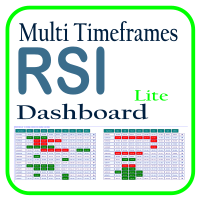
Optimize your trading analysis with the RSI Multitimeframe Dashboard, a powerful tool designed to streamline RSI monitoring across all timeframes and symbols listed in your Market Watch. This dashboard delivers real-time insights and alerts, making it essential for traders who rely on RSI to identify potential market entries and exits. Key features include: Comprehensive RSI Overview : Instantly view RSI values for every timeframe across all Market Watch symbols, making multi-timeframe analysis
FREE

Common graphic drawing features: including profit-loss ratio tools, trend line tools, Fibonacci retracement tools, rectangle tools, and channel tools. When drawing, you can control the mouse to snap to K-lines or control the same price to draw horizontal lines through shortcut keys. Fast chart switching feature: Use shortcut keys to quickly scroll through your product list, allowing you to focus on full-screen mode. Profit-loss ratio calculation and position control features: Based on real-time

V-Trailing è uno strumento avanzato progettato per supportare il nostro trading manuale, con funzionalità dedicate alla gestione di take profit, stop loss e trailing stop. Questa utility, oltre a semplificare l’inserimento dei dati su MT4, consente di configurare parametri di trailing stop non disponibili di default sulla piattaforma. La caratteristica principale di V-Trailing è la possibilità di impostare un punto di partenza personalizzato per il trailing stop, diverso dalla linea di prezzo co
FREE

HFT FAST SCALPING EA the High Frequency Trading which use stop orders to enter the trades when market is trending.
best use for
1- Low slippage brokers for us30 and DE40 .
2- LOW OR ZERO COMMISSION BROKERS FOR EUR AND GOLD.
3-Prop firms like ftmo ,tff,.......etc
This EA UNLIKE Other HFT EAs , You can see that in the parameters ,, CHOOSE LOT SIZE , MAX LOT , CHOOSE TIME , COMMENT AND OTHERS .
IT STOPS 3 MINUTES AUTOMATICALLY EVERY 15 MINUTES TO PROTECT THE EQUITY FROM A BIG UNWANTED SLIPPAGE .

Welcome to S3S Trade Manager MT4, the best risk management tool available, created to improve the efficiency, accuracy, and intuitiveness of trading. This is a complete solution for smooth trade planning, position management, and improved risk control, not just a tool for placing orders. With flexibility across all markets, from forex and indices to commodities and cryptocurrency, S3S Trade Manager MT4 can accommodate your needs whether you're a novice making your first moves, an experienced tra
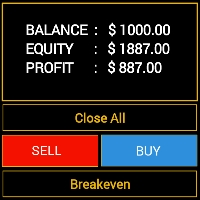
Features - Showing BALANCE
- Showing EQUITY
- Showing PROFIT
- Showing LOTS
- Showing SPREAD
- Showing SELLS & BUYS TOTAL(Current Pair)
- Showing SELLS & BUYS TOTAL(ALL Pairs)
- Showing ORDERS TOTAL
- Showing Lots Value will be used
- Showing Pips Value for SL/TP will be used
- Showing Amount of order will be used
- Showing Clock for Current Candle - Button for RESET(Closing all Orders(Opened,Limit and Stop)
- Button for Clearing Open Orders
- Butto

Send position notifications to your channel or chat, the EA also has the function of sending to a chat if it is running every hour, very important for traders who have EA running in the cloud to receive hourly notifications if the EA is running, if the notification is not sent it means that the EA is having a problem, and the trader can take faster action, preventing their EA from being stopped for hours or days. After the position is completed, the EA "Telegram notifications" will edit the orig
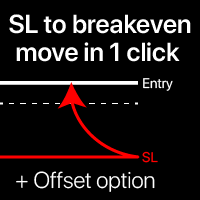
브레이크이븐 레벨: 1클릭으로 SL 이동. 기존 수익을 잃는 것을 방지 이 유틸리티를 사용하면 1클릭으로 빠르게 수익을 보호 할 수 있습니다. 특히 단기 거래에 중요합니다. 오프셋 옵션도 사용 가능. 내 최고의 유틸리티 : 66+ 기능, 이 도구 포함 | 질문이 있으면 연락주세요 | MT5 버전 SL 레벨 이동 방법: 1. 특정 [심볼] 을 지정하거나 [모두] 심볼을 선택합니다. 2. 브레이크이븐을 적용할 거래 유형 을 선택합니다: [모두]: 모든 활성 거래; [롱]: 매수 거래만; [숏]: 매도 거래만; 3. [수익 > 인 경우] 옵션: 활성화하면 지정된 값을 초과하는 수익이 있는 거래에만 SL이 이동됩니다. 4. [+ 오프셋] : TP 레벨 방향으로 추가 SL 이동 을 설정할 수 있습니다.
따라서 SL은 브레이크이븐뿐만 아니라 수익성 있는 레벨로도 이동할 수 있습니다. [v] 선택기 를 사용하여 수익 및 오프셋 값의 계산 방법 을 선택할 수

This Program will not execute any trades!
Works on any chart and any time frame!
This is the MT4 version.
MT5 version: https://www.mql5.com/en/market/product/125600?source=Site+Market+My+Products+Page
This Program will produce a comment box at the top left of the chart and show you your equity % difference throughout the day. Updating constantly in real time.
The daily resets back to zero on open of a new market open day. Using new current equity at start of day as reference for future calc
FREE

This Program will not execute any trades!
Works on any chart and any time frame!
This is the MT4 version.
MT5 version: https://www.mql5.com/en/market/product/125598?source=Site+Market+My+Products+Page
This EA will produce a comment box at the top left of the chart and show you your equity % difference throughout the day, week, month and year. Updating constantly in real time.
The daily resets back to zero on open of a new market open day.
The weekly resests back to zero at open of a new mar

### TeleBot4 - Trade Copier from MT4 to Telegram [MANUAL]
TeleBot4 is an innovative MQL4 program designed to seamlessly bridge your MetaTrader 4 trading experience with Telegram. This powerful tool allows traders to send real-time trade notifications directly to their Telegram channels and groups, ensuring they never miss an important market move.
**Key Features:**
- **Real-Time Trade Alerts:** Instantly receive notifications for every trade executed on your MT4 account, including order op
빠른 작업: 1클릭으로 모든 트레이드를 닫거나 수정 이 유틸리티를 사용하면, 선택한 카테고리의 모든 트레이드에 필요한 작업을 빠르게 적용할 수 있습니다. 특히 단기 트레이더에게 유용하며, 빠르게 행동해야 할 때 사용합니다. 다기능 유틸리티: 66+ 기능, 이 도구 포함 | 질문이 있으면 연락하세요 | MT5 버전 1. [모든] 심볼 을 선택하거나, 관리할 특정 [심볼] 을 지정합니다 . 예를 들어, 다른 심볼 그룹을 동시에 관리할 수도 있습니다: ' GBP '를 입력하면 GBP /USD, EUR/ GBP 등 ' GBP '가 포함된 심볼을 동시에 관리할 수 있습니다. 2. 아래에서 6가지 유형 으로 그룹화된 활성 트레이드 를 닫을 수 있습니다. 파란 스위치 를 사용하여 활성 트레이드의 어떤 부분을 닫을지 선택할 수 있습니다: [전체 닫기] : 활성 트레이드가
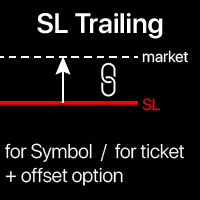
트레일링 스탑: 자동 SL 이동 시장 에 따라. 거래에서 최대 이익을 얻으세요 SL 이동 과정은 전략에 따라 자동화될 수 있습니다. 다양한 설정으로 이 도구는 어떤 전략에도 유용합니다. 특히 단기 트레이더에게 중요합니다. 다기능 유틸리티 : 66+ 기능, 이 도구 포함 | 질문이 있으면 연락주세요 | MT5 버전 트레일링 스탑을 활성화하려면 4가지 주요 매개변수(패널에서)를 설정해야 합니다: 1. 심볼 또는 거래 , 트레일링이 적용될 대상: 현재 [심볼] / [모든] 심볼 또는 특정 거래 [티켓]. [심볼] 또는 [모든] 규칙 외에도 특정 거래에 대해 별도의 규칙을 설정할 수 있습니다.
티켓 번호로: 특정 [티켓]에 대한 규칙이 우선합니다. 2. 트레일링이 활성화되는 시점: [ 즉시 실행 후]: 주문 시 지연 없이 ; [이익 시] : 이익이 지정된 값에 도달하면 트레일링이 활성화됩니다; 3. 'SL 방법': [v] 선택기를 사용하여 SL 레벨 계산 방법을 설정합

자동 브레이크이븐 레벨 이 유틸리티를 사용하면 , 거래가 원하는 수익에 도달했을 때 자동으로 SL을 이동하는 기능을 활성화할 수 있습니다. 특히 단기 거래자에게 중요합니다. 오프셋 옵션도 사용 가능합니다: 일부 수익을 보호할 수 있습니다. 다기능 유틸리티 : 66개 이상의 기능, 이 도구 포함 | 질문이 있으면 연락주세요 | MT5 버전 자동 브레이크이븐 기능 활성화 과정: 1. 심볼 또는 거래 선택 Auto BE 기능이 활성화될 대상: 현재 [Symbol] / 모든 거래 [ALL] / 또는 특정 거래 [Ticket] . [Symbol] 또는 [ALL] 규칙 외에 - 특정 거래에 대해 별도의 규칙을 설정할 수 있습니다,
티켓 번호로: 개별 [Ticket] 규칙이 우선순위를 가집니다. 2. Auto BE를 활성화할 거래 유형 선택: [ALL]: 모든 활성 거래; [Longs]: 매수 거래만; [Shorts]:
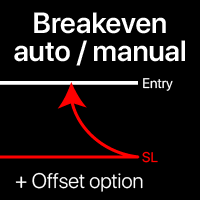
손익분기점 레벨: 수동 및 자동 이 유틸리티를 사용하면 , 1클릭으로 거래를 손익분기점으로 빠르게 이동할 수 있습니다 : 단기 거래에서 특히 중요합니다 . 또한 , 거래가 원하는 수익에 도달했을 때 SL을 자동으로 이동하도록 설정할 수 있습니다 . 오프셋 옵션도 사용 가능합니다 . 다기능 유틸리티 : 66+ 기능, BE 레벨 확장 작업 포함 | 질문이 있으면 연락주세요 | MT5 버전 이 도구는 2개의 하위 섹션으로 구성됩니다: 1. [Move SL to BE now]: 지정된 거래의 SL을 수동으로 손익분기점으로 이동합니다. 2. [Auto BE]: 거래가 수익으로 전환될 때 자동 손익분기점 기능.
수동 모드 [Move SL to BE now]: 1. 특정 [Symbol] 을 지정하거나 [ALL] Symbols를 선택합니다. 2. 손익분기점을

PRODUCT DESCRIPTION ;
An assistant that allows you to easily open your transactions.
It closes all the transactions you have opened when it reaches the specified profit point.
It also ensures that all transactions in your hedge positions are closed at the specified profit target.
With this application, you can easily try your strategy on the test device.
It allows you to follow the profit and loss status of all transactions on your platform on the screen.
PRODUCT PARAMETERS ;
LotSize : 0
트레이딩 전략과 기술 지표를 판매하기에 가장 좋은 장소가 왜 MetaTrader 마켓인지 알고 계십니까? 광고나 소프트웨어 보호가 필요 없고, 지불 문제도 없습니다. 모든 것이 MetaTrader 마켓에서 제공됩니다.
