Signal Indicator to Expert MT4

사용자 설명서: 전문가 어드바이저 "범용 지표 커넥터"
이 시스템은 재프로그래밍 없이 모든 사용자 지정 지표(.ex5)의 신호를 실행하도록 설계된 고성능 자동화 브리지입니다. 이 전문가 어드바이저는 지능형 주문 관리자 역할을 하여, 기존에는 시각적인 전략에만 의존했던 방식에 청산 규칙, 자금 위험 관리, 시간 제어 등을 적용할 수 있도록 지원합니다.

1. 지표 링크 구성
전문가 어드바이저를 사용하려면 외부 지표를 다음과 같이 정확하게 "매핑"해야 합니다.

IndicatorName: Indicators 폴더에 있는 파일의 정확한 이름입니다.

Signal Type:

Intra-bar: 신호가 나타나는 즉시 주문을 실행합니다.

Finished_bar: 캔들이 마감될 때까지 기다렸다가 신호를 확인하고 "리페인팅"을 방지합니다.

NBuffer Buy/Sell: 지표가 화살표를 생성하는 데이터 채널(0, 1 등)을 지정합니다.

Operations Type: 매수만, 매도만 또는 둘 다를 허용하도록 필터링합니다.

AddtoChart: 활성화하면 지표가 차트에 자동으로 그려집니다.

2. 위험 및 자본 관리 (자금 관리)
시스템은 포지션 크기 계산을 위한 세 가지 방법을 제공합니다.

FIX_LOT: 사용자가 정의하는 고정 로트 크기.

LOT_RISK_MONEY: 손절매(Stop Loss)를 기준으로 고정된 금액을 위험에 노출시키는 로트 크기 계산.

LOT_RISK_PERCENT_BALANCE: 총 잔액의 일정 비율(예: 1%)을 위험에 노출시키는 방식.

SL/TP 포인트: 보호 및 목표 수준(포인트 단위). 참고: 고정 한도 없이 거래하려면 0을 사용하십시오.

3. 청산 및 보호 규칙
반대 청산(ClosebyContrary): 매도 신호가 발생하면 매수 주문을 청산(반대의 경우도 마찬가지)하여 추세 흐름을 유지합니다.

시간 만료(Time Expiration): 설정된 시간 후 거래를 청산합니다. 스캘핑에 적합합니다.

손익분기점(Break Even, BE): 가격이 활성화 포인트를 돌파하면 손절매를 진입 가격(안전 마진 포함)으로 이동합니다.

트레일링 스톱(TSL): 가격을 일정한 간격으로 추적하여 장기 거래에서 수익을 확보하는 동적 스톱 기능입니다.

4. 필터 및 수익 관리
일일 손익분기점: 일일 목표 수익 또는 손실 한도에 도달하면 로봇이 모든 거래를 종료하고 다음 날까지 거래를 일시 중지합니다.

시간별 및 주별 필터: 거래 가능한 정확한 시간과 요일을 정의합니다.

5. 화면 해석
상단 패널에는 다음 정보가 실시간으로 표시됩니다.

오늘 수익: 당일 순수익(스왑 및 수수료 포함).

손익분기점: 설정한 일일 손익분기점.

상태: 로봇의 시간별 활성화 여부(활성화/비활성화).

6. 권장 사항
검증: 데모 모드에서 지표 신호가 로봇의 진입과 일치하는지 테스트합니다.

편차: 편차 매개변수는 변동성이 큰 시장에서 주문이 빠르게 실행되도록 도와줍니다. 표준 값은 50입니다.
추천 제품
NNFX Tool
Nguyen Thi Kieu Oanh
NNFX TOOL – The Essential Order Management Tool for the Modern Trader A "small but mighty" EA, designed to optimize your trading workflow: High Performance: Lightweight yet powerful operation, ensuring precise and efficient order execution. Versatile: Perfect for NNFX method followers, while being incredibly user-friendly for beginners and sophisticated enough for pro-traders. SPECIAL FEATURE - Mobile Trading Support: Automatically sets immediate Stop Loss (SL) and Take Profit (TP) for pending
FREE
TSim
Sergey Kruglov
Утилита  TSim   позволяет симулировать ручную торговлю в Тестере Стратегий MetaTrader 4. В панеле можно устанавливать размеры лота, тейпрофита и стоплосса. Панель имеет кнопки Sell   и Buy для выставления рыночных ордеров, а также кнопки CloseSell, CloseBuy и CloseAll для быстрого закрытия ордеров. Под панелью отображается список открытых ордеров. Внимание. Панель работает только в Визуальном режиме Тестера Стратегий MetaTrader 4.
FREE
이 인디케이터는 세계 거래소의 운영 시간을 표시합니다. 현재 어떤 시장이 가장 활발한지 확인하는 데 도움이 됩니다 내  #1 Pro  Utility : 66+ 기능, 이 도구 포함  |   문의하기  궁금한 점이 있으면 현재 가장 변동성이 큰 종목을 선택하는 데 도움이 됩니다; 단기 트레이더에게 특히 유용합니다; 1) 1H 이하의 시간 프레임 에서 사용할 때: 선은 차트의 실제 바 위치에 해당하며 차트를 이동할 때 거래 세션의 선 이 차트와 함께 이동합니다 . 2) 4H 이상의 시간 프레임 에서 사용할 때: 거래 세션의 정적 차트 가 표시되며 수직선 은 하루 종일 이동하며 현재 어떤 시장이 활성화되어 있는지 나타냅니다. (스케일 때문에). 인디케이터를 설치한 후에는 그리드를 비활성화(CTRL+G)하고 객체 설명을 비활성화(F8>일반>객체 설명 표시)하는 것이 좋습니다. 입력 설정: 중요:   인디케이터가 올바르게 작동하려면 초기 설정에서   브로커 시간과 그리니치 표준시의 차이를
Angry bull Option Binary
Fabio Oliveira Magalhaes
1 (1)
Angry Bull Option Binary   This is a Binary Options robot, which contains 7 strategies, you can backtest it to check what the best strategies are Settings Initial Batch Value Dynamic Investment = If activated it will use an automatic lot according to its capital Balance ($) w/ backtest = Starting balance to backtest PorcRiscoInvestment = It will be the value of % for the automatic lot if it is activated Expiration (in minutes) = It will be the expiration time of orders in Binary Options Magic
Easy Copier Limited  is utility tool to copy trade /  Trade copier   form one account (master) to other account (slave) .  It works only with a single forex ( EURUSD ) .You can use this tool as local copier ( Terminals have to be in same PC / VPS ) as well as Remote Copier ( Terminals can be in different PC / VPS ). For remote copy you can use my server or it can be configured to your server. Trades are possible to copy from    MT4 => MT4     MT4 => MT5         MT5 => MT5       MT5 =>
Stay updated with Multicurrency Overview!! The algorithm of this EA releases an average of the movement percentage of all the Forex currencies linked to a single currency, isolating it, letting us to comprehend its real and specific trend. Above on the left, a panel show us efficiently the trend of the currency, in the timeframe actually used. The second panel will keep you updated on macroeconomic news. P.N.:The news time is based on your pc clock time, this way you won't have any problem reg
Overview Happy Shiba Inu is a precision scheduling utility designed to restrict a MT4 account's trading activity to specific day or time windows. It manages both live execution logic and the automatic cleanup of pending orders during "Off-Hours." Operational Logic Pending Orders: The moment the timer hits a "Restricted" zone, the EA will scan all open orders. Any Limit or Stop orders will be deleted immediately to prevent accidental fills during high-volatility off-hours. Execution Block: Any c
Forex Daily Scalping EA is a professional scalping advisor for daily work on the FOREX currency market. In trading, along with experience, traders usually come to understand that the levels of accumulation of stop orders, price and time play a significant role in the market. - Recommend ECN broker with LOW SPREAD: IC Market , Exness, NordFX , FXPRIMUS , Alpari , FXTM PARAMETERS: PRICE - the price distance to be covered in the allotted time period; TIME - time allotted in seconds; HL_PERIOD - n
Super helper
Aleksei Moshkin
5 (2)
The expert utility is designed to automate the trading of most arrow indicators. You do not need to wait for the indicator signal in order to open an order manually, the utility will handle it for you. When a signal arrow to buy or sell appears on the chart, the EA opens an order itself. To connect the indicator, you need to add the signal arrow buffer number to the EA settings. Settings.  INDICATOR SIGNAL SETTINGS Name of the indicator - the name of the indicator Subwindow number - subwindo
Quick Funding in Prop Trading Firms
Abdeljalil El Kedmiri
4.85 (27)
This EA is designed to pass challenges of prop firms (proprietary trading firm) that allow use of High and Low Frequency trading strategies. A Gift i ncluded in this expert    :   Range Breakout strategy  that identify daily support and resistance levels and initiating both Long and Short trades automaticly at these key points. We use special HFT strategy that detect large movements and employ stop loss to protect your equity. It has build-in equity protector which will stop the EA once the pro
This tool will perform Trailing stop loss and Break even management for orders. Helps you limit or reduce the time spend watching orders on the screen, especially when you need to go to sleep. Just add this EA to 1 chart, you can manage all pairs. You can filter orders by comment, magic number, symbol, and order ticket number. When Breakeven it can add shift/offset pips (to cover the commission...). You can try in strategy tester before purchase. The EA will add Buy and Sell alternately, so yo
The Arrow Scalper
Fawwaz Abdulmantaser Salim Albaker
1 (2)
Dear Friend..  I share with you this simple Expert Adviser .. it is full automatic  this Expert Adviser following the trend of the pair you install on or any stocks or indices , it is works like that: - when the trend on H4 chart show a start of up trend the expert will wait till the 15M & 1H charts show an up trend the EA will open a buy order directly , and do the same for down trend and open a sell order the buy or sell  order lot size and take profit and stop loss will measured manually  by
FREE
EARLY REMINDER: The Starting price is 65 price will rise soon up to 365$ and then 750$ after first 10 copies of sales. Grab this offer now! Introduction Hello, traders! Welcome to the demonstration of the Forex Beast Indicator , a comprehensive tool designed to assist aspiring traders in navigating the complexities of the forex market. This indicator incorporates seven essential components to provide a well-rounded trading experience: Moving Averages Colored Zones Support and Resistance Levels
Full Dashboard Trade Panel
Opengates Success International
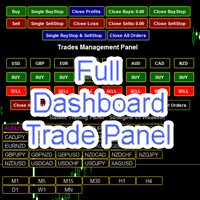
Full Dashboard Trade Panel Utility is built to perform overall task of trades and order managements to make trading an easy task for every trader that bought and using it. It comprises of three sections with each having a shift setting for a convenient placement as desired: 1.        Trades Managements Panel 2.        Basket Trades Panel 3.        Symbol and Time frame Changer Each of these three sections has its own unique functions and roles to perform for a complete enjoyable forex trading ex
"TPS Trade Panel: Your Gateway to Effortless Trading Introducing the TPS Trade Panel – the ultimate tool to streamline and enhance your trading experience across financial markets. Whether you're a novice or a seasoned trader, this feature-rich panel empowers you to execute trades swiftly and make informed decisions with ease. Efficient Order Execution: Execute trades across multiple financial instruments without the need to navigate through complex menus. With a few clicks, you can open, clo
FREE
ZIWOX TRADE LIST Description: Feeling weary with your small screen? and you need to close your trade list tab to have a larger perspective of chart? Require better management of your trade list? such as win rate, risk/reward ratio? Its a simple tools, but usefull. consolidate your trade list, active positions, opened positions and pending orders onto a distinct chart embellished with refined visuals. It contains with a lots of usefull information. Feautures: List your trades and positions sort
Market Profile 3
Hussien Abdeltwab Hussien Ryad
3 (2)
Market Profile 3 MetaTrader 4 indicator  — is a classic Market Profile implementation that can show the price density over time, outlining the most important price levels, value area, and control value of a given trading session. This indicator can be attached to timeframes between M1 and D1 and will show the Market Profile for daily, weekly, monthly, or even intraday sessions. Lower timeframes offer higher precision. Higher timeframes are recommended for better visibility. It is also possible t
FREE
Auto Fibo Pro m
DMITRII GRIDASOV
"Auto FIBO Pro" Crypto_Forex 지표 - 거래에 유용한 보조 도구입니다! - 지표는 자동으로 Fibo 수준과 로컬 추세선(빨간색)을 계산하여 차트에 배치합니다. - Fibonacci 수준은 가격이 반전될 수 있는 주요 영역을 나타냅니다. - 가장 중요한 수준은 23.6%, 38.2%, 50%, 61.8%입니다. - 역전 스캘핑이나 존 그리드 거래에 사용할 수 있습니다. - Auto FIBO Pro 지표를 사용하여 현재 시스템을 개선할 수 있는 기회도 많습니다. - Info Spread Swap Display가 있습니다. 현재 Spread와 Swap이 부착된 외환 쌍을 표시합니다. - 디스플레이에는 계정 잔액, 자본 및 마진도 표시됩니다. - 차트의 어느 모서리에서나 Info Spread Swap Display를 찾을 수 있습니다. 여기를 클릭하여 고품질 트레이딩 로봇과 지표를 확인하세요! 이것은 이 MQL5 웹사이트에서만 제공되는 오리지널 제품입니다.


Smart Backtest
Mr Chaiyaporn Boonsamorn
For those who are still not confident in their system or are testing new techniques to make it easier without wasting time to change the charts one by one, we recommend EA Smart Backtest to help you backtest your system efficiently. -The EA is intended to Backtest your system.   -Able to open buy or sell in visual mode and can modify values ​​for LOT, SL, TP.   -The chart also shows the Balance Equity Profit status. -Can choose to close, Buy, Close, Sell
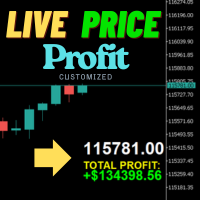
실시간 가격 및 총 수익 표시 지표 전문 트레이더, 데이 트레이더, 스트리머를 위한 궁극의 실시간 트레이딩 동반자 차트에서 직접 라이브 매수 가격과 포괄적인 수익 추적을 표시하는 이 강력한 지표로 트레이딩 경험을 변혁하세요. 고빈도 거래 환경과 라이브 트레이딩 방송을 위해 특별히 설계되었습니다. 핵심 기능 실시간 가격 표시 전문적 형식화로 매초 라이브 매수 가격 업데이트 골드/XAU 및 모든 주요 심볼 유형에 대한 특별 형식화 화면 공유와 라이브 스트리밍에 완벽한 대형 명확한 표시 정확한 가격 표시를 위한 자동 심볼 자릿수 감지 포괄적 수익 추적 완전한 트레이딩 히스토리에서 총 계좌 수익 계산 거래 종료 시 실시간 수익 업데이트 사용자 정의 가능한 추가 수익 금액 수수료와 스왑의 선택적 포함 명확한 플러스/마이너스 지표가 있는 전문적 수익 형식화 성능 최적화 최소 CPU 사용량의 스마트 캐싱 시스템 초고속 응답성을 위한 1초 업데이트 간격 부드러운 작동을 위한 효율적 타이머 기반 업
FREE
Trade Assistant Pro 36 in 1
Makarii Gubaydullin
4.76 (21)
다기능 거래 도구: 로트 계산기, 그리드 주문, 위험/보상 비율, 거래 관리자, 수급 구역, 가격 행동 분석 등 데모 버전   |   사용자 설명서 트레이딩 어시스턴트 는 전략 테스터에서 작동하지 않습니다: 이 유틸리티 를 테스트하려면 데모 버전을 여기서 다운로드하세요. 질문 /개선 아이디어/버그 발견 시 저에게 연락 하세요 MT5 버전이 필요하시면, 여기서 사용 가능합니다 거래 프로세스 를 단순화, 가속화, 자동화하세요. 이 대시보드 로 표준 터미널 기능을 확장합니다. 트레이딩 패널 은 모든 거래 상품에서 작동합니다: 외환, 주식, 지수, 암호화폐 등. 1. 새로운 거래 열기 : 로트/위험/위험보상비 계산: 수동 거래의 위험 관리 로트 계산기 (위험 크기 기반 거래량 계산) 위험 계산기 (로트 크기 기반 위험 금액) 위험 보상 비율 그리드 주문: + 동적 거리 옵션 및 분할 로트 옵션 주문 활성화 트리거, + Buy StopLimit/Sell StopLimit: Mt4에서도 가능
Master Volume profile
Israr Hussain Shah
Money Flow Profile MT5 HERE   Here   our more valuable tools SMC Trend Trading   ,  Easy SMC Trading  ,  Institutional SMC Architect Volume Analysis Tools  ,  Volume flow Profile  ,  Market volume profile  , FVG with Volume  , Liquidity Heatmap Profile  ,  Volume Spread Analysis This Master Edition is engineered for clarity and speed, featuring a unique Auto-Theme Sync system that instantly beautifies your chart layout upon loading. Key Features: True Money Flow Calculation: Goes beyond stand
TP SL Bot
Ruslan Brezovskiy
TP SL Bot is a utility that automatically sets Stop Loss and Take Profit for newly opened orders in several ways. There is also a function for calculating the volume that you need to open the trade to get the desired amount with the specified Stop Loss / Take Profit size in points. There are several options for calculating the size and setting parameters TP and SL: 1. Setting based on the amount specified by the user as a percentage of the current deposit balance. 2. Setting as the amount entere
밝은 밤   조용한 시간 동안 Forex 시장에서 일하는 완전 자동 고문입니다. Another 7 copies will be sold for $599. Next price 699$ 고문의 작업 모니터링:   https://www.mql5.com/en/users/bayburinmarat/seller 올바른 GMT 설정:   https://www.mql5.com/en/blogs/post/743531 우리가 알다시피, 최근 밤에 Forex 시장의 스프레드가 확대되고 있으며 때로는 불합리한 한계에 도달하기도 합니다. 때때로 스프레드는 잠재적으로 수익성 있는 거래를 죽이고 손실을 입힐 수 있습니다. 하지만 이 경우는 아닙니다.   Bright Night는   이러한 스프레드 확장을 읽고 Ask와 Bid 사이의 패턴을 결정하여 필요한 방향으로 가능한 가격 변동에 대해 알려줍니다. 이 접근 방식은 과거가 아닌 현대 시장 분석을 제공합니다. EA는 지표, 신경망 또는 가격 조치를 사용하지 않습니다
Introduction It is common practice for professional trades to hide their stop loss / take profit from their brokers. Either from keeping their strategy to the themselves or from the fear that their broker works against them. Using this indicator, the stop loss / take profit points will be drawn on the product chart using the bid price. So, you can see exactly when the price is hit and close it manually.  Usage Once attached to the chart, the indicator scans the open orders to attach lines for t
Trendline EA
Carlos Oliveira
4.5 (10)
Trendline EA MT4 Trendline EA MT4는 사용자가 그린 추세선을 기반으로 거래 실행 또는 알림을 수행하도록 설계된 MetaTrader 4용 반자동 Expert Advisor입니다. MetaTrader 4는 추세선에서 직접 주문을 실행하거나 관리하는 기본 기능을 제공하지 않습니다. 이 Expert Advisor는 사용자가 정의한 추세선을 모니터링하고 가격이 추세선과 상호작용할 때 사전에 정의된 작업을 실행함으로써 플랫폼의 기본 기능을 확장합니다. 이 Expert Advisor는 어떠한 거래 전략도 정의하거나 적용하지 않습니다. 모든 거래 로직과 의사결정은 전적으로 사용자의 통제하에 있습니다. 추가 자료 사용자 가이드 및 문서 MT5 버전 기능 개요 추세선 기반 거래 실행 가격이 추세선을 터치, 돌파 또는 되돌림할 때 매수 또는 매도 실행 각 추세선별로 손절매, 이익실현 및 거래량 설정 캔들 마감 또는 추세선과의 가격 거리 기준으로 작업 트리거 모니터링 및 알림 터
Light Orders Copier
Mikhail Zhitnev
5 (20)
High-speed trades duplicator, specially designed for copying trades with adjusted lot size and direction at same account.  It can be aslo useful for subscribers of SIGNALS service. If you are a subscriber of trading signals then you can see that trading lot size could be different from signal provider to subscriber. Provider can use too big or too small lot size that can be inappropriate for your deposite amount (too risky). Another feature of this copier is a trading direction reverse. It can b
Unlimited Binary Options Copier Remote is a powerful tool to copy binary options trades remotely between multiple accounts at different locations over internet. This is an ideal solution for signal provider, who want to share his binary options trades with the others globally on his own rules. One provider can copy trades to unlimited receivers and one receiver can get trade from unlimited providers as well. The provider can set the subscription expiry for each receiver, so that receiver will no
Description: Please tick "Show object descriptions" in chart properties to enable hrays views That utility converts a trendline into a horizontal ray known as tool for drawing supply and demand zones. Simply create a trendline on a chart and once selected, it will get converted. Ray remains horizontal while dragging.  Quick ray plot: press "R" key to create horizontal ray. It will be snapped to the nearest OHLC value Further versions will be improved. For feature request please post new comm
Volume Compair
Thiago Pereira Pinho
5 (1)
Professional Cumulative Delta & Volume Median Indicator Track   real buying/selling pressure   with this powerful volume analysis tool. The   Volume Compare Indicator   combines   Cumulative Delta   and   Volume Medians   to help you identify institutional activity, imbalances, and potential reversals. Key Features: Cumulative Delta Histogram   – Visualizes net buying vs. selling volume in real-time. Buy/Sell Volume Medians   – Horizontal lines showing average buy & sell volume levels. Smart Vo
이 제품의 구매자들이 또한 구매함
Strategy Builder offers an incredible amount of functionality. It combines a trade panel with configurable automation (covert indicators into an EA), real-time statistics (profit & draw down) plus automatic optimization of SL, TP/exit, trading hours, indicator inputs. Multiple indicators can be combined into an single alert/trade signal and can include custom indicators, even if just have ex4 file or purchased from Market. The system is easily configured via a CONFIG button and associated pop-up
수동 매매를 위한 전문가용 트레이딩 패널로, 정밀한 진입부터 계좌 보호까지 매매의 전 과정을 차트 위 하나의 창에 담았습니다. 정해진 리스크에 정확히 맞춰 모든 포지션의 거래량을 산정하고, RR Tool로 차트에 직접 라인을 그려 거래를 설계하며, Market 주문과 예약 주문은 물론 Grid와 OCO까지 사용할 수 있습니다. 포지션 관리는 패널이 대신 처리합니다. 최대 다섯 단계 부분 청산, 여섯 가지 트레일링 스탑, 브레이크이븐, Virtual SL/TP를 지원합니다. 일간·주간·월간 한도가 예치금을 지키며, 기준을 넘기는 즉시 자동으로 발동됩니다. 가이드와 무료 Live 데모 무료 Live 데모 버전은 여기에서 이용할 수 있습니다 ( Free Live Demo ). 제품 사용 가이드는 여기에서 확인할 수 있습니다 ( User Manual ). NT Trade Manager는 트레이더의 모든 작업 흐름을 차트 위 작고 간결한 패널 하나에 모아, 터미널 창을 오갈 필요도, 진입할
The product will copy all telegram signal to MT4   ( which you are member  ) , also it can work as remote copier.  Easy to set up, copy order instant, can work with almost signal formats, image signal, s upport to translate other language to English Work with all type of channel or group, even channel have "Restrict Saving Content", work with  multi channel, multi MT5 Work as remote copier: with signal have ticket number, it will copy exactly via ticket number. Support to backtest signal. How to
Custom Alerts AIO: 다중 시장을 동시에 모니터링 – 설정 없이 즉시 사용 가능 개요 Custom Alerts AIO 는 복잡한 설정 없이 즉시 사용할 수 있는 통합 시장 모니터링 도구입니다. FX Power, FX Volume, FX Dynamic, FX Levels, IX Power 등 필요한 모든 지표가 내장되어 있어 별도의 설치나 구성 없이 알림 기능을 바로 사용할 수 있습니다. 차트 그래픽 없이 작동하며, Forex, 금속, 지수, 암호화폐 등 주요 자산군을 모두 지원합니다. 주식(Symbols)은 별도로 입력하여 추가할 수 있으나, MetaTrader에서는 일반적으로 제한적으로만 사용됩니다. 1. 왜 Custom Alerts AIO를 선택해야 하나요? 추가 라이선스가 필요 없습니다 • 모든 Stein Investments 지표가 내장되어 있어 별도 구매가 필요 없습니다. • 즉시 알림 기능을 시작할 수 있어 빠르고 간편합니다. 모든 시장을 하나의 도구로
EasyInsight AIO MT4
Alain Verleyen
4 (2)
EASY Insight AIO – 스마트하고 손쉬운 트레이딩을 위한 올인원 솔루션 개요 외환, 금, 암호화폐, 지수, 심지어 주식까지 — 전 시장을 몇 초 만에, 수동 차트 확인이나 복잡한 설치, 인디케이터 설정 없이 스캔할 수 있다고 상상해 보세요. EASY Insight AIO 는 AI 기반 트레이딩을 위한 궁극의 플러그 앤 플레이(Plug & Play) 데이터 내보내기 도구입니다. 단 하나의 깔끔한 CSV 파일로 전체 시장 스냅샷을 제공하며, ChatGPT, Claude, Gemini, Perplexity 등 다양한 AI 플랫폼에서 즉시 분석할 수 있습니다. 창 전환, 복잡함, 차트 오버레이는 더 이상 필요 없습니다. 자동으로 내보내지는 순수하고 구조화된 데이터 인사이트만으로, 반복적인 차트 감시 대신 데이터 기반의 스마트한 의사결정에 집중할 수 있습니다. 왜 EASY Insight AIO인가요? 진정한 올인원 • 별도의 설정, 인디케이터 설치, 차트 오버레이가 필요 없습
Unlimited Trade Copier Pro is a tool to copy trade remotely to multiple MT4, MT5 and cTrader accounts at different computers/locations over internet. This is an ideal solution for you if you are a signal provider and want to copy your trades to other receivers globally on your own rules. One provider can copy trades to multiple receivers and one receiver can get trade from multiple providers as well. The provider can even set the subscription expiry for each receiver, so that receiver will not b
ManHedger MT4
Peter Mueller
5 (2)
THIS EA IS A SEMI-AUTO EA, IT NEEDS USER INPUT. Manual & Test Version Please TEST this product before   BUYING  and watch my video about it. Contact me for user support or bug reports, or if you want the MT5 version! MT5 Version I do not guarantee any profits or financial success using this EA. With this Expert Advisor, you can: Implement your own   Zone Recovery   strategy to capitalize on trending markets. Create   Grid   trading strategies, to profit from ranging markets. Place orders easil
Smart Channel M4
Vahidreza Heidar Gholami
The trend in the market can be predicted using trend lines but the problem is you don’t know where exactly the price is going to touch the trend line where you can put your pending orders on. Smart Channel Expert Advisor makes it possible to put an advanced channel around the price data, which can be configured to handle placing orders, opening and closing positions, managing risk per trade, spread, slippage, and trailing stop-loss and take-profit automatically. Features Money Management (Calcul
Ultimate Trailing Stop EA
BLAKE STEVEN RODGER
4.33 (15)
This EA Utility allows you to manage (with advanced filtering) unlimited open orders (manual or EA) with 16 trailing stop methods: fixed, percent, ATR Exit, Chandelier Exit, Moving Average, Candle High Low Exit, Bollinger Bands, Parabolic, Envelope, Fractal, Ichimoku Kijun-Sen, Alligator, Exit After X Minutes or Bars, RSI and Stochastic. The trailing stop can be either real or virtual, and you can exit fully or with a partial close percent on touch or bar close.  Moreover, you can add (overrid
Riskless Pyramid
Snapdragon Systems Ltd
5 (1)
Introduction This powerful MT4 trade mangement EA offers a way potentially to aggressively multiply trade profits in a riskfree manner. Once a trade has been entered with a defined stoploss and take profit target then the EA will add three pyramid add-on trades in order to increase the overall level of profit. The user sets the total combined profit target to be gained if everything works out. This can be specified either as a multiple of the original trade profit or as a total dollar amount. Fo
The Expert Advisor will help you forward all pop-up alert with screenshot from  MetaTrader 4 to Telegram channel/ group, also forward all notifications to Telegram. Parameters  -  Telegram Bot Token - create bot on Telegram and get token.  -  Telegram Chat ID  - input your Telegram user ID,  group / channel ID  -  Forward Alert - default true, to forward alert.  -  Send message as caption of Screenshot - default false, set true to send message below Screenshot  How to setup and guide  - Telegram
Crystal Trade Manager PRO – MT4 고급 리스크 및 트레이드 관리 시스템 무료 버전: https://www.mql5.com/en/market/product/150632 개요 Crystal Trade Manager PRO(CTM)는 MetaTrader 4를 위한 전문급 거래 실행 및 리스크 관리 유틸리티입니다. 엄격한 실행, 견고한 자본 보호, 그리고 똑똑한 자동화를 필요로 하는 트레이더를 위해 설계되었습니다. 본 시스템은 계좌 리스크를 관리하고, 자본(EQ)을 보호하며, 일일 제한을 적용하고, SL/TP를 자동으로 설정하며, 전문급 기능을 갖춘 초고속 원클릭 트레이딩 패널을 제공합니다. Prop Firm 챌린지, 데이트레이딩, 스캘핑, 포트폴리오 매니저에게 최적화되어 있습니다. MT5 버전도 제공됩니다. 주요 기능 1. 고급 리스크 및 드로우다운 보호 기능 하루 드로우다운을 1%~70% 범위에서 설정 가능 설정한 한도를 초과할 경우 모든 포지션 즉시 종료 조건
RedFox Copier Pro
Rui Manh Tien
4.7 (10)
Time saving and fast execution Whether you’re traveling or sleeping, always know that Telegram To Mt4 performs the trades for you. In other words, Our   Telegram MT4 Signal Trader  will analyze the trading signals you receive on your selected Telegram channels and execute them to your Telegram to MT4 account. Reduce The Risk Telegram To Mt4   defines the whole experience of copying signals from   Telegram signal copier to mt4 platforms. Users not only can follow all instructions from the signa
If you need an advisor on any arrow indicator signals - this utility will definitely help you.  You will be able, with the help of this utility to form an unlimited number of EAs on YOUR signals , with your set of settings, with your copyright and complete source code . You will be able to use the resulting EAs unlimitedly , including adding them to the Market and other resources. Free simple version of the generation script to help you understand how it works - here What does the utility do? 
The product will copy all  Discord  signal   to MT4   ( which you are member  ) , also it can work as remote copier.  Easy to set up. Work with almost signal formats, support to translate other language to English Work with multi channel, multi MT4. Work with Image signal. Copy order instant, auto detect symbol. Work as remote copier: with signal have ticket number, it will copy exactly via ticket number. How to setup and guide: Let read all details about setup and download Discord To MetaTrader
Dashboard.mq4 - 간단한 거래 관리자 수동 거래를 즐기고 거래를 간편하게 관리할 수 있는 방법을 찾는 트레이더를 위해 설계된 이 강력한 MQL4 유틸리티는 거래 효율성을 향상시켜 실시간 대시보드를 통해 거래를 관리할 수 있도록 도와줍니다. MetaTrader에 원활하게 통합되어 로트 크기 계산과 리스크 지표 추적을 간편하게 수행합니다. 주요 기능: 리스크 및 마진 표시 : 실시간 로트 크기, 마진 요구 사항 및 승률 계산을 통해 정확한 거래 결정을 지원합니다. 거래 관리 버튼 : 매수/매도 주문을 배치하고, 거래(모두, 수익성 있는 거래 또는 손실 거래)를 종료하거나, 이익 실현 및 손절매를 취소하는 버튼을 한 번의 클릭으로 제공합니다. 사용자 정의 가능한 승률 추적 : 현재 월, 최근 거래 또는 전체 히스토리와 같은 다양한 기간에 걸쳐 거래 성과를 분석할 수 있습니다. 인터랙티브하고 직관적인 UI : 빠른 액션을 위한 사용자 정의 가능한 버튼이 있는 명확하고 쉽게 탐색할
The FFx Hidden Manager panel will help you to manage easily your orders directly on the chart. Below all features described: TP, SL and TrailingStop are hidden Each order has its own lines on chart Drag & Drop any line to change the TP/SL as per your need Option to move automatically the SL line at breakeven when TP #1 is reached Option to choose the TP/SL type (by pips or price) Option to choose the TrailingStop type (by pips, MA, Fractals, PSAR or ATR) Define which order(s) you want to manage
FFx Risk Calculator panel will help you to calculate very easily your trades size, SL or the risk directly on the chart. All features are described below: Option to select which parameter to calculate: Risk, Stop Loss or Lot Size The panel will show if the lot size is allowed according to the current account free margin Button to maximize/minimize the panel Drag and Drop the panel anywhere on the chart How to use it? Select the parameter you want to be calculated. It will be based on the 2 other
Trade Copier Pro
Vu Trung Kien
4.29 (14)
Trade Copier Pro is a tool to copy trade remotely to MT4, MT5 and cTrader accounts at different computers/locations over internet. This is an ideal solution for you if you are a signal provider and want to copy your trades to other receivers globally on your own rules. One provider can copy trades to multiple receivers and one receiver can get trade from multiple providers as well. The provider can even set the subscription expiry for each receiver, so that receiver will not be able to receive t
News Trader Pro
Vu Trung Kien
4.38 (16)
News Trader Pro is a unique robot that allows you to trade the news by your predefined strategy. It loads every piece of news from several popular Forex websites. You can choose any news and preset the strategy to trade it, and then News Trader Pro will trade that news by selected strategy automatically when the news comes. News release gives opportunity to have pips since the price usually has big move at that time. Now, with this tool, trading news becomes easier, more flexible and more exciti
FFx Watcher PRO
Eric Venturi-Bloxs
The FFx Watcher PRO is a dashboard displaying on a single chart the current direction of up to 15 standard indicators and up to 9 timeframes. It has 2 different modes: 1. Watcher mode: Multi Indicators User is able to select up to 15 indicators to be displayed User is able to select up to 9 timeframes to be displayed 2. Watcher mode: Multi Pairs User is able to select any number of pairs/symbols User is able to select up to 9 timeframes to be displayed This mode uses one of the standard indicat
Transaction Repeater Full
Alexandr Bryzgalov
5 (4)
Copies transactions between MT4 terminals. Possibilities: quick copy start minimum processor load direct and reverse (reverse) copying. copying Take Profit and Stop Loss levels copying deferred and their changes copy transactions one to many copy trades many to one local copy only Attention: The product is designed for copying trades only within a single computer or VPS with access to the desktop. The product will not work on the built-in Virtual Hosting of the terminal. We will help you set up
NickZ Tool
Nicolas Zouein
This is a must have tool for a serious trader. It saves your precious time spent for opening/closing trades, creating pending trades and modifying your TP/SL in bulk according to either pips or price. If you need to quickly open several pending orders (Buy Stop, Sell Stop) at a certain distance from each other, this script will do all the routine for you! The first time you use this handy tool, you will realize it has already paid for itself. Instructions: Drag and drop this script onto a chart.
The product combines a manual trade panel with the ability to perform actions automatically in a highly configurable way. Actions include capturing indicator values and then based on those values raising alerts, open/close or partially close trades, scale-in, setting up pending orders, adjusting stop loss, take profit and more. On-chart controls can be configured, such as tick boxes and buttons, so can be fully interactive. The EA also handles money management, news events, hidden stop loss, tak
Binary Options Copier Remote is an EA that allows to copy binary options trades between MT4 accounts at different computers. This is an ideal solution for signal provider, who want to share his trade with the others globally on his own rules. Provider can give free bonus license to 10 receivers. That means those 10 receivers can copy from provider by using Binary Options Receiver Free (no cost). From 11th one, receiver have to buy Binary Options Receiver Pro (paid version) in order to copy from
This panel is very simple to use and it is a very ally to manage your positions and orders. Also you can modify your risk, writing in fields directly on Panel. One click on buttons and the operation on market is done! Operations possible: BUY/SELL Break Even Split (close 50% all orders) Close All positions Hedging (opens reverse positions to cover) Close only BUY positions Close only SELL positions Close All pending orders Reverse all positions Please watch the video to verify the very simple u
Slow Pips OCO Trade Panel is an advanced trading panel for placing pending orders. Traders can use this panel to place two pending orders at once. One pending order would be of buy entry type and the other one would be of sell entry type. Both orders will have Stop Loss and Take Profit parameters. Since two pending orders are placed at the same time, the pending order for which the price hits first gets converted into a market order and the other pending order gets deleted (one order cancels the
This indicator changes the timeframe and chart profile for multiple charts. If you dispatched many charts (10~20 or more) in single MetaTrader terminal, it is very boring and difficult work to manage the timeframe and chart profile individually. If the indicators you use in a chart are numerous and the setting values are different from the default one, you might give up adding all the indicators to all charts. The changing of timeframes on multiple charts has the same problem, too. Whenever you
The Price Action Dashboard is an innovative tool to help the trader to control a large number of financial instruments. This tool is designed to automatically suggest signals and price conditions. The Dashboard analyzes all major Time Frame suggesting price action conditions with graphic elements. The Dashboard can suggest you the strength of the trend identifying directional movement, it is an indispensable tool for those who want to open position themselves using market trends identifiers. The
Elliott Wave Counter는 Elliott 파동의 빠르고 사용자 친화적인 수동 마크업을 위한 패널입니다. 색상과 마크 수준을 선택할 수 있습니다. 도구에서 만든 마지막 마크업과 전체 마크업을 제거하는 기능도 있습니다. 한 번의 클릭으로 마크업이 이루어집니다. 5번 클릭 - 5개의 웨이브가 있습니다! Elliott Wave Counter는 Elliott 파동의 초보자와 전문 분석가 모두에게 훌륭한 도구가 될 것입니다. Elliott Wave Counter 설치 및 입력 가이드 당신이 얻고 싶다면       EA 추가 URL(   http://autofxhub.com   ) MT5 터미널에 대한   알림   (스크린샷 참조). MT4 버전   https://www.mql5.com/en/market/product/14016 MT5 버전   https://www.mql5.com/en/market/product/15081 일반 입력: 웨이브 유형 버튼:   이 버튼을 사용하면 차트
제작자의 제품 더 보기
RSI Alarm Osw MT4
William Oswaldo Mayorga Urduy
RSI ALARM (For Metatrader 4) This indicator works like a normal RSI with all its settings (Periodicity, colors, levels, etc), but additionally, alarms can be set in the upper and lower level (Example 70 and 30), with the possibility of adjusting these levels by moving the upper and lower lines found on the indicator. You can also activate and deactivate an additional function that puts an arrow on the chart when the expected upper or lower RSI is met.
Whatch and Candle Alarm Osw MT5
William Oswaldo Mayorga Urduy
Watch Osw: 단순하고 효과적인 캔들 타이머 현재 캔들의 마감까지 남은 시간을 차트에 직접 표시하는 MetaTrader용 경량 지표입니다. 트레이더가 기술 분석에 추가적인 복잡함 없이 항상 새로운 바가 형성될 때까지 남은 시간을 시각화할 수 있도록 설계된 기본적이고 기능적인 도구입니다. 매개변수 가이드 (입력 메뉴) Watch Color: 차트의 타이머 텍스트에 지정된 색상. Text size: 화면에 표시되는 시간 숫자의 글꼴 크기. Text Font: 시간 표시기용 글꼴 유형. Candle End Alarm: 새로운 캔들 알림 활성화 또는 비활성화(True/False). Sound: 주기 변경 시 가청 알림을 위한 사운드 파일(.wav) 이름. 시각적 해석 및 기능 이 지표는 현재 매도 호가(Bid)를 동적으로 따르는 남은 시간 텍스트를 투사합니다. 타이머 형식은 열려 있는 차트의 기간에 따라 자동으로 조정됩니다. 초: 1분(M1) 주기에서 표시됩니다. 분 및 초:
FREE
Points Candles Osw
William Oswaldo Mayorga Urduy
Points Candles Osw Dies ist ein professioneller Volatilitätsindikator, der entwickelt wurde, um den genauen Verlauf von Kerzen in Punkten zu quantifizieren. Durch ein dynamisches Histogramm in einem unabhängigen Fenster ermöglicht er es Tradern, das Momentum und die Preisstärke zu visualisieren und Volatilitätsspitzen sowie kritische Bewegungsniveaus sofort zu identifizieren. Parameterleitfaden (Eingabemenü) Show Points Candles Bullish: Aktiviert die Anzeige der Daten für bullische Kerzen. Sh
FREE
Whatch and Candle Alarm Osw MT4
William Oswaldo Mayorga Urduy
Watch Osw: 단순하고 효과적인 캔들 타이머 현재 캔들의 마감까지 남은 시간을 차트에 직접 표시하는 MetaTrader용 경량 지표입니다. 트레이더가 기술 분석에 추가적인 복잡함 없이 항상 새로운 바가 형성될 때까지 남은 시간을 시각화할 수 있도록 설계된 기본적이고 기능적인 도구입니다. 매개변수 가이드 (입력 메뉴) Watch Color: 차트의 타이머 텍스트에 지정된 색상. Text size: 화면에 표시되는 시간 숫자의 글꼴 크기. Text Font: 시간 표시기용 글꼴 유형. Candle End Alarm: 새로운 캔들 알림 활성화 또는 비활성화(True/False). Sound: 주기 변경 시 가청 알림을 위한 사운드 파일(.wav) 이름. 시각적 해석 및 기능 이 지표는 현재 매도 호가(Bid)를 동적으로 따르는 남은 시간 텍스트를 투사합니다. 타이머 형식은 열려 있는 차트의 기간에 따라 자동으로 조정됩니다. 초: 1분(M1) 주기에서 표시됩니다. 분 및 초:
FREE
SORS Osw MT4
William Oswaldo Mayorga Urduy
사용자 설명서: SORS 동적 레벨 시스템 SORS 지표는 실시간으로 주요 지지 및 저항 수준을 예측하도록 설계된 고정밀 도구입니다. 이 지표는 표준 편차(내생적 변동성)를 사용하여 주요 시간 주기의 시가를 기반으로 확장 범위를 계산합니다. SORS의 목적은 소진 또는 가속 영역을 식별하여 트레이더가 수학적 로드맵을 기반으로 거래할 수 있도록 하는 것입니다. 매개변수 안내 (입력 메뉴) 이 메뉴를 통해 각 거래 주기의 표시 여부와 모양을 사용자 지정할 수 있습니다. 연간 설정(ANNUAL): 해당 연도의 시가를 기준으로 레벨을 제어합니다. 장기적인 거시경제적 편향을 파악하는 데 이상적입니다. 월간 설정(MONTHLY): 매월 첫째 날을 기준으로 범위를 예측합니다. 이는 포지션 거래의 기초가 됩니다. 주간 설정(WEEKLY): 월요일 시가를 기준으로 레벨을 정의합니다. 단기 및 스윙 트레이딩에 중요합니다. 일간 설정: 현재 세션의 변동성을 표시합니다(시각적 명확성을 위해 기
Divergence Osw Metatrader 4
William Oswaldo Mayorga Urduy
DIVERGENCE OSW  (For Metatrader 4) This indicator works on divergences and has the following functions: Generate an alert when a divergence occurs. Create lines by calculating the Stoploss and Takeprofit according to projection waves of inverse waves. Create an arrow indicating the possible direction of the market. The signals sent by the indicator are given when the candle ends. The Trader must evaluate each divergence to take entries. Settings: Activation and deactivation of alerts. Alert inte
Trading Sesions MT4
William Oswaldo Mayorga Urduy
COMMERCIAL SESSIONS This indicator shows in the selected graph divided by tables each of the sessions ASIA, JAPAN, LONDON, NEW YORK: Allows you to configure: Session Color  ASIA, JAPON, LONDRES, NEW YORK Hide and show each session It works in the lowest timeframes on the market, among which H4, H1, M15, M5 and M1 are recommended. (Don't forget to check out our other indicators)
Automatic Support and Resistance Osw MT4 This Indicator graphs lines at the possible support and resistance points of the selected asset. it works in multiple temporalities. allows you to configure: Color of the lines. Width of the lines. Type of lines. When the indicator begins its operation, it analyzes the supports and resistances of higher levels for the temporality in which it is working.
Round Numbers Osw MT4
William Oswaldo Mayorga Urduy
ROUND NUMBERS (For Metatrader 4) This indicator allows you to add horizontal lines according to the round numbers that the asset contains. Unlike other indicators, this one calculates the closest levels dynamically and automatically as the price moves. works on currency pairs, indices, metals, stocks, etc. Round with 5 digits, 3 digits and integers of 10 100 or 1000. lines can be adjusted in parameters like: Hide the line or round number that you do not want to display. line color. line
사용자 설명서: SRO 지능형 마킹 시스템 1. 소개 SRO 지표는 가격 움직임(Price Action) 및 SMC 트레이더를 위해 설계된 MetaTrader 5용 동적 드로잉 도구입니다. 시각적 명확성이 SRO의 가장 큰 장점입니다. 차트 전체 기록을 가로지르는 선이 생기지 않도록 미래에만 적용되는 중요한 레벨을 그릴 수 있습니다. 또한 각 객체에는 생성된 시간대가 자동으로 표시됩니다. 2. 빠른 실행 명령 이 시스템은 단축키를 사용하여 작동합니다. 원하는 가격 위에 마우스를 놓고 다음 단축키를 누르기만 하면 됩니다. "S" 키(지지): 커서에서 오른쪽으로 수평선을 그립니다. 저점 및 수요 영역을 표시하는 데 이상적입니다. "R" 키(저항): 수평 상단선을 그립니다. 공급 영역 및 고점을 식별하는 데 사용됩니다. "O" 키(주문 블록): 선택한 캔들을 자동으로 프레임에 넣습니다. 고가, 저가, 그리고 손익분기점 또는 기관 투자자의 민감도가 가장 높은 영역을 나타내는 중심선
Alert Up Down MT4
William Oswaldo Mayorga Urduy
METATRADER 5에 대한 경고 위아래 이 표시기는 가격이 UP과 DOWN 라인 사이의 영역을 벗어날 때 경고를 생성합니다. 다음과 같은 다양한 유형의 경고를 생성할 수 있습니다. > 사운드 > 메시지 상자 > 전문가 상자의 메시지 > 메일(이전 구성) > PUSH 알림(이전 구성) 선은 선 속성이 아니라 표시기 속성에서 구성해야 합니다. 선 속성에서 구성하면 피노나치가 영향을 받을 수 있기 때문입니다. 설정 중 색상, 선 스타일 및 너비를 변경할 수 있습니다. 선은 선 속성이 아니라 표시기 속성에서 구성해야 합니다. 선 속성에서 구성하면 피노나치가 영향을 받을 수 있기 때문입니다. 설정 중 색상, 선 스타일 및 너비를 변경할 수 있습니다. 선은 선 속성이 아니라 표시기 속성에서 구성해야 합니다. 선 속성에서 구성하면 피노나치가 영향을 받을 수 있기 때문입니다. 설정 중 색상, 선 스타일 및 너비를 변경할 수 있습니다.
Break Out Signal Osw
William Oswaldo Mayorga Urduy
사용자 매뉴얼: BOS Breakout Signal (OswalTrading) BOS Breakout Signal은 구조 돌파(Break of Structure)를 거래하는 트레이더를 위해 특별히 설계된 MetaTrader용 고정밀 도구입니다. 이 지표는 무작위 신호로 차트를 복잡하게 만들지 않습니다. 대신 최적화된 ZigZag 알고리즘을 사용하여 시장 소음을 필터링하고 돌파를 확인하기 전에 가장 중요한 지지 및 저항 수준만을 식별합니다. 1. 목적 및 작동 방식 이 시스템은 구조 스캐너 역할을 합니다. 시작 시 가격이 명확한 변동을 보여야 하므로 지표에 즉각적인 신호가 표시되지 않을 수 있습니다. 시장이 유효한 반전 패턴을 형성하면 지표는 보이지 않는 '활성화' 수준을 그립니다. 가격이 결단력 있게 이 수준을 돌파하면 진입 신호가 생성됩니다. 2. 파라미터 가이드 (입력 메뉴) ZigZag 알고리즘 설정 Depth (깊이): 움직임의 진폭을 결정합니다. 높은 값은 주요 추세의
Automatic OrderBlocks Osw MT4
William Oswaldo Mayorga Urduy
자동 주문 블록 OSW (메타트레이더 5) 이 표시기는 다음과 같은 사전 설정된 규칙에 따라 주문 블록을 표시하는 역할을 합니다. >이전의 충동을 깨뜨리는 충동이 있다는 것. > 발견되면 형성된 촛대 패턴을 찾아 가장 효율적인 방법으로 장소의 고저를 계산하고 Order Block의 고저를 생성하는 역할을 합니다. > 오더 블록이 생성된 후 인디케이터는 캔들이 오더 블록의 위아래 라인을 교차하는지 지속적으로 확인하여 가능한 신호가 있음을 나타내는 경고 신호를 생성합니다. >지표가 제공하는 신호는 다른 전략과 같이 100% 효과적이지 않으므로 수동 기술 분석을 동반하는 것이 좋습니다. > PC, 모바일 및 이메일의 세 가지 유형의 알림이 생성됩니다. 자동 주문 블록 OSW (메타트레이더 5) 이 표시기는 다음과 같은 사전 설정된 규칙에 따라 주문 블록을 표시하는 역할을 합니다. >이전의 충동을 깨뜨리는 충동이 있다는 것. > 발견되면 형성된 촛대 패턴을 찾아 가장
Local Copy Trading Osw MT4
William Oswaldo Mayorga Urduy
사용자 설명서: 멀티 커넥트 트레이드 카피어(MT4/MT5) 이 시스템은 MetaTrader 터미널 간 거래를 자동으로 복제하여, 최소한의 지연 시간으로 포트폴리오를 동기화하는 통신 브리지 역할을 합니다. 1. 소개 및 목적 멀티 커넥트 트레이드 카피어는 미러 계정 관리를 위한 인프라 도구입니다. 마스터 계정에서 신호를 추출하여 슬레이브 계정에서 실행함으로써 MT4와 MT5 간 거래, 독립적인 위험 조정, 사용자 지정 자산 매핑을 가능하게 합니다. 2. 설정 안내(입력 메뉴) 주요 설정 계정 유형: 터미널이 신호를 송신(마스터)할지 수신(슬레이브)할지 정의합니다. 속도(밀리초): 스캔 빈도(예: 500ms). 값이 낮을수록 복사 속도가 빨라집니다. 복사 채널: 통신 채널 이름입니다. 두 터미널에서 동일한 채널 이름을 사용해야 합니다. 자산 매핑(심볼) 마스터 접두사/접미사 제거/추가: 자산 이름에서 텍스트를 제거하거나 추가합니다(예: "EURUSD.pro"를 "EURUSD
Martingale Osw MT4
William Oswaldo Mayorga Urduy
사용자 설명서: 고급 마틴게일 관리 및 위험 제어 시스템 본 전문 설명서는 MetaTrader에서 포지션 복구 및 위험 관리를 자동화하도록 설계된 고급 마틴게일 주문 관리 시스템의 작동 방식, 설정 방법 및 사용자 인터페이스에 대해 설명합니다. 1. 소개 및 목적 이 도구는 비용 평균화를 핵심 논리로 하는 고정밀 주문 관리 시스템입니다. 초기 방향과 반대로 움직이는 거래를 보호하고 복구하기 위해, 평균 청산 가격을 높이는 미결 주문 네트워크를 구축하는 것을 목표로 합니다. 기본 시스템과 달리, 이 소프트웨어는 동적 손익분기점 및 트레일링 스톱 알고리즘과 신속한 수동 개입을 위한 화면 제어 인터페이스를 통합하여 자본 관리를 최우선으로 고려합니다. 2. 매개변수 안내 (입력 메뉴) 마틴게일 설정 및 거리 마틴게일 개수: 초기 거래 후 시스템에서 허용하는 최대 헤징 주문 개수를 정의합니다. 거리 유형: 포인트 단위의 고정 거리 또는 ATR(평균 실제 범위) 지표 기반의 동적 거리
Telegram Sender Osw MT4
William Oswaldo Mayorga Urduy
사용자 설명서: Telegram Sender Osw Telegram Sender Osw는 MetaTrader에서 Telegram으로 거래 신호를 자동으로 전송하도록 설계된 Expert Assistant(EA)입니다. 신호 제공자 및 계정 관리자에게 이상적이며, 가격, 손절매, 이익실현, 거래량과 같은 주요 데이터를 즉시 전문적으로 전송합니다. 1. 매개변수 설정 일반 및 연결 EA 활성화: 시스템을 활성화(true)하거나 비활성화(false)합니다. 봇 토큰: @BotFather에서 발급받은 영숫자 코드입니다. 채팅 ID: 대상 채널, 그룹 또는 개인 채팅의 식별자입니다. 하위 그룹/스레드 ID 전송: Telegram 그룹에서 "주제" 기능을 사용하는 경우에만 이 옵션을 활성화하십시오. 전송 로직(전송 유형) 자동: 새로운 포지션 또는 명령이 감지되는 즉시 전송합니다. 버튼: 차트에서 "Telegram 전송" 버튼을 수동으로 눌렀을 때만 전송합니다. 사용자 지정 (텔레
Market Profile Osw MT4
William Oswaldo Mayorga Urduy
사용자 매뉴얼: Market Profile Osw Market Profile Osw는 특정 기간 동안의 거래량 및 가격 분포를 시각화할 수 있는 고급 경매 분석 도구입니다. 기존의 캔들 차트와 달리, 이 시스템은 가장 활발한 거래가 발생한 위치를 보여주어 실제 시장 참여를 기반으로 한 심리적 지지 및 저항 영역을 식별할 수 있게 해줍니다. 1. 매개변수 가이드 (입력 메뉴) 일반 설정 Show Market Profile: 차트에서 프로필 표시를 활성화 또는 비활성화합니다. Volume Type: 가격 변동 횟수(Tick) 또는 실제 거래량(특정 브로커 및 자산에서 사용 가능) 중 활동 측정 방법을 선택할 수 있습니다. Look Back Bars: 지표가 현재 프로필을 생성하기 위해 소급할 캔들 개수를 정의합니다. Profile Right Side: 프로필을 가격축 옆(오른쪽)에 그릴지 아니면 분석 기간의 시작점(왼쪽)에 그릴지 결정합니다. Seconds Refresh: 지표가 데
VWap Osw MT4
William Oswaldo Mayorga Urduy
VWAP Institutional Pro: 실제 가치 지도 VWAP Institutional Pro는 시장의 공정 가격을 식별하기 위한 최적의 도구로, 대형 투자 펀드 및 고주파 알고리즘과 동일한 기준을 사용하여 거래할 수 있게 해줍니다. 이 지표는 실시간으로 거래량 가중 평균 가격을 계산하여 기관의 주문 흐름이 정밀하게 반응하는 보이지 않는 동적 지지 및 저항 수준을 드러냅니다. 설정 매개변수 가이드 MetaTrader 패널에 표시된 것과 동일한 이름을 사용하여 전략을 조정하십시오: TimeFrame VWap: 지표가 거래량 및 가격 계산을 재설정하는 고정 기간(일간, 주간 등)을 정의합니다. Show Line STD 1 a 5: 사용 가능한 5개 변동성 밴드를 각각 활성화하거나 비활성화하는 시각적 스위치입니다. STD 1 a 5: 표준 편차 밴드에 대한 사용자 정의 배수이며, 기관의 과매수 및 과매도 영역을 확장하거나 축소할 수 있습니다. 시각 및 운영 해석 시스템은 중앙
Fibo Alerts MT4
William Oswaldo Mayorga Urduy
전문 피보나치 알림 인디케이터 정확한 되돌림 알림으로 트레이딩의 효율을 높이세요 이 고급 인디케이터는 차트에 그려진 모든 피보나치 되돌림 도구에서 정확한 가격 교차를 감지하여 주요 레벨 모니터링을 자동화합니다. 황금 비율을 사용하는 까다로운 트레이더를 위해 설계되었으며, 반전 또는 지속 가능성이 높은 구역에서 진입 기회를 다시는 놓치지 않도록 터미널, 모바일 또는 이메일로 즉각적인 알림을 보냅니다. 매개변수 가이드 (입력 메뉴) Activate: 차트에서 인디케이터를 제거할 필요 없이 모니터링 기능을 빠르게 활성화 또는 비활성화합니다. BarCross: 가격 교차에 대한 검증 기준을 정의합니다. 현재 캔들의 실시간 움직임 중에 알림을 받도록 설정하거나, 캔들이 마감될 때만 알림이 발행되도록 설정할 수 있습니다(확정적인 돌파나 거부를 확인하는 데 이상적). Fibonacci Levels for Alert: 동시에 감시하려는 정확한 퍼센트 레벨을 사용자 정의할 수 있습니다. 기본적으
FVG Indicator Osw MT4
William Oswaldo Mayorga Urduy
FVG Pro 기관용 스캐너 스마트 머니(Smart Money) 트레이더를 위한 고급 페어 밸류 갭(FVG) 탐지기입니다. 차트의 임계 유동성 불균형을 자동으로 스캔하고 강조하여 가격 반응 예측, 고확률 지속 거래 및 기관 진입 정밀화를 가능하게 합니다. 파라미터 가이드 CandlesScan: 플랫폼 성능 최적화를 위해 분석되는 과거 캔들 수 제한. FVGPointsMin: 노이즈와 미세한 시장 움직임을 필터링하기 위해 요구되는 최소 갭 크기(포인트). FVGTimeCandles: 감지된 구역이 시각적으로 투영되는 미래 캔들 수. Candle1OnDir: 패턴의 가장 최근 캔들이 주요 불균형 방향으로 마감되어야 함을 요구. Candle2OnDir: 중심 생성 캔들이 모멘텀 방향으로 강하게 마감되어야 함을 조건으로 함. Candle3OnDir: 형성의 기원 캔들이 동일한 추세 방향을 공유하는지 확인. ColorUP: 상승 갭(지지 구역)에 사용되는 블록 색상 정의. ColorDN:
Multi Indicators Osw MT4
William Oswaldo Mayorga Urduy
Multi Indicators Osw 상업적 설명 Multi Indicators Osw는 MetaTrader 5를 위한 단일 도구에 8가지 가장 강력한 클래식 트레이딩 전략을 통합한 궁극적인 기술 워크스테이션입니다. 시각적 분석을 단순화하도록 설계된 이 지표는 차트를 복잡하게 만들지 않으면서 RSI, MACD, 이동 평균선, 볼린저 밴드, 스토캐스틱, CCI, 파라볼릭 SAR 및 엔벨로프의 합류(confluence)를 필터링하고 시각화할 수 있게 해줍니다. 각 전략에 대해 전문적이고 독립적인 알림 시스템을 갖추고 정확한 기술적 확인을 원하는 트레이더에게 이상적인 솔루션입니다. 매개변수 가이드 (입력 항목) 전략 및 지표 설정 Enable [Indicator Name]: 선택한 지표의 신호 표시 및 계산을 활성화 또는 비활성화합니다. Period / Fast EMA / Slow EMA: 단기 또는 장기 시장 사이클을 포착하기 위해 시간 민감도를 조정합니다. Method / Pric
SORS Osw
William Oswaldo Mayorga Urduy
사용자 설명서: SORS 동적 레벨 시스템 SORS 지표는 실시간으로 주요 지지 및 저항 수준을 예측하도록 설계된 고정밀 도구입니다. 이 지표는 표준 편차(내생적 변동성)를 사용하여 주요 시간 주기의 시가를 기반으로 확장 범위를 계산합니다. SORS의 목적은 소진 또는 가속 영역을 식별하여 트레이더가 수학적 로드맵을 기반으로 거래할 수 있도록 하는 것입니다. 매개변수 안내 (입력 메뉴) 이 메뉴를 통해 각 거래 주기의 표시 여부와 모양을 사용자 지정할 수 있습니다. 연간 설정(ANNUAL): 해당 연도의 시가를 기준으로 레벨을 제어합니다. 장기적인 거시경제적 편향을 파악하는 데 이상적입니다. 월간 설정(MONTHLY): 매월 첫째 날을 기준으로 범위를 예측합니다. 이는 포지션 거래의 기초가 됩니다. 주간 설정(WEEKLY): 월요일 시가를 기준으로 레벨을 정의합니다. 단기 및 스윙 트레이딩에 중요합니다. 일간 설정: 현재 세션의 변동성을 표시합니다(시각적 명확성을 위해 기
RSI Alarm Osw
William Oswaldo Mayorga Urduy
RSI ALARM (For Metatrader 5) This indicator works like a normal RSI with all its settings (Periodicity, colors, levels, etc), but additionally, alarms can be set at the upper and lower level (Example 70 and 30), with the possibility of adjusting these levels by moving the blue and red lines to establish the upper and lower levels. You can also turn on and off an additional function that creates an arrow on the chart when the expected upper or lower RSI is met.
Automatic Support and Resistance Osw MT5 This Indicator graphs lines at the possible support and resistance points of the selected asset. it works in multiple temporalities. allows you to configure: Color of the lines. Width of the lines. Type of lines. When the indicator begins its operation, it analyzes the supports and resistances of higher levels for the temporality in which it is working.
Round Number Osw MT5
William Oswaldo Mayorga Urduy
ROUND NUMBERS (For Metatrader 5) This indicator allows you to add horizontal lines according to the round numbers that the asset contains. Unlike other indicators, this one calculates the closest levels dynamically and automatically as the price moves. works on currency pairs, indices, metals, stocks, etc. Round with 5 digits, 3 digits and integers of 10 100 or 1000. lines can be adjusted in parameters like: Hide the line or round number that you do not want to display. line color. line
사용자 설명서: SRO 지능형 마킹 시스템 1. 소개 SRO 지표는 가격 움직임(Price Action) 및 SMC 트레이더를 위해 설계된 MetaTrader 5용 동적 드로잉 도구입니다. 시각적 명확성이 SRO의 가장 큰 장점입니다. 차트 전체 기록을 가로지르는 선이 생기지 않도록 미래에만 적용되는 중요한 레벨을 그릴 수 있습니다. 또한 각 객체에는 생성된 시간대가 자동으로 표시됩니다. 2. 빠른 실행 명령 이 시스템은 단축키를 사용하여 작동합니다. 원하는 가격 위에 마우스를 놓고 다음 단축키를 누르기만 하면 됩니다. "S" 키(지지): 커서에서 오른쪽으로 수평선을 그립니다. 저점 및 수요 영역을 표시하는 데 이상적입니다. "R" 키(저항): 수평 상단선을 그립니다. 공급 영역 및 고점을 식별하는 데 사용됩니다. "O" 키(주문 블록): 선택한 캔들을 자동으로 프레임에 넣습니다. 고가, 저가, 그리고 손익분기점 또는 기관 투자자의 민감도가 가장 높은 영역을 나타내는 중심선
Multi Temporalities Osw MT5
William Oswaldo Mayorga Urduy
MULTI-TIMES FOR METATRADER 5 This indicator, in a lower window, shows the current chart in different timeframes, this can help you better decipher the market, taking into account the higher timeframes. Among the settings that you can modify are: view of prices in charts view of the temporalities in the graphs enable each of the graphics in the different temporalities (M1, M5, M15, H1, H4, D1, W1, MN1).
Alert Up Down MT5
William Oswaldo Mayorga Urduy
METATRADER 5에 대한 경고 위아래 이 표시기는 가격이 UP과 DOWN 라인 사이의 영역을 벗어날 때 경고를 생성합니다. 다음과 같은 다양한 유형의 경고를 생성할 수 있습니다. > 사운드 > 메시지 상자 > 전문가 상자의 메시지 > 메일(이전 구성) > PUSH 알림(이전 구성) 선은 선 속성이 아니라 표시기 속성에서 구성해야 합니다. 선 속성에서 구성하면 피노나치가 영향을 받을 수 있기 때문입니다. 설정 중 색상, 선 스타일 및 너비를 변경할 수 있습니다. 선은 선 속성이 아니라 표시기 속성에서 구성해야 합니다. 선 속성에서 구성하면 피노나치가 영향을 받을 수 있기 때문입니다. 설정 중 색상, 선 스타일 및 너비를 변경할 수 있습니다. 선은 선 속성이 아니라 표시기 속성에서 구성해야 합니다. 선 속성에서 구성하면 피노나치가 영향을 받을 수 있기 때문입니다. 설정 중 색상, 선 스타일 및 너비를 변경할 수 있습니다.
Master Calendar Osw
William Oswaldo Mayorga Urduy
전문가용 사용자 설명서: Master Calendar OSW 본 설명서는 Master Calendar OSW의 작동 방식을 완벽하게 이해할 수 있도록 제작되었습니다. Master Calendar OSW는 경제 캘린더를 MetaTrader 플랫폼에 직접 통합한 고성능 펀더멘털 분석 콘솔입니다. 이 시스템은 데이터 표시뿐 아니라 통화 건전성 및 기관 유동성 주기 분석까지 제공합니다. 1. 소개 및 시스템 목적 Master Calendar OSW는 시장 상황 분석 도구입니다. 거시 경제 이벤트에 대한 맹목적인 거래를 방지하고 주요 금융 시장 개장 시 발생하는 확장 움직임을 활용할 수 있도록 지원합니다. 다른 지표와 달리, 이 시스템은 고급 차트 엔진을 사용하여 기술적 가격 분석을 방해하지 않고 정보를 이동, 축소 및 관리할 수 있습니다. 2. 매개변수 안내 (입력 메뉴) 지표를 로드하면 거래 환경을 사용자 지정할 수 있는 다음과 같은 옵션이 표시됩니다. 표시 및 이벤트 설정 Ini
Volumes Direction MT5
William Oswaldo Mayorga Urduy
볼륨 방향 MT5 일반적으로 현재 볼륨이 이전 볼륨보다 높을 때 볼륨 표시기의 기본 색상 변경이 있습니다. 중요하지만 그다지 유용하지는 않습니다. 이러한 이유로 이 지표는 정상적인 볼륨 외에도 양초가 강세 또는 약세일 때 다른 색상으로 칠하도록 만들어졌습니다. 기본적으로 강세는 파란색이고 약세는 빨간색이지만 이러한 색상은 사용자 정의할 수 있습니다. 상인의 취향. 귀하의 거래를 개선하는 데 도움이 될 다른 지표를 확인하는 것을 잊지 마십시오. 볼륨 방향 MT5 일반적으로 현재 볼륨이 이전 볼륨보다 높을 때 볼륨 표시기의 기본 색상 변경이 있습니다. 중요하지만 그다지 유용하지는 않습니다. 이러한 이유로 이 지표는 정상적인 볼륨 외에도 양초가 강세 또는 약세일 때 다른 색상으로 칠하도록 만들어졌습니다. 기본적으로 강세는 파란색이고 약세는 빨간색이지만 이러한 색상은 사용자 정의할 수 있습니다. 상인의 취향. 귀하의 거래를 개선하는 데 도움이 될 다른 지표를 확인하는 것
필터:
리뷰 없음
리뷰 답변