AI Trade Analyzer MT4

AI Trade Analyzer is an intelligent market analysis tool implemented in the indicator format. The program visualizes signals on the chart and helps the trader evaluate the market situation based on technical indicators and news background. All signals and levels are for guidance only and should be validated with your own trading strategy and risk management.

Supported Models:
Compatible with the latest ChatGPT versions — GPT-5.1, GPT-4o, GPT-4o-mini, O1, and GPT-3.5-turbo.

  • GPT-5.1 provides the highest precision, advanced context understanding, and deep analysis of complex trading situations.
  • GPT-4o offers a perfect balance of speed and accuracy.
  • GPT-4o-mini is a lightweight version for faster performance and reduced system load.
  • O1 focuses on logical reasoning and step-by-step analytical processing.
  • GPT-3.5-turbo is ideal for quick text generation and handling standard analytical tasks.

Main functions:

1. Technical analysis:

  • Support for popular indicators: EMA (short/long), Ichimoku, ADX, RSI, MACD, Stochastic, ATR, Bollinger Bands, Pivot Points, Fibonacci.

  • Identifying trends, divergences and key levels.

2. Working with news background:

  • Receiving economic events according to specified parameters (timeframe, date).

  • Taking into account the possible impact of macroeconomic data on the market.

3. Automation and customizability:

  • Formation of analytical conclusions with calculation of potential entry points, SL and TP (indicative levels for orientation only).

  • Assessing market conditions with the ability to interpret information according to established parameters; final decisions must be made using your own trading system.

4. Multilingual support:

  • Results can be displayed in:

    - Russian 🇷🇺 

    - English 🏴󠁧󠁢󠁥󠁮󠁧󠁿

    - German 🇩🇪 

    - Indonesian 🇮🇩 

5. Flexible interface:

  • The user can change the position and size of the analytical block window using the control keys (arrows on the keyboard), adapting the display to their preferences.

Important:

  • Risk note: Entry/SL/TP levels and signals are not exact trade recommendations; always confirm them with your strategy, market context and risk management.

  • For the indicator to work, you need to enter access keys to external APIs in the parameters (for example, OpenAI API and news service).

  • The product does not open trades. It is an auxiliary analysis tool.

Necessary connections
  • OpenAI API   – for data analysis (you need to register and top up your API key)
  • Profit API   – for news analysis (100 free requests per day)

Opening and connecting API is not difficult - instructions for setting up are here -  https://www.mql5.com/en/blogs/post/765099.

AI Trade Analyzer is suitable for traders who need advanced market analytics based on a comprehensive approach to data, and who want an additional decision-support layer alongside their own trading system.

Important: the MT4 product page currently uses screenshots and videos from the MT5 version, as the products are identical in functionality.
The MT4 version is fully functional and works the same as the MT5 version; only the button layout/visual appearance is slightly different, while the logic and features are the same.
추천 제품
Contact us for any custom order,   CodeYourTrade.com . With the Technical Indicator Multi-Timeframe, you can easily identify the oversold/overbought levels or buy/sell levels points on several different timeframes by using only one chart. You can confirm Short Term trades by higher timeframe Levels. It supports 4 technical indicators as of now Stochastic, RSI, Parabolic SAR & Heiken Ashi. After you attached the indicator to a chart it will show the following information on the chart: Timeframe:
Custom Alerts: 여러 시장을 동시에 모니터링하고 중요한 기회를 놓치지 마세요 개요 Custom Alerts 는 여러 종목에 걸쳐 잠재적 트레이딩 기회를 한눈에 파악하고자 하는 트레이더를 위한 동적인 솔루션입니다. FX Power, FX Volume, FX Dynamic, FX Levels, IX Power와 같은 Stein Investments의 주요 도구들과 통합되어, 여러 차트를 오가거나 기회를 놓치는 일 없이 중요한 시장 변화를 자동으로 알림으로 제공합니다. 이제 브로커가 제공하는 모든 자산군을 지원하며, 기호를 입력할 필요 없이 자산 유형만 선택하면 설정이 완료됩니다. 1. Custom Alerts가 트레이더에게 매우 유용한 이유 올인원 시장 모니터링 • Custom Alerts 는 외환, 금속, 암호화폐, 지수, 주식(브로커가 지원하는 경우)까지 다양한 자산군의 신호를 수집하고 통합합니다. • 여러 차트를 전환할 필요 없이 하나의 창에서 명확한 알림을 받아보
Gold Strike Predator
Ignacio Agustin Mene Franco
GoldStrike Predator – Professional Expert Advisor for XAUUSD GoldStrike Predator is an advanced, high-precision Expert Advisor (EA) designed exclusively for trading the XAUUSD pair (Gold vs. US Dollar) on the MetaTrader 4 platform. Developed with a sophisticated hybrid architecture, it combines multiple layers of technical and predictive analysis to identify high-probability opportunities in the gold market, one of the world's most volatile and profitable instruments. Trading Strategy The sys
EMA Dashboard
Chantal Sala
1 (1)
Ema Dashboard is an innovative dashboard that allows you to monitor Moving Average on multiples symbols and different timeframes. This dashboard allows you to analyze information on 28 pairs on an unique chart. Its functionality includes analysis of All Time Frames. This configuration allows you to identify the Long Term Trend with extreme ease. This panel allows you to take very important directional movements. A click on button opens a new chart (symbol and timeframe). Graphic Object Symbol l
PTW NON REPAINT TRADING SYSTEM + HISTOGRAM Non-Repainting ,   Non-Redrawing   and   Non-Lagging  Trading System. Does the following: - Gives Accurate Entry and Exit Points - Scalping, Day and Swing Trading  - 95% Accuracy  - Targets, where to take profits. - Shows Trends, Support and resistance levels - Works on All Brokers - Works on All Currencies, CFDs and Stocks - It does not place trades for you, it only shows you what trades to place. - It works on All Timeframes - It is for Trend or ran
Icarus Bolli-Band Change Display(TM) Indicator is a simple, but highly effective tool for visually identifying areas where the all-important 'Bollinger Band' values are in a state of expansion, contraction of neither. The traditional Bollinger Bands have been widely applied to trading charts globally since their creation by John Bollinger several decades ago. One of the limitations of the traditional Bollinger Bands is the ability to clearly identify when the bands are in fact expanding or contr
Idiom
Tatiana Savkevych
The Idiom bot (for EURUSD) works on the Metatrader trading platform, which is widespread in the Forex market. The bot is based on a complex transaction control algorithm. Many indicators are used as the main entry signal (Envelopes, ADX, Bands, MA, RSI, AD, Alligator, BearsPower, Fractals, Momentum). Environment for the bot: Currency pair - EURUSD. TimeFrame - H1. The maximum spread is 20 pips. The required deposit is $10,000 (or equivalent). The maximum drawdown is 12%. Peculiarities: Built-
TREND PILOT MT4 – SMART MONEY TREND-FOLLOWING SYSTEM Trend Pilot is a fully automated Expert Advisor based on Smart Money Concepts and structural market analysis. The system identifies trend reversals through Break of Structure (BOS) and Change of Character (CHOCH), utilizing precise entry mechanisms for optimal position openings. NEW: Includes a trading
GIA Calculate Order
Ruddy De Jesus Saavedra
각 작업의 위험을 쉽고 빠르게 제어하는 ​​데 도움이 됩니다. 혁신적인 인터페이스를 통해 랏 수와 위험/보상 비율을 즉시 계산할 수 있습니다. 원하는 위험 범위 내에서 작업을 유지하고 거래에서 나쁜 시간을 피하십시오. 선 기능 - 차트에 시작 선, 손절매, 이익실현을 표시합니다. 이 기능을 사용하면 다음 주문의 주요 특성과 가장 관련성이 높은 특성을 쉽게 알 수 있습니다.   위험 관리 - 위험 계산 기능은 설정된 위험과 손절매의 크기를 고려하여 다음 주문의 양을 계산합니다. - 손절매의 크기를 설정할 수 있습니다. - 이익실현을 계산하기 위해 위험/이익 관계를 설정할 수 있습니다. - 기본 금액을 기준으로 배치 크기를 계산할지 또는 배치 크기를 수동으로 입력할지 여부를 설정할 수 있습니다. - 백분율 위험을 설정할 수 있습니다. [위험 설정] 기준 금액: 계산에 대한 기준 금액 값을 설정합니다. 0이 설정되면 도구는 계정 잔액을 기본 금액으로 사용합니다. 최
The Visual Result Calculator Indicator is a powerful tool designed to enhance your trading experience on the MetaTrader platform. This intuitive and user-friendly indicator allows you to visualize potential profits or losses on a trading chart, helping you make better-informed decisions and manage your trades with precision.  The Indicator displays a dynamic line on the trading chart, representing the potential profit or loss of a trade based on the start and end of the line.  Simply click and d
Upper and Lower Trendline
David Muriithi
5 (2)
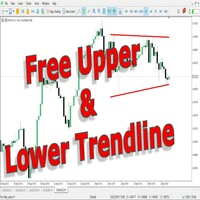
This indicator uses a different approach from the previous version to get it's trendlines. This method is derived from Orchard Forex, and the process of making the indicator is demonstrated in there video   https://www.youtube.com/watch?v=mEaiurw56wY&t=1425s . The basic idea behind this indicator is it draws a   tangent line   on the highest levels and lowest levels of the bars used for calculation, while ensuring that the lines don't intersect with the bars in review (alittle confusing? I know
FREE
Signal Generator X1n Bands
Kevin Alexander Zuniga Velarde
SignalGenerator_X1nBandas SignalGenerator_X1nBandas is a technical analysis indicator for MetaTrader 4 designed to identify potential buy and sell signals using multiple technical conditions. The indicator combines: • EMA 10 and EMA 21 for trend and crossover analysis • EMA 50 as a trend filter • RSI 14 for momentum confirmation • ADX 14 for trend strength confirmation • Japanese candlestick direction for additional signal confirmation Buy signals are generated when the necessary bullish co
The Envelopes Trailing Stop is a tool that implements trailing of the stop loss order after the price based on the Envelopes trend indicator. The utility provides all the necessary parameters for customization, which allows to select the optimal configuration for any user. The EA allows to choose the trailing line depending on the type of the trade. For example, buy trades can be trailed based on the lower line of the indicator, and sell trades can be trailed based on the upper line. The Magic p
Martingale Osw MT4
William Oswaldo Mayorga Urduy
사용자 설명서: 고급 마틴게일 관리 및 위험 제어 시스템 본 전문 설명서는 MetaTrader에서 포지션 복구 및 위험 관리를 자동화하도록 설계된 고급 마틴게일 주문 관리 시스템의 작동 방식, 설정 방법 및 사용자 인터페이스에 대해 설명합니다. 1. 소개 및 목적 이 도구는 비용 평균화를 핵심 논리로 하는 고정밀 주문 관리 시스템입니다. 초기 방향과 반대로 움직이는 거래를 보호하고 복구하기 위해, 평균 청산 가격을 높이는 미결 주문 네트워크를 구축하는 것을 목표로 합니다. 기본 시스템과 달리, 이 소프트웨어는 동적 손익분기점 및 트레일링 스톱 알고리즘과 신속한 수동 개입을 위한 화면 제어 인터페이스를 통합하여 자본 관리를 최우선으로 고려합니다. 2. 매개변수 안내 (입력 메뉴) 마틴게일 설정 및 거리 마틴게일 개수: 초기 거래 후 시스템에서 허용하는 최대 헤징 주문 개수를 정의합니다. 거리 유형: 포인트 단위의 고정 거리 또는 ATR(평균 실제 범위) 지표 기반의 동적 거리
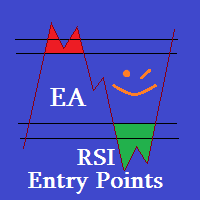
This EA is Created just for RSI Entry points Indicator ( https://www.mql5.com/en/market/product/67581 Test, to show indicators profitable parameters and to give potential buyers possibility to backtest indicator Entries. EA opens Buy orders on Buy Arrows and Sell orders on Sell Arrows of the indicator, orders are closed on opposite signals. EA is not created for Live automated trading, thats not the goal to sell EA, but any ways if you like it and need it, you can rent. Default settings are fo
ATC AlgoZone Indicator
Ameur Boudenne
5 (2)
Algo Trading Indicaor  With this indicator , you’ll have zones and trends that hight probability the price will reverse from it. so will gives you all the help that you need  MT5 Version                    https://www.mql5.com/en/market/product/170028 MT4 Version                    https://www.mql5.com/en/market/product/88034 Why should you join us !?  1-This indicator is logical since it’s working in previous days movement , to predict the future movements. 2-Algo trading indicator will hel
The Chart Navigator is a powerful and user-friendly indicator designed to enhance your chart navigation experience in the MetaTrader platform. With its advanced features and intuitive interface, it enables traders to effortlessly explore multiple timeframes, switch between symbols, and efficiently analyze price movements. Key Features: Timeframe Navigation: Seamlessly switch between different timeframes with just a single click. The Chart Navigator provides a graphical object that allows you to
FREE
NIGHTCrusher Lite FREE
Christian Opperskalski
4.5 (2)
NIGHTCRUSHER is a fully automated expert advisor, designed for scalping on quite market situation. The Lite - Version is limited to minimal Lot per Pair and dont has lot mulitplier and dynamic function you can also run different strategies like swing trading or grid different Trade Entry Signals different Exit Strategies included (MA Cut / Signal Change / Trailing TP) clever Risk & Money management - Balance based - Longrun trades tracking You can also use a Grid function or Lot multipier, if ne
FREE
KFX Trade Manager
Joe Christopher Ramirez
Introducing the "KFX Trade Manager" expert advisor for MetaTrader 4 (MT4), a comprehensive solution for advanced trade management and risk control. This powerful tool is designed to enhance your trading experience by automating various aspects of order handling, profit optimization, and alert notifications. With the "KFX Trade Manager," you can take your trading to the next level and streamline your operations for improved efficiency and better risk management. Key Features: Trade Management Set
Success comes from knowledge – this is true for most things in life and especially Forex trading. To become successful, a trader needs to learn technical analysis. Technical indicators are a big part of technical analysis. The problem is that, at first sight, names of technical indicators can sound unpleasantly complicated, for example, MACD, RSI or Stochastic. However, we recommend you not to judge a book by its cover. We will provide you with a fair and simple explanation of the most popular t
VoltArx Volatility
Alex Amuyunzu Raymond
VoltArx Volatility Engine - Institutional-Grade Breakout Algorithm Harness the power of volatility compression and explosive market breakouts with precision timing VoltArx Volatility Engine is a sophisticated multi-market trading system designed to identify and capitalize on high-probability volatility expansion events. Built on institutional research and advanced market microstructure analysis, VoltArx detects when markets are "coiling up" for explosive moves and positions you ahead of the bre
Trend Teller MT4
Ian Nganga Comba
Trend Teller는 모든 주요 통화쌍과 모든 시간대(M1부터 MN1까지)의 시장 트렌드를 한눈에 파악할 수 있는 강력하고 직관적인 대시보드 도구입니다. 트레이더가 직접 만든 이 도구는 시장 트렌드 분석에서 추측을 제거하고, 더 큰 흐름에 맞춰 거래할 수 있도록 도와줍니다. 대부분의 초보 트레이더는 시장 방향을 파악하는 데 어려움을 겪으며, 심지어 숙련된 전문가들조차도 방향을 잘못 판단할 때가 있습니다. 그래서 Trend Teller는 초보자부터 전문가까지 모든 트레이더에게 이상적인 도구입니다. 주요 기능: 다중 시간대 분석 모든 주요 통화쌍의 강도와 방향을 즉시 스캔합니다. 스캘핑이든 스윙 트레이딩이든, Trend Teller는 모두를 지원합니다. 사용자 맞춤형 표시 데이터가 너무 많다고 느껴진다면? 걱정 마세요. 숫자만 표시하거나 색상 신호만 표시하거나, 원한다면 특정 시간대를 숨길 수도 있습니다. 내장 알림 기능 하루 종일 화면을 바라볼 필요 없습니다! 강한 추세나 거래 아
FREE
Vrc Updated
Vimal Chudasama
This is an indicator that has been updated from the previous VRC indicator, which has both buy and sell arrows now, and it is optimised from the previous one. You can try it out, the version is upgraded and might suit your trading style. You can also use this indicator as a confluence, or you can use it as a main signal provider; it can be used along with your strategy or top-down approach analysis. Past performance does not guarantee future performance; kindly do a top-down analysis and keep yo
MT Scanner
Niravkumar Maganbhai Patel
4 (2)
This indicator helps you to Scan symbols which are in the Market Watch Window  and filter out trends with alerts. It works based on the effective indicator "SUPERTREND" which is used by many traders for trading: When box color changes to " Green " or " Red " color, it indicates you for trend change for long and short entry. And also you will get alerted on screen. When it changes to " Green ", it indicates you that trend is going upwards, and you can take the long entry. If the color changes to
FREE
Multi Indicator EA – Flexible Signal Confirmation Expert Advisor Multi Indicator EA is a fully automated Expert Advisor designed to trade based on signals from multiple external indicators. It allows you to combine up to 8 custom indicators , each with its own settings (timeframe, buffer index, signal direction, and threshold). Once a predefined number of indicators ( MinConfirm ) agree on the same direction, the EA automatically opens a Buy or Sell order. Key Features: Use up to 8 external
Elliott Wave Helper MT4
Siarhei Vashchylka
5 (5)
Elliott Wave Helper is a panel for constructing wave analysis. Manual (Be sure to read before purchasing) | Version for MT5 Advantages 1. Constructing wave analysis and wave structure in a few clicks 2. Availability of all wave analysis patterns, including triangles and combinations 3. All nine wave display styles, including a special circle font 4. Change colors and display styles of wave groups directly from the chart 5. Binding all elements to a set timeframe or timeframes 6. A template syste
Double HMA lines MTF
Pavel Zamoshnikov
5 (2)
This is a multi-timeframe version of the popular Hull Moving Average (HMA). The Double HMA MTF Light indicator combines two timeframes on a single chart. The HMA of the higher timeframe defines the trend, and the HMA of the current timeframe defines short-term price movements. The indicator is freely distributed and hasn't audio signals or messages. Its main function is the visualization of price movements. If you need advanced functionality of the HMA multi-timeframe indicator (information ab
FREE
QuantumAlert Stoch Navigator is a free indicator available for MT4/MT5 platforms, its work is to provide "alerts" when the market is inside "overbought and oversold" regions in the form of "buy or sell" signals. This indicator comes with many customization options mentioned in the parameter section below, user can customise these parameters as needful. Join our   MQL5 group , where we share important news and updates. You are also welcome to join our private channel as well, contact me for the p
FREE
New version 1.22. Partagas    The AG algorithm is an element of a comprehensive trading system for trading a basket of currencies across 8 major currencies across all 28 currency pairs. The algorithm serves as a signal block for determining entry/exit from a position. To collect initial values, AG uses data from the CSS Currency Slope Strength cluster indicator. This indicator was not chosen by chance - it performed very well during testing of the algorithm. A. AG determines the width of the e
FREE
Witch Notebook
Tran Thanh Tuyen
Witch Notebook EA   is a trading system based on medium-term impulse price fluctuations. Each trade is opened when there is a corresponding trend. Witch Notebook conducts in-depth technical analysis of your chosen currency pair. The Expert Advisor does not use aggressive and dangerous trading methods and therefore is as stable as possible when using certain settings. With its unique filtering algorithm for false market entry signals, Witch Notebook recognizes the best possible entry point to ge
이 제품의 구매자들이 또한 구매함
Trade Manager EA에 오신 것을 환영합니다. 이 도구는 거래를 보다 직관적이고 정확하며 효율적으로 만들기 위해 설계된 궁극적인 리스크 관리 도구 입니다. 단순한 주문 실행 도구가 아닌, 원활한 거래 계획, 포지션 관리 및 리스크 제어를 위한 종합 솔루션입니다. 초보자부터 고급 트레이더, 빠른 실행이 필요한 스캘퍼에 이르기까지 Trade Manager EA는 외환, 지수, 상품, 암호화폐 등 다양한 시장에서 유연성을 제공합니다. Trade Manager EA를 사용하면 복잡한 계산은 이제 과거의 일이 됩니다. 시장을 분석하고 진입, 손절 및 익절 수준을 차트의 수평선으로 표시한 후 리스크를 설정하면, Trade Manager가 이상적인 포지션 크기를 즉시 계산하고 SL 및 TP 값을 실시간으로 표시합니다. 모든 거래가 간편하게 관리됩니다. 주요 기능: 포지션 크기 계산기 : 정의된 리스크에 따라 거래 크기를 즉시 결정합니다. 간단한 거래 계획 : 진입, 손절, 익절을 위한
PZ Trade Pad Pro MT4
PZ TRADING SLU
3.67 (3)
Effortlessly calculate lot sizes and manage trades to save time and avoid costly errors The Trade Pad Pro EA is a tool for the Metatrader Platform that aims to help traders manage their trades more efficiently and effectively. It has a user-friendly visual interface that allows users to easily place and manage an unlimited number of trades, helping to avoid human errors and enhance their trading activity. [ Installation Guide | Update Guide | Troubleshooting | FAQ | All Products ] One of the k
Trade Manager Pro MT4
Bryan Djoufack Nguessong
This is an Utility to make your trading easier by putting at   one click or a few clicks   time-consuming tasks as order management and risk management. Contact for a free trial. Features Risk Management   Calculates automatically lots based on risk specified in either   % or $  in the risk field and let you enter just   by placing lines for SL TP   etc and display   real-time Risk Reward . TrueRisk   so   it includes commissions when calculating lot size on FX pairs only so you risk 1% with
Telegram to MT4 Multi-Channel Copier   는 Telegram 및 Discord 채널의 트레이딩 시그널을 MetaTrader 4로 자동 복사합니다. 봇도, 브라우저 확장도, 수동 복사도 필요 없습니다. Telegram이나 Discord에 시그널이 도착하면 EA가 몇 초 안에 터미널에서 주문을 실행합니다. 그리고 채널을 복사하기 전에, 내장 백테스터가 그 채널이 내 계좌에서 어떤 결과를 냈을지 보여줍니다. 제품은 두 가지 구성 요소로 이루어집니다: Telegram 채널을 수신하는 Windows 애플리케이션과, MT4 터미널에서 시그널을 실행하는 본 EA입니다. MT5 버전도 제공됩니다   여기 . 설정 가이드와 앱 다운로드:   https://www.mql5.com/en/blogs/post/768988 텔레그램 시그널 채널을 백테스트하는 방법 을 확인하세요. 현재 가격은 향후 인상될 예정입니다. 작동 방식 앱은 여러분 자신의 Telegram 계정으로 연결되므
TradePanel MT4
Alfiya Fazylova
4.84 (95)
Trade Panel은 다기능 거래 도우미입니다. 이 애플리케이션에는 50개 이상의 수동 거래 기능이 포함되어 있으며 대부분의 거래 작업을 자동화할 수 있습니다. 앱 사용 설명서 : https://www.mql5.com/en/blogs/post/756482 데모 계정용 앱 체험판: https://www.mql5.com/en/blogs/post/750865 앱 설치 방법: https://www.mql5.com/en/blogs/post/756239 시각 모드에서 앱 테스트 방법: https://www.mql5.com/en/blogs/post/770277 VPS MetaTrader에 앱 설치 방법: https://www.mql5.com/en/blogs/post/770190 거래. 한 번의 클릭으로 거래를 수행할 수 있습니다: 리스크 자동 계산과 함께 예약 주문 및 포지션 열기. 한 번의 클릭으로 여러 주문 및 포지션 열기. 주문 그리드 열기. 예약 주문 및 포지션을 그룹별로 닫기. 포지션
Trade Indicator Assistant is a powerful MT4 utility designed to turn indicators into automated trading systems. Its main feature is the ability to automatically detect an indicator’s   BUY and SELL signal buffers , without requiring you to know the buffer numbers, search through indicator settings, or modify the indicator source code. Bonus Indicator: After purchasing Trade Indicator Assistant, contact me to receive Trade Signal Pro completely free as a bonus indicator. [Download Demo Version]
Trade Manager MT4 DaneTrades
Levi Dane Benjamin
4.09 (11)
거래 관리자는 위험을 자동으로 계산하는 동시에 거래를 빠르게 시작하고 종료하는 데 도움을 줍니다. 과잉 거래, 복수 거래 및 감정 거래를 방지하는 데 도움이 되는 기능이 포함되어 있습니다. 거래를 자동으로 관리할 수 있으며 계정 성과 지표를 그래프로 시각화할 수 있습니다. 이러한 기능은 이 패널을 모든 수동 거래자에게 이상적으로 만들고 MetaTrader 4 플랫폼을 향상시키는 데 도움이 됩니다. 다중 언어 지원. MT5 버전  |  사용자 가이드 + 데모 트레이드 매니저는 전략 테스터에서 작동하지 않습니다. 데모를 보려면 사용자 가이드로 이동하세요. 위기 관리 % 또는 $를 기준으로 위험 자동 조정 고정 로트 크기 또는 거래량과 핍을 기반으로 한 자동 로트 크기 계산을 사용하는 옵션 RR, Pips 또는 Price를 사용한 손익분기점 손실 설정 추적 중지 손실 설정 목표 달성 시 모든 거래를 자동으로 마감하는 최대 일일 손실률(%)입니다. 과도한 손실로부터 계정을 보호하고 과도한
The product will copy all telegram signal to MT4   ( which you are member  ) , also it can work as remote copier.  Easy to set up, copy order instant, can work with almost signal formats, image signal, s upport to translate other language to English Work with all type of channel or group, even channel have "Restrict Saving Content", work with  multi channel, multi MT5 Work as remote copier: with signal have ticket number, it will copy exactly via ticket number. Support to backtest signal. How to
Take a Break
Eric Emmrich
5 (31)
Take a Break pauses your Expert Advisors when trading is a bad idea: before news, after a daily loss, outside your trading hours, or when a rule you wrote yourself says so. When the pause is over, your EAs simply continue. Account protection for all your EAs in one tool: news filter, drawdown and equity protection, time filter and custom rules. One EA on one chart protects the whole account, the free indicator gives every chart its own rules on top. Free demo | What is new in 26.09 | Support Ass
FCK CurrencyStrength Pro
Patel Hitendrakumar Mahendrabhai
Hi Friends, " FCK Currency Strength Pro " is a auto & semi auto trading expert with direction of pair. Buy-Sell separate or multi currency in one click. The strategy of  FCK Currency Strength Pro  is a combination of custom indicator, Trendlines, Support & Resistance levels ( Price Action ) and most important secretive trading algorithm mentioned above. Download News Ex4 and csv file You need the following SDSnews.ex4 in MQL4/Libraries and the daylightsavings.csv in MQL4/Files. Only 4 of 5 copi
Trade Copier Global
Laszlo Tormasi
5 (15)
Trade Copier Global: The name speaks for itself. This copier allows you to copy orders between MT4 terminals even if they are not installed on the same computer. Features Copying trades between MT4 terminals around the world with a short delay. Automatically recognizes symbol prefixes. Can connect many Slaves to the same Master. Supports pending and market orders. Supports partial order close (with limitations, see below) Can send messages and notifications to the Slaves from the Master Several
Unlimited Trade Copier Pro is a tool to copy trade remotely to multiple MT4, MT5 and cTrader accounts at different computers/locations over internet. This is an ideal solution for you if you are a signal provider and want to copy your trades to other receivers globally on your own rules. One provider can copy trades to multiple receivers and one receiver can get trade from multiple providers as well. The provider can even set the subscription expiry for each receiver, so that receiver will not b
MT4 to Telegram Signal Provider 는 사용하기 쉽고 완전히 사용자 정의가 가능한 도구로, 텔레그램으로 신호를 보내어 계정을 신호 제공자로 변환할 수 있습니다. 메시지 형식은 완전히 사용자 정의가 가능합니다! 그러나 간단한 사용을 위해 미리 정의된 템플릿을 선택하고 메시지의 특정 부분을 활성화하거나 비활성화할 수도 있습니다. [ 데모 ]  [ 매뉴얼 ] [ MT5 버전 ] [ 디스코드 버전 ] [ 텔레그램 채널 ]  New: [ Telegram To MT5 ] 설정 단계별 사용자 가이드 가 제공됩니다. 텔레그램 API에 대한 지식이 필요 없으며, 개발자가 필요한 모든 것을 제공합니다. 주요 기능 구독자에게 보낸 주문 세부 정보를 사용자 정의할 수 있는 기능 예를 들어 브론즈, 실버, 골드와 같은 계층 구독 모델을 만들 수 있습니다. 골드 구독은 모든 신호 등을 받게 됩니다. ID, 심볼 또는 코멘트별 주문 필터링 주문이 실행된 차트의 스크린샷을 포함 보낸
Strategy Builder offers an incredible amount of functionality. It combines a trade panel with configurable automation (covert indicators into an EA), real-time statistics (profit & draw down) plus automatic optimization of SL, TP/exit, trading hours, indicator inputs. Multiple indicators can be combined into an single alert/trade signal and can include custom indicators, even if just have ex4 file or purchased from Market. The system is easily configured via a CONFIG button and associated pop-up
거래하고자 하는 주요 영역을 파악한 후 자동으로 거래 지원 및 저항 또는 공급 및 수요 구역을 설정합니다. 이 EA를 사용하면 한 번의 클릭으로 매수 및 매도 구역을 그린 다음 가격이 바뀔 것으로 예상되는 정확한 위치에 배치할 수 있습니다. 그런 다음 EA는 해당 구역을 모니터링하고 구역에 대해 지정한 가격 액션에 따라 자동으로 거래를 수행합니다. 초기 거래가 수행되면 EA는 대상 구역이 되는 반대 구역에서 이익을 얻습니다. 그런 다음 거래를 종료하고 진입할 새 구역을 그리거나 이익을 얻고 즉시 반대 방향으로 거래를 역전하여 "항상 시장" 스타일 전략을 만드는 두 가지 선택이 있습니다. 입력 및 전략이 포함된 전체 매뉴얼은 여기에 있습니다: https://www.mql5.com/en/blogs/post/760256 이 EA는 시장에서 고정 또는 하드 스톱 로스를 사용하지 않는 포지션 트레이더 또는 달러 비용 평균 거래 전략을 위해 설계되었습니다. 대신, 다음에 가능한 지지 또는
Riskless Pyramid
Snapdragon Systems Ltd
5 (1)
Introduction This powerful MT4 trade mangement EA offers a way potentially to aggressively multiply trade profits in a riskfree manner. Once a trade has been entered with a defined stoploss and take profit target then the EA will add three pyramid add-on trades in order to increase the overall level of profit. The user sets the total combined profit target to be gained if everything works out. This can be specified either as a multiple of the original trade profit or as a total dollar amount. Fo
The News Filter
Leolouiski Gan
5 (25)
이 제품은 뉴스 시간 동안 모든 전문가 어드바이저 및 수동 차트를 필터링하여 수동 거래 설정이나 다른 전문가 어드바이저가 입력한 거래가 파괴될 수 있는 급격한 가격 상승으로부터 걱정하지 않아도 됩니다. 이 제품은 또한 뉴스 발표 전에 열린 포지션과 대기 주문을 처리할 수 있는 완전한 주문 관리 시스템이 함께 제공됩니다. The News Filter  를 구매하면 더 이상 내장 뉴스 필터에 의존할 필요가 없으며 이제부터 모든 전문가 어드바이저를 여기서 필터링할 수 있습니다. 뉴스 선택 뉴스 소스는 Forex Factory의 경제 캘린더에서 얻어집니다. USD, EUR, GBP, JPY, AUD, CAD, CHF, NZD 및 CNY와 같은 어떤 통화 기준으로 선택할 수 있습니다. Non-Farm (NFP), FOMC, CPI 등과 같은 키워드 식별을 기준으로 선택할 수도 있습니다. 저, 중, 고 영향을 가지는 뉴스를 필터링할 수 있도록 선택할 수 있습니다. 차트와 관련된 뉴스만 선택하
Prop Guardian Risk Manager MT4 – Drawdown, Risk & Hedge Protection for Prop Firm and Managed Accounts Prop Guardian Risk Manager is a professional risk-control utility for MetaTrader 4, designed for prop firm traders, money managers and anyone who wants strict account-level risk protection. It does not generate trading signals, strategy entries or trading decisions. Instead, it runs in the background, monitors your account risk and can automatically block new exposure, close managed trades or ac
Grid Manual MT4
Alfiya Fazylova
4.71 (17)
"Grid Manual"은 주문 그리드 작업을 위한 거래 패널입니다. 이 유틸리티는 보편적이며 유연한 설정과 직관적인 인터페이스를 제공합니다. 그것은 손실을 평균화하는 방향뿐만 아니라 이익을 증가시키는 방향으로 주문 그리드와 함께 작동합니다. 거래자는 주문 그리드를 만들고 유지할 필요가 없으며 유틸리티에서 수행합니다. 거래자가 주문을 시작하는 것으로 충분하며 "Grid Manual"는 자동으로 그를 위한 주문 그리드를 생성하고 거래가 마감될 때까지 그와 동행할 것입니다. 전체 설명 및 데모 버전 여기 . 유틸리티의 주요 기능: 모바일 터미널을 포함하여 어떤 방식으로든 열린 주문과 함께 작동합니다. "제한" 및 "중지"의 두 가지 유형의 그리드와 함께 작동합니다. 고정 및 동적(ATR 표시기 기반)의 두 가지 유형의 그리드 간격 계산과 함께 작동합니다. 오픈 오더 그리드의 설정을 변경할 수 있습니다. 차트에서 각 주문 그리드의 손익분기점 수준을 표시합니다. 각 주문 그리드에 대한 이익
DrawDown Limiter MT4
Haidar Lionel Haj Ali
5 (8)
DrawDown Limiter v5.0 — Advanced Account Protection Controller DrawDown Limiter v5.0 is a client-side account protection controller designed to supervise your trading account and automatically react when configured risk, profit, news, schedule, rollover, or position limits are reached. It can monitor manual trades, automated strategies, multiple Expert Advisors, pending orders and floating positions from one dedicated chart. It can protect the complete account or be configured to supervise a spe
Risk manager Risk manager - it will simplify the tracking of drawdown and will notify you (alert) when the specified risk is reached, and close/lock orders when the critical DD risk level is reached. If the specified drawdown is exceeded, you can choose two options for actions: All orders will be closed that mean loss will be fixed on depo. The terminal also closes. Instead of fixing the loss on depo, the opposite order will be opened - orders locking will occure. Not a single order will be c
Auto Trade Copier
Vu Trung Kien
4.77 (86)
Auto Trade Copier is designed to copy trades to multiple MT4, MT5 and cTrader accounts/terminals with 100% accuracy. The provider and receiver accounts must be on the same PC/VPS. With this tool, you can copy trades to receiver accounts on the same PC/VPS. All trading actions will be copied from provider to receiver perfectly. This version can be used on MT4 accounts only. For MT5 accounts, you must use Auto Trade Copier for MT5 . Reference: - For MT4 receiver, please download Trade Receiver Fre
VirtualTradePad PRO SE MT4 — MetaTrader 4용 고급 트레이딩 패널 및 차트 워크스페이스 VirtualTradePad PRO SE 는 MetaTrader 4 용 전문 트레이딩 패널이자 거래 관리 워크스페이스입니다. 하나의 차트 기반 인터페이스에서 거래를 더 빠르게 열고, 관리하고, 보호하고, 닫고, 분석할 수 있도록 도와줍니다. 이 제품은 단순한 버튼 모음 이상의 기능이 필요한 적극적인 수동 트레이더를 위해 만들어졌습니다. PRO SE는 원클릭 실행, 예약 주문, 포지션 제어, 부분 청산, 바스켓 손익 로직, 평균가 레벨, ATM 규칙, 신호 모니터링, 시장 정보, 전략 테스터 워크플로, VPS 중심 준비를 하나의 구조화된 워크스페이스로 통합합니다. MT5 버전 | 전체 설명 및 스크린샷 | 구입 방법 | 설치 방법 | 로그 파일을 얻는 방법 | 테스트 및 최적화 방법 | Expforex의 모든 제품 일반 수동 트레이딩 대비 장점 여러 창 대신 하나의 워
Ultimate Partial Profit EA
BLAKE STEVEN RODGER
4.67 (3)
This EA Utility delivers a robust solution for managing an unlimited array of open orders, both manual and automated. It enables customizable partial profit levels utilizing metrics such as pips, ratios, ATR (Average True Range), and profit amounts for precise trade management. The utility features an advanced on-screen display, offering clear visualization of all orders and their profit levels to enhance strategic decision-making and control. To evaluate its performance and interface, the EA s
위험 대비 수익률 관리자(Risk to Reward Ratio Manager)는 체계적인 거래와 전문적인 위험 관리를 지원하도록 설계된 시각적 주문 관리 도구이자 포지션 규모 계산기입니다. 트레이더는 차트에서 진입, 손절매, 이익실현 수준을 시각적으로 직접 설정할 수 있으며, 주문을 전송하기 전에 랏 규모와 위험 대비 수익률을 자동으로 계산합니다. 이 도구는 거래 준비를 표준화하고 각 포지션이 미리 정의되고 통제된 위험 수준에서 개시되도록 보장합니다. 이 도구는 통화쌍, 지수, 금속, 상품, 암호화폐 등 다양한 거래 상품을 지원합니다. 수동 트레이더와 모든 포지션에 위험 관리 규칙을 적용하는 전략 중심 트레이더 모두에게 적합합니다. 계산 시간을 단축하고 수동 오류를 방지함으로써 트레이더가 체결 과정에서 일관성과 명확성을 유지할 수 있도록 지원합니다. 위험 대 보상 비율 관리자       설치 및 입력 가이드 EA 추가 URL에 대한 알림을 받으려면 (       http://www.
Trade Signal Pro (MT4) — Telegram Signal Provider (Utility) A lightweight utility that sends trade notifications from your MT4 account to Telegram. It does NOT open/close trades. It only reads positions/deals and sends messages. What it sends Entry signal (BUY/SELL) with Entry, SL, TP, pips + Risk:Reward   Updates when SL/TP is modified (reply/tag to the original signal)   Close notifications: TP hit / SL hit / Breakeven / Manual close   Optional Daily & Weekly performance summary (win
Auto Trade Driver
Vu Trung Kien
4.6 (15)
Auto Trade Driver is an automatic powerful tool (run as Expert Advisor) that helps you to manage risk and control orders and maximize your profit in multi-protect/trailing-stop rules. This tool is very useful for both scalpers and trend followers. It not only calculates the trade risk exactly, but also protects and maximizes your profits in real-time. With this tool, the only thing you have to do is to enter trade by your own strategy, then it will auto-drive your position with exit strategy you

The FFx Hidden Manager panel will help you to manage easily your orders directly on the chart. Below all features described: TP, SL and TrailingStop are hidden Each order has its own lines on chart Drag & Drop any line to change the TP/SL as per your need Option to move automatically the SL line at breakeven when TP #1 is reached Option to choose the TP/SL type (by pips or price) Option to choose the TrailingStop type (by pips, MA, Fractals, PSAR or ATR) Define which order(s) you want to manage
FFx Risk Calculator panel will help you to calculate very easily your trades size, SL or the risk directly on the chart. All features are described below: Option to select which parameter to calculate: Risk, Stop Loss or Lot Size The panel will show if the lot size is allowed according to the current account free margin Button to maximize/minimize the panel Drag and Drop the panel anywhere on the chart How to use it? Select the parameter you want to be calculated. It will be based on the 2 other
Trade Controller
Vu Trung Kien
5 (2)
Trade Controller provides multiple methods to protect and maximize your profits. This powerful weapon helps you to set the protect and trailing-stop rules on your trade automatically in many effective methods. Once it is set and turned on, you don't need to monitor your orders anymore, the software will keep watching and control your orders with your predefined rules. It's designed to support multi-protection and trailing strategy: Protect by break-even, protect by percentage, protect by pip, pr
제작자의 제품 더 보기
GoldPro MT5
Sergey Batudayev
5 (6)
GoldPro (MT5) — 클래식 및 스캘핑 두 가지 모드를 선택할 수 있는 XAUUSD 전문가 어드바이저 GoldPro는   XAUUSD(금)   자동 거래 시스템으로, 체계적인 구조, 명확한 위험 관리 기능, 그리고 다양한 시장 상황에서도 작동 가능한 EA를 원하는 트레이더를 위해 설계되었습니다. 하나의 EA 안에서   거래 방식을   선택할 수 있습니다. 1) 클래식 모드 — 변동과 되돌림에 대한 차분한 논리 시장의 "소진" 영역에서 진입하는 등 추세 반전/평균 회귀 움직임과 구조화된 포지션 관리에 초점을 맞춘 고전적인 접근 방식입니다. 바스켓형 관리(일련의 포지션을 활용하는 방식) 엄격한 제한 조건(거리/걸음 수/로트 계수)을 적용한 선택적 평균 계산 다양한 종료 방식: 고정 목표, 손익분기점, 추적 로직 확산 필터 거래 일정 관리 (평일 / 금요일 마감 / 주말 거래 중단) 거래 방향 옵션: 매수/매도/양방향/계절성 모드 2) 스캘핑 모드 — 당일 거래 기회를 위한 더 빠
Telegram to MT5 Coppy
Sergey Batudayev
5 (10)
Telegram에서 MT5로:   최고의 신호 복사 솔루션 DLL 없이도 Telegram 채널과 채팅에서 MetaTrader 5 플랫폼으로 거래 신호를 직접 복사하는 최신 도구인 Telegram to MT5를 사용하여 거래를 간소화하세요. 이 강력한 솔루션은 정밀한 신호 실행, 광범위한 사용자 정의 옵션을 제공하고 시간을 절약하며 효율성을 높여줍니다. [ Instructions and DEMO ] 주요 특징 직접 Telegram API 통합 전화번호와 보안 코드를 통해 인증하세요. 사용자 친화적인 EXE 브리지를 통해 채팅 ID를 쉽게 관리하세요. 여러 채널/채팅을 추가, 삭제, 새로 고침하여 동시에 신호를 복사합니다. 고급 필터를 사용한 신호 파싱 예외 단어(예: "보고서", "결과")가 포함된 원치 않는 신호를 건너뜁니다. 유연한 SL 및 TP 형식을 지원합니다: 가격, 핍 또는 포인트. 가격 대신 포인트를 지정하는 신호에 대한 진입 포인트를 자동으로 계산합니다. 주문 맞춤화 및
Telegram to MT4 Coppy
Sergey Batudayev
4.09 (11)
Telegram에서 MT4로:   최고의 신호 복사 솔루션 최첨단 유틸리티인   Telegram to MT4를   사용하여 거래를 간소화하세요. DLL 없이도 Telegram 채널과 채팅에서 MetaTrader 4 플랫폼으로 거래 신호를 직접 복사할 수 있습니다. 이 강력한 솔루션은 탁월한 정밀도와 맞춤 설정 옵션을 통해 원활한 신호 실행을 보장하여 시간을 절약하고 효율성을 높여줍니다. [ Instructions and DEMO ] 주요 특징 직접 Telegram API 통합 전화번호와 보안 코드를 통해 인증하세요. 사용자 친화적인 EXE 브리지를 사용하여 채팅 ID를 손쉽게 가져오고 관리하세요. 여러 채널/채팅을 추가, 삭제, 새로 고침하여 동시에 신호를 복사합니다. 고급 필터를 사용한 신호 파싱 사용자 정의 예외 단어(예: "보고서", "요약")가 포함된 원치 않는 신호를 건너뜁니다. 유연한 SL 및 TP 형식을 지원합니다: 가격, 핍 또는 포인트. 신호가 가격 대신 지점을 지정
EA Ice Cube Scalper
Sergey Batudayev
4.71 (21)
트레이딩 어드바이저 아이스 큐브 스캘퍼 -           그것은 하루 스캘퍼입니다       , 매일 많은 거래를 하고 각 거래에 여러 포인트를 사용합니다. EA의 전략은 RSI 지표를 사용하여 추세에 따라 거래하는 것입니다. EA는 승수 로트와 함께 평균화를 사용하므로 EA를 사용하기 전에 이를 이해해야 하지만 백테스팅과 라이브 거래 모두에서 전략이 잘 수행되었습니다. 구매하기 전에 전략 테스터에서 어드바이저의 작업을 테스트하십시오. Expert Advisor에서 위험을 제어하기 위해 평균화를 위한 최대 주문 수와 자본 위험을 제한할 수 있습니다. 어드바이저가 작동하는 방식을 이해하기 위해 무료 신호를 구독할 수 있으므로 어드바이저가 작동하는 방식과 그 잠재력을 이해할 수 있습니다. 구매 후 반드시 연락 주시고,             항상 설정을 도와드리겠습니다. 또한 모든 구매자에게는 다른 고문의 형태로 귀중한 보너스가 제공됩니다. 입력 매개변수 많은       _  
GoldPro
Sergey Batudayev
5 (2)
GoldPro (MT5) — 클래식 및 스캘핑 두 가지 모드를 선택할 수 있는 XAUUSD 전문가 어드바이저 GoldPro는   XAUUSD(금)   자동 거래 시스템으로, 체계적인 구조, 명확한 위험 관리 기능, 그리고 다양한 시장 상황에서도 작동 가능한 EA를 원하는 트레이더를 위해 설계되었습니다. 하나의 EA 안에서   거래 방식을   선택할 수 있습니다. 1) 클래식 모드 — 변동과 되돌림에 대한 차분한 논리 시장의 "소진" 영역에서 진입하는 등 추세 반전/평균 회귀 움직임과 구조화된 포지션 관리에 초점을 맞춘 고전적인 접근 방식입니다. 바스켓형 관리(일련의 포지션을 활용하는 방식) 엄격한 제한 조건(거리/걸음 수/로트 계수)을 적용한 선택적 평균 계산 다양한 종료 방식: 고정 목표, 손익분기점, 추적 로직 확산 필터 거래 일정 관리 (평일 / 금요일 마감 / 주말 거래 중단) 거래 방향 옵션: 매수/매도/양방향/계절성 모드 2) 스캘핑 모드 — 당일 거래 기회를 위한 더
EasyTradePad for MT5
Sergey Batudayev
5 (5)
EasyTradePad – MetaTrader 5용 트레이딩 패널 EasyTradePad   는 수동 및 반자동 거래를 위한 도구입니다. 이 패널을 통해 주문 및 포지션을 빠르게 관리하고, 한 번의 클릭으로 위험 관리 계산을 수행할 수 있습니다. 패널 특징: 사전 정의된 위험(% 또는 예치 통화)으로 거래를 시작하고 마감합니다. SL 및 TP를 포인트, 백분율 또는 금전적 가치로 설정하세요 위험 대비 보상 비율을 자동으로 계산합니다 손절매를 손익분기점으로 이동 부분 포지션 마감 트레일링 스톱(포인트 또는 캔들 섀도우 기준) 위치 평균화 및 피라미딩 활성 거래의 매개변수 수정 [   데모   ] [   지침   ] 추가 기능: 피라미딩 가격이 이익실현을 향해 움직일 때마다 거래를 단계적으로 추가합니다. 각 새 거래의 위험을 줄일 수 있습니다. 추가되는 거래 수는 쉽게 설정할 수 있습니다. 평균화 차트에서 사용자 지정 수준으로 추가 주문을 할 수 있습니다. 포지션은 평균 진입 가
Coppy Master MT5
Sergey Batudayev
5 (2)
Coppy Master MT5는   MetaTrader 4와 MetaTrader 5 터미널 간의 거래를 복사하는 도구입니다. 양방향 복사를 지원합니다: MT5에서 MT4로, MT4에서 MT5로, 그리고 동일 유형의 계좌 간에도 가능합니다. 올바른 작동을 위해서는 모든 단말기를 하나의 컴퓨터나 VPS에서 실행해야 합니다. [ Instruction  and Demo ]  MetaTrader 4로 복사하려면 별도의 제품 버전인   Coppy Master MT4가   필요합니다. 주요 기능: 연결 유형 마스터 및 수신기 모드. 주문을 보내고 받는 로직을 유연하게 구성할 수 있습니다. 주문 관리 시장 및 보류 주문을 복사합니다. 거래의 동기적 마감, 부분 마감 지원, 거래 반전, SL/TP 수정. 기호 작업 접두사와 접미사 지원. 개별 캐릭터의 제외/포함. 자산에 사용자 정의 이름을 할당하는 기능. 제한 사항 및 위험 관리 하루 거래 횟수 제한, 최대 일일 손실액, 잔액 수준을 제한하
진정한 수급 지표       - 모든 시간대에서 저항 및 지지 수준의 위치를 빠르게 결정할 수 있습니다. 이 지표는 거래에서 기술적 분석을 사용하는 사람들에게 유용합니다. 표시기는 사용하기 쉽고 차트에서 끌어다 놓기만 하면 표시기가 가장 가능성 있는 지지 및 저항 수준을 표시합니다. 기간을 전환하면 새로 선택한 기간의 수준이 표시됩니다. 추천 로봇 스캘퍼       -       테스트   . 입력 매개변수 Use_price 레이블   - 켜기 /끄다 레벨 근처에 가격 아이콘 표시 가격 수준 색상   - 가격 아이콘의 색상을 선택합니다. 가격 수준 크기   - 가격 아이콘 크기 지원/저항 레벨 색상   - 레벨 색상 선택 내 구독       페이지   , 나는 다른 많은 유용한 제품을 가지고 있습니다. 이 지표가 마음   에 든다면   리뷰를 남겨주세요. 유용한 제품을 무료로 공유할 수 있는 원동력이 됩니다.
Stop Out Line MT5
Sergey Batudayev
4 (1)
작업 논리 Stop Out 유틸리티는 Stop Out 레벨까지 남은 포인트 수를 보여주는 간단하지만 매우 편리한 표시기입니다. 이점은 많은 트레이더가 이익을 추구하는 거래의 위험을 의도적으로 과대 평가하고 사용 가능한 마진을 최대로 사용한다는 사실에 있으며, 이 경우 브로커가 강제로 포지션을 닫을 수 있는 위치를 아는 것이 매우 중요합니다. 차트에 표시기를 놓고 매수 또는 매도의 열린 위치에 따라 차트에서 바로 이 거래 가격의 경계 표시를 볼 수 있습니다. 포지션을 열 때까지는 차트에 선이 보이지 않습니다. 차트에 선이 표시되지 않는다고 해서 유틸리티가 작동하지 않는 것은 아닙니다. 거래의 위험이 최소화되고 예금이 클 가능성이 높으므로 스탑 아웃 선을 훨씬 더 높게 찾아야 합니다. / 현재의 위험으로 당신은 스톱 아웃에서 멀리 떨어져 있기 때문에 거래보다 낮습니다. 질문이 있는 경우 토론 섹션에 질문을 작성할 수 있습니다. 즐거운 거래. Recommended Robot
FREE
자동화된 거래는 자본을 늘리는 데 도움이 되어야지, 끝없는 설정과 이론으로 당신을 혼란스럽게 해서는 안 됩니다. SPARK는   초보자가 정확성과 단순성에 초점을 맞춰 자신 있게 시작할 수 있도록 설계된 가볍지만 효과적인 전문가 자문 도구입니다. SPARK는 왜 다른가요? EUR/USD에 초점:   EA는 가장 유동적이고 안정적인 통화 쌍 중 하나인 EUR/USD에 특별히 최적화되었습니다. 유동성 돌파 논리를 기반으로 구축된   SPARK는 가격이 돌파할 가능성이 높은 고유한 유동성 구역을 식별하고 이에 대응하여 높은 확률의 거래를 제공합니다. 설정에 대한 스트레스 없이   EUR/USD 차트에 연결하고 실행만 하면 됩니다. 모든 것이 미리 설정되어 있습니다. 자동 보호:   EA는 미끄러짐과 스프레드 조건을 관리하여 부적절한 거래 진입을 방지합니다. 일관된 논리:   거래는 동적 존 감지 알고리즘을 통해 필터링되어 더욱 스마트하고 시기적절한 입력이 가능합니다. 이야기가 아닌 실제
FREE
Smart Grid set EA
Sergey Batudayev
5 (1)
Smart Grid Set EA는 그리드에서 보류 주문을 입력하기 위한 유연하고 사용자 친화적인 전문가 자문 솔루션입니다. 손익분기점 로직, 다양한 트레일링 스톱 모드, 수동 그리드 배치, 사용자 정의 가능한 로트 크기 및 직관적인 차트 인터페이스를 지원합니다. 그리드 또는 평균화 전략을 사용하는 트레이더에게 이상적입니다. 주요 특징 사용자 정의 가능한 그리드에서   매수 정지   및   매도 정지   주문을 배치합니다. 각 그리드 레벨에 대한 개별 로트 크기를 지원합니다. 내장된 트레일링 스톱: 클래식, 캔들 최고/최저 또는 이동 평균 자동 손익분기점 기능 그리드에 대한 사용자 정의 시작 가격을 설정하는 기능 화면 버튼을 통한 수동 그리드 실행 차트에 직접 버튼과 편집 가능한 필드가 있는 시각적 제어판 시간 프레임 변경 후 주문의 선택적 재생성 우리 커뮤니티에 가입하세요       MQL5와 Telegram에서 귀하의 결과, 질문 및 피드백을 공유하세요: MQL5 채널 텔레그램 채
FREE
유틸리티 MTI(주 거래 정보) - 거래자에 대한 기본 거래 정보, 즉 다음을 표시합니다. Spread의 평균 및 현재 크기 숏 포지션과 롱 포지션을 위한 스왑 사이즈 1 거래 로트에 대해 1핍의 비용 스톱 레벨 크기(대기 주문을 위한 최소 거리) 현재(빨간색) 종료까지의 시간 및 다음(회색) 거래 시작까지의 시간 현재 거래 세션이 끝날 때까지의 시간은 빨간색으로 표시되고 다음 세션이 시작될 때까지의 시간은 회색으로 표시됩니다. 색상은 표시기 속성에서 독립적으로 조정할 수 있습니다. Recommended Robot Scalper -   https://www.mql5.com/en/market/product/77108 디스플레이는 다음과 같이 수행됩니다. 유럽 ​​무역 세션(EU 깃발) 미국 무역 세션(미국 국기) 태평양 무역(호주 국기) 아시아 무역 세션(일장기) 거래 세션의 종료 시간과 변경 시간을 아는 것이 중요합니다. 거래 세션이 끝날 때까지 많은 거래자들이 자신의 포지션을
FREE
작업 논리 Stop Out 유틸리티는 Stop Out 레벨까지 남은 포인트를 표시하는 간단하지만 매우 편리한 표시기입니다. 이점은 많은 트레이더가 이익을 추구하는 거래의 위험을 의도적으로 과대 평가하고 사용 가능한 마진을 최대로 사용한다는 사실에 있으며, 이 경우 브로커가 강제로 포지션을 닫을 수 있는 위치를 아는 것이 매우 중요합니다. 차트에 표시기를 놓고 매수 또는 매도의 열린 위치에 따라 차트에서 바로 이 거래 가격의 경계 표시를 볼 수 있습니다. 포지션을 열 때까지는 차트에 선이 표시되지 않습니다. 추천 로봇 스캘퍼 -       https://www.mql5.com/en/market/product/77108 변수 글꼴 크기 - 레이블의 글꼴 크기 가장자리 들여쓰기 - 가장자리에서 들여쓰기 선 색상 - 선 색상 텍스트 색상 - 텍스트 색상
FREE
패널은 모든 초보자가 다룰 수 있는 가장 직관적인 인터페이스를 가지고 있습니다. SLp 열에서 - SL 크기를 핍 단위로 지정해야 합니다. 값이 회색으로 바뀌고 동시에 베이/매도 버튼도 비활성화되면 브로커가 설정하기 전에 허용된 것보다 작은 SL 값을 지정한 것입니다. TP % 열에서 - 계정 잔액의 %에서 TP를 나타냅니다. 설정에서 이 지표가 계산될 항목을 기준으로 자기자본, 잔액 또는 자유 마진을 선택할 수 있습니다. R% 열에서 거래에 대한 위험 값을 설정할 수 있습니다. 단추 Ins . - 설정 값으로 즉시 주문을 열 수 있습니다. 비활성화된 경우 차트에서 직접 거래 매개변수를 사전 설정할 수 있습니다. Pro Trading Panel   -   https://www.mql5.com/en/market/product/72256 상단에서 왼쪽 상단의 빼기 기호를 클릭하여 차트의 패널을 최소화할 수 있습니다. 또한 패널 이름 아래에 있는 + 및 - 버튼을 조정하여 패
FREE
고문에 대한 설명 Smart Expert Advisor는 각 거래 쌍에 대한 설정을 자동으로 선택하는 자동 그리드 거래 고문입니다. Expert Advisor는 각 통화 쌍에 대한 설정을 자동으로 선택하므로 각 쌍에 대한 매개변수를 정의할 필요가 없으며 계산은 거래되는 상품의 변동성을 기반으로 합니다. 거래 시 진입점의 방향을 설정할 수 있습니다. 트렌드별 필터를 활성화합니다. 전략에 대해 EA는 철수 움직임을 포착하는 논리를 기반으로 하며, EA는 가격이 롤백될 때 거래에 들어가고, 가격이 거래 방향으로 가면 피라미드 그리드가 구축되고, 가격이 가격과 반대되면, 권고자는 평균을 사용합니다. 위험 통제 위험 통제를 설정하기 위해 Max DD 설정이 사용되며, 해당 위치에 성공적으로 진입하지 못한 경우 그리드를 닫아야 하는 최대 감소율(%)을 설정합니다. 모든 사람이 재량에 따라 이 설정을 지정합니다. 실제로는 자본금의 30%를 전시하고 있습니다. 위험 초과 시 모든 주문을 삭제하려
패널은 모든 초보자가 다룰 수 있는 가장 직관적인 인터페이스를 가지고 있습니다. SLp 열에서 - SL 크기를 핍 단위로 지정해야 합니다. 값이 회색으로 바뀌고 동시에 베이/매도 버튼도 비활성화되면 브로커가 설정하기 전에 허용된 것보다 작은 SL 값을 지정한 것입니다. TP % 열에서 - 계정 잔액의 %에서 TP를 나타냅니다. 설정에서 이 지표가 계산될 항목을 기준으로 자기자본, 잔액 또는 자유 마진을 선택할 수 있습니다. R% 열에서 거래에 대한 위험 값을 설정할 수 있습니다. 단추 Ins . - 설정 값으로 즉시 주문을 열 수 있습니다. 비활성화된 경우 차트에서 직접 거래 매개변수를 사전 설정할 수 있습니다. 상단에서 왼쪽 상단의 빼기 기호를 클릭하여 차트의 패널을 최소화할 수 있습니다. 또한 패널 이름 아래에 있는 + 및 - 버튼을 조정하여 패널 자체의 크기를 늘리거나 줄일 수도 있습니다. 또한 보류 중인 주문을 열고 BU, 후행 중지, 주문 시작을 위한 다양한
Risk Manager for MT4
Sergey Batudayev
4.6 (10)
MT4의 Expert Advisor Risk Manager는 매우 중요하며 제 생각에는 모든 거래자에게 필요한 프로그램입니다. 이 Expert Advisor를 사용하면 거래 계정의 위험을 제어할 수 있습니다. 위험 및 이익 통제는 금전적 측면과 백분율 측면에서 모두 수행될 수 있습니다. Expert Advisor가 작동하려면 통화 쌍 차트에 첨부하고 예금 통화 또는 현재 잔액의 %로 허용되는 위험 값을 설정하기만 하면 됩니다. 어드바이저 기능 이 위험 관리자는 위험을 제어하는 ​​데 도움이 됩니다. - 거래를 위해 - 하루 - 일주일 동안 - 한 달 동안 당신은 또한 제어할 수 있습니다 1) 거래 시 최대 허용 랏 2) 1일 최대 주문 수 3) 하루 최대 수익 4) 지분 인수 이익 설정 그게 다가 아닙니다. 설정에서 자동 설정을 지정하면 고문이 기본 SL 및 TP를 설정할 수도 있습니다. 상담원은 각 이벤트에 경고와 함께 동행하며 주문을 삭제하는 이유를 설명합니다.
EasyTradePad
Sergey Batudayev
5 (5)
EasyTradePad – MetaTrader 4용 트레이딩 패널 EasyTradePad   는 수동 및 반자동 거래를 위한 도구입니다. 이 패널을 통해 주문 및 포지션을 빠르게 관리하고, 한 번의 클릭으로 위험 관리 계산을 수행할 수 있습니다. 패널 특징: 사전 정의된 위험(% 또는 예치 통화)으로 거래를 시작하고 마감합니다. SL 및 TP를 포인트, 백분율 또는 금전적 가치로 설정하세요 위험 대비 보상 비율을 자동으로 계산합니다 손절매를 손익분기점으로 이동 부분 포지션 마감 트레일링 스톱(포인트 또는 캔들 섀도우 기준) 위치 평균화 및 피라미딩 활성 거래의 매개변수 수정 [   데모   ] [   지침   ] 추가 기능: 피라미딩 가격이 이익실현을 향해 움직일 때마다 거래를 단계적으로 추가합니다. 각 새 거래의 위험을 줄일 수 있습니다. 추가되는 거래 수는 쉽게 설정할 수 있습니다. 평균화 차트에서 사용자 지정 수준으로 추가 주문을 할 수 있습니다. 포지션은 평균 진입 가
Indicator iPump for MT4
Sergey Batudayev
3 (2)
iPump 표시기는 세 가지 범주의 표시기의 장점을 결합한 다목적 표시기입니다. 여러 TF에서 동시 추세 감지 저항 및 지원 영역 정의 과매수 및 과매도 구역 결정 표시기 기능: 추세 정의 이 기능은 현재 시장 방향을 객관적으로 평가하고 주관성을 피하려는 모든 거래자에게 필요합니다. 순식간에 가장 중요한 시간대의 추세 방향을 비교할 수 있으며 이는 명확하고 직관적입니다. 지지 및 저항 수준 결정 iPump 표시기를 사용하여 몇 초 이내에 자산에 대한 잠재적인 가격 장벽을 평가할 수 있습니다. 또한 표시기는 앞에 있는 레벨 유형을 알려줍니다. 테스트 레벨(저항/지지) 반전 수준 약한 수준 테스트되지 않은 수준 과매수 및 과매도 구역 결정 이 작업의 경우 표시기에는 자산의 현재 상태를 표시하는 지연되지 않고 다시 그리지 않는 신호 발진기가 있으며 이 데이터를 기반으로 다음을 수행할 수 있습니다. 구매가 흥미로울 때 영역을 정확히 알고 있습니다. 자산을 판매하는 것이 흥미로울
이 스크리너를 사용하면 선택한 기간(시간 프레임) 내에 일반적으로 과매수(% 증가) 또는 과매도(% 하락)보다 많은 자산을 식별할 수 있습니다. 시장은 법에 의해 지배되고, 더 싸게 사거나 더 비싸게 팔지만, 자동 스캐너가 없으면 예를 들어 이번 주 내에 평소보다 더 많이 과매수 또는 과매도된 통화/주식을 식별하는 것이 매우 어려울 것입니다. 현재 시간 또는 월. 수십 또는 수백 개의 기기가 있을 수 있으며 때로는 물리적으로 모든 것을 수동으로 분석할 시간이 없을 수도 있습니다. 이러한 문제는 Screener를 사용하여 쉽게 해결할 수 있습니다. 스크리너가 할 수 있는 일 스캐너는 모든 TF에서 사용할 수 있습니다. 스캐너는 통화, 주식, 암호화폐, 상품, 지수 및 기타 도구와 함께 작동합니다. 자산을 식별하는 논리는 시장의 기본 법칙을 기반으로 하기 때문에 보편적입니다. 스크리너의 도움으로 다양한 전략에 따라 작업할 수 있습니다. 가장 일반적인 전략 중 하나는 펌프 앤 덤프입니
Power Reserve MT4
Sergey Batudayev
작업 논리 이 표시기의 중요성은 "계기에 연료가 얼마나 남아 있는지"를 이해할 수 있다는 사실에 있습니다. 상황을 상상해보십시오. 배터리가 반쯤 방전 된 자동차에 평균적으로이 양의 에너지는 일반적으로 250km의 자동차에 충분하므로 원하는 경우 700km의 거리를 극복 할 수 없습니다. 따라서 각 상품에 대해 특정 일일 가격 변동이 있으며, 통계적 관찰 결과 자산의 85%가 하루 1ATR을 통과하고 15%만이 2ATR을 통과하는 것으로 나타났습니다. 예: 일일 ATR EURUSD = 682핍. 예를 들어 TP가 500핍인 레벨의 돌파에 대해 거래를 시작하면 올바른 TP 크기를 설정한 것처럼 보이지만 자산이 이미 1일 ATR의 90%를 넘었다는 점은 고려하지 않았습니다. 거래가 열렸을 때, 따라서 상품에 TP를 수신하기에 충분한 에너지가 없을 가능성이 높습니다. 상품에 충전량이 10%만 남아 있는 것을 확인했다면 TP를 조정하거나 거래를 전혀 입력하지 마십시오. 파워 리저브 표시
MetaTrader 유틸리티 MTI(주 거래 정보) – 거래자에 대한 기본 거래 정보, 즉 다음을 표시합니다. 평균 및 현재 스프레드 크기 숏 포지션과 롱 포지션을 위한 스왑 사이즈 1 거래 로트에 대해 1핍의 비용 스톱 레벨 크기(대기 주문을 위한 최소 거리) 현재(빨간색) 종료까지의 시간 및 다음(회색) 거래 시작까지의 시간 현재 거래 세션이 끝날 때까지의 시간은 빨간색으로 표시되고 다음 세션이 시작될 때까지의 시간은 회색으로 표시됩니다. 색상은 표시기 속성에서 독립적으로 조정할 수 있습니다. 추천 로봇 스캘퍼 -       https://www.mql5.com/en/market/product/77108 디스플레이는 다음과 같이 수행됩니다. 유럽 무역 세션(EU 깃발) 미국 무역 세션(미국 국기) 오세아니아 무역 세션(호주 국기) 아시아 무역 세션(일장기) 거래 세션의 종료 시간과 변경 시간을 아는 것이 중요합니다. 거래 세션이 끝날 때까지 많은 트레이더가 자신의 포지션을 고정
Impuls Pro MT4
Sergey Batudayev
5 (2)
EA의 전략은 스윙 트레이딩을 기반으로 하며 iPump 지표에 의해 계산된 날카로운 충동 이후의 항목이 있습니다. 앞서 언급했듯이 EA는 자동 지원으로 수동 거래를 열 수 있습니다. - 하락추세의 경우 ↓ 가격 조정 후 거래에 진입하고 자산이 과매수 영역에 들어가 추세를 따라 매도합니다. - 상승 추세 ↑의 경우 가격 조정 후 거래에 진입하고 자산이 과매도 영역에 빠지면 추세를 따라 매수합니다. 선택한 자산에서 거래할 때 고문은 추세를 고려하고 현재 추세에 따라 거래를 엽니다. 수익성이 없는 거래는 중지와 평균을 사용하여 마감할 수 있습니다. 두 번째 옵션은 확실히 더 수익성이 높지만 더 위험합니다. 장점 다양한 TF에 대한 레벨 분석을 위한 내장 레벨 표시기 차트에서 수동으로 평균화 수준을 선택하는 기능 많은 피라미드형 주문을 열어 이익을 배가할 수 있는 능력(주문 수는 스스로 제어할 수 있음) iPump 표시기의 역 신호를 기반으로 TP in% 설정에 대한 추가 기준 "손" 모
EA Pump and Dump for MT4
Sergey Batudayev
5 (1)
전략 논리 Pump and Dump Expert Advisor는 상인을 위해 상인이 만든 완전 자동화된 거래 고문입니다. 전략은 "싸게 사서 비싸게 파는 것"입니다. 가격이 크게 상승/하락한 후 주문이 열립니다. 펌프 앤 덤프(Pump and Dump) 전략의 기본 의미는 자산 가격이 하락하면 싸게 사고, 가격이 오르면 비싸게 파는 것입니다. 시장에서 급격한 가격 변동이 발생한 후 반대 방향으로 상당한 가격 롤백이 발생하여 소위 "헤어핀"이 그려지고 EA가 가격이 강한 성장 또는 하락의 순간을 포착하고 이러한 신호. 영상과 스크린샷으로 자세히 설명드리겠습니다. 어드바이저의 전략은 iPump 지표를 사용하여 % 가격 변동 분석을 기반으로 자산의 과매수 및 과매도 영역을 식별하는 알고리즘을 기반으로 하며, 지표는 자산의 과매수/과매도 수준을 평가하고 이를 기반으로 어드바이저가 식별합니다. 거래된 상품의 가장 최적의 매수/매도 구역을 설정한 후 시장에 진입합니다. 장점 초기에 허용
Close All Orders for MT4 script - closes absolutely all orders, whether pending or market ones. Orders are closed at the current profit/loss indicators at the time of closing. The script is suitable for moments when you need to quickly close all orders at the current indicators. The script is very easy to use, just drag the script onto the chart and it will do its job. Add me as a friend , I have many other useful products.
스크립트 MT4에 대한 모든 긍정적 주문 닫기       - 계정에서 모든 수익성 있는 주문을 신속하게 마감할 수 있습니다. 스크립트는   수익성 있는 모든 주문을 신속하게 마감해야 하는   순간에   적합   합니다. 스크립트에는 Profit_in_pips를 설정하기 위한 유일한 매개변수가 있습니다. 이 매개변수에서 주문에 얼마나 많은 이익이 있어야 하는지 지정하여 포지션을 마감하는 조건에 해당합니다. 스크립트는 사용하기 매우 쉽습니다   . 스크립트를 차트로 끌어다 놓기만 하면 작업이 완료됩니다. 추천 로봇 스캘퍼   -   테스트   해 보세요. 내   페이지   를 구독하십시오 , 나는 다른 많은 유용한 제품을 가지고 있습니다. 스크립트가 마음에 드셨다면   리뷰를 남겨주시면 유용한 제품을 무료로 공유할 수 있는 원동력이 됩니다. 즐겁게 사용하세요!
Risk Controller Expert Advisor는 귀하의 계정에 있는 거래 고문의 전체 위험을 제어할 수 있는 프로그램입니다. 이 프로그램을 사용하면 모든 고문의 계정에 허용되는 최대 위험을 제어할 수 있습니다. 예를 들어, 최대 손실액의 30% 위험을 설정했습니다. 즉, 주식 거래 로봇이 30% 위험을 초과하면 위험 관리자가 고문의 모든 위치를 닫고 열려 있는 모든 차트를 닫을 수 있으므로 방지할 수 있습니다. 고문은 더 이상 일하지 않습니다. 전문가 고문은 평균적인 로봇을 마틴게일과 교환하고 불가항력 또는 기타 예상치 못한 상황에서 로봇의 최대 손실을 제한하려는 경우 "편안한 수면"에 필요합니다. 시장 반전. Советник Risk Controller, очень важная и по моему мнению необходимая программа для каждого трейдера который торгует роботами. 제어는 계정의 최대 손실에 해당하는 제한
EA Long Term
Sergey Batudayev
트레이딩 어드바이저       Long Term은 고정 손절매를 사용하여 거래하고 그리드/평균화를 사용하지 않는 Forex Expert Advisor입니다. 고문의 전략은 여러 기술 지표를 사용하여 자산의 과매수 및 과매도 영역을 식별하는 데 기반합니다.   Expert Advisor   는   시장 진입을 위한 정확한 영역을 결정하고 현재 추세와 시장 상태를 고려하여 거래를 제어합니다. EA는 무손실 기능으로 이월되므로 신호가 변경되면 지정된 손절매 전에 일부 거래가 마감되어 손실이 줄어들 수 있습니다. 토론 섹션에서 파일 및 백테스트 보고서를 설정합니다. 전문 고문 혜택 그리드/평균화/마팅게일을 사용하지 않음 완전 자동 거래 각 거래에 대해 손절매를 설정합니다. FTMO, 소품 회사 계정 및 기타 작업을 통과하는 데 적합합니다. Expert Advisor에는 시장 진입을 위한 가장 정확한 영역을 결정하는 데 도움이 되는 몇 가지 진입점이 있습니다. 포지션을 유지하는 시점에서 고문
Univers
Sergey Batudayev
5 (2)
Universe   trading advisor       is a trading robot for MT4, which has in its arsenal the ability to trade on the following indicators: MACD CCI WPR AO STOCHASTIC MOMENTUM DEMARKER The choice of a traded indicator can be made in the internal settings of the adviser. The working time frame of the H1 adviser, but it can also be used on a younger TF, this will increase the number of transactions, respectively profitability and risk. Recommended trading pairs EURUSD, GBPCAD, EURCAD and other flat pa
Averaging Helper
Sergey Batudayev
5 (2)
평균화 도우미 - 이러한 종류의 거래 도우미 도구는 두 가지 기술을 사용하여 이전에는 수익성이 없었던 포지션의 평균을 맞추는 데 도움이 됩니다. 표준 평균화 추세에 따라 포지션을 이후 오픈하여 헤지 이 유틸리티는 매수 및 매도 포지션 모두 여러 방향의 여러 미결제 포지션을 한 번에 정리할 수 있습니다   . 예를 들어, 하나는 매도 포지션이고 다른 하나는 매수 포지션인데, 두 포지션 모두 수익이 없거나, 하나는 수익이 없고 하나는 수익이지만 수익이 충분하지 않은 경우, 두 포지션의 평균을 계산하여 더 높은 수익률로 거래를 마감하려는 경우, 이 유틸리티는 평균화 도우미(Averaging Helper)를 사용하는 데 도움이 될 것입니다. 평균화 도우미 유틸리티를 사용하면 다음 포지션의 크기, 주문 가격, 포지션을 평균화하고 지정한 이익 실현 크기에 맞춰 포지션을 마감하는 방향을 자동으로 계산할 수 있습니다. 이 유틸리티는 매수 및 매도 버튼을 사용하여 포지션을 오픈할 수 있도록 지원합니
필터:
리뷰 없음
리뷰 답변