
Telegram Notify MT4
- 유틸리티
-
Aleh Piatrenka
 MQL4/MQL5 developer specializing in Expert Advisors and trading utilities.
Experienced in trade copying (master/slave systems) and trading notification services.
All products are designed and personally used in real trading environments. - 버전: 1.7
- 업데이트됨: 3 4월 2026
MT4 거래의 오픈, 종료, 부분 종료 및 수정에 대한 실시간 알림을 Telegram으로 자동 전송합니다.
이 유틸리티는 다음 16개 언어를 지원합니다: English, French, German, Indian (Hindi), Indonesian, Italian, Kazakh, Korean, Dutch, Polish, Portuguese, Russian, Spanish, Turkish, Ukrainian 및 Vietnamese. 알림 텍스트를 사용자 지정하여 다른 언어를 사용할 수도 있습니다. 이 제품은 터미널을 계속 확인하지 않고 Telegram 알림을 받고자 하는 트레이더를 위해 설계되었습니다. Expert Advisor 사용자가 자신의 활동을 추적하거나, 여러 종목을 거래하는 트레이더 및 VPS 사용자에게 적합합니다.
포지션의 전체 및 부분 종료가 정확하게 감지되며 (예: 0.10 / 0.30 랏), 중복 메시지 방지 기능이 구현되어 있습니다.
알림은 계정의 모든 종목에 대해 전송할 수 있으며, 또는 유틸리티가 적용된 차트의 종목에 대해서만 전송할 수도 있습니다(선택 사항).
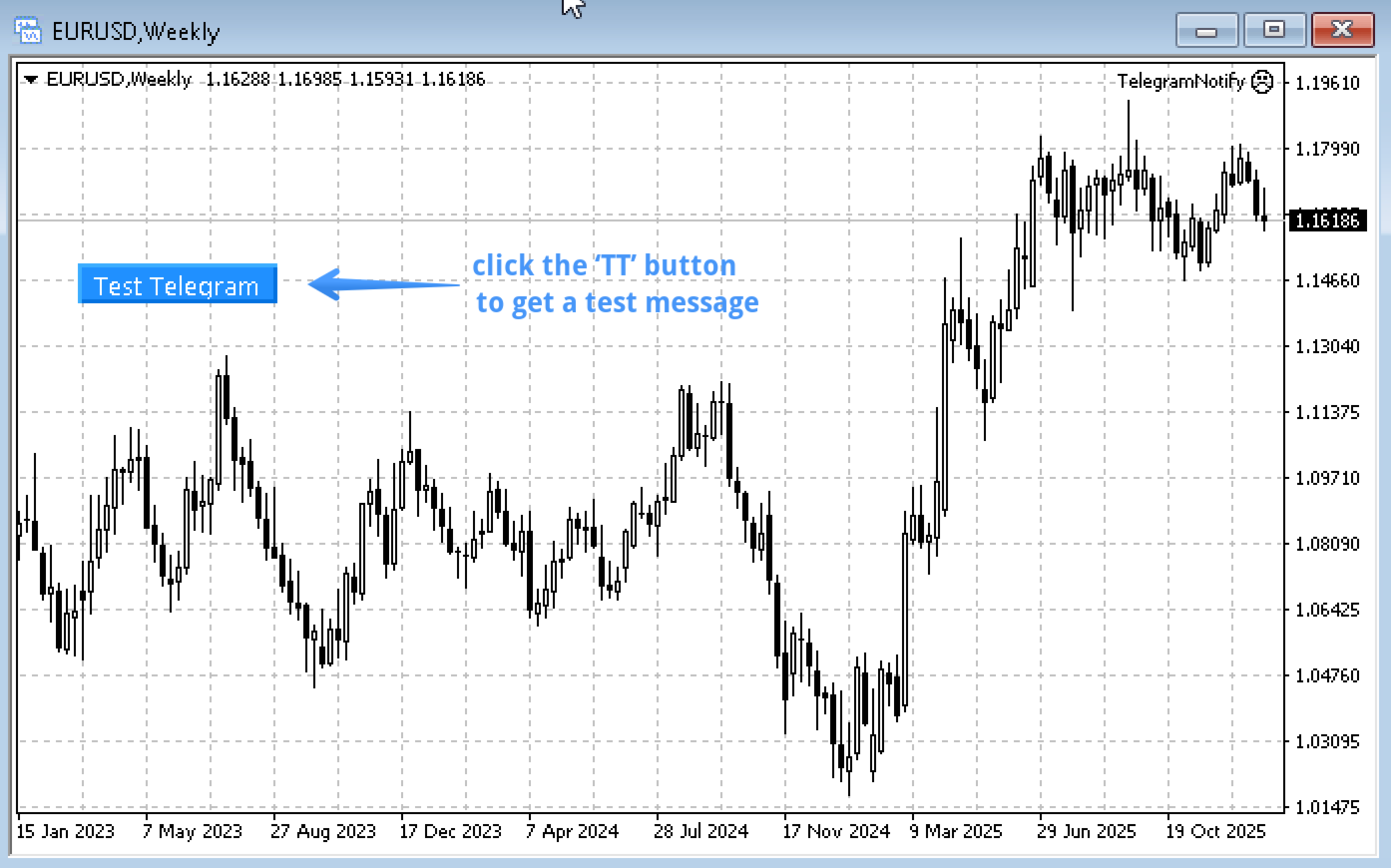
채팅 기능을 확인하기 위한 Test Telegram 버튼이 제공되며 설정 후 차트에서 숨길 수 있습니다.
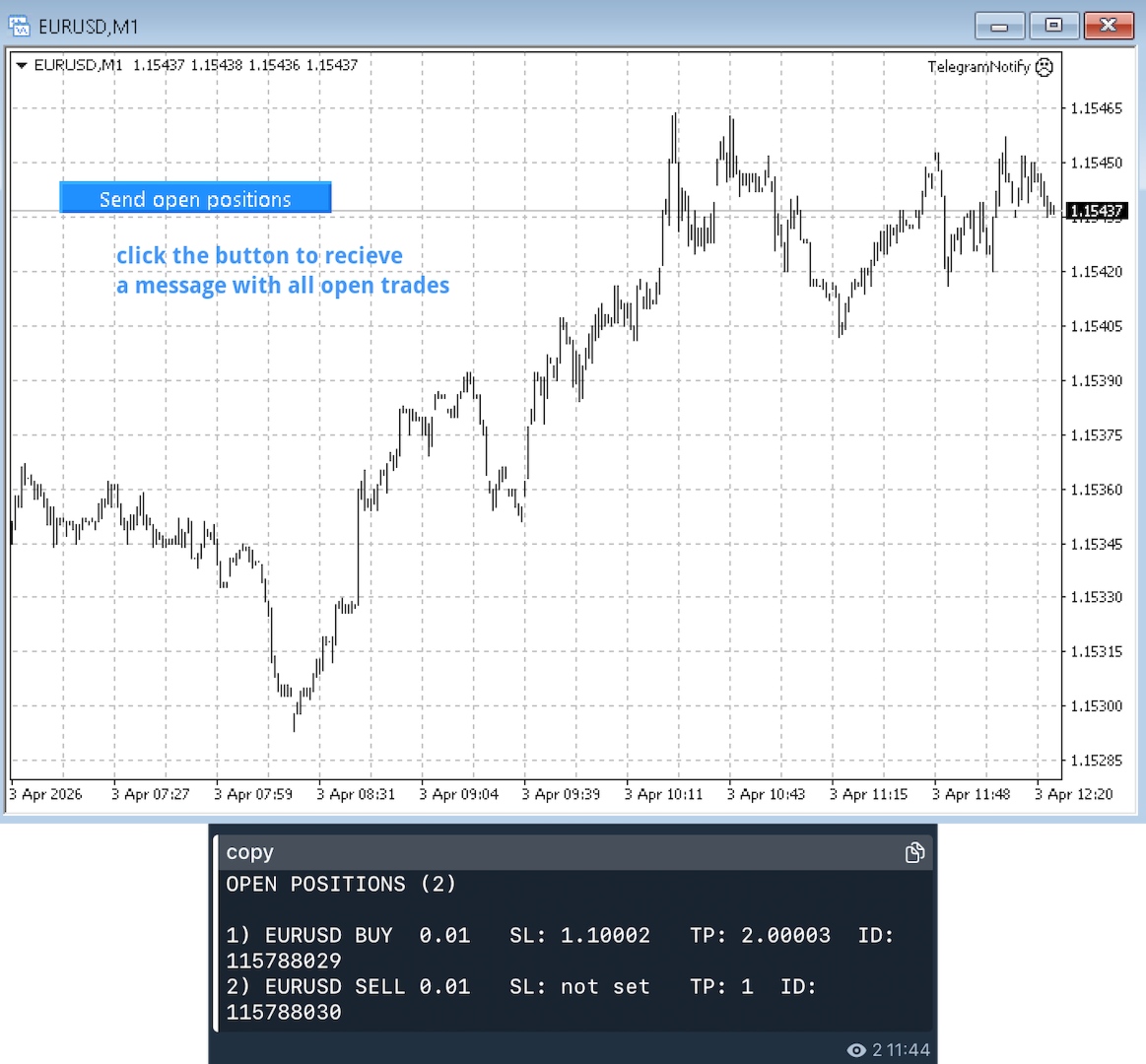
또한 Send open positions 버튼이 추가되어 현재 열려 있는 모든 포지션을 표 형식으로 Telegram에 전송할 수 있습니다.
알림 내용:
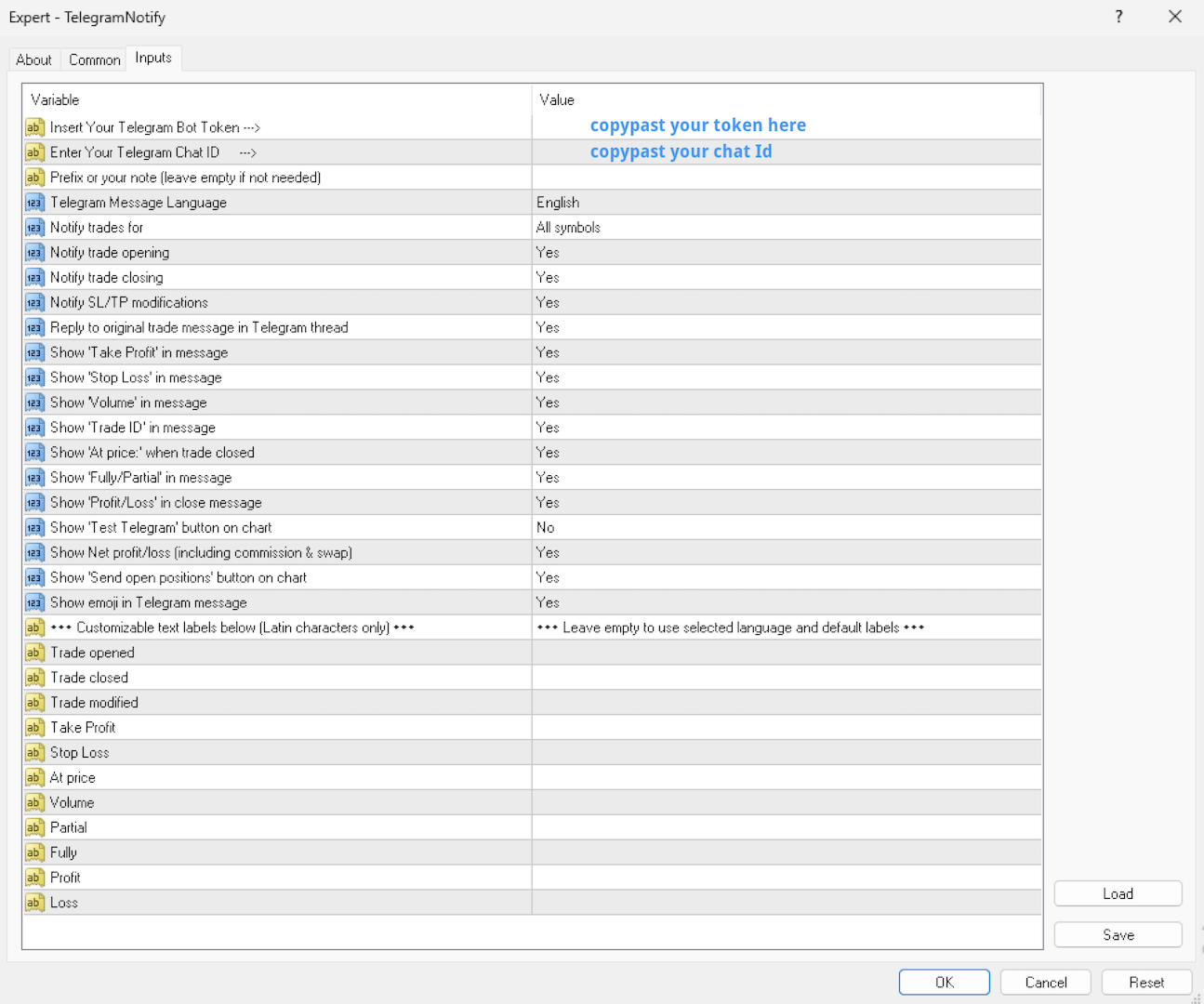
거래 개시 알림에는 다음 정보가 포함됩니다: 심볼, 거래량, 거래 방향 (buy / sell), 진입 가격, take profit, stop loss 값, 거래 id 및 코멘트 (선택 사항).
거래 종료 알림에는 다음 정보가 포함됩니다: 종목, 종료된 거래량 (부분 또는 전체), 종료 가격 (선택 사항), 최종 수익 또는 손실 (총 또는 순 - 선택 사항).
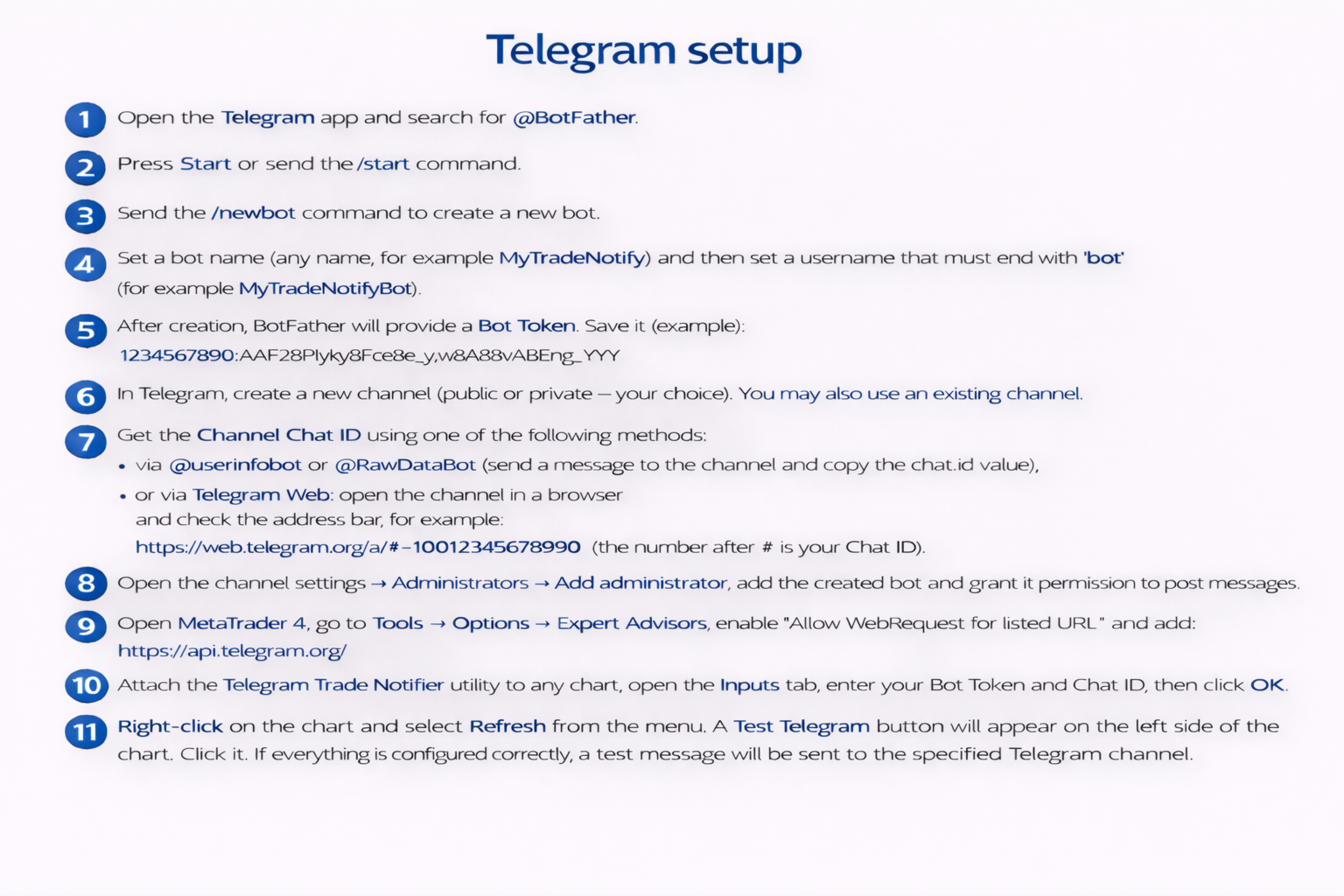
간단한 설정:
- @BotFather를 통해 Telegram 봇을 생성하고 Bot Token을 받습니다.
- Telegram 채널(공개 또는 비공개)을 생성하고 Chat ID를 확인한 후 봇을 관리자 권한으로 추가합니다.
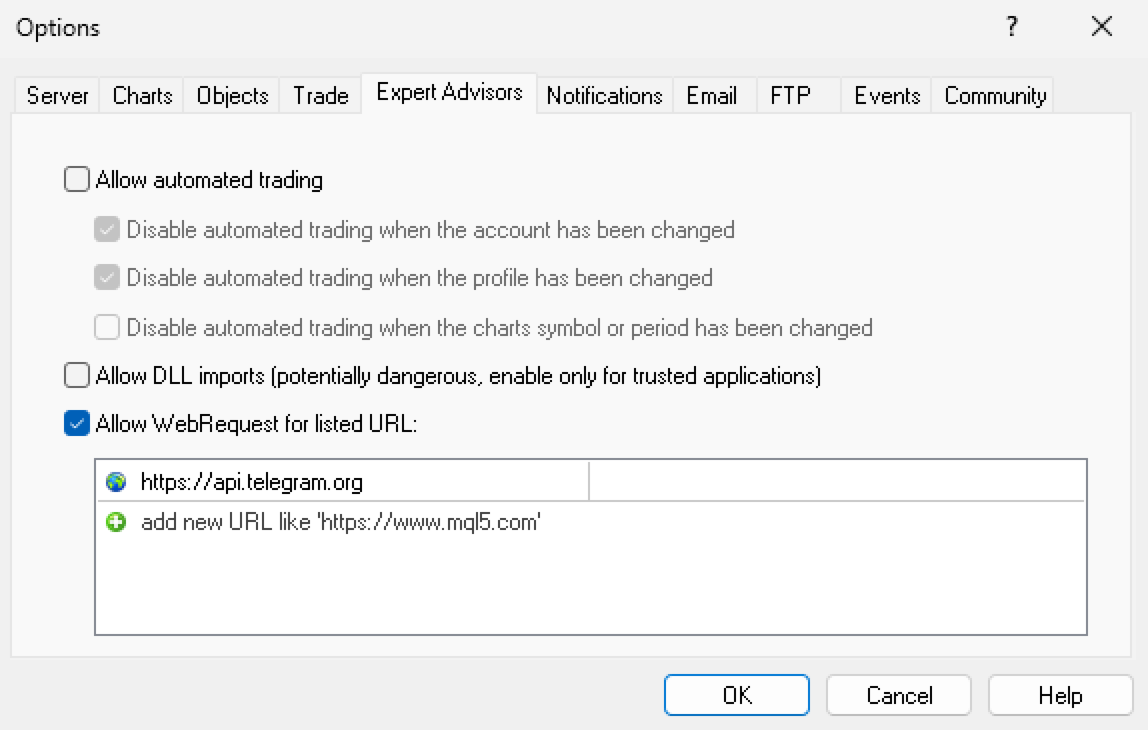
- MetaTrader 4에서 https://api.telegram.org 에 대한 WebRequest를 활성화한 후 유틸리티를 차트에 추가하고 입력 매개변수에 Bot Token과 Chat ID를 입력합니다.
- 확인을 위해 차트에서 Test Telegram 버튼을 클릭합니다.
중요 사항:
이 유틸리티는 거래를 열거나 수정하지 않습니다.
MetaTrader 4 터미널이 실행 중일 때만 작동합니다(모든 Advisor와 동일).
모든 MT4 브로커와 호환되며 netting 및 hedging 계정을 모두 지원합니다.
MT5 Version available Here
이 도구가 유용하다면 리뷰를 남겨주시면 감사하겠습니다.























































사용자가 평가에 대한 코멘트를 남기지 않았습니다