 MetaTrader 5
 专家
专家
 指标
指标
 程序库
程序库
 实用工具
实用工具
 窗口小部件
窗口小部件
 规则
规则
全新的MetaTrader 4 交易实用工具 - 10
 以下是可在MetaTrader 4中简化外汇交易的交易程序。将鼠标悬停在下面列表中的工具上,阅读它的描述和用途。
Signal Provider Utility Pro (Telegram & Discord) The Professional Solution for Signal Providers. Automated Broadcasting | Smart GUI Panel | Performance Reports Stop managing your signals manually. Signal Provider Utility Pro is the realiable bridge between your MetaTrader 4 terminal and your community on Telegram and Discord. Designed for high-performance signal services, this tool gives you instant control over your broadcasts without ever needing to open the settings window. From real-ti

Metrics Pro for Telegram - MT4 Metrics Pro for Telegram is a reporting utility for MetaTrader 4 that automatically sends your account performance data to a Telegram chat or channel via the Telegram Bot API. It is designed for algo-traders, signal providers, and fund managers who need scheduled performance summaries delivered directly to their phone without checking the terminal manually. The utility runs in the background on a chart and posts formatted reports at a scheduled server time. Reports

Metrics Pro for Discord - MT4 Metrics Pro for Discord is a reporting utility for MetaTrader 4 that automatically sends your account performance data to a Discord server via a Webhook. It is designed for signal providers, prop firm traders, and community managers who want to share structured trading results without manual effort. The utility runs in the background on a chart and posts formatted reports at a scheduled server time. Reports include account-level data as well as a breakdown per strat

Индикатор "Стрелки" (Arrow Drawing Tool) Краткое описание: Удобный инструмент для рисования стрелок на графике с помощью кнопки и мыши. Позволяет визуально отмечать направления движения цены, уровни поддержки/сопротивления и важные ценовые зоны. Основные возможности: Простое управление - кнопка "Стрелка" для активации режима рисования Автоматическая окраска - зеленые стрелки для движения вверх, красные для движения вниз Настраиваемый дизайн - регулируемая длина и угол наконечника стрелки Г
FREE

//+------------------------------------------------------------------------+ //+------------------------------------------------------------------------+
简单交易面板,应部分朋友建议,现更新为2.1版本。
//+------------------------------------------------------------------------+
//---更新如下:
1 价格显示参考系统自带面板样式对部分价格数字进行了放大处理。 2 交易手数上次已成功交易使用的手数。
FREE

The ultimate tool for Prop Firm traders. Automatically closes trades before weekends/swaps and reopens them later. Features spread protection, CSV crash recovery, and multi-schedule support. Swap Shield is a professional utility designed specifically for traders dealing with Proprietary Trading Firms (Prop Firms) rules and those looking to avoid negative Swap fees. Many Prop Firms strictly prohibit holding positions over the weekend. Failing to close trades can lead to the immediate loss of you

RTX EA — Precision Trading Intelligence RTX EA is a next-generation Expert Advisor designed for traders seeking consistency, stability, and long-term measurable results . Built with advanced algorithmic architecture and real-time market analysis, RTX EA delivers optimized trade execution under both low and high-volatility conditions. With its intelligent multi-filter logic system, RTX EA is capable of identifying high-probability market setups , avoiding unnecessary entries, and maximizing

ProfRoboTrading Dashboard MultiSymbol is Expert Advisor a lightweight on-chart control panel that provides a clear overview of your trading account and open positions across multiple symbols. The dashboard displays key account metrics, summarizes open BUY/SELL orders and lots per symbol, calculates profit for Day/Week/Month, and offers quick manual close actions directly from the table. Key features Multi-symbol table (symbols list configurable). Account metrics panel: Balance, Equity,

新店优惠:仅限前10名。特价:$ 50 (原价:$90)。剩余名额:10 为了提高知名度,前10位购买者可享受此折扣。名额满后价格将恢复至$90。
你是否把时间都花在寻找过去的走势图和图形模式上了? 多次滚动屏幕,一直寻找目标图形模式。 好不容易找到,但在更低时间框架上就看不出它的位置。 略微移动图表或缩放图表后,又找不到了。 使用本工具:
您可以自动且高速地移动过去的图表,从而高效地搜索。 一旦确定了想要关注的时间点,无论如何移动图表,都可以瞬间访问该时间点。 还可以重放过去的图表并像实时一样重现价格走势。 这将通过提高分析效率和模拟交易体验的重复性来显著提升您的交易技能。 产品概要 这是一款专为 MT4 设计的强大混合工具,将最大化图表搜索和模拟交易效率的 “Chart Auto Flow” 与提升分析精度的 “Focus Time Line” 完全集成。 可以以可变速度自由 重放和逆向重放图表
通过快速重放回顾价格走势,或通过慢速重放进行模拟交易练习。
瞬间移动到想要关注的时间点 即使移动图表也不会丢失分析位置。
还可以连续移动到多个关注点,从而更高效地分析图表。
将

用户手册:智能交易系统“通用指标连接器”
本系统是一个高性能自动化桥接器,无需重新编程即可执行任何自定义指标(.ex5)的信号。该智能交易系统充当智能订单管理器,允许您将退出规则、资金风险管理和时间控制应用于原本仅用于视觉控制的策略。
1. 指标链接配置
要使智能交易系统正常工作,您必须正确“映射”外部指标:
指标名称:指标文件夹中的指标文件的确切名称。
信号类型:
K线内:信号出现后立即执行订单。
K线收盘后:等待K线收盘以确认信号,避免“重绘”。
买入/卖出缓冲区大小:指定指标生成箭头的通道数(0、1等)。
操作类型:筛选条件,仅允许买入、仅允许卖出或两者兼有。
添加到图表:启用后,指标将自动绘制在图表上。
2. 风险与资金管理(资金管理)
系统提供三种计算仓位大小的方法:
FIX_LOT:用户自定义的固定手数。
LOT_RISK_MONEY:根据止损位计算承担固定金额风险所需的手数。
LOT_RISK_PERCENT_BALANCE:承担总余额的百分比风险(例如,1%)。
SL/TP 点数:以点数表示的保护和目标价位。注意:使用 0 表示不设固定

Autopilot Easy Panel: The Essentials for Effective Trading Designed to simplify your trading, the Autopilot Easy Panel is the ideal tool for traders who want to increase efficiency without getting lost in complex features. Developed by market experts, it provides you with the essential tools for optimal management of your money and positions. A carefully crafted user experience and an intuitive interface allow you to focus on what matters most: your trades. Key Features: Visual trade preparation

Watch a few videos in the playlist, turn on subtitles, and select a translation into your language. MOPS ( Managing Open PositionS ) is an expert advisor for managing open trades. Its key features include sending notifications to Telegram and automatically closing all positions when specified virtual take-profit and stop-loss levels are reached for all currency pairs, a specific pair, or a "magic number." The advisor not only sends sound alerts and push notifications to the mobile app but also
FREE

EchoTrade Telegram Signal Backtester VALIDATE TELEGRAM SIGNALS IN MINUTES - STOP GUESSING, START BACKTESTING Stop blowing accounts on "VIP" signals that don't deliver.
The EchoTrade Telegram Signal Backtester is the professional solution to audit, verify, and optimize any Telegram signal provider's performance on historical data. Most signal providers show you their wins but hide their losses. This tool reveals the naked truth. By combining a powerful Data Manager (included) with an advanced MT4

This is a RISK MANAGER utility for MetaTrader. To activate it, after downloading it, you must enable all autotrading controls on MetaTrader, as with EXPERT ADVISORS. The user must enter control settings as indicated in the indicator properties, which initially have default data. RISK MANAGER will perform checks and display pop-up alerts when certain behaviors exceed the user-entered settings. It's free; use it, try it, develop it, or contribute ideas. It's just a utility; the programmer assumes
FREE

This MT4 Expert Advisor (EA) is a multi - timeframe trend - based trading assistant with visualized UI and automated trading logic. Its core functions are as follows: Trend Analysis & Visualization Analyzes market trends by integrating multiple technical indicators including EMA (21/55), ADX (14), MACD (12/26/9), RSI (14) and volume data across different timeframes. Generates Chinese - language trend comments (e.g., "Bullish momentum surges" or "Bearish dominance prevails") and displays the

[ MT5 Version ] DoIt Trade Coach AI (MT5/MT4) — AI Trade Validator for Manual Traders You are the trader. The AI is your second opinion. DoIt Trade Coach AI is a MetaTrader utility that helps you validate your trade ideas before you enter: you propose direction + Entry/SL/TP, the AI analyzes the setup, explains what’s strong/weak, suggests improvements, and lets you execute directly from the panel. This is NOT an automated trading EA.
You stay in control — the AI supports your decision-making.
I

• Please test the product in the Strategy Tester before purchasing to understand how it works.
• If you face any issues, contact me via private message—I’m always available to help.
• After purchase, send me a screenshot of your order to receive a FREE EA as a gift.
Overview Daily Trading Limiter is an Expert Advisor (EA) for MetaTrader 4 that helps traders maintain discipline by enforcing daily trading limits. The EA prevents overtrading and excessive drawdown by automatically blocking ne

This EA does not make entry,you must setup first. After setup this EA will execute order based on input parameter.
For MT5 version : CLICK HERE TO BUY MT5 VERSION
EA BOOM CODED NEWS Time-Locked Entry System
Executes one precise market order exactly at your predefined MT4 server time (HH:MM:SS). Single Trade Per News
Designed to avoid overtrading — ideal for news. Recommended on high impact news like NFP,CPI,FOMC and other red high impact news Auto-Off After Entry
EA can automatic
Risk/Reward Tool是一款专业级EA(智能交易系统),旨在彻底改变您在MetaTrader 4中规划、可视化和执行交易的方式。无论您是重视精确风险管理的自主交易者,还是需要直观测试交易设置的策略开发者,这款工具都能在一个优雅直观的界面中提供您所需的一切。 与基础的仓位计算器不同,Risk/Reward Tool将可视化交易规划与即时执行功能、实时盈亏监控和全面的交易管理功能相结合。该工具与MT4策略测试器完全兼容,让您能够练习交易策略并完善方法,无需冒真实资金的风险。 完整使用手册请访问: https://www.mql5.com/en/blogs/post/766244 MT5 version: https://www.mql5.com/en/market/product/158601
主要功能 可视化交易规划 可拖拽调整的入场、止损和止盈线 随交易参数调整实时更新的彩色风险/收益区域 基于ATR的自动止损计算,实现波动率调整的仓位管理 可配置的风险收益比,带可视化显示 支持市价单和挂单(限价单/止损单),根据入场线位置自动判断 智能仓位计算 以账户余额百分比或固定金

ATR Grid Risk Controller – Trade Management Utility ATR Grid Risk Controller is a manual trade execution and risk management Expert Advisor , designed for discretionary traders and prop firm traders who require strict risk control, precision, and execution discipline . This EA does NOT generate trading signals , does NOT decide when to enter , and does NOT use martingale or lot multiplication .
The trader keeps full control of trade decisions, while the EA handles risk calculati

AI Trade Analyzer is an intelligent market analysis tool implemented in the indicator format. The program visualizes signals on the chart and helps the trader evaluate the market situation based on technical indicators and news background. All signals and levels are for guidance only and should be validated with your own trading strategy and risk management. Supported Models:
Compatible with the latest ChatGPT versions — GPT-5.1 , GPT-4o , GPT-4o-mini , O1 , and GPT-3.5-turbo .
GPT-5.1 provide

Sentinel Pro V is a professional-grade MetaTrader 4 Expert Advisor designed for traders who demand precision and mobility. By combining three layers of RSI and Stochastic analysis with custom trendline tracking, this bot ensures you stay informed of every critical market move via instant Telegram notifications. Key Specialized Features 1. Triple-Level RSI & Stochastic Alerts Unlike standard bots, Version 2 allows you to set three distinct alert zones for both RSI and Stochastic indicators. This
FREE

This is a light version of OneClickWonder. It has a limitation of lotsize ( 0.01 ) and also the trade direction (only SELL ) and magic number is fiexd (magic number = 11 ) ------------------------------------ OneClickWonder manages open trades by Magic Number and Symbol , providing: · Individual or Basket Trailing Stop · Optional Averaging system (adds new trades automatically) · OneClickOrder buttons (BUY / SELL directly from chart) · Works
FREE
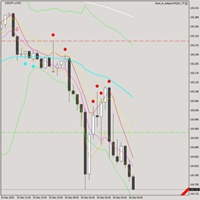
This EA is designed to transmit charts to Telegram, as illustrated in the example image. It provides the capability to send charts according to the selected timeframe directly to Telegram. A sample channel is included for demonstration purposes. After installation, please select your own channel or any other preferred option.
Please note that this sample channel may be removed without prior notice.
The indicator shown in the image is for demonstration purposes only.

FREE 7-DAY TRIAL After your trial ends, continue using this essential trading tool for only $35 one-time payment. Telegram Trading Report Pro Telegram Trading Report Pro is a professional MT4 Expert Advisor designed to keep traders fully informed about their trading activity through real-time Telegram notifications and automated performance reports. This EA is ideal for traders who want full transparency, instant alerts, and clear performance summaries without staying in front of the trading ter

OneClickWonder manages open trades by Magic Number and Symbol , providing: · Individual or Basket Trailing Stop · Optional Averaging system (adds new trades automatically) · OneClickOrder buttons (BUY / SELL directly from chart) · Works with manual trades (Magic 0) or EA trades by number. EA Features 1. Basket Trailing o Groups trades with the same Magic Number and direction. o Stop Losses are adjusted based on weighted average price o

NNFX TOOL – The Essential Order Management Tool for the Modern Trader A "small but mighty" EA, designed to optimize your trading workflow: High Performance: Lightweight yet powerful operation, ensuring precise and efficient order execution. Versatile: Perfect for NNFX method followers, while being incredibly user-friendly for beginners and sophisticated enough for pro-traders. SPECIAL FEATURE - Mobile Trading Support: Automatically sets immediate Stop Loss (SL) and Take Profit (TP) for pending
FREE

Pending Orders EA BOT MT4 – 您终极的交易伴侣 MetaTrader 4 最强大的一键挂单网格 EA (针对 XAUUSD, NAS100, GER40, BTCUSD, Volatility 75 及所有主要货币对进行了优化) 在几秒钟内放置 100–1000+ 个完美分层的 Buy Limit/Buy Stop 或 Sell Limit/Sell Stop 订单,具有递增手数、3种模式的智能移动止损(Trailing Stop)和全图表控制功能。没有复杂的菜单——只有美观的大按钮和实时仪表板。此 EA 非常适合最小价格间隔为 0.01 的剥头皮交易(Scalping),能在几分钟内放置数百笔交易,或设置长期交易信号。未来,我们计划通过此 EA 提供交易信号,让您的交易更加轻松。如需更多详情和支持,请联系我们。 实时验证信号与证明 账户 1: tinyurl.com/3u3f4cjt 账户 2: tinyurl.com/4u6ukvzs 为什么要选择 Pending Orders EA BOT? 快速交易: 以最小 0.01 的价格间隔在几分钟内放置数百笔
FREE

MT4 Send To Telegram – Real-Time Trade Alerts & Monitoring for Telegram MT4 Send To Telegram EA is a read-only monitoring and notification utility for MetaTrader 4. It sends clean, real-time trading activity from your MT4 account to Telegram , so you can stay informed from anywhere on mobile or desktop. Safe by design: this EA does not open, close, modify, or manage trades . It only monitors your account, sends alerts, and replies to supported read-only Telegram requests. Receive alerts for new
本 EA 只做一件事:删除存在时间超过设定时长的挂单。它不开仓、不平仓,也不做任何交易判断。
关于名称的说明:这里的"timeframe"指挂单的存活时长(分钟),不是图表周期。EA 在任何图表周期上都能工作,判断依据是挂单已经存在了多久。
挂单放久了会占用保证金,或在行情变化后被以你不想要的价格成交。这个 EA 会在挂单存在时间超过你设定的期限后自动删除,保证金及时释放,挂单列表保持干净。
主要功能
- 按设定的存活时长自动删除挂单 - 不含任何交易逻辑和指标,绝不发出市价单 - 支持手动挂单,也支持其他 EA 下的挂单 - 支持魔术号过滤,只管理某一策略的挂单 - 支持品种过滤,可只管理当前图表品种 - 支持挂单类型过滤:buy limit、sell limit、buy stop、sell stop、stop limit - 每次删除都会写入 Experts 日志,可选弹窗提醒 - 占用资源极低,挂一个图表即可管理全账户
使用方法
1. 把 EA 挂到任意 MT4 图表,点亮 Auto Trading 按钮。 2. 设置 TimeoutPeriod:挂单允许的存活时间

基于时间算法的自动平仓订单管理工具(MT4)—— 技术说明 概述
本工具为基于时间算法的自动订单管理EA。其核心功能是根据用户预设的持仓时间周期,自动执行相应的平仓操作,旨在帮助交易者以机械化方式执行既定规则,减少人为情绪干扰。 核心功能模式 平仓模式 功能定义 全部平仓(Close All) 到达指定时间后,关闭所有符合过滤条件的持仓。 盈利平仓(Close Profit) 仅关闭当前处于盈利状态的持仓。 亏损平仓(Close Loss) 仅关闭当前处于亏损状态的持仓。 平多头(Close Buy) 仅关闭所有多头(买入)持仓。 平空头(Close Sell) 仅关闭所有空头(卖出)持仓。 核心算法与参数配置 时间监测引擎 :EA持续监控每个持仓的“存活时间”,当达到用户设定的持仓时间周期时,触发预设的平仓逻辑。 参数配置 :用户可设置检查时间周期、选择上述五种平仓模式之一,并通过魔术数字(Magic Number)和交易品种过滤功能实现精确的订单管理。 使用流程 :将EA加载至监控品种图表,配置持仓时间周期与平仓模式,EA即自动运行。 技术特点 完全基于时间条件执行操作,不涉及任

Ultimate Extractor - Professional Trading Analytics for MT4 Ultimate Extractor transforms your MetaTrader 4 trading history into actionable insights with comprehensive analytics, interactive charts, and real-time performance tracking. Ability to combine multiple accounts and MT4 and MT5 into a single dashboard. What It Does Automatically analyzes your MT4 trading history across all Expert Advisors and generates detailed HTML reports with interactive visualizations. Tracks live performance metric

This Utility seeks to establish points of interest in a given trading week, by visually plotting the areas on a given chart. Some of the features include: Opening range of the week(Monday) Initial balance of the week(Monday + Tuesday) Daily abiter definitions(opening range for each day[Monday through Friday] - first 8 hours) Fibonacci retracement(representing the weeks area of interest, by calculating the retracement levels for the given week) Page lines(which define the weekly page, an area in

MT4 Local Trade Copier A file-based trade copying system for MetaTrader 4 that synchronizes trades between Master and Client terminals on the same computer or network. Key Features Master/Client Architecture : One Master terminal broadcasts trades, multiple Client terminals can receive and replicate them File-Based Communication : Uses shared folder system for reliable inter-terminal communication Flexible Lot Management : Copy exact lot sizes or use fixed lot sizes on client accounts Customizab

~~~~~Product Description~~~~~ This Ea can use to modified all Sell Limit (SL) or Take Profit (TP) entry with same symbol or not to value that u entry on input box . Sell Limit (SL) can be use as Breakeven (BE) when u entry value on input box . Only if empty = True , just change all value follow input box if your order not set Sell Limit (SL) or Take Profit (TP) . May be some broker delay to use this EA Just trade with amount you dare to lose .
FREE
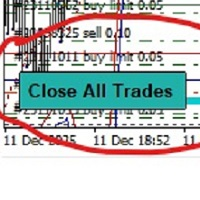
-Product Description- This close_all_entry button can use to close all your active entry with profit or lose . Button can't use to delete all your pending order . Just one click can close all active entry , no need anymore to close one by one . Maybe get some delay to close all your active entry . Just trade with amount you dare to lose . o.o.o.o.o.o.o.o.o.o.o.o.o.o.o
FREE

JVH Trading Information Panel v3.93 Professional Trading Dashboard for MetaTrader 4 The JVH Trading Information Panel is an advanced, real-time trading dashboard for MetaTrader 4 , designed to give traders a clear, structured overview of risk, performance and execution quality — all in one clean, dark-themed panel. Built for retail traders and prop-firm traders (FTMO, FundedNext, etc.) who require accurate, equity-based risk tracking and professional-level statistics. Key Advantages Liv
FREE

MT4 to MT4 Two Way Copier: Skyrocket Your Trading Success with Seamless Precision!
Unlock the power of automated trade replication with This Copier, the ultimate Expert Advisor (EA) designed to revolutionize your trading experience on MetaTrader 4 Whether you are a seasoned trader, a hedge fund manager, or a prop firm guru, this robust, feature-packed tool ensures your trades are copied with lightning-fast accuracy across multiple accounts or platforms. Say goodbye to manual trade management a

Smart Equity Protector (PropFirm Edition) Smart Equity Protector (PropFirm Edition) is a professional account equity protection and risk-management utility for MetaTrader 4. This Expert Advisor is designed to protect trading accounts from excessive losses by monitoring account equity in real time and automatically closing trades when predefined risk limits are reached. ️ This product does NOT open trades and does NOT generate trading signals .
It works as a safety and protection system for manu
FREE

Universal TradingView to MT4 Webhook Connector Automatically execute your TradingView alerts inside MetaTrader 4 — fast, reliable, and hands-free. This connector bridges TradingView and MT4, allowing BUY, SELL, and CLOSE alerts from any TradingView indicator or strategy to be converted into real MT4 trades with advanced risk management . Stop fighting with complex python scripts or unreliable copiers. This tool pulls signals directly from any webhook server you choose and executes them with lig
FREE

Risk-based position sizing utility (MT4 Script) that helps traders calculate position size and place pending orders directly from the chart. It let trader specifies entry price, stop loss price and a fixed cash risk; the script then calculates the appropriate lot size and sends the pending order with Stop Loss (SL) and Take Profit (TP) attached in a single step. This tool is designed for manual trading only: it does not run autonomously, does not use any built-in strategy, and executes one ope

Professional Trading Expert Advisor (EA) Description for MetaTrader 4 Captivating Title: SmartStop & Trail Pro: Automated Risk Management and Profit Protection EA for MT4 ️ Full Product Description: Are you looking for a powerful tool to completely automate risk management and profit protection for your trades on MetaTrader 4? SmartStop & Trail Pro is an advanced Expert Advisor (EA) designed to take over trade management immediately after any position is opened (either manually or b

Product Name: Risk Commander: Trade Assistant & Strategy Simulator Risk Commander is more than just a trade panel—it is a complete Manual Trading Ecosystem . It serves two powerful purposes: Live Assistant: Helps you execute trades with speed, precision, and perfect risk management in real-time markets. Training Simulator: Fully compatible with the Strategy Tester (Visual Mode) , allowing you to practice manual trading on historical data without risking a cent. NEW! Built-in Simulator Mode Stop

This utility trails not each position separately, but the entire profit on the account (by money or by percentage).
Activate_Trailing - activation of trailing by money or by percentage of profit. Start_Trailing - the required profit value to start the trailing. Size_Trailing - the size of the trailing stop. Min_Value_for_Close - the minimum profit value after the start of trailing to close positions (in case of a large negative gap to stay in the game). Select_trades - selecting positions t

Local Time Ruler (MT4) Local Time Ruler is a professional utility indicator that displays your local computer time directly on the chart , using intelligent time markers automatically adapted to each timeframe . It completely removes confusion caused by broker server time and helps traders maintain precise awareness of market sessions, candle timing, and time-based strategies. Key Benefits Displays true local time on the chart Automatically adapts time markers to the active timeframe Clean,
Hey, it’s finally here: the One-Way Hedge Object Copier! Seamlessly copy your drawing objects across multiple charts and timeframes. Available now on the market!
Simply drop it onto your charts, draw and adjust your objects, and they will be copied 1:1 into all other charts. This lets you focus on what really matters and have fun. :)
Happy trading, everyone!

Crystal CopyCat Ultimate Ultra-Fast Master–Slave Copier with Zero-Delay Execution and Cross-Platform MT5 Compatibility
Architecture: MT4 → MT4 and MT4 → MT5 Full Compatibility
MT4 Pro :- https://www.mql5.com/en/market/product/165057
MT5 Free Version: https://www.mql5.com/en/market/product/144569
Complete User Setup Guide:- https://www.mql5.com/en/blogs/post/764222
1. Overview
Crystal CopyCat Ultimate 5.0 is a next-generation trade copy engine engineered for professional traders, portfo
FREE

AZ Trade Recovery Assistant MT4 combines manual trading flexibility with intelligent automated management.This advanced on-chart panel isn’t just for trade execution — it’s a complete trade management assistant. You can open or close positions instantly, adjust lot size, manage trailing stops, and modify Take Profit or Stop Loss — all directly from the panel. It’s built for traders who want full control of their trades with smart automation running in the background. What truly makes this assi

Close_All_Trades_with_TP_SL is a reliable and efficient MQL4 Expert Advisor designed to simplify and automate trade management for all open positions on your MT4 account. This EA is especially useful for traders who open multiple trades quickly or use high-frequency strategies where manual TP/SL placement becomes difficult and time-consuming. The primary purpose of the EA is to ensure that every open trade—whether Buy or Sell—always has a predefined Take Profit (TP) and Stop Loss (SL) applied. M
FREE

=== RISK ANALYZER MT4 ===
Professional position sizing and margin calculator for serious traders.
MAIN FEATURES:
• LOT SIZE CALCULATOR - Calculate optimal position size based on your risk • MARGIN CALCULATOR - See required margin, free margin, and margin level BEFORE trade • TRADING STATISTICS - Win rate, profit factor, expected payoff analysis • DRAWDOWN MONITORING - Track absolute and maximal drawdown • REAL-TIME RISK ANALYSIS - All metrics update automatically
CALCULATE BEFORE YOU TRADE:

AI Advisor – 让 AI 真正看见你的交易世界 AI Advisor 会根据你的真实账户信息自动生成高质量提示词,可以直接粘贴到任意 AI 聊天中使用。
它帮你快速梳理账户状态,理解当前品种格局,识别风险点,挖掘潜在盈利机会,让 AI 以你的真实交易情况为基础来思考和交流,而不是凭空猜测。 快速链接 Download: AI Advisor v1.02.ex4 AI Advisor v1.02.ex5 Installation guide
AI Advisor Version Overview FAQ & troubleshooting
使用方法 – 三步搞定 在你关心的品种图表上打开 AI Advisor。 在右侧列表中选择一个合适的 “AI Advisor 模式”(AI Advisor Modes),让程序自动把账户信息、仓位、品种和结构整理进提示词。 点击「复制」,然后把生成的文本粘贴到你常用的任意 AI 聊天界面中,开始对话即可。 内置 Prompt 简要说明 AI Advisor 内置了一组常用分析场景,覆盖交易中最典型的几类问题,例如
FREE

Hello, traders. Are you the kind of trader who is confident about his entry but usually end up as a subject of stoploss hunt? Your analysis are more than 70% correct but your trades usually hit stoploss due to stop hunt or market manipulations? If you are, then it's time to take over! With this tool you can win all your accurate trades with zero worries. This tool also help you trail your positions and lock-in your profits untill Mr. Market decides to reverse.
MT5 Version: https://www.mql5.com

Crystal Trade Manager PRO – 高级 MT4 风险与交易控制系统 免费版: https://www.mql5.com/en/market/product/150632 概述 Crystal Trade Manager PRO(CTM)是一款为 MetaTrader 4 打造的完整专业级风险管理与交易控制工具。
它专为需要严格执行、稳定风险保护和智能自动化的交易者而设计。 系统可全面管理风险、保护账户权益、执行每日限制、自动设置 SL/TP,并提供专业级的一键式快速交易面板。
非常适合参与 prop firm 挑战、日内交易、剥头皮交易以及专业资金管理的交易者。 同时提供完整的 MT5 版本。 核心亮点功能 1. 高级风险与回撤保护 支持每日回撤限制 1%–70% 。 一旦达到回撤上限,系统将立即平掉 所有仓位 。 可选:突破后自动删除 所有挂单 。 每日锁仓模式:当天达到限制后阻止新下单,次日自动恢复。 完全符合各大 prop firm 的规则与要求。 2. 日内盈利与亏损目标自动化 可设置每日 盈利目标 与 亏损限制 (账户货币,例如 USD)。 达到任何目

www tradepositive .lat
ALGO Smart Flow Risk Manager (Keyboard Edition)
Have you ever spotted the perfect entry but hesitated so long calculating the lot size that the price ran away without you? Or has a bad streak ever wiped out 20% of your account because you didn't know when to stop? The ALGO Smart Flow Risk Manager is not an automated trading bot. It is a professional Execution Tool designed strictly for Manual Traders who demand speed, structure, and discipline. We turn your
FREE

ProTrade Panel —— 极速、精准、专业的 MT4 交易面板 让交易不再繁琐,让执行快人一步。 您是否厌倦了 MT4 原生下单窗口的繁琐步骤?
您是否在剧烈波动行情中因操作缓慢而错失良机?
ProTrade Panel (专业版) 专为手动交易者设计,集成了 一键下单、突破挂单、快速平仓、可视化风控 等核心功能,助您在该出手时绝不犹豫! 核心亮点 自由拖拽,随心所欲 : 独创的 图表锁定技术 。长按标题栏即可拖拽面板到屏幕任意位置,拖拽时K线图表不会乱跑,松手即停。 极速突破挂单 (Breakout Trading) : 专为突破行情设计。只需设置点数距离,一键生成 Buy Stop (突破多) 或 Sell Stop (突破空) 挂单,自动带好止损止盈。 精细化风控管理 : 所有数值(手数、止盈、止损、挂单距离)均支持 + - 按钮微调,告别键盘输入的繁琐。 全方位平仓策略 : 不仅能平多、平空,更能 一键平盈利单 、 一键平亏损单 或 一键全平 ,风险控制尽在掌握。 极致的交互体验 : 双语切换 :内置中文/英文一键切换,
FREE

Mobile Alert is a tool that allows you to send targeted messages to your mobile phone. You can control the number of messages received. This tool is particularly useful for systems that use Expert Advisors and where you may not be able to sit in front of your computer all the time. Simply have messages sent to your mobile phone and you’ll always be kept up to date with your trading activity and account balance.
FREE
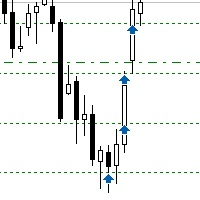
Sometimes the markets are in such a trending phase that it is impossible not to notice and it is enough to simply buy with the trend. 1) So, we scroll through the charts of different instruments, and see a good entry point, so let's specify the desired price for the first order in the Price_for_First_Order parameter and the direction in the Trend_Direction parameter, this is already enough for a good deal. (If Price_for_First_Order=0, the position will open immediately at the market price.) 2) T

Sajiro Copier — Smart Loss-Logic Trade Copier (Master + Slave EA) A professional MT4 trade-copying system with intelligent activation based on consecutive loss detection. Sajiro Copier is designed for traders who manage multiple accounts or use recovery, hedging, or diversification strategies.
The EA copies trades only when a predefined loss streak occurs on the Master account, allowing for controlled risk exposure and increased flexibility. This system combines stability, precision, and clea

TelegramTradeReports - Your Trading Always Under Control The price will increase by $50 after every 10 sales TelegramTradeReports is the essential Expert Advisor for the trader who never wants to miss a beat. Instantly connect your MT4 terminal to your Telegram account, sending real-time notifications on every trading event and periodic reports on your account performance.
Ideal for those who manage Expert Advisors, signals, or discretionary trading and need to monitor account activity eve
FREE

QuickTrade J Assistant Basic – Simple Line-Based Trading Assistant for MT4 (Final Description – With Advanced Commission Handling) Short Description QuickTrade J Assistant Basic is a clean line-based trading assistant for MT4.
Control Entry, SL, TP, Risk %, Money Risk, Lot Mode, Reward Ratio or Reward Price directly on the chart using smart draggable bars.
Includes keyboard shortcuts, symbol navigation, clean-chart mode, commission-aware calculations, and a multi-mode Close/Delete manager.

Prop Guardian Pro – Advanced Drawdown Manager With EA Killer Prop Guardian Pro is a comprehensive risk manager utility specifically designed for professional traders and Prop Firm candidates (FTMO, MFF, The5ers, etc.). It acts as a strict risk desk manager, ensuring you never violate your drawdown limits. Prop Guardian Pro goes beyond simple risk management by incorporating a "Psycho-Manager" engine. When a limit is hit, it stops trading and displays smart motivational messages to help prevent
FREE

AutoCloseTradebyTimer - Automated Trade Management Utility AutoCloseTradebyTimer is a powerful and flexible risk management utility designed for MetaTrader 4. It automatically closes your open positions at a specific time every day, helping you avoid overnight swap fees, high volatility during market rollovers, or simply allowing you to stick to your trading schedule without being glued to the screen. Whether you are a manual trader or use other Expert Advisors (EAs), this tool gives you comple

MetaTrader 4 货币强弱指标 这款 货币强弱指标 分析多达 28 个主要货币对,为 8 种主要货币各给出一个数值:USD、EUR、GBP、JPY、CHF、CAD、AUD 和 NZD。您不必逐个打开图表去判断谁在主导,只需查看 MetaTrader 4 图表上的一个面板,就能知道哪种货币被买入、哪种被卖出。 面板显示什么 8 种货币各自的强弱条和百分比,按强弱排序 多时间周期 矩阵:每种货币并排显示三个时间周期,入场前可确认 M15、H1 和 H4 是否一致 每行的强弱历史:从 20 升到 60 的货币,与从 90 回落到 60 的货币并不相同 最佳货币对 :强弱差值最大的组合,已排序。点击即可打开该货币对的图表 应避开的货币对 :两种货币同向移动就没有交易空间,它们会被列出而不是隐藏 一键打开 28 货币对面板,一次查看所有差值 将当前数值导出为 CSV,保存到您的 MQL4 Files 文件夹 如何使用 将指标拖到任意图表上。它读取的是市场,而不是图表品种 根据您的交易方式设置计算周期和计算根数 寻找强势货币与弱势货币之间的较大差值,再确认三个时间周期方块是否一致 用强弱历

帶有擺動點檢測的多時段交易指標 這款強大的MT4指標直接在您的圖表上顯示四個主要交易時段(悉尼、東京、倫敦和紐約),具有清晰的視覺邊界。它自動識別並標記擺動高點和低點,可選擇在自動檢測和手動放置之間切換,以實現精確定製。 主要功能: 交易時段顯示: 可視化框突出顯示悉尼、東京、倫敦和紐約時段,具有可自定義的顏色和透明度
擺動高點/低點檢測: 智能自動識別關鍵擺動點,或使用手動模式設置交易者自定義的水平
彈出信號警報: 當價格穿越時段邊界或觸及擺動高點/低點水平時的即時通知
水平信號線: 在每個擺動點清晰標記的支撐和阻力水平,延伸至整個圖表
可自定義警報: 選擇哪些信號觸發彈出通知(時段開盤、擺動水平突破,或兩者) 非常適合想要利用時段波動性、識別關鍵支撐/阻力水平,並在價格達到關鍵區域時接收即時警報的交易者。適用於所有時間框架和貨幣對。

Trade Manager Ultra 是一款适用于MT4的综合性一体化交易管理工具,可简化并增强您的交易体验。这款强大的EA通过直观的界面为您提供对交易操作的完全控制。 主要功能: 一键交易执行 - 单击即可立即进入买入和卖出头寸
高级订单设置 - 轻松设置买入止损、卖出止损、买入限价和卖出限价挂单
智能仓位管理 - 关闭单个交易或同时关闭所有头寸
自动跟踪止损 - 通过可自定义的跟踪止损功能保护利润
智能手数计算 - 基于风险百分比和账户余额的内置手数计算器
实时统计 - 通过实时盈亏跟踪和综合交易统计监控您的交易表现
风险管理工具 - 精确设置止盈和止损水平 Trade Manager Ultra 简化了您的交易流程,消除了手动计算,并帮助您保持严格的风险管理。无论您是初学者还是经验丰富的交易者,这个指标都能为您提供专业级的交易管理功能。 适合: 日内交易者、波段交易者以及任何希望提高MT4交易效率和风险控制的人。

Scalper Pal 是一款功能强大且易于使用的交易工具,旨在通过闪电般的执行速度、灵活的风险管理和智能自动化功能来增强您的手动交易。非常适合剥头皮交易者、日内交易者以及任何重视交易速度和精确度的人。 MT5 版本: 点击这里 为什么选择 Scalper Pal? 当您需要进行以下操作时,手动交易可能会充满挑战: 在快速的市场波动中迅速执行交易 即时计算止损和止盈水平 同时管理多个仓位 无需持续监控即可追踪止损 Scalper Pal 通过直观的仪表板和键盘快捷键解决了所有这些问题,让您完全掌控交易。 主要功能 快速执行 使用键盘热键即时执行买入和卖出订单(B 为买入,S 为卖出) 一键即时平仓所有头寸(C) 使用数字键(1-9)平仓单个交易 为最大速度而优化 - 无延迟,无需等待 灵活的止损选项 (Stop Loss) 选择适合您交易风格的止损模式: OFF - 无止损 Fixed Points - 在距离入场点固定点数处设置止损 Low/High - 自动将止损放置在近期低点(买入)或高点(卖出) ATR Based - 基于市场波动性使用可自定义的周期和倍数设置动态止损 高级
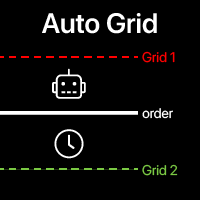
自动网格: 基于您现有交易自动创建网格订单。 自动化复杂交易策略 采用先进的网格系统,检测新头寸并自动创建优化的订单阵列。 多功能工具 :66+ 功能,包括自动网格工具 | 如有疑问请联系我 | MT5版本 A. 智能交易检测与监控: 特定品种或全面投资组合扫描 高级订单类型检测与精确分类 策略监控启动:立即、延迟或条件触发 魔术号码集成,兼容算法策略 B. 高级网格配置: 策略性订单布局: 多种定位方法 智能方向逻辑: 同向、反向或基于市场的订单创建 精确订单数量: 可定制的网格密度和结构 高级偏移系统: 固定间距或动态百分比递进 全面水平管理: 止损/止盈继承,保持规模或价格一致性 复杂手数调整: 固定、递增或策略性递减 到期控制: 自定义时间范围或继承原订单设置 C. 高级退出策略自动化: 多种平仓方法,精确执行策略 条件触发终止,提供全面触发选项 投资组合优化,配备最佳入场保留系统 高级自动化管理 一键策略激活,立即实施 全面状态监控,提供详细报告 预设系统,快速部署和优化策略 额外输入设置 (界面): 字体大小 面板大小(百
Line Chart PRO EA is a versatile signal alert tool that displays customizable signal lines directly on your chart. Simply move and position these lines anywhere on the chart to set your desired price levels. When price touches or crosses your positioned lines, you'll receive instant popup alerts, keeping you informed of important market movements without constant chart monitoring. Perfect for traders who want flexible, visual signal management with real-time notifications.

Fly With Gold – Scenario Dashboard PRO Market Condition & Trend Analysis Dashboard for MT4 / MT5 Fly With Gold – Scenario Dashboard PRO is a professional market condition analysis indicator designed to help traders identify trend, range (lateral), and neutral market phases in real time. This product is an analysis and decision-support tool .
It does not generate trading signals , does not open trades , and does not guarantee profits . What the Indicator Does Analyzes market conditions and classi
CopyTrader Pro FAST MT4 — FULL VERSION Real-Time Trade Copier | MT4 ↔ MT5 Cross-Platform | Unlimited Trades | 20ms Latency CopyTrader Pro FAST is a professional-grade trade copier Expert Advisor that copies trades between MetaTrader terminals in real time. Built on a high-speed file-based communication system, it delivers 20–200ms copy latency on the same machine — completely independent of tick frequency. No VPS, no network configuration, no DLL files. Just attach to a chart, set Master or Slav
学习如何在MetaTrader AppStore上购买EA交易,MetaTrader平台的应用程序商店。
MQL5.community支付系统支持通过PayPay、银行卡和热门付款系统进行交易。为更好的客户体验我们强烈建议您在购买前测试EA交易。
