 MetaTrader 5
 エキスパート
 インディケータ
 ライブラリ
ライブラリ ユーティリティ
 ウィジェット
 ルール
ルール
YouTubeにあるマーケットチュートリアルビデオをご覧ください
ロボットや指標を購入する
仮想ホスティングで
EAを実行
EAを実行
ロボットや指標を購入前にテストする
マーケットで収入を得る
販売のためにプロダクトをプレゼンテーションする方法

「PROFESSIONAL ADVISOR」は購入できなくなりました。
以前にこの製品を購入された方は、残りのアクティベーションがある限り、引き続きこの製品を制限なく使用し、新しいコピーをインストールできます。
- MetaTrader 4ターミナルを開きます。
- 設定でMQL5.communityのアカウント情報を入力します([ツール]>[オプション]>[コミュニティ])。
- [マーケット]タブを開き、[購入済み]タブに移動します。
- 製品名の右側にある[インストール]ボタンをクリックします。
詳しくは、ドキュメントをご覧ください。
他のMetaTrader 4アプリをご確認ください

AI Forex Robot - The Future of Automated Trading. AI Forex Robot is powered by a next-generation Artificial Intelligence system based on a hybrid LSTM Transformer neural network, specifically designed for analyzing XAUUSD and EURUSD price movements on the Forex market. The system analyzes complex market structures, adapts its strategy in real time and makes data-driven decisions with a high level of precision. AI Forex Robot is a modern, fully automated system powered by artificial i

EA available at $399 for limited copies
Next official price: $799
EA Gold Algo is a professional Expert Advisor specifically designed for Gold (XAUUSD) trading.
It is engineered to capture extremely fast price movements that occur when price escapes key structural zones with momentum. Gold is known for sharp expansions and aggressive volatility. EA Gold Algo is built to operate in these conditions with high-precision execution, strict risk control, and fast reaction speed .
The EA does not

We proudly present our cutting-edge robot, the Big Forex Players EA designed to maximize your trading potential, minimize emotional trading, and make smarter decisions powered by cutting-edge technology. The whole system in this EA took us many months to build, and then we spent a lot of time testing it. This unique EA includes three distinct strategies that can be used independently or in together. The robot receives the positions of the biggest Banks (positions are sent from our database t

Vortex - 未来への投資
Vortex Gold EAはメタトレーダープラットフォーム上で金(XAU/USD)を取引するために特別に作られたエキスパートアドバイザーです。独自の指標と作者の秘密のアルゴリズムを用いて構築されたこのEAは、金市場の有益な動きを捉えるように設計された包括的な取引戦略を採用しています。その戦略の主要な構成要素には、CCIやパラボリックインジケーターなどの古典的なインジケーターが含まれており、これらは理想的なエントリーポイントとエグジットポイントを正確に知らせるために連動します。Vortex Gold EAの核心は、高度なニューラルネットワークと機械学習テクノロジーです。これらのアルゴリズムは、過去のデータとリアルタイムのデータの両方を継続的に分析し、EAがより高い精度で進化する市場トレンドに適応し対応することを可能にします。ディープラーニングを活用することで、Vortex Gold EAはパターンを認識し、指標パラメーターを自動的に調整し、時間の経過とともにパフォーマンスを向上させます。Vortex Gold EAは、独自の指標、機械学習、適応可能な取

Miraculous Indicator – ガン・スクエア・オブ・ナインに基づく100%非リペイントのFXおよびバイナリーツール この動画では、FXおよびバイナリーオプションのトレーダー向けに特別に開発された、非常に正確で強力な取引ツールである Miraculous Indicator を紹介しています。このインジケーターがユニークなのは、伝説的な ガン・スクエア・オブ・ナイン と ガンの振動の法則 に基づいている点で、現代の取引で利用できる最も正確な予測ツールの一つとなっています。 Miraculous Indicatorは 完全に非リペイント であり、ローソク足が確定した後にシグナルが変化したり消えたりすることはありません。つまり、見たものがそのまま利用できます。これにより、トレーダーは自信を持ってエントリーおよびエグジットを行うための信頼性と一貫性のある根拠を得ることができます。 主な特徴: ガン・スクエア・オブ・ナインとガン理論に基づいて構築 100%非リペイントのシグナルシステム すべての時間枠(M1、M5、H1、H4、日足、週足)で機能 FXおよびバイナリーオプション取引

The XG Gold Robot MT4 is specially designed for Gold. We decided to include this EA in our offering after extensive testing . XG Gold Robot and works perfectly with the XAUUSD, GOLD, XAUEUR pairs. XG Gold Robot has been created for all traders who like to Trade in Gold and includes additional a function that displays weekly Gold levels with the minimum and maximum displayed in the panel as well as on the chart, which will help you in manual trading. It’s a strategy based on Price

Vortex Turbo — 「嵐を操り、Vortexを制する」
Vortex Turboは、最先端のAIアーキテクチャ、適応型市場ロジック、そして精密なリスク管理を融合した独自の開発技術であり、インテリジェントトレーディングの新たな進化段階を体現しています。実績のあるアルゴリズム原理に基づき、複数の戦略を、新たなレベルの予測インテリジェンスを備えた統合型高速エコシステムに統合します。金(XAUUSD(GOLD))のスキャルピングエキスパートとして設計されたVortex Turboは、制御されたマーチンゲール法と平均化グリッドを採用し、各 ポジションは内蔵のストップロスによって完全に保護されています 。これにより、パワー、精度、安全性の完璧なバランスが確保されています。 非常に重要です!エキスパートをご購入後、プライベートメッセージをお送りください。必要な推奨事項をすべて記載した説明書をお送りします。 399ドルの価格は2月15日まで有効です。その後、価格は499ドルに引き上げられます。(最終価格は999ドルです) Vortex Turbo Expert Adviso

Local Trade Copier EA MT4 による、驚くほど高速な取引コピーを体験してください。1分で簡単にセットアップできるこの取引コピー機は、同じWindowsコンピュータまたはWindows VPS上の複数のMetaTrader端末間で取引をコピーすることができ、0.5秒未満の高速コピースピードを実現します。
初心者であろうとプロのトレーダーであろうと、 Local Trade Copier EA MT4 には、あなたの特定のニーズに合わせてカスタマイズするための幅広いオプションが用意されています。これは、利益の可能性を高めたい人にとって究極のソリューションです。 今すぐ試してみて、これが市場で最も速くて簡単なトレードコピー機である理由を理解してください。 ヒント: デモアカウントで Local Trade Copier EA MT4 デモバージョンをダウンロードして試すことができます: ここ ダウンロードした無料のデモ ファイルを MT4 >> ファイル >> データ フォルダを開く >> MQL4 >> Experts フォルダに貼り付けて、ターミナルを再起動しま

EA Gold Stuffは、金取引のために特別に設計されたExpert Advisorです。 この作業は、ゴールドスタッフインジケーターを使用した注文の開始に基づいているため、アドバイザーはトレンドに従うことを意味する"トレンドフォロー"戦略に従って動作します。
重要! 指示とボーナスを得るために購入後すぐに私に連絡してください! トレンド スキャナーの強力なサポートを利用して、無料のインジケーターを入手し、プライバシーを守ります。あーみー! リアルタイムの結果はここで見ることができます
パラメータ
新しいシリーズを開く-新しいシリーズの注文の開始をオン/オフします。 開始ロット-開始ロット。 トレードバイ-Expert Advisorが購入できるようにします。 トレード売り-Expert Advisorが売ることを許可します。 ヘッジを使用する-機能が有効になっている場合、アドバイザーは買いと売りの両方の方向を取引し、機能が無効になっている場合、アドバイザーは一方向 マネー Manadgementを使用-オン/自動ロット計算の使用をオフにします。 オートロットオー

Gann Made Easy は、ミスター・ギャンの理論を使用した取引の最良の原則に基づいた、プロフェッショナルで使いやすい外国為替取引システムです。 W・D・ガン。このインジケーターは、ストップロスとテイクプロフィットレベルを含む正確な買いと売りのシグナルを提供します。 PUSH通知を利用して外出先でも取引可能です。 購入後に私に連絡して、取引のヒント、ボーナス、および「GANN MADE EASY」EA アシスタントを無料で入手してください。 おそらく、ギャンの取引手法についてはすでに何度も聞いたことがあるでしょう。通常、ギャンの理論は初心者のトレーダーだけでなく、すでにある程度の取引経験がある人にとっても非常に複雑なものです。なぜなら、ギャンの取引手法は理論的にはそれほど簡単に適用できるものではないからです。私はその知識を磨き、最良の原則を私の外国為替インジケーターに組み込むために数年を費やしました。 このインジケーターは非常に簡単に適用できます。必要なのは、それをチャートに添付し、簡単な取引推奨事項に従うだけです。このインジケーターは常に市場分析の仕事を行い、取引の機会を探しま

ORIX System — GBPUSD 通貨ペアを対象に、 M5 タイムフレーム用として開発されたトレーディングロボットです。本EAは価格の動きと市場構造の要素を分析することに基づいており、標準的なテクニカル指標は使用しません。マーチンゲール、グリッド取引、逆張りによるナンピン、ヘッジ、ストップロスなしの取引、高頻度取引や無秩序な取引は一切行いません。
主な要件および推奨事項 通貨ペア:GBPUSD
タイムフレーム:M5
最低入金額:0.01 ロットでの取引時に 100 USD / EUR から
ブローカー:高品質なレートを提供する信頼できる ECN ブローカー
口座タイプ:ECN / RAW / Razor(Netting および Hedging モード対応)
VPS:EA を安定かつ継続的に稼働させるため推奨
推奨リスク:1 取引あたり 1%~5%(リスクは単一取引のストップロスに基づいて計算)
設定:デフォルト
取引ロジックとリスク管理 戦略タイプ:価格行動および市場構造の分析による重要な反転レベルの特定
標準的なテクニカル指標は使用しません
すべての取引は必ずストップロス

Limited stock at the current price!
Final price: $1999 --> PROMO: From $299 --> The price will go up every 5 purchases, next price : $399 Golden Mirage is a robust gold trading robot designed for traders who value reliability, simplicity, and professional-grade performance. Powered by a proven combination of RSI, Moving Average, ADX, and High/Low Level indicators, Golden Mirage delivers high-quality signals and fully automated trading on the M5 timeframe for XAUUSD (GOLD) . It features a robu

取引 ごとのリスクの 計算、新規注文 の 簡単 な 設置、部分的 な 決済機能 を 持 つ 注文管理、 7 種類 のトレーリングストップなど 、便利 な 機能 を 備 えています 。
追加の資料と説明書
インストール手順 - アプリケーションの手順 - デモアカウント用アプリケーションの試用版
ライン機能 チャート上にオープニングライン、ストップロス、テイクプロフィットを表示します。この機能により、新規注文を簡単に設定することができ、注文を出す前にその特徴を確認することができます。 リスク計算 リスク計算機能は、設定されたリスクとストップロス注文のサイズを考慮して、新規注文のボリュームを計算します。ストップロスの大きさを自由に設定できると同時に、設定したリスクを守ることができます。 Lot calc ボタン - リスク 計算 を 有効 / 無効 にします 。 Risk フィールドでは 、必要 なリスクの 値 を 0 から 100 までのパーセンテージまたは 預金通貨 で 設定 します 。 設定」 タブで 、 リスク 計算 の 種類 を 選択 します :「 $ 通貨」、「 % 残

Game Change EAは、Game Changerインジケーターをベースにしたトレンドフォロー型の取引システムです。赤いドットが形成されると自動的に売り、トレンドの終了を示す黄色のXが表示されるまで売り方向に進みます。買い取引にも同じロジックが適用されます。青いドットが表示されるとEAは買いを開始し、黄色のXが検出されるとすぐに買いサイクルを終了します。
このEAはあらゆる通貨ペアとあらゆる時間枠に適していますが、M15時間枠のxauusdなどの強いトレンド銘柄で特に優れたパフォーマンスを発揮します。 リアルタイムの結果はここで確認できます。 個人ボーナスを獲得するには、購入後すぐにご連絡ください。 設定・マニュアルはこちら 設定 Open new series – true/false - 新たな一連の注文の始まり。
Trade Buy - EAが購入できるようにする
Trade Sell - EAの販売を許可する
Support manual orders – true/false – EAが手動注文を制御できるようにする
Use hedge - EAが買いと売りの両方

M1 SNIPER は使いやすいトレーディングインジケーターシステムです。M1時間足向けに設計された矢印インジケーターです。M1時間足でのスキャルピングのためのスタンドアロンシステムとして、また既存のトレーディングシステムの一部としても使用できます。このトレーディングシステムはM1時間足での取引に特化して設計されていますが、他の時間足でも使用できます。元々、この手法はXAUUSDとBTCUSDの取引用に設計しましたが、他の市場においても役立つと考えています。 インジケーターのシグナルは、トレンドの方向と逆方向に取引できます。インジケーターのシグナルを利用して両方向に取引するのに役立つ特別な取引テクニックをご紹介します。この手法は、特別な動的なサポートとレジスタンスの価格帯を利用することに基づいています。 ご購入後、M1 SNIPER矢印インジケーターをすぐにダウンロードできます。さらに、M1 SNIPERツールのすべてのユーザーに、以下のスクリーンショットに表示されているApollo Dynamic SRインジケーターを無料で提供しています。この2つのインジケーターを組み合わせることで

Expert Advisor は、不採算ポジションを回復するために設計されたシステムです。 著者のアルゴリズムは、負けポジションをロックし、それを多くの別々の部分に分割し、それぞれを別々に決済します。簡単なセットアップ、ドローダウンの場合のローンチ遅延、ロック、他の Expert Advisor の無効化、トレンド フィルタリングによる平均化、負けポジションの部分決済が 1 つのツールに組み込まれています。 グループ全体でのみ注文をクローズするグリッド戦略とは対照的に、より低い預金負荷で損失を減らすことができ、損失をより安全に処理できるようにするのは、部分的に損失をクローズすることです。 注文が復元される方法: 1 EA は、選択した商品の他のウィンドウを閉じて、不採算の EA をオフにします (オプション)。 2 EA は、処理されたすべての注文のテイクプロフィットとストップロスのレベルをリセットし、対応する識別子を持つ保留中の注文を削除します。 3 EA は、利益を利用して不採算注文の一部をカバーし、総ポジション量を減らすために、すべての処理された採算性のある注文をクローズします

ご紹介 Quantum Empire EA は 、有名な GBPUSD ペアの取引方法を変革する画期的な MQL5 エキスパート アドバイザーです。 13年以上の取引経験を持つ経験豊富なトレーダーのチームによって開発されました。
IMPORTANT! After the purchase please send me a private message to receive the installation manual and the setup instructions.
***Quantum Emperor EAを購入すると、Quantum StarMan が無料で手に入る可能性があります!*** 詳細についてはプライベートでお問い合わせください
検証済み信号: こちらをクリック MT5バージョン: ここをクリック
量子EAチャネル: ここをクリック
10 回購入するごとに価格が 50 ドル上がります。最終価格 1999 ドル
量子皇帝EA EAは、1つの取引を5つの小さな取引に継続的に分割する独自の戦略を採用していま

Trade Manager EAへようこそ。これは、取引をより直感的、正確、そして効率的にするために設計された究極の リスク管理ツール です。これは単なるオーダー実行ツールではなく、包括的な取引計画、ポジション管理、リスク管理のためのソリューションです。初心者から上級者、迅速な実行を必要とするスキャルパーまで、Trade Manager EAはあらゆるニーズに対応し、為替、指数、商品、暗号通貨などさまざまな市場で柔軟に対応します。 Trade Manager EAを使用すると、複雑な計算が過去のものになります。市場を分析し、エントリーポイント、ストップロス、テイクプロフィットのレベルをチャート上のラインでマークし、リスクを設定するだけで、Trade Managerが最適なポジションサイズを即座に計算し、SLとTPをピップ、ポイント、口座通貨でリアルタイムに表示します。すべての取引が簡単かつ効果的に管理されます。 主な機能: ポジションサイズ計算機 :定義されたリスクに基づいて取引サイズを瞬時に決定します。 簡単な取引計画 :エントリー、ストップロス、テイクプロフィットを設定するためのド

BB Return — ゴールド(XAUUSD)取引のためのエキスパートアドバイザー(EA)です。このトレードアイデアは、以前に 裁量トレード で使用していたものを基にしています。戦略の中核は Bollinger Bands(ボリンジャーバンド) のレンジへの価格回帰ですが、機械的でも毎回のタッチでもありません。ゴールド市場ではバンドだけでは不十分なため、EA には弱い・機能しない相場状況を排除する追加フィルターが組み込まれています。回帰のロジックが本当に妥当な場合にのみ取引が行われます。 取引原則 — 本戦略ではグリッド、マーチンゲール、ナンピン(平均化)を使用しません。EA は 固定ロット または AutoRisk モードで動作します。BB Return はスプレッド、スリッページ、ブローカーの価格配信の違いに影響されにくく、 Standard、ECN、Pro、Raw、Razor など、あらゆるブローカー・口座タイプで使用できます。取引セッションに依存せず、 24時間稼働 します。 設定と取引頻度 — 開始に複雑な設定は不要です。本戦略は デフォルト設定 での運用を前提とし

事前に指標 市場の反転レベルとゾーンを決定し 、価格がそのレベルに戻るのを待って、新しいトレンドの終わりではなく、始まりにエントリーできるようにします。
彼は示す 反転レベル 市場が方向転換を確認し、さらなる動きを形成する場所。
このインジケーターは再描画なしで動作し、あらゆる金融商品に最適化されており、 トレンドラインプロ インジケータ。 すべての機器に対応する可逆構造スキャナー すべての取引商品を自動的に追跡し、すべての R 反転パターンを即座に識別して、LOGIC AI 信号がすでに存在する場所やその他の有用な情報を表示します。 Logic AI – エントリーポイントを表示するアシスタント 市場参入の最適なタイミングを判断するインテリジェントなシグナル。TPSproSYSTEMアルゴリズムを使用し、価格動向、トレンド、主要参加者の活動を分析します。
LOGIC AI が表示されるということは、市場状況が十分に整い、高い成功確率で取引の決定を下せる状態であることを意味します。 (R1-PRO)モードは、トレンドプロインジケーターからのトレンドの変化

AI Prop Firms - Intelligent Automation Built for Prop Trading Firms . AI Prop Firms is an advanced fully automated Forex trading system powered by Artificial Intelligence , developed specifically to operate within the strict rules and evaluation models of prop trading firms. The system is designed to trade under controlled risk conditions while maintaining consistency , stability, and compliance with prop firm requirements. AI Prop Firms uses intelligent market analysis logic that continu

WINTER SALE — LIMITED TIME!
Get GOLD Scalper PRO with a huge –60% discount AND receive News Scope EA PRO as a FREE BONUS ! Special Winter Sale Price: $177
(Regular Price: $447 — You Save $270!) FREE BONUS: News Scope EA PRO
A powerful multi-symbol strategy packed with advanced features, supporting 5 trading pairs — real value: $397! After completing your purchase, simply contact me and I will send you your BONUS EA immediately. Don’t miss this once-a-year opportunity! Live Results: https:/
Trend Ai EAは、Trend Aiインジケーターと連携して動作するように設計されており、トレンド識別と実用的なエントリーポイント、そして反転アラートを組み合わせることで独自の市場分析を行い、インジケーターのすべてのシグナルを完全自動で処理します。EAには、完全に調整可能な多数の外部パラメーターが含まれており、トレーダーは好みに合わせてエキスパートをカスタマイズできます。
緑のドットが表示されるとすぐに、EAは買い注文をエントリーします。上昇トレンドが青い矢印で確認されると、EAは次のローソク足で買い注文をエントリーします。市場が反転した場合、EAはグリッドとマーチンゲール戦略で一連の取引を管理します。反対のシグナルが現れ、チャートに赤いドットが表示された場合、EAは売り注文をエントリーし、赤い矢印が続くとすぐに、EAは次のローソク足で売り注文をエントリーし、グリッドとマーチンゲール戦略で一連の取引を管理します。
通貨ペアと時間枠: このEAは、上場されているすべての資産、先物、株式、外国為替、コモディティ、暗号通貨、指数で使用できます。xauusd、eurusd、gbpu

An advanced Expert Advisor powered by artificial intelligence and machine learning, specifically designed for analyzing FOREX . It adapts to price movements and market fluctuations to detect potential trading opportunities. Artificial Intelligence Integration: At the heart of this EA les a sophisticated AI engine capable of recognizing complex patterns in FOREX price data. The system continuously processes historical and live FOREX price feeds to identify potential entry and exit points
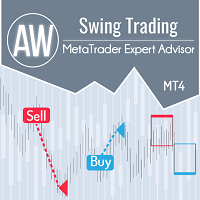
修正価格変動のスイングトレードのための高度なツール。継続方向のトレンドロールバックに作用し、必要な修正のサイズは、商品の現在のボラティリティによって、またはトレーダーが手動で決定します。現在のトレンドに沿って修正を検出した後、EAはシグナルが修正を完了してトレンドを継続するのを待ち、その後ポジションを開きます。 アドバイザの仕組みに関する説明-> こちら / MT5 version -> HERE 利点: 内蔵オートロット 注文開始のシグナルのカスタマイズ 手動注文を追加する機能を備えた完全に自動化された取引システム トレンドフィルタリング バスケットの動的ピッチ さまざまな種類の注文アニメーション ビルトインオーバーラップ すべての種類の通知 ボラティリティに基づく動的リトレースメントサイズ。 入力設定: 主な設定 最初の注文のサイズ-最初の注文を開くためのボリューム 自動ロット計算を有効にする-自動ロットを有効にする 0.01ロットあたりのオートロットデポジット-オートロット使用時の0.01ロットあたりのデポジット量 SIGNAL-操作用の信号を設定する エントリの最小ス

Aura Black Edition は、GOLD のみを取引するように設計された完全自動化 EA です。エキスパートは、2011 年から 2020 年の期間に XAUUSD で安定した結果を示しました。危険な資金管理方法は使用されていません。マーチンゲール、グリッド、スキャルプも使用されていません。あらゆるブローカーの条件に適しています。多層パーセプトロンでトレーニングされた EA ニューラル ネットワーク (MLP) は、フィードフォワード人工ニューラル ネットワーク (ANN) のクラスです。MLP という用語は、曖昧に使用され、フィードフォワード ANN に緩く使用される場合もあれば、複数のパーセプトロン層 (しきい値アクティベーション付き) で構成されるネットワークを厳密に指す場合もあります。多層パーセプトロンは、特に単一の隠し層がある場合、口語的に「バニラ」ニューラル ネットワークと呼ばれることがあります。MLP は、入力層、隠し層、出力層の少なくとも 3 つのノード層で構成されます。入力ノードを除き、各ノードは非線形アクティベーション関数を使用するニューロンです。MLP

Game Changerは、あらゆる金融商品で使用できる革新的なトレンドインジケーターです。MetaTraderを強力なトレンドアナライザーへと変貌させます。あらゆる時間枠で動作し、トレンドの特定、反転の可能性のシグナル、トレーリングストップ機能、そして迅速な市場反応のためのリアルタイムアラートを提供します。経験豊富なプロでも、優位性を求める初心者でも、このツールは自信と規律、そして根本的なトレンドダイナミクスを明確に理解した上で取引を行うための力となります。このインジケーターはリドロー機能も備えています。
購入後すぐにご連絡いただければ、個人ボーナスを進呈いたします。Strong SupportとTrend Scannerインジケーターの無料コピーを入手できます。[email protected]までプライベートメッセージを送ってください。
私のEAや特別なセットはTelegramでは販売しておりません。MQL5でのみ販売しており、セットファイルは私のブログでのみ公開しています。詐欺師にはご注意ください。他の方からセットを購入しないでください。
設定
トレンド変化時のアラート

Bazooka EA ― MT4用トレンド&モメンタム型エキスパートアドバイザー MT5: https://www.mql5.com/en/market/product/163078 デフォルト設定は、 GOLD M5 (Open Pricesモード)にて、2024年初頭から現在までの期間でEAのバックテストを行うように調整されています。他の時間足(タイムフレーム)に最適な設定については、コメント欄をご確認ください。 Bazooka EA は、 MetaTrader 4 向けの完全自動売買エキスパートアドバイザーで、
トレンド確認 と モメンタムフィルター を組み合わせることで、方向性のある市場の動きを取引するよう設計されています。 本EAは、制御されたエントリーと規律ある決済に重点を置き、過度な取引や高リスクなポジション管理手法を使用しません。 Bazooka EA は、明確なルールに基づいた戦略と、調整可能なリスク管理を重視するトレーダーに適しています。 戦略概要 Bazooka EA は、以下のテクニカル要素を組み合わせて市場を分析します。 移動平均線(Moving Avera

ADVANCED SNIPER PRO EA は、約90%の勝率を誇る高精度な自動売買システムです。
このEAは、世界で最も安定性、一貫性、そして収益性の高いスキャルピングロボットの一つです。
このMQL5ウェブサイトでのみ提供されるオリジナル製品です。
テストと取引用の EA Set_files をダウンロードします。 GBPAUD Set_file GBPCAD Set_file EAには、プロのトレーダーがニーズに合わせて使用できる多様な設定が用意されています。
FX初心者は、基本的な設定が充実したデフォルトのSet_filesをそのまま使用できます。
EA独自の機能: - 機械学習手法を採用しています。 - ボラティリティに合わせて調整可能なストップロス - 調整可能なエグジットフィルターとスプレッド設定 - 固定ロスカット(Fixed_SL)と固定ロスカット(Fixed_TP)オプション - 市場のボラティリティに応じて、EAがダイナミックロスカット(SL)を自動的に設定します。 - ロボットには、自動リスク管理(デフォルト)と固定ロットオプションが搭載されて
Mon Scalper - Dual-Trendline Breakout Scalping Expert
Mon Scalper is a specialized Expert Advisor designed exclusively for gold (XAUUSD) trading. It utilizes a unique dual-trendline strategy to identify strong trends and breakout points, executing trades automatically based on market conditions. Join My MQL5 Channel for the Latest Updates!
Real-Time Signal : https://www.mql5.com/en/signals/2281529 Pricing : Launch Price : $199 Incremental Price Increase : The price will increase by $100 after

Quantum strategy is a combination of quantum superposition and trading signal model. EA Quantum Dark Gold determines Buy and Sell positions simultaneously for each signal and simultaneously places 2 orders Buy Stop and Sell Stop. Then the momentum determines which order position is executed and cancels the remaining pending order. This interesting idea forms the Quantum Dark Gold with a unique entry method. Open positions are then managed by Trailing, Stop Loss and position balancing strategies

Capybara EA は、ハマ指標に基づく高度な自動トレンド追跡システムです。 市場が弱気になってインジケーターが赤に変わった場合、EA は売ります。市場が強気になってインジケーターが青に変わった場合、EA は買います。 EA は上昇トレンドと下降トレンドの始まりを正確に検出でき、TP に達するまでオープン取引をマーチンゲール/グリッド スタイルで制御します。 推奨ペア: eurusd などのすべての主要なペア。オードゥスド; gbpusd; nzdusd と audcad のようなマイナーなペアも。 NZDCAD; m15 タイムフレームの xauusd を含む eurnzd および eurcad。 開始時間 – EA の開始時間 開始分 – EA の開始分 終了時間 – EA の終了時間 終了分 – EA の終了分 ロット – 取引を開始する最初のロット 可変ロットの使用 – True/False – 資金管理を使用する True/False 0.01 ロットごとのフリー マージン – 0.01 ロットごとのフリー マージン 乗算 – 1.5 などの乗数 最大ロット – 許可され

説明書(ロシア語) / 説明書 (英語) / バージョン MT5 主な機能: 売り手と買い手のアクティブなゾーンを表示します。 このインジケーターは、買いと売りの適切な最初のインパルスレベル/ゾーンをすべて表示します。これらのレベル/ゾーンがアクティブになると、エントリーポイントの探索が始まり、レベルの色が変わり、特定の色で塗りつぶされます。状況をより直感的に把握できるように、矢印も表示されます。 LOGIC AI - テンプレートをアクティブ化するときにエントリポイントを検索するためのゾーン(円)の表示 視認性を向上させるため、人工知能を用いて進入ポイントを探索したゾーンを表示する機能が追加されました。 より高い時間枠からのレベル/ゾーンの表示(MTFモード) より長い時間間隔でレベル/ゾーンを表示する機能を追加しました。また、インジケーターに自動トレンド検出機能( TPSproTREND PRO )を実装しました。 取引のための個別の専門的なステップバイステップのアルゴリズム このアルゴリズムは、トレンドの方向と逆方向の両方でデイトレードを行うために設計されていま

Javier Gold Scalper:あなたのそばにある最先端テクノロジー!
マニュアルと設定ファイル:購入後にご連絡いただければ、マニュアルと設定ファイルをお渡しします 価格:販売されたライセンス数に応じて価格が上がります 残りのコピー数:5 金は金融市場でもっともボラティリティの高い資産の一つであり、取引には高度な正確性、慎重な分析、そして非常に効果的なリスク管理が必要です。 Javier Gold Scalper は、これらの柱を統合するために開発された強力で洗練されたシステムであり、金市場での取引を最適化することを目的としています。最先端のテクノロジーと高度な戦略を駆使して、Golden Scalperは初心者からプロのトレーダーまで対応し、このダイナミックな市場における課題を安全に乗り越え、チャンスを活かすサポートをします。Golden Scalperを使えば、金の特性に対応した信頼性の高いツールを手に入れることができます。
シンボル XAUUSD(金) 時間足 M30 PropFirm 対応済み 資金 最低 $1000 ブローカー どのブローカーでも可 口座タイプ ど

WINTER SALE — LIMITED TIME!
Get Forex GOLD Investor with a huge –60% discount AND receive News Scope EA PRO as a FREE BONUS ! Special Winter Price: $217
(Regular Price: $547 — You Save $330!) FREE BONUS: News Scope EA PRO
A powerful multi-symbol strategy packed with advanced features, supporting 5 trading pairs — real value: $397! After completing your purchase, simply contact me and I will send you your BONUS EA immediately. Don’t miss this once-a-year opportunity!
Forex GOLD Investor is o

MATrader QuickScalper – MATraderコアで動く精密スキャルピング MATrader QuickScalper は Marc Albrecht Trading による専用スキャルピングEAで、 よく知られている MATrader AI とは別の独立した戦略として開発されています。 MATrader AI が適応型サイクルロジックと大きめの値動きを重視するのに対し、 MATrader QuickScalper は 高速な執行、短い保有時間、きれいなスキャルピングエントリー を目的に設計されています。 このEAが MATrader の名前を冠しているのは、同じ中核思想に基づいているからです: 検証されたロジック、実運用を前提にした条件、そして近道はしない 。 (私たちは MATrader のシステムを MQL5 に公開する前に、長い期間テストと改善を続けてきました。 元の MATrader 掲載は #1 に到達しましたが、削除→再アップロードとなり、レビューとランキングがリセットされました。 しっかりテストした上でレビューを書いてもらえたら、とても助かります
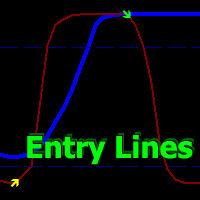
Volatility Trend System - a trading system that gives signals for entries. The volatility system gives linear and point signals in the direction of the trend, as well as signals to exit it, without redrawing and delays.
The trend indicator monitors the direction of the medium-term trend, shows the direction and its change. The signal indicator is based on changes in volatility and shows market entries.
The indicator is equipped with several types of alerts. Can be applied to various trading ins

XGen Scalper MT4 - プロフェッショナル自動取引システム
XGen Scalperは、高度なアルゴリズム構造と実証済みのテクニカル分析を組み合わせ、あらゆる市場で一貫した結果を提供する最先端のエキスパートアドバイザーです。この強力な取引システムは、外国為替ペア、金や銀などの貴金属、暗号通貨、商品指数で問題なく動作します。
高度なアルゴリズム技術
独自の波動スキャンアルゴリズムは、市場データをリアルタイムで処理し、手動の投資家が見逃しがちな、可能性の高い取引機会を特定します。このシステムは、変化する市場の状況に絶えず適応し、トレンド、レンジ、ボラティリティの高い環境でも効果的に機能します。
ユニバーサルな互換性
特定のペア向けに設計された従来の EA とは異なり、XGen はすべての商品で優れたパフォーマンスを発揮します。
プロフェッショナルなコントロールパネル
リアルタイムの口座指標、詳細な取引統計、システムステータスを表示する洗練されたインターフェースで、取引パフォーマンスを監視します。統合された波形視覚化により、システムが市場の状況をどのように解釈し

First 25 copies at $80, after that price becomes $149 (3 copies left)
Gold Signal Pro is a powerful MT4 indicator designed to help traders spot strong price reactions in the market. It focuses on clear wick rejections , showing when price strongly rejects a level and often continues in the same direction. Gold Signal Pro is mainly built for scalping gold (XAUUSD) and works best on lower timeframes like M5 and M15 , where timing matters most. That said, it can also be used on any forex pair, a

WINTER SALE — LIMITED TIME!
Get WallStreet Recovery PRO with a huge –60% discount AND receive News Scope EA PRO as a FREE BONUS ! Special Winter Sale Price: $177
(Regular Price: $447 — You Save $270!) FREE BONUS: News Scope EA PRO
A powerful multi-symbol strategy packed with advanced features, supporting 5 trading pairs — real value: $397! After completing your purchase, simply contact me and I will send you your BONUS EA immediately. Don’t miss this once-a-year opportunity! WallStreet Reco

Tom Scalper - The Trendline Breakout Expert Advisor Overview:
Tom is an Expert Advisor designed for Gold (XAUUSD) trading. It uses a single trendline to determine the trend and incorporates pattern recognition to identify breakout conditions. Built for traders seeking a structured approach, Tom follows predefined criteria to execute trades based on market movements. Join My MQL5 Channel for the Latest Updates!
Live Signal : https://www.mql5.com/en/signals/2335544 Pricing Launch Price : $199

PRO Renko Systemは、特別にRENKOチャートを取引するために設計された高精度の取引システムです。
これは、様々な取引商品に適用することができる普遍的なシステムです。 システムは効果的に正確な逆転信号へのアクセスを与えるいわゆる市場の騒音を中和する。
表示器は非常に使いやすく、信号の生成に責任がある1つの変数だけがあります。 あなたは簡単にお好みの任意の取引ツールとレンコバーのサイズにツールを適応させることができます。
私はいつもあなたが私のソフトウェアで収益性の高い取引を支援するために余分なサポートを提供する準備ができています!
私はあなたに幸せで収益性の高い取引をしたいです!
ご購入後にご連絡ください! 私はあなたに私のレンコチャートジェネレータを送信します。 私はまた、私の個人的な推奨事項やシステムの他のモジュールを無料で共有します!

ゴールドラッシュ・トレンド・アロー・シグナル
ゴールドラッシュ・トレンド・アロー・シグナル 指標は、XAU/USDにおける高速・短期スキャルパー向けに最適化された、正確でリアルタイムのトレンド分析を提供します。
1分足専用に設計されたこのツールは、明確なエントリーポイントを示す方向矢印を表示し、スキャルパーが変動の激しい市場状況でも自信を持って取引できるよう支援します。
この指標は、PRIMARY(主要)とSECONDARY(補助)のアラート矢印で構成されています。PRIMARYシグナルは、トレンドの方向転換を示す白と黒の方向矢印であり、SECONDARYシグナルは、PRIMARY矢印が示す方向を確認し、潜在的なエントリーポイントを示す青と赤の矢印です。
注意:トレンド方向の変化後にPRIMARYアラート矢印が1つだけ表示される場合、複数のSECONDARY青/赤矢印が表示される点に注意が必要です。SECONDARYシグナルは、シグナル基準を満たす任意のローソク足後に表示されます。したがって、長期的なトレンド移動の場合、画面に多くのSECONDARY矢印が表示されます(添付の

Goldex AI:今日の成功は明日の果実となる 期間限定の超割引!
値上げ前の最後の2枚が299USドル。 Real IC Markets 信号: Goldex AI 高リスク マニュアルと設定ファイル:マニュアルと設定ファイルを受け取るには、購入後にご連絡ください。 価格: 開始価格は899ドルで、10回販売されるごとに199ドル上がります。 コピー可能数:2 Goldex AI - ニューラルネットワーク、トレンド、プライスアクションを備えた高度なトレーディングロボット。 Goldex AIは、金のサポートとレジスタンスをブレイクするプライスアクションを利用する高性能取引ロボットで、市場のニューヨークセッションの動きを最大限に利用することで、可能な限り高い利益を得ることができます。 このロボットは、インテリジェント・リカバリーと呼ばれる戦略を持っており、損失が発生した後、その可能性のある損失を短期間で回復するために、より大きなロットをオープンします。 Goldex AIにはスマート・ニュース・フィルターが内蔵されており、中程度のインパクトのニュースがない日をフィルタリングし、

CyNera:あなたの取引、私たちの技術
マニュアルとセットファイル: 購入後にご連絡いただければ、マニュアルとセットファイルをお送りします 価格: 価格は販売されたライセンスの数に応じて上昇します 利用可能なコピー: 4 金取引は、市場で最も変動の激しい金融商品であり、精密さ、徹底した分析、そして強力なリスク管理が求められます。CyNeraエキスパートアドバイザーは、これらの要素を巧みに組み合わせ、最適な金取引を実現するために設計された高度なシステムです。CyNeraの高度な戦略と技術は、経験豊富なトレーダーだけでなく、初心者にも、金取引がもたらす独自の課題やチャンスを乗り越えるための支援を提供します。 CyNeraは、金市場の複雑さに対応した信頼できるソリューションを提供します。適応性に優れたインテリジェントな戦略と、多時間枠分析、自動取引調整、そして正確なリスク管理などの高度な機能を組み合わせています。この柔軟性により、CyNeraは市場の急速な変化に即座に対応しつつ、長期的に資本を守るための強力なツールとなります。
シンボル XAUUSD (ゴールド) 時間枠 M30

ICMarkets ライブシグナル: こちらをクリック KT Gold Nexus EAで成功するために必要なこと
忍耐。規律。時間。 KT Gold Nexus EAは、プロのトレーダーやプライベートファンドマネージャーが実際に採用している、現実的なトレーディング手法を基に構築されています。短期的な派手さや一時的な利益ではなく、長期にわたる安定性と一貫性を重視した設計となっています。 本EAは長期運用を前提として設計されています。その本来のポテンシャルを体感するためには、最低でも1年間の継続運用を推奨します。プロのトレーディングと同様に、損失が発生する週や、場合によっては数か月間のドローダウン期間が生じることもありますが、これは正常なプロセスです。重要なのは、より長い期間における累積パフォーマンスです。 多くのグリッド型やマーチンゲール型システムは、初期段階では急速な利益を示しますが、最終的に口座破綻へと至るケースがほとんどです。本EAはそのようなリスクを回避し、安定的かつコントロールされた成長を目的として開発されています。 イントロダクション KT Gold Nexus EAは、

An exclusive indicator that utilizes an innovative algorithm to swiftly and accurately determine the market trend. The indicator automatically calculates opening, closing, and profit levels, providing detailed trading statistics. With these features, you can choose the most appropriate trading instrument for the current market conditions. Additionally, you can easily integrate your own arrow indicators into Scalper Inside Pro to quickly evaluate their statistics and profitability. Scalper Inside

Trend Ai indicatorは、トレンドの識別と実用的なエントリポイントと反転アラートを組み合わせることで、トレーダーの市場分析を強化する優れたツールです。 この指標は、ユーザーが自信と正確さで外国為替市場の複雑さをナビゲートすることを可能にします トレンドAiインジケーターは、主要なシグナル以外にも、プルバックやリトレースメント中に発生するセカンダリエントリポイントを識別し、トレーダーが確立されたトレンド内の価格修正を活用できるようにします。
重要な利点:
*MT4およびMT5の仕事
*明確な買いまたは売りシグナル
*再描画しません
·すべての資産で動作します
私はeaやセットをtelegram it詐欺で販売しないように注意してください。 すべての設定はここでブログで無料です。 重要! 指示とボーナスを得るために購入後すぐに私に連絡してください!
私の他のプロダクトと同様、実質操作の監視はここに見つけることができます: https://www.mql5.com/en/users/mechanic/seller  ;
設定および入力:
すべての

MetaTrader4のコピー機を取引します。 それは任意の口座からの外国為替取引、ポジション、注文をコピーします。 それは最高の貿易コピー機の1つです MT4 - MT4、MT5 - MT4 のために COPYLOT MT4 バージョン(または MT4 - MT5 MT5 - MT5 のために COPYLOT MT5 バージョン)。 MT5のバージョン
完全な説明 +DEMO +PDF 購入する方法
インストールする方法
ログファイルの取得方法 テストと最適化の方法 Expforex のすべての製品 のコピー機 バージョン MetaTrader 5 ターミナル( МТ5 - МТ5、МТ4 - МТ5 )- コピーロットクライアントMT5 独自のコピーアルゴリズムにより、すべての取引がマスターアカウントからクライアントアカウントに正確にコピーされます。
また、動作速度が速いことでも知られています。タフなエラー処理。
強力な機能セット。
プログラムは、複数

トレンドインジケーター、1つのツールに組み込まれたすべての重要なトレンド機能を備えたトレンドトレーディングとフィルタリングのための画期的なユニークなソリューション! これは、すべてのシンボル/商品(外国為替、商品、暗号通貨、インデックス、株式)で使用できる100%再描画されていないマルチタイムフレームおよびマルチ通貨インジケーターです。 期間限定オファー: サポートおよびレジスタンス スクリーナー インジケーターは、たった 50 ドルで永久的にご利用いただけます。(元の価格 250 ドル) (オファー延長) トレンドスクリーナーは、チャート内のドットで矢印トレンドシグナルを提供するインジケーターに続く効率的なインジケーターです。 トレンド分析インジケーターで使用できる機能: 1.トレンドスキャナー。 2.最大利益分析を備えたトレンドライン。 3.トレンド通貨強度メーター。 4.アラート付きのトレンド反転ドット。 5.アラート付きの強いトレンドドット。 6.トレンド矢印 毎日の分析例、毎日のシグナルパフォーマンス...など、トレンドスクリーナーインジケーターを使用して、ここで見つけること

Diamond Black is a professional expert advisor for automatic market trading. The EA implements my long-term observations of the market behavior in the evening. A thorough analysis of the behavior of the low-volatility market allowed me to implement a stable reliable system for profitable and long-term trading. EA algorithm uses the advantages of pending limit orders and strict control of trading risk. Expert advisor uses automatic lot calculation, and also allows you to use a fixed trading lo

Jesko EA – Jesko は、 長年にわたり検証され最適化された戦略 に基づいて構築された特別なエキスパートアドバイザー(EA)です。
すでに 実際の口座でテストされており 、一貫して 利益性と低リスク を示しています。 今回、ついに一般公開することにしました。 Signal live ライブアカウントの4ヶ月 こちらはMetaTrader 5のバージョン です 。購入後は、MetaTrader 4とMetaTrader 5の両方のバージョンをご利用いただけます。 簡単インストール
すべてのブローカーで利用可能(ECN口座推奨)
最低入金額: 100 USD
24時間365日サポート
Jesko を一度購入すると、他の製品を無料で入手可能! 1,5年前 バックテスト用: チャートに INCORRECT が表示されないようにしてください。
表示された場合は、設定を変更する必要があります。
オプションは True/False のみです — チャートに緑の OK が表示されるまで調整してください。これは問題ないことを意味します
入力パラメータの説明 基本設定 Accou

トレンドラインプロ 市場の真の方向転換点を理解するのに役立ちます。この指標は、真のトレンド反転と主要プレーヤーが再び参入するポイントを示します。
分かりますか BOSライン 複雑な設定や不要なノイズなしに、より長い時間足でのトレンドの変化と重要なレベルを把握できます。シグナルは再描画されず、バーが閉じた後もチャート上に残ります。 VERSION MT 5 - RFI LEVELS PRO インジケーター と組み合わせることで、その潜在能力を最大限に発揮します。 インジケーターが示す内容:
本当の変化 トレンド(BOSライン) 一度シグナルが現れたら、それは有効です!これは、リペイント機能を持つインジケーターとの重要な違いです。リペイント機能を持つインジケーターは、シグナルを発した後、それを変更し、資金の損失につながる可能性があります。これにより、より高い確率と精度で市場に参入できます。また、矢印が現れた後、目標値(利益確定)に達するか、反転シグナルが現れるまで、ローソク足の色を変更する機能もあります。 繰り返しエントリ 主要プレーヤーの

System Trend Pro - This is the best trend trading indicator!!! The indicator no repaint!!! The indicator has MTF mode, which adds confidence to trading on the trend ( no repaint ).
How to trade? Everything is very simple, we wait for the first signal (big arrow), then wait for the second signal (small arrow) and enter the market in the direction of the arrow.
(See screens 1 and 2.) Exit on the opposite signal or take 20-30 pips, close half of it, and keep the rest until the opposite
A scalping robot of a new generation should be developed using Artificial Intelligence. Suitable for scalping trading on one of the most popular US Wall Street 30 index (US30).
The strategy has passed months of tests on real and demo accounts and is currently being used on several investment accounts with different Profit/Risk ratios. Big sale 50% OFF! Price $199. Regular price $399 All our signals are now available on myfxbook : click here Unique set files and all recommendations are pro

EAブラックドラゴンはブラックドラゴンインジケーターで動作します。エキスパートアドバイザーはインジケーターの色で取引を開始し、注文のネットワークを構築したり、ストップロスで作業したりすることができます。
実際の作業の監視、およびその他の開発については、https:// www.mql5.com/en/users/mechanic/sellerを参照してください 。
ここですべての設定を見つけることができます!推奨事項
通貨ペアEURUSDGBPUSD 時間枠M15 推奨保証金1000ドルまたはセント 推奨設定デフォルト設定入力パラメータ 初期ロット-初期ロット; ロット乗数-後続の注文のロット乗数。 自動ロット-自動ロット計算を有効/無効にします。 自動ロットサイズ-自動ロットが有効になっている場合にアドバイザーがロットを使用するデポジットの金額。 距離-注文間の距離。 最大ロット-アドバイザーが開くことができる最大ロット。 利益を得る-利益を得る; ストップロス-ポイントでストップロス。 トレイルスタート-トレーリングストップがアクティブ化されたポイントでの利益。

Full Fledged EA and Alert plus for alerts will also be provided in this offer along with the purchase of Indicator. Limited copies only at this price and Ea too. Grab your copy soon Alert plus for indicator with set file is kept in comment section with the image SMC Blast Signal with FVG, BOS and trend Breakout The SMC Blast Signal is a Precise trading system for Meta Trader 4 that uses Smart Money Concepts (SMC), including Fair Value Gaps (FVG) and Break of Structure (BOS), to identify high-pr

通貨強さウィザードは、取引を成功させるためのオールインワン ソリューションを提供する非常に強力な指標です。このインジケーターは、複数の時間枠のすべての通貨のデータを使用して、このまたはその外国為替ペアのパワーを計算します。このデータは、使いやすい通貨インデックスと通貨パワーラインの形式で表され、特定の通貨のパワーを確認するために使用できます。 必要なのは、取引したいチャートにインジケーターを接続することだけです。インジケーターは、取引する通貨の実際の強さを示します。このインジケーターは、トレンドに合わせて取引するときに有利に利用できる売買高の圧力の極値も示します。このインジケーターには、フィボナッチに基づく可能なターゲットも表示されます。 このインジケーターは、PUSH 通知を含むあらゆるタイプのアラートを提供します。 購入後ご連絡下さい。私の取引のヒントをあなたと共有し、素晴らしいボーナスインジケーターを無料で提供します! 幸せで有益な取引をお祈りします。
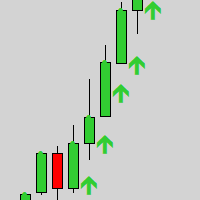
Gold Scalper Super is an easy-to-use trading system. The indicator can be used as a standalone scalping system on the M1 time frame, as well as part of your existing trading system. Bonus: when purchasing an indicator, Trend Arrow Super is provided free of charge, write to us after purchase. The indicator 100% does not repaint!!! If a signal appears, it does not disappear! Unlike indicators with redrawing, which lead to the loss of a deposit, because they can show a signal and then remove it.

--------------Welcome to use [MQL5 Signal Analyze Master]------------------
Function: Draw order tracks of MQL5 MT4 and MT5 signal on MT4 chart. [Using guide]
1.Use it as Experts. 2.Download history record from MQL5 signal(MT4 signal or MT5 signal). 3.Paste history record file below "MQL4/Files/" 4.Load [Signal Analyze Master] on the symbol chart what you want to analyze. 5.Paste the history record file name to parameter 'FileName' 6.Select SignalType match the history you download on MT4

Two Sided Scalpは、取引する2つのペアを選択でき、両方のペアが1つのチャート上で同時にスキャルピングされます。
推奨ペアの例(GBPUSDとUSDCHF、EURUSDとUSDCHF、AUDUSD とGBPUSD)
Two Sided Scalpのライブシグナルが利用可能です!現在の価格は値上げ予定。期間限定価格 75 USD
グリッドなし、マーチンゲールなし 推奨設定 チャート:1つのチャートで2つのシンボルを取引(シングルチャート設定)
時間枠:H1
入力項目 ロットサイズ計算方法 - 自動ロットまたは固定ロットを選択
固定ロットサイズ - 固定ロットサイズ 自動ロット - この口座通貨量あたり0.01ロット 最大スプレッド - ポジションを開く際の許容最大スプレッドを設定 固定ストップロス - 固定ピップ数のストップロス
NFPフィルターを有効にする - 有効にすると、NFPニュース発表中は取引しません 自動GMT検出 - ブローカーのGMTオフセットを自動計算 マジックナンバー - 各注文のマジックナンバー コメント - 注文コメント

Presenting one-of-a-kind Gann Indicator for XAUUSD
IQ Gold Gann Levels is a non-repainting, precision tool designed exclusively for XAUUSD/Gold intraday trading. It uses W.D. Gann’s square root method to plot real-time support and resistance levels, helping traders spot high-probability entries with confidence and clarity. William Delbert Gann (W.D. Gann) was an exceptional market analyst whose trading technique was based on a complex blend of mathematics, geometry, astrology, and ancient calcul

Dark Titan is a fully automatic Expert Advisor for Scalping Trading. This Expert Advisor needs attention, in fact presents a High Operating Frequency . Dark Titan is based on dark inversion indicator, these Trades can be manage with some strategies. The expert advisor is able to get a high-rate of winning trades. My tests were performed with the real tick date with 99,90% accuracy, actual spread, additional slippage and High commission. All the settings are external , so that everyone ca

Quantum King EA — あらゆるトレーダーのために洗練されたインテリジェントパワー
IMPORTANT! After the purchase please send me a private message to receive the installation manual and the setup instructions.
発売記念特別価格 ライブ信号: ここをクリック
MT5バージョン: こちらをクリック
クォンタムキングチャンネル: ここをクリック
***Quantum King MT4 を購入すると、Quantum StarMan を無料で入手できます!*** 詳細についてはプライベートでお問い合わせください!
ルール 正確さと規律をもって取引を行ってください。
クォンタムキング EA 構造化グリッドの強さと適応型マーチンゲールのインテリジェンスを 1 つのシームレスなシステムに統合しました。M5 上の AUDCAD 用に設計されており、安定した制御された成長を望む初心者とプロフェッショナルの両