 MetaTrader 5
 Experts
 지표
지표 라이브러리
라이브러리 유틸리티
유틸리티 위젯
위젯 규칙
규칙
불행히도 "PROFESSIONAL ADVISOR"은 더 이상 구매할 수 없습니다.
이전에 이 제품을 구입 한 경우 제한 사항없이 계속 사용할 수 있습니다. 그리고 새로운 사본의 설치는 활성화 회수가 남아있을 때까지 가능합니다.
- Metatrader 4 터미널을 엽니다.
- 설정에서 MQL5.Community 계정 자격 증명을 지정하십시오. 메뉴 도구 \ 옵션 \ 커뮤니티.
- "시장" 탭으로 이동 한 다음 "구매" 탭으로 이동합니다.
- 제품 이름의 오른쪽에있는 "설치"버튼을 클릭하십시오.
자세한 내용은 문서를 참조하십시오.
다른 metatrader 4 앱을 확인하십시오

AI Forex Robot - The Future of Automated Trading. AI Forex Robot is powered by a next-generation Artificial Intelligence system based on a hybrid LSTM Transformer neural network, specifically designed for analyzing XAUUSD and EURUSD price movements on the Forex market. The system analyzes complex market structures, adapts its strategy in real time and makes data-driven decisions with a high level of precision. AI Forex Robot is a modern, fully automated system powered by artificial i

EA available at $399 for limited copies
Next official price: $799
EA Gold Algo is a professional Expert Advisor specifically designed for Gold (XAUUSD) trading.
It is engineered to capture extremely fast price movements that occur when price escapes key structural zones with momentum. Gold is known for sharp expansions and aggressive volatility. EA Gold Algo is built to operate in these conditions with high-precision execution, strict risk control, and fast reaction speed .
The EA does not

We proudly present our cutting-edge robot, the Big Forex Players EA designed to maximize your trading potential, minimize emotional trading, and make smarter decisions powered by cutting-edge technology. The whole system in this EA took us many months to build, and then we spent a lot of time testing it. This unique EA includes three distinct strategies that can be used independently or in together. The robot receives the positions of the biggest Banks (positions are sent from our database t

볼텍스 - 미래를 위한 투자
메타트레이더 플랫폼에서 금(XAU/USD) 거래를 위해 특별히 제작된 볼텍스 골드 EA 전문 어드바이저입니다. 독점 지표와 개발자의 비밀 알고리즘을 사용하여 구축된 이 EA는 금 시장에서 수익성 있는 움직임을 포착하도록 설계된 종합 트레이딩 전략을 사용합니다. 전략의 주요 구성 요소에는 이상적인 진입 및 청산 지점을 정확하게 알려주는 CCI 및 파라볼릭 인디케이터와 같은 클래식 인디케이터가 포함됩니다. Vortex Gold EA의 핵심은 고급 신경망 및 머신러닝 기술입니다. 이러한 알고리즘은 과거 데이터와 실시간 데이터를 지속적으로 분석하여 EA가 진화하는 시장 추세에 더 정확하게 적응하고 대응할 수 있도록 합니다. 딥러닝을 활용하여 Vortex Gold EA는 패턴을 인식하고 지표 매개변수를 자동으로 조정하며 시간이 지남에 따라 성능을 개선합니다. 독점 지표, 머신 러닝, 적응형 트레이딩 알고리즘이 결합된 Vortex Gold EA의 강력한 조합입니다

Miraculous Indicator – Gann Square of Nine 기반 100% 비리페인트 Forex 및 바이너리 도구 이 영상은 Miraculous Indicator 를 소개합니다. 이 지표는 Forex 및 바이너리 옵션 트레이더를 위해 특별히 개발된 매우 정확하고 강력한 트레이딩 도구입니다. 이 지표가 독특한 이유는 전설적인 **Gann Square of Nine(Gann 9의 사각형)**과 **Gann's Law of Vibration(Gann 진동의 법칙)**에 기반을 두고 있기 때문입니다. 이는 현대 트레이딩에서 가장 정밀한 예측 도구 중 하나로 손꼽힙니다. Miraculous Indicator는 완전히 비리페인트(non-repaint) 됩니다. 즉, 캔들이 마감된 후에도 신호가 변경되거나 사라지지 않습니다. 보이는 것이 곧 결과입니다. 이는 트레이더가 자신감을 가지고 거래에 진입하고 청산할 수 있는 신뢰할 수 있고 일관된 기반을 제공합니다. 주요 특징: Gann

The XG Gold Robot MT4 is specially designed for Gold. We decided to include this EA in our offering after extensive testing . XG Gold Robot and works perfectly with the XAUUSD, GOLD, XAUEUR pairs. XG Gold Robot has been created for all traders who like to Trade in Gold and includes additional a function that displays weekly Gold levels with the minimum and maximum displayed in the panel as well as on the chart, which will help you in manual trading. It’s a strategy based on Price

보텍스 터보 — “폭풍을 거래하고, 보텍스를 제어하세요”
Vortex Turbo는 지능형 트레이딩의 다음 진화 단계를 제시하는 독보적인 플랫폼으로, 최첨단 AI 아키텍처, 적응형 시장 로직, 그리고 정밀한 리스크 관리 기능을 결합했습니다. 검증된 알고리즘 원칙을 기반으로 구축된 Vortex Turbo는 새로운 차원의 예측 인텔리전스를 통해 다양한 전략을 하나의 고속 생태계로 통합합니다. 금(XAUUSD(GOLD)) 스캘핑 전문가로 설계된 Vortex Turbo는 제어된 마틴게일 및 평균화 그리드 전략을 사용하며, 각 포지션은 내장된 손절매 기능으로 완벽하게 보호되어 강력함, 정확성, 그리고 안전성 사이의 완벽한 균형을 보장합니다. 정말 중요합니다! 전문가 서비스를 구매하신 후 개인 메시지를 보내주세요. 필요한 모든 권장 사항이 담긴 안내를 보내드리겠습니다. 399달러의 가격은 2월 15일까지 유효하며, 이후 가격은 499달러로 인상됩니다. (최종 가격: 999달러)

Local Trade Copier EA MT4 를 사용하여 매우 빠른 거래 복사 경험을 해보세요. 1분 안에 간편하게 설정할 수 있으며, 이 거래 복사기를 사용하면 Windows 컴퓨터 또는 Windows VPS에서 여러 개의 MetaTrader 터미널 간에 거래를 0.5초 미만의 초고속 복사 속도로 복사할 수 있습니다.
초보자든 전문가든 Local Trade Copier EA MT4 는 다양한 옵션을 제공하여 사용자의 특정 요구에 맞게 맞춤 설정할 수 있습니다. 이는 수익 잠재력을 높이려는 모든 사람을 위한 최고의 솔루션입니다. 지금 사용해보시고 이것이 왜 시장에서 가장 빠르고 쉬운 무역용 복사기인지 알아보세요! 팁: 여기 에서 데모 계정에서 Local Trade Copier EA MT4 데모 버전을 다운로드하여 사용해 볼 수 있습니다. 다운로드한 무료 데모 파일을 MT4 >> File >> Open Data Folder >> MQL4 >> Experts 폴더에 붙여넣고 터미널

EA Gold Stuff 는 금 거래를 위해 특별히 고안된 전문가 고문입니다. 작업에 기반의 개방의 주문 금을 사용하여 물건의 표시는,그래서 고문 작품에 따라"트렌드를 따라"전략을 의미,다음과 같은 추세이다.
중요! 구매 후 즉시 저에게 연락하여 지침과 보너스를 받으십시오! 강력한 지원 및 트렌드 스캐너 표시기의 무료 사본을 받으실 수 있습니다. 메시지를 보내주세요. 나! 실시간 결과는 여기에서 볼 수 있습니다
매개 변수
새로운 시리즈 열기-주문의 새로운 시리즈의 온/오프 시작. 시작 로트-시작 로트. 무역 구매-전문가 고문이 구매할 수 있도록하십시오. 무역 판매-전문가 고문이 판매 할 수있게하십시오. 사용하지면서 기능을 사용한 고문이 무역은 모두 구매 및 판매하는 방향,기능 장애인,고문관이 무역에 단 하나의 방향이다. 돈 Manadgement 를 사용-온/오프 자동 로트 계산의 사용. 오토롯. 각 0.01 로트에 대한 자유 마진-각 0.01 로트 단위의 개방을위한

Gann Made Easy 는 mr.의 이론을 사용하여 최고의 거래 원칙을 기반으로 하는 전문적이고 사용하기 쉬운 Forex 거래 시스템입니다. W.D. 간. 이 표시기는 Stop Loss 및 Take Profit Levels를 포함하여 정확한 BUY 및 SELL 신호를 제공합니다. PUSH 알림을 사용하여 이동 중에도 거래할 수 있습니다. 거래 팁, 보너스, GANN MADE EA를 무료로 받으시려면 구매 후 저에게 연락주세요! 아마도 Gann 거래 방법에 대해 이미 여러 번 들었을 것입니다. 일반적으로 Gann의 이론은 초보자 거래자뿐만 아니라 이미 거래 경험이 있는 사람들에게도 매우 복잡한 것입니다. Gann의 거래 방식은 이론적으로 적용하기 쉽지 않기 때문입니다. 나는 그 지식을 연마하고 Forex 지표에 최고의 원칙을 적용하기 위해 몇 년을 보냈습니다. 표시기는 적용하기가 매우 쉽습니다. 차트에 첨부하고 간단한 거래 권장 사항을 따르기만 하면 됩니다. 지표는 지속적으로 시장

ORIX System — GBPUSD 통화쌍을 대상으로 M5 타임프레임에 맞게 개발된 트레이딩 로봇입니다. 본 EA는 가격 움직임과 시장 구조 요소를 분석하는 기반으로 작동하며, 표준 기술적 지표를 사용하지 않습니다. 마틴게일, 그리드 트레이딩, 역방향 평균매수, 헤지, 손절매 없는 거래, 고빈도 또는 무작위 거래를 사용하지 않습니다.
주요 요구 사항 및 권장 사항 거래 통화쌍: GBPUSD
타임프레임: M5
최소 예치금: 0.01랏 기준 100 USD / EUR부터
브로커: 고품질 시세를 제공하는 신뢰할 수 있는 ECN 브로커
계좌 유형: ECN / RAW / Razor (Netting 및 Hedging 모드 지원)
VPS: EA의 안정적이고 지속적인 실행을 위해 권장
권장 리스크: 거래당 1%–5% (리스크는 단일 거래의 스탑로스를 기준으로 계산됨)
설정: 기본값
거래 로직 및 리스크 관리 전략 유형: 가격 행동 및 시장 구조 분석을 통한 주요 반전 구간 식별
표준 기술적 지

Limited stock at the current price!
Final price: $1999 --> PROMO: From $299 --> The price will go up every 5 purchases, next price : $399 Golden Mirage is a robust gold trading robot designed for traders who value reliability, simplicity, and professional-grade performance. Powered by a proven combination of RSI, Moving Average, ADX, and High/Low Level indicators, Golden Mirage delivers high-quality signals and fully automated trading on the M5 timeframe for XAUUSD (GOLD) . It features a robu

거래당 위험 계산, 라인을 사용한 손쉬운 신규 주문, 부분 청산 기능을 통한 주문 관리, 7가지 유형의 트레일링 스탑 및 기타 유용한 기능을 제공합니다.
추가 자료 및 지침
설치 지침 - 애플리케이션 지침 - 데모 계정용 애플리케이션 평가판
라인 기능 - 차트에 개시선, 손절매, 차익실현을 표시합니다. 이 기능을 사용하면 새로운 주문을 쉽게 하고 개봉 전에 추가 특성을 볼 수 있습니다.
위기 관리 - 위험 계산 기능은 설정된 위험과 손절매 주문의 크기를 고려하여 새 주문의 볼륨을 계산합니다. 이를 통해 손절매 크기를 설정하고 동시에 설정된 위험을 존중할 수 있습니다. 로트 계산 버튼 - 위험 계산을 활성화/비활성화합니다. 필요한 위험 값은 위험 필드에 0에서 100 사이의 백분율 또는 예금 통화로 설정됩니다. 설정 탭에서 위험 계산 옵션을 선택합니다. $ 통화, % 잔액, % 지분, % 자유 마진, % 사용자 정의, % AB 이전 일, % AB

Game Change EA는 Game Changer 지표를 기반으로 하는 추세 추종 트레이딩 시스템입니다. 빨간색 점이 형성될 때마다 자동으로 매도하고, 노란색 X가 나타날 때까지 매도 방향으로 진행합니다. 이는 추세의 잠재적 종료를 나타냅니다. 매수 거래에도 동일한 논리가 적용됩니다. 파란색 점이 나타나면 EA는 매수를 시작하고 노란색 X가 감지되는 즉시 매수 주기를 종료합니다.
이 EA는 모든 통화쌍과 모든 시간대에 적합하지만, M15 시간대의 xauusd와 같이 추세가 강한 상품에서 특히 우수한 성과를 보입니다. 실시간 결과는 여기에서 볼 수 있습니다. 개인 보너스를 받으려면 구매 후 즉시 저에게 연락하십시오! 설정 및 매뉴얼은 여기 설정 Open new series – true/false - 새로운 주문 시리즈의 시작
Trade Buy - EA가 구매하도록 허용
Trade Sell - EA가 판매하도록 허용
Support manual orders – true/false –

M1 SNIPER 는 사용하기 쉬운 거래 지표 시스템입니다. M1 시간대에 맞춰 설계된 화살표 지표입니다. 이 지표는 M1 시간대 스캘핑을 위한 단독 시스템으로 사용할 수 있으며, 기존 거래 시스템의 일부로도 사용할 수 있습니다. 이 거래 시스템은 M1 시간대 거래용으로 특별히 설계되었지만, 다른 시간대에도 사용할 수 있습니다. 원래는 XAUUSD와 BTCUSD 거래를 위해 이 방법을 설계했지만, 다른 시장 거래에도 유용하다는 것을 알게 되었습니다. 이 지표의 신호는 추세 방향과 반대로 거래될 수 있습니다. 저는 지표의 신호를 활용하여 양방향으로 거래할 수 있도록 돕는 특별한 거래 기법을 알려드립니다. 이 방법은 특별한 동적 지지선과 저항선 가격 영역을 활용하는 것을 기반으로 합니다. 구매하시면 M1 SNIPER 화살표 지표를 바로 다운로드하실 수 있습니다. 또한, 아래 스크린샷에 표시된 Apollo Dynamic SR 지표는 M1 SNIPER 도구를 사용하는 모든 사용자에게 무료로

Expert Advisor는 수익성이 없는 포지션을 회수하도록 설계된 시스템입니다. 작성자의 알고리즘은 손실 위치를 잠그고 여러 부분으로 분할하고 각 부분을 별도로 닫습니다. 손쉬운 설정, 하락 시 지연된 시작, 다른 Expert Advisors 잠금, 비활성화, 추세 필터링을 통한 평균화 및 손실 위치의 부분 마감이 하나의 도구에 내장되어 있습니다. 전체 그룹에서만 주문을 마감하는 그리드 전략과 달리 더 낮은 예금 부하로 손실을 줄일 수 있는 부분에서 마감 손실을 사용하여 손실과 함께 더 안전한 작업을 보장합니다. 주문이 복원되는 방법: 1 EA는 선택한 상품의 다른 창을 닫아 수익성이 없는 EA를 끕니다(선택 사항). 2 EA는 처리된 모든 주문에 대해 TakeProfit 및 StopLoss 수준을 재설정하고 해당 식별자가 있는 보류 주문을 삭제합니다. 3 EA는 수익성이 없는 주문의 일부를 충당하고 총 포지션 볼륨을 줄이기 위해 이익을 사용하기 위해 처리된 모든 수익성 있

소개 Quantum Emperor EA는 유명한 GBPUSD 쌍을 거래하는 방식을 변화시키는 획기적인 MQL5 전문 고문입니다! 13년 이상의 거래 경험을 가진 숙련된 트레이더 팀이 개발했습니다.
IMPORTANT! After the purchase please send me a private message to receive the installation manual and the setup instructions. ***Quantum Emperor EA를 구매하시면 Quantum StarMan 를 무료로 받으실 수 있습니다!*** 자세한 내용은 비공개로 문의하세요.
확인된 신호: 여기를 클릭하세요
MT5 버전 : 여기를 클릭하세요
Quantum EA 채널: 여기를 클릭하세요
10개 구매 시마다 가격이 $50씩 인상됩니다. 최종 가격 $1999
퀀텀 황제 EA EA는 단일 거래를 다섯 개의 작은 거래로 지속적으로 분할하는

Trade Manager EA에 오신 것을 환영합니다. 이 도구는 거래를 보다 직관적이고 정확하며 효율적으로 만들기 위해 설계된 궁극적인 리스크 관리 도구 입니다. 단순한 주문 실행 도구가 아닌, 원활한 거래 계획, 포지션 관리 및 리스크 제어를 위한 종합 솔루션입니다. 초보자부터 고급 트레이더, 빠른 실행이 필요한 스캘퍼에 이르기까지 Trade Manager EA는 외환, 지수, 상품, 암호화폐 등 다양한 시장에서 유연성을 제공합니다. Trade Manager EA를 사용하면 복잡한 계산은 이제 과거의 일이 됩니다. 시장을 분석하고 진입, 손절 및 익절 수준을 차트의 수평선으로 표시한 후 리스크를 설정하면, Trade Manager가 이상적인 포지션 크기를 즉시 계산하고 SL 및 TP 값을 실시간으로 표시합니다. 모든 거래가 간편하게 관리됩니다. 주요 기능: 포지션 크기 계산기 : 정의된 리스크에 따라 거래 크기를 즉시 결정합니다. 간단한 거래 계획 : 진입, 손절, 익절을 위한

BB Return — 금(XAUUSD) 거래를 위한 전문가 어드바이저(EA)입니다. 이 트레이딩 아이디어는 이전에 제가 수동 트레이딩 에서 사용하던 방식에서 출발했습니다. 전략의 핵심은 Bollinger Bands(볼린저 밴드) 범위로의 가격 회귀이지만, 기계적이거나 매번의 터치마다 진입하지는 않습니다. 금 시장에서는 밴드만으로는 충분하지 않기 때문에, EA에는 약하거나 비효율적인 시장 상황을 걸러내는 추가 필터가 적용되어 있습니다. 회귀 로직이 실제로 타당한 경우에만 거래가 실행됩니다. 거래 원칙 — 본 전략은 그리드, 마틴게일, 물타기(평균단가) 기법을 사용하지 않습니다. EA는 고정 로트 또는 AutoRisk 모드로 운용할 수 있습니다. BB Return은 스프레드, 슬리피지 및 브로커의 호가 방식 차이에 민감하지 않으며, Standard, ECN, Pro, Raw, Razor 등 모든 계좌 유형과 모든 브로커에서 사용할 수 있습니다. 거래 세션에 제한되지 않으며 24시간

사전 지표 시장 반전 수준과 영역을 파악하여 가격이 해당 수준으로 되돌아올 때까지 기다렸다가 새로운 추세의 시작점에서 진입할 수 있도록 해줍니다. 즉, 추세의 끝에서 진입하는 것이 아닙니다.
그는 보여준다 반전 수준 시장이 방향 전환을 확인하고 추가적인 움직임을 형성하는 지점입니다.
이 지표는 차트를 다시 그릴 필요 없이 작동하며, 모든 금융 상품에 최적화되어 있고, 특정 금융 상품과 함께 사용할 때 최대의 잠재력을 발휘합니다. 트렌드 라인즈 프로 지시자. 모든 계측기에 적용 가능한 가역 구조 스캐너 모든 거래 상품을 자동으로 추적하고 모든 R-반전 패턴을 즉시 식별하여 LOGIC AI 신호가 이미 존재하는 위치와 기타 유용한 정보를 표시합니다. 로직 AI – 진입점을 표시해주는 도우미 시장 진입에 가장 적합한 시점을 판단하는 지능형 신호입니다. TPSproSYSTEM 알고리즘을 사용하여 가격 변동, 추세 및 주요 시장 참

AI Prop Firms - Intelligent Automation Built for Prop Trading Firms . AI Prop Firms is an advanced fully automated Forex trading system powered by Artificial Intelligence , developed specifically to operate within the strict rules and evaluation models of prop trading firms. The system is designed to trade under controlled risk conditions while maintaining consistency , stability, and compliance with prop firm requirements. AI Prop Firms uses intelligent market analysis logic that continu

WINTER SALE — LIMITED TIME!
Get GOLD Scalper PRO with a huge –60% discount AND receive News Scope EA PRO as a FREE BONUS ! Special Winter Sale Price: $177
(Regular Price: $447 — You Save $270!) FREE BONUS: News Scope EA PRO
A powerful multi-symbol strategy packed with advanced features, supporting 5 trading pairs — real value: $397! After completing your purchase, simply contact me and I will send you your BONUS EA immediately. Don’t miss this once-a-year opportunity! Live Results: https:/
Trend Ai EA는 Trend Ai 지표와 연동되도록 설계되었습니다. Trend Ai 지표는 추세 식별, 실행 가능한 진입 시점 및 반전 알림을 결합하여 자체적으로 시장 분석을 수행하고 지표의 모든 신호를 완전 자동으로 처리합니다! EA에는 완벽하게 조정 가능한 여러 외부 매개변수가 포함되어 있어 트레이더가 원하는 대로 전문가를 맞춤 설정할 수 있습니다.
녹색 점이 나타나면 EA는 매수 거래를 준비합니다. 파란색 화살표로 상승 추세가 확인되면 EA는 다음 캔들에서 매수 주문을 입력합니다. 시장이 반전되면 EA는 그리드 및 마틴게일 전략으로 일련의 거래를 관리합니다. 반대 신호가 나타나고 차트에 빨간색 점이 나타나면 EA는 매도 준비를 하고, 빨간색 화살표가 나타나면 EA는 다음 캔들에서 매도 거래를 입력하고 그리드 및 마틴게일 전략으로 일련의 거래를 관리합니다.
통화쌍 및 시간대: 이 EA는 모든 상장 자산, 선물, 주식, 외환, 상품, 암호화폐 또는 지수에 사용할 수 있습

An advanced Expert Advisor powered by artificial intelligence and machine learning, specifically designed for analyzing FOREX . It adapts to price movements and market fluctuations to detect potential trading opportunities. Artificial Intelligence Integration: At the heart of this EA les a sophisticated AI engine capable of recognizing complex patterns in FOREX price data. The system continuously processes historical and live FOREX price feeds to identify potential entry and exit points
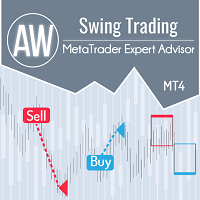
수정 가격 움직임에 대한 스윙 거래를 위한 고급 도구입니다. 그것은 계속되는 방향으로 추세 롤백에서 작동하며 필요한 수정의 크기는 상품의 현재 변동성에 의해 결정되거나 거래자가 수동으로 결정합니다. 현재 추세를 따라 수정을 감지한 후 EA는 신호가 수정을 완료하고 추세를 계속할 때까지 기다렸다가 포지션을 엽니다. 어드바이저 작동 방법 -> HERE / MT5 version -> HERE 이익: 내장 오토롯 주문 개시 신호 커스터마이징 수동 주문을 추가할 수 있는 완전 자동화된 거래 시스템 트렌드 필터링 바구니의 동적 피치 다양한 유형의 주문 애니메이션 내장 오버랩 모든 유형의 알림 변동성을 기반으로 한 동적 되돌림 크기. 입력 설정: 주요 설정 첫 번째 주문의 크기 - 첫 번째 주문을 여는 볼륨 Autolot 계산 활성화 - Autolot 활성화 0.01랏당 Autolot 입금 - autolot 사용시 0.01당 입금량 SIGNAL - 작동 신호 설정 최소 진입 단계 -

Aura Black Edition은 GOLD만 거래하도록 설계된 완전 자동화된 EA입니다. Expert는 2011-2020년 기간 동안 XAUUSD에서 안정적인 결과를 보였습니다. 위험한 자금 관리 방법, 마팅게일, 그리드 또는 스캘핑이 사용되지 않았습니다. 모든 브로커 조건에 적합합니다. 다층 퍼셉트론으로 학습된 EA 신경망(MLP)은 피드포워드 인공 신경망(ANN)의 한 종류입니다. MLP라는 용어는 모호하게 사용되며, 때로는 피드포워드 ANN에 느슨하게 사용되기도 하고, 때로는 임계값 활성화가 있는 여러 층의 퍼셉트론으로 구성된 네트워크를 엄격하게 지칭하기도 합니다. 다층 퍼셉트론은 특히 단일 은닉층이 있을 때 "바닐라" 신경망이라고도 합니다. MLP는 입력층, 은닉층, 출력층의 최소 3개 층의 노드로 구성됩니다. 입력 노드를 제외하고 각 노드는 비선형 활성화 함수를 사용하는 뉴런입니다. MLP는 역전파라는 지도 학습 기술을 사용하여 학습합니다. 다중 레이어와 비선형 활성화는

Game Changer는 모든 금융 상품에 적용 가능한 혁신적인 추세 지표로, MetaTrader를 강력한 추세 분석 도구로 탈바꿈시켜 줍니다. 모든 시간대에서 작동하며 추세 식별, 잠재적 반전 신호 제공, 트레일링 스톱 기능, 그리고 신속한 시장 대응을 위한 실시간 알림 기능을 제공합니다. 숙련된 전문가든 이제 막 시작하는 초보자든, Game Changer는 추세의 역학을 명확하게 이해하고 자신감 있고 규율 있는 거래를 할 수 있도록 도와줍니다. 이 지표는 차트 재구성 기능을 지원합니다.
구매 후 즉시 연락 주시면 특별 보너스를 드립니다. Strong Support 및 Trend Scanner 지표를 무료로 제공해 드립니다. [email protected]으로 메시지를 보내주세요.
참고로, 저는 텔레그램에서 EA나 특별 세트를 판매하지 않습니다. 모든 EA는 MQL5에서만 사용 가능하며, 세트 파일은 제 블로그(여기)에서만 다운로드하실 수 있습니다. 사기꾼을 조심하시고 다른 사

Bazooka EA – MT4용 트렌드 및 모멘텀 기반 전문가 자문 MT5: https://www.mql5.com/en/market/product/163078 기본 설정은 2024년 초부터 현재까지 GOLD M5 (Open Prices 방식)에서 EA를 백테스트하도록 구성되어 있습니다. 다른 타임프레임에 대한 최적의 설정은 댓글란을 참고해 주십시오. Bazooka EA 는 MetaTrader 4 용 완전 자동 매매 전문가 자문(Expert Advisor)으로, **추세 확인(Trend Confirmation)**과 **모멘텀 필터링(Momentum Filtering)**을 결합하여 방향성 있는 시장 움직임을 거래하도록 설계되었습니다. 이 EA는 통제된 진입과 규칙적인 청산에 중점을 두며, 과도한 매매나 고위험 포지션 관리 기법을 사용하지 않습니다. Bazooka EA는 명확한 규칙 기반 전략과 조정 가능한 리스크 관리를 선호하는 트레이더에게 적합합니다. 전략 설명 Bazooka E
ADVANCED SNIPER PRO EA는 약 90%의 승률을 자랑하는 정밀 자동 거래 시스템입니다.
이 EA는 전 세계에서 가장 안정적이고 일관되며 수익성이 높은 스캘핑 로봇 중 하나입니다. MQL5 웹사이트에서만 제공되는 오리지널 제품입니다.
테스트 및 거래를 위해 EA Set_files를 다운로드하세요: GBPAUD Set_file GBPCAD Set_file EA는 전문 트레이더가 필요에 따라 사용할 수 있는 다양한 설정을 제공합니다. 외환 거래 초보자는 기본 설정과 함께 기본 Set_files를 간편하게 사용할 수 있습니다.
EA 고유 기능: - 머신 러닝 기법을 사용합니다. - 변동성에 따라 조정 가능한 손절매 - 조정 가능한 청산 필터 및 스프레드 설정 - 고정 손절매(SL) 및 고정 손절매(TP) 옵션 - EA는 시장 변동성에 따라 동적 손절매(SL)를 자동으로 설정합니다. - 로봇은 기본적으로 자동 위험 관리 및 고정 로트 옵션을 제공합니다. - 조정 가능한
Mon Scalper - Dual-Trendline Breakout Scalping Expert
Mon Scalper is a specialized Expert Advisor designed exclusively for gold (XAUUSD) trading. It utilizes a unique dual-trendline strategy to identify strong trends and breakout points, executing trades automatically based on market conditions. Join My MQL5 Channel for the Latest Updates!
Real-Time Signal : https://www.mql5.com/en/signals/2281529 Pricing : Launch Price : $199 Incremental Price Increase : The price will increase by $100 after

Quantum strategy is a combination of quantum superposition and trading signal model. EA Quantum Dark Gold determines Buy and Sell positions simultaneously for each signal and simultaneously places 2 orders Buy Stop and Sell Stop. Then the momentum determines which order position is executed and cancels the remaining pending order. This interesting idea forms the Quantum Dark Gold with a unique entry method. Open positions are then managed by Trailing, Stop Loss and position balancing strategies

Capybara EA는 Hama 지표를 기반으로 한 고급 자동화 추세 추적 시스템입니다. 시장이 약세로 바뀌고 표시기가 빨간색으로 바뀌면 EA는 매도하고, 시장이 강세로 바뀌고 표시기가 파란색으로 바뀌면 EA는 매수하게 됩니다. EA는 상승 추세와 하락 추세의 시작을 정확하게 감지할 수 있으며 TP에 도달할 때까지 마틴게일/그리드 스타일로 공개 거래를 제어합니다. 권장 쌍: eurusd와 같은 모든 주요 쌍; audusd; gbpusd; nzdusd 및 audcad와 같은 마이너 쌍; nzdcad; m15 시간 프레임에 xauusd를 포함한 eurnzd 및 eurcad. 시작 시간 - EA의 시작 시간 시작 분 - EA의 시작 분 종료 시간 - EA의 종료 시간 종료 분 - EA의 종료 분 Lot - 거래를 시작할 초기 Lot 가변 Lot 사용 - True/False - 자금 관리 사용 True/False 0.01 Lot당 무료 마진 - 0.01 Lot당 무료 마진 Multiplic

러시아어 설명서 / 영어 설명서 / MT5 버전 주요 기능: 판매자와 구매자의 활동 영역을 표시합니다! 이 지표는 매수 및 매도에 대한 모든 올바른 첫 번째 임펄스 레벨/존을 표시합니다. 진입점 검색이 시작되는 이러한 레벨/존이 활성화되면 레벨의 색상이 바뀌고 특정 색상으로 채워집니다. 상황을 더욱 직관적으로 파악할 수 있도록 화살표도 표시됩니다. LOGIC AI - 템플릿 활성화 시 진입점 검색을 위한 영역(원) 표시 시각적 명확성을 개선하기 위해 인공지능을 사용하여 진입점을 검색한 영역을 표시하는 기능이 추가되었습니다. 더 높은 시간대의 레벨/존 표시(MTF 모드) 더 높은 시간 간격을 사용하여 레벨/존을 표시하는 기능이 추가되었습니다. 또한, 이 지표는 자동 추세 감지 기능( TPSproTREND PRO )을 구현했습니다. 거래를 위한 별도의 전문적인 단계별 알고리즘 이 알고리즘은 추세 방향과 반대 방향으로의 당일 거래 모두에 적합하도록 설계되었습니다. 각

Javier Gold Scalper: 당신 곁의 첨단 기술!
매뉴얼 및 설정 파일: 구매 후 저에게 연락하시면 매뉴얼과 설정 파일을 보내드립니다 가격: 판매된 라이선스 수에 따라 가격이 인상됩니다 남은 복사본: 5개 금 거래는 금융 시장에서 가장 변동성이 큰 자산 중 하나로, 고도의 정밀도, 철저한 분석, 매우 효과적인 리스크 관리가 요구됩니다. Javier Gold Scalper 는 이러한 핵심 요소들을 통합하여 금 시장에서의 거래를 최적화하기 위해 설계된 강력하고 정교한 시스템입니다. 최첨단 기술과 고급 전략을 기반으로 Golden Scalper는 초보자와 전문가 모두를 지원하여 이 역동적인 시장의 도전과 기회를 안전하게 대응할 수 있도록 합니다. Golden Scalper와 함께라면 금 거래의 특수성에 적합한 신뢰할 수 있는 도구를 사용할 수 있습니다.
심볼 XAUUSD (금) 시간 프레임 M30 PropFirm 사용 가능 자본 최소 $1000 브로커 모든 브로커 가능 계정

WINTER SALE — LIMITED TIME!
Get Forex GOLD Investor with a huge –60% discount AND receive News Scope EA PRO as a FREE BONUS ! Special Winter Price: $217
(Regular Price: $547 — You Save $330!) FREE BONUS: News Scope EA PRO
A powerful multi-symbol strategy packed with advanced features, supporting 5 trading pairs — real value: $397! After completing your purchase, simply contact me and I will send you your BONUS EA immediately. Don’t miss this once-a-year opportunity!
Forex GOLD Investor is o

MATrader QuickScalper – MATrader 코어 기반의 정밀 스캘핑 MATrader QuickScalper은 Marc Albrecht Trading에서 개발한 전용 스캘핑 EA로, 잘 알려진 MATrader AI 옆에서 구동되는 독립 전략 으로 제작되었습니다. MATrader AI가 적응형 사이클 로직과 더 큰 시장 움직임에 초점을 둔다면, MATrader QuickScalper 은 빠른 체결, 짧은 보유 시간, 깔끔한 스캘핑 진입 을 목표로 설계되었습니다. 이 EA가 MATrader라는 이름을 사용하는 이유는 동일한 핵심 철학 위에 만들어졌기 때문입니다: 검증된 로직, 실제 거래 환경, 그리고 어떤 “지름길”도 쓰지 않는다 . (우리는 MATrader 시스템을 MQL5에 공개하기 전까지 수년 동안 테스트하고 다듬었습니다. 원래의 MATrader 등록은 #1 순위까지 올라갔지만 삭제 후 재업로드되면서 리뷰와 랭킹이 초기화되었습니다. 진지하게 테스트한 뒤 리뷰를
Volatility Trend System - a trading system that gives signals for entries. The volatility system gives linear and point signals in the direction of the trend, as well as signals to exit it, without redrawing and delays.
The trend indicator monitors the direction of the medium-term trend, shows the direction and its change. The signal indicator is based on changes in volatility and shows market entries.
The indicator is equipped with several types of alerts. Can be applied to various trading ins

XGen Scalper MT4 - 전문 자동 거래 시스템
XGen Scalper는 고급 알고리즘 구조와 검증된 기술적 분석을 결합하여 모든 시장에서 일관된 결과를 제공하는 최첨단 전문가 자문 시스템입니다. 이 강력한 거래 시스템은 외환 쌍, 금과 은 같은 귀금속, 암호화폐 및 상품 지수에서 원활하게 작동합니다.
고급 알고리즘 기술
특허받은 파동 스캐닝 알고리즘은 시장 데이터를 실시간으로 처리하여 수동 투자자가 놓치기 쉬운 높은 확률의 거래 기회를 식별합니다. 시스템은 변화하는 시장 조건에 지속적으로 적응하며, 추세, 범위 및 변동성 환경에서 효과적으로 작동합니다.
범용 호환성
특정 쌍을 위해 설계된 전통적인 EA와 달리, XGen은 모든 상품에서 우수한 성능을 발휘합니다.
전문적인 제어 패널
실시간 계정 지표, 상세한 거래 통계 및 시스템 상태를 보여주는 세련된 인터페이스로 거래 성과를 모니터링하세요. 통합된 파동 시각화는 시스템이 시장 조건을 어떻게 해석하는지 정확히

First 25 copies at $80, after that price becomes $149 (3 copies left)
Gold Signal Pro is a powerful MT4 indicator designed to help traders spot strong price reactions in the market. It focuses on clear wick rejections , showing when price strongly rejects a level and often continues in the same direction. Gold Signal Pro is mainly built for scalping gold (XAUUSD) and works best on lower timeframes like M5 and M15 , where timing matters most. That said, it can also be used on any forex pair, a

WINTER SALE — LIMITED TIME!
Get WallStreet Recovery PRO with a huge –60% discount AND receive News Scope EA PRO as a FREE BONUS ! Special Winter Sale Price: $177
(Regular Price: $447 — You Save $270!) FREE BONUS: News Scope EA PRO
A powerful multi-symbol strategy packed with advanced features, supporting 5 trading pairs — real value: $397! After completing your purchase, simply contact me and I will send you your BONUS EA immediately. Don’t miss this once-a-year opportunity! WallStreet Reco

Tom Scalper - The Trendline Breakout Expert Advisor Overview:
Tom is an Expert Advisor designed for Gold (XAUUSD) trading. It uses a single trendline to determine the trend and incorporates pattern recognition to identify breakout conditions. Built for traders seeking a structured approach, Tom follows predefined criteria to execute trades based on market movements. Join My MQL5 Channel for the Latest Updates!
Live Signal : https://www.mql5.com/en/signals/2335544 Pricing Launch Price : $199

PRO Renko System 은 RENKO 차트 거래를 위해 특별히 고안된 매우 정확한 거래 시스템입니다.
이것은 다양한 거래 상품에 적용될 수있는 보편적 인 시스템입니다. 체계는 효과적으로 당신에게 정확한 반전 신호에 접근을 주는 소위 시장 소음을 중화합니다.
이 표시기는 사용하기가 매우 쉽고 신호 생성을 담당하는 매개 변수가 하나만 있습니다. 당신은 쉽게 당신의 선택의 어떤 무역 계기에 공구를 적응시킬 수 있고 renko 막대기의 크기.
나는 항상 당신이 내 소프트웨어로 수익성있게 거래 할 수 있도록 추가 지원을 제공 할 준비가되어 있습니다!
나는 당신에게 행복하고 수익성있는 거래를 기원합니다!
구매 후 저에게 연락하십시오! 내 렌코 차트 생성기를 보내드립니다. 또한 내 개인 권장 사항 및 시스템의 다른 모듈을 무료로 공유 할 것입니다!

GoldRush 트렌드 화살표 신호
GoldRush 트렌드 화살표 신호 지표는 XAU/USD 시장에서 고속 단기 스캘핑 트레이더를 위해 설계된 정밀한 실시간 트렌드 분석을 제공합니다.
1분 시간대에 특화되어 설계된 이 도구는 명확한 진입점을 표시하는 방향성 화살표를 제공하여 스캘퍼들이 변동성이 높은 시장 환경에서도 자신 있게 거래할 수 있도록 합니다.
이 지표는 PRIMARY 및 SECONDARY 경고 화살표로 구성됩니다. PRIMARY 신호는 추세 방향의 변화를 나타내는 흰색과 검은색 방향성 화살표이며, SECONDARY 신호는 PRIMARY 화살표가 지시하는 방향을 확인하고 잠재적인 거래 진입점을 표시하는 파란색과 빨간색 화살표입니다.
참고: 추세 방향이 변경된 후 PRIMARY 경고 화살표가 단 하나만 표시될 경우, 다수의 SECONDARY 파란색/빨간색 화살표가 표시될 수 있음을 유의해야 합니다. SECONDARY 신호는 신호 기준을 충족하는 어떤 캔들 이후에도 표시

Goldex AI: 오늘의 성공이 내일의 결실이 될 것입니다. 기간 한정 슈퍼 할인!
가격이 인상되기 전에 마지막 2부를 299달러에 구매할 수 있습니다. 실제 IC Markets 신호: Goldex AI 고위험 매뉴얼 및 구성 파일: 매뉴얼 및 구성 파일을 받으려면 구매 후 저에게 연락하세요. 가격: 시작 가격은 $499이며 10회 판매할 때마다 $899씩 인상됩니다. 사용 가능한 사본 수: 2 Goldex AI - 신경망, 추세 및 가격 행동을 갖춘 고급 트레이딩 로봇. Goldex AI는 금의 지지선과 저항선을 돌파하는 가격 행동을 사용하여 뉴욕 시장의 움직임을 최대한 활용하여 가능한 최고의 수익을 얻는 고성능 트레이딩 로봇입니다. 이 로봇은 지능형 복구라는 전략을 가지고 있으, 손실이 발생한 후 활성화되고 더 큰 로타제를 열어 가능한 손실을 단시간에 복구하지만 사용자가 원할 경우 승수를 줄일 수 있습니다. Goldex AI에는 스마트 뉴스 필터가 내장되어 있어 중대형 뉴스

CyNera: 귀하의 거래, 우리의 기술
매뉴얼 및 설정 파일: 구매 후 저에게 연락하면 매뉴얼과 설정 파일을 받으실 수 있습니다 가격: 가격은 판매된 라이선스 수에 따라 상승합니다 사용 가능한 복사본: 4 금은 시장에서 가장 변동성이 큰 금융 상품 중 하나로, 정확한 거래, 심도 있는 분석 및 강력한 리스크 관리가 요구됩니다. CyNera 전문가 조언자는 이러한 요소들을 통합하여, 최적의 금 거래를 위한 정교한 시스템으로 설계되었습니다. CyNera의 고급 전략과 기술은 경험이 풍부한 트레이더는 물론, 초보자도 금 거래에서 직면하는 독특한 도전과 기회를 극복할 수 있도록 지원합니다. CyNera는 금 시장의 복잡성에 맞춰 신뢰할 수 있는 솔루션을 제공합니다. 적응적이고 지능적인 전략과 다중 시간대 분석, 자동 거래 조정, 정밀한 리스크 관리 등 고급 기능을 결합합니다. 이러한 적응성 덕분에 CyNera는 빠른 시장 변화에 대응하면서도 장기적인 자본 보호를 보장하는 다목적 도구가

ICMarkets 실계좌 신호: 여기를 클릭하세요 KT Gold Nexus EA로 성공하기 위해 필요한 것은 무엇입니까?
인내. 규율. 시간. KT Gold Nexus EA는 전문 트레이더와 개인 자산 운용자들이 실제로 사용하는 실전 트레이딩 접근 방식을 기반으로 설계되었습니다. 단기적인 흥미나 빠른 수익이 아닌, 장기적으로 안정적이고 일관된 성과를 목표로 합니다. 이 EA는 장기 운용을 전제로 만들어졌습니다. 전략의 진정한 잠재력을 확인하려면 최소 1년 이상 지속적으로 운용하는 것이 권장됩니다. 전문 트레이딩과 마찬가지로 손실이 발생하는 주간이나 월간 구간이 존재할 수 있으며, 이는 정상적인 과정입니다. 중요한 것은 짧은 기간의 결과가 아니라 장기간에 걸친 누적 성과입니다. 많은 그리드 또는 마틴게일 시스템은 초기에는 빠른 수익을 보여주지만, 대부분 결국 계좌 손실로 이어집니다. 본 EA는 이러한 구조적 위험을 배제하고, 안정적이며 통제 가능한 성장을 추구하도록 설계되었습니다.

An exclusive indicator that utilizes an innovative algorithm to swiftly and accurately determine the market trend. The indicator automatically calculates opening, closing, and profit levels, providing detailed trading statistics. With these features, you can choose the most appropriate trading instrument for the current market conditions. Additionally, you can easily integrate your own arrow indicators into Scalper Inside Pro to quickly evaluate their statistics and profitability. Scalper Inside

트렌드 인공 지능 지표는 실행 가능한 진입 점 및 반전 경고와 추세 식별을 결합하여 상인의 시장 분석을 향상시킬 훌륭한 도구입니다. 이 표시기는 사용자가 자신감과 정밀도로 외환 시장의 복잡성을 탐색 할 수 있도록 지원합니다 기본 신호 외에도 트렌드 인공 지능 지표는 풀백 또는 되돌림 중에 발생하는 2 차 진입 점을 식별하여 거래자가 기존 트렌드 내에서 가격 수정을 활용할 수 있도록합니다.
중요한 장점:
·작동 4 및 5
*명확한 구매 또는 판매 신호
*다시 칠하지 않습니다
*모든 자산에서 작동
나는 전보 사기에 개 또는 세트를 판매하지 않도록주의. 모든 설정은 블로그에 여기에 무료. 중요! 지침 및 보너스를 얻기 위해 구입 후 즉시 저에게 연락!
진짜 가동 감시는 뿐 아니라 나의 다른 제품 여기에서 찾아낼 수 있습니다: https://www.mql5.com/en/users/mechanic/seller  ;
설정 및 입력:
모든 자산에 대해 기본 설정을 권

MetaTrader 4용 트레이드 복사기. 모든 계정의 외환 거래, 포지션, 주문을 복사합니다. 그것은 최고의 무역 복사기 중 하나입니다 MT4 - MT4, MT5 - MT4 위해 카피롯 MT4 버전(또는 MT4 - MT5 MT5 - MT5 위해 카피롯 MT5 버전). MT5 버전
전체 설명 +DEMO +PDF 구입 방법
설치하는 방법
로그 파일을 얻는 방법 테스트 및 최적화 방법 Expforex의 모든 제품 복사기 버전 MetaTrader 5 터미널 ( МТ5 - МТ5, МТ4 - МТ5 ) - Copylot Client MT5 고유한 복사 알고리즘은 마스터 계정에서 고객 계정으로 모든 거래를 정확하게 복사합니다.
이 제품은 또한 높은 작동 속도에서 높은 오류 처리로 유명합니다.
강력한 기능 세트.
프로그램은 여러 터

트렌드 표시기, 트렌드 트레이딩 및 필터링을 위한 획기적인 고유 솔루션, 하나의 도구 안에 내장된 모든 중요한 트렌드 기능! Forex, 상품, 암호 화폐, 지수 및 주식과 같은 모든 기호/도구에 사용할 수 있는 100% 다시 칠하지 않는 다중 시간 프레임 및 다중 통화 표시기입니다. 기간 한정 특가: 지원 및 저항 스크리너 지표는 단 100달러에 평생 제공됩니다. (원래 가격 50 달러) (제안 연장)
Trend Screener는 차트에 점이 있는 화살표 추세 신호를 제공하는 효율적인 지표 추세 추종 지표입니다. 추세 분석기 표시기에서 사용할 수 있는 기능: 1. 트렌드 스캐너. 2. 최대 이익 분석이 있는 추세선. 3. 추세 통화 강도 측정기. 4. 경고가 있는 추세 반전 점. 5. 경고가 있는 강력한 추세 점. 6. 추세 화살표 Trend Screener Indicator가 있는 일일 분석 예, 일일 신호 성능...등은 여기에서 찾을 수 있습니다. 여기를 클릭하십시오.
L

Diamond Black is a professional expert advisor for automatic market trading. The EA implements my long-term observations of the market behavior in the evening. A thorough analysis of the behavior of the low-volatility market allowed me to implement a stable reliable system for profitable and long-term trading. EA algorithm uses the advantages of pending limit orders and strict control of trading risk. Expert advisor uses automatic lot calculation, and also allows you to use a fixed trading lo

Jesko EA – Jesko는 수년간 검증되고 최적화된 전략 을 기반으로 만들어진 특별한 자동매매 프로그램(EA)입니다.
이미 실계좌에서 테스트 되었으며, 꾸준히 수익성과 낮은 리스크 를 입증했습니다. 이제 모든 트레이더들에게 공개하기로 결정했습니다. Signal live 4개월 실계좌 여기에서 MetaTrader 5 버전을 확인할 수 있습니다 . 구매 후에는 MetaTrader 4 및 MetaTrader 5 버전을 모두 이용하실 수 있습니다. 간편한 설치
모든 브로커에서 사용 가능 (ECN 계좌 권장)
최소 예치금: 100 USD
24/7 지원
Jesko를 한 번 구매하면 – 우리의 다른 제품들을 무료로 제공! 1,5분의 골드 백테스트용: 차트에 INCORRECT 가 나타나지 않도록 하십시오.
만약 나타나면 설정을 변경해야 합니다.
옵션은 True/False 만 있습니다 — 차트에 초록색 OK 가 표시될 때까지 조정하면 문제가 없다는 뜻입니다. 입력 파라미터 설명

트렌드 라인즈 프로 이 지표는 시장이 실제로 어떤 방향으로 전환되는지 파악하는 데 도움이 됩니다. 실제 추세 반전 지점과 주요 시장 참여자들이 다시 진입하는 지점을 보여줍니다.
보시다시피 BOS 라인 복잡한 설정이나 불필요한 노이즈 없이 더 높은 시간대의 추세 변화와 주요 레벨을 확인할 수 있습니다. 신호는 차트에 다시 그려지지 않고 캔들이 마감된 후에도 계속 표시됩니다. VERSION MT 5 - RFI LEVELS PRO 표시기 와 결합할 때 최대 잠재력을 발휘합니다. 지표가 보여주는 내용:
실제 변화 추세(BOS 라인) 한 번 신호가 나타나면 그 신호는 계속 유효합니다! 이는 신호를 발생시킨 후 변경될 수 있는 리페인팅 방식의 지표와 중요한 차이점입니다. 리페인팅 방식의 지표는 잠재적으로 자금 손실로 이어질 수 있습니다. 이제 더욱 높은 확률과 정확도로 시장에 진입할 수 있습니다. 또한 화살표가 나타난 후 목표가(

System Trend Pro - This is the best trend trading indicator!!! The indicator no repaint!!! The indicator has MTF mode, which adds confidence to trading on the trend ( no repaint ).
How to trade? Everything is very simple, we wait for the first signal (big arrow), then wait for the second signal (small arrow) and enter the market in the direction of the arrow.
(See screens 1 and 2.) Exit on the opposite signal or take 20-30 pips, close half of it, and keep the rest until the opposite
A scalping robot of a new generation should be developed using Artificial Intelligence. Suitable for scalping trading on one of the most popular US Wall Street 30 index (US30).
The strategy has passed months of tests on real and demo accounts and is currently being used on several investment accounts with different Profit/Risk ratios. Big sale 50% OFF! Price $199. Regular price $399 All our signals are now available on myfxbook : click here Unique set files and all recommendations are pro

EA Black Dragon은 Black Dragon 표시기에서 작동합니다. Expert Advisor는 지표의 색상으로 거래를 연 다음 주문 네트워크를 구축하거나 손절매로 작업할 수 있습니다.
실제 작업 및 기타 개발 모니터링은 여기에서 찾을 수 있습니다. https://www.mql5.com/en/users/mechanic/seller
여기에서 모든 설정을 찾을 수 있습니다! 권장 사항
통화 쌍 EURUSD GBPUSD 타임 프레임 M15 권장 보증금 1000달러 또는 센트 권장 설정 기본 설정 입력 매개변수 초기 로트 - 초기 로트 로트 승수 - 후속 주문에 대한 로트 승수. Autolot - 자동 로트 계산을 활성화/비활성화합니다. 자동 로트 크기 - 자동 로트가 활성화된 경우 어드바이저가 로트를 사용할 예치금. 거리 - 주문 사이의 거리. 최대 로트 - 어드바이저가 열 수 있는 최대 로트. 이익을 취하십시오 - 이익을 취하십시오. 손절매 - 손절매 포인트;

Full Fledged EA and Alert plus for alerts will also be provided in this offer along with the purchase of Indicator. Limited copies only at this price and Ea too. Grab your copy soon Alert plus for indicator with set file is kept in comment section with the image SMC Blast Signal with FVG, BOS and trend Breakout The SMC Blast Signal is a Precise trading system for Meta Trader 4 that uses Smart Money Concepts (SMC), including Fair Value Gaps (FVG) and Break of Structure (BOS), to identify high-pr

통화 강도 마법사는 성공적인 거래를 위한 올인원 솔루션을 제공하는 매우 강력한 지표입니다. 표시기는 여러 시간 프레임의 모든 통화 데이터를 사용하여 이 또는 해당 외환 쌍의 힘을 계산합니다. 이 데이터는 특정 통화의 힘을 확인하는 데 사용할 수 있는 사용하기 쉬운 통화 지수 및 통화 전력선의 형태로 표시됩니다. 필요한 것은 거래하려는 차트에 표시기를 부착하는 것뿐입니다. 표시기는 거래하는 통화의 실제 강세를 보여줍니다. 지표는 또한 추세와 거래할 때 유리하게 사용할 수 있는 구매 및 판매 거래량 압력의 극한값을 보여줍니다. 지표는 또한 피보나치에 기반한 가능한 대상을 보여줍니다. 표시기는 PUSH 알림을 포함한 모든 유형의 알림을 제공합니다. 구매 후 연락주세요. 나는 당신과 거래 팁을 공유하고 당신에게 무료로 훌륭한 보너스 지표를 줄 것입니다! 나는 당신에게 행복하고 유익한 거래를 기원합니다!
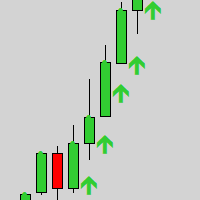
Gold Scalper Super is an easy-to-use trading system. The indicator can be used as a standalone scalping system on the M1 time frame, as well as part of your existing trading system. Bonus: when purchasing an indicator, Trend Arrow Super is provided free of charge, write to us after purchase. The indicator 100% does not repaint!!! If a signal appears, it does not disappear! Unlike indicators with redrawing, which lead to the loss of a deposit, because they can show a signal and then remove it.

--------------Welcome to use [MQL5 Signal Analyze Master]------------------
Function: Draw order tracks of MQL5 MT4 and MT5 signal on MT4 chart. [Using guide]
1.Use it as Experts. 2.Download history record from MQL5 signal(MT4 signal or MT5 signal). 3.Paste history record file below "MQL4/Files/" 4.Load [Signal Analyze Master] on the symbol chart what you want to analyze. 5.Paste the history record file name to parameter 'FileName' 6.Select SignalType match the history you download on MT4

Two Sided Scalp은 거래할 두 개의 통화쌍을 선택할 수 있으며, 두 쌍 모두 하나의 차트에서 동시에 스캘핑됩니다.
추천 통화쌍 예시 (GBPUSD와 USDCHF, EURUSD와 USDCHF, AUDUS 와 GBPUSD)
Two Sided Scalp 실시간 시그널이 이제 이용 가능합니다! 현재 가격은 인상될 예정입니다. 한정 기간 가격 75 USD
그리드 없음, 마틴게일 없음 추천 차트: 하나의 차트에서 두 개의 심볼 거래 (단일 차트 설정)
시간 프레임: H1
입력 항목 로트 크기 계산 방식 - 자동 로트 또는 고정 로트 선택
고정 로트 크기 - 고정된 로트 크기 자동 로트 - 계좌 통화 기준 이 금액당 0.01 로트 최대 스프레드 - 포지션 오픈 시 허용되는 최대 스프레드 설정 고정 스탑로스 - 고정 핍 수의 스탑로스
NFP 필터 활성화 - 활성화 시 NFP 뉴스 발표 중 거래하지 않음 자동 GMT 감지 - 브로커의 GMT 오프셋 자동 계산 매직 넘버 - 각 주문의 매

Presenting one-of-a-kind Gann Indicator for XAUUSD
IQ Gold Gann Levels is a non-repainting, precision tool designed exclusively for XAUUSD/Gold intraday trading. It uses W.D. Gann’s square root method to plot real-time support and resistance levels, helping traders spot high-probability entries with confidence and clarity. William Delbert Gann (W.D. Gann) was an exceptional market analyst whose trading technique was based on a complex blend of mathematics, geometry, astrology, and ancient calcul

Dark Titan is a fully automatic Expert Advisor for Scalping Trading. This Expert Advisor needs attention, in fact presents a High Operating Frequency . Dark Titan is based on dark inversion indicator, these Trades can be manage with some strategies. The expert advisor is able to get a high-rate of winning trades. My tests were performed with the real tick date with 99,90% accuracy, actual spread, additional slippage and High commission. All the settings are external , so that everyone ca

Quantum King EA - 모든 트레이더를 위해 개선된 지능형 파워
IMPORTANT! After the purchase please send me a private message to receive the installation manual and the setup instructions.
특별 출시 가격 라이브 신호: 여기를 클릭하세요
MT5 버전 : 여기를 클릭하세요
퀀텀 킹 채널: 여기를 클릭하세요
***Quantum King MT4를 구매하시면 Quantum StarMan을 무료로 받으실 수 있습니다!*** 자세한 내용은 비공개로 문의하세요!
규칙 정확하고 규율 있게 거래하세요.
퀀텀 킹 EA 구조화된 그리드의 강점과 적응형 마팅게일의 지능을 하나의 완벽한 시스템으로 통합했습니다. M5에서 AUDCAD를 위해 설계되었으며, 꾸준하고 통제된 성장을 원하는 초보자와 전문가 모두를 위해 구축되었습니다.
퀀