 MetaTrader 5
 Experts
 지표
지표
 라이브러리
라이브러리
 유틸리티
유틸리티
 위젯
위젯
 규칙
규칙
MetaTrader 5용 새 트레이딩 유틸리티 - 60
 다음은 MetaTrader 5의 거래를 단순화하는 거래 프로그램입니다. 유틸리티의 설명과 목적을 읽으려면 유틸리티 위에 마우스를 놓으십시오.
Script for quick updates (synchronization) trade history in the SQLite database. Saves closed positions and orders, symbols data.
Take advantage of SQLite's capabilities for intermediate data storage, analytics, and integrations of the MetaTrader platform. Keep all your data in one place.
Use the saved data in SQL analytical queries, from Python and other languages, to build dashboards
Parameters useDefaults true - use default parameters. Save data to the COMMON hierarchy, to the db/ram/{s
FREE

A service to keep the SQLite database up to date . Fast real -t ime operation . Saves open positions and orders , current quotes , and trading history . Take advantage of SQLite 's capabilities for intermediate data storage , analytics , and integration of the MetaTrader platform . Save all your data in one place . Use the saved data in SQL analytical queries , from Python and other la
FREE
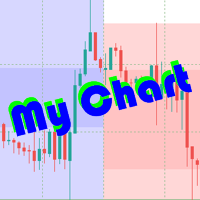
The beautiful design of the trading chart makes trading more convenient and enjoyable. MyChart neatly marks out the time and price grid. Marks up the visual labels of the graph. Displays candlesticks of the older period, spread and stop-level levels. Flexible options allow you to customize the appearance to your taste. It looks good in any color theme of the terminal. Settings
TIME & PRICE grid - the appearance of the time and price grid. You can turn the grids on/off separately. Set fonts and
A service to keep the SQLite database up to date . Fast real - time operation . Saves open positions and orders , current quotes , and trading history . Take advantage of SQLite 's capabilities for intermediate data storage , analytics , and integration of the MetaTrader platform . Save all your data in one place . Use the saved data in SQL analytical queries , from Python and other languages , to build dashboards and integrate MetaTrader Parameters
SyncDB creates and maintains 2 databases at th

Remote Master to Slave Trade Copier is a powerful trading tool designed to automatically replicate trades from a master trading account to one or more slave accounts in real-time. This system is ideal for traders, investors, or signal providers who want to mirror the trading actions of a professional or expert trader across multiple accounts without manual intervention. The Remote Master to Slave Trade Copier works by instantly copying the trade details, such as entry and exit points, position s

Master Control via Telegram can help you perform some management tasks on MT4/MT5 remotely via your Telegram by one click, easy to set up & use. Demo here (see more Master Close Master Notify ) ************************************************************************************ LIST OF COMMANDS: info_acc - Get account info info_pos - Get positions details price - Get symbol price buy - Open a buy position sell - Open a sell position inst_set - Set parameters for instant trade

Tele Notify can help you send notifications for opened & closed trades to a Telegram channel or your personal Telegram. (see Master Notify for full options of notifications/alerts: indicator data, price, news, etc. Get more EAs here )
Update: Now you can check your account info anytime from your Telegram by simple command: /check. This option is only valid when you use your Telegram User ID on EA inputs *******************************************************************************************
FREE

Join the Out of the Box Telegram Group
search for "Out of the Box" on Telegram or contact me
This is not just a simple copier program that ONLY allows you to locally copy transactions between different MetaTrader 4 a accounts in any direction and quantity as quickly and easily as possible .Of course it does that. This copier DOES MUCH MUCH MORE!!! PLEASE READ BELOW AND SEE SCREENSHOTS.
Many of us have martingale EAs or none martingale that are good but some point you wish to had opened the

This powerful tool ensures you never miss important trading signals by providing instant Alerts whenever specific indicators generate signals. With its sleek and user-friendly interface, you can effortlessly stay on top of market opportunities. Once an alert is received, you have the flexibility to decide your next move, putting you in full control of your trading decisions.
Does not work in the Strategy Tester!
Indicator Alert Features Automatically get alerted when a chosen indicator produce
FREE

Parameters Explained Algorithm Settings: magicNumber (int): Unique identifier for trades managed by the EA. Default value: 0 (manages manual trades). Note: Set this to the corresponding magic number of trades opened by other EAs or set it to 0 for manually executed trades. BreakEvenInPoints (bool): Activates the breakeven strategy based on profit in points. true: Moves Stop Loss to breakeven when the trade reaches the specified ProfitPointsForBreakeven . false: Disables this function. ProfitPoin

Maximize your trading efficiency with the Fibonacci Retracement Assistant for MetaTrader 5. This powerful tool automates the process of setting Buy Limit and Sell Limit orders as soon as you draw your Fibonacci retracement levels. Designed for traders seeking precision and speed, it eliminates the manual effort of order placement, letting you focus on market analysis. Key Features: Automatic Order Placement : Instantly set Buy Limit and Sell Limit orders when you drag Fibonacci retracement leve
Order Closer Manager for MetaTrader 5 The Order Closer Manager is a powerful and easy-to-use MetaTrader 5 (MT5) Expert Advisor designed to help traders efficiently manage their open orders. This EA is ideal for traders who want precise control over their trades with minimal manual intervention. It features an intuitive dashboard that allows for easy closing of positions, applying breakeven, and other order management functionalities. The EA supports FIFO and LIFO methods for added flexibility, m

Overview:
The WWImportExportGV is a versatile and efficient utility designed for MetaTrader 5 (MT5) users to manage global variables effortlessly. With this tool, traders can easily export all global variables from their terminal to a CSV file or import them into another terminal, ensuring seamless synchronization between trading environments. Features: Export Mode: Automatically extracts all global variables from the current MT5 terminal and saves them to a CSV file. This file can be shared o
FREE

Trade Stacker 소개: 당신의 궁극적인 트레이딩 파워 멀티플라이어 자동화된 포지션 스태킹의 힘으로 당신의 트레이딩을 혁신하세요! Trade Stacker EA는 단일 거래 기회를 원클릭으로 전략적 다층 포지션으로 전환합니다. 주의, 애플리케이션이 전략 테스터에서 작동하지 않습니다. 여기에서 데모를 다운로드하십시오: https://kevinafeku8.gumroad.com/l/avmxc Instructions for the demo: https://www.mql5.com/en/blogs/post/759785
주요 기능: • 맞춤 가격 수준에서 즉시 다중 거래 배치 • 개인 전략에 따른 거래 • 스마트 손익분기점 보호로 수익 확보 • 선택적 거래 부활 모드로 전략 유지 • 직관적인 인터페이스로 복잡한 거래 단순화 완벽한 적용: • 추세 시장에서의 스케일링 • 전략적 그리드 포지션 구축 • 다중 진입점 손쉬운 관리 • 공격적 및 보수적 트레이더
FREE

Coppy Master MT5는 MetaTrader 4와 MetaTrader 5 터미널 간의 거래를 복사하는 도구입니다. 양방향 복사를 지원합니다:
MT5에서 MT4로, MT4에서 MT5로, 그리고 동일 유형의 계좌 간에도 가능합니다. 올바른 작동을 위해서는 모든 단말기를 하나의 컴퓨터나 VPS에서 실행해야 합니다.
[ Instruction and Demo ] MetaTrader 4로 복사하려면 별도의 제품 버전인 Coppy Master MT4가 필요합니다. 주요 기능: 연결 유형
마스터 및 수신기 모드. 주문을 보내고 받는 로직을 유연하게 구성할 수 있습니다. 주문 관리
시장 및 보류 주문을 복사합니다. 거래의 동기적 마감, 부분 마감 지원, 거래 반전, SL/TP 수정. 기호 작업
접두사와 접미사 지원. 개별 캐릭터의 제외/포함. 자산에 사용자 정의 이름을 할당하는 기능. 제한 사항 및 위험 관리
하루 거래 횟수 제한, 최대 일일 손실액, 잔액 수준을 제한하


MT5 to Telegram Copier MT5는 귀하의 MetaTrader 5에서 거래 경험을 향상시키기 위해 설계된 전문 유틸리티로, 거래 알림 및 보고서를 귀하의 텔레그램 채널로 직접 원활하게 전송합니다. 이 도구는 구독자에게 실시간으로 정보를 제공하고자 하는 신호 제공자, 트레이너 및 트레이더에게 완벽합니다. MT5 to Telegram Copier MT5를 사용하면 즉각적인 거래 알림, 사용자 정의 가능한 설정 및 포괄적인 성과 추적의 편리함을 누릴 수 있습니다. 귀하의 거래 활동을 팔로워와 손쉽게 공유할 수 있어, 수동 업데이트의 번거로움 없이 적시에 알림을 받을 수 있도록 보장합니다. MQL 제품 설치 가이드 | MT4/MT5에서 구매한 MQL 제품 업데이트 | 일반 문제 해결 가이드 | 지표 설정 / 가이드 주요 기능 차트 내 대시보드: 즉각적인 상태 개요를 위해 차트에 실시간 정보 패널을 표시합니다. 거래 알림: 새로운 거래, 종료 및 주요 거래 업데이트에 대한 즉각

SEREDINA 는 포지션 평가와 관리를 위한 만능 도구입니다! 이 스크립트는 MetaTrader 5 플랫폼에서 모든 거래 상품의 매수(BUY) 및 매도(SELL) 포지션의 평균 가격을 자동으로 계산하며, 정확한 데이터와 함께 시각적 레벨을 차트에 표시하여 포지션의 평균 진입 수준을 즉각적으로 확인할 수 있도록 도와줍니다. SEREDINA 를 통해 다음을 할 수 있습니다: 현재 자산에 대한 열린 BUY 및 SELL 주문의 "평균 가격" 지점을 파악합니다. 양방향의 잠재적 손익분기점을 빠르게 평가합니다. 특히 대량 거래 시 포지션 분석과 관리에 소요되는 시간을 절약합니다. 주요 특징: 정확한 계산 : 스크립트는 각 포지션의 거래량을 고려하여 정확한 평균 가격을 계산합니다. 시각적 명확성 : 평균 BUY와 SELL 가격이 차트에 파란색과 빨간색 선으로 표시되어 진입 수준이 직관적으로 이해됩니다. 편리한 인터페이스 : 스크립트를 실행하자마자 터미널 창에 평균 가격이 표시되며, 차트에 텍스
FREE

LogEverything EA
The LogEverything EA is a comprehensive tool designed for logging and recording various trading metrics, account information, and market data. It is a robust solution for traders who want to track the performance of their trades, analyze historical data, and ensure accurate record-keeping.
Key Features: Logs trade executions, including details such as entry price, lot size, stop loss, take profit, and comments.
Tracks closed trades with detailed information on profit or loss.

The script calculates the rate of price change and its deviation. Displays a typical price movement channel. Transfer the script to the chart and it will automatically mark up the channels through which the price can move in the near future. Place orders according to the channel boundaries.
The script uses statistical methods to determine the rate and amplitude of the price. It calculates and displays channels and limits of further movement based on them. This version is intended for
FREE

Chart Service — improving the charts of the custom symbol. The service shows trading levels on the chart of a custom symbol. For example, it can be used when working on a seconds chart built using the Seconds Chart utility. Unlike Expert Advisors, indicators and scripts, services are not linked to a specific chart. Such applications run in the background and are launched automatically when the terminal is started (if they were previously launched). Use the Navigator to manage services. Services
FREE

注意!!该程序的所有订单创建操作仅在用户点击“下单”按钮后产生,不会自动创建订单。 下载后请先使用模拟账户熟悉操作习惯,验证订单创建是否符合要求再正式使用。 盈亏比自动下单依赖EA自动交易功能, 使用前请先核实你的交易商是否允许使用EA交易。 任何修改建议或bug提交可联系我。
该工具提供: 1. 常用图形绘制功能:包括盈亏比工具,趋势线工具、斐波那契回撤工具、矩形工具、通道工具。绘制时可通过快捷键控制鼠标吸附K线或控制价格相同从而绘制水平线。 2. 快速的图表切换功能:使用快捷键在你的商品列表上快速滚动,让你可以专注于全屏模式。 3. 盈亏比计算及仓位控制功能:根据实时的点差及用户输入的手续费可以计算出计划的实际盈亏比,用户输入风险金额或风险比例后可立即根据该计划建仓。建仓成功后可以缩小止损,扩大止盈,止盈止损同样自动计算点差,无需担心误触止损。如果你是价格行为交易者,或者其他专注于盈亏比的交易者,这个功能将会大大提升你的效率,并且帮助你建立健康的交易习惯。 4.K线收盘倒计时提醒功能:提供K线收盘倒计时功能,并且可以自定义设置倒计时提前几秒发出提醒,帮助日内小周期交易者建立等待

This program is designed to download economic calendar news events for a specified country over a selected date range, allowing traders to analyze and incorporate important economic data into their trading strategies. By specifying both a start and end date, as well as a country code, the program retrieves relevant news events within the defined period and exports them to a CSV file for easy review and analysis. This tool helps traders stay informed about scheduled economic events that may impac
FREE

https://www.mql5.com/en/market/product/125319
MT5 The Trend Catcher 101 is a powerful and reliable Expert Advisor that can help you to catch market trend movements after confirmation . This EA is based on the real market power movement method. it suppose to be under expert section but because some tricks causing the boot to avoid some trades when the market unstable so its unable to be validated , anyway the test showing a lot .
The Trend Catcher uses the market power to determine the opti

Book Data Binance! 좋아하는 암호화폐의 오더북에 접근하여 가격, 거래량, 불균형 분석의 세부 정보를 확인할 수 있다고 상상해 보세요. 거래소에서 DOM에 대한 접근을 제공하지 않더라도 말이죠. Book Data Binance와 함께라면 이제 그 꿈이 현실이 됩니다! 이 MQL5 스크립트는 시장의 역학을 깊이 이해하고자 하는 암호화폐 트레이더를 위해 특별히 개발되었습니다. 주요 기능: 스크립트 메뉴에서 사용할 수 있는 모든 암호화폐의 오더북에 직접 접근. 세계 최고의 거래소 중 하나인 Binance에서 제공하는 실시간 데이터 업데이트. 오더북의 불균형을 정확하게 분석하여 가격 변동을 식별하고 예측할 수 있습니다. Imbalance DOM Crypto 지표 와 통합되어 시장 분석을 다음 단계로 끌어올립니다. 왜 Book Data Binance를 선택해야 할까요? 각 가격 수준에서 구매자와 판매자의 행동을 이해하고자 하는 모든 분들에
FREE

Volume Flow Binance! 당신이 선호하는 암호화폐의 times and trades 데이터에 접근하고, 거래량 흐름과 가격 변동 분석에 대한 세부 정보를 얻을 수 있다고 상상해 본 적이 있나요? 심지어 브로커가 거래 기록에 대한 완전한 접근을 제공하지 않더라도 말이죠? Volume Flow Binance 로 이제 그것이 현실이 됩니다! 이 MQL5 스크립트는 실시간 시장 동향에 대한 상세한 뷰를 원하는 암호화폐 트레이더를 위해 설계되었습니다. 주요 특징: 스크립트 메뉴에서 사용 가능한 모든 암호화폐의 times and trades 데이터에 직접 접근. 세계적인 거래소인 Binance에서 실시간 데이터 업데이트. 가격 변동을 예측하고 거래량 흐름을 정확하게 분석. Times and Sales Crypto 인디케이터 와의 통합으로 시장 분석을 다음 수준으로 향상. 왜 Volume Flow Binance를 선택해야 할까요? 실시간으로 매
FREE

The Expert Advisor "TimeLeft Display" shows the remaining time until the close of the current candle in a digital display. The time is displayed in days, hours, minutes, and seconds. Features: Time Calculation: Calculates the remaining time until the close of the current candle based on the current timeframe of the chart. Digital Display: Shows the remaining time in a digital format. Customizable Font and Size: Allows selection of the font (Arial, Arial Black, Aptos Display, Tahoma,
FREE

This MetaTrader 5 trading robot is designed for traders who want to receive instant notifications about their trades on Telegram. With easy setup, the robot monitors real-time trade openings and closings in your account, immediately notifying you of each important change. Key Features Real-Time Notifications : Receive instant alerts on Telegram for every trade opening and closing. Notifications include key details such as the symbol, trade type (buy or sell), price, volume, and trade outcome, al

Principais Características: Interface Amigável e Personalizável: Painel Responsivo: Design adaptável que se ajusta ao tamanho do gráfico, permitindo fácil movimentação e posicionamento conforme sua preferência. Controles Intuitivos: Acesso rápido a informações essenciais da conta, como saldo, lucro atual, lucro diário e posições abertas. Parâmetros Personalizáveis: Ajuste facilmente o volume de lotes, níveis de Stop Loss e Take Profit diretamente no painel. Execução de Ordens Simplificada: Botõe

Clicks is a tool to improve the execution , management and accuracy of your trading.
Features: Allows you to set trading limits and show your statistics right on the chart. Allows you to open, modify, delete/close orders from a panel and makes it easy to set takeprofit and stoploss levels. Helps you trade using the trendlines drawn on your chart. The algo executes your orders when price reaches your trendlines. It has an automatic trailing stops feature so you can milk the market as much as you

News Stopper MT5는 MetaTrader 5 전용으로 설계된 전문 유틸리티로, 중요한 뉴스 이벤트 전에 자동으로 거래를 종료하여 귀하의 거래를 보호하는 것을 목표로 합니다. 이 도구는 수동 거래자와 자동 거래 시스템 모두에 적합하며, 뉴스 발표로 인한 시장 변동성 동안 귀하의 포트폴리오를 안전하게 유지합니다. News Stopper MT5를 사용하면 경제 이벤트에 사전 대응하여 거래를 효과적으로 관리하고, 갑작스러운 시장 변동에 대비하여 자본을 보호할 수 있습니다. 귀하의 거래 전략에 맞춘 다양한 설정을 구성함으로써, 중요한 거래 순간 동안 위험을 최소화하면서 의사 결정 과정을 향상시킬 수 있습니다. MQL 제품 설치 가이드 | 구매한 MQL 제품 업데이트(MT4/MT5) | 일반 문제 해결 가이드 | 지표 설정 / 가이드 주요 기능 팝업 알림: 신호 이벤트에서 MetaTrader 알림 팝업을 발생시켜 거래 설정을 놓치지 않도록 합니다. 푸시 알림: 이동 중 모니터링을 위

브레이크이븐 레벨: 1클릭으로 SL 이동. 기존 이익 손실 방지 이 도구를 사용하면 1클릭으로 빠르게 이익을 보호할 수 있습니다. 단기 거래에 특히 중요합니다. 오프셋 옵션도 사용 가능합니다. 다기능 유틸리티 : 66개 이상 기능, 이 도구 포함 | 문의하기 | MT4 버전 SL 레벨 이동 방법: 1. 특정 [심볼] 을 지정하거나 [모두] 심볼을 선택합니다. 2. 브레이크이븐을 적용할 거래 유형 을 선택합니다: [모두]: 모든 활성 거래에 적용; [롱]: 매수 거래만; [숏]: 매도 거래만; 3. [이익 >] 옵션: 활성화 시 이익이 지정 값을 초과할 때만 SL이 이동됩니다. 4. [+ 오프셋] : TP 레벨 방향으로 추가 SL 이동 을 설정할 수 있습니다.
따라서 SL을 브레이크이븐뿐만 아니라 수익성 있는 레벨로 이동할 수 있습니다. [v] 선택기 를 사용하여 이익 및 오프셋 값의 계산 방법 을 선택할 수 있습니다: 금액 / 핍 / 포인트 / SL 크기의 % / TP 크기의 %
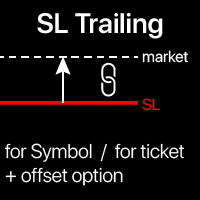
트레일링 스탑: 시장 움직임에 따른 SL 자동 이동 . 거래에서 최대 이익 획득 SL 이동 프로세스는 전략에 따라 자동화 가능합니다. 다양한 설정으로 모든 전략에 유용. 특히 단기 트레이더에게 중요. 다기능 유틸리티 : 65+ 기능 포함 | 문의 | MT4 버전 활성화를 위해 4가지 주요 매개변수 설정 필요(패널에서): 1. 심볼 또는 거래 (적용 대상): 현재 [Symbol]/[ALL] 전체, 또는 특정 거래 [Ticket]. [Symbol] 또는 [ALL] 규칙 외 개별 [Ticket] 규칙 설정 가능(우선 적용). 2. 활성화 시점 :
[ 즉시 실행 후]: 주문 체결 시 지연 없음 ; [이익 시] : 지정 이익액 도달 시 활성화; 3. SL 계산 방식 : [v] 선택기로 설정: 핍 또는 포인트 고정값. 가격 변동 퍼센트 . 이동 평균 (MA) 기반 SL. 설정 항목: MA 계산 시간대, 기간, 방법, 봉 가격; MA에서 SL 배치 거리: 0: SL=MA 값; 양수: TP

Test Trade Saver Script
Application Type: Script
Application Functions: Saves test results cache file data into text files
About the Application The script extracts trading results from a test system cache file and saves them into text files for further analysis. How to Use Parameters: LOG_LEVEL - Logging level in the Experts terminal section. DEBUG provides the most detailed information, while ERROR gives the minimum. CUSTOM_MAGIC_NUMBER - The system identifier (Magic Number) used to save resu
FREE

The script calculates the rate of price change and its deviation. Displays a typical price movement channel. Transfer the script to the chart and it will automatically mark up the channels through which the price can move in the near future. Place orders according to the channel boundaries.
The script uses statistical methods to determine the rate and amplitude of the price. It calculates and displays channels and limits of further movement based on them.
Parameters
PLACEMENT - channel place

THE BEST! yet easy-to-use MT5 to Telegram Trade Copier [MANUAL HERE]
Overview: This powerful tool allows traders to send real-time trade notifications directly to their Telegram channels and group, ensuring they never miss an important market move. TeleBot5 is an innovative MQL5 program designed to seamlessly bridge your MetaTrader 5 trading experience with Telegram.
**Key Features:**
- **Real-Time Trade Alerts:** Instantly receive notifications for every trade executed on your MT5 accoun

Short Description:
FTMO Protector PRO MT5 is an EA designed to protect your funded account by managing risk and ensuring compliance with the Prop Firm's trading rules. This EA automatically monitors equity levels, closes trades when profit targets or drawdown limits are reached, and provides a visual display of key account metrics. EA w orks with all different Prop Firm service providers.
Overview:
FTMO Protector PRO MT5 is an Drawdown Safeguard Expert Advisor meticulously crafted for trade

This Program will not execute any trades!
Works on any chart and any time frame!
This is the MT5 version.
MT4 version: https://www.mql5.com/en/market/product/125496?source=Site+Market+My+Products+Page#description
This Program will produce a comment box at the top left of the chart and show you your equity % difference throughout the day. Updating constantly in real time.
The daily resets back to zero on open of a new market open day. Using new current equity at start of day as reference for
FREE

This Program will not execute any trades!
Works on any chart and any time frame!
This is the MT5 version.
MT4 version : https://www.mql5.com/en/market/product/125500?source=Site+Market+My+Products+Page#description
This EA will produce a comment box at the top left of the chart and show you your equity % difference throughout the day, week, month and year. Updating constantly in real time.
The daily resets back to zero on open of a new market open day.
The weekly resests back to zero at open

Overview
This Expert Advisor (EA) for MetaTrader 5 is a robust tool designed to optimize money and risk management. It allows users to calculate position sizes based on account balance, desired risk percentage, and trade parameters like stop loss and entry points. Additionally, it offers a clear view of reward-to-risk ratios and allows for the inclusion of broker commission, recalculating data accordingly.
Key Features
1. Risk-Based Position Sizing
The EA calculates position sizes by taking
FREE

This is a service used to create custom symbols from an existing symbol by adding D2, D3, D4, W2 and W3 timeframes. List Symbols (Exp: EURUSD,GBPUSD,XAUUSD) : Declare the list of symbols to create the custom symbols. Example: AUDUSD,EURUSD,EURGPB,XAUUSD. Now the service will create the following custom symbols: AUDUSD_D2, AUDUSD_D3, AUDUSD_D4, AUDUSD_W2, AUDUSD_W3 EURUSD_D2, EURUSD_D3, EURUSD_D4, EURUSD_W2, EURUSD_W3 EURGPB_D2, EURGPB_D3, EURGPB_D4, EURGPB_W2, EURGPB_W3 XAUUSD_D2, XAUUSD_D3, X

The Dfx Position Risk Calculation Tool is an MT5 indicator developed by DefenderFX Ltd. designed to assist traders in assessing risk and reward for their trades. The tool automatically calculates the risk-to-reward ratio based on user-defined parameters, such as lot size and take profit (TP) level. It provides visual lines on the chart for entry (Blue Color), stop loss (SL) – Red Color, and TP levels (Green Color), which traders can adjust by dragging. Key Features: Input Parameters : Traders ca

이 유틸리티는 MT5에서 디스코드로 시그널을 전송하도록 설계되었습니다. 거래 시그널을 전송할 수 있을 뿐만 아니라 다음과 같은 기능을 수행할 수 있는 여러 가지 고유한 기능을 갖추고 있습니다. 터미널에서 Discord로 직접 메시지를 보냅니다. 사용자 정의 텍스트와 함께 이모티콘 보내기 MT5 터미널에서 Discord로 직접 텍스트와 이미지를 보내세요 이 모든 기능을 통해 사용자는 신호가 있는 채널을 유지하고 거래에 집중하며 양질의 신호를 찾을 수 있습니다. Instructions for the utility
완벽하게 사용자 정의 가능한 메시지 신호 메시지는 완전히 사용자 정의가 가능합니다. 헤더와 푸터를 직접 지정하세요 메시지 하단에 링크 삽입 고문 또는 수동 주문의 코멘트 표시 여러 언어 지원 이 유틸리티는 14개 언어의 메시지를 지원합니다. 영어 스페인 사람 러시아인 독일 사람 이탈리아 사람 프랑스 국민 포르투갈 인 터키어 말레이 사람 중국인 일본어 한국인 아라비아 사람 힌디
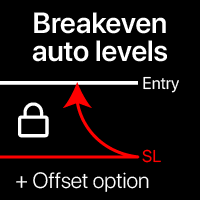
자동 손익분기 레벨 이 유틸리티를 사용하면 거래가 원하는 수익에 도달할 때 자동 SL 이동을 활성화할 수 있습니다. 단기 트레이더에게 특히 중요합니다. 오프셋 옵션도 사용 가능: 일부 수익을 보호할 수 있습니다. 다기능 유틸리티 : 66+ 기능, 이 도구 포함 | 문의하기 | MT4 버전 자동 손익분기 기능 활성화 과정: 1. 심볼 또는 거래 선택 자동 BE 기능이 활성화될 대상: 현재 [Symbol] / 모든 [ALL] 거래 / 또는 특정 거래 [Ticket] . [Symbol] 또는 [ALL] 규칙 외에 - 티켓 번호로 특정 거래에 대한 별도 규칙을 설정할 수 있습니다: 별도의 [Ticket] 규칙이 우선합니다. 2. 자동 BE를 활성화할 거래 유형 선택: [ALL]: 모든 활성 거래; [Longs]: Buy 거래만; [Shorts]: Sell 거래만; 3. [When profit] : 거래가 지정된 수익 금액에 도달할 때만 SL이 이동됩니다. 4. [+ Offset] : TP
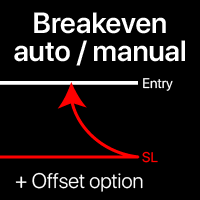
손익분기점 레벨: 수동 및 자동 이 유틸리티를 사용하면 단 1클릭으로 거래를 빠르게 손익분기점으로 이동시킬 수 있습니다: 단기 거래에서 특히 중요합니다. 또한 거래가 원하는 수익에 도달했을 때 자동 SL 이동을 설정할 수 있습니다. 오프셋 옵션도 사용 가능합니다. 다기능 유틸리티 : 66+ 기능, BE 레벨 확장 작업 포함 | 질문이 있으면 연락주세요 | MT4 버전 이 도구는 2개의 하위 섹션으로 구성됩니다: 1. [지금 SL을 BE로 이동]: 지정된 거래의 SL을 수동으로 손익분기점으로 이동합니다. 2. [자동 BE]: 거래가 수익으로 전환될 때 자동 손익분기점 기능.
수동 모드 [지금 SL을 BE로 이동]: 1. 특정 [심볼] 을 지정하거나 [모두] 심볼을 선택합니다. 2. 손익분기점을 적용할 거래 유형 을 선택합니다: [모두]: 모든 활성 거래용; [롱]: 매수 거래만; [숏]: 매도 거래만; 3. [이익 > 경우] 옵션: 활성화되면 SL은 이익이 지정 값
빠른 작업: 1클릭으로 모든 거래를 닫거나 수정 이 유틸리티를 사용하면 , 선택한 카테고리의 모든 거래에 필요한 작업을 빠르게 적용할 수 있습니다. 특히 단기 거래자에게 유용하며 , 빠르게 행동해야 할 때 유용합니다. 다기능 유틸리티 : 66+ 기능, 이 도구 포함 | 질문이 있으면 연락주세요 | MT4 버전 1. [ALL] Symbols 을 선택하거나 관리할 특정 [Symbol] 을 지정하세요 . 또한 다른 심볼 그룹을 동시에 관리 할 수 있습니다. 예를 들어: ' GBP '를 입력하면 GBP /USD, EUR/ GBP 및 ' GBP '가 포함된 다른 심볼을 동시에 관리할 수 있습니다. 2. 아래에서 6가지 유형 으로 그룹화된 활성 거래 를 닫을 수 있습니다. 파란 스위치 를 사용하여 활성 거래의 어떤 부분을 닫을지 선택할 수 있습니다: [Close full] : 활성 거래가 완전히 닫힙니다; [Close %] : 닫을 현재 로트 크기의 % 를 지정하세요.
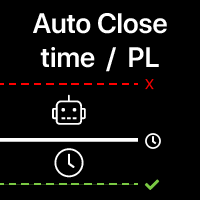
자동 거래 종료: 시간 또는 이익/손실 트리거 시 이 유틸리티를 사용하면 주어진 조건에서 거래를 자동으로 종료할 수 있습니다. 다기능 유틸리티 : 66+ 기능, 이 도구 포함 | 문의 질문이 있는 경우 | MT4 버전 자동 종료를 활성화하려면 다음 매개변수를 설정해야 합니다(패널에서):
1. 심볼 기능이 적용될: 특정 [Symbol] / 또는 모든 [ALL] 심볼. 2. 조건, 종료 시기: [if total] / [if single] / [at time]: 이 매개변수에 따라
이익/손실 도달 시 종료 옵션 또는 지정 시간 종료 옵션이 표시됩니다. [이익/손실 종료] 옵션 설정: 1. [if total] / [if single]: P/L 계산 방식: 선택한 모든 거래 함께, 또는 각 거래 개별적으로; 2. [Floating] / [Potential]: 부동 P/L (미결제 거래) 계산, 또는 잠재적 P/L (TP/SL 수준 도달 시) 계산; 3. [Pr
Introducing the Precision Data Extractor: SMA , an MQL5 utility crafted for traders, analysts and quants who need accurate historical data to build robust datasets. This tool lets you selectively pull historical price and indicator data— Simple Moving Average ( SMA )—from multiple applied prices, timeframes, and periods , then stores it in a CSV format, making it easy to feed into machine learning models, trading algorithms, or in-depth market analyses . Compatible with Forex , Stocks , and Comm
Introducing the Precision Data Extractor: EMA , an MQL5 utility crafted for traders, analysts and quants who need accurate historical data to build robust datasets. This tool lets you selectively pull historical price and indicator data— Exponential Moving Average ( EMA )—from multiple applied prices , timeframes , and periods , then stores it in a CSV format, making it easy to feed into machine learning models, trading algorithms, or in-depth market analyses . Compatible with Forex, Stocks, and
Introducing the Precision Data Extractor: LWMA , an MQL5 utility crafted for traders, analysts and quants who need accurate historical data to build robust datasets. This tool lets you selectively pull historical price and indicator data— Linear Weighted Moving Average ( LWMA )—from multiple applied prices, timeframes, and periods, then stores it in a CSV format, making it easy to feed into machine learning models , trading algorithms , or in-depth market analyses . Compatible with Fo
Introducing the Precision Data Extractor: SMMA , an MQL5 utility crafted for traders, analysts and quants who need accurate historical data to build robust datasets. This tool lets you selectively pull historical price and indicator data— Smoothed Moving Average ( SMMA )—from multiple applied prices, timeframes, and periods , then stores it in a CSV format, making it easy to feed into machine learning models, trading algorithms , or in-depth market analyses . Compatible with Forex , S
Introducing the Precision Data Extractor: RSI , an MQL5 utility crafted for traders, analysts and quants who need accurate historical data to build robust datasets. This tool lets you selectively pull historical price and indicator data— Relative Strength Index ( RSI )—from multiple applied prices, timeframes, and periods , then stores it in a CSV format, making it easy to feed into machine learning models, trading algorithms, or in-depth market analyses . Compatible with Forex, Stocks
Introducing the Precision Data Extractor: ATR , an MQL5 utility crafted for traders, analysts and quants who need accurate historical data to build robust datasets. This tool lets you selectively pull historical price and indicator data— Average True Range ( ATR )—from multiple timeframes and periods , then stores it in a CSV format, making it easy to feed into machine learning models , trading algorithms , or in-depth market analyses . Compatible with Forex , Stocks , and Commodit

Maximize or restore the main chart or indicator windows by double-clicking them.
Double-clicking a main chart window will hidden all the indicator windows and expand the main chart to the maximum. Double-clicking again to restore.
Double-clicking an indicator window will hide all the other indicator windows and expand the double-clicked indicator window to the free space. Double-clicking again to restore.
FREE

Hey, traders! Today, I’m excited to introduce the Trend Reversal Pro , an indicator designed to help you spot trend reversals quickly and efficiently. If you're looking to improve your market entries and exits, stick around to see how this powerful tool works. What is the Trend Reversal Pro? The Trend Reversal Pro analyzes market highs and lows to identify potential reversals. It does this by calculating a percentage average of previous highs and lows and comparing them to the current trend. Thi

G Spikes Trade Assistant G Spikes Trade Assistant is a MetaTrader 5 utility panel designed to help users manage manual trading actions more efficiently. It provides quick access to order execution, stop-loss settings, target-price settings, and position-management controls from the chart. Main features Buy and Sell market order buttons. Pending order options. Stop-loss and target-price management. Close All and selected close options. Customizable display settings and trade comments. Interface t
FREE

G Trade Broker Check – Instantly Evaluate Broker Performance Across Multiple Accounts and Leverage Settings
Take your trading to the next level by analyzing your broker’s performance in real time! With G Trade Broker Check , traders can effortlessly track their broker’s behavior over the past 24 hours on any symbol added to the Market Watch in MT5. Whether you’re comparing multiple brokers, testing different account types, or analyzing varying leverage setups, this powerful Expert Advisor prov
FREE

Custom Alerts: 여러 시장을 동시에 모니터링하고 중요한 기회를 놓치지 마세요 개요
Custom Alerts 는 여러 종목에 걸쳐 잠재적 트레이딩 기회를 한눈에 파악하고자 하는 트레이더를 위한 동적인 솔루션입니다. FX Power, FX Volume, FX Dynamic, FX Levels, IX Power와 같은 Stein Investments의 주요 도구들과 통합되어, 여러 차트를 오가거나 기회를 놓치는 일 없이 중요한 시장 변화를 자동으로 알림으로 제공합니다. 이제 브로커가 제공하는 모든 자산군을 지원하며, 기호를 입력할 필요 없이 자산 유형만 선택하면 설정이 완료됩니다. 1. Custom Alerts가 트레이더에게 매우 유용한 이유 올인원 시장 모니터링
• Custom Alerts 는 외환, 금속, 암호화폐, 지수, 주식(브로커가 지원하는 경우)까지 다양한 자산군의 신호를 수집하고 통합합니다.
• 여러 차트를 전환할 필요 없이 하나의 창에서 명확한 알림을 받아보

Chart Buddy는 거래 차트에 재미를 더하기 위해 설계된 엔터테인먼트 도구입니다. 캐릭터가 차트 오른쪽을 따라 움직이며, 가격 움직임을 응원하는 듯한 인상을 주어 거래 경험에 독특하고 즐거운 요소를 추가합니다. 거래에 직접적인 영향을 미치지는 않지만, 애니메이션은 가벼운 휴식을 제공하며 개인적인 지원자가 있는 것처럼 느끼게 합니다. 주요 기능: 가격 움직임 지원 : 캐릭터는 가격 방향(상승, 하락 또는 포지션에 따라) 응답하여 움직이며, 마치 시장을 응원하는 것처럼 보입니다. 캐릭터 선택 : 세 가지 캐릭터(다람쥐, 스모 선수, 소녀) 중에서 선택하거나 사용자 지정 이미지를 업로드하여 경험을 개인화할 수 있습니다. 커스터마이징 가능한 애니메이션 : 캐릭터의 이동 속도와 타이밍을 설정하여 사용자 취향에 맞게 조정할 수 있습니다. 시각적 엔터테인먼트 : 애니메이션 캐릭터는 거래 환경에 생동감 있고 인터랙티브한 요소를 추가합니다. illust STAMPO 소개 이 도구는 무료 이미지
FREE

Prop Firm 데이터: 차트에서 가장 중요한 정보 이 인디케이터는 현재 및 종료된 거래를 빠르게 모니터링 하는 데 도움을 줍니다. 특히 특정 제한 을 초과할 수 없는 경우에 유용합니다. 알림 기능은 원치 않는 결과를 방지하는 데 도움을 줍니다. 다기능 유틸리티 : 66개 이상의 기능 포함 | 질문이 있으면 연락주세요 | MT4 버전 6 가지 정보 범주 를 표시할 수 있습니다 현재 시장 데이터 : 스왑, 스프레드, 평균 스프레드. 오픈 포지션: 미결제 거래의 드로다운(또는 이익), 총 로트 크기, 거래 수; 보류 중 주문: 거래 수, 총 로트 크기, 매수 및 매도 수; 모든 종료된 거래의 결과 ( 통계 ) ; 거래의 평균 보유 시간, 매수와 매도를 별도로; 예수금 부하 정보: SL 레벨에 도달할 경우 잠재적 손실; 다양한 옵션을 통해 인디케이터를 필요에 맞게 사용자 지정할 수 있습니다.
사용 가능한 필터 , 각 필터는 개별적으로
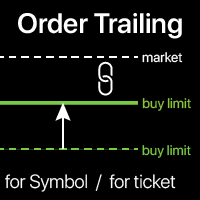
오더 트레일링: 시장이 움직일 때 최적의 실행 가격 얻기 보류 중인 주문의 트레일링을 통해 지정된 거리에서 진입 가격까지의 거리를 유지할 수 있습니다. 시장 가격이 주문에서 멀어지면 주문이 이동합니다. 다기능 유틸리티 : 66+ 기능, 이 도구 포함 | 질문이 있으면 연락하세요 | MT4 버전 오더 트레일링을 활성화하려면 패널에서 4가지 주요 매개변수를 설정해야 합니다: 1. 심볼 또는 트레이드 , 트레일링이 적용됩니다: 현재 [Symbol] / [ALL] 심볼, 또는 특정 트레이드 [Ticket]. [Symbol] 또는 [ALL] 규칙 외에도 - 특정 트레이드에 대해 별도의 규칙을 설정할 수 있습니다,
티켓 번호로: 별도의 [Ticket]에 대한 규칙이 우선합니다. 2. 보류 중인 주문에 트레일링이 활성화되는 순간 :
[ 실행 후 즉시 ]: 주문이 배치될 때 지연 없음 ; [보류 중 > 보다]: 트레일링은 지정된 시간 후 에 시작됩니다; 3. 현재 시장 가격에서 진입 가격까지의
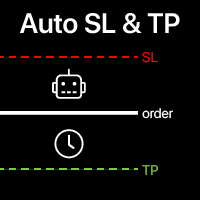
자동 SL 및 TP 설정 아직 SL / TP 레벨이 설정되지 않은 거래에 대해 자동으로 레벨이 생성됩니다. 모바일에서 거래를 실행하는 경우 편리할 수 있습니다. 다기능 유틸리티 : 65+ 기능, 이 도구 포함 | 질문이 있으면 연락주세요 | MT4 버전 자동 레벨을 활성화하려면 4가지 주요 매개변수(패널에서)를 설정해야 합니다: 1. 심볼 기능이 적용될: 특정 [Symbol] / 또는 모든 [ALL] 심볼. 2. 거래 유형: [active position] / [pending order] / [active or pending trade]:
이 값에 따라, 기능은 활성 포지션, 보류 중인 주문 또는 모든 거래에만 적용됩니다. 3. 다음으로, 각 매개변수를 개별적으로 활성화 또는 비활성화할 수 있습니다: [SL = ]: 활성화된 경우, 거래에 SL이 아직 설정되지 않았을 때 SL 이 자동으로 설정됩니다. [TP = ]: 활성화된 경우, 거래에 TP가 아직 설정되

Trade Saver Service
Application Type: Service
Application Features: Automated search and saving of trading results for multiple systems into text files for further analysis About the Application The service automatically saves the results of closed positions for a list of trading systems into text files, creating a personalized file for each system. How to Use Parameters: LOG_LEVEL - Logging level in the terminal’s Experts section. DEBUG provides the most detailed logs, while ERROR provides m
FREE

Trade Panel – The Smart Trading Tool for Every Strategy Elevate your trading experience with Trade Panel , designed for traders of all levels. Whether you are a beginner or a seasoned professional, this platform simplifies trading with powerful features to efficiently manage your portfolio. Key Features Flexible Lot Size Adjustment Manually adjust lot sizes to suit your trading needs. Utilize the automatic lot sizing feature to align your trades with your desired risk percentage (% Risk) for

CoinMarketCap Price Fetcher- Real-Time Cryptocurrency Prices via CoinMarketCap
Overview:
The CoinMarketCap Price Fetcher is a powerful tool designed for traders and developers who want real-time access to cryptocurrency prices directly within the MetaTrader 5 (MT5) platform. It seamlessly integrates with the CoinMarketCap API to retrieve live cryptocurrency price data, including Bitcoin (BTC), Ethereum (ETH), and hundreds of other coins, with automatic updates at your chosen intervals (e.g.,

Gmail to MT5 is a tool that automates the process of transferring trading signals from your Gmail inbox directly to your MetaTrader 5 trading platform. It's a bridge that connects these two platforms, allowing you to receive and execute trades based on information sent via email. No DLL, no .exe, and no external software
Can receive TradingView signals Would you like more features? We'd be glad to implement them based on your needs How to set up: Create an app password at https://myaccount.googl
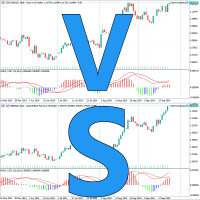
Chart Compare 소개 - 궁극의 다중 차트 동기화 도구
지금 $39에 판매 중(정상가 $59)
즉각적인 통찰력을 위해 여러 차트를 원활하게 동기화합니다.
주요 기능: 초고속 동기화: 이벤트 기반 기술은 모든 차트에서 원활하고 즉각적인 업데이트를 보장합니다. 가볍고 효율적: 최적의 성능을 위한 최소한의 시스템 리소스 사용. 빠른 비교: 유사한 도구를 나란히 쉽게 비교합니다. 수년간의 개선: 입증된 안정성과 지속적인 최적화. 사용자 정의 가능한 매개변수:
SyncPos: 모든 차트에서 시작 시간을 동기화합니다. 작동 방식:
각 차트에 Chart Compare를 로드합니다. 첫 번째 차트는 "Main"으로 레이블이 지정됩니다. "Main" 차트와 상호 작용하기만 하면 다른 모든 차트가 자동으로 동기화되어 일치합니다. 모범 사례:
창을 타일링하여 명확하고 체계적인 보기를 제공합니다. 모든 차트에 일관된 템플릿을 사용합니다. Chart Compare는 다음을 위한 필수
로컬 터미널 간 자동 거래 복사기 다양한 옵션을 통해 초보자도 쉽게 이해할 수 있는 설정 과정으로 유틸리티를 필요에 맞게 맞춤 설정할 수 있습니다. 다기능 유틸리티 : 66개 이상의 기능 포함 | 질문이 있으면 연락주세요 이 버전은 MT5 전용 입니다. MT4 간 복사를 위해서는 MT4 버전 을 별도로 구매해야 합니다. 사용 가능한 2 가지 모드 : 터미널에서 거래 보내기 다른 터미널에서 거래 받아서 복사하기 원본 터미널에서 거래가 종료되면 복사된 거래를 자동으로 종료 하는 옵션도 있습니다. 사용 가능한 필터 ( 거래 송수신 시 모두 사용 ), 각 필터는 개별적으로 활성화/비활성화 가능: 심볼 : 모든 심볼의 거래 복사 동일한 심볼만 복사(유틸리티가 실행 중인 곳) 매직 넘버 ( EA 사용 시 편리 ): 모든 매직 넘버 지정된 번호 제외 지정된 매직 넘버만 복사 거래 유형 : 모두 / 보류 중 주문만 / 활성 거래만 거래 방향 : 양방향 / 매수만 / 매도만 거래 코멘트 :
현재 드로우다운 과 종료된 거래 의 역사 를 선택된 기간 동안 추적 다양한 옵션으로 필요에 맞게 지표를 커스터마이징할 수 있습니다 다기능 유틸리티 : 66개 이상의 기능 포함 | 문의 사항이 있으면 저에게 연락하세요 | MT4 버전 2 값 이 표시 될 수 있습니다 : 현재 드로우다운 ( 또는 이익 ) 열린 거래의 ; 결과 모든 종료된 거래, 선택된 시간 기간 ( 통계 ) 동안의; 사용 가능한 필터 , 각각 옵션으로 켜기/ 끄기 가 가능합니다: 심볼 : 모든 심볼의 거래 지표가 실행 중인 동일한 심볼의 거래만 매직 넘버 (EA 사용 시 편리함 할 때 ) : 모든 매직 넘버 지정된 넘버 피하기 지정된 매직 넘버만 설정 : 방법 값 계산 : 계좌 통화; 핍; 포인트; 로서 하나 퍼센트 의 값 : % / 계좌 잔액 ; % / 가용 마진 ; % / 자본 ; % / 사용자 정의 금액; 시간 간격 ( 히스토리 계산이 활성화 된 경우 ):
현
차트에 직접 메모를 작성하고 거래 시 관찰 내용을 활용하세요 심볼 간 리마인더 동기화 옵션을 사용하면 현재 시장 상태에 대한 중요한 정보를 기억할 수 있습니다 따라서 , 이 도구는 이전에 확인한 중요한 정보가 거래 중 누락되는 상황을 방지하는 데 도움을 줍니다 . 다기능 도구 : 66+ 기능, 이 도구 포함 | 질문이 있으면 연락주세요 | MT4 버전 설정: 메모 동기화 방법 : 동일한 심볼 간 동기화; 각 차트에 고유한 메모; 모든 곳에 동일한 메모 ; 선택적으로 , 메모를 생성한 시간 프레임과 연결할 수 있습니다 ; 시각화 설정 : 텍스트 위치; 폰트: 색상, 스타일, 크기; 메모를 편집하려면 , 오른쪽 하단 모서리에 있는 버튼 [ e] 을 클릭하세요 : 입력 필드가 표시됩니다 . 프로그램 파일은 " Indicators " 디렉토리에 위치해야 합니다.
MetaTrader 플랫폼 어플리케이션 스토어에서 MetaTrader 마켓에서 트레이딩 로봇을 구매하는 방법에 대해 알아 보십시오.
MQL5.community 결제 시스템은 페이팔, 은행 카드 및 인기 결제 시스템을 통한 거래를 지원합니다. 더 나은 고객 경험을 위해 구입하시기 전에 거래 로봇을 테스트하시는 것을 권장합니다.
