 MetaTrader 5
 专家
专家
 指标
指标
 程序库
程序库
 实用工具
实用工具
 窗口小部件
窗口小部件
 规则
规则
全新的MetaTrader 5 交易实用工具 - 60
 以下是可在MetaTrader 5中简化交易的交易程序。将鼠标悬停在一个工具上,阅读它的描述和用途。
Break-Even Pro * 3 BE modes: - RewardRisk_Single for single trade (only valid for positions with SL) - Points_Single for single trade - Points_DCA for multiple DCA trade * Start Value: value of RR or # points to start SL moving * Offset: distance in points between BE level & entry * Symbol Filter: Select All or a specific symbol * Partial Close (%): Close % initial volume when moving SL to BE (0 for no partial close) Join my telegram channel here for more useful free EAs. Thank you!
FREE

Positions Risk Analyzer Utility
The Trade Analyzer is a powerful tool designed for real-time monitoring of your trading performance directly on the chart. It provides insights into: Total Open Positions : Number of active trades. Potential Profit (TP) : Estimated profit if all Take Profits are hit. Potential Loss (SL) : Maximum potential loss if all Stop Losses are triggered. Floating Profit/Loss : Real-time net profit or loss of all open trades. This utility dynamically updates its calculation
FREE

Hedging Manager Pro for MT5 Take Control of Your Trades – The Ultimate Manual Hedging Solution! Hedging Manager Pro for MT5 is a powerful tool designed to empower traders with precision and speed in critical market situations. Unlike automated EAs, this tool gives you full manual control over your hedging actions, allowing you to safeguard your capital and manage your positions with ease and efficiency. Key Features and Benefits : Manual Hedging at Your Fingertips : Hedge your positions instantl

Looking for a way to manage account drawdown for Prop Firms or general risk management purposes? Look no further; this simple expert advisor does exactly that!
Account Balance Percentage Limit If your current account balance is $5000 and you set a 10% limit ($500), Equity Sentinel will close all trades when the account equity reaches equal or less than $4500 and close all charts.
Floating Drawdown Percentage Limit If your current account balance is $5000 and you set a 5% limit ($250), Equity S
FREE

**** New version - 1.66 **** Bug fixes, small improvements.
A Tick Chart app. It lets you create real-time tick charts, based on number of ticks per candle. You can choose the amount of ticks per candle, and the amount of ticks to load. Supports showing trade history and trade levels. When you add this EA to an instrument it automatically generates a custom symbol with the _Tick added to the name. The tick chart should open automatically. Make sure the timeframe of the tick chart is set to M

This tool is designed to visualize the position and trades history and its information, such as the entry and exit points, sizes of the trades, Reward to risk ratio, Risk percent, Profit, Target and stop-loss on the chart. it makes showing trades on the chart more informative and easier to use. it's a strategic tool that enhances your trading experience on MT5 platforms. By providing a clear visual representation of your trades and customizable settings, it empowers traders to make informed deci

The best way to place and close trades using your keyboard. Perfect for Scalpers, sniper entries.
The default keys are as follows: 8= Buy (Lots set by user) 5= Sell (Lots set by user)
9= Closes All Buy Positions 6= Closes All Sell Positions 2= Opens a Sell and a Buy position instantly.
0= CLOSES All Positions //These are the default keys, can be changed upon request.

Quick Trade Manager (QTM) 是一款强大的MT5图表快速交易工具,完全支持自定义(合成)交易品种。 QTM 扩展了图表上的快速交易功能,让一键交易更加方便。支持根据预设的风险百分比自动计算仓位大小。完全兼容任何自定义(合成)交易品种。例如,您可以使用QTM在秒周期图表、Renko图表或任何其他用户自定义构建类型的图表上进行交易。
您可能还需要 RS Trade Copier - 超快的本地跟单系统,配备完整的图形界面。设置仅需约1分钟,无需手动输入账号。支持MT5与MT4之间的任意组合复制。
QTM的主要功能 快速交易面板 启动QTM后,图表上将出现一个便捷的买入/卖出市场订单开单面板。该面板与标准MT5快速交易面板类似,但支持所有自定义交易品种。 订单和仓位管理 按住 CTRL 键可轻松拖动SL/TP水平线。 按住 SHIFT 键可移动挂单开仓水平线。 使用弹出按钮快速关闭/删除订单或取消SL/TP。 直观的订单选择功能 当图表上仓位较多时,可使用 TAB 键和鼠标滚轮依次选择。所选订单的详细参数会显示在图表上,方便识别和操作。用户可以仅修改选中的仓位,而不
FREE

"Clean Pending Orders"
一键清除当前交易品种的所有挂单! 这个简单而高效的脚本专为重视速度和便利的交易者设计。只需运行脚本,它会立即删除当前品种的所有买入和卖出挂单。 优点: 快速清除: 所有挂单在数秒内删除。 专注当前品种: 不会影响其他交易品种。 简单易用: 一键操作,清理交易终端。 日志记录: 脚本会显示删除记录并提示任何错误。 如何操作? 确保当前品种有挂单。 在MetaTrader 5中运行脚本。 所有挂单将自动删除。 适合谁? 需要快速清除多个品种挂单的交易者。 寻求简单自动化交易工具的交易者。 想要清理终端后再开始新交易的用户。 立即免费下载,让您的交易更轻松! 我的其他工具: Clear All Stops and Takes on Current Symbol : 删除所选品种的所有止损和止盈单。 Clear All Stops and Takes on All Symbols : 一次性删除所有品种的止损和止盈单。 StopAndTake : 用于管理止损和止盈的工具,适合基础交易需求。 当前 品种 平均 成本 (精简 版) : 计算当
FREE

当前符号关闭所有头寸 一个简单可靠的脚本,用于关闭当前符号上的所有头寸。它消除了繁琐的工作并节省宝贵的时间。 优势: 仅关注当前资产: 脚本仅关闭选定符号的交易,不影响其他头寸。 快速且方便: 一次运行即可在几秒钟内关闭所有头寸。 适用于任何策略: 适合处理多个头寸或专注于单一资产的用户。 安全性: 逐一处理头寸并记录错误,确保完全控制。 工作原理: 在您的MetaTrader 5终端中运行脚本。 脚本会自动找到当前符号的所有未结头寸。 一键关闭所有交易,其它资产保持不变。 适合谁使用此工具? 需要快速关闭单一符号头寸的交易者。 使用短期策略并注重效率的用户。 想节省时间并专注于重要决策的人。 我创建的其他工具: 清除 当前 符号 的 所有 止 损 和 止 盈
一个脚本,用于删除选定符号上的所有止损和止盈。 清除 所有 符号 的 所有 止 损 和 止 盈
用于同时删除所有符号上的SL和TP的工具。 StopAndTake
管理止损和止盈水平的基本工具。 当前 资产 平均 成本 (简化 版)
一个经济实惠的解决方案,用于计算当前符号头寸的平均成本。 当前 资产 平均 成本 (高级
FREE

Middle Line —— 管理交易的必备工具! 这款 MetaTrader 5 脚本可以帮助交易者计算两个平均价格水平: 总平均价格 :计算所有未平仓订单的平均入场点。 去掉最优订单后的平均价格 :帮助交易者判断如何调整仓位,降低风险。 功能展示 Middle Line 会直接在图表上显示计算结果: 实线 —— 显示所有订单的总平均价格。 虚线 —— 显示去掉最佳订单后的平均价格。 通过这些数据,您可以快速判断如何调整仓位,优化交易决策。 为什么选择 Middle Line? 省时高效 :自动计算结果,立即显示在图表上。 精确分析 :基于每笔订单的交易量,提供更精确的数据。 通用性强 :适用于各种交易工具和交易策略。 易用性高 :结果不仅显示在图表上,还会在终端窗口显示。 适合谁使用 Middle Line? 适合进行网格交易、加仓或对冲的交易者。 想快速看到关键入场点的交易者。 想省去繁琐计算时间,专注做出决策的交易者。 使用 Middle Line,帮助您更好地管理交易! Middle Line 的最新升级 Middle Line 是脚本 Seredina 的增强版 ( 链
FREE

产品名称: StopAndTake — 精确且快速管理止损/止盈的简易脚本 产品描述: StopAndTake 是一款轻量化且直观的脚本,专为重视速度、准确性和可靠性的交易者设计。此工具可快速更新所选图表上所有仓位的 止损(Stop Loss) 和 止盈(Take Profit) 水平,操作简单方便。 优势与特点: 简单易用: 极简界面,新手也能轻松上手。 超快执行: 所有操作在几秒内完成。 精确无误: 止损和止盈水平精确到最后一个点位。 方便快捷: 只需将脚本拖动到图表上,它会自动完成所有操作。 安全可靠: 在修改前验证所有数据,避免错误或意外操作。 主要功能: 自动调整止损/止盈: 快速更新当前品种所有仓位的止损和止盈水平。 支持多种交易类型: 同时支持多头(BUY)和空头(SELL)仓位管理。 逻辑清晰: BUY 仓位止损设在当前价格下方,止盈设在上方;SELL 仓位逻辑相反。 操作直观: 无需复杂设置,只需启动脚本即可。 为什么选择 StopAndTake ? 如果您需要一款快速、精准、操作简便的工具, StopAndTake 是您的理想选择。无论您是交易新手还是经验丰富的专业
FREE

清除所有止损和止盈 — 快速删除 SL/TP 水平的简单解决方案 只需一键即可删除所有止损和止盈水平! 清除所有止损和止盈 是一款便捷的脚本,专为希望快速高效地删除所有未平仓订单的 SL 和 TP 水平的交易者设计。 简单的操作和即时执行使其成为动态市场条件下不可或缺的工具。 主要优势: • 节省时间: 无需手动逐一编辑每个订单 — 一切自动完成。
• 多符号支持: 脚本可删除所有交易工具的水平。
• 易于使用: 只需将脚本拖到图表上 — 就完成了!
• 可靠性: 在执行前检查每个订单,确保操作准确无误。 使用方法: 将脚本拖到 MetaTrader 5 的图表上。 脚本会自动删除所有未平仓订单的 SL 和 TP 水平。 享受完全自由的交易控制! 适用人群: • 切换到没有固定风险水平新策略的交易者。
• 想快速重置所有订单 SL/TP 水平的人。
• 任何寻找简单可靠的风险管理工具的人。 简化您的交易!免费下载 Clear All Stops and Takes,完全掌控您的交易。
顺便提一下,删除 仅限选定符号 的所有止损和止盈的脚本目前可通过 此 链 接 免费下载。 别忘
FREE

当前符号清除所有止损和止盈 一个快速高效的工具,可移除当前符号所有头寸的止损和止盈水平。告别手动操作——该脚本只需几秒钟即可完成所有任务! 优点: 目标管理: 仅清除当前符号的止损和止盈,不影响其他资产。这对于拥有多头寸的交易者尤为有用。 快速且方便: 只需点击一次,即可清除所选符号的所有止损和止盈水平。 灵活应用: 无论是专注于单一工具的交易者,还是同时管理多个资产的用户都能轻松适应。 如何工作: 只需运行脚本,它会自动检查当前符号的所有头寸。如果发现设置了止损或止盈,它会立即将其移除。其他符号的头寸将保持不变。 适用人群: 需要快速调整单一工具的交易者。 管理多个资产但希望选择性控制头寸的用户。 所有重视自动化和高效交易管理的人。 立即免费下载 ,摆脱不必要的日常任务! 此外,还有一个脚本可以同时删除 所有活跃工具的止损和止盈 。目前可以免费从 此 链 接 下载。 别忘了为我的努力留下一个好评! 您的反馈是我创造更多有用工具的动力。谢谢!
FREE

推出终极版的MetaTrader 5回撤限制器EA 使用我们先进的回撤限制器专家顾问(EA)保护您的交易账户。这个强大的工具实时监控您的整个账户,确保您的亏损永远不会超过您预设的阈值。设计为在独立的图表窗口中运行,它可以无缝集成到您现有的交易策略中,提供额外的安全层,而不干扰其他EA。 主要功能: 全账户监控: 持续跟踪您的账户余额、净值和所有未平仓头寸的回撤,无论使用何种品种或EA。 可定制的回撤限额: 设置您允许的最大回撤百分比,一旦超过限制,自动关闭所有头寸,保护您的资金。 实时仪表板: 通过精美的图表仪表板随时掌握信息,显示账户的关键指标,包括余额、净值、盈亏和关闭前的剩余回撤。 警报通知: 当您的回撤达到警戒水平时立即收到警报,允许您在达到限制之前采取主动措施。 用户友好界面: 安装和配置简单,具有可自定义的设置,以适应您的交易偏好。 为什么选择我们的回撤限制器EA? 兼容性: 与任何交易策略或EA一起工作,因为它在独立的图表窗口中运行,确保没有冲突或限制。 安心无忧: 当EA自动管理风险,保护您的账户免受意外的大额亏损时,您可以专注于交易。 专业

Salvest Immediate Gain Taker - 自动锁定您的收益! 利用专为MetaTrader 5设计的创新型专家顾问 Salvest Immediate Gain Taker ,释放您的交易策略潜力。该EA监控您的未平仓头寸,当您的总利润达到账户余额的指定百分比时,自动关闭所有交易。无需手动监控—让 Salvest Immediate Gain Taker 高效、有效地为您锁定收益。 主要功能: 利润目标平仓: 当达到指定的利润百分比时,自动关闭所有未平仓头寸。 包括亏损头寸: 关闭所有头寸,包括亏损的,以锁定总体利润。 自定义警报: 当您的利润达到预设水平时,接收通知。 交互式仪表板: 在图表上直接可视化您的余额、净值、利润和离目标的剩余利润。 用户友好界面: 易于设置并可根据您的交易偏好进行自定义。 通过 Salvest Immediate Gain Taker 提升您的交易体验,确保您不会错过任何锁定利润的机会!

Easy Toolbar is a user-friendly toolkit that provides fundamental tools and utilities which can helps you analyze market , get notifications and calculate trade factors faster, more accurate and much easier.
Easy Toolbar is born with the mission to make analysis tools of MT5 really work & provide more useful utilities .
If you are not fully depend on EAs and do your own work to analyze market, this tool is for you! Main features New way to use market analysis tools Introduce new important object

Exact Countdown Timer — shows the remaining time before the current bar closes and a new bar forms. A fast and exact countdown timer will help you find the best moment to open a position. For example, it can be used on a seconds chart built using the Seconds Chart utility. Inputs Base corner — the chart corner to which an timer Is attached. X distance — the horizontal distance from the chart corner. Y distance — the vertical distance from the chart corner. Text font — font name Font size — font
FREE

This is an EA designed to support manual trading. It can accurately calculate risk, automatically enter trades, set stop loss, and perform trailing stop loss using buttons on the chart. There are many features for risk calculation, setting stop loss, and trailing stop loss to suit various trading styles. It can also automatically manage prop firms by closing trades when reaching the target profit level or maximum daily loss. Additionally, it can perform manual backtesting using the strategy test
FREE
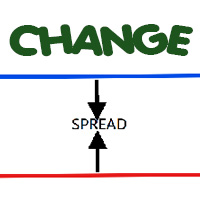
Most current tick data does not accurately reflect the actual spread levels. To achieve more precise backtest results, we need to adjust it to a higher value to account for slippage that may occur when Expert Advisors (EAs) execute orders in real trading.
This tool is used to change the Spread value in custom symbols created from tick data for backtesting purposes. Simply select the desired Spread value and wait for the tool to adjust it accordingly.
FREE
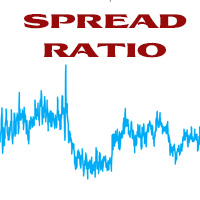
This tool helps you calculate the ratio of slippage and current spread compared to the average price movement over the timeframe of a specific symbol. It can indicate whether you should trade on that timeframe or not. If the ratio is too high, it will be very challenging to make a profit. Typically, this ratio should be less than 15%.. Simply add it to the chart of the timeframe for the symbol you wish to estimate.
FREE
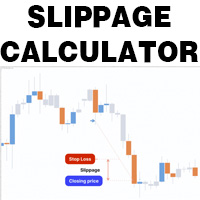
This is a tool that helps you calculate potential slippage you may encounter in real trading. This is quite important to understand how slippage can affect your strategy. It helps you gain a better understanding of your trading system and compare slippage levels among different brokers. Simply add it to the chart of the symbol you wish to estimate slippage for.
FREE

Эксперт собирает данные из биржевого стакана, суммируя отложенные ордера на покупку или продажу. Далее, по сумме ордеров определяется общее направление, куда смотрят участники рынка. Если суммарные покупки/продажи превышают определенный коэффициент, то производится сигнал. Настройки: Timer=5 // указывается как часто обновлять данные по рынку в секундах. Чаще чем раз в 10 секунд ставить не рекомендуется. X-size =700 // размер окна по оси Х. Y-size=650// размер окна по оси Y. Only "Market Watch"?=

PROP FIRM 首选 准备挖掘你的财务潜力吗?立即购买Gold Digger,成为真正的淘金者! Gold Digger EA简介: 通过精心分析的网格系统实现每月4-8%的回报率 概述 Gold Digger 是一个复杂的专家顾问 (EA),它使用专门为交易XAUUSD(黄金)设计的先进网格交易系统。该EA旨在提供4-8%范围内的稳定月收益。该EA为专业交易员、机构投资者和Prop Firm而设计,结合了严格的量化分析、自适应算法和全面的风险管理策略,以优化在各种市场条件下的交易表现。 Gold Digger拥有经过Myfxbook验证的可靠记录。有兴趣的各方可以通过以下链接查看特定月份的详细业绩指标和实时账户表现: 网格系统分析 Gold Digger策略的核心是其高度优化的网格交易系统。该系统通过在基础价格上下方的预定区间内下达买卖订单,利用黄金市场的波动性。主要组件包括: 网格间距: 根据实时市场波动性和流动性动态调整,以最大化盈利潜力并最小化回撤。 订单大小: 基于账户余额、市场条件和历史表现数据的风险调整模型。 订单管理: 包括自动跟踪止损、获利水平和动态止损调整的高级
FREE
产品名称:Close all position by ARAN(MT5 工具) 简介
Close all position by ARAN 是一款轻量且可配置的工具,用于在 MetaTrader 5 中管理多笔持仓的同时平仓。它可根据用户自定义的盈亏(P/L)阈值(正或负)关闭所有订单。本产品不提供交易信号或市场预测,也不对任何结果作出保证. 功能 达到正向 P/L 阈值时全部平仓:当账户总盈亏达到设定的正值时,关闭所有持仓。 达到负向 P/L 阈值时全部平仓:当账户总盈亏达到设定的负值时,关闭所有持仓。 各模式独立控制:可分别启用/禁用正向与负向的“全部平仓”模式。 无需关闭 AutoTrading 即可暂时停用 EA:提升持仓管理的灵活性。 启动时自动关闭图表网格(可选):获得更清爽的图表视图。 优化执行与简洁界面:适合不同经验水平的用户。 使用方法 在 MT5 中将 EA 附加到一个图表。 根据需要设置正向和负向的 P/L 阈值(以账户货币计)。 分别独立切换正/负“全部平仓”模式。 如有需要,启用自动关闭网格选项。 在 EA 运行期间保持图表打开,以便持续监控条件。 注意与兼

FUNDING EA 已经完全过时,而 PROP FIRM SAVER EA 是在其基础上开发的升级版本,功能更加强大。我们现免费提供,让您实时了解新版的运行效果。 是否厌倦了购买 Prop Firm 挑战账户却最终亏损?FUNDING EA 将为您改变这一切。 此 EA 不仅能够顺利帮助您通过挑战,还保证在挑战失败时退还费用。
使用 FUNDING EA,您可以无限次尝试挑战,而无需担心额外支出。 它是如何运作的?FUNDING EA 采用先进的对冲策略:要么帮助您通过挑战,要么在失败时弥补挑战费用。
这意味着,即使第一次失败,您也无需再为新的挑战支付费用。 为简单起见,建议将此 EA 用于一步挑战账户。 使用 FUNDING EA,您需要两个账户:一个 Prop Firm 挑战账户和一个真实交易账户。 您需要在真实账户中存入挑战费用的两倍。例如,如果挑战费用为 100 美元,则真实账户需存入 200 美元。 EA 会在两个账户中同时开仓。如果挑战失败,EA 会在真实账户中弥补费用,从而可以不断尝试挑战。 在成功通过挑战后,您可以继续在 Prop Firm 账户中使用 FUNDIN
FREE

“三只盲鼠EA MT5”
该专家顾问 (EA) 使用简单的“三根蜡烛趋势”策略,根据连续的看涨或看跌蜡烛形态确定交易信号。当出现连续三根看跌蜡烛时,EA 会开设多头仓位,而连续三根看涨蜡烛则触发空头仓位。EA 使用预定义的参数,包括手数、滑点、止损和止盈,并使用“立即成交或取消”(IOC)订单执行模式来执行交易。 免责声明: 该 EA 仅供实验使用,未针对实盘交易进行优化。旨在测试三根蜡烛趋势策略在不同外汇货币对和时间框架上的有效性。用户需意识到使用此 EA 进行交易存在重大风险,建议谨慎使用。强烈建议联系开发者,添加如其他指标等自定义因素,以更好地适应个人的交易策略和风险管理需求。 翻译由 ChatGPT 版本 4o mini 提供
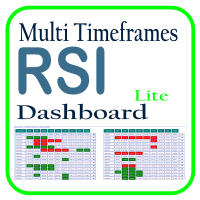
利用 RSI 多时间框架仪表板优化您的交易分析,这是一个强大的工具,可以实时监控市场观察列表中所有时间框架和符号的 RSI。这款仪表板提供即时的洞察和通知,非常适合依赖 RSI 进行潜在市场进出点识别的交易者。主要功能包括: 全面的 RSI 概览 :即时查看市场观察列表中所有符号的每个时间框架的 RSI 值,轻松进行多时间框架分析。 可自定义的超买/超卖警报 :设定您自己的超买和超卖阈值,当达到这些水平时,仪表板将突出显示相关的时间框架。 一键式图表访问 :单击即可打开任何符号的图表,帮助您快速响应并执行交易策略。 实时通知 :当任何符号在任何时间框架的 RSI 进入超买/超卖区域时,即时通知您。 使用 RSI 多时间框架仪表板提升交易效率——这是您进行精准 RSI 分析的必备工具!
FREE
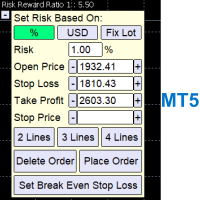
A Trading Assistant EA that can place order at user's desired open, stop loss, and take profit prices with automatically calculated lot size based on user's risk per trade
$30 for the next 25 downloaders, next price: $45 Try it out on demo account for free: Download Demo
Features: Smart Place Order : Automatically determine the Type of Order (Market/Stop/Limit/StopLimit & Buy/Sell) to be placed based on Open, and Stop Loss Price input, then execute it immediately Risk Manager : Set

Master Notify via Telegram can help you perform some management tasks on MT4/MT5 remotely via your Telegram by one click, easy to set up & use. Especially now this tool can work with indicator & send alert to Telegram. Demo here (see more Master Close Master Control ) ************************************************************************************ LIST OF COMMANDS: info_acc - Get account info info_pos - Get positions details price - Get symbol price news - Get economic news noti_pri

All In One (AIO) A2 Trade Panel EA made for you that like SCALPING, HEDGING, or LONG TIME TRADING. TRIAL VERSION, FOR DEMO ACCOUNT ONLY Features : TRADING INFORMATION Profit / Loss information (Customizable information - See on Attached Pictures) Margin Level information Equity information Total Lots Information Time information (Customizable information - See on Attached Pictures) Daily Profit / Loss Information TRADE MANAGER Close Buy / Sell Trade Close Buy / Sell Profitable Trade Close Parti
FREE

CSV News File Generator MT5 is a script specifically designed for the MQL5 platform. It enables the automated generation of CSV files containing economic calendar news, making it ideal for use in strategy simulators or as data for training artificial intelligence models. How Does It Work? The script gathers economic news directly from the MQL5 calendar, organizes the data into arrays, and converts it into CSV files for later use. Steps to Generate News Identify Event Codes:
Find the event code
FREE

A service to keep the SQLite database up to date . Fast real -t ime operation . Saves open positions and orders , current quotes , and trading history . Take advantage of SQLite 's capabilities for intermediate data storage , analytics , and integration of the MetaTrader platform . Save all your data in one place . Use the saved data in SQL analytical queries , from Python and other la
FREE
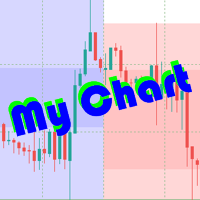
The beautiful design of the trading chart makes trading more convenient and enjoyable. MyChart neatly marks out the time and price grid. Marks up the visual labels of the graph. Displays candlesticks of the older period, spread and stop-level levels. Flexible options allow you to customize the appearance to your taste. It looks good in any color theme of the terminal. Settings
TIME & PRICE grid - the appearance of the time and price grid. You can turn the grids on/off separately. Set fonts and
A service to keep the SQLite database up to date . Fast real - time operation . Saves open positions and orders , current quotes , and trading history . Take advantage of SQLite 's capabilities for intermediate data storage , analytics , and integration of the MetaTrader platform . Save all your data in one place . Use the saved data in SQL analytical queries , from Python and other languages , to build dashboards and integrate MetaTrader Parameters
SyncDB creates and maintains 2 databases at th

Remote Master to Slave Trade Copier is a powerful trading tool designed to automatically replicate trades from a master trading account to one or more slave accounts in real-time. This system is ideal for traders, investors, or signal providers who want to mirror the trading actions of a professional or expert trader across multiple accounts without manual intervention. The Remote Master to Slave Trade Copier works by instantly copying the trade details, such as entry and exit points, position s

Master Control via Telegram can help you perform some management tasks on MT4/MT5 remotely via your Telegram by one click, easy to set up & use. Demo here (see more Master Close Master Notify ) ************************************************************************************ LIST OF COMMANDS: info_acc - Get account info info_pos - Get positions details price - Get symbol price buy - Open a buy position sell - Open a sell position inst_set - Set parameters for instant trade

Tele Notify can help you send notifications for opened & closed trades to a Telegram channel or your personal Telegram. (see Master Notify for full options of notifications/alerts: indicator data, price, news, etc. Get more EAs here )
Update: Now you can check your account info anytime from your Telegram by simple command: /check. This option is only valid when you use your Telegram User ID on EA inputs *******************************************************************************************
FREE

Join the Out of the Box Telegram Group
search for "Out of the Box" on Telegram or contact me
This is not just a simple copier program that ONLY allows you to locally copy transactions between different MetaTrader 4 a accounts in any direction and quantity as quickly and easily as possible .Of course it does that. This copier DOES MUCH MUCH MORE!!! PLEASE READ BELOW AND SEE SCREENSHOTS.
Many of us have martingale EAs or none martingale that are good but some point you wish to had opened the

This powerful tool ensures you never miss important trading signals by providing instant Alerts whenever specific indicators generate signals. With its sleek and user-friendly interface, you can effortlessly stay on top of market opportunities. Once an alert is received, you have the flexibility to decide your next move, putting you in full control of your trading decisions.
Does not work in the Strategy Tester!
Indicator Alert Features Automatically get alerted when a chosen indicator produce
FREE

Parameters Explained Algorithm Settings: magicNumber (int): Unique identifier for trades managed by the EA. Default value: 0 (manages manual trades). Note: Set this to the corresponding magic number of trades opened by other EAs or set it to 0 for manually executed trades. BreakEvenInPoints (bool): Activates the breakeven strategy based on profit in points. true: Moves Stop Loss to breakeven when the trade reaches the specified ProfitPointsForBreakeven . false: Disables this function. ProfitPoin

Maximize your trading efficiency with the Fibonacci Retracement Assistant for MetaTrader 5. This powerful tool automates the process of setting Buy Limit and Sell Limit orders as soon as you draw your Fibonacci retracement levels. Designed for traders seeking precision and speed, it eliminates the manual effort of order placement, letting you focus on market analysis. Key Features: Automatic Order Placement : Instantly set Buy Limit and Sell Limit orders when you drag Fibonacci retracement leve
Order Closer Manager for MetaTrader 5 The Order Closer Manager is a powerful and easy-to-use MetaTrader 5 (MT5) Expert Advisor designed to help traders efficiently manage their open orders. This EA is ideal for traders who want precise control over their trades with minimal manual intervention. It features an intuitive dashboard that allows for easy closing of positions, applying breakeven, and other order management functionalities. The EA supports FIFO and LIFO methods for added flexibility, m

DashPlus 是一款先进的交易管理工具,旨在提升您在 MetaTrader 5 平台上的交易效率和效果。它提供一整套功能,包括风险计算、订单管理、先进的网格系统、基于图表的工具和绩效分析。 主要功能 1. 恢复网格 实施一个平均和灵活的网格系统,以在不利的市场条件下管理交易。 允许设置战略性进出点,以优化交易恢复。 2. 叠加网格 通过在强劲的市场波动中增加仓位,最大化有利交易的潜在回报。 帮助您通过扩展获利交易来利用趋势市场。 3. 盈亏线 在图表上直接提供潜在利润和损失场景的可视化表示。 调整设置并拖动盈亏线,以在执行之前评估各种交易结果。 4. 篮子模式 简化同一交易品种的多仓位管理,将它们合并为一个聚合仓位。 基于平均价格,便于监控和应用止损、止盈以及其他订单修改。 5. 图表上的新闻 将预定的经济新闻事件整合到您的交易图表中。 帮助您随时掌握可能影响市场波动的即将发生的事件,从而更好地规划交易。 6. 警报 设置基于时间或价格的警报,通知会显示在 MT5 中,或通过 MT5 应用发送到您的移动设备。 对监控关键价格水平或重要的交易时段非常有用。 7. 绩效统计 提供详细的

介绍 Trade Stacker:您的终极交易力量倍增器 通过自动化仓位叠加的力量改变您的交易! Trade Stacker EA 只需一键点击即可将单一交易机会转变为战略性多层次仓位。 注意,该应用程序在策略测试器中无法工作。请在此下载演示版: https://kevinafeku8.gumroad.com/l/avmxc
Instructions for the demo: https://www.mql5.com/en/blogs/post/759785
主要特点: • 在自定义价格水平上即时部署多个交易 • 根据您的个人策略进行交易 • 智能保本保护锁定您的收益 • 可选的交易重生模式通过自动替换盈利交易来保持策略活力 • 直观的界面使复杂交易变得简单 完美适用于: • 在趋势市场中逐步建仓 • 建立战略网格仓位 • 轻松管理多个入场点 • 适合激进和保守的交易者 掌控要素: • 每个层级的自定义仓位大小 • 灵活的获利目标 • 智能止损设置 • 有效的保本管理
欢迎提出改进和功能建议,如果您需要任何帮助,请随时联系。祝您
FREE

Coppy Master MT5 是一种在 MetaTrader 4 和 MetaTrader 5 终端之间复制交易的工具。支持双向复制:
从 MT5 到 MT4,从 MT4 到 MT5,以及同类型的账户之间。 为了正确操作,所有终端必须在一台计算机或 VPS 上启动。
[ Instruction and Demo ] 要复制到 MetaTrader 4,需要单独版本的产品 - Coppy Master MT4 。 主要功能: 连接类型
主模式和接收器模式。可以灵活配置发送和接收订单的逻辑。 订单管理
复制市场和挂单。同步平仓,支持部分平仓、交易逆转、止损/获利修改。 使用符号
支持前缀和后缀。排除/包含个别字符。能够为资产分配自定义名称。 限制和风险控制
限制每天的交易数量、每天的最大亏损、停止复制的余额水平。 音量设置
使用固定手数、百分比风险、乘数。复制之前检查 SL 和 TP。 检查信号
控制重复订单、限制一个交易符号的交易数量、按订单类型进行过滤。 时间过滤器
能够设置复制交易的可接受时间段。 通知
终端通知、推送消息和电子邮件提醒。 优点: 终端

MT5 to Telegram Copier MT5 是一款专门的工具,旨在通过无缝地将交易通知和报告直接发送到您的 Telegram 频道,提升您在 MetaTrader 5 上的交易体验。此工具非常适合信号提供者、培训师和希望实时向订阅者提供信息的交易者。 使用 MT5 to Telegram Copier MT5,您可以享受即时交易警报、可自定义设置和全面的绩效跟踪。想象一下,您能够轻松地与您的关注者分享交易活动,确保他们及时收到通知,而无需手动更新的麻烦。 MQL 产品安装指南 | 在 MT4/MT5 上更新已购买的 MQL 产品 | 常见故障排除指南 | 指标设置 / 指南 主要特性 图表仪表板:直接在图表上显示实时信息面板,以便快速状态概览。 交易通知:为新交易、平仓和关键交易更新发送即时警报到您的 Telegram 频道。 可自定义设置:根据您的品牌和沟通风格调整通知格式和内容。 灵活配置:调整魔术数字和交易过滤的设置,以适应您的特定交易策略。 全面报告:生成每日交易绩效摘要,包含重要指标和统计数据。 回撤管理:设置最大回撤阈值的警报,以保持有效的风险控制。 MT5 to

SEREDINA 是您评估和控制仓位的多功能工具!该脚本会自动计算MetaTrader 5平台上任何交易工具的买入(BUY)和卖出(SELL)头寸的平均价格,不仅提供精确的数据,还在图表上显示视觉水平,帮助您立即看到您的仓位平均入场价位。 使用 SEREDINA ,您可以: 确定当前资产的开仓BUY和SELL订单的“平均价格”。 快速评估两种方向的潜在盈亏平衡水平。 节省分析和管理仓位的时间,尤其是在大量交易时。 主要特点: 精确计算 :脚本会根据每个头寸的数量,精确计算平均价格。 直观显示 :平均BUY和SELL价格在图表上分别用蓝线和红线表示,使入场水平更加直观。 用户友好界面 :脚本启动后会在终端窗口显示平均价格,并在图表上以文字注释形式显示。 通用性 :适用于MetaTrader 5中的任何交易工具和时间框架。 适用人群: 此工具专为在单一符号上管理多个头寸的交易者而设计,特别是使用网格交易、对冲或加仓策略的交易者。它对初学者和有经验的专业交易者都非常有用,能够帮助他们查看平均入场水平,从而管理风险并做出平仓决策。 SEREDINA 可以帮助您轻松管理订单组合,节省计算时间。通
FREE

Position Accelerator is an innovative solution for traders that helps maximize profits by capitalizing on trending market movements. The utility automatically increases the size of your trading positions once they reach a predefined profit level, significantly enhancing your profitability. This product is also available for MetaTrader 4 => https://www.mql5.com/en/market/product/126703 How does Position Accelerator work? 1. Acceleration through additional positions: When your open position reac

LogEverything EA
The LogEverything EA is a comprehensive tool designed for logging and recording various trading metrics, account information, and market data. It is a robust solution for traders who want to track the performance of their trades, analyze historical data, and ensure accurate record-keeping.
Key Features: Logs trade executions, including details such as entry price, lot size, stop loss, take profit, and comments.
Tracks closed trades with detailed information on profit or loss.

What is Close Charts Now? Do you have multiple charts open in MetaTrader 5 and need to close them all with a single click? Close Charts Now is the ideal solution for traders looking to save time and keep their workspace clean and organized. This script is designed to automatically close all open charts in your terminal, streamlining your workflow and avoiding tedious manual tasks. Features Simplicity: Just drag and drop. Efficiency: Save time by removing unnecessary charts in seconds. Ease of u
FREE

The script analyzes all trading instruments listed in the Market Watch of the MT5 platform to assess their suitability for trading on the timeframes specified in the settings. Based on the analysis, the script displays a table, where trading instruments deemed suitable and recommended for trading are marked in green, based on their compliance with the risk-to-reward ratio coefficient, including the spread (default 1:3). Instruments not recommended for trading are marked in red.
FREE
Script for quick updates (synchronization) up-to-date data in the SQLite database. Saves open positions and orders, current quotes.
Take advantage of SQLite's capabilities for intermediate data storage, analytics, and integrations of the MetaTrader platform. Keep all your data in one place.
Use the saved data in SQL analytical queries, from Python and other languages, to build dashboards
Parameters useDefaults true - use default parameters. Save data to the COMMON hierarchy, to the db/ram/{s
FREE

Script for quick updates (synchronization) trade history in the SQLite database. Saves closed positions and orders, symbols data.
Take advantage of SQLite's capabilities for intermediate data storage, analytics, and integrations of the MetaTrader platform. Keep all your data in one place.
Use the saved data in SQL analytical queries, from Python and other languages, to build dashboards
Parameters useDefaults true - use default parameters. Save data to the COMMON hierarchy, to the db/ram/{s
FREE

This program is designed to download economic calendar news events for a specified country over a selected date range, allowing traders to analyze and incorporate important economic data into their trading strategies. By specifying both a start and end date, as well as a country code, the program retrieves relevant news events within the defined period and exports them to a CSV file for easy review and analysis. This tool helps traders stay informed about scheduled economic events that may impac
FREE

Overview:
The WWImportExportGV is a versatile and efficient utility designed for MetaTrader 5 (MT5) users to manage global variables effortlessly. With this tool, traders can easily export all global variables from their terminal to a CSV file or import them into another terminal, ensuring seamless synchronization between trading environments. Features: Export Mode: Automatically extracts all global variables from the current MT5 terminal and saves them to a CSV file. This file can be shared o
FREE

日历新闻指标 是您进行明智交易的必备工具,可实时更新经济事件和金融新闻。以下是它为您的交易策略带来的优势: 实时更新: 通过关键经济指标、央行公告和影响市场的地缘政治事件的即时通知,保持领先一步。 全球覆盖: 追踪全球市场的经济事件。无论您交易外汇、股票还是大宗商品,都能获得全球视角,帮助您做出明智决策。 影响分析: 一目了然地查看即将发生事件的预期影响。指标会突出显示高、中、低影响事件,方便您根据优先级进行关注。 指标描述:经济日历部门图标 此指标通过将经济日历事件分类为特定部门来提供直观的事件展示。每个部门都有独特的符号表示,使交易者无需详细文字描述即可快速解读市场影响。以下是各部门使用的图标: 市场 () – 表示影响整个金融市场的一般市场事件。 GDP () – 与国内生产总值相关的事件,反映经济增长和生产力。 就业 () – 突出就业数据,包括工作岗位增加和失业率。 价格 () – 表示价格指数,包括通货膨胀和生活成本调整。 货币 () – 涉及货币政策公告、利率和金融流动性。 政府 () – 涵盖政府决策,包括财政政策和影响市场的政治事件。 商业 () –
FREE

Book Data Binance! 你是否曾想过能够访问你最喜欢的加密货币的订单簿,获取价格、交易量和不平衡分析的详细信息,即使你的交易所不提供DOM访问? 有了Book Data Binance,这一切都成为现实!这个MQL5脚本专为寻求深入了解市场动态的加密货币交易者开发。 主要特点: 直接访问脚本菜单中任何可用加密货币的订单簿。 来自全球领先交易所之一的Binance的实时数据更新。 精确的订单不平衡分析,帮助你识别和预测价格走势。 与 Imbalance DOM Crypto 指标 的集成,将你的市场分析提升到新的水平。 为什么选择Book Data Binance? 这是希望了解每个价格水平上买卖方行为的完美补充!有了这个脚本,你将获得深入的见解,并在其他交易者中获得竞争优势。 不要错过这个机会!通过Book Data Binance解锁市场的力量,领先于加密货币革命! 安装和配置说明: 安装脚本: 将Book Data Binance代码保存到你的MetaTrader 5 (MT5)的Scripts文件夹中。 在MT5中
FREE

Volume Flow Binance! 您是否曾想过能够访问您最喜欢的加密货币的 times and trades 数据,了解交易量流动和价格波动分析,即使您的经纪商不提供完整的交易历史记录? 有了 Volume Flow Binance ,这一切现在变为现实!这个 MQL5 脚本是为寻求实时市场动态详细视图的加密货币交易者而设计的。 主要特点: 直接访问脚本菜单中任何加密货币的 times and trades 数据。 从全球领先的交易所 Binance 实时更新数据。 精确的交易量流动分析,让您能够识别并预测价格走势。 与 Times and Sales Crypto 指标 集成,将您的市场分析提升到一个新水平。 为什么选择 Volume Flow Binance? 这是那些希望通过观察每笔交易来实时了解买卖行为的完美工具!通过这个脚本,您将获得深入的见解,并在其他交易者面前获得竞争优势。 不要错过这个机会! 通过 Volume Flow Binance 解锁市场的力量,在加密货币革命中保持领先一步! 安装和设置说明: 脚本安装
FREE

The script calculates the rate of price change and its deviation. Displays a typical price movement channel. Transfer the script to the chart and it will automatically mark up the channels through which the price can move in the near future. Place orders according to the channel boundaries.
The script uses statistical methods to determine the rate and amplitude of the price. It calculates and displays channels and limits of further movement based on them. This version is intended for
FREE

Chart Service — improving the charts of the custom symbol. The service shows trading levels on the chart of a custom symbol. For example, it can be used when working on a seconds chart built using the Seconds Chart utility. Unlike Expert Advisors, indicators and scripts, services are not linked to a specific chart. Such applications run in the background and are launched automatically when the terminal is started (if they were previously launched). Use the Navigator to manage services. Services
FREE

This MetaTrader 5 trading robot is designed for traders who want to receive instant notifications about their trades on Telegram. With easy setup, the robot monitors real-time trade openings and closings in your account, immediately notifying you of each important change. Key Features Real-Time Notifications : Receive instant alerts on Telegram for every trade opening and closing. Notifications include key details such as the symbol, trade type (buy or sell), price, volume, and trade outcome, al

注意!!该程序的所有订单创建操作仅在用户点击“下单”按钮后产生,不会自动创建订单。 下载后请先使用模拟账户熟悉操作习惯,验证订单创建是否符合要求再正式使用。 盈亏比自动下单依赖EA自动交易功能, 使用前请先核实你的交易商是否允许使用EA交易。 任何修改建议或bug提交可联系我。
该工具提供: 1. 常用图形绘制功能:包括盈亏比工具,趋势线工具、斐波那契回撤工具、矩形工具、通道工具。绘制时可通过快捷键控制鼠标吸附K线或控制价格相同从而绘制水平线。 2. 快速的图表切换功能:使用快捷键在你的商品列表上快速滚动,让你可以专注于全屏模式。 3. 盈亏比计算及仓位控制功能:根据实时的点差及用户输入的手续费可以计算出计划的实际盈亏比,用户输入风险金额或风险比例后可立即根据该计划建仓。建仓成功后可以缩小止损,扩大止盈,止盈止损同样自动计算点差,无需担心误触止损。如果你是价格行为交易者,或者其他专注于盈亏比的交易者,这个功能将会大大提升你的效率,并且帮助你建立健康的交易习惯。 4.K线收盘倒计时提醒功能:提供K线收盘倒计时功能,并且可以自定义设置倒计时提前几秒发出提醒,帮助日内小周期交易者建立等待

https://www.mql5.com/en/market/product/125319
MT5 The Trend Catcher 101 is a powerful and reliable Expert Advisor that can help you to catch market trend movements after confirmation . This EA is based on the real market power movement method. it suppose to be under expert section but because some tricks causing the boot to avoid some trades when the market unstable so its unable to be validated , anyway the test showing a lot .
The Trend Catcher uses the market power to determine the opti

Principais Características: Interface Amigável e Personalizável: Painel Responsivo: Design adaptável que se ajusta ao tamanho do gráfico, permitindo fácil movimentação e posicionamento conforme sua preferência. Controles Intuitivos: Acesso rápido a informações essenciais da conta, como saldo, lucro atual, lucro diário e posições abertas. Parâmetros Personalizáveis: Ajuste facilmente o volume de lotes, níveis de Stop Loss e Take Profit diretamente no painel. Execução de Ordens Simplificada: Botõe

Clicks is a tool to improve the execution , management and accuracy of your trading.
Features: Allows you to set trading limits and show your statistics right on the chart. Allows you to open, modify, delete/close orders from a panel and makes it easy to set takeprofit and stoploss levels. Helps you trade using the trendlines drawn on your chart. The algo executes your orders when price reaches your trendlines. It has an automatic trailing stops feature so you can milk the market as much as you

Test Trade Saver Script
Application Type: Script
Application Functions: Saves test results cache file data into text files
About the Application The script extracts trading results from a test system cache file and saves them into text files for further analysis. How to Use Parameters: LOG_LEVEL - Logging level in the Experts terminal section. DEBUG provides the most detailed information, while ERROR gives the minimum. CUSTOM_MAGIC_NUMBER - The system identifier (Magic Number) used to save resu
FREE

The script calculates the rate of price change and its deviation. Displays a typical price movement channel. Transfer the script to the chart and it will automatically mark up the channels through which the price can move in the near future. Place orders according to the channel boundaries.
The script uses statistical methods to determine the rate and amplitude of the price. It calculates and displays channels and limits of further movement based on them.
Parameters
PLACEMENT - channel place

The Expert Advisor "TimeLeft Display" shows the remaining time until the close of the current candle in a digital display. The time is displayed in days, hours, minutes, and seconds. Features: Time Calculation: Calculates the remaining time until the close of the current candle based on the current timeframe of the chart. Digital Display: Shows the remaining time in a digital format. Customizable Font and Size: Allows selection of the font (Arial, Arial Black, Aptos Display, Tahoma,
FREE

THE BEST! yet easy-to-use MT5 to Telegram Trade Copier [MANUAL HERE]
Overview: This powerful tool allows traders to send real-time trade notifications directly to their Telegram channels and group, ensuring they never miss an important market move. TeleBot5 is an innovative MQL5 program designed to seamlessly bridge your MetaTrader 5 trading experience with Telegram.
**Key Features:**
- **Real-Time Trade Alerts:** Instantly receive notifications for every trade executed on your MT5 accoun
MetaTrader市场是独有的自动交易和技术指标商店。
阅读MQL5.community用户备忘更多地了解我们提供给交易者的独特的服务:复制交易信号,自由职业者开发的自定义应用程序,通过支付系统完成的自动付款和MQL5云网络。
