 MetaTrader 5
 Experts
 Indicadores
 Bibliotecas
 Utilitários
 Widgets
 Regras
Conheça o Mercado MQL5 no YouTube, assista aos vídeos tutoriais
Como comprar um robô de negociação ou indicador?
Execute seu EA na
hospedagem virtual
hospedagem virtual
Teste indicadores/robôs de negociação antes de comprá-los
Quer ganhar dinheiro no Mercado?
Como apresentar um produto para o consumidor final?
Novas ferramentas de negociação para MetaTrader 5 - 60
 Abaixo estão os programas de negociação que simplificam o trading no MetaTrader 5. Passe o mouse sobre um produto para ler uma descrição mostrando seu propósito.
The Calendar News Indicator is your essential tool for informed trading, offering real-time updates on economic events and financial news. Here’s what it brings to your trading strategy: Real-Time Updates: Stay ahead with immediate notifications of key economic indicators, central bank announcements, and geopolitical events that impact the markets. Global Coverage: Track economic events from markets around the world. Whether you’re trading forex, stocks, or commodities, you’ll get the global
FREE
MT5 to Telegram Copier MT5 é uma ferramenta especializada projetada para aprimorar sua experiência de negociação em MetaTrader 5 ao enviar notificações de negociação e relatórios diretamente para o seu canal do Telegram. Esta ferramenta é perfeita para provedores de sinais, treinadores e traders que desejam manter seus assinantes informados em tempo real. Com MT5 to Telegram Copier MT5, você pode desfrutar da conveniência de alertas de negociação instantâneos, configurações personalizáveis e aco

SEREDINA é sua ferramenta completa para avaliação e controle de posições! Este script calcula automaticamente o preço médio de posições abertas de compra (BUY) e venda (SELL) para qualquer instrumento de negociação na plataforma MetaTrader 5, mostrando não apenas dados precisos, mas também níveis visuais no gráfico que ajudam a ver instantaneamente o nível médio de entrada das suas posições. Com SEREDINA , você poderá: Identificar o ponto de "preço médio" para ordens BUY e SELL abertas no ativo
FREE

LogEverything EA
The LogEverything EA is a comprehensive tool designed for logging and recording various trading metrics, account information, and market data. It is a robust solution for traders who want to track the performance of their trades, analyze historical data, and ensure accurate record-keeping.
Key Features: Logs trade executions, including details such as entry price, lot size, stop loss, take profit, and comments.
Tracks closed trades with detailed information on profit or loss.

The script calculates the rate of price change and its deviation. Displays a typical price movement channel. Transfer the script to the chart and it will automatically mark up the channels through which the price can move in the near future. Place orders according to the channel boundaries.
The script uses statistical methods to determine the rate and amplitude of the price. It calculates and displays channels and limits of further movement based on them. This version is intended for
FREE

Chart Service — improving the charts of the custom symbol. The service shows trading levels on the chart of a custom symbol. For example, it can be used when working on a seconds chart built using the Seconds Chart utility. Unlike Expert Advisors, indicators and scripts, services are not linked to a specific chart. Such applications run in the background and are launched automatically when the terminal is started (if they were previously launched). Use the Navigator to manage services. Services
FREE

注意!!该程序的所有订单创建操作仅在用户点击“下单”按钮后产生,不会自动创建订单。 下载后请先使用模拟账户熟悉操作习惯,验证订单创建是否符合要求再正式使用。 盈亏比自动下单依赖EA自动交易功能, 使用前请先核实你的交易商是否允许使用EA交易。 任何修改建议或bug提交可联系我。
该工具提供: 1. 常用图形绘制功能:包括盈亏比工具,趋势线工具、斐波那契回撤工具、矩形工具、通道工具。绘制时可通过快捷键控制鼠标吸附K线或控制价格相同从而绘制水平线。 2. 快速的图表切换功能:使用快捷键在你的商品列表上快速滚动,让你可以专注于全屏模式。 3. 盈亏比计算及仓位控制功能:根据实时的点差及用户输入的手续费可以计算出计划的实际盈亏比,用户输入风险金额或风险比例后可立即根据该计划建仓。建仓成功后可以缩小止损,扩大止盈,止盈止损同样自动计算点差,无需担心误触止损。如果你是价格行为交易者,或者其他专注于盈亏比的交易者,这个功能将会大大提升你的效率,并且帮助你建立健康的交易习惯。 4.K线收盘倒计时提醒功能:提供K线收盘倒计时功能,并且可以自定义设置倒计时提前几秒发出提醒,帮助日内小周期交易者建立等待

This program is designed to download economic calendar news events for a specified country over a selected date range, allowing traders to analyze and incorporate important economic data into their trading strategies. By specifying both a start and end date, as well as a country code, the program retrieves relevant news events within the defined period and exports them to a CSV file for easy review and analysis. This tool helps traders stay informed about scheduled economic events that may impac
FREE

https://www.mql5.com/en/market/product/125319
MT5 The Trend Catcher 101 is a powerful and reliable Expert Advisor that can help you to catch market trend movements after confirmation . This EA is based on the real market power movement method. it suppose to be under expert section but because some tricks causing the boot to avoid some trades when the market unstable so its unable to be validated , anyway the test showing a lot .
The Trend Catcher uses the market power to determine the opti

Book Data Binance! Já imaginou ter acesso ao book de ofertas da sua criptomoeda preferida, com detalhes de preços, volumes e análise de imbalance, mesmo que sua corretora não ofereça acesso ao DOM? Com o Book Data Binance, isso agora é realidade! Este script em MQL5 foi especialmente desenvolvido para traders de criptomoedas que buscam uma visão aprofundada das dinâmicas do mercado. Características Principais: Acesso direto ao livro de ofertas de qualquer criptomoeda disponível no
FREE

Volume Flow Binance! Já imaginou ter acesso ao times and trades da sua criptomoeda preferida, com detalhes sobre o fluxo de volumes e análise de movimentação de preços, mesmo que sua corretora não ofereça acesso ao histórico completo de negociações? Com o Volume Flow Binance , isso agora é realidade! Este script em MQL5 foi desenvolvido para traders de criptomoedas que buscam uma visão detalhada das dinâmicas do mercado em tempo real. Características Principais: Acesso direto ao t
FREE

The Expert Advisor "TimeLeft Display" shows the remaining time until the close of the current candle in a digital display. The time is displayed in days, hours, minutes, and seconds. Features: Time Calculation: Calculates the remaining time until the close of the current candle based on the current timeframe of the chart. Digital Display: Shows the remaining time in a digital format. Customizable Font and Size: Allows selection of the font (Arial, Arial Black, Aptos Display, Tahoma,
FREE

This MetaTrader 5 trading robot is designed for traders who want to receive instant notifications about their trades on Telegram. With easy setup, the robot monitors real-time trade openings and closings in your account, immediately notifying you of each important change. Key Features Real-Time Notifications : Receive instant alerts on Telegram for every trade opening and closing. Notifications include key details such as the symbol, trade type (buy or sell), price, volume, and trade outcome, al

Principais Características: Interface Amigável e Personalizável: Painel Responsivo: Design adaptável que se ajusta ao tamanho do gráfico, permitindo fácil movimentação e posicionamento conforme sua preferência. Controles Intuitivos: Acesso rápido a informações essenciais da conta, como saldo, lucro atual, lucro diário e posições abertas. Parâmetros Personalizáveis: Ajuste facilmente o volume de lotes, níveis de Stop Loss e Take Profit diretamente no painel. Execução de Ordens Simplificada: Botõe

Clicks is a tool to improve the execution , management and accuracy of your trading.
Features: Allows you to set trading limits and show your statistics right on the chart. Allows you to open, modify, delete/close orders from a panel and makes it easy to set takeprofit and stoploss levels. Helps you trade using the trendlines drawn on your chart. The algo executes your orders when price reaches your trendlines. It has an automatic trailing stops feature so you can milk the market as much as you

News Stopper MT5 é uma ferramenta especializada projetada exclusivamente para MetaTrader 5, com o objetivo de proteger suas operações fechando-as automaticamente antes de eventos de notícias significativos. Esta ferramenta é ideal tanto para traders manuais quanto para sistemas de negociação automatizados, garantindo que seu portfólio permaneça seguro durante a volatilidade do mercado provocada por divulgações de notícias. Com News Stopper MT5, você pode gerenciar suas operações de forma eficaz,

Níveis de breakeven: mova o SL com apenas 1 clique. Evite perder lucro existente Usando esta ferramenta, você pode proteger rapidamente seu lucro com apenas um clique. Especialmente importante para negociações de curto prazo. Opção de deslocamento também disponível. Utilitário multifuncional : 66+ recursos, incluindo esta ferramenta | Contate-me se tiver dúvidas | Versão MT4 Como mover os níveis SL: 1. Especifique um [Ativo] específico, ou selecione [TODOS] os ativos. 2. Selecione o tipo de neg
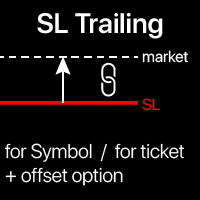
Trailing Stop: movimento automático do SL conforme o mercado. Obtenha o máximo lucro da operação O processo de movimento do SL pode ser automatizado de acordo com sua estratégia . A variedade torna esta ferramenta útil para qualquer estratégia . Especialmente importante para traders de curto prazo . Utilitário multifuncional : 66+ funções, incluindo esta | Contate-me se tiver dúvidas | Versão MT4 Para ativar o Trailing Stop, defina 4 parâmetros princ

Test Trade Saver Script
Application Type: Script
Application Functions: Saves test results cache file data into text files
About the Application The script extracts trading results from a test system cache file and saves them into text files for further analysis. How to Use Parameters: LOG_LEVEL - Logging level in the Experts terminal section. DEBUG provides the most detailed information, while ERROR gives the minimum. CUSTOM_MAGIC_NUMBER - The system identifier (Magic Number) used to save resu
FREE

The script calculates the rate of price change and its deviation. Displays a typical price movement channel. Transfer the script to the chart and it will automatically mark up the channels through which the price can move in the near future. Place orders according to the channel boundaries.
The script uses statistical methods to determine the rate and amplitude of the price. It calculates and displays channels and limits of further movement based on them.
Parameters
PLACEMENT - channel place
THE BEST! yet easy-to-use MT5 to Telegram Trade Copier [MANUAL HERE]
Overview: This powerful tool allows traders to send real-time trade notifications directly to their Telegram channels and group, ensuring they never miss an important market move. TeleBot5 is an innovative MQL5 program designed to seamlessly bridge your MetaTrader 5 trading experience with Telegram.
**Key Features:**
- **Real-Time Trade Alerts:** Instantly receive notifications for every trade executed on your MT5 accoun

Short Description:
FTMO Protector PRO MT5 is an EA designed to protect your funded account by managing risk and ensuring compliance with the Prop Firm's trading rules. This EA automatically monitors equity levels, closes trades when profit targets or drawdown limits are reached, and provides a visual display of key account metrics. EA w orks with all different Prop Firm service providers.
Overview:
FTMO Protector PRO MT5 is an Drawdown Safeguard Expert Advisor meticulously crafted for trade

This Program will not execute any trades!
Works on any chart and any time frame!
This is the MT5 version.
MT4 version: https://www.mql5.com/en/market/product/125496?source=Site+Market+My+Products+Page#description
This Program will produce a comment box at the top left of the chart and show you your equity % difference throughout the day. Updating constantly in real time.
The daily resets back to zero on open of a new market open day. Using new current equity at start of day as reference for
FREE

This Program will not execute any trades!
Works on any chart and any time frame!
This is the MT5 version.
MT4 version : https://www.mql5.com/en/market/product/125500?source=Site+Market+My+Products+Page#description
This EA will produce a comment box at the top left of the chart and show you your equity % difference throughout the day, week, month and year. Updating constantly in real time.
The daily resets back to zero on open of a new market open day.
The weekly resests back to zero at open

Overview
This Expert Advisor (EA) for MetaTrader 5 is a robust tool designed to optimize money and risk management. It allows users to calculate position sizes based on account balance, desired risk percentage, and trade parameters like stop loss and entry points. Additionally, it offers a clear view of reward-to-risk ratios and allows for the inclusion of broker commission, recalculating data accordingly.
Key Features
1. Risk-Based Position Sizing
The EA calculates position sizes by taking
FREE

This is a service used to create custom symbols from an existing symbol by adding D2, D3, D4, W2 and W3 timeframes. List Symbols (Exp: EURUSD,GBPUSD,XAUUSD) : Declare the list of symbols to create the custom symbols. Example: AUDUSD,EURUSD,EURGPB,XAUUSD. Now the service will create the following custom symbols: AUDUSD_D2, AUDUSD_D3, AUDUSD_D4, AUDUSD_W2, AUDUSD_W3 EURUSD_D2, EURUSD_D3, EURUSD_D4, EURUSD_W2, EURUSD_W3 EURGPB_D2, EURGPB_D3, EURGPB_D4, EURGPB_W2, EURGPB_W3 XAUUSD_D2, XAUUSD_D3, X

The Dfx Position Risk Calculation Tool is an MT5 indicator developed by DefenderFX Ltd. designed to assist traders in assessing risk and reward for their trades. The tool automatically calculates the risk-to-reward ratio based on user-defined parameters, such as lot size and take profit (TP) level. It provides visual lines on the chart for entry (Blue Color), stop loss (SL) – Red Color, and TP levels (Green Color), which traders can adjust by dragging. Key Features: Input Parameters : Traders ca
O utilitário foi projetado para enviar um sinal do MT5 para o Discord. Ele possui diversos recursos exclusivos, permitindo não apenas enviar sinais de negociação, mas também executar as seguintes funções: Envie mensagens diretamente do terminal para o Discord Enviando emojis junto com texto personalizado Envie texto e imagens diretamente do terminal MT5 para o Discord Tudo isso permite que o usuário mantenha um canal com sinais, focando em negociações e encontrando sinais de qualidade. Instructi
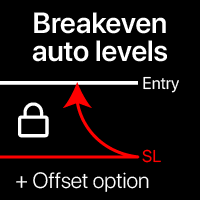
Níveis automáticos de ponto de equilíbrio Usando esta utilidade, você pode ativar o movimento automático do SL, quando a negociação atinge um lucro desejado. Especialmente importante para traders de curto prazo. A opção de offset também está disponível: parte do lucro pode ser protegida. Utilitário multifuncional : 66+ recursos, incluindo esta ferramenta | Contate-me se tiver dúvidas | Versão MT4 Processo de ativação da função automática de ponto de equilíbrio: 1. Selecione o Símbolo ou Negocia
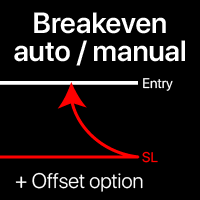
Níveis de breakeven: manual e automático Usando esta ferramenta , você pode mover trades para breakeven com apenas 1 clique : especialmente importante em operações de curto prazo. Você também pode definir o movimento automático do SL quando o trade atingir um lucro desejado. A opção de offset também está disponível. Ferramenta multifuncional : 66+ recursos, incluindo operações estendidas com níveis de BE | Contate-me se tiver dúvidas | Versão MT4 Esta ferramenta consiste em 2 subseç
Ações rápidas: fechar ou modificar todas as negociações com apenas 1 clique Usando esta ferramenta , você pode aplicar rapidamente a ação necessária a todas as negociações da categoria selecionada. Especialmente útil para traders de curto prazo, quando é necessário agir rapidamente. Ferramenta multifuncional : 66+ recursos, incluindo esta ferramenta | Contate-me se tiver alguma dúvida | Versão MT4 1. Selecione [ALL] Symbols , ou especifique um [Symbol] específico para gerenciar
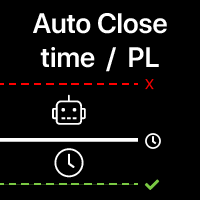
Fechamento Automático de Negociações: por tempo ou ao atingir Lucro/Perda Com esta ferramenta, você pode automatizar o fechamento de negociações sob uma determinada condição. Utilitário Multifuncional : 66+ recursos, incluindo esta ferramenta | Contate-me se tiver dúvidas | Versão MT4 Para ativar o Fechamento Automático, você precisa definir os seguintes parâmetros (no painel):
1. Símbolo para o qual a função será aplicada: para um [Symbol] específico / ou para [ALL] símbolos.
Introducing the Precision Data Extractor: SMA , an MQL5 utility crafted for traders, analysts and quants who need accurate historical data to build robust datasets. This tool lets you selectively pull historical price and indicator data— Simple Moving Average ( SMA )—from multiple applied prices, timeframes, and periods , then stores it in a CSV format, making it easy to feed into machine learning models, trading algorithms, or in-depth market analyses . Compatible with Forex , Stocks , and Comm
Introducing the Precision Data Extractor: EMA , an MQL5 utility crafted for traders, analysts and quants who need accurate historical data to build robust datasets. This tool lets you selectively pull historical price and indicator data— Exponential Moving Average ( EMA )—from multiple applied prices , timeframes , and periods , then stores it in a CSV format, making it easy to feed into machine learning models, trading algorithms, or in-depth market analyses . Compatible with Forex, Stocks, and
Introducing the Precision Data Extractor: LWMA , an MQL5 utility crafted for traders, analysts and quants who need accurate historical data to build robust datasets. This tool lets you selectively pull historical price and indicator data— Linear Weighted Moving Average ( LWMA )—from multiple applied prices, timeframes, and periods, then stores it in a CSV format, making it easy to feed into machine learning models , trading algorithms , or in-depth market analyses . Compatible with Fo
Introducing the Precision Data Extractor: SMMA , an MQL5 utility crafted for traders, analysts and quants who need accurate historical data to build robust datasets. This tool lets you selectively pull historical price and indicator data— Smoothed Moving Average ( SMMA )—from multiple applied prices, timeframes, and periods , then stores it in a CSV format, making it easy to feed into machine learning models, trading algorithms , or in-depth market analyses . Compatible with Forex , S
Introducing the Precision Data Extractor: RSI , an MQL5 utility crafted for traders, analysts and quants who need accurate historical data to build robust datasets. This tool lets you selectively pull historical price and indicator data— Relative Strength Index ( RSI )—from multiple applied prices, timeframes, and periods , then stores it in a CSV format, making it easy to feed into machine learning models, trading algorithms, or in-depth market analyses . Compatible with Forex, Stocks
Introducing the Precision Data Extractor: ATR , an MQL5 utility crafted for traders, analysts and quants who need accurate historical data to build robust datasets. This tool lets you selectively pull historical price and indicator data— Average True Range ( ATR )—from multiple timeframes and periods , then stores it in a CSV format, making it easy to feed into machine learning models , trading algorithms , or in-depth market analyses . Compatible with Forex , Stocks , and Commodit

Maximize or restore the main chart or indicator windows by double-clicking them.
Double-clicking a main chart window will hidden all the indicator windows and expand the main chart to the maximum. Double-clicking again to restore.
Double-clicking an indicator window will hide all the other indicator windows and expand the double-clicked indicator window to the free space. Double-clicking again to restore.
FREE

Fala, traders! Hoje eu vou apresentar para vocês o Trend Reversal Pro , um indicador desenvolvido para identificar reversões de tendência de forma simples e eficaz. Se você quer melhorar suas entradas e saídas no mercado, fica até o final que eu vou te mostrar como ele funciona. O que é o Trend Reversal Pro? O Trend Reversal Pro é um indicador que analisa topos e fundos no mercado. Ele faz isso de maneira inteligente, calculando uma média percentual dos topos e fundos anteriores e comparando com

G Spikes Trade Assistant G Spikes Trade Assistant is a MetaTrader 5 utility panel designed to help users manage manual trading actions more efficiently. It provides quick access to order execution, stop-loss settings, target-price settings, and position-management controls from the chart. Main features Buy and Sell market order buttons. Pending order options. Stop-loss and target-price management. Close All and selected close options. Customizable display settings and trade comments. Interface t
FREE

G Trade Broker Check – Instantly Evaluate Broker Performance Across Multiple Accounts and Leverage Settings
Take your trading to the next level by analyzing your broker’s performance in real time! With G Trade Broker Check , traders can effortlessly track their broker’s behavior over the past 24 hours on any symbol added to the Market Watch in MT5. Whether you’re comparing multiple brokers, testing different account types, or analyzing varying leverage setups, this powerful Expert Advisor prov
FREE

Custom Alerts: Monitore vários mercados e não perca nenhuma oportunidade importante Visão geral
Custom Alerts é uma solução dinâmica para traders que desejam monitorar configurações potenciais em vários instrumentos a partir de um único local. Integrando dados de nossas ferramentas principais — como FX Power, FX Volume, FX Dynamic, FX Levels e IX Power — o Custom Alerts notifica automaticamente sobre movimentos importantes do mercado, sem a necessidade de alternar entre diversos gráficos ou pe

Chart Buddy é uma ferramenta de entretenimento projetada para adicionar diversão aos seus gráficos de negociação. Um personagem se move ao longo do lado direito do gráfico, dando a impressão de que está torcendo pelo movimento do preço, adicionando um toque único e agradável à sua experiência de negociação. Embora não afete diretamente suas operações, as animações proporcionam uma leve distração, fazendo com que você sinta que tem um apoiador pessoal. Principais características: Suporte ao movim
FREE
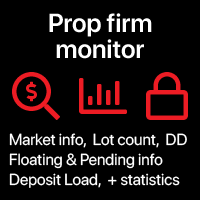
Dados de Prop Firm: as informações mais importantes no gráfico O indicador irá ajudá-lo a monitorar rapidamente negociações abertas e fechadas . Especialmente útil quando você não pode ultrapassar certos limites . A opção de alertas ajudará a evitar resultados indesejados . Utilitário multifuncional : inclui 66+ recursos | Entre em contato se tiver dúvidas | Versão MT4 6 categorias de informação que podem ser exibidas Dados de mercado atuais: Swap, Spread, Spread médio. Posições a
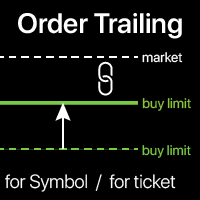
Trailing de ordens: obtenha o melhor preço de execução conforme o mercado se move O trailing de ordens pendentes permitirá que você mantenha a distância para o preço de entrada na distância especificada. A ordem se moverá se o preço do mercado se afastar dela. Utilitário multifuncional : 66+ recursos, incluindo esta ferramenta | Entre em contato se tiver dúvidas | Versão MT4 Para ativar o Trailing de Ordens, você precisa definir os 4 parâmetros principais (no painel): 1. Símbolo ou Negociação p
Colocação automática de SL e TP Níveis serão criados automaticamente para operações que ainda não têm níveis SL / TP definidos . Pode ser conveniente se você executa operações pelo celular. Utilitário multifuncional : 66+ recursos, incluindo esta ferramenta | Contate-me se tiver dúvidas | Versão MT4 Para ativar os Níveis Automáticos, você precisa definir os 4 parâmetros principais (no painel): 1. Símbolo para o qual a função será aplicada: para um [Symbol] específico / ou para [ALL]

Serviço Trade Saver
Tipo de Aplicação: Serviço
Características da Aplicação: Busca automatizada e salvamento dos resultados das operações para múltiplos sistemas em arquivos de texto para análise posterior Sobre a Aplicação O serviço salva automaticamente os resultados das posições fechadas para uma lista de sistemas de trading em arquivos de texto, criando um arquivo personalizado para cada sistema. Como Usar Parâmetros: LOG_LEVEL: Nível de registro na seção Experts do terminal. DEBUG fornece
FREE

Trade Panel – The Smart Trading Tool for Every Strategy Elevate your trading experience with Trade Panel , designed for traders of all levels. Whether you are a beginner or a seasoned professional, this platform simplifies trading with powerful features to efficiently manage your portfolio. Key Features Flexible Lot Size Adjustment Manually adjust lot sizes to suit your trading needs. Utilize the automatic lot sizing feature to align your trades with your desired risk percentage (% Risk) for

CoinMarketCap Price Fetcher- Real-Time Cryptocurrency Prices via CoinMarketCap
Overview:
The CoinMarketCap Price Fetcher is a powerful tool designed for traders and developers who want real-time access to cryptocurrency prices directly within the MetaTrader 5 (MT5) platform. It seamlessly integrates with the CoinMarketCap API to retrieve live cryptocurrency price data, including Bitcoin (BTC), Ethereum (ETH), and hundreds of other coins, with automatic updates at your chosen intervals (e.g.,

Gmail to MT5 is a tool that automates the process of transferring trading signals from your Gmail inbox directly to your MetaTrader 5 trading platform. It's a bridge that connects these two platforms, allowing you to receive and execute trades based on information sent via email. No DLL, no .exe, and no external software
Can receive TradingView signals Would you like more features? We'd be glad to implement them based on your needs How to set up: Create an app password at https://myaccount.googl
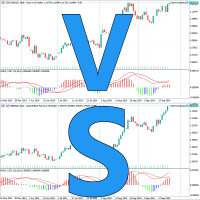
Apresentamos o Chart Compare - A sua ferramenta definitiva de sincronização de vários gráficos
Agora à venda por 39 dólares (normalmente 59 dólares)
Sincronize perfeitamente vários gráficos para obter insights instantâneos.
Principais características: Sincronização extremamente rápida: a tecnologia orientada a eventos garante atualizações suaves e imediatas em todos os gráficos. Leve e eficiente: utilização mínima dos recursos do sistema para um desempenho ideal. Comparações rápidas: compare
Copiador automático de negócios entre terminais locais Uma variedade de opções permitirá personalizar o utilitário de acordo com suas necessidades, enquanto o processo de configuração é compreensível até para iniciantes. Utilitário multifuncional : inclui 66+ recursos | Contate-me se tiver alguma dúvida Esta versão é apenas para MT5 . Para copiar entre MT4 - você precisará comprar a versão MT4 Existem 2 modos disponíveis : Enviar negócios do terminal; Receber e copiar negócios de outros
Acompanhe o drawdown e histórico de negociações fechadas para o período selecionado Uma variedade de opções permitirá que você personalize o indicador de acordo com suas necessidades Utilitário multifuncional : inclui 66+ recursos | Entre em contato comigo se tiver alguma dúvida | Versão MT4 2 valores que podem ser exibidos : Drawdown atual ( ou ganho ) de negociações abertas ; Resultado de todas as negociações fechadas, para o período selecionado de tempo ( estatísticas ) ; Filtros
Escreva notas diretamente no gráfico e use suas observações ao negociar A opção de sincronizar lembretes entre Símbolos permite que você lembre informações importantes sobre o estado atual do mercado Assim , este utilitário o ajudará a evitar uma situação em que informações importantes que você percebeu anteriormente sejam perdidas ao negociar . Utilitário multifuncional : 66+ recursos, incluindo esta ferramenta | Entre em contato se tiver dúvidas | Versão MT4 Configurações: O méto

O Protetor HiperCube está aqui! Código de desconto de 20% na Darwinex Zero: DWZ2328770MGM_20
HiperCube Protector é o DrawDown Limiter mais simples e fácil para obter o controlo da sua conta!
Funcionalidades: Controle o levantamento por percentagem ou dinheiro, com base no saldo da sua conta Interface amigável e elegante para ver dados em tempo real Envie notificações para o Telegram, envie notificações na sua aplicação MT5 e envie alertas no seu terminal Personalize as mensagens para enviar
FREE
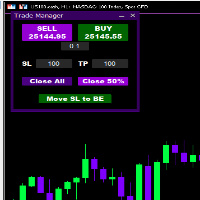
Introducing * *Trader Manager** for MetaTrader 5 - the most efficient tool for managing your trades and it's free! This smart assistant automatically sets **Stop Loss** and **Take Profit** immediately after opening a trade, saving you time and reducing the risk of errors.
With the ability to set a **Maximum Daily Loss** , you'll protect yourself from the dangers of **overtrading** and keep control of your finances.
Plus, you'll get a host of other features for easy position management: -
FREE
XC Trade Manager for MT5 Manage Your Trades with Precision and Ease
Welcome to XC Trade Manager, the ultimate solution for traders seeking efficient and intuitive trade management on the MT5 platform. Developed by xignalcoding.com, our seventh product in the MQL5 Market lineup, the XC Trade Manager is designed to streamline your trading experience, allowing you to focus on what truly matters—making informed trading decisions. Key Features 1. Orders Tab Effortlessly place and manage your trades
ENJOY FREE TESTING FROM OUR WEBSITE
DAILYTARGET_GUARD is a cutting-edge trading expert designed to maximize profits while minimizing risk through intelligent and automated position management. Perfect for traders seeking precision control over their operations, this bot offers advanced and customizable features tailored to fit your trading strategy. Key Features: Automated Position Management: Adjust your Stop Loss , Take Profit , and lot sizes to match your trading preferences. The bot manages

This plugin is designed to enhance trading efficiency and risk management in scalping strategies. Key features include:
-One-Click Trade Execution: With a single click, the plugin opens two trades simultaneously, each with its own Take Profit (TP1 and TP2) targets. -Automatic Stop Loss Adjustment: The plugin automatically adjusts the Stop Loss (SL) to Break Even (BE) once the price reaches halfway towards TP1, securing partial profits. -Account Protection Features: It includes built-in protecti
FREE

Simple Telegram Notification – Stay Informed on Your MT5 Trading Activity! Stay connected with your MetaTrader 5 trading activity using Simple Telegram Notification , the Expert Advisor that sends real-time notifications to your Telegram app whenever orders are opened, modified, or closed . Whether you're at your desk or on the move, you’ll always be up-to-date with critical trading information. Key Features: Order Notifications : Receive instant Telegram alerts whenever an order is opened, mod

Dobiforex AI Service é uma plataforma especializada que oferece assistência inteligente em negociações para traders de forex. Este assistente utiliza análise avançada de mercado em tempo real para ajudar os traders a tomar decisões mais informadas em suas estratégias de negociação. Ao se cadastrar no site da Dobiforex e acessar o painel dedicado, os usuários podem integrar este serviço inteligente em sua plataforma de negociação. A Dobiforex, utilizando algoritmos avançados e aprendizado de máqu

Descubra a Ferramenta Forex Unlimited – Seu Gerenciador de Posições Definitivo para MT4 ou MT5 Pronto para elevar seu trading a outro nível? Com nossa Ferramenta Forex Unlimited, você não precisará mais calcular manualmente seus riscos ou ter dúvidas sobre a alocação do seu capital. Desenvolvemos uma ferramenta avançada e fácil de usar para gerenciamento de posições, disponível em duas versões : uma para MetaTrader 4 e outra para MetaTrader 5 . Certifique-se de selecionar a versão correta corres

SCANNER DE RUPTURA DE MÚLTIPLOS TEMPOS
Esta ferramenta implementa a análise de padrões de candlestick para traçar zonas de ruptura em vários períodos. É essencial conseguir ver o panorama geral ao negociar. Ser capaz de visualizar sinais deste poderoso em tempo real em vários períodos não só economiza na análise, mas também são indicadores-chave das condições atuais do mercado e podem ajudar um trader a identificar quando o mercado está em tendência ou variação. Quando os sinais coincidem em v
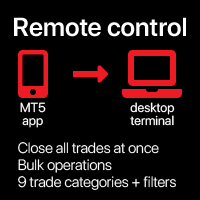
Fechar todas as negociações de uma vez , gerenciando diretamente a partir do seu aplicativo MT5 móvel . Esta utilidade pode fechar 9 categorias diferentes de negociações. Para ativar a ação , você basta precisar colocar uma ordem pendente em um preço predefinido (pode ser feito remotamente via o aplicativo MT5 móvel ).
Depois disso , a utilidade detectará a ordem e fechará todas as negociações necessárias. Desse modo você pode gerenciar um grupo de negociações rapidamente. Utilidade

Ferramenta Auxiliar de Link de Gráficos: Esta ferramenta atua como uma interface entre os gráficos abertos no MetaTrader e o expert no gráfico principal. Muitos experts de múltiplos timeframes necessitam deste arquivo para se comunicar com os gráficos abertos na tela. Você pode conectar facilmente seu gráfico ao expert no gráfico principal executando esta ferramenta no seu gráfico. A função principal deste arquivo é enviar todos os eventos que ocorrem no gráfico aberto para o expert no gráfico p
FREE

This script is designed for traders who need to quickly place trades across multiple currency pairs during critical news releases, where every second counts. With this tool, you can pre-select your desired currency pairs and assign independent volumes for each one. When a major news event hits, such as Non-Farm Payroll (NFP) or PMI data releases, the script allows you to execute all your trades instantly without the need to open each pair manually. Key Features: Customizable Pairs : Choose from
FREE

This expert advisor automatically sets the stop loss and take profit for your position once you have opened it, with a point ratio that you define in advance. No more worrying about where to place your stops or not following your strategy. Problem solved, traders. You just need to enter your values in the ‘Input’ tab, and the parameters are set for execution. This Advisor does everything for you. Any recommendations or suggestions, we are open to a new version. ONLY HANDLE ONE POSITION AT A TIME

Position Limit Monitor: Efficient Control of Your Trading Operations Have you ever worried about having too many open trades simultaneously? Would you like precise control over the maximum number of positions in your account? Position Limit Monitor is the solution you need. Main Features: • Real-time monitoring: Constantly supervises the number of open positions in your account.
• Customizable limit: Easily set the maximum number of positions you want to keep open.
• Automatic closure: When the

Position Limit Monitor Full: Total Control of Your Trading Operations Are you looking for an efficient way to manage both your open positions and pending orders? Position Limit Monitor Full is the all-in-one solution you need to maintain total control over your trading activity. Key Features: Real-time Monitoring: Constantly tracks the number of open positions and pending orders in your account. Customizable Limits: Easily set the maximum number of open positions and pending orders you want to m
O mercado MetaTrader é um espaço, sem precedentes, para negociar robôs e indicadores técnicos.
Leia o artigo Manual do usuário da MQL5.community para saber mais sobre os serviços exclusivos que oferecemos aos traders: cópia de sinais de negociação, aplicativos personalizados desenvolvidos por freelances, pagamentos automáticos através de sistema de pagamento e a rede em nuvem MQL5.

Você está perdendo oportunidades de negociação:
- Aplicativos de negociação gratuitos
- 8 000+ sinais para cópia
- Notícias econômicas para análise dos mercados financeiros
Registro
Login
Você concorda com a política do site e com os termos de uso
Se você não tem uma conta, por favor registre-se