Vladislav Andruschenko / Perfil
- Información
|
14+ años
experiencia
|
44
productos
|
2322
versiones demo
|
|
93
trabajos
|
0
señales
|
0
suscriptores
|
Soy Vladislav, desarrollador profesional de MQL4/MQL5. Desde 2007 creo herramientas para MetaTrader.
Expforex desarrolla soluciones prácticas de trading para MetaTrader 4 y MetaTrader 5:
Asesores Expertos, paneles de trading, copiadores de operaciones, utilidades de control de riesgo, informes de cuenta, herramientas de prueba y sistemas de automatización.
✅ Desarrollo para MetaTrader desde 2007
✅ Herramientas para MT4 y MT5
✅ Documentación, videotutoriales y soporte de productos
✅ Utilidades profesionales para traders, desarrolladores y gestores de cuentas
━━━━━━━━━━━━━━━━━━━━
⭐ VirtualTradePad PRO SE — Espacio de trabajo premium para trading en MetaTrader
Panel profesional de trading manual para MT4 y MT5 con control desde el gráfico, gestión de posiciones, herramientas de órdenes, cierre parcial, promediación, área de señales, preparación para pruebas y módulos avanzados de trading.
https://expforex.com/es/vtpprosehero/
━━━━━━━━━━━━━━━━━━━━
🌐 Sitio web oficial de Expforex
https://www.expforex.com/es/
🚀 Centro completo de productos Expforex
https://www.mql5.com/es/blogs/post/760832
🛒 Todos los productos en MQL5 Market
https://www.mql5.com/es/users/vladon/seller#products
📘 Todas las guías de MQL5
https://www.mql5.com/es/users/vladon/blog
━━━━━━━━━━━━━━━━━━━━
💬 ¿Tienes preguntas, ideas o necesitas ayuda?
Siempre recomiendo empezar por la guía completa y la documentación del producto. La mayoría de respuestas, ejemplos de configuración y detalles importantes ya están explicados allí.
Si necesitas ayuda personal con un producto, escribe tu pregunta en la sección Comments de la página exacta del producto que estás utilizando. Así es más fácil revisar la versión del producto, los ajustes, las capturas de pantalla y los registros, y darte una respuesta más precisa.
Tus comentarios, ideas y escenarios reales de trading también ayudan a mejorar los productos de Expforex.
━━━━━━━━━━━━━━━━━━━━
🔗 Enlaces sociales
📢 Canal de MQL5
https://www.mql5.com/es/channels/expforex
▶️ YouTube
https://www.youtube.com/Expforex
https://www.facebook.com/ExpForex/
𝕏 X / Twitter
https://x.com/expforex
🎵 TikTok
https://www.tiktok.com/@expforex
📧 Contacto
https://expforex.com/es/contacts/
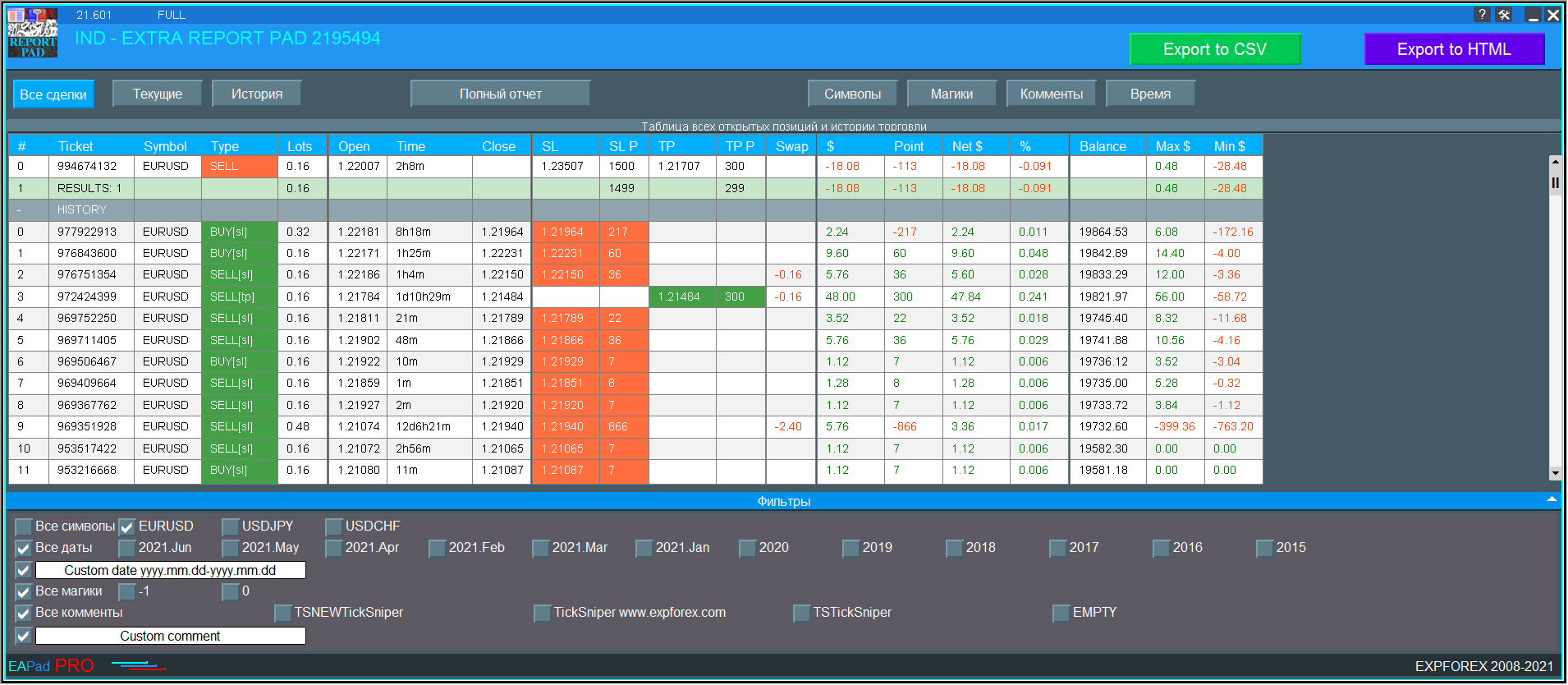
📖 ExtraReportPad https://www.mql5.com/en/market/product/15056
Averager, grid, additional opening of positions on Trend and against Trend:
➕ Averager: МТ4: https://www.mql5.com/ru/market/product/1289
➕ Averager: МТ5: https://www.mql5.com/ru/market/product/1112
📹 https://www.youtube.com/watch?v=17qRLxQ-ylM
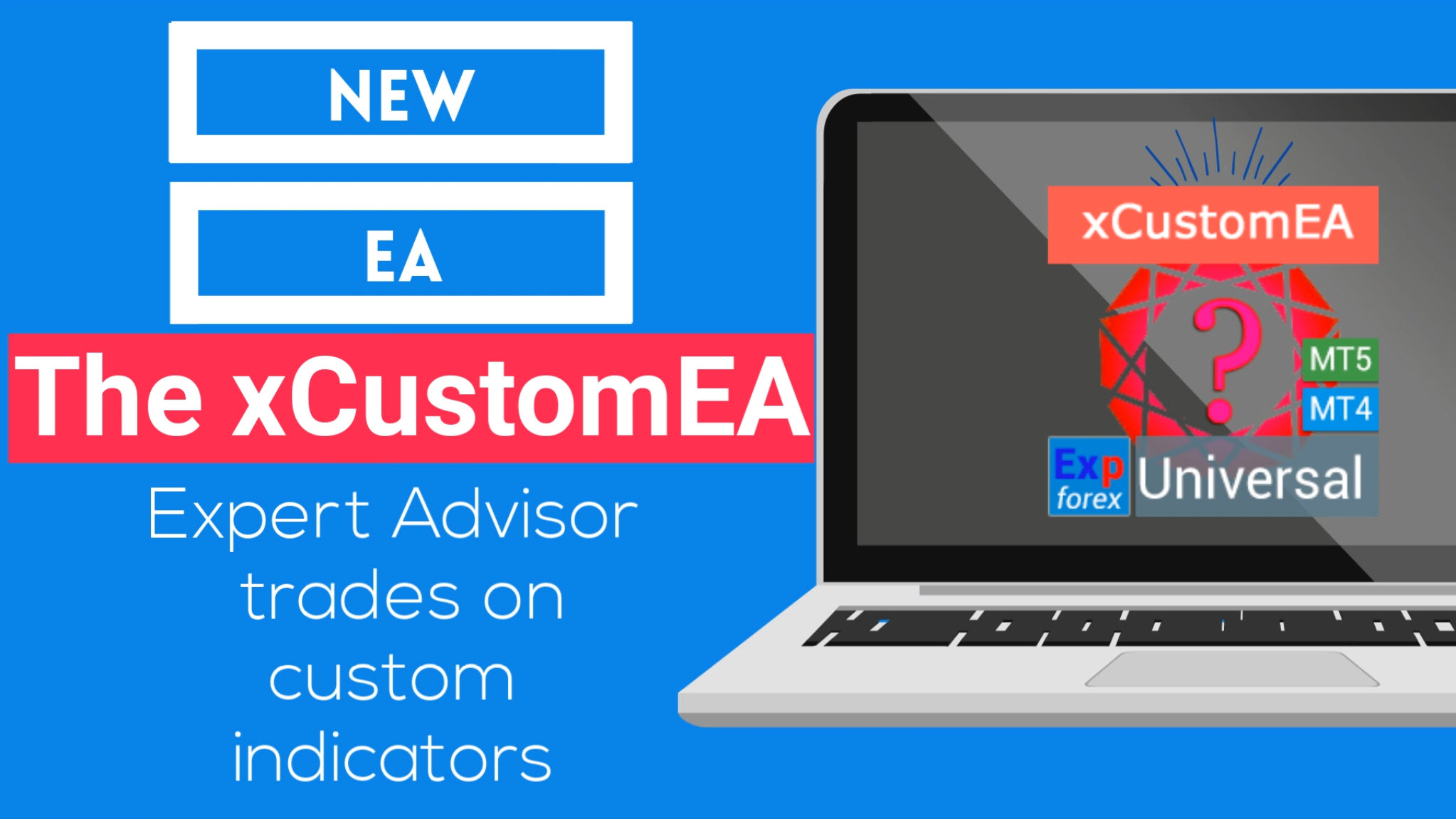
🆕 The xCustomEA MetaTrader 4: https://www.mql5.com/ru/market/product/32115
🆕 The xCustomEA MetaTrader 5: https://www.mql5.com/ru/market/product/32116
➕ Averager: MT4: https://www.mql5.com/en/market/product/1289
➕ Averager: MT5: https://www.mql5.com/en/market/product/1112
- Добавлен мультимагик:
MagicNumber Магический номер позиций (сделок) для сопровождения и учета.
MagicNumber Магические номера можно указать через запятую:
0 - ордера открытый вручную;
123,345,147 - все позиции с MagicNumber номерами 123,345,147;
-1 - все MagicNumber, без исключения.
- Добавлены новые переменные:
CloseAveragingAfterCloseMainDeals - Закрывать позиции усреднения (открытые против тренда), когда главные позиции были закрыты.
Функция будет закрывать позиции усреднения только тогда, когда все главные позиции (по текущему символу и магическому номеру) будут закрыты!
Внимание: Новая функция работает отдельно для направлений BUY и SELL !
CloseAdditionalAfterCloseMainDeals - Закрывать позиции дополнительного открытия (открытые по тренду), когда главные позиции были закрыты.
Функция будет закрывать позиции дополнительного открытия только тогда, когда все главные позиции (по текущему символу и магическому номеру) будут закрыты!
Внимание: Новая функция работает отдельно для направлений BUY и SELL !
DistanceDifferent/ADDITIONALDistanceDifferent: Дистанция новых позиций усреднения (против тренда) или дополнительного открытия (по тренду), заданных через запятую!
Вы можете указать нужные значения дистанции в формате xx,yy,zz,aa
где:
xx - Дистанция в пунктах для открытия первой позиции усреднения / дополнительного открытия;
yy - Дистанция в пунктах для открытия второй позиции усреднения / дополнительного открытия;
zz - Дистанция в пунктах для открытия третей позиции усреднения / дополнительного открытия;
aa - Дистанция в пунктах для открытия четвертой и остальных позиций усреднения / дополнительного открытия;
Вы можете задать любое количество дистанций.
- Added multi magic:
MagicNumber Magic number of positions (transactions) for tracking and accounting.
MagicNumber Magic numbers can be specified separated by commas:
0 - orders opened manually;
123,345,147 - all positions with MagicNumber numbers 123,345,147;
-1 - all MagicNumber, without exception.
- Added new variables:
CloseAveragingAfterCloseMainDeals - Close averaging positions (open against the trend) when the main positions are closed.
The function will close the averaging positions only when all the main positions (according to the current symbol and magic number) are closed!
Attention: The new function works separately for the BUY and SELL directions!
CloseAdditionalAfterCloseMainDeals - Close additional open positions (opened with the trend) when the main positions were closed.
The function will close the position of the additional opening only when all the main positions (according to the current symbol and magic number) are closed!
Attention: The new function works separately for the BUY and SELL directions!
DistanceDifferent / ADDITIONALDistanceDifferent: Distance of new positions of averaging (against the trend) or additional opening (to the trend), separated by commas!
You can specify distance values in the format xx, yy, zz, aa
Where:
xx - Distance in points for opening the first position of averaging / additional opening;
yy - distance in points for opening the second position of averaging / additional opening;
zz - Distance in points for opening the third position of averaging / additional opening;
aa - Distance in points for opening the fourth and other positions of averaging / additional opening;
You can set any number of distances.


⌨️ VIRTUALTRADEPAD: MT4: https://www.mql5.com/en/market/product/2892
⌨️ VIRTUALTRADEPAD: MT5: https://www.mql5.com/en/market/product/167
Глобальное обновление 2019
- Улучшение графической части панели. Ре-дизайн отдельных элементов;
- Добавлена возможность изменять размеры панели: GeneralSize!
- GeneralSize по умолчанию = 12, Увеличение размера панели.
- Прошлый размер панели при GeneralSize = 10!
- Текстовые метки открытых позиций оптимизированы. Исправлена ошибка, когда текстовые метки рисовались поверх панели VirtualTradePad;
- В блоки Стоплосс и тейкпрофит добавлен элемент управления: Установка StopLoss/TakeProfit всех позиций/ордеров на указанный уровень на графике:
При нажатии на кнопку, у Вас появится линия уровня StopLoss/TakeProfit.
Вы можете указать цену, по которой будут модифицироваться все StopLoss/TakeProfit позиций/ордеров!
Если Вы работаете с вкладкой Positions, тогда StopLoss/TakeProfit будет установлен на позиции!
Если Вы работаете с вкладкой Orders, тогда StopLoss/TakeProfit будет установлен на отложенные ордера!
Внимание! советник может установить StopLoss/TakeProfit , только на ту цену, которая удовлетворяет правилам установки StopLoss/TakeProfit!
Global Update 2019
- Improved graphics part of the panel. Re-design of individual elements;
- Added the ability to resize the panel: GeneralSize!
- GeneralSize default = 12, Increasing the size of the panel.
- Last panel size with GeneralSize = 10!
- Text labels of open positions optimized. Fixed error when text labels were drawn on top of the VirtualTradePad panel;
- The following control has been added to the Stoploss and Take Profit blocks: Setting StopLoss / TakeProfit for all positions/orders on the instructions level on the chart:
When you click on the button, you will have a line level StopLoss / TakeProfit.
You can specify the price at which all StopLoss/TakeProfit positions/orders will be modified!
If you are working with the Positions tab, then StopLoss / TakeProfit will be set to the position!
If you are working with the Orders tab, then StopLoss / TakeProfit will be placed on pending orders!
Attention! The Expert Adviser can set StopLoss / TakeProfit, only on the price that meets the rules for setting StopLoss / TakeProfit!
https://www.youtube.com/watch?v=nXP0hdr2a9U&feature=youtu.be
Копировщик сделок и позиций между терминалами
🔛 COPYLOT: МТ4: https://www.mql5.com/ru/market/product/6226
🔛 COPYLOT: МТ5: https://www.mql5.com/ru/market/product/11953
Надеюсь, Вам понравится!
Спасибо за просмотры и лайки!
Универсальный советник на пользовательских индикаторах
🆕 The xCustomEA MetaTrader 4: https://www.mql5.com/ru/market/product/32115
🆕 The xCustomEA MetaTrader 5: https://www.mql5.com/ru/market/product/32116
================================================================================
Только сейчас обнаружил, что индикатор Pipfinite врет!!!! показывает стрелку и ALERT на предыдущем баре!!!
Т.е. проверяет текущий бар - будет ли он прибыльный, и только потом ставит стрелку!!
Намучился с этим вопросом!
================================================================================
xCustomEA allowed me to reveal a big mistake in the Pipfinite indicator!
Universal Expert Advisor on Custom Indicators
🆕 The xCustomEA MetaTrader 4: https://www.mql5.com/en/market/product/32115
🆕 The xCustomEA MetaTrader 5: https://www.mql5.com/en/market/product/32116
================================================================================
Only now I realized that the Pipfinite indicator is lying !!!!
shows an arrow and ALERT on the previous bar !!!
Those. checks the current bar - whether it will be profitable, and only then puts the arrow !!
Worn out with this question!
Оптимизация функции вызова истории сделок для ускорения работы копировщика снижения нагрузки на ресурсы компьютера.
Important update for Copylot Client MT5:
Optimization of the deals history function to speed up the work of the copyist to reduce the load on computer resources.
Copiador profesional de operaciones para MetaTrader 5 Un copiador de operaciones rápido, profesional y fiable para MetaTrader . COPYLOT le permite copiar operaciones de Forex entre terminales MT4 y MT5 con soporte para cuentas Hedge y Netting . La versión MT5 de COPYLOT es compatible con: - MT5 Hedge → MT5 Hedge - MT5 Hedge → MT5 Netting - MT5 Netting → MT5 Hedge - MT5 Netting → MT5 Netting - MT4 → MT5 Hedge - MT4 → MT5 Netting Versión MT4 Descripción completa + DEMO + PDF Cómo comprar Cómo
INFOPad es un panel de información que crea información sobre el par de divisas seleccionado en el terminal MetaTrader 4. Hay 5 funciones de este indicador: Muestra la información principal y principal sobre el símbolo seleccionado: Preguntar BID, Spread, Stop Level, Swap, valor Tick, precios de comisión; Muestra los objetivos futuros del objetivo SL y del objetivo TP (el número de puntos del límite de pérdida y la ganancia establecidos, el monto en dólares); Muestra la ganancia recibida por
INFOPad es un panel de información que crea información sobre el par de divisas seleccionado en el terminal MetaTrader 5. Hay 5 funciones de este indicador: Muestra la información principal y principal sobre el símbolo seleccionado: Preguntar BID, Spread, Stop Level, Swap, valor Tick, precios de comisión; Muestra los objetivos futuros del objetivo SL y del objetivo TP (el número de puntos del límite de pérdida y la ganancia establecidos, el monto en dólares); Muestra la ganancia recibida por
⌨️ VIRTUALTRADEPAD: МТ4: https://www.mql5.com/ru/market/product/2892
⌨️ VIRTUALTRADEPAD: МТ5: https://www.mql5.com/ru/market/product/167
Глобальное обновление 2019:
- Добавлена проверка Magic Number при использовании Reverse, Lock;
- При использовании CLP_DeleteStopOrders = true и кнопки CloseALL учитывается выбор символов для закрытия (Все смиволы, только текущий);
- параметр Rounding добавлен в функцию модификации, теперь при модификации стоплосса и тейкпрофита, а также цены открытия отложенных ордеров будет дополнительно нормализована до Rounding знаков;
- Добавлены подсказки в внешние переменные при настройке программы;
- В стоплосс и тейкпрофит добавлен спред;
- Добавлен выбор языка подсказок Language: Испанский, Португальский (Бразилия), Немецкий, Китайский, Японский;
По умолчанию язык подсказок будет определяться автоматически по языку Вашего терминала. Также Вы можете выбрать свой язык;
Перевод был осуществлен с помощью GOOGLE Translator + сайта MQL + Терминала!
Если Вы обнаружили ошибку на своем языке, пожалуйста, сообщите о ней в сообщениях. Спасибо!
- Параметр и функция Sounds заменена на более продвинутую функцию из нашей EAPADPRO
Добавлены новые параметры:
Notice_Open_Push=false;
Notice_Open_Sound=true;
Notice_Close_Push=false;
Notice_Close_Sound=true;
Notice_Modify_Push=false;
Notice_Modify_Sound=true;
Notice_Error_Push=false;
Notice_Error_Sound=true;
Notice_Open_NameSoundFromEa="ok";
Notice_Close_NameSoundFromEa="alert2";
Notice_Modify_NameSoundFromEa="stops";
Notice_Error_NameSoundFromEa="timeout";
Вы можете включить / отключить звук при открытии, закрытии, модификации, ошибке, а также указать имя звукового файла (без .wav)
Также Вы можете включить уведомление на телефон (PUSH сообщения) при открытии, закрытии, модификации, ошибке.
В журнал выводится дополнительная информация.
- Функция ShowInfoPosition обновлена, теперь информация о позициях на графике не будет перекрывать нашу панель. Динамическое изменение координат информационных данных на графике.
- Название шрифта изменено на Roboto
⌨️ VIRTUALTRADEPAD: МТ4: https://www.mql5.com/ru/market/product/2892
⌨️ VIRTUALTRADEPAD: МТ5: https://www.mql5.com/ru/market/product/167
Panel de comercio para operar en 1 clic. ¡Trabajando con posiciones y pedidos! Operar desde el gráfico o desde el teclado. Con nuestro panel de operaciones, puede operar con un clic del gráfico y realizar operaciones comerciales 30 veces más rápido que el control estándar de MetaTrader. Cálculos automáticos de parámetros y funciones que facilitan la vida de un comerciante y lo ayudan a realizar sus actividades comerciales de manera mucho más rápida y conveniente. Consejos gráficos e
New Year's holidays are long gone.
Well, we are returning to real life.
Therefore, the last hours for the purchase of our top scalper TickSniper with DISCOUNT.
Automatic scalper, Smart Robot:
💰 TICKSNIPER: MT4: https://www.mql5.com/en/market/product/1287
💰 TICKSNIPER: MT5: https://www.mql5.com/en/market/product/3493
Друзья.
Новогодние каникулы давно прошли.
Ну, мы возвращаемся к реальной жизни.
Поэтому последние часы для покупки нашего лучшего скальпера TickSniper ПО СКИДКЕ:
Автоматический скальпер, робот автомат:
💰 TICKSNIPER: МТ4: https://www.mql5.com/ru/market/product/1287
💰 TICKSNIPER: МТ5: https://www.mql5.com/ru/market/product/3493