Easy Prop Guard

Easy Prop Guard watches your whole account and closes everything before a prop-firm rule is broken: daily loss limit, maximum drawdown (static or trailing), profit target, news blackout, position/lot limits and Friday close. It does not trade for you. It protects the account you trade manually or with any EA.

Why

Many challenges and funded accounts are lost not because of the strategy but because of one rule breach: the daily loss limit exceeded by a few dollars, a trailing drawdown that moved without you noticing, a trade opened seconds before high-impact news. Easy Prop Guard checks your account every second and on every tick, and acts before the limit is reached.

What it enforces (account-wide, all symbols, all EAs, manual trades)

  • Daily loss limit — measured as % of the initial balance (FTMO style) or % of the day-start balance/equity, with a configurable daily reset time.
  • Maximum drawdown — static (from initial balance), trailing from peak equity, trailing from peak closed balance, or trailing until it reaches the initial balance and then locks.
  • Safety buffer — acts a chosen % before the real limit so spread and slippage do not push you over.
  • Profit target lock — when the target is reached it closes everything and stops trading, so you do not give the pass back.
  • News blackout — uses the economic calendar built into MetaTrader 5 (no WebRequest, no DLL). Blocks trading N minutes before/after high-impact events for the currencies you trade; optional closing of open positions before the release.
  • Max open positions, max total lots, max new trades per day.
  • Stop-loss rule — positions without a stop loss after a grace period get a stop loss at your maximum risk per trade, or are closed.
  • Max risk per trade — a stop loss that risks more than X% of balance is tightened to the limit (or the position is closed).
  • Friday close — closes all positions before the weekend and blocks trading until Monday.

When a limit is hit

All positions are closed, pending orders are deleted, and any new trade opened while the lock is active is closed immediately. Daily locks release at the next daily reset; drawdown and profit-target locks stay until you reset them. Locks and the stored initial balance survive terminal restarts.

On-chart panel

Balance, equity, today's P/L, room left to the daily limit and to the drawdown floor (green/amber/red), progress to the target, positions and trades today, next high-impact news, and the lock status. Popup and push notifications for every action.

How to use

  • 1. Attach Easy Prop Guard to one chart (any symbol). Keep Algo Trading enabled.
  • 2. Enter your firm's rules: initial balance (or leave 0 to use the current balance), daily loss %, max drawdown % and type, target %.
  • 3. Trade as usual — manually or with any EA on the same terminal.

Run it on a VPS or keep the terminal running: like every MT5 program it only works while the terminal is running.

Tested

Every rule was tested with scripted Strategy Tester scenarios (daily loss, static and trailing drawdown, profit target, missing stop loss, max positions, trades per day, Friday close) on EURUSD, GBPUSD, USDJPY and XAUUSD.

Limitations (please read)

  • It cannot prevent losses that happen inside a single price jump: weekend gaps, news spikes or slippage can move equity past a limit before any program can react. The safety buffer reduces this risk; it cannot remove it.
  • The economic calendar is not available in the Strategy Tester, so the news filter only works on live/demo charts.
  • It manages every position on the account. Do not run two copies on the same account.
  • Prop firms define their rules differently; check that your settings match your firm's exact rules.

Strategy Tester demo

In the tester there are no trades of your own to protect, so the demo opens sample trades so you can watch the guard close positions and lock trading when a limit is reached.

Recommended products
DGem Trade Manager Panel
Damien Jean Michel Gremillet
Trade Manager Panel ## Short description  Manage your manual trades with one click: automatic break-even, trailing stop, two-level partial close and risk-based lot sizing — all from a single on-chart panel. --- ## Full description Trade Manager Panel is an on-chart utility that takes care of your open trades so you can focus on the market instead of the order ticket. Drop it on any chart and it manages every position on that symbol automatically, while an interactive panel lets you size new
Haven MT5 to Telegram 2.0 — Publish MT5 Trades to Telegram Haven MT5 to Telegram is a utility for automatically publishing MetaTrader 5 trading events to Telegram. It tracks position openings and closings, Stop Loss and Take Profit changes, partial closes, and pending order events. Messages can also include chart screenshots, Trade ID, and trade results. User Guide   |   My other products ->  HERE . What's New in Haven MT5 to Telegram  2.0 Version 2.0 introduces a new interface and a redesigned
This tool will perform Trailing stop loss and Break even management for orders. Helps you limit or reduce the time spend watching orders on the screen, especially when you need to go to sleep. Just add this EA to 1 chart, you can manage all pairs. You can filter orders by comment, magic number, symbol and order ticket number. When Breakeven it can add shift/offset pips (to cover the commission...). You can try in strategy tester before purchase. The EA will add Buy and Sell alternately, so you
MassDestroyer
Raphael Djangmah Osro Agbo
MASS DESTROYER-MANUAL Most scalping robot open several positions in a matter of time.  In emergency situations where say over 30 positions are running at the same time and all these trades are going negative,  manually closing all of these positions can make your losses even bigger because of spreads and other market conditions This is where   DEST001   comes in.. This robot has been designed such that positions are closed in a matter of microseconds. The trader can chose some parameters as filt
Prop Firm Shield Full
Pablo Adolfo Cantos
Prop Firm Shield is a risk management panel for MetaTrader 5, built for prop firm traders who need control over their daily limits. You configure each limit and the tool watches the account around the clock, acting automatically when a limit is reached: closing positions, deleting pending orders and blocking new trading until the next day. Features: - Daily Take Profit - three modes: fixed USD, percent of the day-start balance, or target balance - Daily Stop Loss - three modes: fixed USD, percen
Time-Based Auto-Close Order Management Tool (MT5) — Technical Description Overview This is an automated order management EA based on time-algorithm logic. Its core function is to automatically execute preset closing operations when user-defined holding periods expire, aiming to help traders enforce predetermined rules mechanically and reduce emotional interference. Core Closing Modes Closing Mode Functional Definition Close All Closes all eligible positions when the set time is reached. Close
Apex StopLoss Manager
Muhammad Hassan Muhammad Ahmad Atiyah
Apex StopLoss Manager MT5 Script – Stop Loss Control Utility Overview Apex StopLoss Manager is a trade management script for MetaTrader 5 designed to provide precise, rule-based control over Stop Loss behavior on existing open positions . The script focuses on manual execution and accuracy. It does not use automated trading logic, does not open trades, and runs once per attachment . Core Functionality The script provides two independent Stop Loss control functions, both enabled only through exp
Trade Manager DaneTrades
Levi Dane Benjamin
4.13 (31)
DaneTrades Trade Manager is a professional trade panel for MetaTrader 5, designed for fast, accurate execution with built‑in risk control. Place market or pending orders directly from the chart while the panel automatically calculates position size from your chosen risk, helping you stay consistent and avoid emotional decision‑making. The Trade Manager is built for manual traders who want structure: clear risk/reward planning, automation for repeatable management, and safeguards that help reduc
Automated Timeframe cycling with Symbols centered.  Force every timeframe onto one clock window, so the story you see on Daily is the same story you are slicing on H4, H1, and M1.  Traders usually flip timeframes and lose the span. A Daily chart shows a few weeks, then M15 shows a few hours, and the eye treats them as different markets. This indicator locks the window to N bars of the highest enabled timeframe — default 10 Daily — and maps every lower timeframe to that same stretch. You stay ins
FREE
Target Decay Pilot
AL MOOSAWI ABDULLAH JAFFER BAQER
A TAKE PROFIT THAT GETS MORE MODEST AS YOUR TRADE GETS OLDER, AND NEVER DROPS BELOW BREAK-EVEN. Target Decay Pilot is a take profit manager and trade management utility for MetaTrader 5. The longer a position stays open without reaching its target, the closer its take profit is pulled toward the entry, step by step, on a schedule you choose. It stops at a break-even floor that already covers spread, commission and negative swap, and it never widens a take profit. Built for traders whose winners
BossFXTradePanelEA (MT5)  [First 10 copies sold at 50 USD price will increase to 99USD] BossFXTradePanelEA is a fully interactive trade management panel designed for MetaTrader 5, providing traders with an easy-to-use, one-click interface to execute and manage trades. This EA simplifies trade execution , risk management, and position control by combining market orders, stop loss, take profit, trailing stops, and breakeven functionalities into a single, intuitive panel.  Key features include: On
TradeManager Control Suite Manual trading with structured planning and controlled risk TradeManager Control Suite is a comprehensive trading panel for MetaTrader 5. It helps you prepare trades directly on the chart, calculate position size, place orders and manage open positions according to a plan defined in advance. You remain responsible for every entry. The application does not trade independently and does not use an automated trading strategy. It performs the calculations, sends the orde
Quant Panel
Kevin Craig E Gittins
Quant Panel is a strategy analysis utility for MetaTrader 5. It helps traders review several Expert Advisors or trading strategies running on the same account. The panel groups closed positions by Expert Advisor comment or magic number and calculates each strategy's results separately. You can compare strategy performance, review individual drawdowns and export detailed reports from one dashboard. Independent strategy analysis Each strategy has its own virtual starting balance and closed-trade b
All In One Trade Manager is a trade manager and one-click trading panel for manual traders on MetaTrader 5. It works as a trading assistant, risk manager and position size calculator in one dashboard. It brings together everything below in one panel: order entry with risk sizing automatic trade management advanced order types account protection statistics Its entry checks run in the background and tell you, before you click BUY or SELL, when something speaks against the trade. Also available
RRtoolBox
David Ruiz Moreno
RRtoolbox - Professional Tools: Risk:Reward Trading Tool (SL/TP Horizontals + Pending orders + Diagonals), Alerts set on trend lines (for alerts on diagonal levels), SelfManagement (BE, partials...), close/cancelling by time, Statistics, Info and trading on chart. One-Click Trading with Visual Risk:Reward Management RRtoolbox is a comprehensive trading panel that combines one-click order execution,  statistics and  powerful visual Risk:Reward tools, alerts set with trendlines, on chart butt
Smart Risk Manager
Abderrahmane Benali
5 (1)
Smart Risk Manager – Master Your Trades with Precision and Confidence Take complete control of your manual trading with Smart Risk Manager , a professional all-in-one trade and risk management Expert Advisor for MetaTrader 5 . Designed for traders who value speed, precision, and capital protection, it simplifies every step of trade execution while ensuring your risk remains under control. Whether you trade Forex, Gold, Indices, or Cryptocurrencies , Smart Risk Manager helps you execute trades w
Grid Trading EA is a semi-automated one-click trading EA for both Normal Trading and Grid/Martingale Trading . Normal Trading Simply click Buy or Sell directly from the chart. The EA will automatically manage trades by: Setting Stop Loss and Take Profit Managing Trailing Stop Grid / Martingale Trading (For Hedging Account Type Only) When Grid Trading mode is enabled, the EA will automatically open additional grid orders at specified distances while increasing the lot size based on your settings.
Forex Trade Manager Pro MT5 Trade Manager MT5 is a comprehensive trade management utility for MetaTrader 5 that gives you complete control over every aspect of your position from the moment you plan a trade to the moment you close it. It is built for traders who take risk seriously, from the beginner building discipline to the professional scalper who needs instant execution across multiple positions. The tool attaches to any chart and presents a clean, compact panel. You mark your intended entr
ApeX Journal MT5
Korakot Santithammarak
View User Manual       ApeX Trade Manager MT5  →     ApeX Journal MT5  →     ApeX Indicator SMC MT5  →     ApeX Indicator ICT Concepts MT5  →     ApeX Indicator Volume Profile MT5  →    ApeX Indicator ICT Macros MT5  → Your broker keeps a list of your trades. It does not keep a record of your trading. ApeX Journal turns the history already sitting in MetaTrader into the journal you keep meaning to write. Powered by ApeX Journal A complete trading journal, built directly inside MetaTrader 5.
Breakeven Bot
Gabriel Paul Ange Perrin
Breakeven Bot is a trade management utility for MetaTrader 5. It protects open positions by moving the Stop Loss to breakeven, at the entry price plus the minimum stop distance of your broker, once a trade is in profit. It also gives you two buttons and two price fields to manage several positions at once. What it does The utility checks the open positions every 500 milliseconds. When a position has moved far enough in profit, its Stop Loss is placed at breakeven, so a pullback closes the trade
FREE
Pass the challenge by following the rules every day, even on the bad ones. EdgeProof Account Guardian watches your whole account in real time and enforces prop firm rules for you: daily loss, maximum drawdown, profit target, and your own trading rules. ACCOUNT LIMITS - Daily loss limit as a percent of the day-start value (balance, or the higher of balance and equity at reset). - Maximum drawdown: static from the initial balance, or trailing from the highest equity, with an option to stop traili
EA SB8 Panel Trade
Juan Manuel Bernal Martin
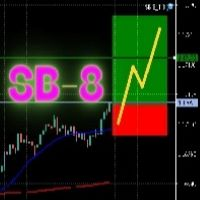
SB-8 – Manual Trading Panel with Fixed Risk & TradingView-Style Visualization for MT5 SB-8 is an advanced manual trading panel for MetaTrader 5 , designed to execute trades visually, quickly and without calculations . It is especially built for traders coming from TradingView , who often find MT5 confusing when it comes to risk management and trade visualization. With SB-8, you don’t calculate lot size, percentages or risk . You simply move the Stop Loss line , and the panel handles everything a
Blues Protector
Andtle Austin Dube
Boost your forex profits with Blues Protector, an advanced MQL5 Expert Advisor designed for MetaTrader 5. This automated trading bot dynamically manages your stop-loss levels to secure gains and reduce risks. Blues Protector EA - User Manual   (For MT5 - Ready-to-Use EX5 File)   1. What This EA Does    The Blues Protector EA automatically secures your profits by smartly adjusting stop-loss levels when your trade reaches a predefined profit level. It works silently in the background, protecting
Trade Journal and Mistake Analyzer turns your MT5 account history into a structured journal and highlights trades that broke your own rules. On a live chart it only reads account data — it never sends trading requests. Key features Summary: net P/L (including commission, swap and fees), win rate, profit factor, expectancy, streaks and closed-result drawdown. Trades grouped by position cycle, including partial exits; netting reversals start a new cycle. Breakdown by available groups (symbol, dire
Risk Ruler
AL MOOSAWI ABDULLAH JAFFER BAQER
Risk Ruler Plan every trade with precision before you enter the market. Risk Ruler is a professional on-chart position sizing and risk management tool for MetaTrader that helps traders calculate the optimal trade size based on their predefined risk. By simply dragging the Entry, Stop Loss, and Take Profit lines directly on the chart, all essential trading calculations update instantly, allowing you to make informed decisions before placing a trade. Designed for both manual and professional trade
Bastion is a monitor-and-close-only risk manager for prop-firm traders. It watches your account against your firm's daily-loss and maximum-drawdown limits in real time and force-closes your open positions BEFORE you cross a line. It never opens a trade of its own, so it stays fully within the tools allowed by FTMO, FundedNext, The5ers, FTUK and FXIFY. Why traders fail challenges A large share of failed evaluations end on a single daily-loss breach: a moment of inattention, a news spike, one tra
Forex Trading Panel MT5 is a manual trading assistant for MetaTrader 5 designed to simplify order execution and trade management directly from the trading chart. It provides an integrated trading panel that allows traders to open market positions, place pending orders, configure position sizes, and manage existing trades without relying on the standard MT5 trading interface. The EA combines essential manual trading functions with configurable money management, automated Stop Loss management, and
no Trade operation, Robot Set auto SL to every manually Trade from a Phone Automatic Phone TradeManager Need just Set on 1 Symbol Auto BE Trigger is added that immediately sets a stop-loss for every () But does NOT calculate position size based on risk, allows the fixed  SL to   adjusted dynamically drag on Chart or Menu. It protects capital around the clock, reduces emotional mistakes, and ensures consistent risk management.
FREE
Help Panel
Bogdan Kupinsky
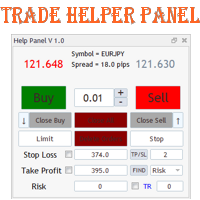
Данная панель предназначена для удобного совершения сделок в платформе Metatrader. Она позволяет с легкостью открывать позиции, устанавливать стоп лосс и тэйк профит, использовать трейлинг стоп и тд.. Входные параметры : Magic - уникальный номер эксперта Lot step - шаг изменения лота Custom - произвольная сумма для высчитывания риска Risk Value  - тип поиска значения риска (в %) Функции панели : Открытие sell и buy позиций Возможность установки profit / loss для позиции, в том числе и графичес
Golden Gestion TP SL No Limit MT5
Matthias Hubert Patrick Snidaro
Auto SL/TP Manager EA – Gestion Automatique Intelligente Auto SL/TP Manager EA est un Expert Advisor conçu pour automatiser la gestion des commandes avec une efficacité maximale et une grande discrétion. Il gère automatiquement : Le Stop Loss (SL) et le Take Profit (TP) Le Profit Lock (verrouillage progressif des bénéfices) Le Trailing Stop avec plusieurs méthodes avancées L' affichage masqué du SL et du TP pour plus de discrétion (non visible par le courtisan) C'est l'outil idéal pour les
Buyers of this product also purchase
Trade Assistant MT5
Evgeniy Kravchenko
4.43 (216)
It helps to calculate the risk per trade, the easy installation of a new order, order management with partial closing functions, trailing stop of 7 types and other useful functions. Additional materials and instructions Installation instructions - Application instructions Line function -   shows on the chart the Opening line, Stop Loss, Take Profit. With this function it is easy to set a new order and see its additional characteristics before opening.   Risk management  - The risk calculation
Forex Trade Manager MT5
InvestSoft
4.98 (694)
Trade Manager MT5 is an advanced position size calculator and trade management tool for MetaTrader 5, designed to help traders plan trades faster, control risk more precisely, and manage open positions directly from the chart. It combines order placement, risk based lot calculation, Stop Loss and Take Profit management, Break Even, Trailing Stop, Partial Close, Equity Protection, and external trade management in one panel. Whether you trade forex, indices, metals, commodities, crypto, or future
Telegram to MT5 MultiChannel Copier
Sergio Marquez Uroz
4.73 (26)
Telegram to MT5 Multi-Channel Copier   automatically copies trading signals from your Telegram and Discord channels straight to MetaTrader 5. No bots, no browser extensions, no manual copying. A signal arrives in Telegram or Discord and the EA opens the trade in your terminal within seconds. And before you copy a channel, the built-in backtester shows you what that channel would have done in your account. The product has two components: a Windows application that listens to your Telegram channel
Local Trade Copier EA MT5
Juvenille Emperor Limited
4.94 (150)
Local Trade Copier EA MT5 is a fast and flexible trade copier for copying and managing trades between multiple MetaTrader 5 accounts on the same Windows computer or Windows VPS. It combines local trade synchronization with Receiver-side controls for lot sizing, risk management, trade filtering, symbol mapping, trade management and account protection. Set up your Transmitter and Receiver terminals in about 1 minute and copy manual or EA trades between accounts at the same or different brokers. U
FarmedHedge Pair Trading Dashboard
Tanapisit Tepawarapruek
5 (7)
Farmed Hedge Yield Farming | All Markets (Manual - Hybrid - Semi/Automated EA) VERIFIED TRADING RESULTS - Farmed Hedge Yield Axi Copy:  https://www.mql5.com/en/signals/2356376 - Farmed Hedge Yield Exn Copy:   https://www.mql5.com/en/signals/2356404 - Farmed Hedge Yield V Copy:  https://www.mql5.com/en/signals/2357156 IMPORTANT NOTICE: FarmedHedge is a MANUAL-FOCUSED TRADING UTILITY ,not a fully automated EA. Results shown on this Signal include manual trades and overall strategic management.
TradePanel MT5
Alfiya Fazylova
4.89 (176)
Trade Panel is a multi-functional trading assistant. The app contains over 50 trading functions for manual trading and allows you to automate most trading tasks. Application instructions: https://www.mql5.com/en/blogs/post/756482 Trial version of the application for a demo account: https://www.mql5.com/en/blogs/post/750865 How to install the application: https://www.mql5.com/en/blogs/post/756239 How to test the application in visual mode: https://www.mql5.com/en/blogs/post/770277 How to install
EA Overfitter
Stephen J Martret
5 (5)
That backtest looks great. But will it still be making money tomorrow, next week, next month? EA Overfitter re-runs your EA on 100 price histories it has never seen. One score tells you if the edge is real. A backtest tells you what an EA did on one price history — the one that happened to occur. What you cannot tell from it is how much of that result was the strategy and how much was the particular path. EA Overfitter answers that. It builds up to 100 synthetic price histories your EA has n
Copy Telegram signals with your own trading rules Telegram to MT5 Signal Trader automatically copies text-based trading signals from public and private Telegram channels and groups into MetaTrader 5. Manage multiple providers and MT5 accounts from one desktop app, with individual risk and trade settings for each provider . No Telegram bot or API setup needed for copying. Simply sign in with your own Telegram account by phone or QR code and select the channels or groups you have already joined. Y
Exp COPYLOT CLIENT for MT5
Vladislav Andruschenko
3.97 (35)
Professional Trade Copier for MetaTrader 5 Fast, professional, and reliable trade copier for MetaTrader . COPYLOT allows you to copy Forex trades between MT4 and MT5 terminals with support for Hedge and Netting accounts. COPYLOT MT5 version supports: - MT5 Hedge to MT5 Hedge - MT5 Hedge to MT5 Netting - MT5 Netting to MT5 Hedge - MT5 Netting to MT5 Netting - MT4 to MT5 Hedge - MT4 to MT5 Netting MT4 version Full Description +DEMO +PDF How To Buy How To Install How to get Log Files H
AI Agents Supervisor
Ho Tuan Thang
5 (1)
AI Agent Supervisor is NOT an Expert Advisor. AI Agent Supervisor   is a   multi-agent AI risk & portfolio supervisor   that watches every EA on your account and intervenes in real time.  WANT AN AI PORTFOLIO MANAGER WATCHING YOUR FLEET 24/7?   Run your fleet on the same brokers I do:   IC MARKETS , IC TRADING   .  Unlike the centralized stock market, Forex has no single, unified price feed.  Every broker sources liquidity from different providers, creating unique data streams. The Supervisor r
HINN MagicEntry Extra
ALGOFLOW OÜ
4.74 (19)
HINN MAGIC ENTRY 4 – click the chart, the trade is done! SIMPLE. FAST. PRECISE. Stop, entry and take right on the chart – the lot is sized to your risk automatically. full description   ::  install & FAQ   ::  support chat What's inside: - LIMIT in 3 clicks, MARKET in 2 – risk in %, $, lots or classic Fixed Lots - DEFAULTS: your TP, partials and BE scheme pre-loaded into every new trade – MARKET in 1 click - Unlimited partial take-profits with a % volume splitter - Breakeven with any trigger an
================================================================================ POC BREAKOUT - V20.72. Full Professional Grade Toolkit ================================================================================ POC Breakout is a full MetaTrader 5 trading dashboard for discretionary traders who want breakout signals, Point of Control (POC) context, volume profiles, order flow, market structure, news, alerts, and advanced trade planning in one professional workspace. Attached directly to you
News Trade EA MT5
Konstantin Kulikov
4.55 (11)
Present to you the useful robot that I have been using for several years. It can be used in both semi-automatic mode and fully automatic mode. >>> Chat <<< The program contains flexible settings for trading on the news of the economic calendar. It cannot be checked in the strategy tester. Only real work. Download the latest archive of settings: https://www.mql5.com/en/blogs/post/747929 Signals monitoring: https://www.mql5.com/en/signals/author/test-standart When creating your own sets of setti
The product will copy all telegram signal to MT5 ( which you are member) , also it can work as remote copier.  Easy to set up, copy order instant, can work with almost signal formats, image signal,  s upport to translate other language to English Work with all type of channel or group, even channel have "Restrict Saving Content", work with  multi channel, multi MT5 Work as remote copier: with signal have ticket number, it will copy exactly via ticket number. Support to backtest signal. How to s
EA Auditor
Stephen J Martret
5 (7)
EA Auditor is an independent analysis tool for traders evaluating Expert Advisors and trading signals on MetaTrader 5. It audits backtest reports, reviews posted developer signals, and cross-verifies the two against each other to help traders assess strategies before committing capital. The MQL5 market offers a wide range of Expert Advisors from many developers, with varying approaches, quality, and transparency. EA Auditor provides a consistent, data-driven framework for reviewing them, answer
Astro Trade MT5
Indra Maulana
5 (8)
25% discount on the release of the tool: only for the next 3 buyers Send a message to receive a demo version. AstroTrade Trading Assistant AstroTrade is a comprehensive multi-functional trading utility developed for the MetaTrader 5 platform. It integrates essential tools for trade execution, risk management, and technical monitoring into a single unified interface. The application is designed to assist traders in managing their daily operations through a visual and structured environment. Vi
Power Candles Strategy Scanner - Self-Optimizing Multi-Symbol Setup Finder Self-optimizing settings work one chart at a time, and finding where they pay off right now means opening chart after chart. Power Candles Strategy Scanner runs the same self-optimizing engine as the Power Candles indicator on every symbol in your Market Watch, side by side. One panel ranks where it pays off: the winning strategy per symbol, its optimized Stop Loss and Take Profit. An alert fires the moment a fresh signal
Equity Protect Pro: Your Comprehensive Account Protection Expert for Worry-Free Trading If you're looking for features like account protection, equity protection, portfolio protection, multi-strategy protection, profit protection, profit harvesting, trading security, risk control programs, automatic risk control, automatic liquidation, conditional liquidation, scheduled liquidation, dynamic liquidation, trailing stop loss, one-click close, one-click liquidation, and one-click restore, Equity P
Timeless Charts
Samuel Manoel De Souza
5 (9)
Timeless Charts is an all-in-one trading utility for professional traders. It combines custom chart types such as Seconds Charts and Renko with advanced order flow analysis using Footprints , Clusters , Volume Profiles , VWAP studies, and anchored analysis tools for deeper market insight. Trading and position management are handled directly from the chart through an integrated trade management panel , while Market Replay and Virtual Accounts provide environments for practicing trading skills and
Zentral Trading Manager
Ray Zeanrik Parreno Fredeluces
5 (4)
Zentral Manager Your Command Center for Precision Trading — Now Stronger than Ever Take control of your trades like never before. Zentral Trading Manager is your all-in-one manual trading panel for MetaTrader 5 — built for scalpers, day traders, and serious strategy execution. Fully compatible with both Mac and Windows laptops. High-DPI safe. No more layout issues. Key Features (Latest 2025 Update): • One-Click Close – Instantly close Buy/Sell, winning/losing trades, or even half positions with
KT Equity Protector MT5
KEENBASE SOFTWARE SOLUTIONS
3.6 (5)
An equity protection EA for MetaTrader that enforces your loss limits and profit target for you: when your account reaches a rule you set, it closes your trades on every symbol, before one bad day turns into a lost account. It suits prop firm challenges and personal accounts alike. Attach it to one chart, answer a few questions in the on-chart setup wizard, and it watches your whole account in the background while you trade by hand or with other EAs. What it protects Daily loss limit: a percenta
Custom Alerts MT5
Daniel Stein
5 (8)
Custom Alerts: Monitor Multiple Markets and Never Miss a Key Setup Overview Custom Alerts is a dynamic solution for traders who want a consolidated way to track potential setups across multiple instruments. By integrating data from our flagship tools—such as FX Power, FX Volume, FX Dynamic, FX Levels, and IX Power— Custom Alerts automatically notifies you of crucial market developments without juggling multiple charts or missing prime opportunities. With support for all asset classes your brok
Mercurial Position Sizing PRO is now a complete risk management Expert Advisor! WHAT TRADERS LIKE MOST One click, exact lot. Drag your stop loss and take profit, click BUY or SELL, and the lot is calculated from your equity and risk %. No manual pip value math. Complete trade control. Market and pending orders, Partials Split, Multiple Targets, scale in and hedge, true break even covering the commission too. The market behind your trade. Carry Trade and Interest Rate Differential, Directional
Signals from your Telegram channels, copied to MetaTrader 4 and MetaTrader 5 within seconds. TradingMind Signal Bridge reads the channels and groups you choose, recognises each signal with fast built in rules, hands the messy ones to an AI model, including signals posted as screenshots, and passes the order to an expert advisor on your terminal. A news filter, prop firm account protection and a Telegram bot for remote control keep the decision about what gets traded with you. What this product i
Seconds Chart MT5
Boris Sedov
4.61 (18)
Seconds Chart is a unique tool for creating second-based charts in MetaTrader 5 . With Seconds Chart , you can construct charts with timeframes set in seconds, providing unparalleled flexibility and precision in analysis that is unavailable with standard minute or hourly charts. For example, the S15 timeframe indicates a chart with candles lasting 15 seconds. You can use any indicators and Expert Advisors that support custom symbols. Working with them is just as convenient as on standard charts.
Prop Guardian Risk Manager MT5 – Drawdown, Risk & Hedge Protection for Prop Firm and Managed Accounts Prop Guardian Risk Manager is a professional risk-control utility for MetaTrader 5, designed for prop firm traders, money managers and anyone who wants strict account-level risk protection. It does not generate trading signals, strategy entries or trading decisions. Instead, it runs in the background, monitors your account risk and can automatically block new exposure, close managed positions or
A clearer plan before your next trade You have a trading idea. Can you explain the risk, the evidence that supports it and the reasons to wait? APEX AI Advisor puts a structured second opinion beside your chart, without taking the decision away from you. Prepare with an AI market brief, check the trade you actually want to take, and review your exposure through your own trading rules. This is an AI-assisted trading workspace, not an autonomous signal robot or a promise of better returns. Every n
Trade Dashboard MT5
Fatemeh Ameri
4.94 (135)
Trade Dashboard simplifies how you open, manage, and control your trades, with built-in lot size calculation. It allows you to execute trades, manage risk, and control positions directly on the chart, with tools such as partial close, breakeven, and trailing stop. Designed to reduce manual work and help you stay focused on your trading decisions. A demo version is available for testing. Detailed explanations of features are provided within the MQL5 platform. Installation instructions are include
Welcome to Entry In The Zone & SMC Multi Timeframe [Complete SMC Analysis System & Trading Tools. All in One Indicator.] Entry In The Zone with SMC Multi Timeframe An indicator designed for market analysis based on Smart Money Concepts (SMC), displaying Market Structure, Key Zones (Order Blocks, Supply & Demand Zones, and Fair Value Gaps), Liquidity, and real-time BUY / SELL signals. It supports both Single-Timeframe and Multi-Timeframe analysis, along with the Confluence at Zone feature, which
REVDEN AI Desk: Run Your Trading From One Conversation With Your Own AI, on REVDEN's Market Context Imagine running your trading from one conversation. REVDEN AI Desk brings it into MetaTrader 5: you ask your own AI how it reads the market, and it answers from REVDEN's full context on the symbols you trade, with their state, their risk picture and the releases ahead. Its proposals arrive with entry, stop, target and risk, and you approve the ones that fit. Your rules change the same way: write w
More from author
Easy Strategy Builder 5
Gheis Mohammadi
5 (4)
The  Easy Strategy Builder (ESB)  is a " Do It Yourself " solution that allows you to create a wide range of the automated trading strategies without any line of codes. This is the world’s easiest method to automate your strategies that can be used in STP, ECN and FIFO brokers. No drag and drop is needed. Just by set conditions of your trading strategy and change settings on desired values and let it work in your account. ESB has hundreds of modules to define unlimited possibilities of strategi
Close Assistant
Gheis Mohammadi
5 (2)
Close Assistant (CA)  is a full featured utility for monitoring and closing a set of positions placed by trader or EA. It closes filtered orders in specified time or level or candle patterns or when a certain profit or loss of the total positions is reached. CA uses Zero Profit Lock function to save deposit when total profit falls to zero. Profit and loss levels can be set in fixed amount of account currency or percentage of balance or equity or margin. CA only monitors and works on filtered po
Easy Strategy Builder
Gheis Mohammadi
5 (3)
The  Easy Strategy Builder (ESB)  is a " Do It Yourself " solution that allows you to create a wide range of the automated trading strategies without any line of codes. This is the world’s easiest method to automate your strategies that can be used in STP, ECN and FIFO brokers. No drag and drop is needed. Just by set conditions of your trading strategy and change settings on desired values and let it work in your account. ESB has hundreds of modules to define unlimited possibilities of strategi
Close Assistant 5
Gheis Mohammadi
5 (2)
Close Assistant (CA)  is a full featured utility for monitoring and closing a set of positions placed by trader or EA. It closes filtered orders in specified time or level or candle patterns or when a certain profit or loss of the total positions is reached. CA uses Zero Profit Lock function to save deposit when total profit falls to zero. Profit and loss levels can be set in fixed amount of account currency or percentage of balance or equity or margin. CA only monitors and works on filtered pos
Easy SMC Structure draws Smart Money Concepts on your MetaTrader 5 chart: market structure (BOS and CHoCH), order blocks, fair value gaps, equal highs/lows, liquidity sweeps, premium/discount zones and previous day/week levels. Everything is calculated on closed bars, so the history you study is exactly what the indicator showed in real time. Every result is also available in buffers for Expert Advisors. What it shows Market structure at two levels: swing structure (default pivot strength 20) an
Easy Copy Link
Gheis Mohammadi
Easy Copy Link copies trades from one MetaTrader 5 account to one or more other MetaTrader 5 accounts running on the same computer or VPS. Attach it in Master mode on the account you trade and in Slave mode on every account that should copy. Manual trades and trades of any Expert Advisor are copied, at the same or at different brokers. What is copied Market positions: open, stop loss and take profit changes, partial closes (proportional) and closes. Pending orders (limit and stop): placement, pr
Easy Trade Journal shows how your trading really performs, from the account history: for each EA (magic number), symbol, day, week, month, weekday, hour of entry and direction. It reads the history only and never opens, changes or closes a trade on your account. What you see Summary for the period: trades, win rate, net profit, profit factor, expectancy, maximum drawdown, average win and loss, best and worst trade, longest losing streak, average holding time, costs, deposits and withdrawals, ope
FREE
Filter:
No reviews
Reply to review