Auto Round Levels MT5
- Indicators
-
Rustamzhan Salidzhanov
 Память о прошлом - это дозорная вышка, с которой хорошо видно будущее
 - Version: 1.1
Auto Round Levels MT5 is a fully automated and completely free round levels indicator for MetaTrader 5, designed for traders who value clean charts and minimalism without complex configurations.
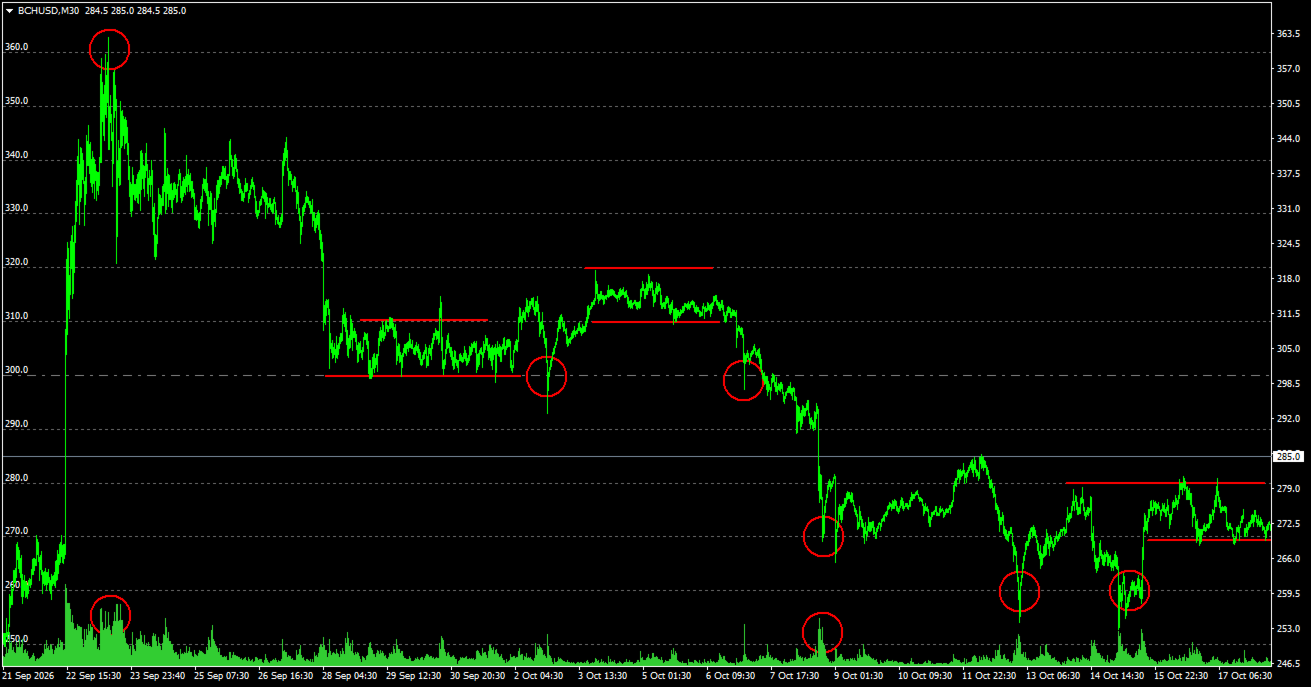
Market psychology revolves around round numbers (levels multiples of 50, 100, 500, etc.), where large participant orders tend to accumulate, forming strong support and resistance zones.
What is the indicator for and how do traders use it?
Round levels (psychological marks ending in zeros) are key benchmarks for major players, market makers, and algorithms. Traders use the indicator for the following tasks:
- Finding reversal and correction zones: Near round levels, price often slows down or reverses due to pending orders being triggered and profit-taking.
- Determining entry and exit points: Levels serve as excellent reference points for opening trades, as well as for placing Stop Loss and Take Profit orders.
- Analyzing price reaction: Traders observe how price breaks or bounces off these marks to assess the current balance of power between buyers and sellers.
Where does the indicator perform best?
Although the tool is versatile, Auto Round Levels MT5 demonstrates stunning efficiency in cryptocurrency markets, indices, and commodity markets. Due to high volatility and a massive number of psychological price barriers (e.g., round figures in Bitcoin, gold, or stock indices), major players and algorithms most frequently show their hand at these exact round values, making bounces and breakouts highly predictable.
How will it help you in trading?
- Time-saving: No more need to manually build a grid of horizontal lines on each timeframe.
- Clutter-free trading: Thanks to smart clutter protection, lines automatically hide when zooming out, sparing your terminal from visual chaos.
- High Performance: Written in native MQL5, works instantly, and does not overload the trading platform.
Single Input Parameter:
- Min Distance (pixels): The minimum distance between lines in pixels on the screen. The only setting allowing you to manually adjust comfortable line density for your monitor.
Install the indicator on your chart and trade without unnecessary complexity!
If you have already tested the indicator in action, please rate it and share your impressions. Your feedback and improvement ideas are vital for the further development of the project!