Support Resistance from Fractals
- Indicators
- Version: 1.1
- Activations: 5

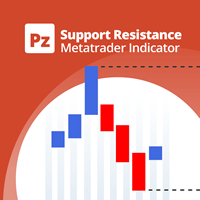
Support and resistance zones indicator. Built from fractals collected over a specified period of history.
Processes the data and highlights the most effective support and resistance zones.
Processes the data and highlights the most effective support and resistance zones.
IMPORTANT! Set "Number of bars for calculation" to at least 1000 bars for D1, and to more than 3000 bars for lower timeframes.
Histogram calculation
- Number of bars for calculation — how many closed bars of the calculation timeframe are used to find fractals and build the histogram. More bars means more history is taken into account and the zones are more stable, but they react more slowly to market changes.
- Calculation timeframe — the timeframe on which fractals are found and the histogram is built. It must be equal to or higher than the chart timeframe. For example, on an H1 chart you can show zones calculated on D1. If a lower timeframe is selected, the indicator shows a warning and does not start.
- Step mode — how the zone height (histogram step) is set:
- Manual — the step is taken from the “Step in points” parameter;
- Automatic — the step is selected according to the calculation timeframe, from 20 points on M1 to 120 on D1.
- Step in points (manual mode) — the height of one zone in points. Works only in manual mode. A small step gives many narrow zones, a large step gives few wide ones.
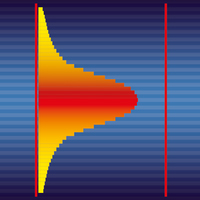
- Left edge: bars ahead of last closed bar — where the histogram starts to the right of the chart, in bars from the last closed bar. At 2 it starts at the first free position after the forming candle, at 0 it starts right on the last closed bar. The histogram width is set automatically: 80% of the chart shift area.
Zone colors
- Support: weak — the color of the weakest support zones.
- Support: strong — the color of the strongest support zones. Intermediate zones get a shade between the weak and strong colors in proportion to their strength.
- Resistance: weak — the color of the weakest resistance zones.
- Resistance: strong — the color of the strongest resistance zones; intermediate zones are colored the same way, in proportion to their strength.
Zone behavior
- Min zone strength for activation and alert, % — the minimum zone strength as a percentage of the longest histogram bar. Weaker zones are drawn but do not become active and do not trigger an alert. At 0 all zones work. For example, at 30 alerts are given only for zones with strength of 30% or more.
- Zone exit: beyond border by % of height (0 - strict) — protection against false exits when price hovers near a zone border. An exit counts only if a bar closes beyond the border by more than the specified percentage of the zone height. Until the exit counts, the zone’s role does not change and there is no repeated alert. At 0 any Close beyond the border counts as an exit.
Alerts
- Alert on close inside zone — an alert when a bar closes inside a zone: “Attention: support zone. Zone strength = NN %” or the same for resistance. The zone’s role depends on where price came from: from below means resistance, from above means support. While price stays in the zone, the alert is not repeated. If price leaves and comes back, the alert is given again.
- Push notification — duplicate the alert as a push notification to your phone. This requires a MetaQuotes ID to be set in the terminal: Tools → Options → Notifications.
Appearance
- Histogram opacity (0..255) — the opacity of the histogram to the right of the chart: 0 is invisible, 255 is fully opaque.
- Levels over calculation range — draw horizontal zone bands on the chart itself, from the start of the calculation range to the last closed bar. The bands lie under the candles and do not cover them.
- Levels opacity (0..255) — the opacity of these bands. It is usually set lower than the histogram’s so the bands do not interfere with reading the candles.
- Active zone level opacity (0..255) — the opacity of the active zone’s band, that is, the zone where price currently is. Setting it higher than the normal value makes the active zone stand out on the chart.
- Fade sector borders into background — smoothly fade the upper and lower borders of each zone into the background. If turned off, zones are drawn as solid rectangles with sharp edges.
- Gradient height, % of sector on each side (1..50) — what part of the zone height at the top and bottom is used for the smooth transition. At 50 the whole zone becomes “soft”, with full color only at its center.