Trend Alignment Multi Timeframe Dashboard MT5
- Indicators
- Version: 1.0

Trend Alignment – every timeframe in one glance
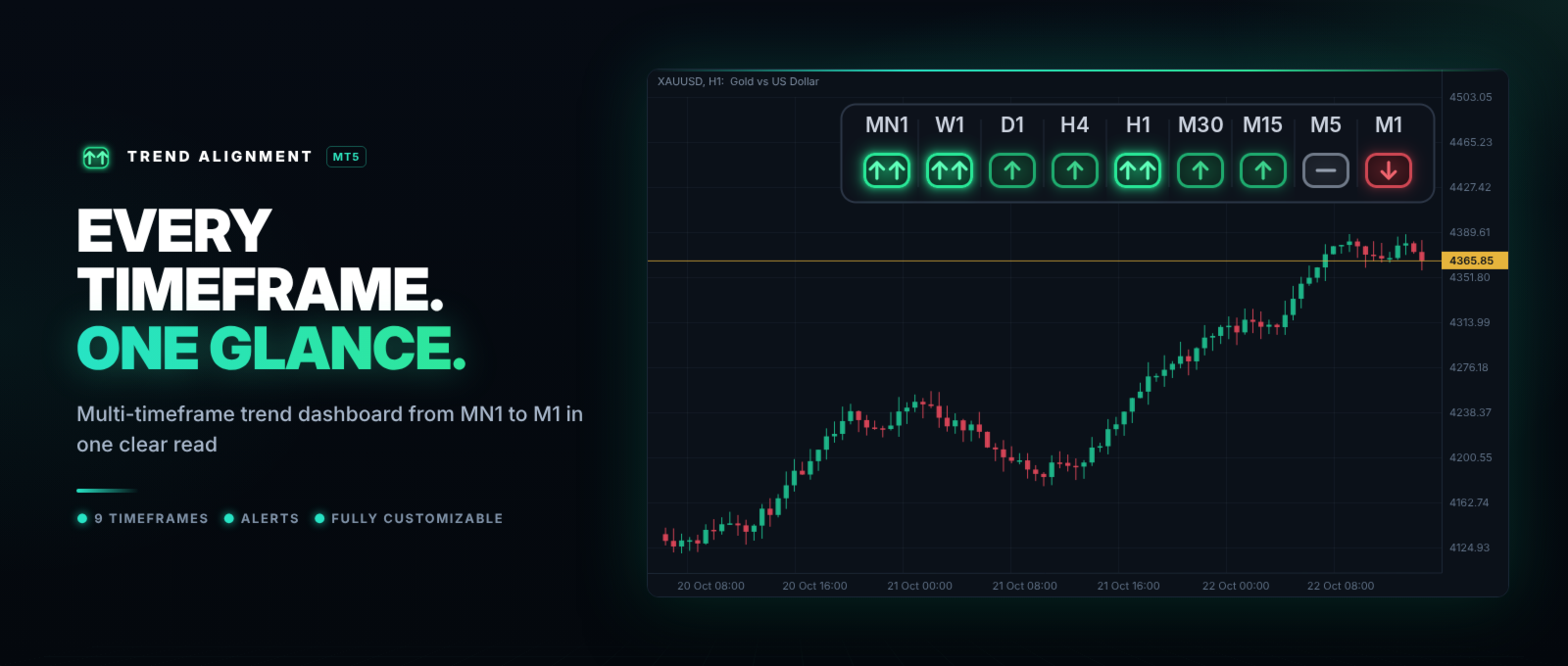
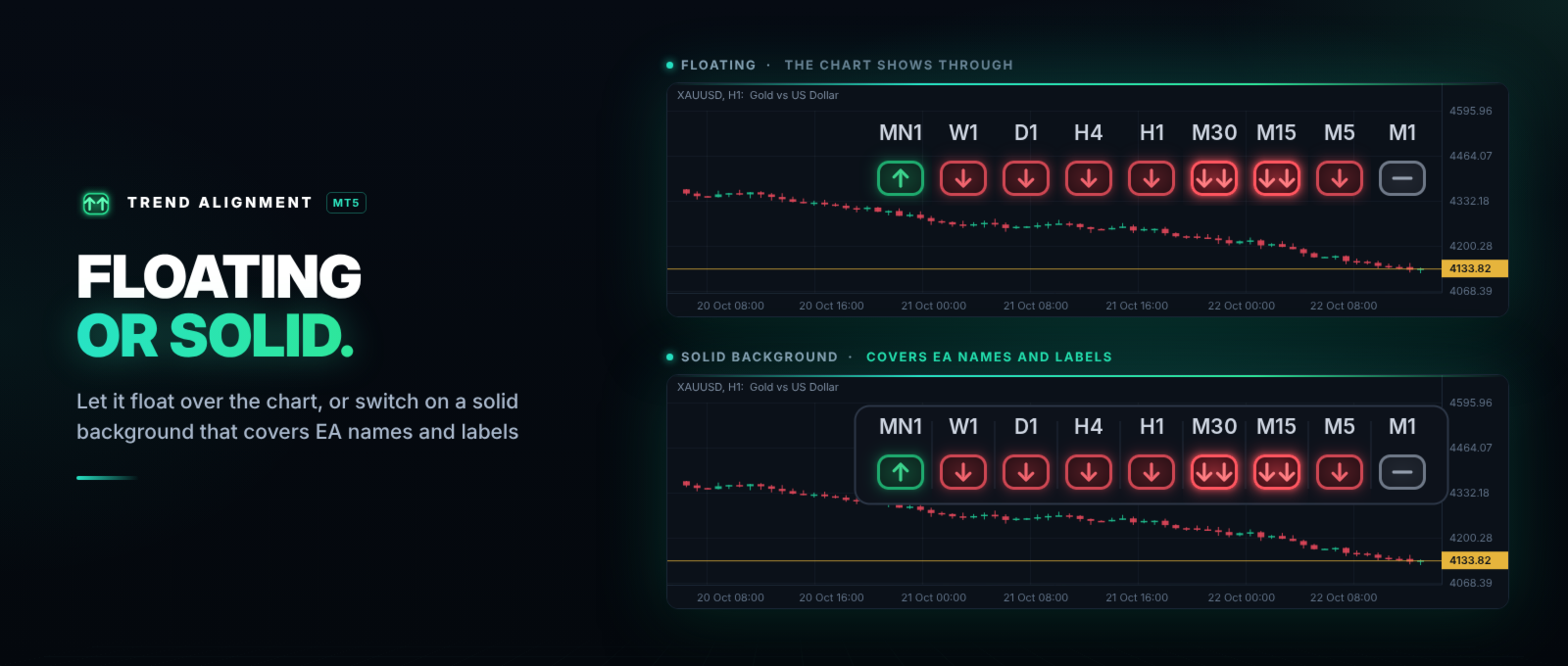
Is the trend the same on the monthly, the daily and the 5-minute chart? Instead of switching timeframes one by one, Trend Alignment shows the technical rating of 9 timeframes in one small panel on your chart.
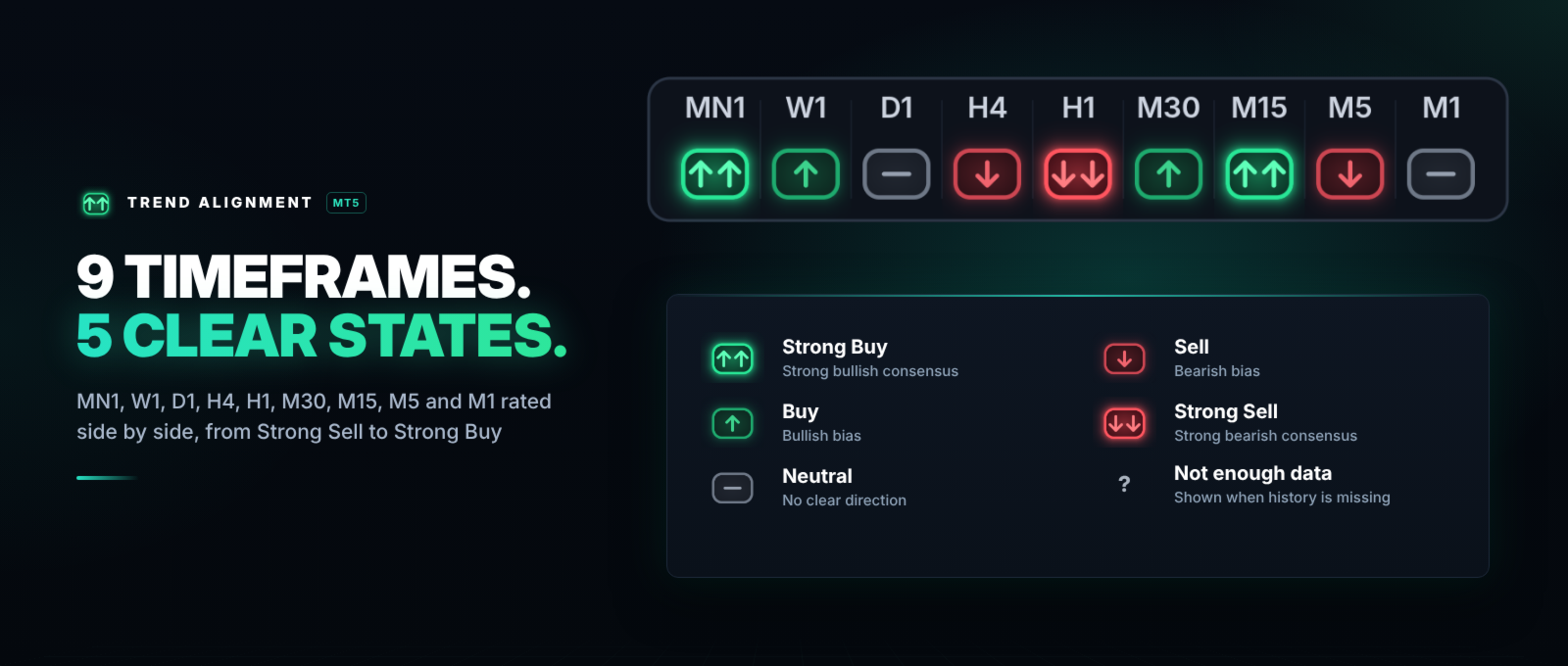
Each box is one timeframe, from MN1 to M1. Its color and arrow show the rating: Strong Buy, Buy, Neutral, Sell or Strong Sell. When all the boxes point the same way, the trend is aligned – and the indicator can alert you.
WHAT IT DOES
- Multi-timeframe dashboard: MN1, W1, D1, H4, H1, M30, M15, M5 and M1 in one row.
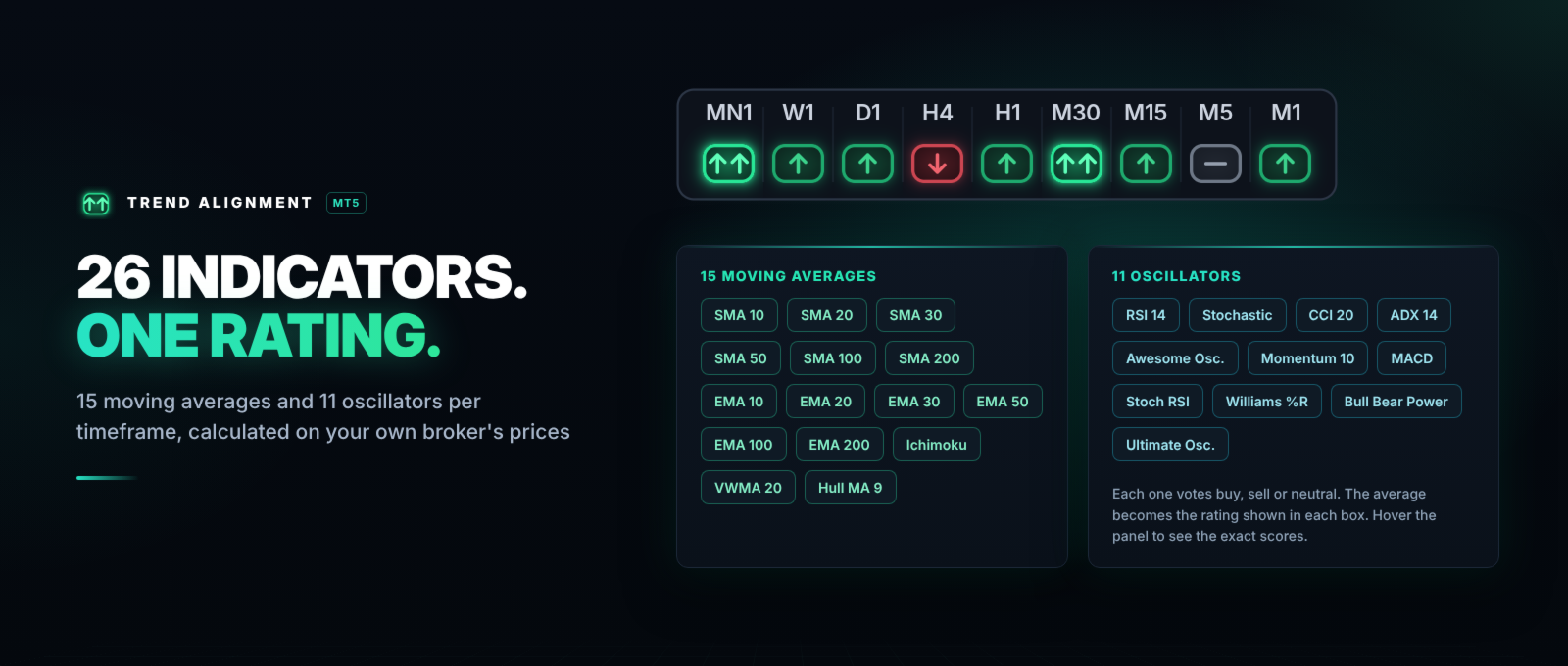
- Technical rating built from 26 indicators: 15 moving averages and 11 oscillators.
- Five clear states with colors and arrows, readable in one second.
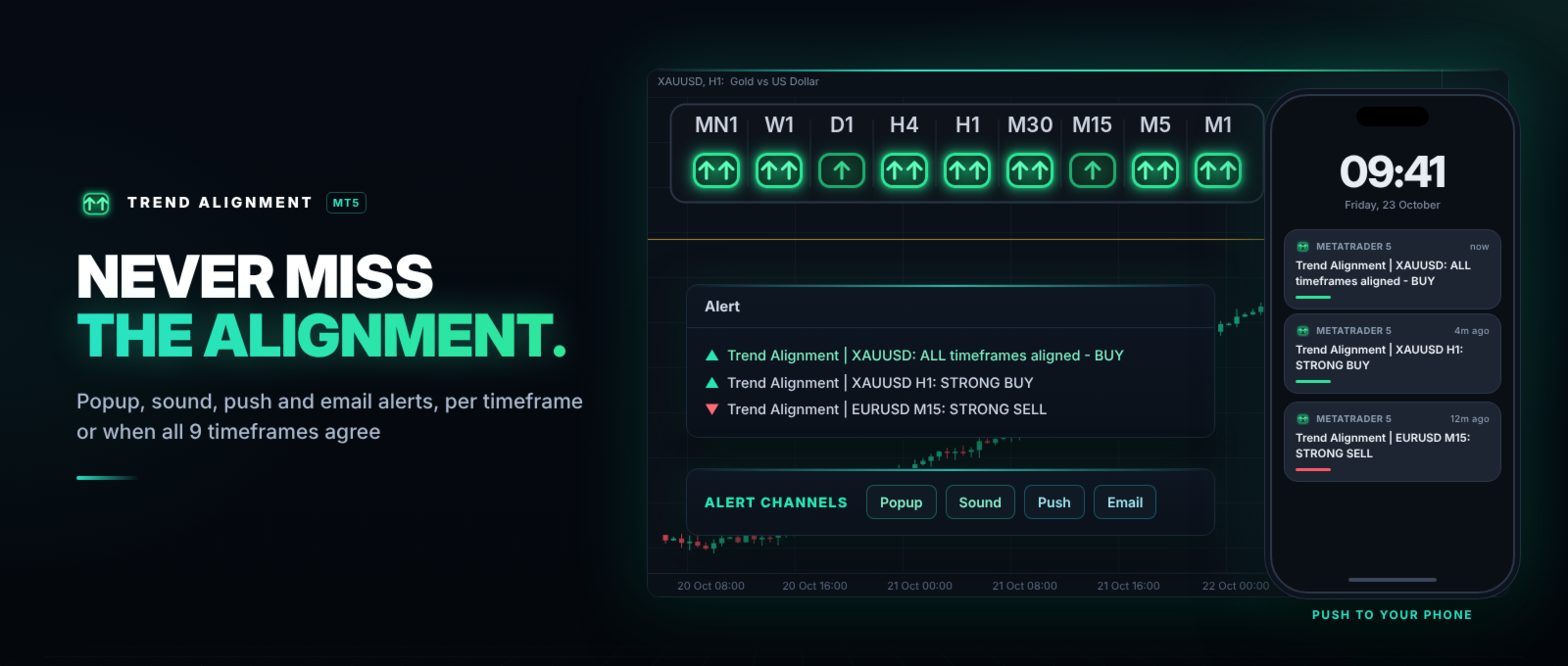
- Alerts per timeframe, plus an alert when all 9 timeframes are aligned.
- Popup, sound, push notification to your phone and email.
- Draggable panel: click and drag it anywhere. It remembers its position on each chart.
- Hover the panel to see the exact scores of every timeframe.
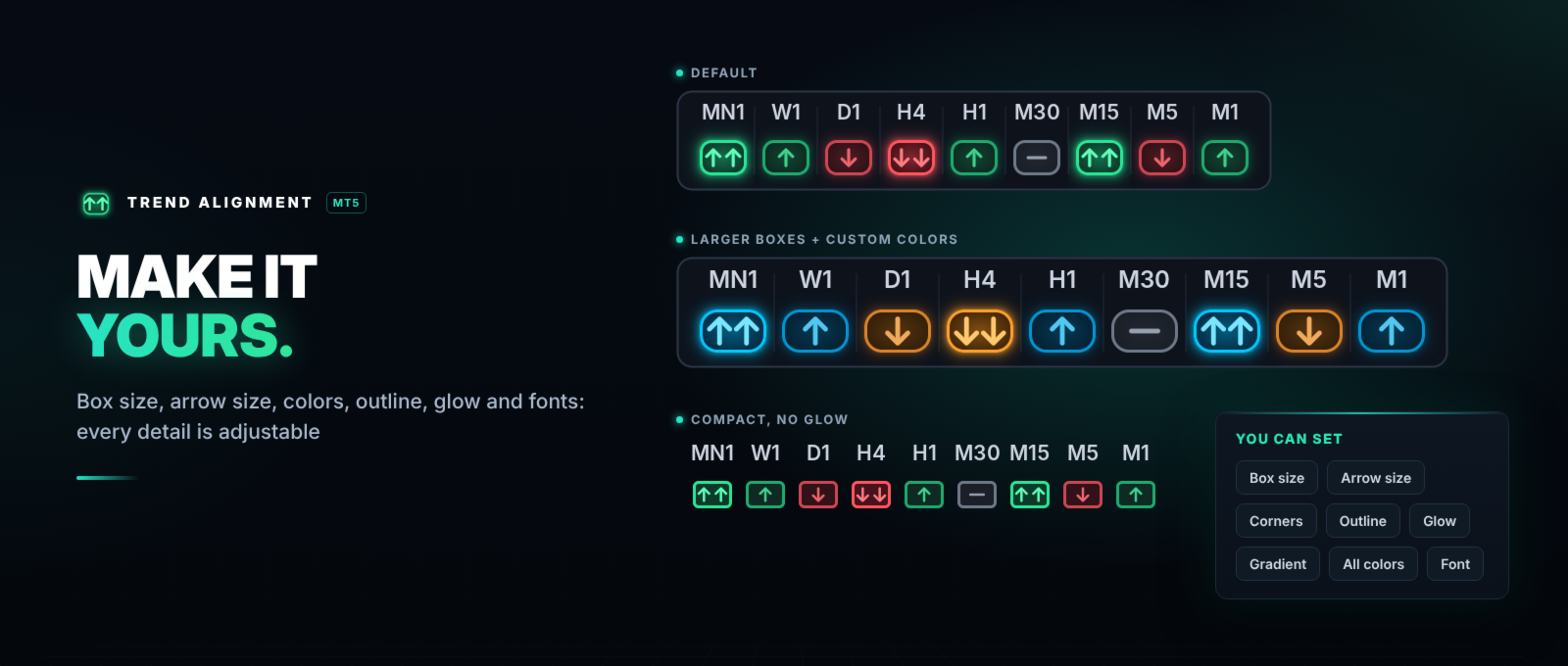
- Fully customizable: colors, box size, corners, outline, glow and labels.
- Lightweight: everything is calculated internally from price data and refreshed once per second.
HOW TO READ THE PANEL
- Two up arrows – Strong Buy.
- Up arrow – Buy.
- Dash – Neutral.
- Down arrow – Sell.
- Two down arrows – Strong Sell.
- ? – not enough history on that timeframe yet.
- Example: if D1, H4 and H1 show Strong Buy and only M5 shows Sell, the main trend is up and the lower timeframe is in a pullback.
HOW THE RATING IS CALCULATED
- Moving averages (15): SMA and EMA 10, 20, 30, 50, 100 and 200, Ichimoku Cloud (9, 26, 52), VWMA 20 and Hull MA 9. Each one votes Buy or Sell depending on where the price is.
- Oscillators (11): RSI 14, Stochastic 14-3-3, CCI 20, ADX 14, Awesome Oscillator, Momentum 10, MACD 12-26-9, Stochastic RSI, Williams %R 14, Bull Bear Power 13 and Ultimate Oscillator 7-14-28. Each one votes Buy, Sell or Neutral.
- Overall rating: the two groups are averaged into one value between −1 and +1.
- Thresholds: above +0.5 = Strong Buy, +0.1 to +0.5 = Buy, −0.1 to +0.1 = Neutral, −0.5 to −0.1 = Sell, below −0.5 = Strong Sell.
- This is the same well-known "technical ratings" method used by many charting websites, so you can compare the results.
ALERTS
- Per-timeframe alerts: enable only the timeframes you want (all off by default). You can ignore changes to Neutral and alert only when a timeframe enters Strong Buy / Strong Sell.
- All-timeframes-aligned alert: one message when all 9 timeframes agree – all Buy / Strong Buy (or Sell / Strong Sell), or all 9 Strong if you prefer.
- Every alert includes the symbol and the timeframe, and a minimum time between alerts avoids repeated messages.
- Push notifications: enter your MetaQuotes ID in MT5 under Tools → Options → Notifications.
INPUT PARAMETERS
Calculation
- Rating based on – All (moving averages + oscillators), Moving averages only, or Oscillators only.
- Bar to evaluate – 0 = current bar (live); 1 = last closed bar (the rating does not change until the bar closes).
- Bars used per timeframe – history used for the calculation (minimum 300).
Colors
- Outline and glow colors – one color for each state.
- Box fill colors – one color for each state.
- Arrow colors – one color for each state, plus the arrow size in %.
Box style
- Box width / Box height / Space between boxes – size of the boxes in pixels.
- Corner radius – 0 = square corners.
- Outline thickness – thickness of the box border.
- Soft glow around Buy / Sell boxes – on or off, with the glow strength in %.
- Lighter center inside the boxes – a soft gradient inside each box.
Timeframe labels
- Label color – color of MN1, W1, D1...
- Label font / Label font size – font used for the labels.
Panel
- Dark container behind the panel – optional solid background, with its color, border and opacity.
- Initial position – top left, top right, bottom left or bottom right (before you drag it).
- Scale the panel on high-DPI screens – keeps the right size on screens at 125%, 150%...
Per-timeframe alerts
- Alert on MN1 ... Alert on M1 – one switch for each timeframe (all off by default).
- Do not alert when the rating turns Neutral – on by default.
- Alert only when entering Strong Buy / Strong Sell – on by default.
All-timeframes-aligned alert
- Alert when all 9 timeframes agree – off by default.
- Require Strong – true = all 9 Strong; false = all 9 Buy / Strong Buy (or Sell / Strong Sell).
Alert channels
- Popup / Sound / Push notification / Email – how you want to be notified.
- Sound file – the sound played when Sound is on.
- Minimum seconds between repeated alerts – avoids repeated messages.
COMPATIBILITY
- Any symbol: forex, metals, indices, crypto, stocks and CFDs. Any broker.
- Works on any chart timeframe – the panel always shows all 9 timeframes.
- Hedging and netting accounts.
NOTE
The indicator does not open or close trades. It shows the technical rating to help you make your own decisions. A rating does not guarantee future price movement.