Intelligent Forex Trade Panel
- Utilities
- Version: 1.1
- Activations: 10

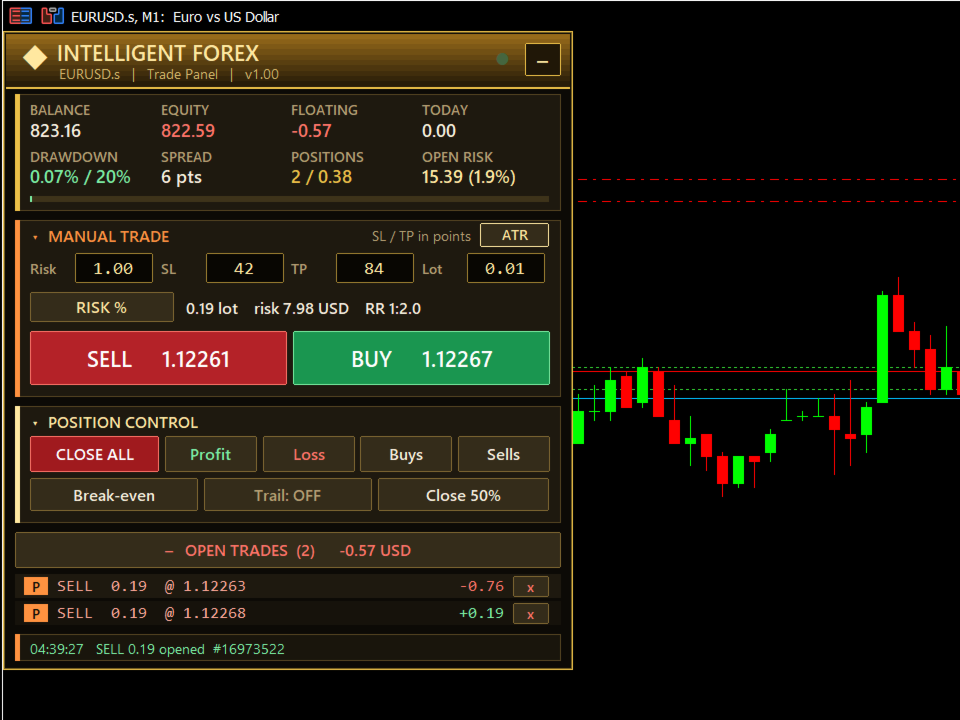
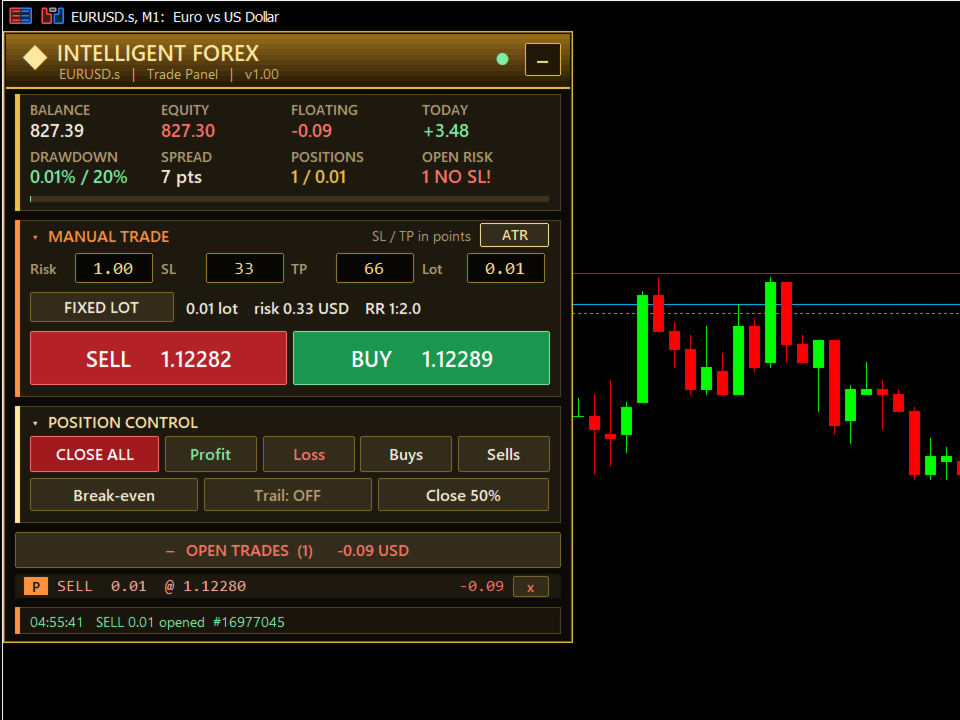
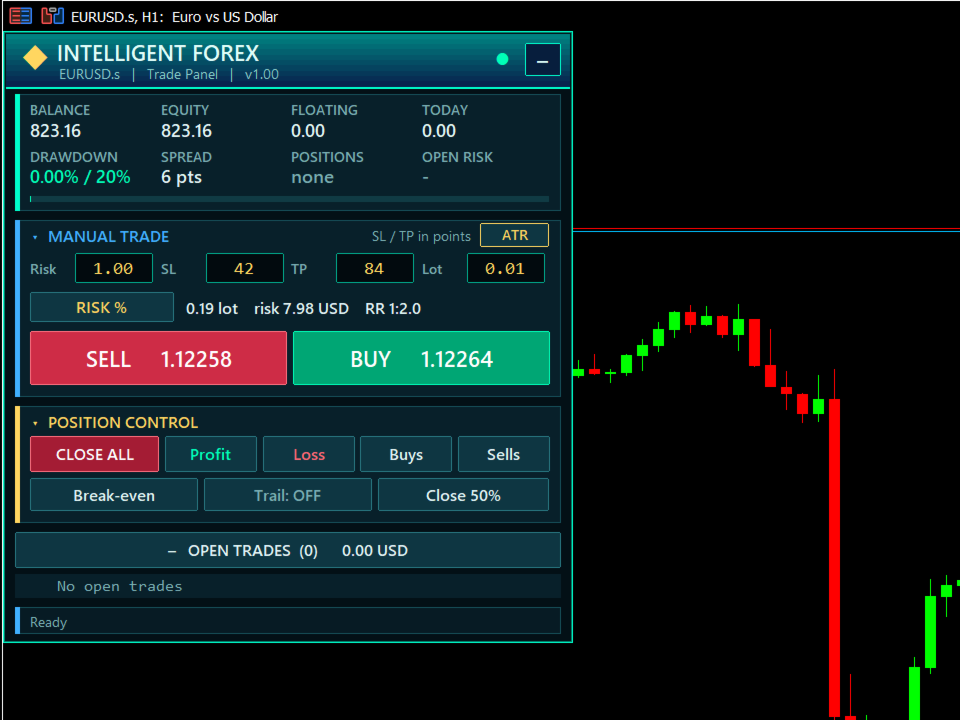
Intelligent Forex Trade Panel is a one-click trade manager for MetaTrader 5. It helps you open and manage trades faster, with your risk calculated for you before every order.
The panel never opens a trade on its own. Every order comes from your click.
Main features
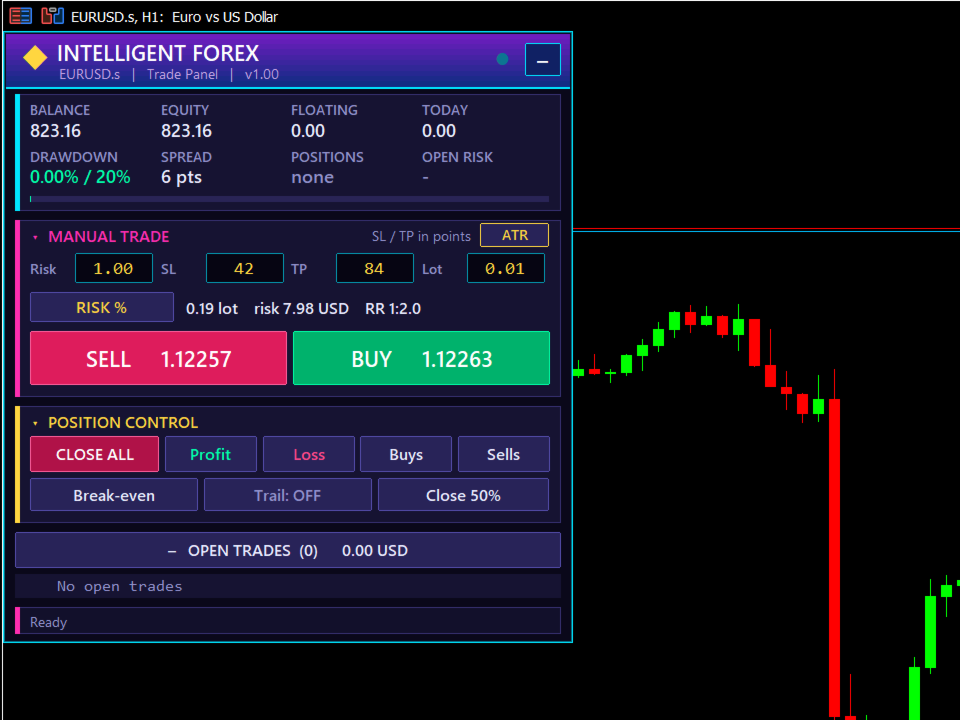
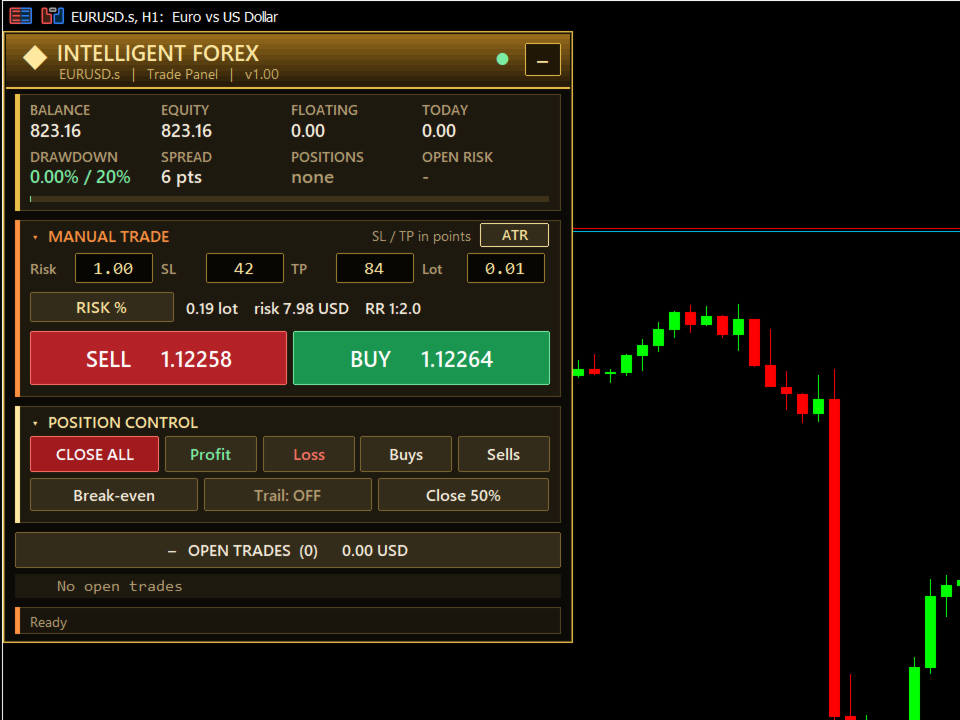
- Risk-based lot size - enter your risk as a % of balance and the panel calculates the lot from your stop loss. Or switch to a fixed lot with one click.
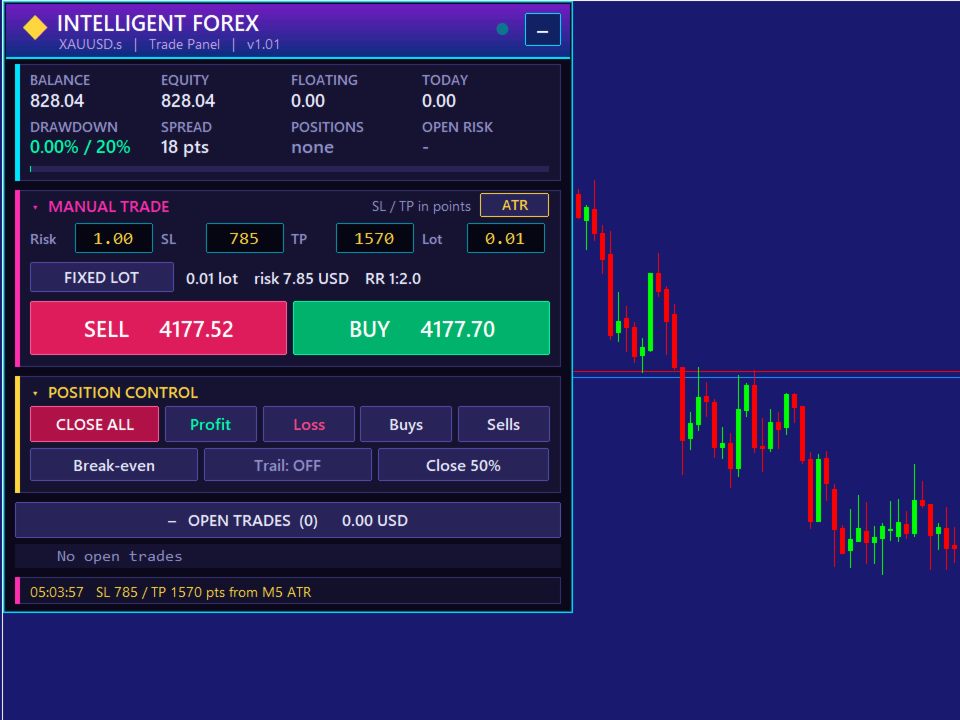
- ATR stop loss and take profit - one click sets a volatility-based SL and TP (stop = M5 ATR x multiplier, target = stop x reward ratio).
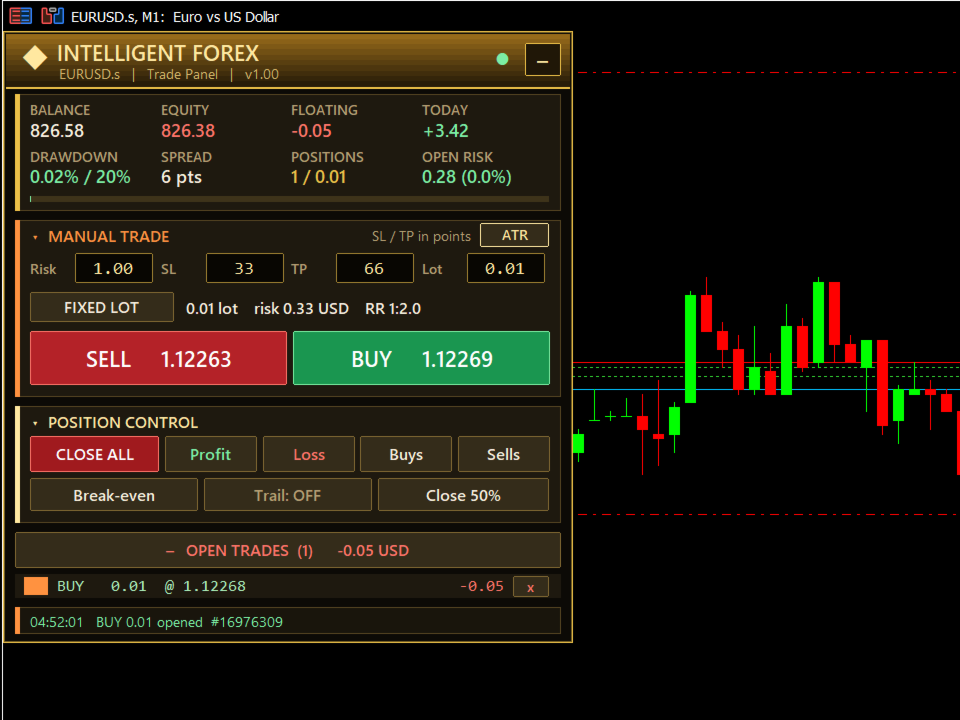
- Live preview - see the lot size, money at risk and reward-to-risk ratio before you click BUY or SELL.
- Open risk display - shows how much you would lose if every open stop loss were hit, as money and % of balance. A red NO SL! warning appears if any trade has no stop loss.
- Break-even - moves the stop loss to entry (plus a small offset) on trades already in profit.
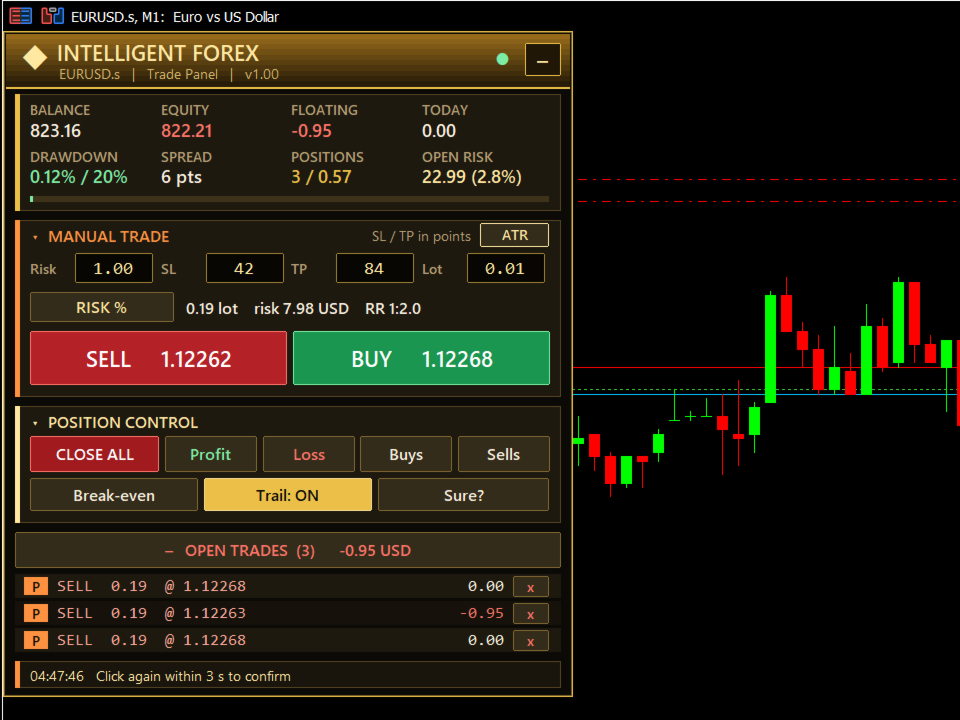
- Trailing stop - follows price automatically once a trade reaches your chosen profit.
- Partial close - closes 50% (adjustable) of each trade in one click.
- Close filters - close all, only profitable, only losing, only buys or only sells.
- Two-click confirmation on every close button, to prevent accidental closes.
- Open trades list with live profit and a close button for each trade.
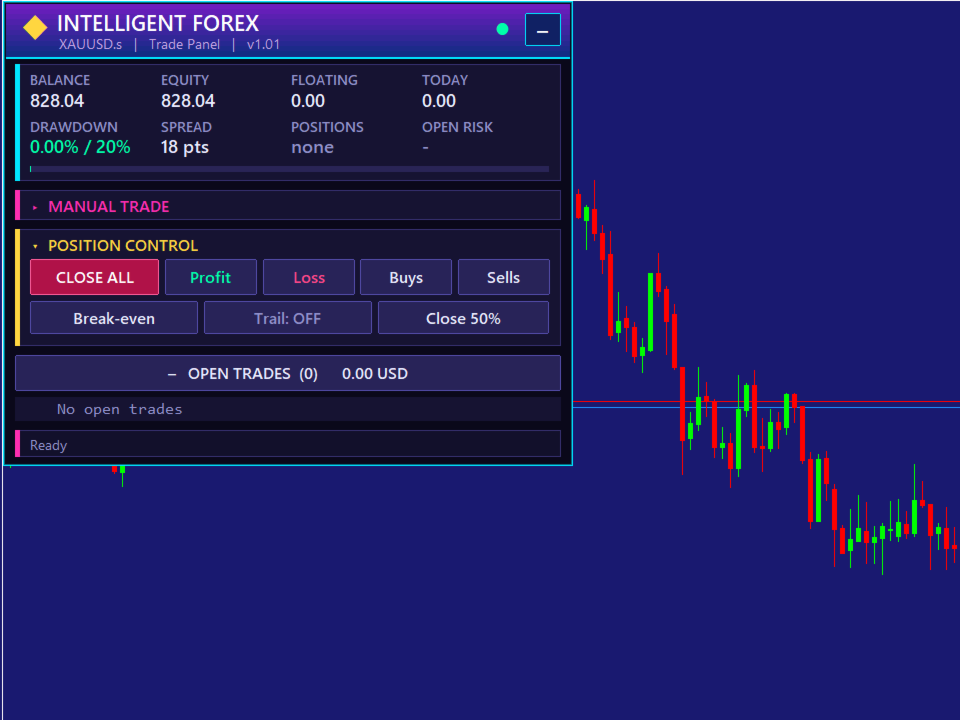
- Account overview - balance, equity, floating P/L, today's P/L, drawdown and spread.
Designed to fit any screen
- Auto-fit: the panel shrinks boxes and text together to fit your chart height.
- Works with Windows display scaling (100%, 125%, 150% and more).
- Collapsible sections - fold away what you do not need.
- Three colour themes: Neon, Royal Gold and Emerald.
- Drag the panel anywhere. It remembers its position and your settings.
Works everywhere
- Any symbol: forex, gold, indices, crypto and more.
- Hedging and netting accounts.
- Can manage only its own trades, or every position on the chart (including manual trades and other EAs).
- Checks margin, lot limits, stop levels and freeze levels before sending any order.
Input parameters
Trading
- Risk per trade % (default 1.0) - risk as % of balance in RISK % mode.
- Fixed lot (0.01) - lot used in FIXED LOT mode.
- Max lot (5.0) - safety cap for any order the panel sends.
- Starting SL / TP in points (0 = calculated from ATR on first load).
- ATR SL multiplier (1.5) - ATR button: stop loss = M5 ATR x this.
- Reward ratio (2.0) - ATR button: take profit = stop loss x this.
- Magic number (5162050) - identifies trades opened by the panel.
- Panel scope - manage only panel trades, or every position on the symbol.
- Slippage (30 points) and order retries (3).
- Free margin reserve % (0 = off).
Trade management
- Break-even trigger (200 points in profit) and offset (20 points).
- Trailing start (300 points), distance (200 points) and step (20 points).
- Partial close % (50).
- Confirm close (true) - close buttons need a second click within 3 seconds.
Panel
- Theme - Neon, Royal Gold or Emerald.
- Panel size (0 = match Windows scaling) and auto-fit (true) with minimum size (70%).
- Drawdown bar scale (20%) - display only.
- Rows in trade list (5) and start position (X 20, Y 40).
Sounds
- Panel sounds on/off, profit sound on/off and sound file (alert2.wav).
How to use
- Attach the panel to any chart and enable Algo Trading.
- Choose RISK % or FIXED LOT, then set your stop loss and take profit (or click ATR).
- Check the preview line, then click BUY or SELL.
- Manage the trade with Break-even, Trail, Close 50% or the close filters.
Note: this is a trade-management tool. It does not predict the market and does not guarantee profits. Trading involves risk. Please test on a demo account first.