Smart Trade Assistant Manager
- Utilities
-
Jawad Ali Shah Ali
 Trader | EA & Utility Developer specializing in Forex, Crypto, Stocks, Algorithmic Trading, and Automated Trading Solutions. Focused on smart trading strategies, market analysis, and risk management.
 - Version: 1.0
- Activations: 5
Smart Trade Assistant Manager - Multi-Tab Trade Panel for MetaTrader 5
Smart Trade Assistant Manager is a professional on-chart trading panel that lets you open, manage and close trades in one click. The panel has 7 menus (Trade, Manage, Close, Auto, Shield, Info, Settings), SL/TP in pips or price, click-on-chart level picking, automatic lot calculation and smart partial closing.
Works on every symbol: Gold (XAUUSD), Forex pairs, Silver, Indices and Crypto. Pip size is detected automatically (Gold: 1 pip = 0.10) and can be overridden in Settings.
THE 7 MENUS
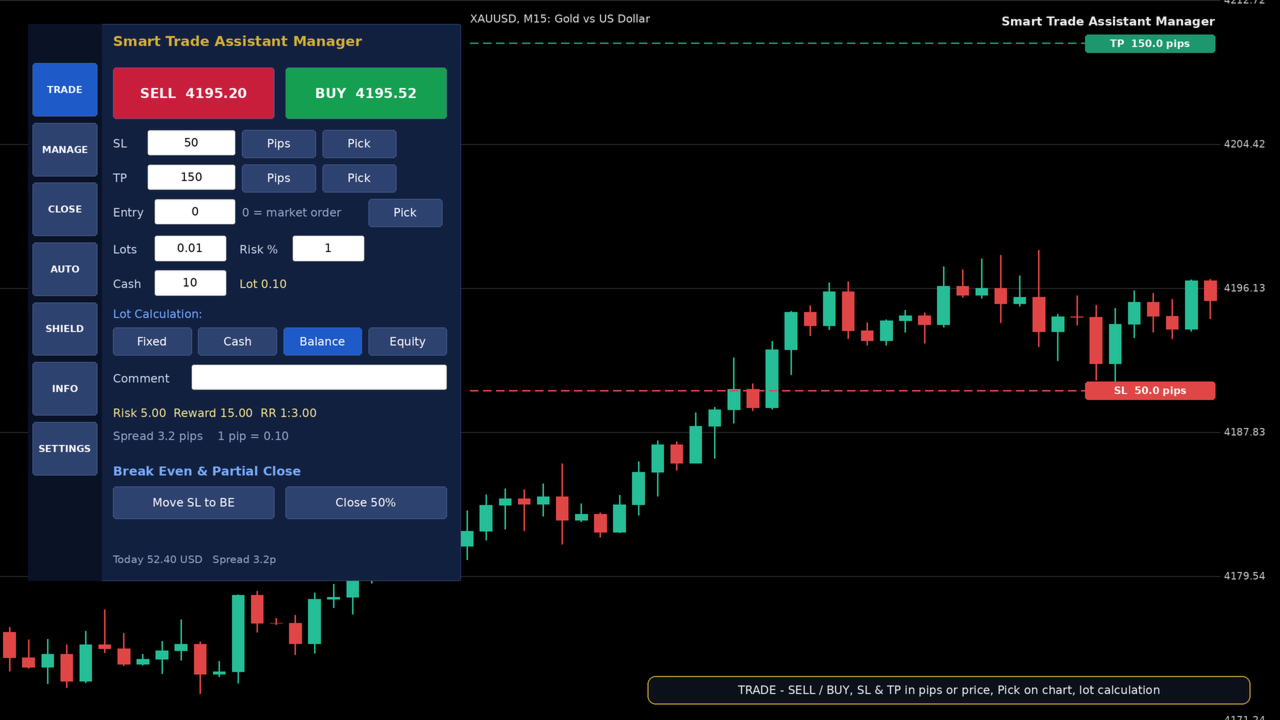
1. TRADE
- Instant BUY / SELL with live Bid and Ask prices on the buttons
- SL and TP in Pips or Price (one-click switch)
- Pick button: click on the chart and the SL / TP / Entry level is filled for you, with a level line drawn on the chart
- Pending orders: type an Entry price and the panel places Buy Limit, Buy Stop, Sell Limit or Sell Stop automatically
- Lot calculation: Fixed Lot, Cash Amount, Risk % of Balance or Risk % of Equity
- Live Risk, Reward and Risk/Reward ratio before you click
- Order comment, Move SL to Break Even, Close 50%
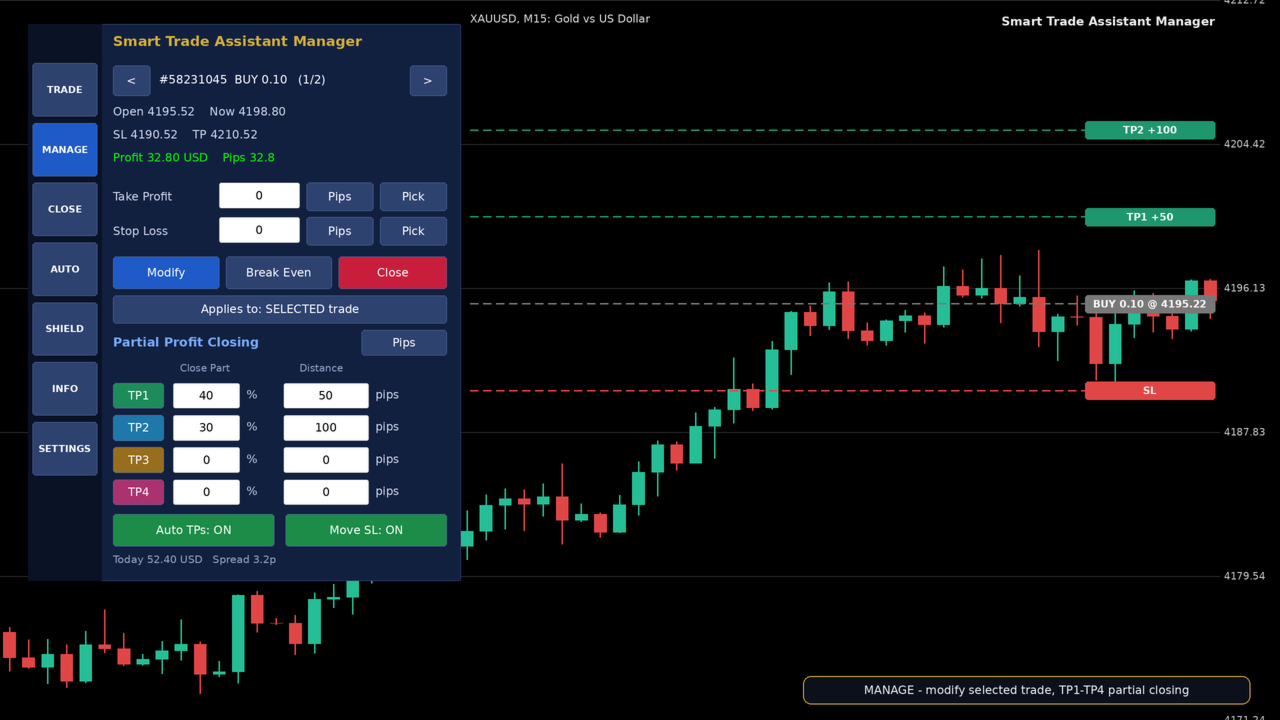
2. MANAGE
- Browse your open trades and see open price, current price, SL, TP, profit and pips
- Modify SL / TP of the selected trade (pips or price, with Pick on chart)
- Break Even and Close for one trade or all trades
- Partial Profit Closing table: TP1, TP2, TP3, TP4 with close % and distance (pips or price)
- Auto TPs: each TP closes its share automatically and the Stop Loss moves forward (to Break Even after TP1, then to the previous TP)
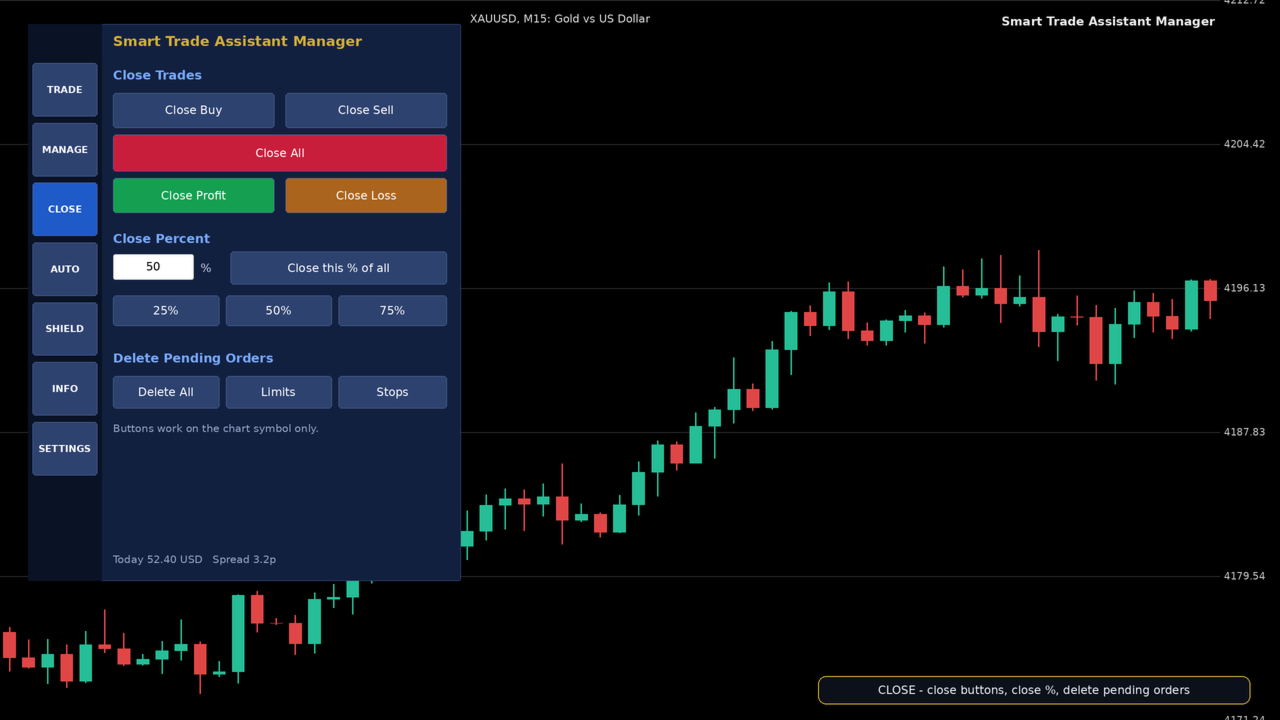
3. CLOSE
- Close Buy, Close Sell, Close All
- Close Profit (only winning trades) / Close Loss (only losing trades)
- Close any percent (25%, 50%, 75% or your own)
- Delete pending orders: All, Limits or Stops
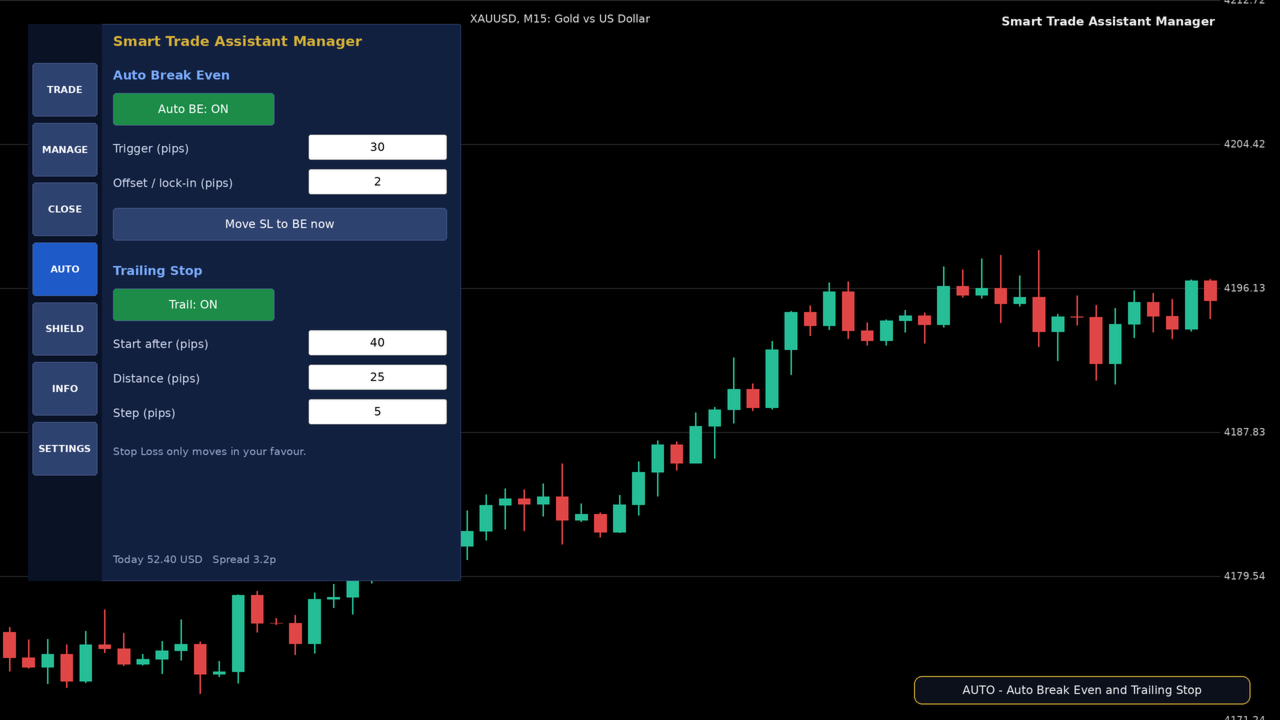
4. AUTO
- Auto Break Even with adjustable trigger and lock-in offset
- Trailing Stop with start, distance and step
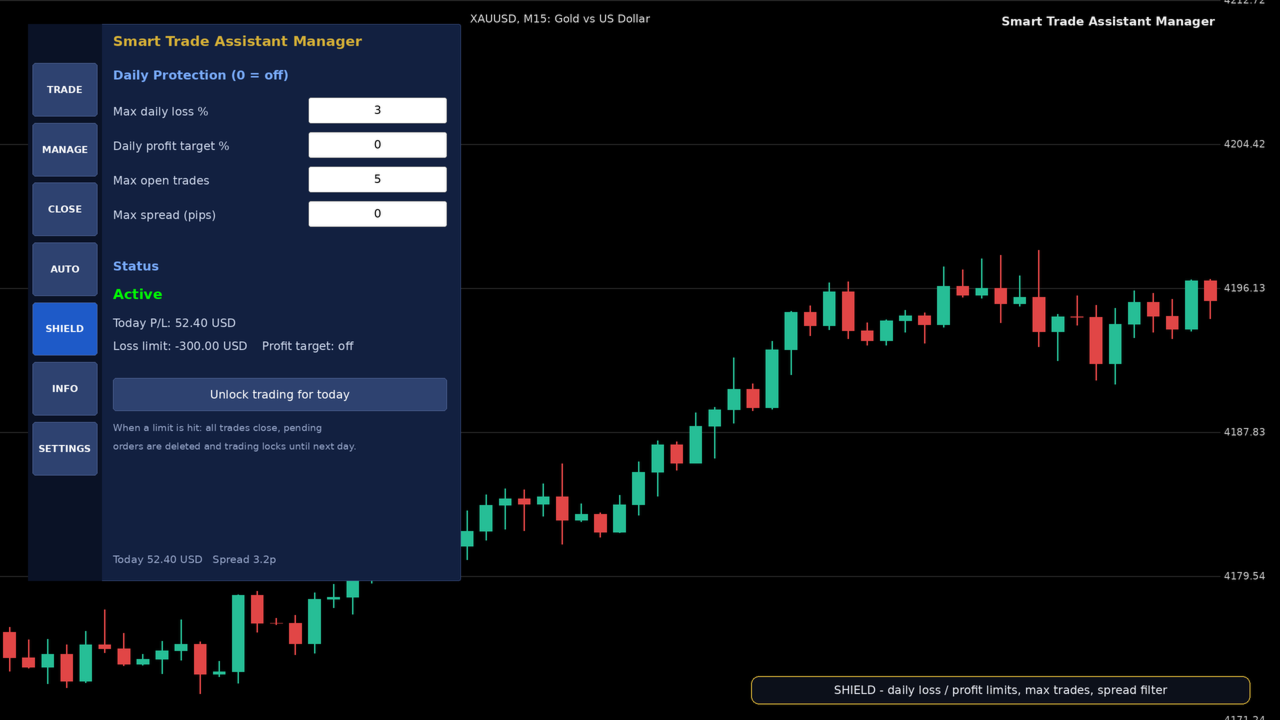
5. SHIELD
- Max daily loss %: closes all trades, deletes pending orders and locks trading for the day
- Daily profit target %: locks in a good day automatically
- Max open trades and max spread filter
- Unlock option when you decide to continue
6. INFO
- Balance, equity, margin, free margin, margin level
- Spread, pip size, open buys and sells, total pips, floating P/L, server time
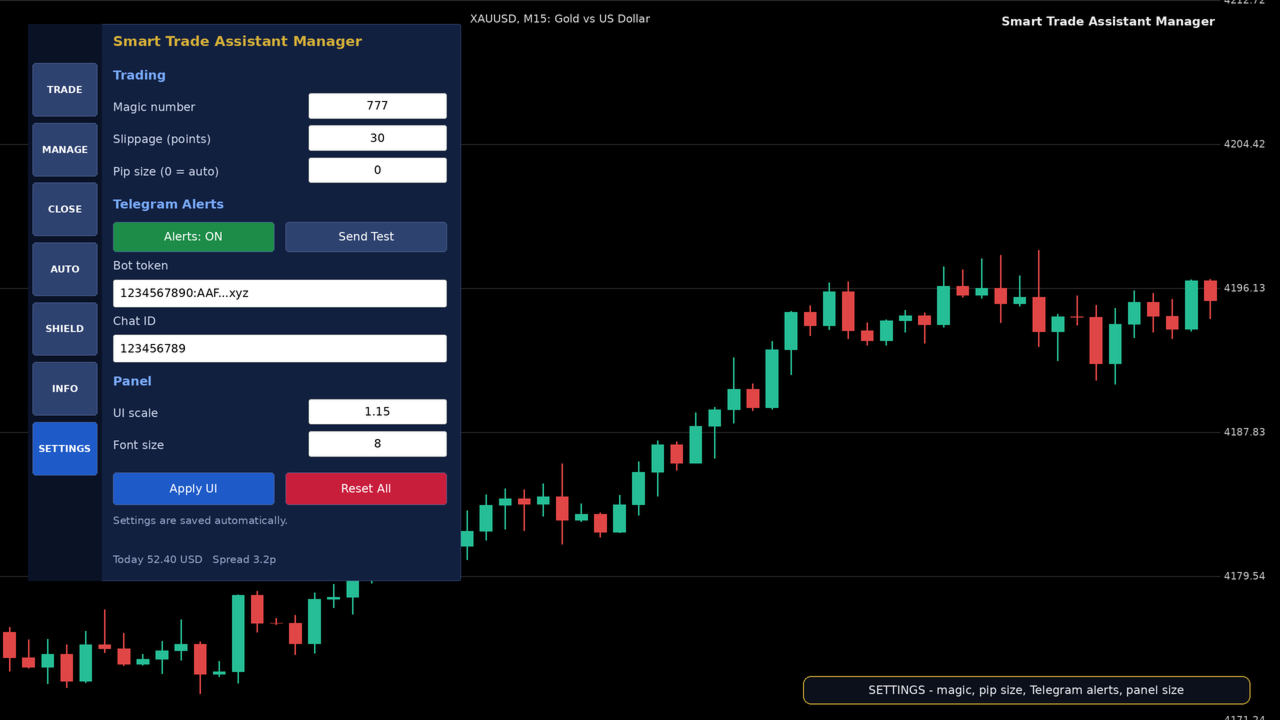
7. SETTINGS
- Magic number, slippage, pip size
- Telegram alerts: bot token, chat ID, test button
- Panel size: UI scale and font size
- All settings are saved automatically. Reset All restores defaults
TELEGRAM ALERTS (OPTIONAL)
- Get notifications for new trades, TP hits and daily protection lock
- Enter your Bot Token and Chat ID in the Settings menu
- In MetaTrader 5 add https://api.telegram.org to Tools > Options > Expert Advisors > Allow WebRequest
HOW TO USE
1. Attach Smart Trade Assistant Manager to any chart.
2. Make sure Algo Trading is enabled.
3. In TRADE, set SL / TP (pips or price) and choose a lot mode.
4. Click BUY or SELL. The panel does the rest.
5. Use MANAGE, CLOSE and AUTO to manage the trade.
NOTES
- This is a trade management tool. It does not open trades by itself and does not guarantee profit.
- Easy to Make account instant TP SL instant Manage accounts