Breakout Force SMC MT5
- Indicators
-
Stanislav Konin
 I started my journey in Forex in 2017, and now I work in the stock market and futures.
I devote a lot of time to developing and testing effective trading systems. - Version: 1.1
- Updated: 25 September 2026
- Activations: 10
Breakout Force SMC — market structure command center for MetaTrader 5.
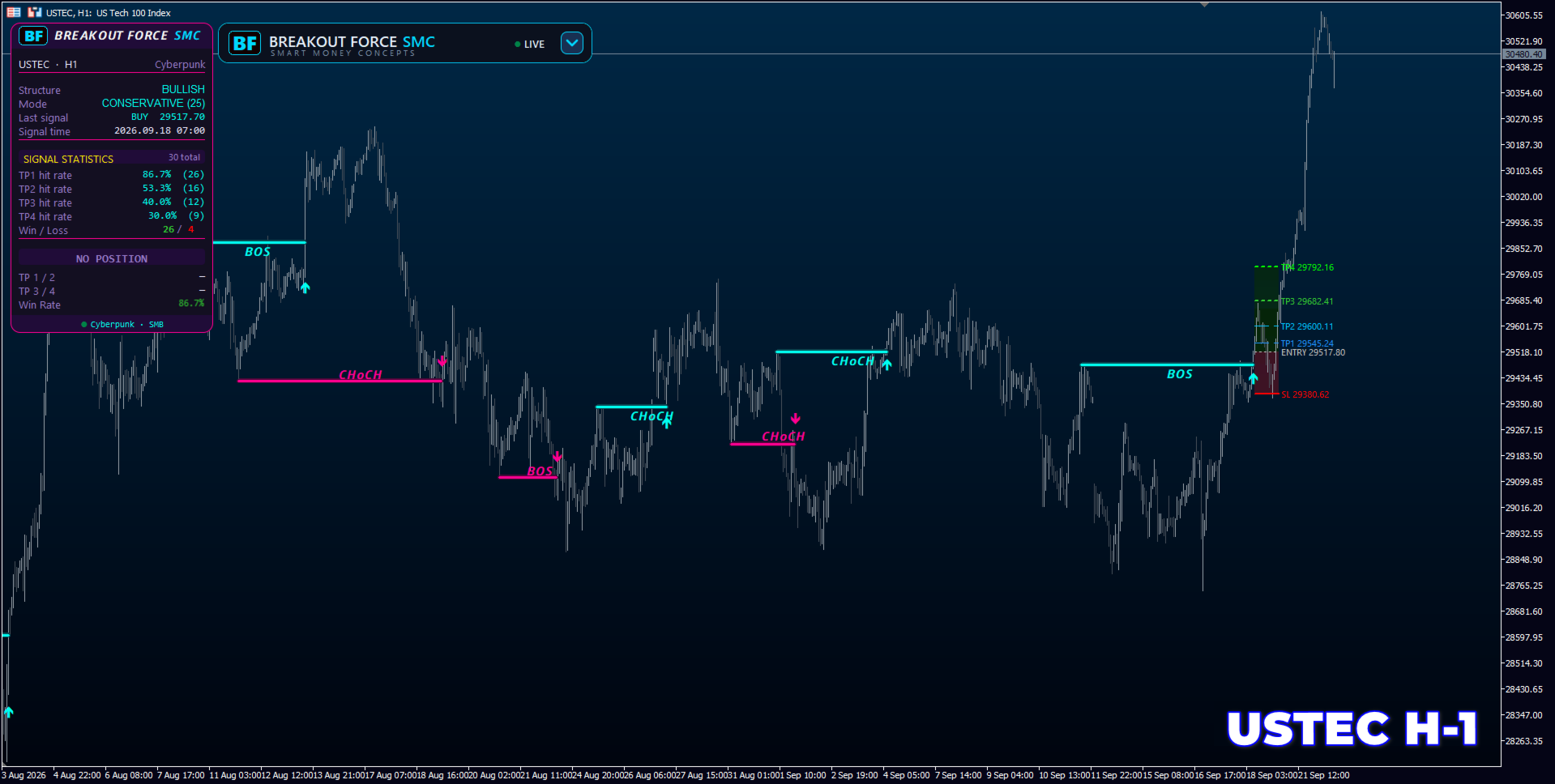
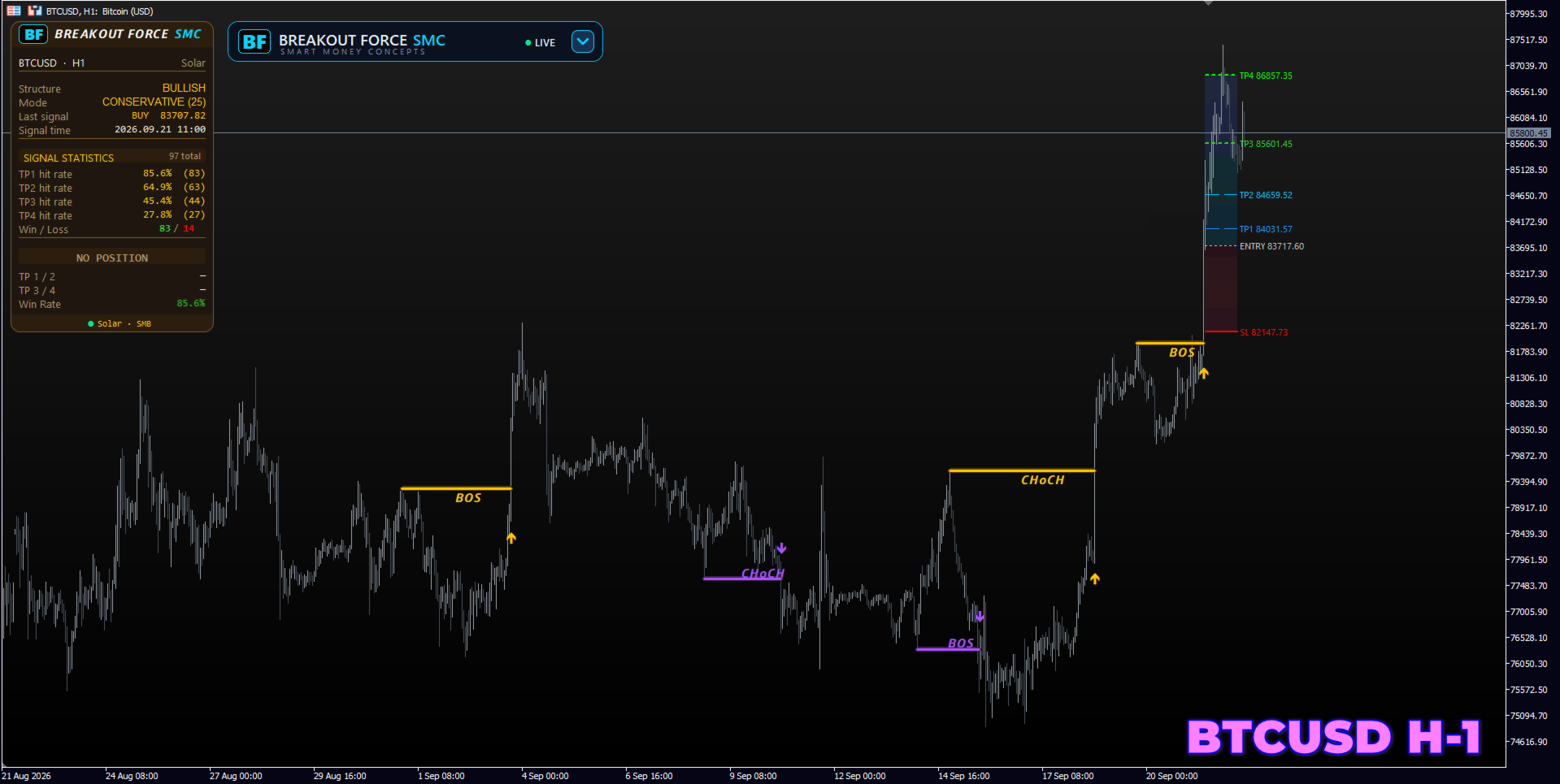
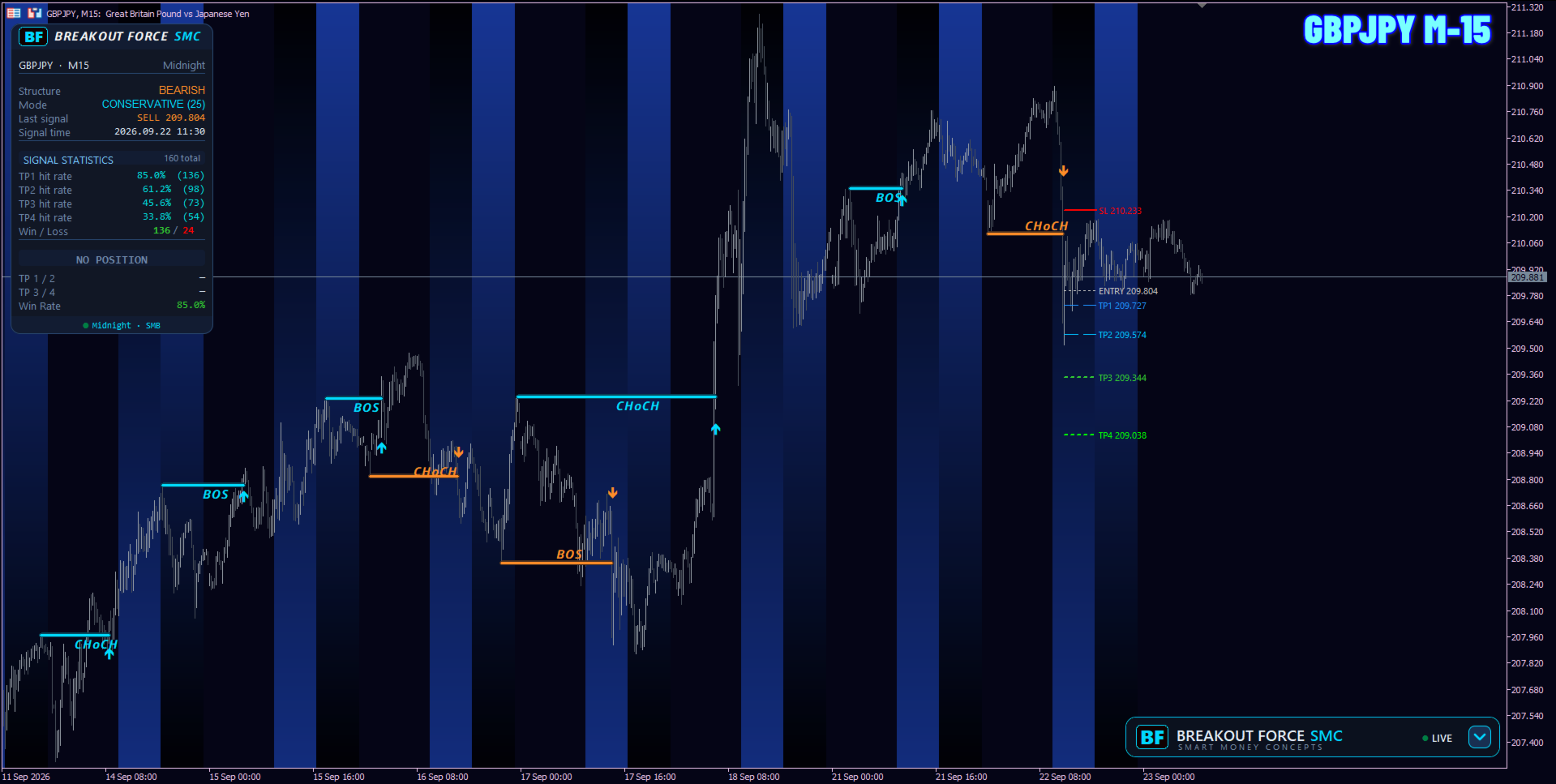
The indicator automatically detects Break of Structure (BOS) and Change of Character (CHoCH). On every signal it immediately builds a trade plan: entry, four targets TP1–TP4 and a stop-loss based on ATR. It also shows directly on the chart how often these targets have been reached.
This is not an “all-in-one” indicator with a hundred functions. It does one job well: marks structure, calculates levels and honestly tracks statistics on its own signals.
How it works
- Finds swings — key highs and lows.
- Detects the break: BOS — trend continuation, CHoCH — reversal. Weak breaks are filtered by ATR.
- Draws entry, TP1–TP4 and SL with zone fills.
- Counts how many signals reached each target.
What makes it different
- Control by clicking the on-chart panel: mode and filter change instantly, no need to open settings
- Live statistics for each target TP1–TP4 right on the chart
- Honest calculation: the trade is tracked from the open of the entry candle; if TP1 and SL are hit by the same candle, the signal is counted as a loss
- Three structure modes: Aggressive, Balanced, Conservative
- Breakout strength filter by ATR with three volatility profiles (0.50 / 0.75 / 1.00)
- Signal is confirmed by candle close and does not repaint
- Uses only price and ATR — no broker volumes, so it works on any symbol and timeframe
- Fully compatible with the Strategy Tester, including the control panel
Control Panel
Six switch cards. At the top — structure mode:
- Aggressive — fast reaction to small swings (depth 5 bars)
- Balanced — optimal mode (depth 10 bars)
- Conservative — only major structural levels (depth 25 bars)
At the bottom — breakout strength filter: Low, Medium, High.
Clicking a card recalculates the entire structure and statistics on the chart. The panel can be dragged and minimized with one click; its position is saved between terminal restarts.
Statistics Panel
Shows in real time:
- structure direction
- last signal (direction, price, time)
- percentage of TP1–TP4 hits
- Win / Loss ratio
When a signal is active the panel additionally displays entry direction and price (LONG / SHORT) and current TP1–TP4 levels.
How statistics are calculated: over the History window (default 3000 bars). Win Rate is the percentage of signals where TP1 was reached before the stop-loss. The result depends on your TP and SL multipliers, so always evaluate it together with the risk-to-reward ratio.
Levels tailored to your trading
You can set TP1–TP4 and SL multipliers in ATR, line colors, zone fills and right-side level extension. Statistics are recalculated according to your values.
Notifications
Popup alerts, push notifications to your phone and e-mail on every new signal.
Appearance
- 7 panel color themes: Original, Cyberpunk, Aurora, Midnight, Solar, Sunset, Custom
- 7 candle presets: Original, Ice, Sand, Aqua, Graphite, Steel, Custom
- Separate settings for background, candles and grid colors; grid can be hidden
Recommended instruments
Works best on liquid instruments with clear structure:
- GOLD: XAUUSD
- INDICES: US30, NAS100, SPX500 and other liquid indices
- CRYPTO: BTCUSD, ETHUSD and other actively traded cryptocurrencies
- FOREX: major pairs and JPY crosses
Recommended timeframes
- M1–M5 — scalping. Many signals and fast targets. Higher market noise on lower timeframes, so Balanced or Conservative mode with Medium or High filter is recommended.
- M15–M30 — active intraday trading. Good balance between number of signals and their quality. Suitable for most instruments in Balanced mode.
- H1 — main working timeframe. Cleaner structure, fewer false breakouts, targets usually reached within one or two trading sessions.
- H4 — medium-term trading. Major structural levels and overall market context. Convenient for filtering signals from lower timeframes.
Statistics are calculated over the History window. On lower timeframes 3000 bars cover only a few days, so for evaluation on M1–M5 it is recommended to increase the History value.
Input parameters
- History — number of bars for structure and statistics calculation (default 3000)
- Strategy Mode — structure mode on start: Aggressive / Balanced / Conservative
- Mode ATR — breakout strength filter profile: Low / Medium / High
- Panel Theme Mode — panel color theme (Original / Cyberpunk / Aurora / Midnight / Solar / Sunset / Custom); [Custom] Bull / Bear / Panel background / Panel text — colors for Custom theme
- Apply chart colors, Candles Mode, Chart background, Bull / Bear candle, Grid color, Hide grid — chart appearance
- Show BOS / CHoCH lines, Arrow width — structure lines and arrow thickness
- Show TP / SL levels, Show level labels — display of levels and their labels
- TP1–TP4 (ATR), SL (ATR) — target and stop-loss multipliers
- Extend right (bars), Max TP/SL sets — level length and maximum number of sets on the chart (0 = all)
- Use custom colors, Entry / TP1–TP4 / SL color — level line colors
- Fill TP/SL zones, TP / SL fill color, transparency — zone fills for targets and stop
- Popup alerts, Push notifications, E-mail alerts — notifications
- Show Statistics Panel, X / Y offset, Panel width — statistics panel
- Show HUD Panel, Corner, Margin, Remember position — control panel
Check on your own data
Breakout Force SMC is not a trading robot. It does not open trades and does not guarantee profit. The indicator marks market structure, calculates entry, target and stop-loss levels and keeps transparent statistics on its own signals. Trading decisions and money management remain entirely with the trader.
Before purchasing, download the free demo version and test it in the Strategy Tester on your instrument and timeframe. This way you can evaluate the indicator’s performance on real price history and make an informed decision.