Aurum Vector Motion
- Experts
- Version: 1.22
- Updated: 4 September 2026
- Activations: 10

Aurum Vector Motion
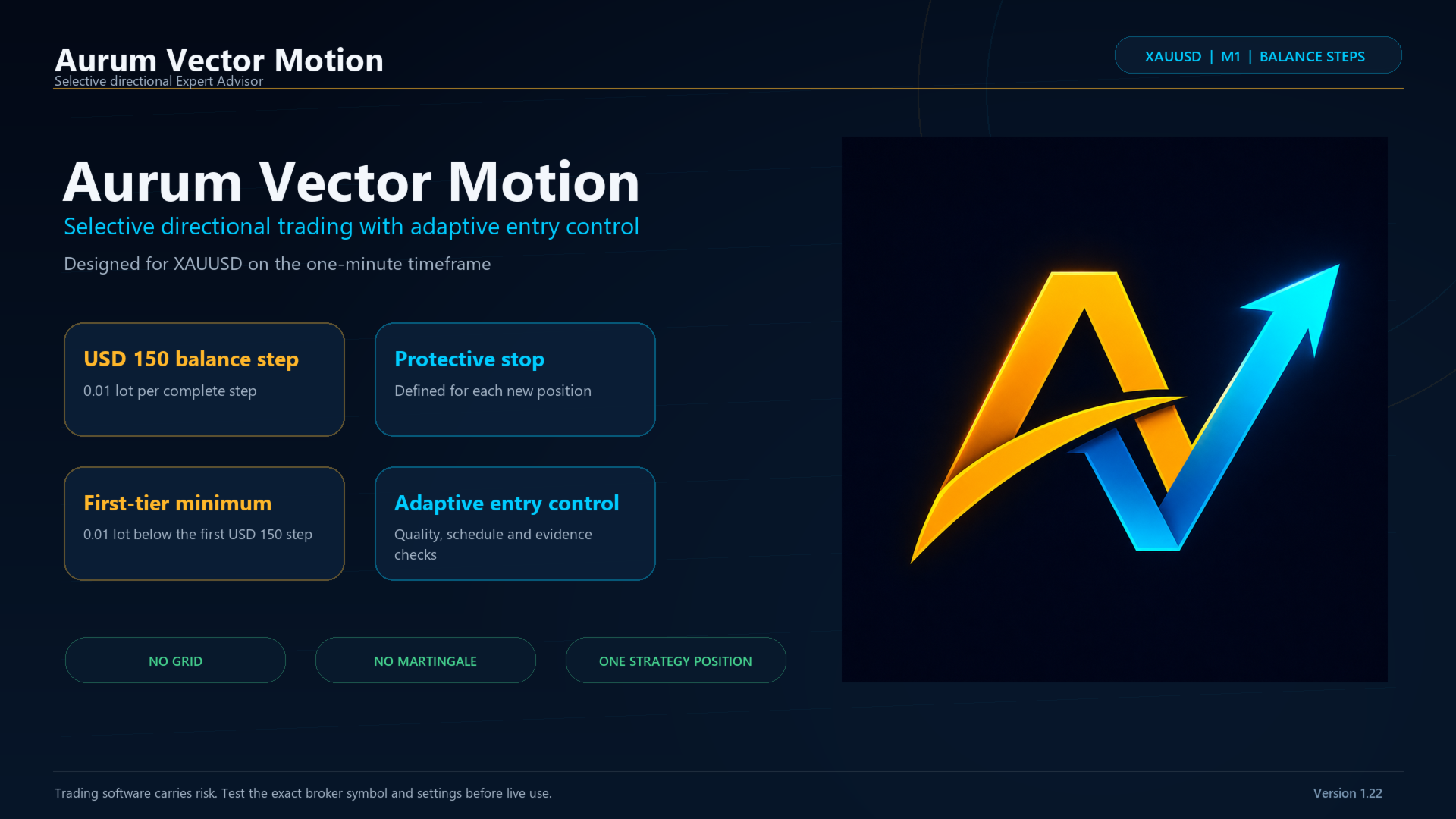
Aurum Vector Motion is a selective Expert Advisor designed for XAUUSD on the M1 timeframe. It combines completed-candle structure, live price motion, directional-efficiency checks, an adaptive evidence gate and execution protection before sending an order.
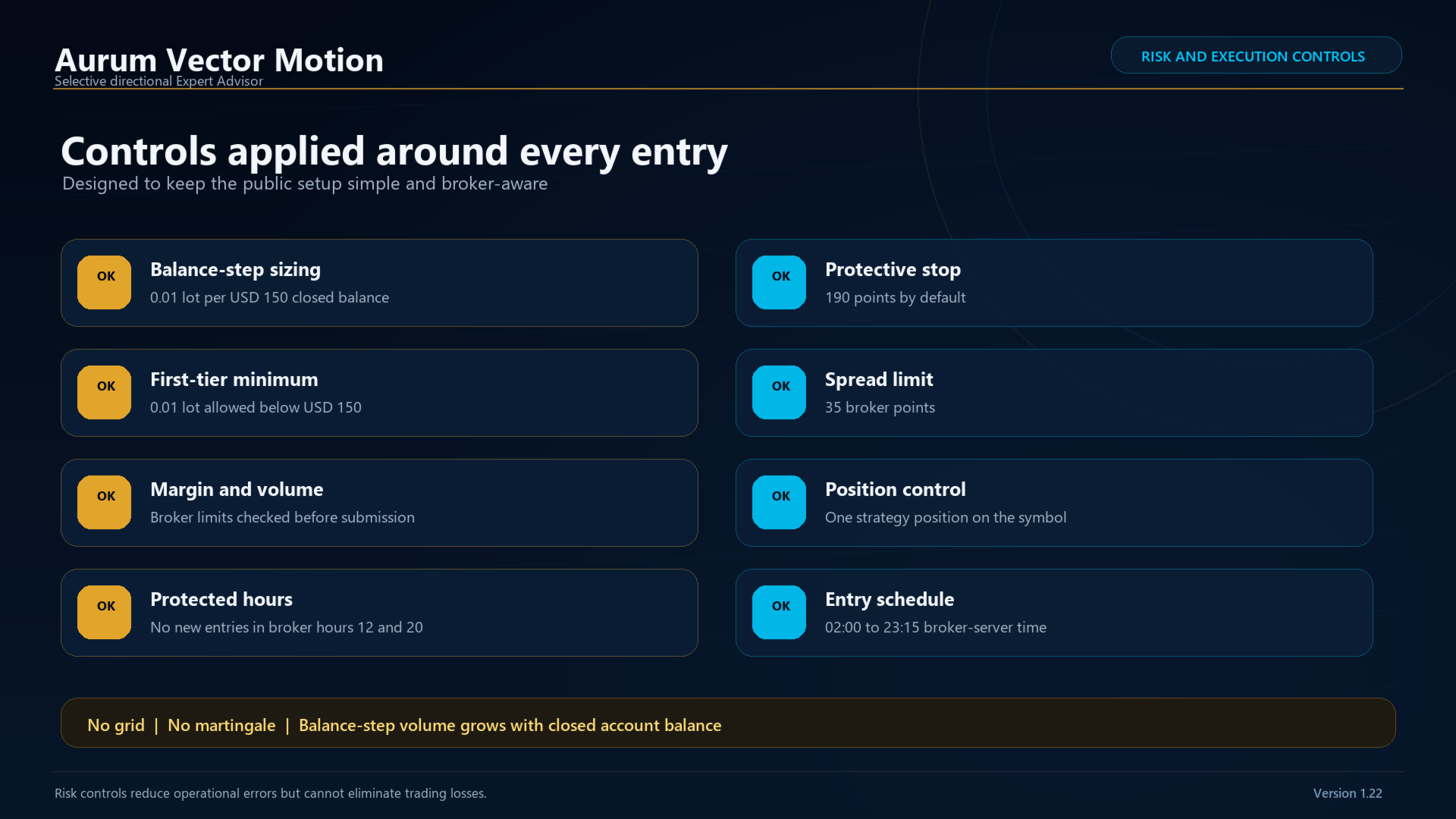
The strategy does not use grid or martingale logic. It manages one strategy position on the attached symbol. Every new position receives a protective stop, and favorable movement is managed by progressive trailing logic.
WHAT IS NEW IN VERSION 1.22
- The factory default now uses balance-step position sizing: 0.01 lot for each complete USD 150 of closed account balance.
- An account below the first USD 150 step is no longer inactive. It uses the first 0.01-lot tier, subject to broker volume and margin requirements.
- The calibrated entry-quality protection introduced in the latest strategy update remains active.
- New entries are protected during broker-server hours 12 and 20 by default. Open positions continue to be managed normally.
- Fixed-volume mode remains available for users who do not want automatic lot changes.
- Non-XAUUSD compatibility tests use the conservative BaseLots fallback, and the symbol's directional volume limit is respected. This safeguard does not change calibrated XAUUSD entries or XAUUSD balance-step sizing.
DEFAULT BALANCE-STEP SIZING
LotSizingMode: Balance steps
BaseLots: 0.01
BalanceUnitsPerLotStep: 150
LotsPerBalanceStep: 0.01
MaximumDynamicLots: 0.00 (no user-defined cap; broker maximum still applies)
RequireEURorUSDForDynamicLots: true
SkipIfBelowFirstBalanceStep: false
Requested volume is maximum(1, floor(balance / 150)) x 0.01 lot.
USD examples:
Below USD 150 = 0.01 lot
USD 150 to 299.99 = 0.01 lot
USD 300 to 449.99 = 0.02 lot
USD 450 to 599.99 = 0.03 lot
USD 600 to 749.99 = 0.04 lot
USD 900 to 1,049.99 = 0.06 lot
USD 1,500 to 1,649.99 = 0.10 lot
The EA uses closed account balance, not floating equity. Volume can increase or decrease after closed results move the balance across a tier. Broker minimum, maximum, volume-step and free-margin rules always apply.
For EUR and USD accounts, the same numeric step value is used in the account currency. When RequireEURorUSDForDynamicLots is true, another account currency safely falls back to BaseLots.
Balance-step sizing increases financial exposure as the balance grows. To limit volume, set MaximumDynamicLots to a positive cap or select fixed-volume mode.
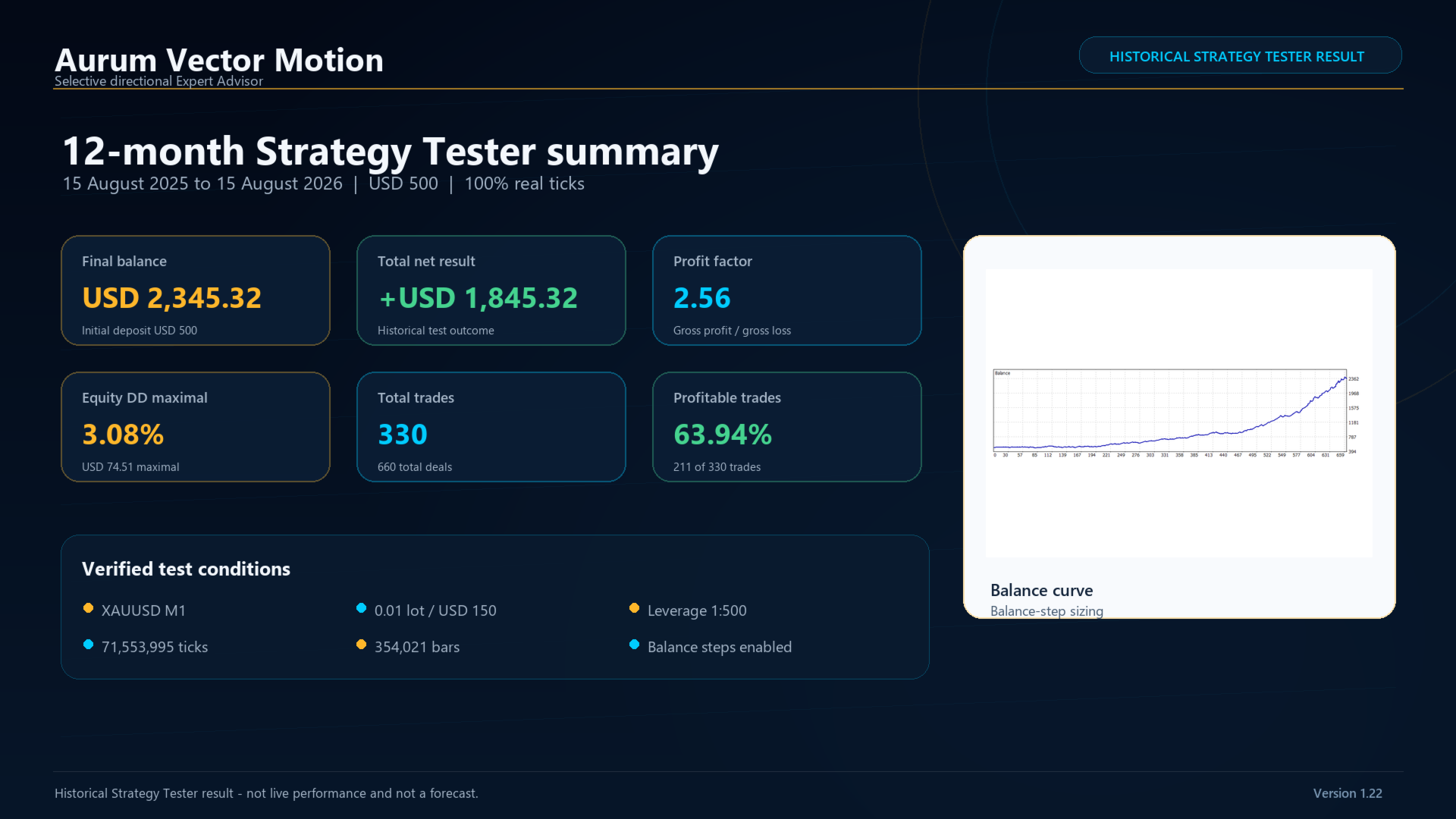
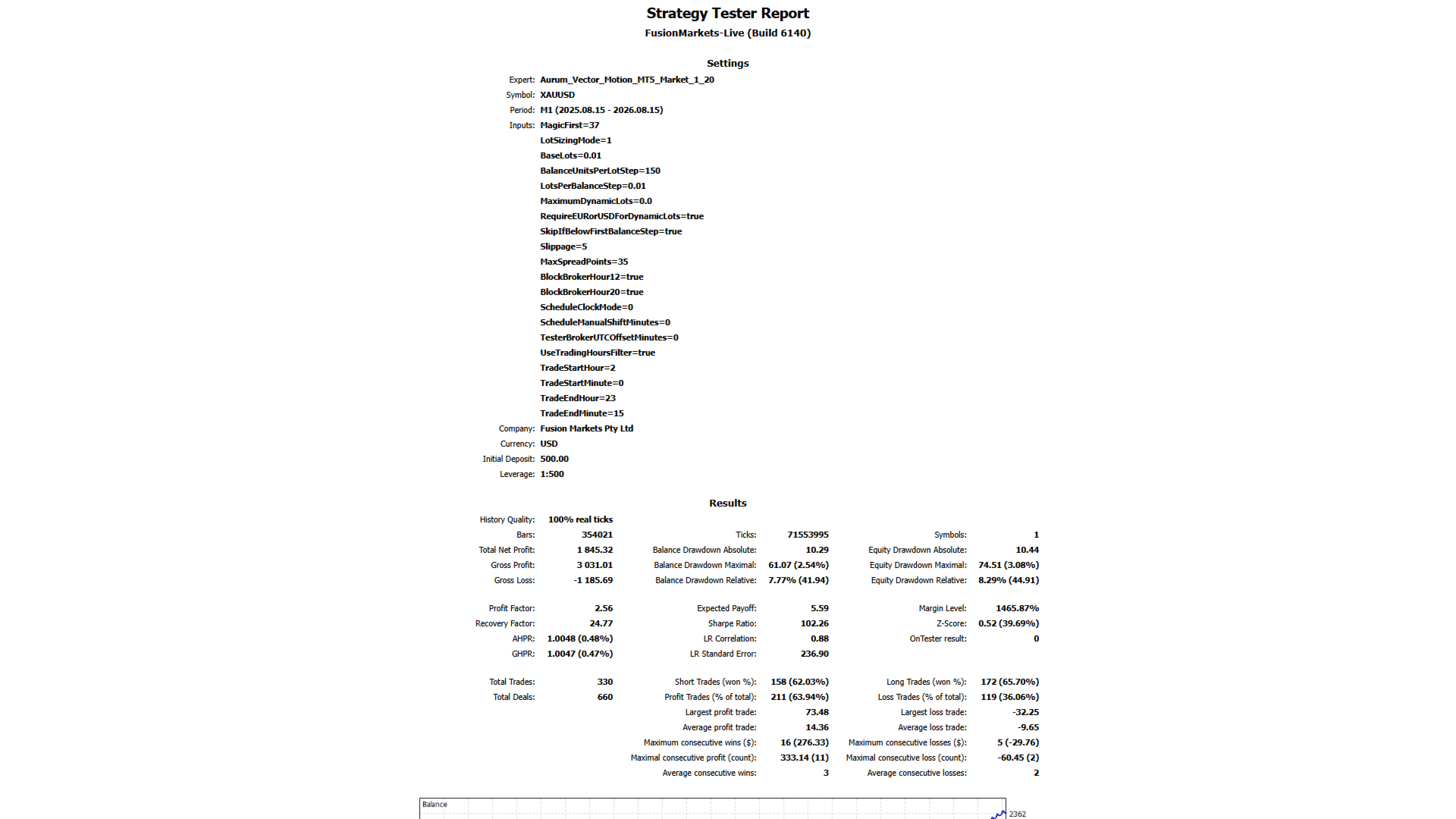
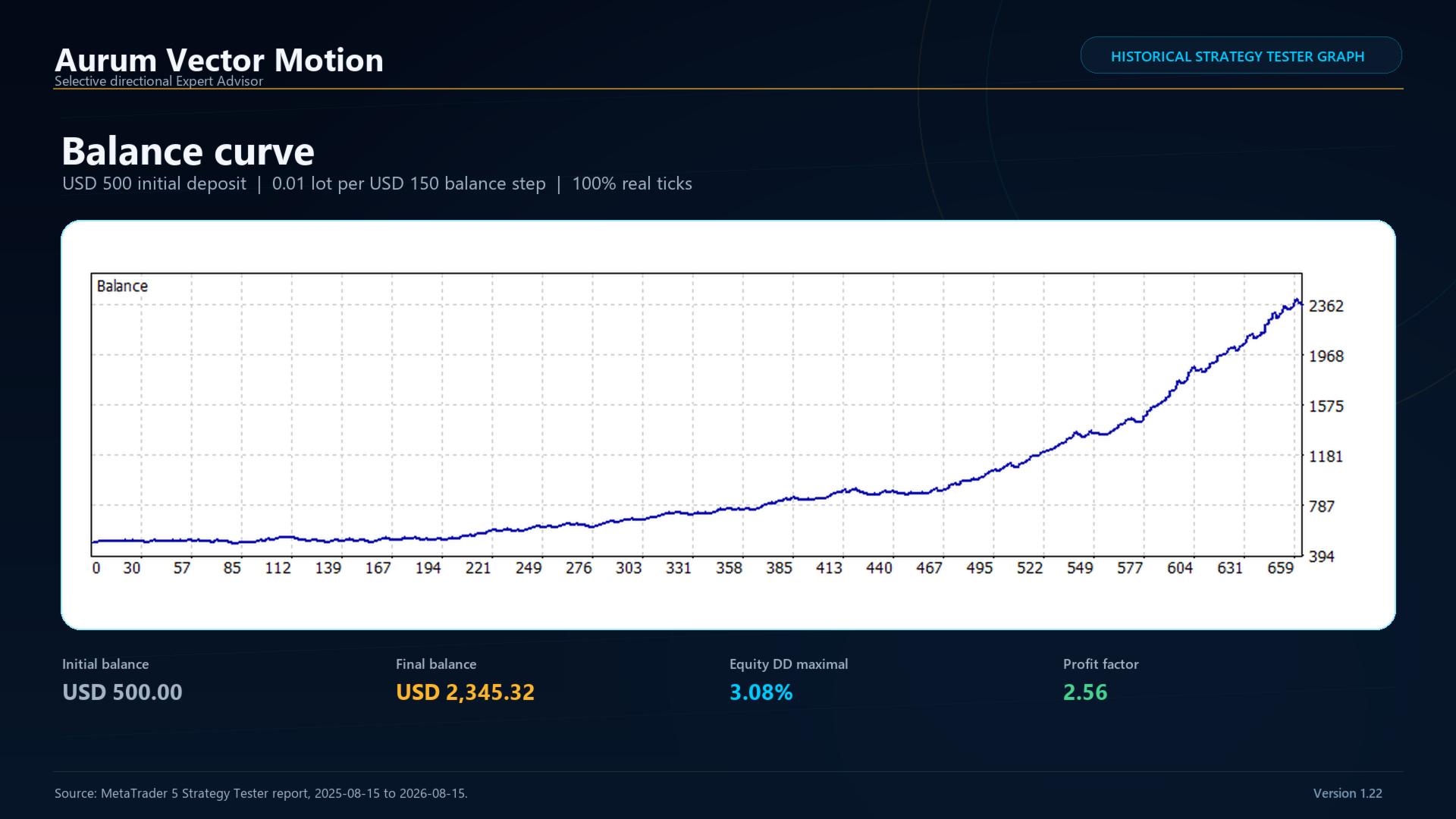
REFERENCE STRATEGY TESTER RESULT
This is a historical simulation, not live performance and not a forecast.
Test period: 15 August 2025 to 15 August 2026
Symbol and timeframe: XAUUSD M1
Modeling: every tick based on real ticks, 100% history quality
Initial deposit: USD 500
Leverage: 1:500
Default balance step: USD 150 per 0.01 lot
Total net profit: USD 1,845.32
Final balance: USD 2,345.32
Profit factor: 2.56
Total trades: 330
Profitable trades: 211 (63.94%)
Maximum balance drawdown: USD 61.07 (2.54% maximal)
Maximum equity drawdown: USD 74.51 (3.08% maximal)
Relative equity drawdown: 8.29% (USD 44.91)
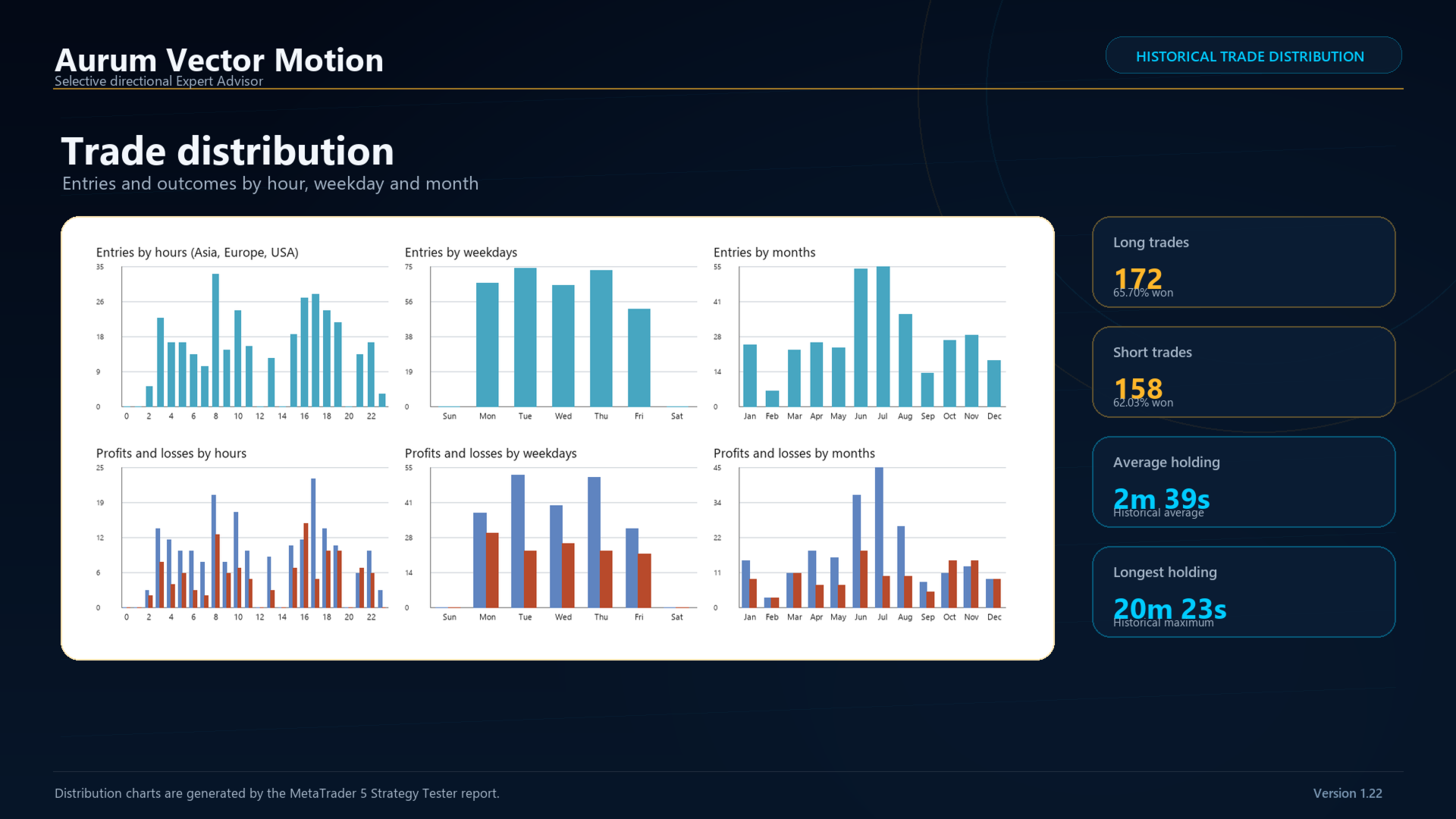
Average holding time: 2 minutes 39 seconds
Longest holding time: 20 minutes 23 seconds
Results depend on the broker's XAUUSD contract, spread, commission, swaps, tick history, server clock and execution. A backtest can differ from live trading and does not guarantee future performance.
ENTRY AND POSITION MANAGEMENT
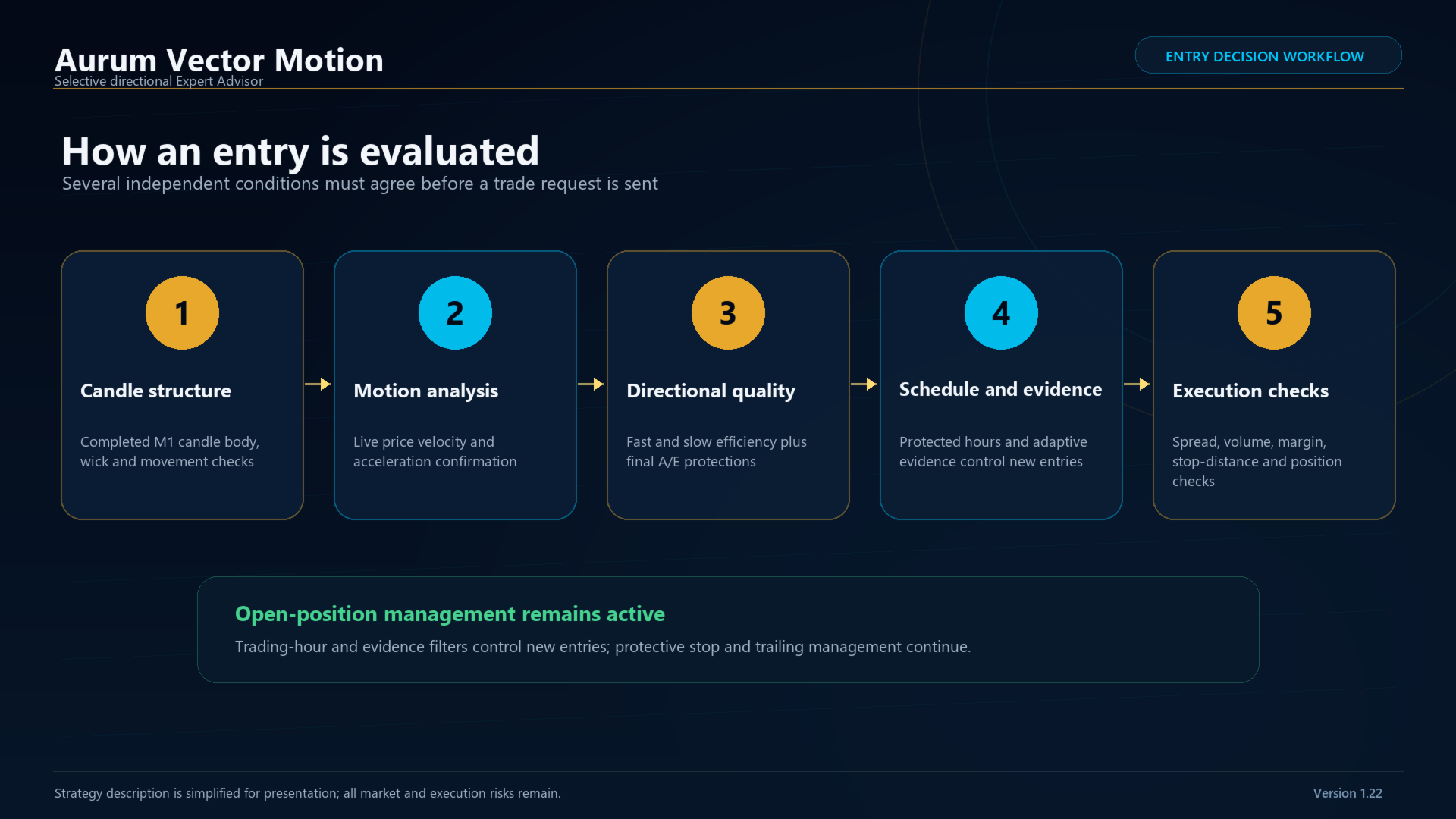
An entry is considered only after completed M1 candle structure, live velocity and acceleration, directional-efficiency checks, the adaptive evidence gate, calibrated entry-quality protection, the trading schedule, spread, volume, stop-distance, margin and position checks agree.
The adaptive gate uses prior completed observations and can operate in normal, reduced or paused mode. A quiet EA may be waiting for confirmation, an acceptable spread, a permitted gate state or the trading window.
Open-position management remains active outside the entry schedule and during protected broker hours.
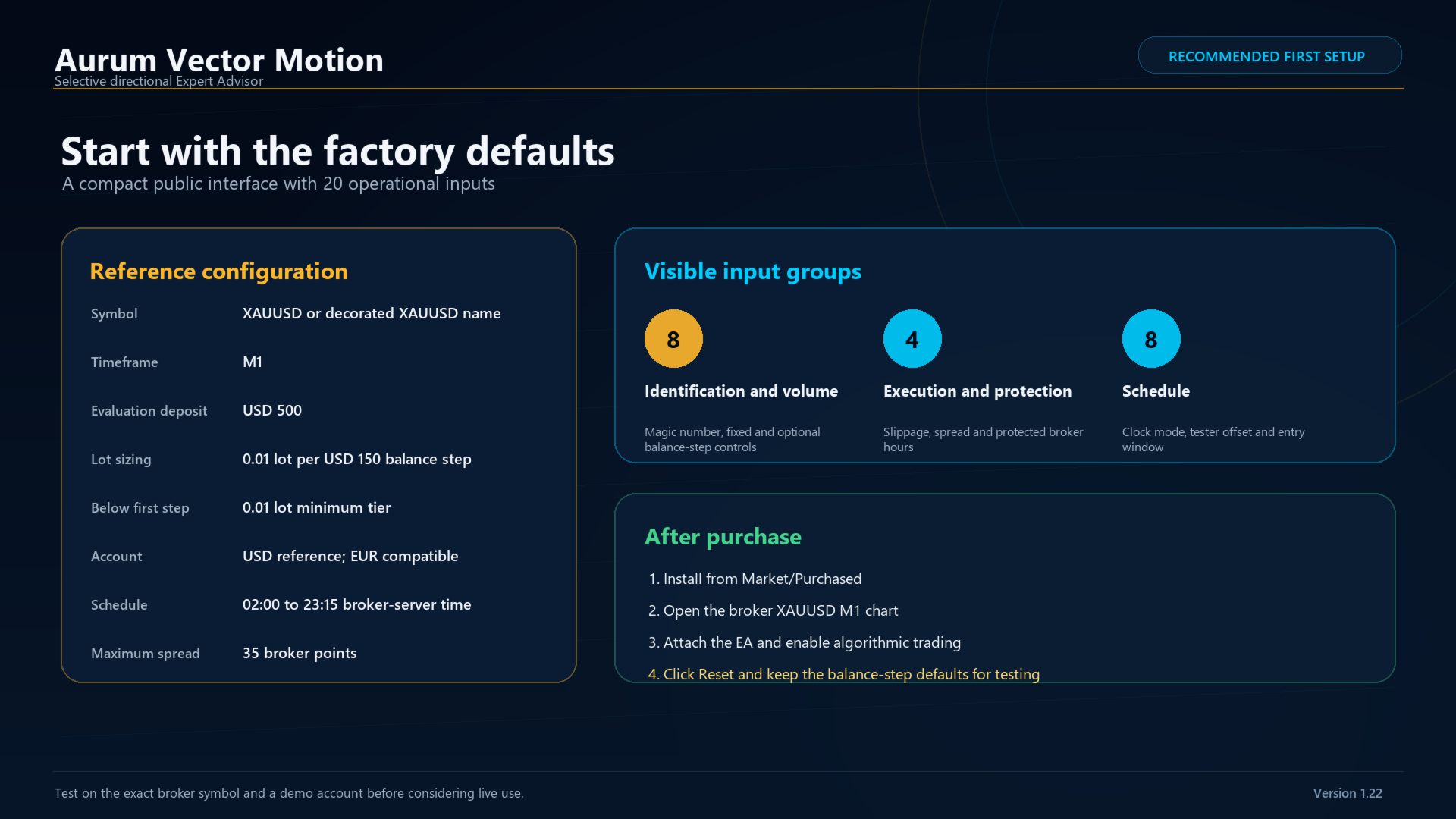
RECOMMENDED FIRST SETUP
1. Install from MetaTrader 5 Market / Purchased.
2. Open the broker's XAUUSD M1 chart.
3. Attach Aurum Vector Motion and click Reset to load the current factory defaults.
4. Enable Algo Trading and allow algorithmic trading in the EA properties.
5. Use one chart and one instance for the symbol. A hedging account is recommended; netting is supported when the symbol is dedicated to this strategy.
6. Test first on a demo account using the exact broker symbol and trading conditions.
7. For the reference setup, use a USD account and keep balance-step sizing at USD 150 per 0.01 lot.
PUBLIC INPUTS
MagicFirst: strategy identifier.
LotSizingMode: Fixed or Balance steps.
BaseLots: fixed-mode volume and fallback volume.
BalanceUnitsPerLotStep: closed-balance units for one tier; default 150.
LotsPerBalanceStep: volume per tier; default 0.01.
MaximumDynamicLots: optional balance-step ceiling; zero means no user-defined ceiling.
RequireEURorUSDForDynamicLots: restricts balance-step sizing to EUR/USD accounts.
SkipIfBelowFirstBalanceStep: false uses 0.01 below the first tier; true waits for the first tier.
Slippage: permitted execution deviation in broker points.
MaxSpreadPoints: maximum spread for a new entry; default 35 broker points.
BlockBrokerHour12: blocks new entries during broker-server hour 12.
BlockBrokerHour20: blocks new entries during broker-server hour 20.
ScheduleClockMode: broker-server time, UTC or manual shift.
ScheduleManualShiftMinutes: shift for Manual Shift mode.
TesterBrokerUTCOffsetMinutes: historical offset for UTC tester mode.
UseTradingHoursFilter: enables the entry window.
TradeStartHour / TradeStartMinute: inclusive entry-window start.
TradeEndHour / TradeEndMinute: exclusive entry-window end.
Factory schedule: 02:00 to 23:15 broker-server time. Broker hours 12 and 20 remain protected independently.
IMPORTANT
Keep the terminal or VPS connected. Do not run multiple copies with the same magic number on the same symbol. Existing saved presets do not automatically adopt new defaults: click Reset or reattach the EA and verify every input after updating. Start with a demo test. Automated trading involves risk.