Aurum Vector Motion
- Experts
- Version: 1.32
- Mise à jour: 18 octobre 2026
- Activations: 10

Aurum Vector Motion
Aurum Vector Motion is a MetaTrader 5 Expert Advisor designed for XAUUSD. Release 1.32 combines independent M3, M5 and M10 entry modules on a single chart, using confirmed swing structure, order-block reactions and fair value gap context.
How it trades
Each module evaluates completed candles using its own fixed calibration. Confirmed swing highs and lows define directional structure. The EA looks for a qualifying candle reaction at a stored zone and applies ATR-based reaction and stop-distance checks. Nearby active fair value gaps provide an alternative context to the non-FVG quality branch. Broker-time filters and the absolute spread limit remain active.
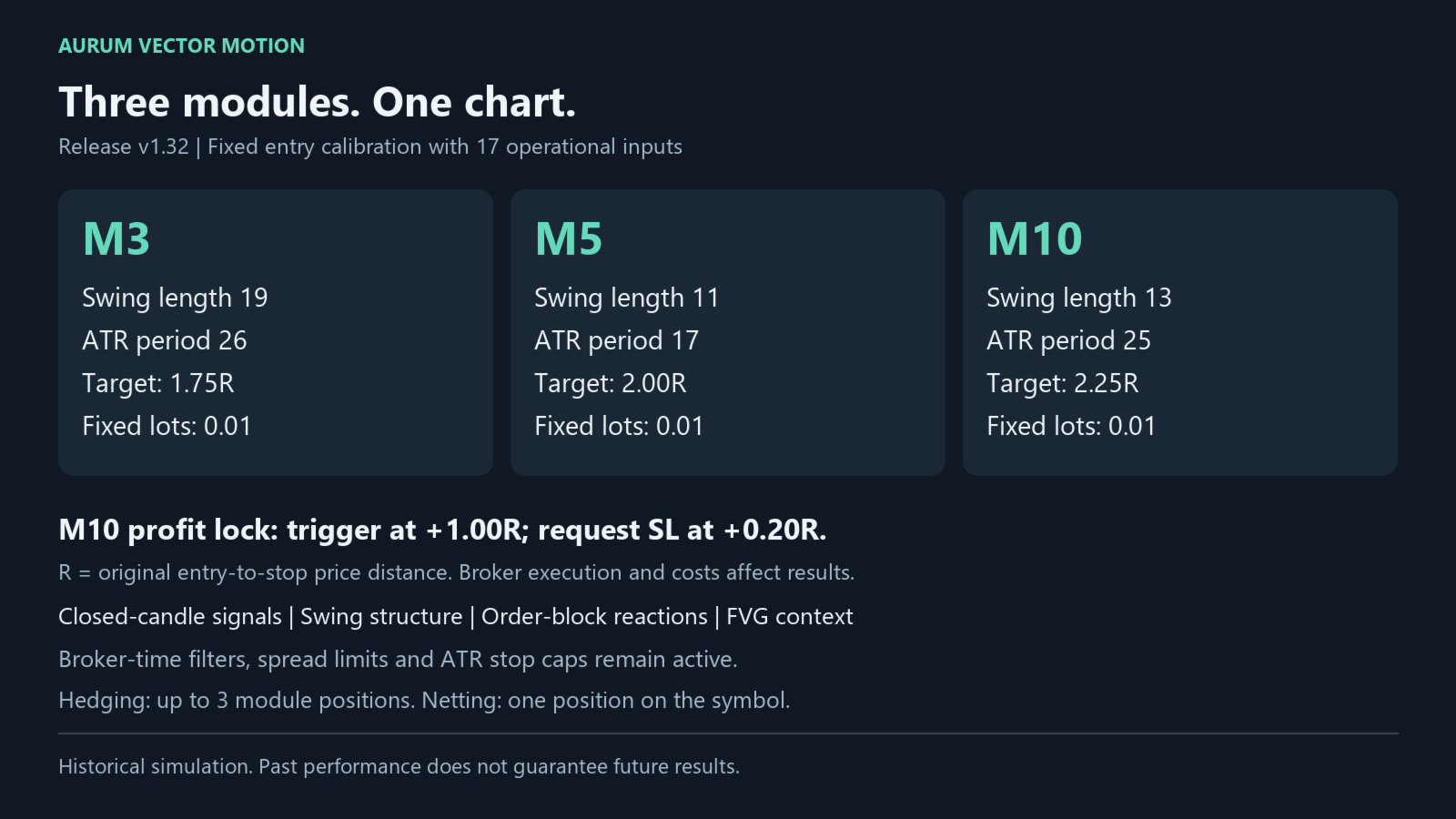
Orders use a stop loss and take profit. Position size is fixed separately for each module. The default target distances are 1.75R for M3, 2.00R for M5 and 2.25R for M10, where R is the original entry-to-stop price distance. There is no martingale, grid, averaging-down or balance-based lot escalation.
M10 profit lock
By default, the M10 module requests a one-time stop adjustment after price reaches +1.00R, moving the stop toward +0.20R beyond entry. The existing take profit is preserved. The trigger and lock distance are editable, and the feature can be disabled. M3 and M5 retain their original stop-loss/take-profit exits. A stop adjustment is subject to broker stop/freeze restrictions; the eventual fill and net result can differ because of spreads, commission, swaps or slippage.
Setup and inputs
Attach one instance to your broker's XAUUSD chart and enable algorithmic trading. An M1 chart can be used; the EA reads M3, M5 and M10 internally, so changing the chart period does not change its entry timeframes. Gold symbol suffixes are supported because the EA trades the attached chart symbol. The strategy calibration is intended for gold and should be assessed on your broker's data.
The 17 public inputs cover module selection, fixed lots, magic number, concurrency, maximum spread, maximum lots, requested deviation, the M10 trading session and its profit lock. Entry calibration and the active hybrid time rules are fixed internally. Default lots are 0.01 per enabled module, and the absolute spread limit is 0.60 in price units. This is a gold price difference, not 0.60 broker points. Additional ATR-relative spread checks may apply.
All three modules are enabled by default. Hedging accounts can hold overlapping module positions, with a default limit of three. Netting accounts are restricted to one position on the symbol. Other trading activity on the same symbol can block new entries. Use a unique magic base and one instance per symbol. Insufficient margin or a lot size below the broker's minimum prevents an entry; the EA does not increase the requested risk to force a trade.
The M10 session runs from broker hour 06 through hour 03 inclusive, wrapping midnight. Existing hybrid time filters further restrict eligible signals. Broker time and symbol specifications affect results. Allow sufficient M3/M5/M10 history to load; the EA waits for valid indicator data and completed-candle signals.
2026 reference backtest
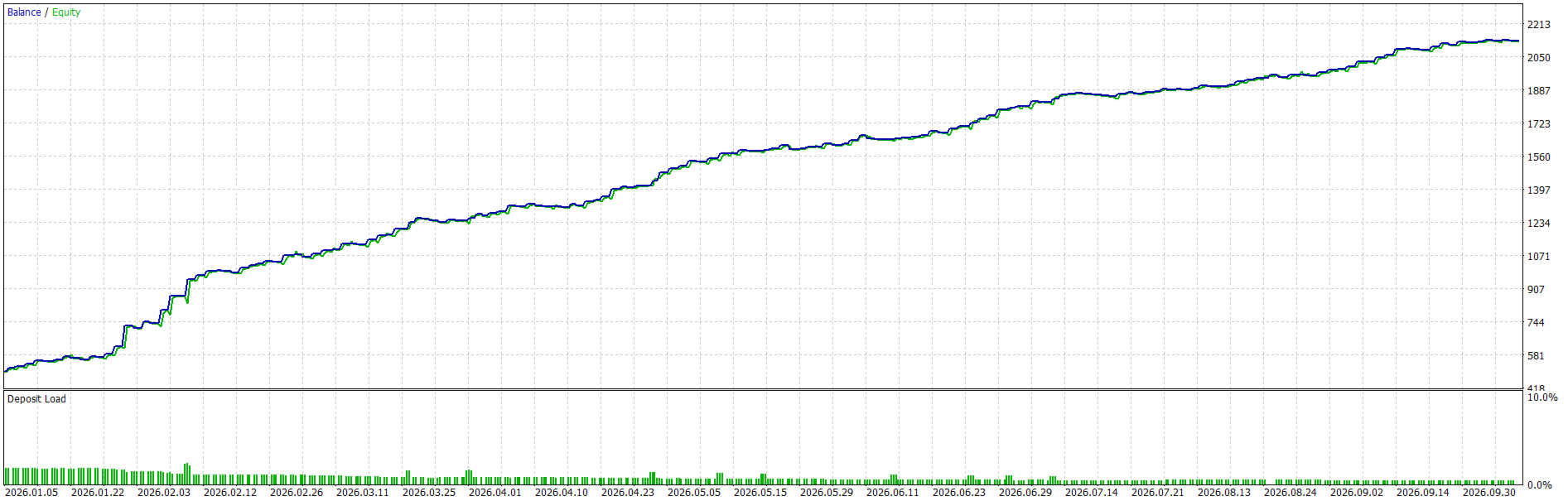
The following figures come from the supplied MT5 report for source strategy AURUM_1311_FINAL_M10_PROFIT_LOCK v1.311, with all three modules enabled, fixed 0.01 lots and M10 profit lock at 1.00R / 0.20R. They are reference results, not a backtest of the newly compiled v1.32 release.
Symbol: XAUUSD
Broker/company: Fusion Markets Pty Ltd
Test window: 1 January 2026 to 18 October 2026
First entry: 5 January 2026; last completed trade: 8 October 2026
History quality: 100% real ticks, as reported by MT5
Tester chart: M1; entry modules: M3, M5 and M10
Account currency: USD
Initial deposit: USD 500.00
Leverage: 1:500
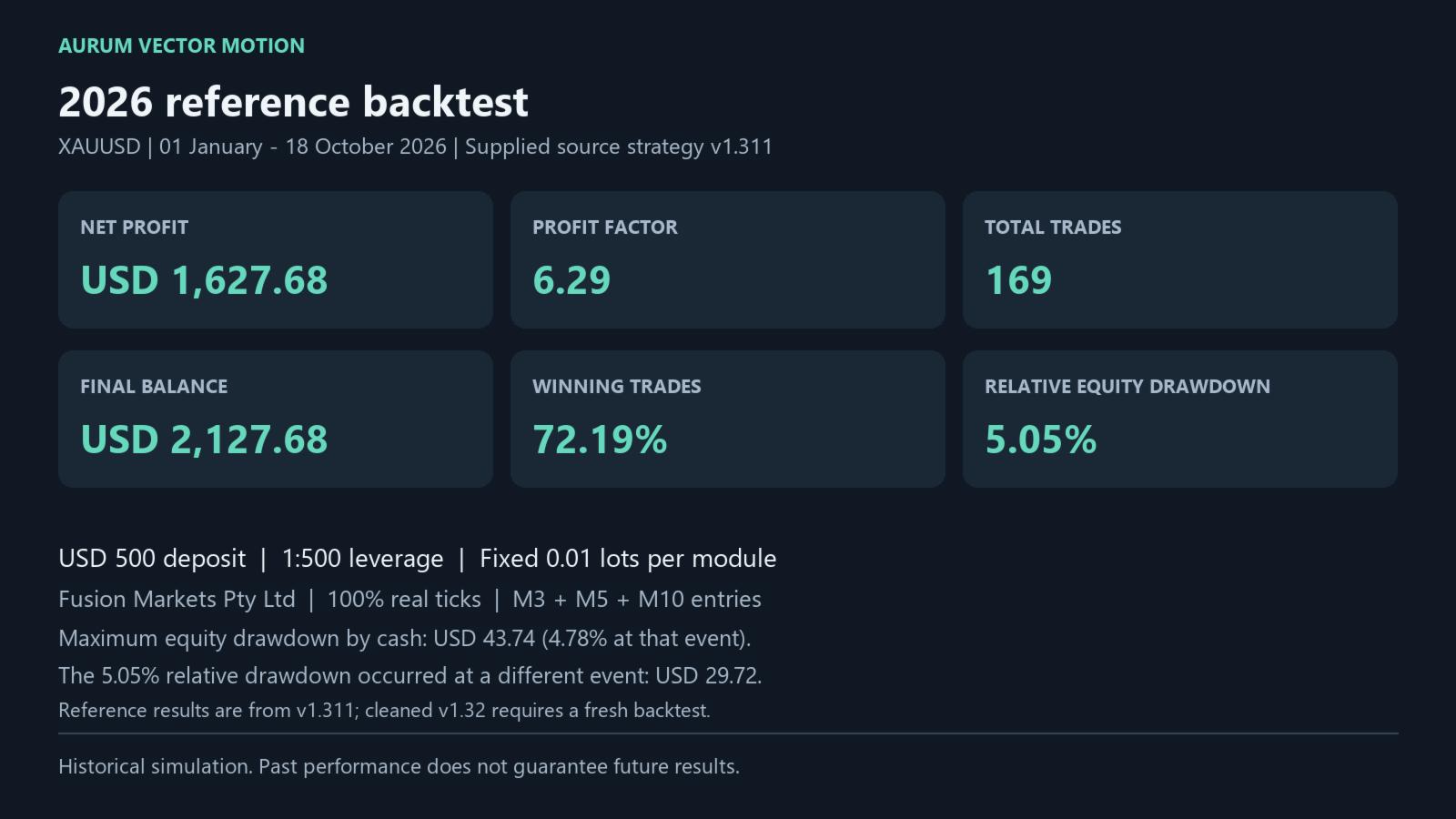
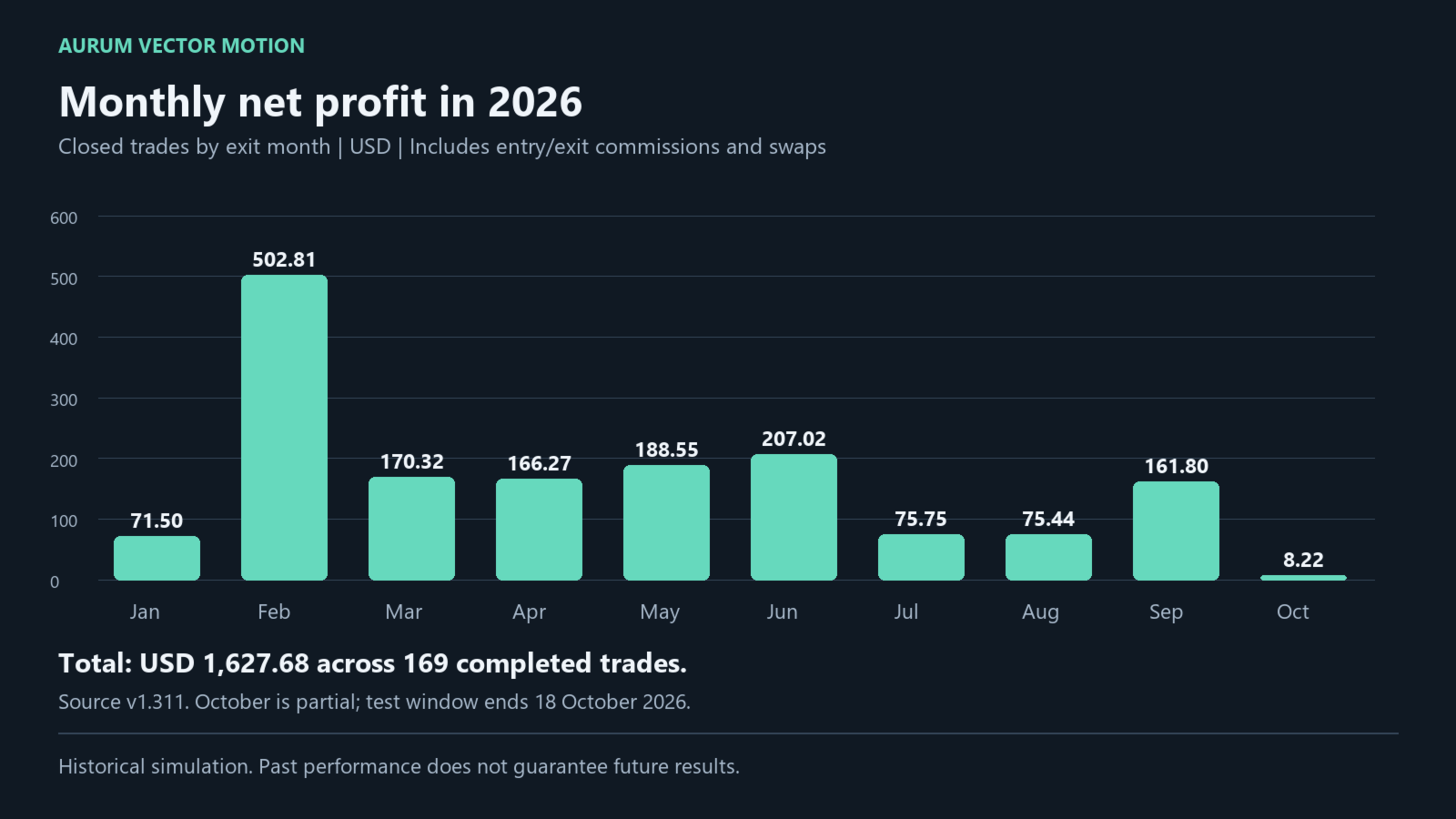
Net profit: USD 1,627.68
Final balance: USD 2,127.68
Profit factor: 6.29
Completed trades: 169
Winning trades: 122 (72.19%)
Losing trades: 47 (27.81%)
Long trades: 53, with 75.47% winning
Short trades: 116, with 70.69% winning
Maximum relative equity drawdown: 5.05% (USD 29.72 at that event)
Maximum equity drawdown by cash: USD 43.74 (4.78% at that event)
This is a partial-year historical simulation, not a live trading record or a full-year result. The cleaned release requires a fresh backtest before its results can be described as release-specific. Historical results do not guarantee future performance. Trading involves risk, including loss of capital. Test on your broker's data and a demo account before live use.