TrendSync MACD Pro
- Indicators
-
Juliano Guzlinki Pacheco
 I believe that technology is one of the main competitive differentiators in the modern financial market. While many traders still rely exclusively on manual analysis and emotional decision-making, the use of automation, algorithms, and intelligent systems allows for more precise, fast, and
 - Version: 1.30
- Updated: 6 July 2026
TrendSync MACD Pro
Zero Lag MACD signals, synchronized with the higher-timeframe trend, with a live multi-timeframe panel. Non-repainting. For MetaTrader 5.
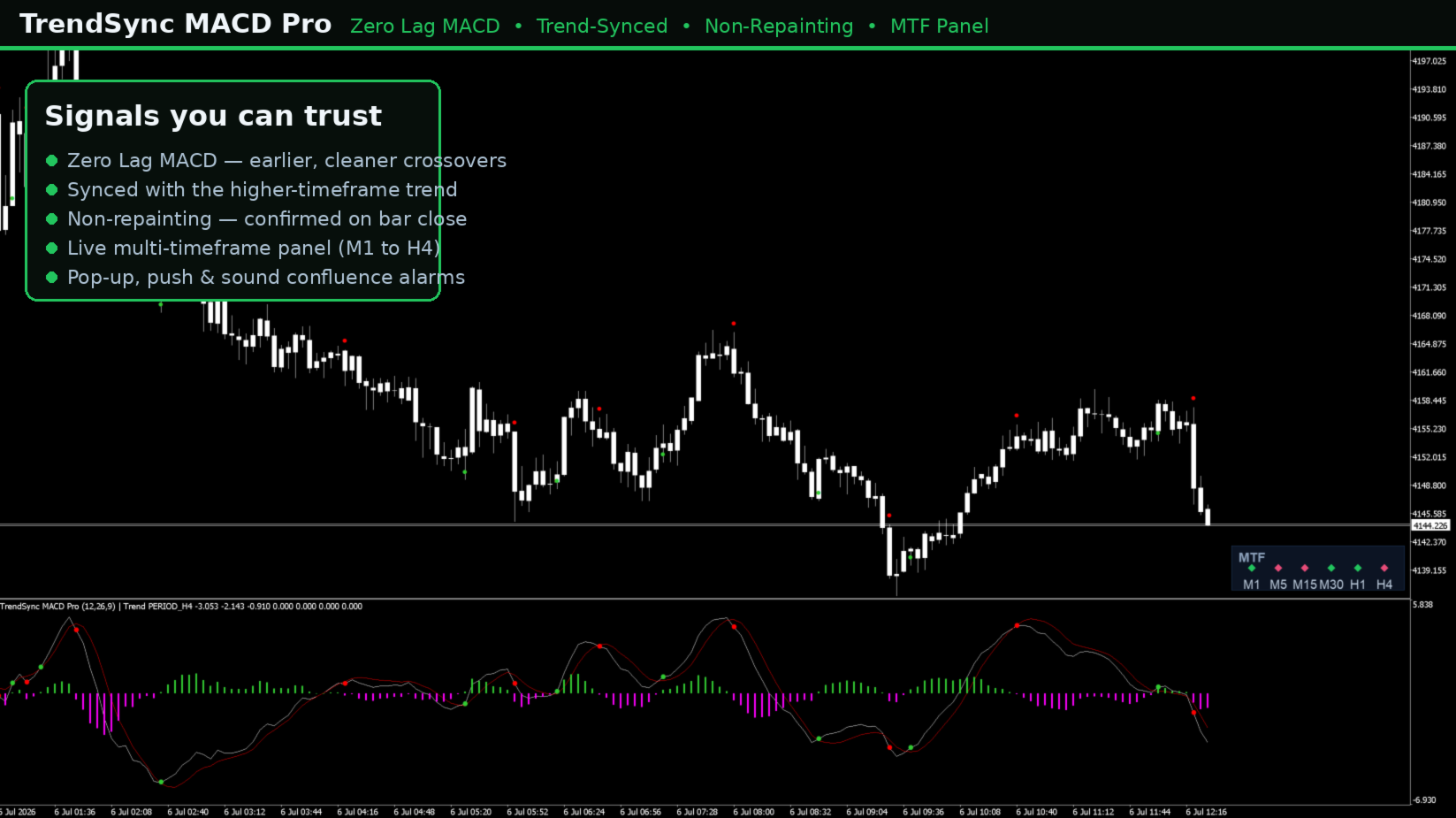
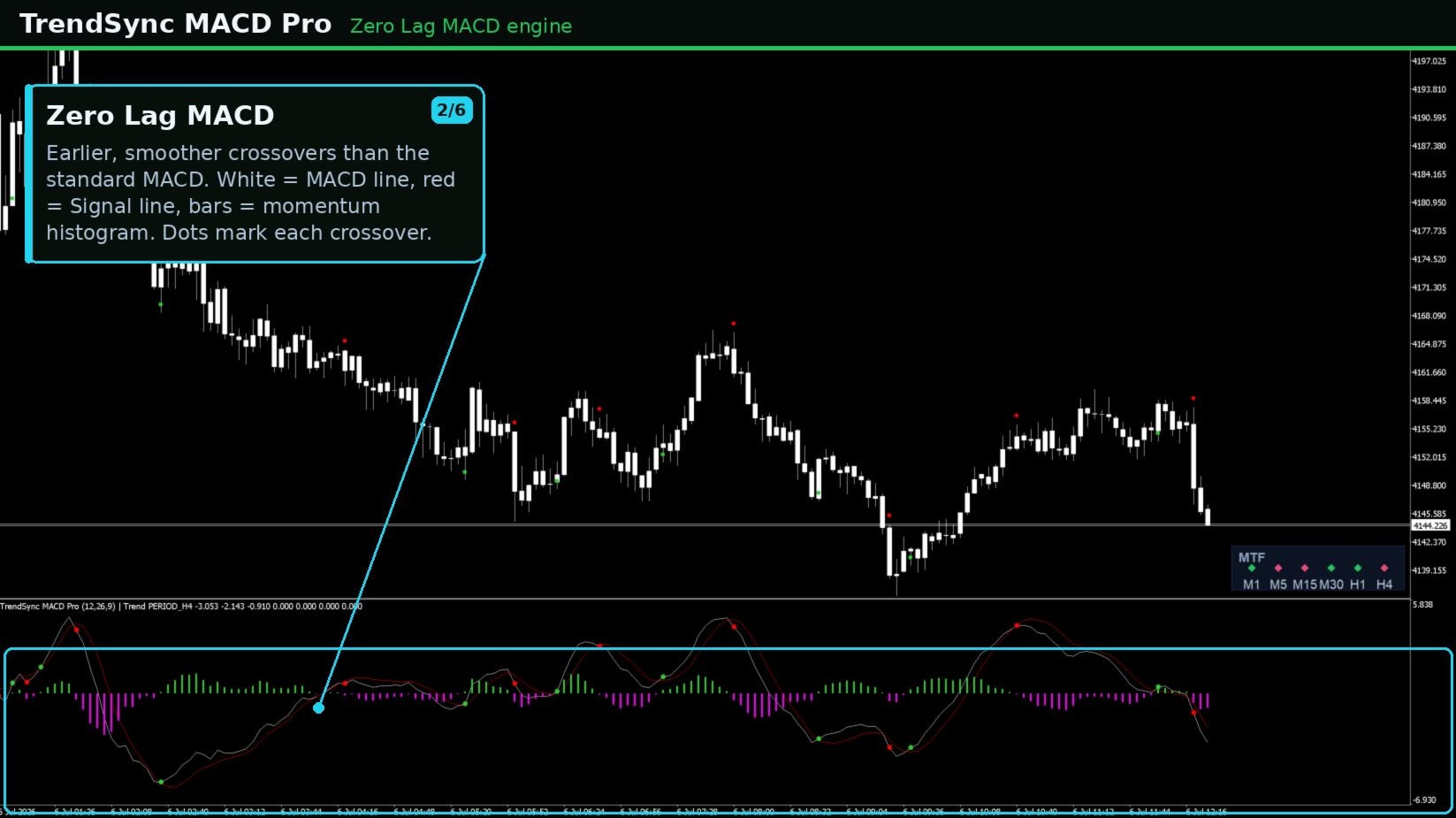
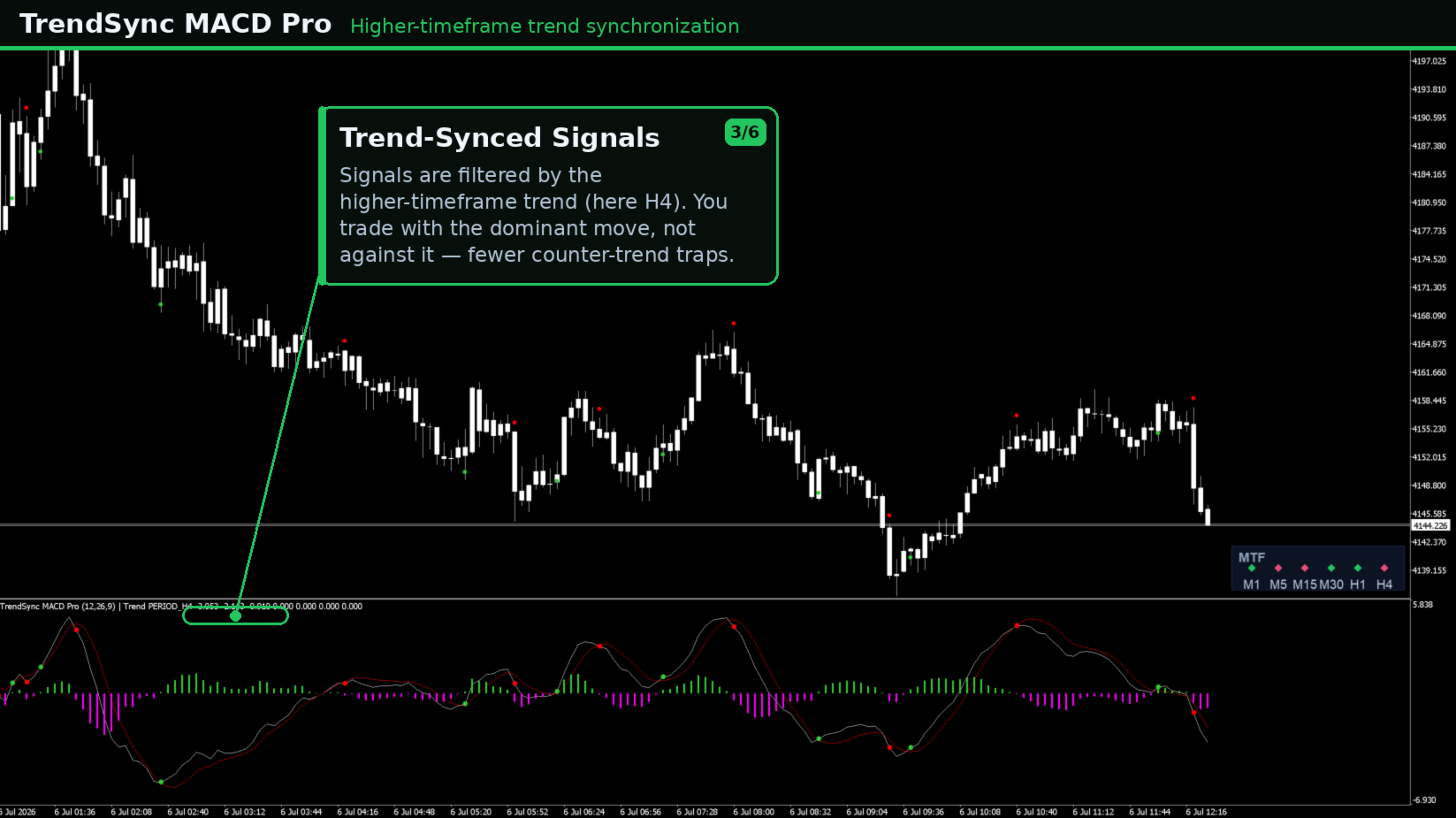
The classic MACD lags, so its crossovers often arrive after a move has already started. TrendSync MACD Pro rebuilds the MACD with a Zero Lag smoothing technique for earlier, cleaner crossovers, and then synchronizes those signals with the higher-timeframe trend so you stay on the right side of the dominant move. A built-in multi-timeframe panel shows the bias of every timeframe at a glance, and an optional alarm fires when all of them agree. It works on any symbol and any timeframe: Forex, gold, indices, commodities and crypto.
A fully automated Expert Advisor that trades the same logic is also available. The link is in the Automated Trading section below.
Why traders use it:
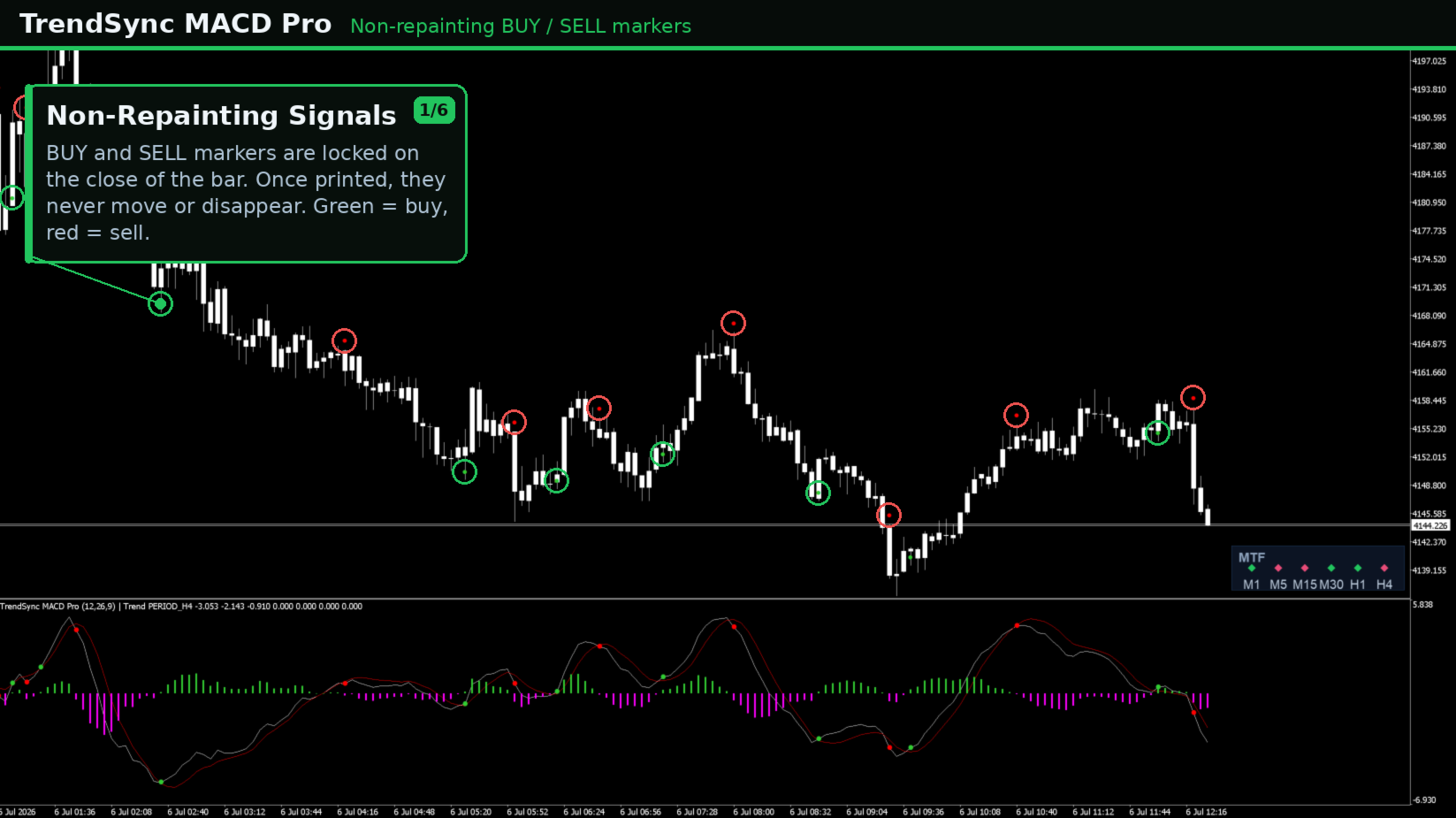
Non-repainting: signals are evaluated and locked on the close of the bar, so a signal that appears will not move or disappear later. The Zero Lag MACD engine produces earlier, smoother crossovers than the standard MACD. The higher-timeframe trend synchronization highlights only the trend-aligned turning points, so you trade with the bias rather than against it. The live multi-timeframe panel lets you read the bias of M1, M5, M15, M30, H1, H4 and D1 at once without switching charts. A full alert system covers pop-up, push-to-mobile and a repeating sound alarm.
The multi-timeframe panel:
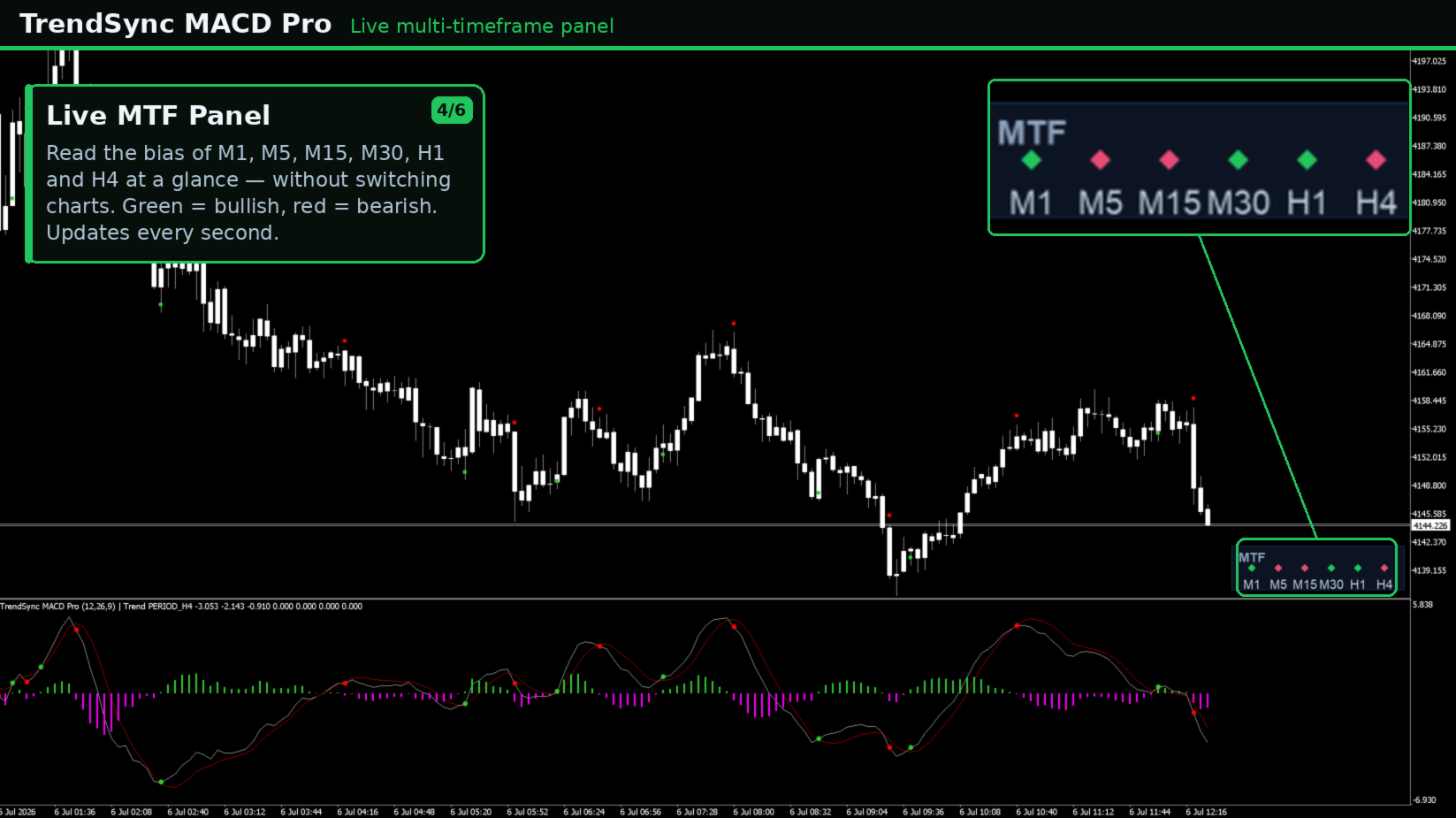
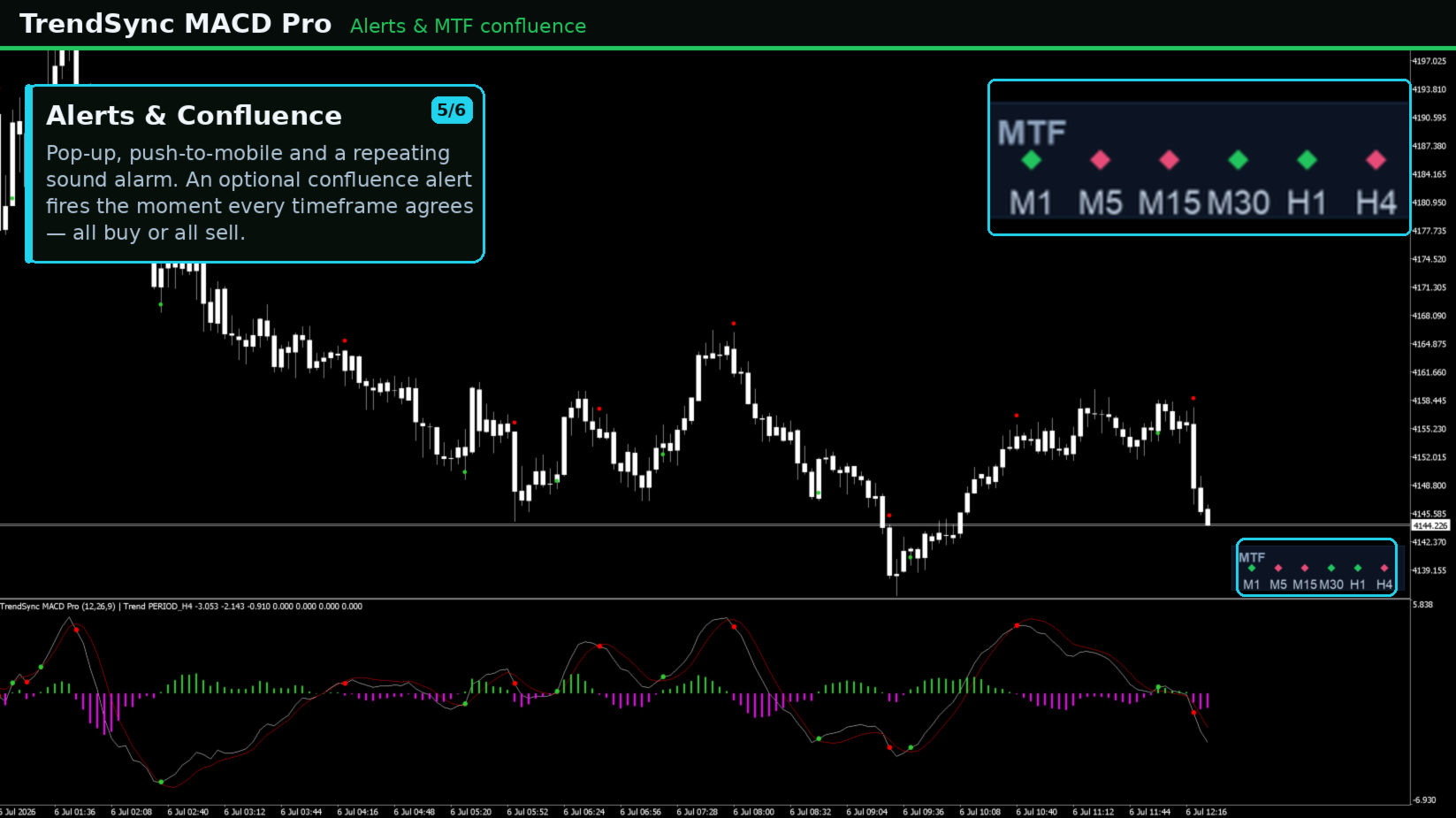
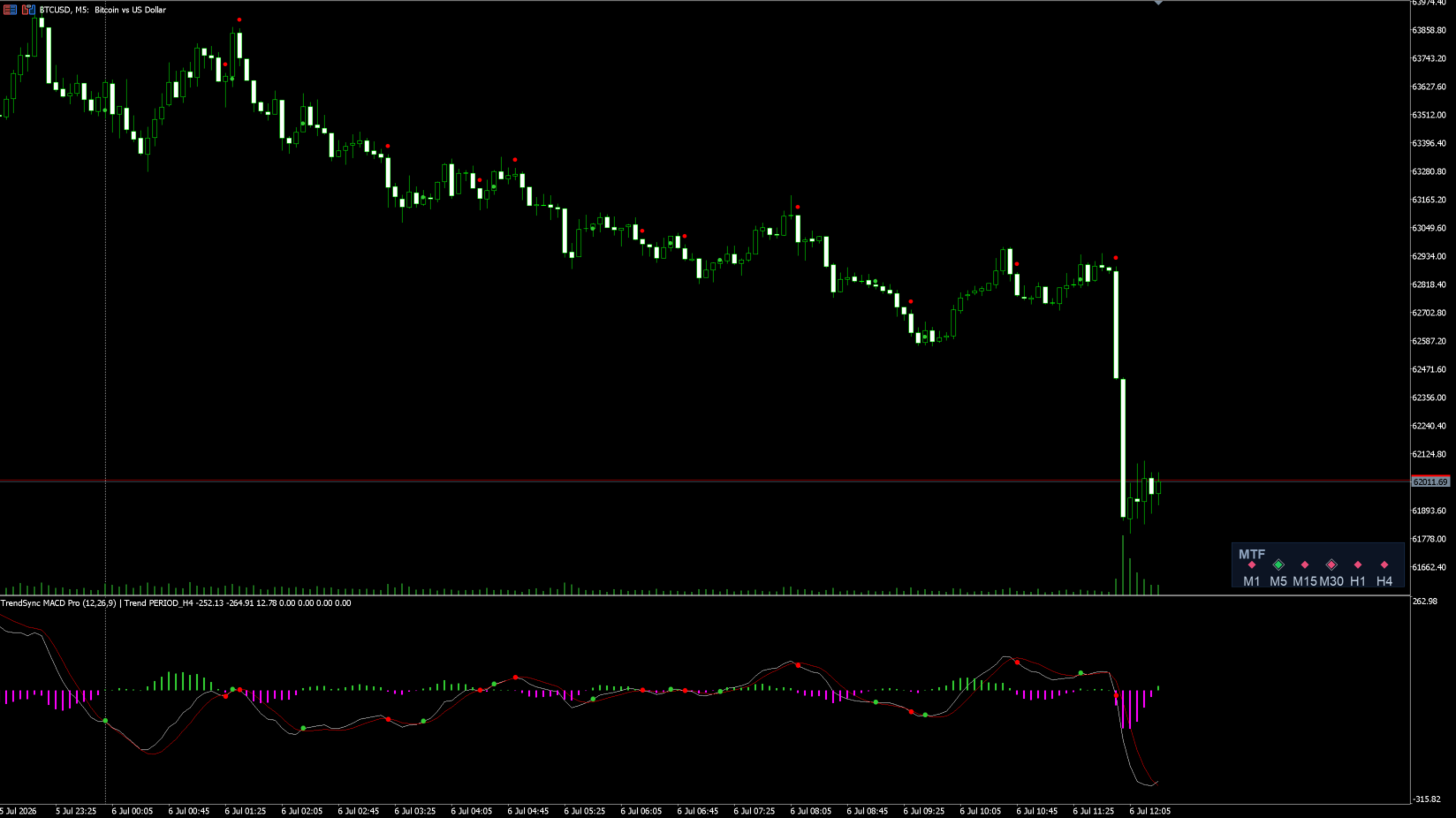
A compact on-chart panel reads the Zero Lag MACD on the timeframes you choose and shows each one as a colored diamond. Green means a bullish bias (MACD above Signal) and red means a bearish bias (MACD below Signal). The panel updates live every second, so faster timeframes stay current even on a higher chart. You can read the forming bar for a responsive view, or the closed bar for a confirmed, non-repainting view. A white ring marks a timeframe that has just crossed. An optional confluence alarm alerts you the moment every selected timeframe agrees, all buy or all sell.
How it works:
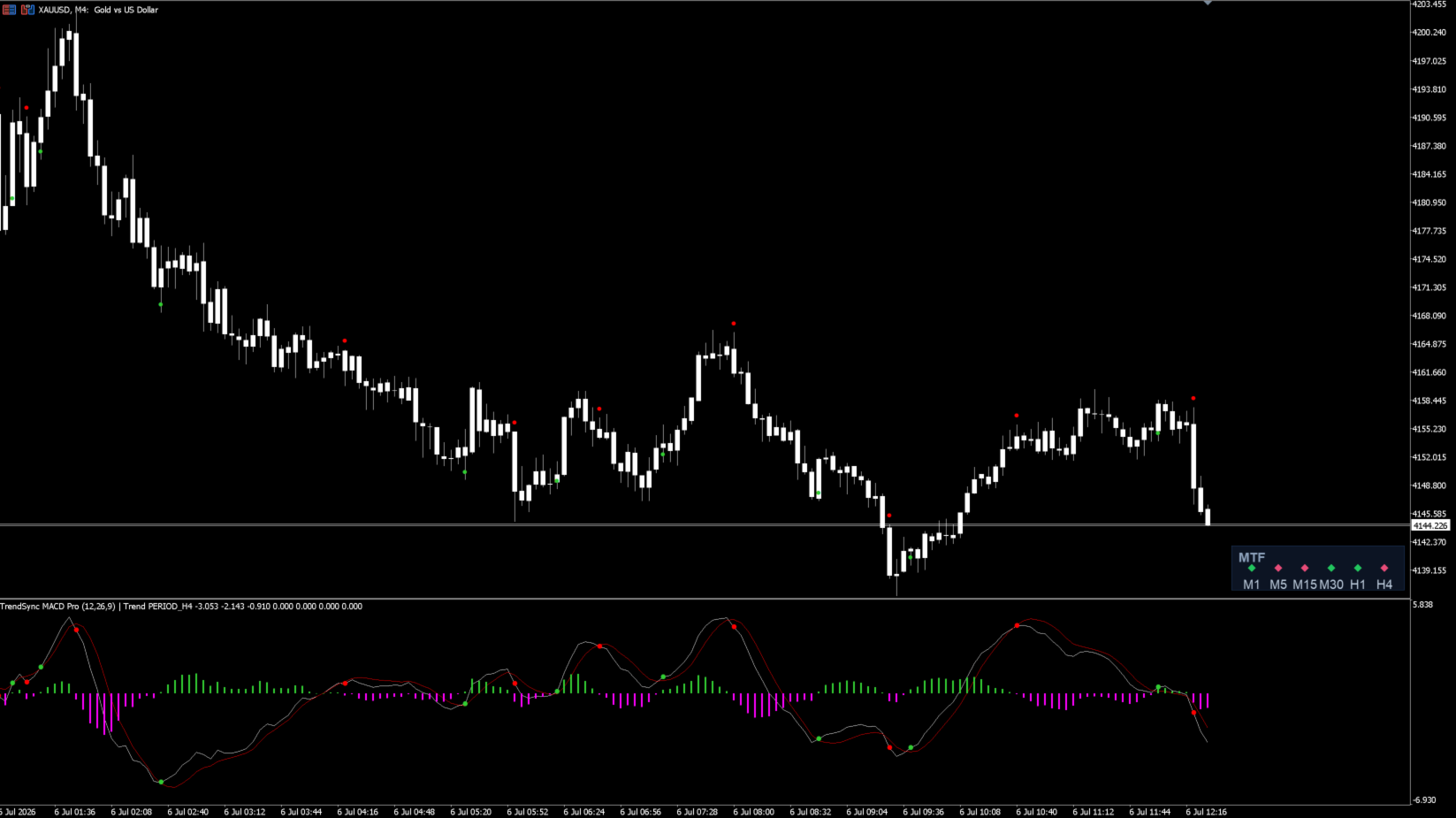
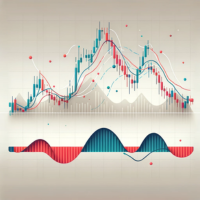
The fast and slow moving averages are de-lagged, the MACD is their difference, and the signal line is a zero-lag smoothing of the MACD, or a classic moving average if you prefer. A cross of MACD above Signal is a buy and a cross below is a sell. Every raw crossover is drawn as a small dot so you never lose sight of momentum, while the trend-aligned, filtered turning points are highlighted as clear buy and sell arrows. A momentum filter can ignore weak crossovers near the zero line, where choppy signals tend to cluster.
What you see:
In the indicator sub-window: the MACD line, the Signal line, the histogram, the raw-cross dots and the highlighted turning points. On the price chart: small raw-cross arrows, clear buy and sell arrows with labels, and a marker where a higher-timeframe trend flip would flatten the position.
Alerts:
A pop-up window with the terminal sound, a repeating sound alarm that stays active for a configurable number of seconds, and a push notification to the MetaTrader mobile app, which requires your MetaQuotes ID under Tools, Options, Notifications. You can alert on the highlighted turning points, on every raw crossover, or on full multi-timeframe confluence. Every alert is also written to the Experts log.
Settings:
Timeframes: signal timeframe and higher-timeframe trend filter.
Zero Lag MACD: applied price, fast, slow and signal lengths, EMA or SMA mode, zero-lag or classic signal.
Filters: trend filter and minimum distance from zero.
Exits: exit on trend flip and exit on opposite signal.
Display: sub-window dots, chart arrows, raw-cross arrows, exit marks, labels and arrow offset.
Alerts: pop-up, sound and alarm seconds, push, and whether to fire on turning points, raw crossovers or confluence.
Panel: timeframes shown, panel corner and position, font size, fresh-cross highlight, and forming or closed bar.
Best way to use it:
The strongest convergence is hierarchical rather than every timeframe sharing one color at the same moment. Use a coherent trio with roughly a one-to-four or one-to-six ratio between them. Choose a higher anchor timeframe for the trend bias and only trade in its direction, use your entry timeframe (the chart you attach to) for the trigger, and add one intermediate timeframe for confirmation. For example, enter on M5 with H1 as anchor and M15 as confirmation, or enter on M15 with H4 as anchor and H1 as confirmation. Keep the panel focused on that trio so the confluence alarm stays both reliable and timely. Higher timeframes carry less noise, so weight them more than the lowest ones. Always combine the tool with your own market structure and risk management.
Automated Trading (Expert Advisor):
TrendSync MACD Pro is the signal and visualization companion to our Expert Advisor, which trades the same Zero Lag MACD logic automatically: the same crossover engine, the same higher-timeframe trend filter, and the same non-repainting entries on the bar close. Use the indicator to read the market and receive alerts, and let the EA execute hands-free. The automated version is available here:
LINK: TrendSync MACD Pro EA
Compatibility:
Platform: MetaTrader 5. Symbols: any, including Forex, metals such as gold, indices, commodities and crypto. Timeframes: all.
Disclaimer:
TrendSync MACD Pro is a decision-support and visualization tool. All signals are based on closed-bar data and do not repaint. It does not place trades and makes no guarantee of profit. Trading carries risk, and the past behavior of any signal is not a promise of future results. Always test on a demo account first and use sound risk management. Nothing here is financial advice.