Ethereum Beast
- Experts
-
Arnold Bobrinskii
 Financial-markets bot developer, 12 years' experience — Forex, crypto & prediction markets (Gold, ETH, Polymarket). Purchased a product? PM me for setup & support.
Contacts:
https://t.me/BoberEas - Version: 4.29
- Activations: 5
ETHEREUM BEAST — ETH Trading Robot for MT5 and Binance
LAUNCH PROMO: $399 for unlimited use, or rent it for 1 year for only $299.
Fully automated Ethereum robot.
Attach it to an ETH chart, follow the 5-step setup in the built-in copilot, and it trades. No grid, no martingale, no averaging — every leg has a real stop-loss and take-profit from the moment it opens.
What It Does
Ethereum Beast trades ETH automatically, 24/7. It waits for the right market conditions, places its orders in advance, and every position opens with its stop-loss and take-profit already set. Once a trade moves its way, the stop moves to break-even plus a small profit. Most trades close with a small locked profit — a few run to a far target, and that is where the real gains come from.
Two Ways to Trade
| Venue | How It Works | API Key |
|---|---|---|
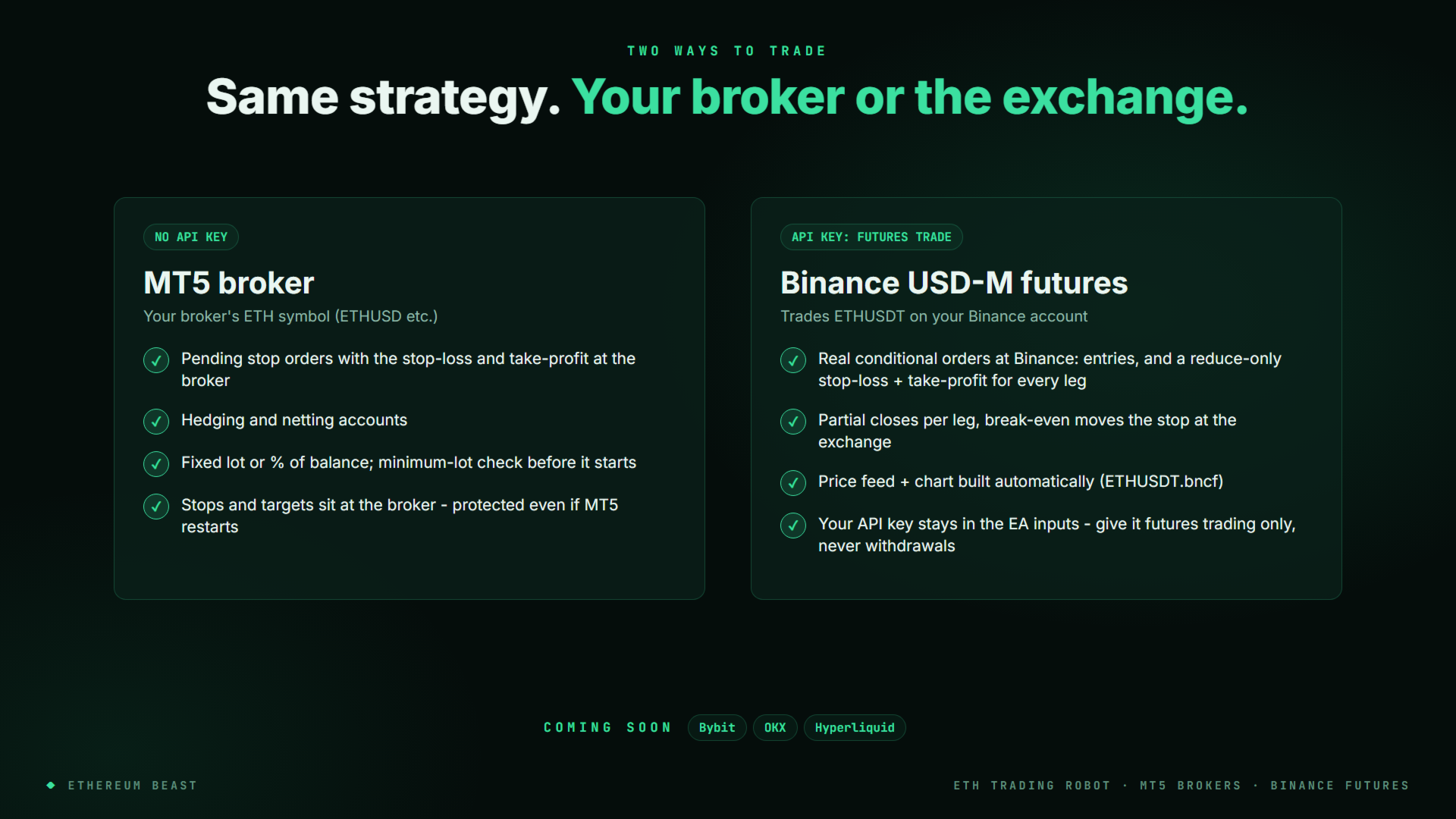
| MT5 Broker | Trades your broker's ETH symbol (ETHUSD etc.) with pending stop orders; stop-loss and take-profit sit at the broker. Hedging and netting accounts. | Not needed |
| Binance USD-M Futures | Real conditional orders at Binance: the entries plus a reduce-only stop-loss and take-profit for every leg (partial closes per leg). The ETHUSDT price feed and chart are built for you. | Required (futures trading only — never enable withdrawals) |
Coming soon: direct connectors for Bybit, OKX and Hyperliquid — the same sets, with real exchange-side stop-loss and take-profit orders.
Four Sets, Honest Grades
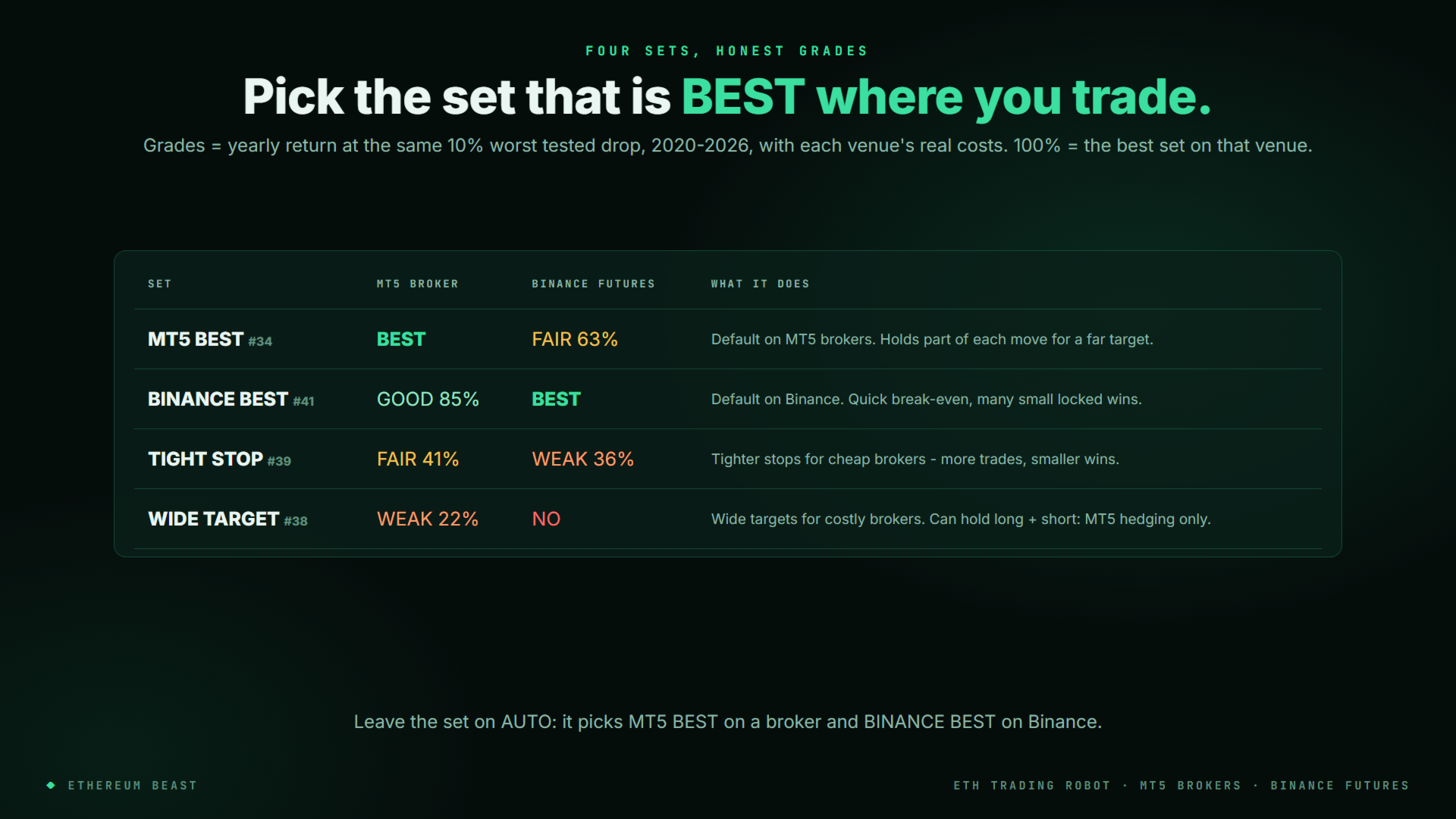
The panel grades every set for MT5 brokers and for Binance at the same risk (10% worst tested drop, 2020–2026, with each venue's real costs). Leave the set on AUTO — it picks MT5 BEST on a broker and BINANCE BEST on Binance.
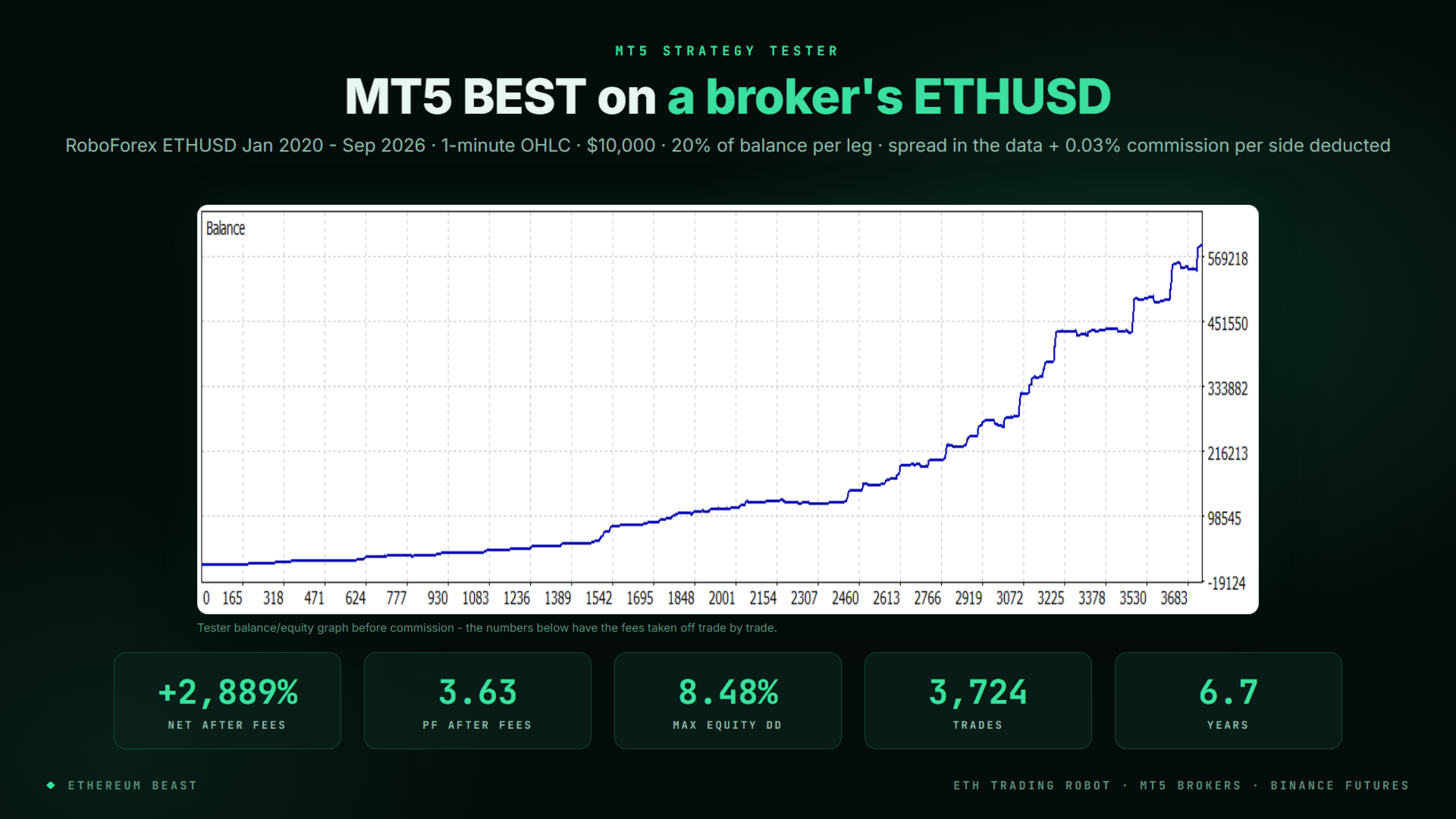
- MT5 BEST — best on MT5 brokers; holds part of each move for a far target
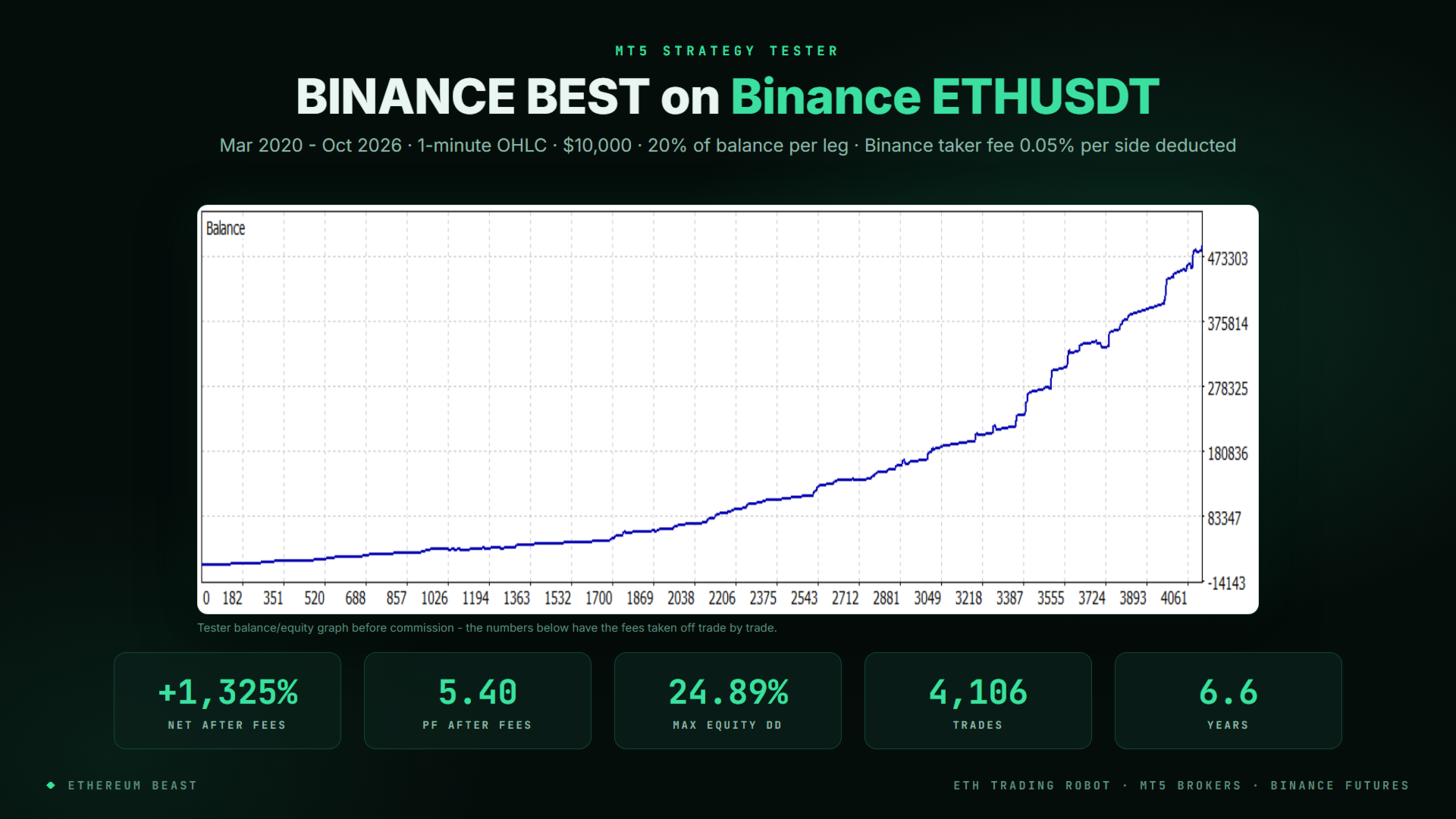
- BINANCE BEST — best on Binance; quick break-even, many small locked wins
- TIGHT STOP — tighter stops for low-cost brokers
- WIDE TARGET — wide targets for costly brokers (MT5 hedging accounts only)
Full Chart Visualization
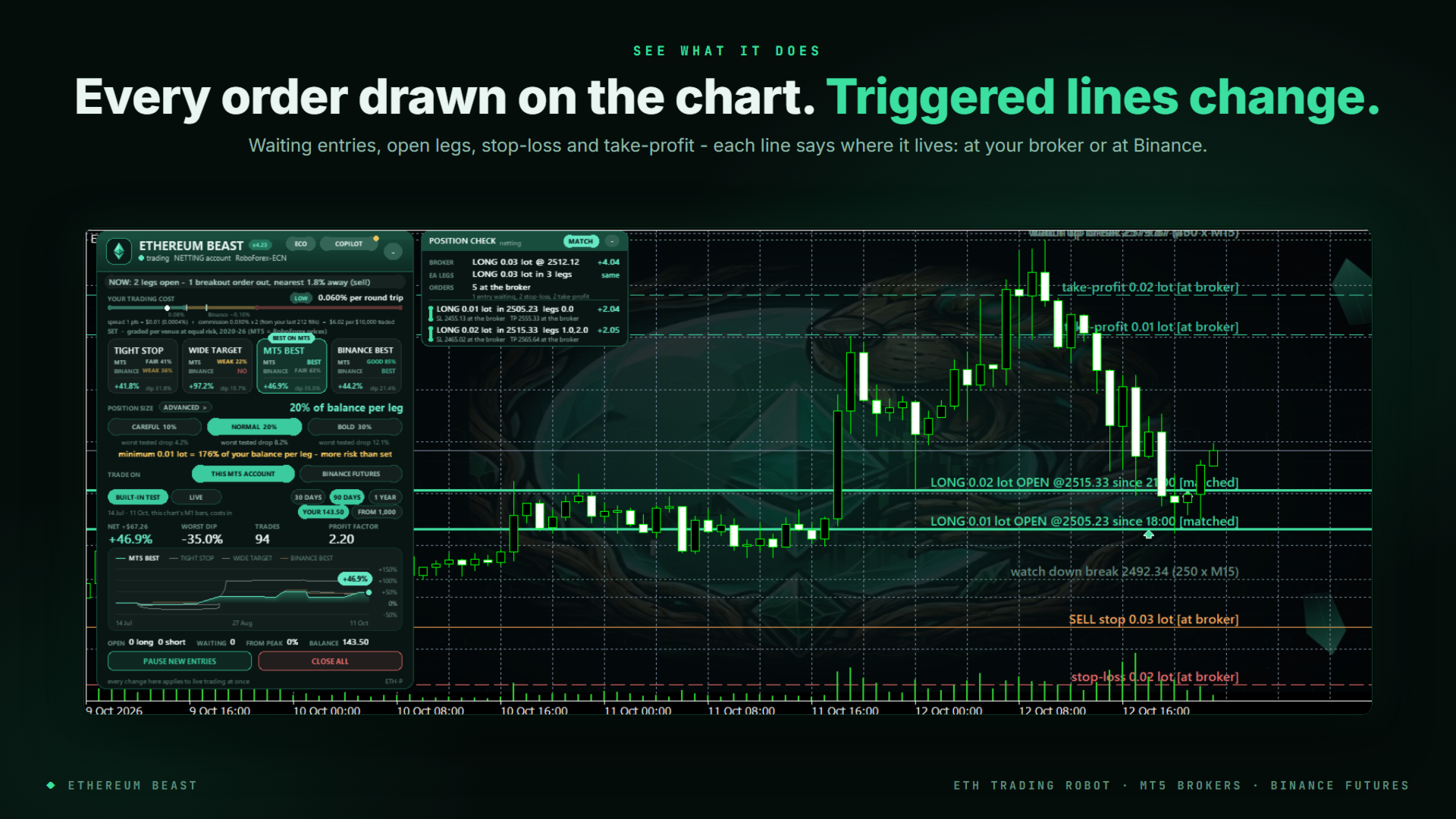
- Control panel — set, position size (CAREFUL / NORMAL / BOLD, each with its worst tested drop), venue, pause new entries, close all
- Max legs — trade all of the set's legs or only its first 1, 2, 3 or 4: fewer orders at the same time. Change it on the panel, in the inputs, or by asking the copilot
- Spread stacks — when several legs break out at the same price, they are placed a small step apart instead of all at one price, so one sharp spike hits fewer of them. On by default, one switch on the panel
- Trailing lock — legs exit differently: the first leg open on a side keeps its full target, while legs that join it later follow price with a stop that keeps most of their best profit, so a stack gives back little when the move turns. AUTO: on for Binance futures, off for MT5 brokers; one input or ask the copilot
- Built-in test on your own chart — 30 days, 90 days or 1 year on your broker's M1 prices and your measured trading cost, in seconds
- Every order as a line — waiting entry, open leg, stop-loss, take-profit; lines change the moment an entry fills
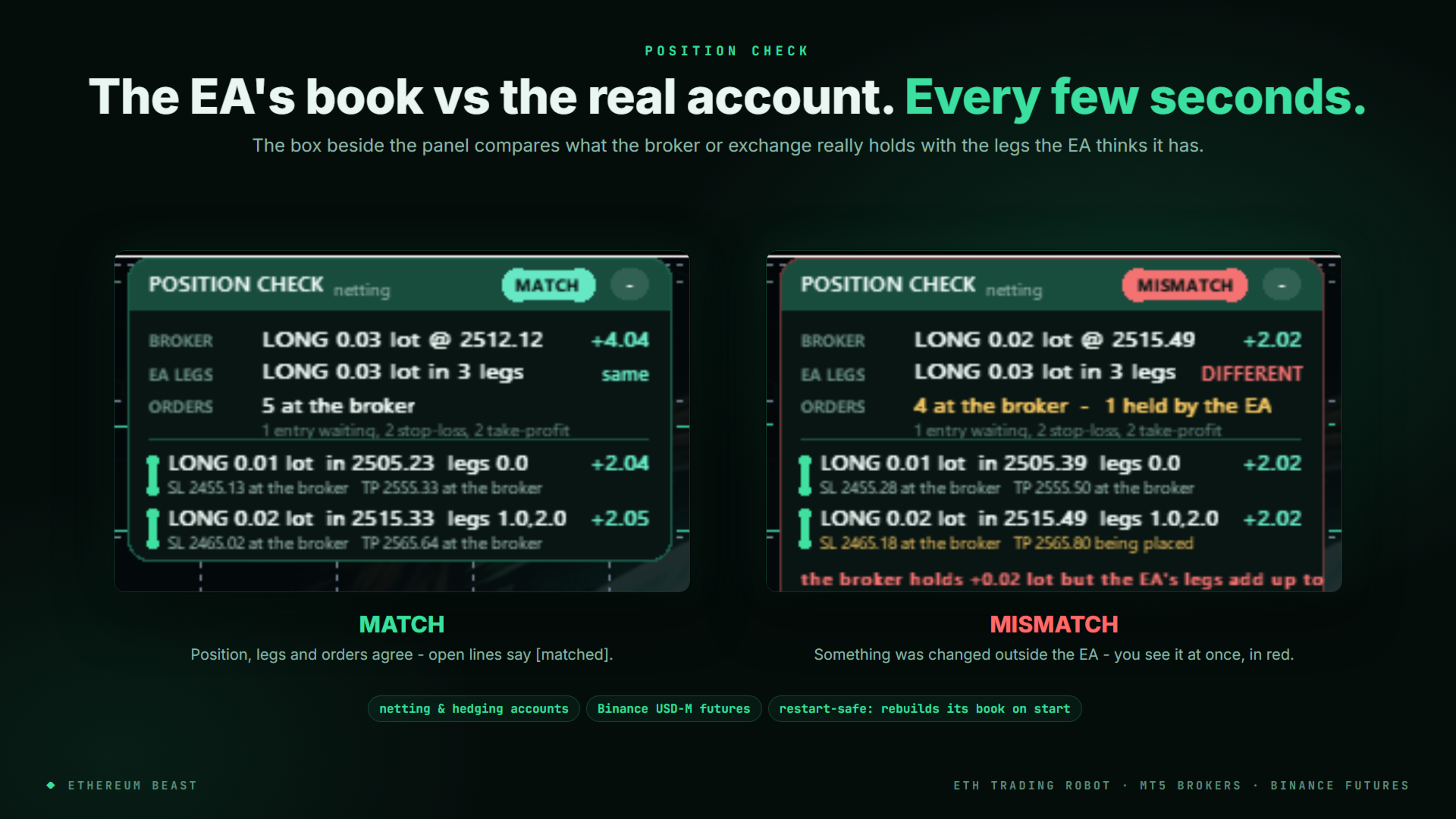
- POSITION CHECK box — compares what the broker or exchange really holds with the EA's own book every few seconds: MATCH or MISMATCH
- ECO mode for small VPS machines
Copilot — Inside the Chart
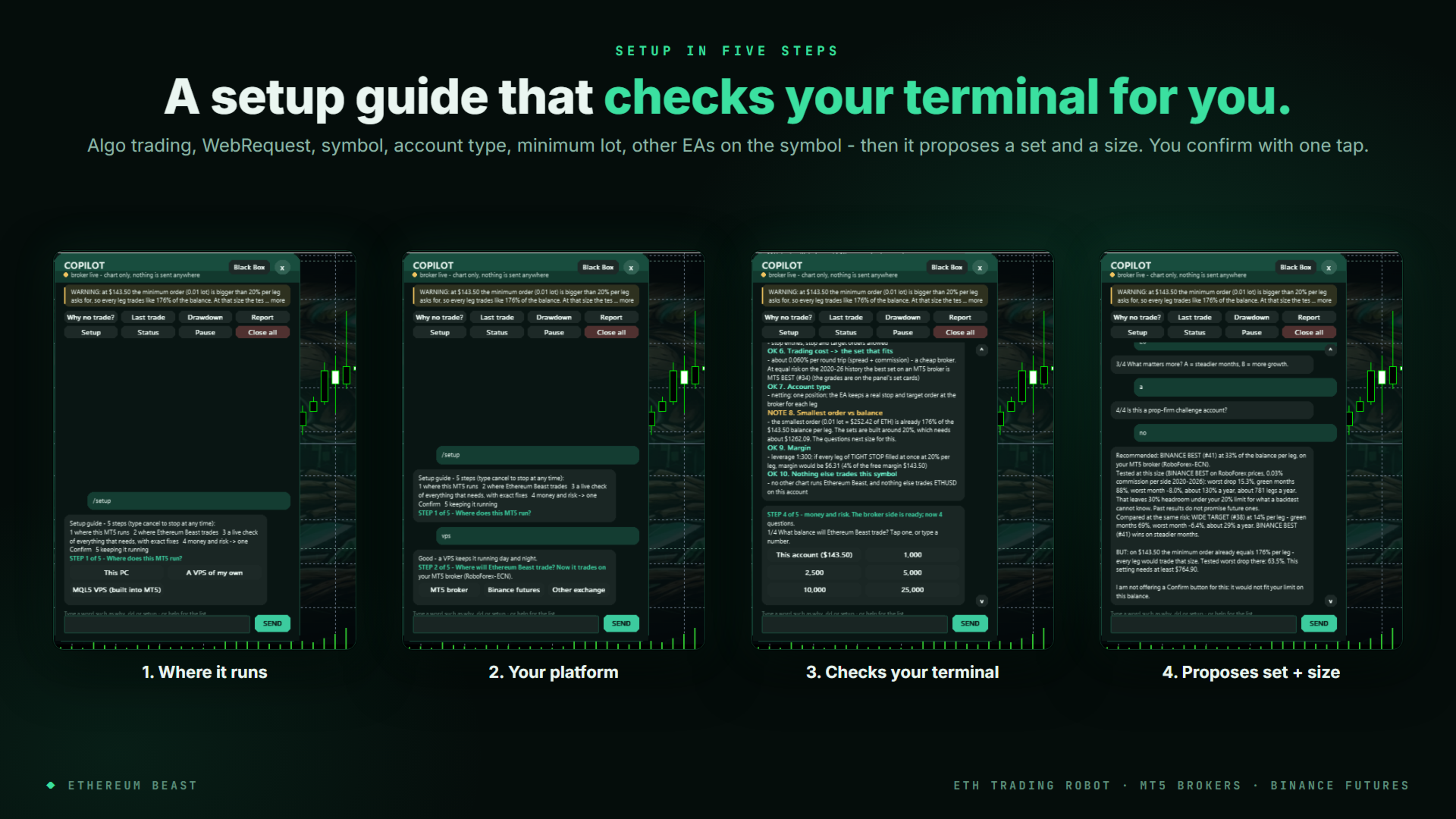
- 5-step setup guide — where it runs (VPS, MQL5 VPS or PC), your platform, then it checks algo trading, WebRequest, the symbol, account type, minimum lot and other EAs on the symbol, and proposes a set and size you confirm with one tap
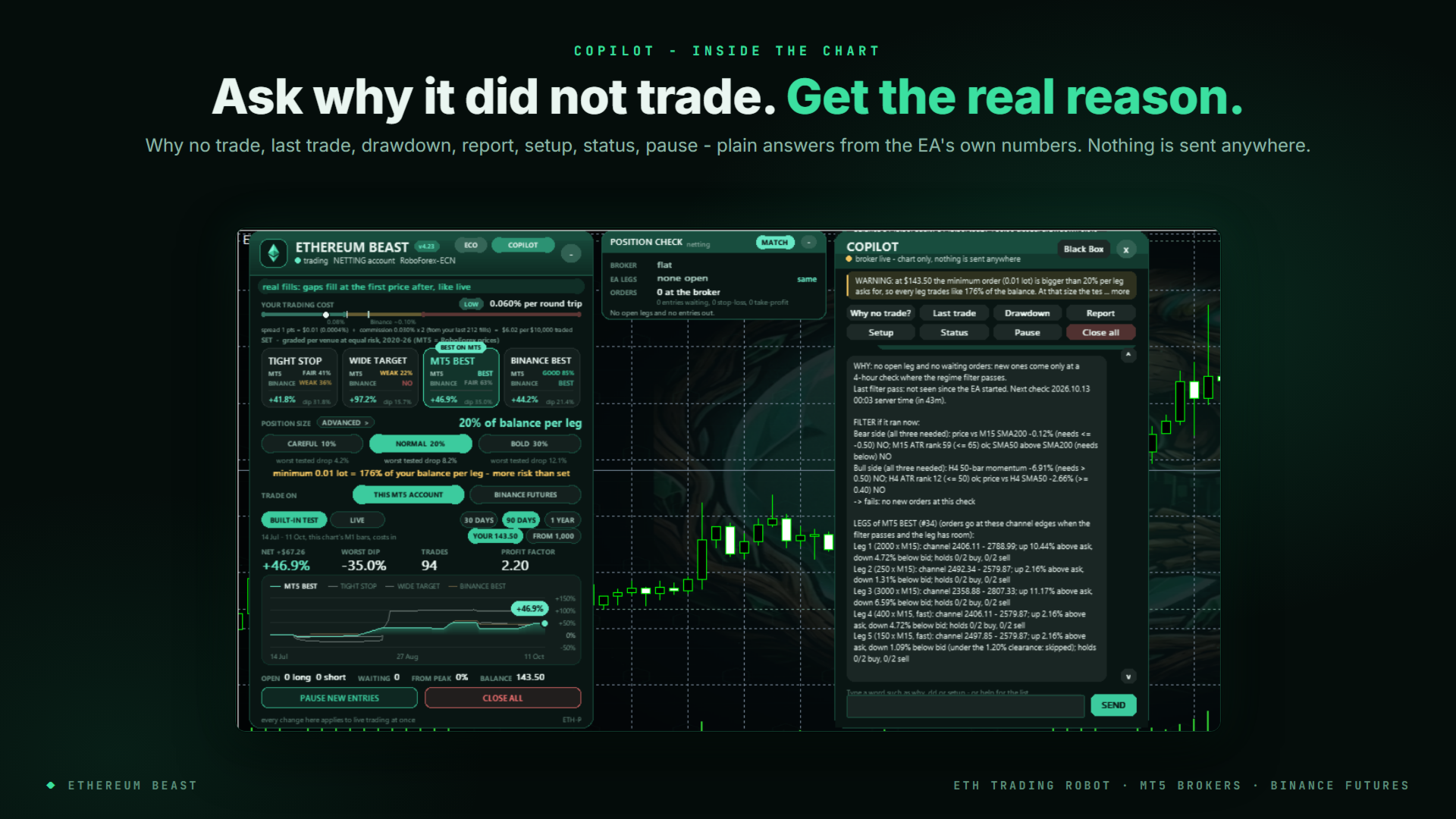
- Why no trade? — the real reason from the filter's own readings, and where the next orders would go
- Last trade, drawdown, report, status, pause, max legs, spread stacks — plain answers from the EA's own numbers. Nothing is sent anywhere.
Smart Safety
- Real stop-loss and take-profit at the broker or exchange for every leg — not virtual
- Restart-safe — rebuilds its book on start and logs anything that closed while it was off
- Minimum-lot check — warns before a broker's minimum lot means more risk than you set
- Connection watch — tells you when the broker or exchange stops answering; your orders stay in place
- Trading cost measured from your own fills; every set is graded for that cost
Requirements
- MT5 with any ETH symbol (H1 chart recommended), or a Binance USD-M futures account in one-way mode (Bybit, OKX and Hyperliquid coming soon)
- Minimum balance at 20% per leg: about $1,300 where the minimum lot is 0.1 ETH; about $150 on Binance
- A VPS keeps it running 24/7 (the MQL5 VPS works)
- Binance only: allow WebRequest for https://fapi.binance.com in Tools > Options > Expert Advisors — the setup guide shows you how
Quick Start
- Attach Ethereum Beast to an ETH H1 chart.
- Press COPILOT > Setup and follow the 5 steps.
- Confirm the proposed set and size.
- Enable Algo Trading. Done.
Need help getting started? PM me anytime — happy to help you set it up.
Join the community
Public community: Click here
Public channel: Click here to join the channel
Live accounts running · Active development · Built for ETH