ModernUI Library
- Libraries
- Version: 1.10
- Updated: 22 May 2026
- Activations: 10

ModernUI Library for MetaTrader 5
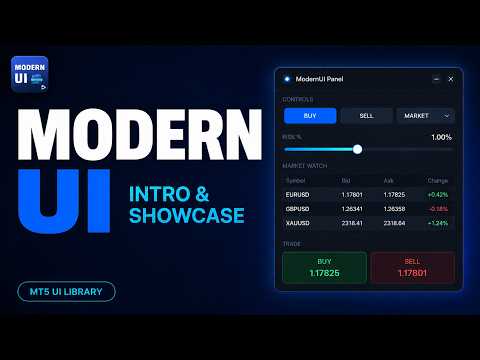
ModernUI is a chart-hosted user interface library for MetaTrader 5. It helps MQL5 developers build cleaner EA panels, dashboards, settings windows, forms, tables, dialogs, drawers and compact trade-style interfaces inside the MT5 chart environment.
It is built for developers who want a more professional interface layer than scattered chart objects, while still keeping full control over their own EA, indicator or utility logic.
What you can build
ModernUI is not limited to one type of panel. It gives you a reusable interface layer for almost any chart-hosted tool you want to build inside MetaTrader 5.
You can use it for simple settings screens, compact trade panels, full dashboards, data views, control panels, account tools, workflow screens, monitoring interfaces, utility windows, commercial EA front ends and much more.
The included demos show several practical examples, but they are only starting points. If your MQL5 project needs buttons, inputs, tables, dialogs, tabs, drawers, charts, status areas or a cleaner way to present information on the chart, ModernUI gives you the building blocks to create it.
Main features
- Chart-hosted UI controls for MetaTrader 5
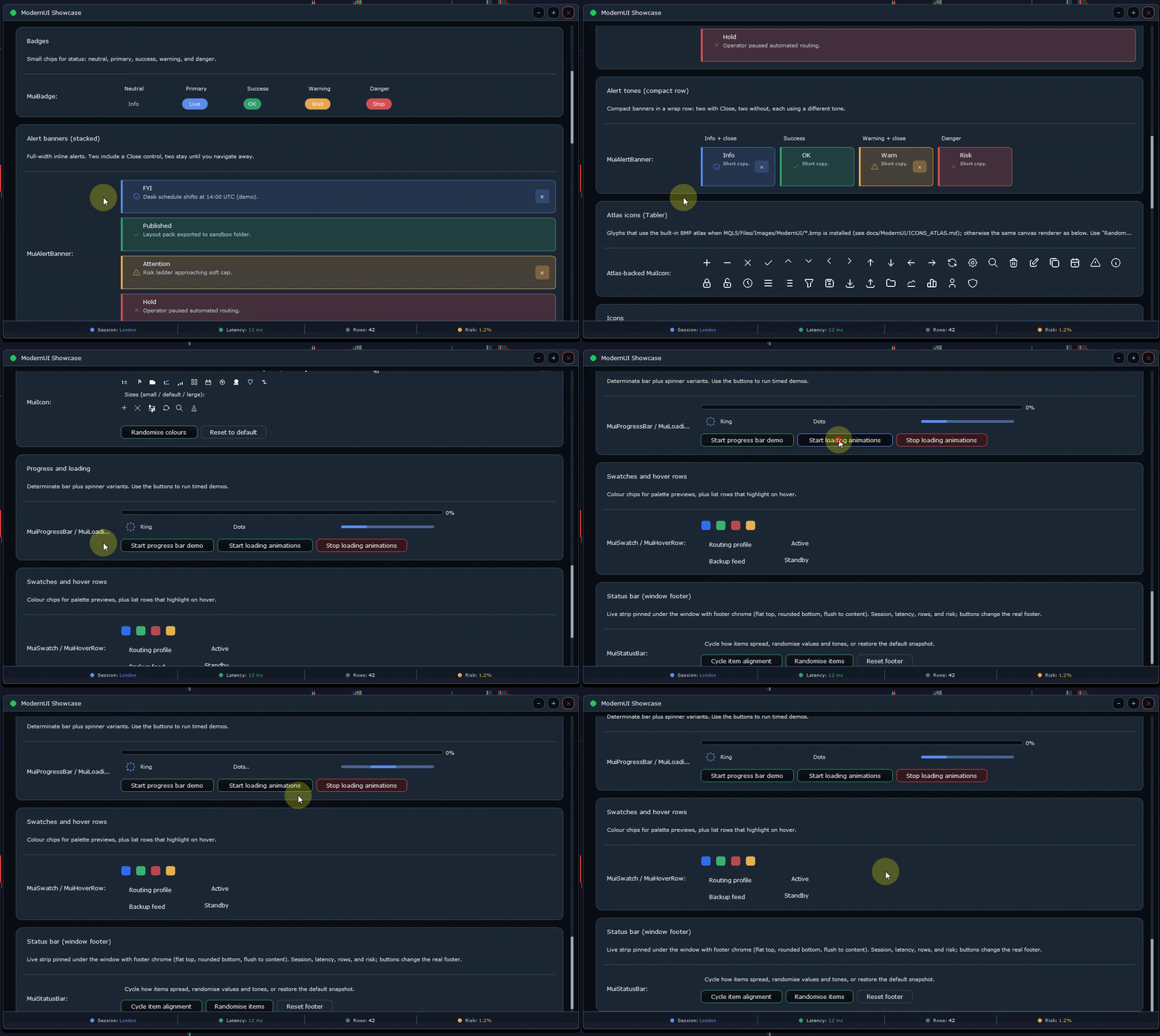
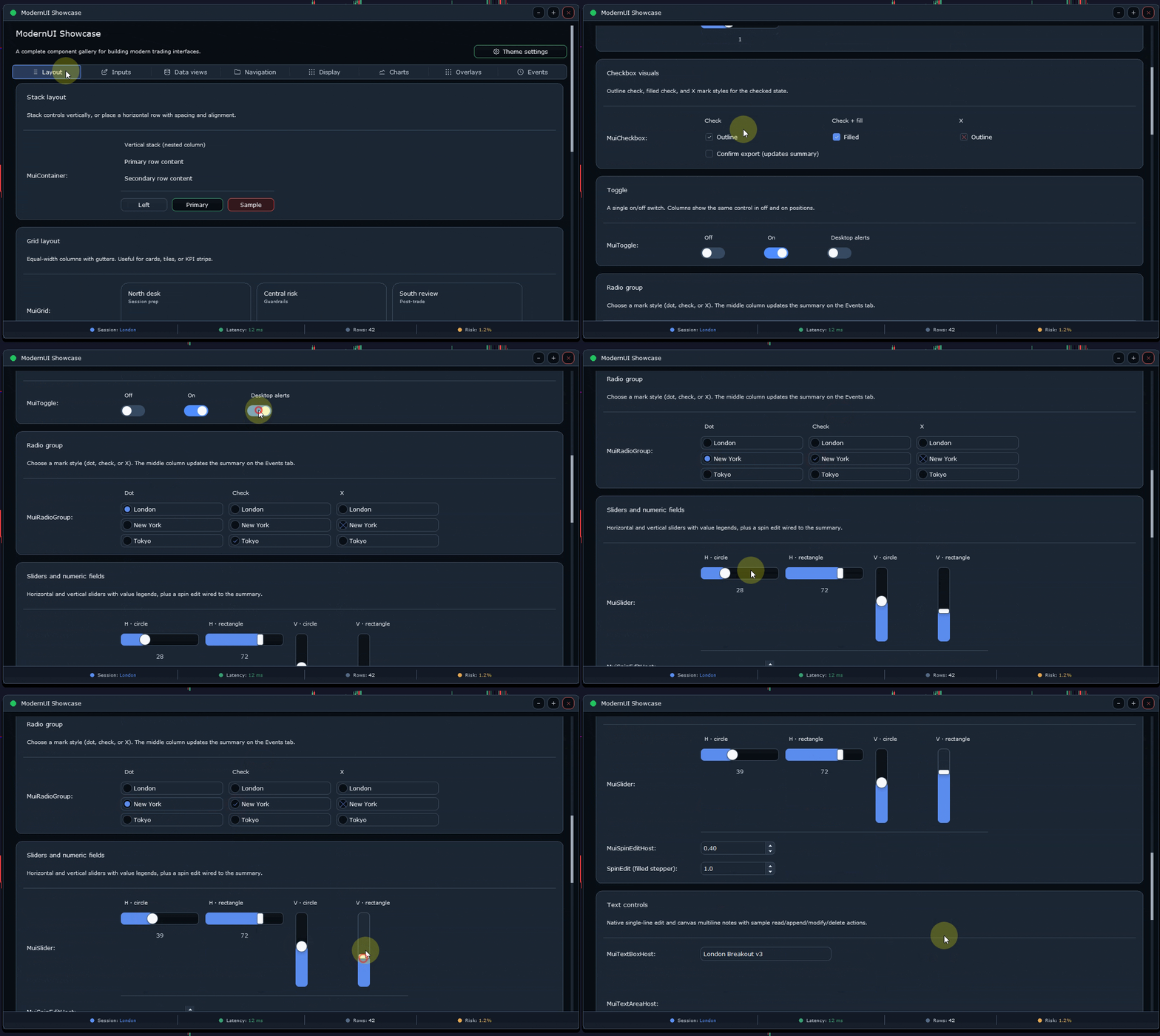
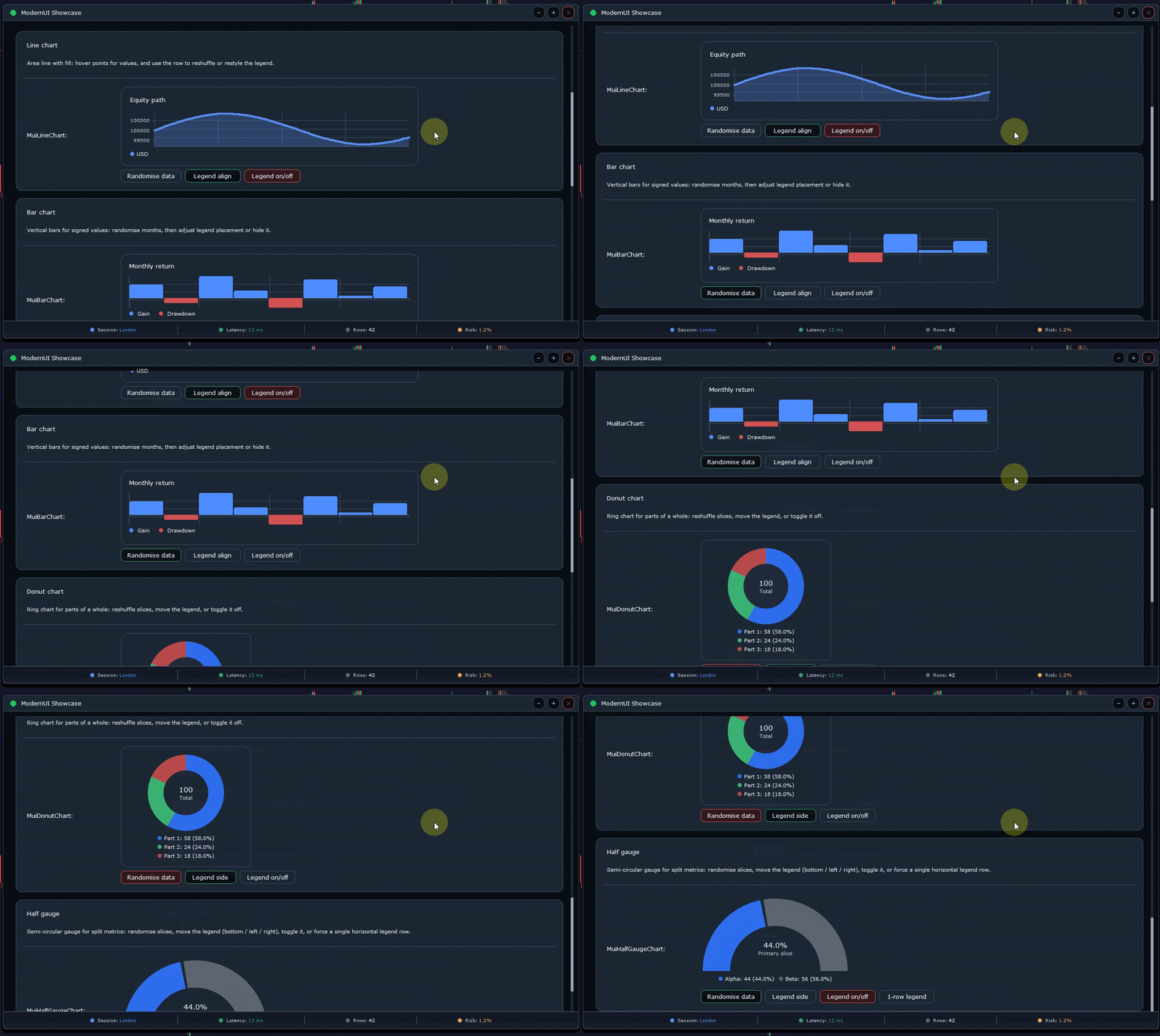
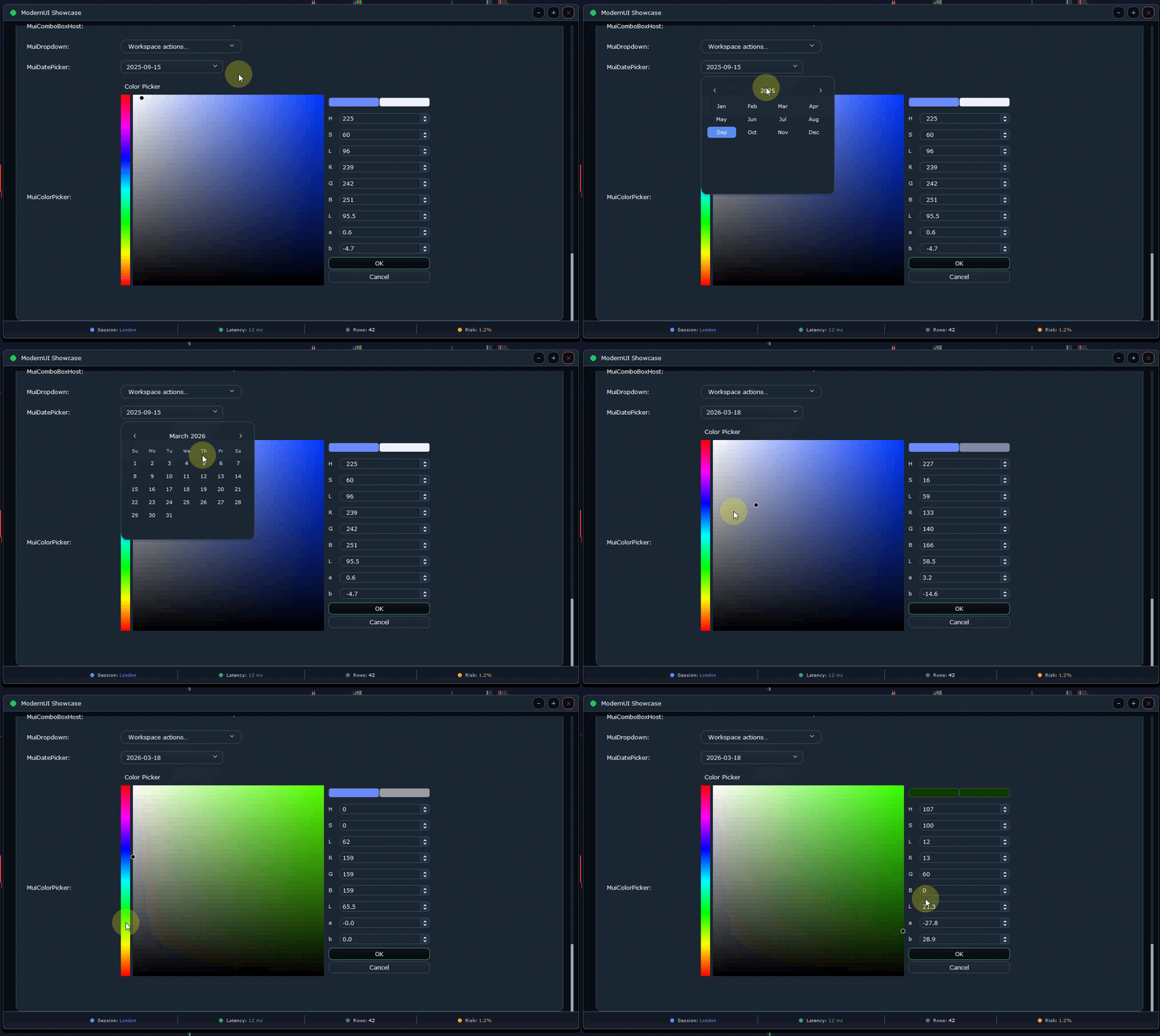
- Buttons, labels, badges, inputs, spin edits, sliders, combo boxes, tabs, drawers, dialogs, menus, lists, tables, charts and stat cards
- Fast wrappers for app windows, sections, labelled inputs, button rows, status rows, toast messages and simple tables
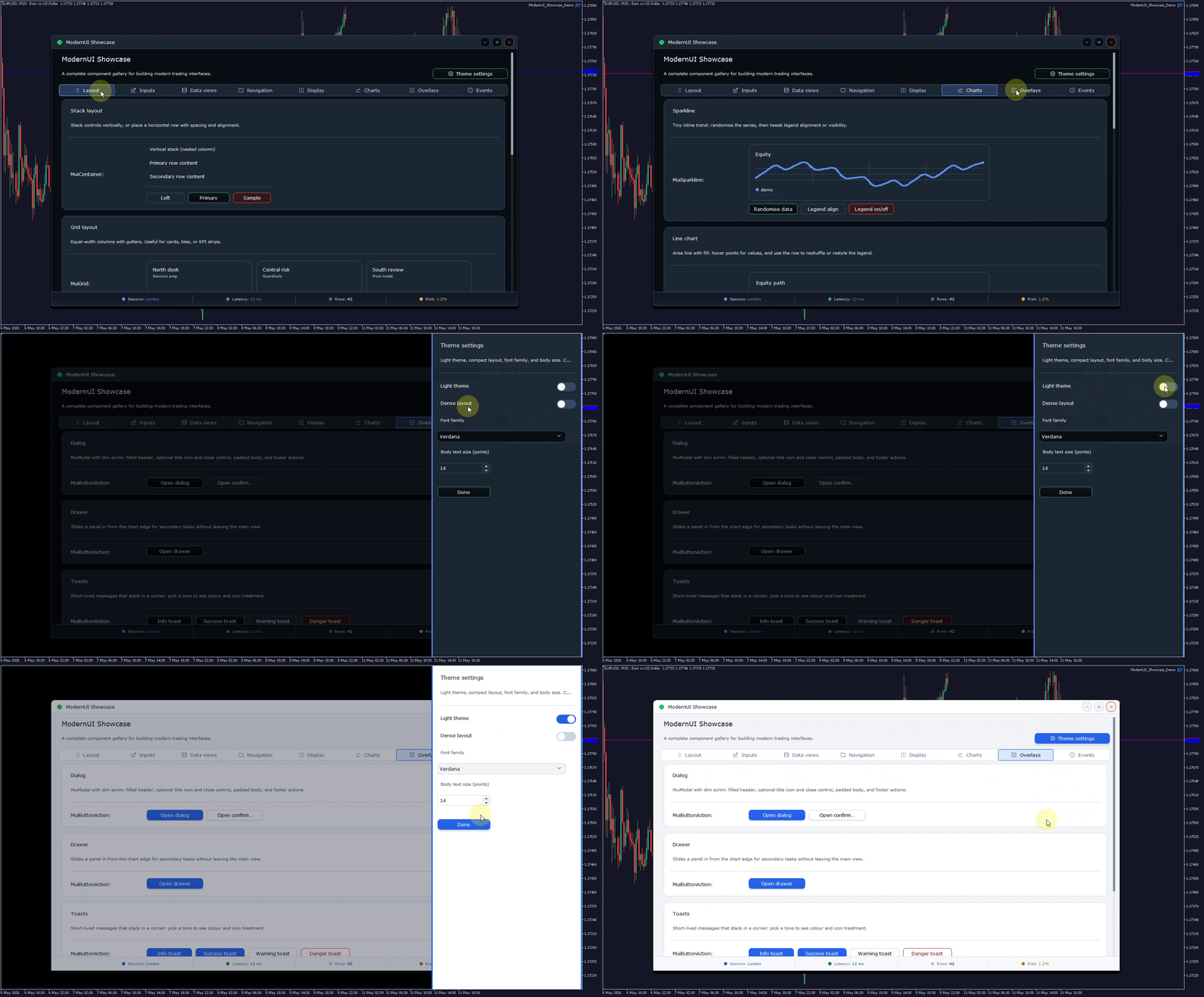
- Dark and light theme support
- Reusable layout and styling helpers
- Three public showcase demos included
- Quick-start documentation, examples and troubleshooting notes included
Fast wrappers
ModernUI includes optional fast wrappers for common interface patterns. You can quickly create app windows, grouped sections, labelled inputs, button rows, status rows and simple tables while still keeping access to the underlying controls when deeper customisation is needed.
You can use the fast wrappers for speed, or use the lower-level controls directly for custom layouts, handlers, data sources and behaviour.
Included showcase demos
- ModernUI Showcase Demo — a broad demonstration of the main controls and interface components.
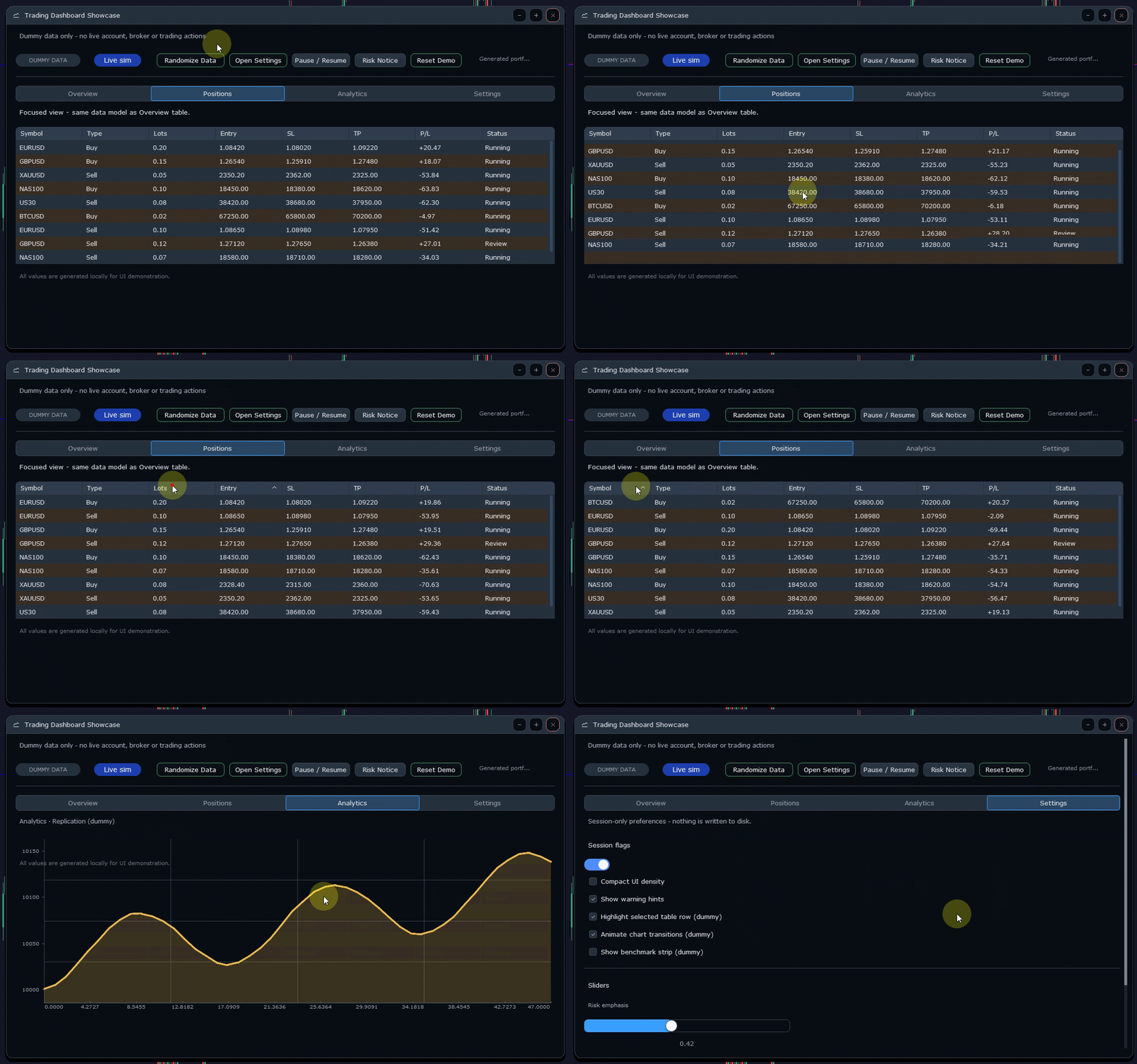
- Trading Dashboard Showcase — a dashboard-style example using panels, cards, status areas and data-style layouts.
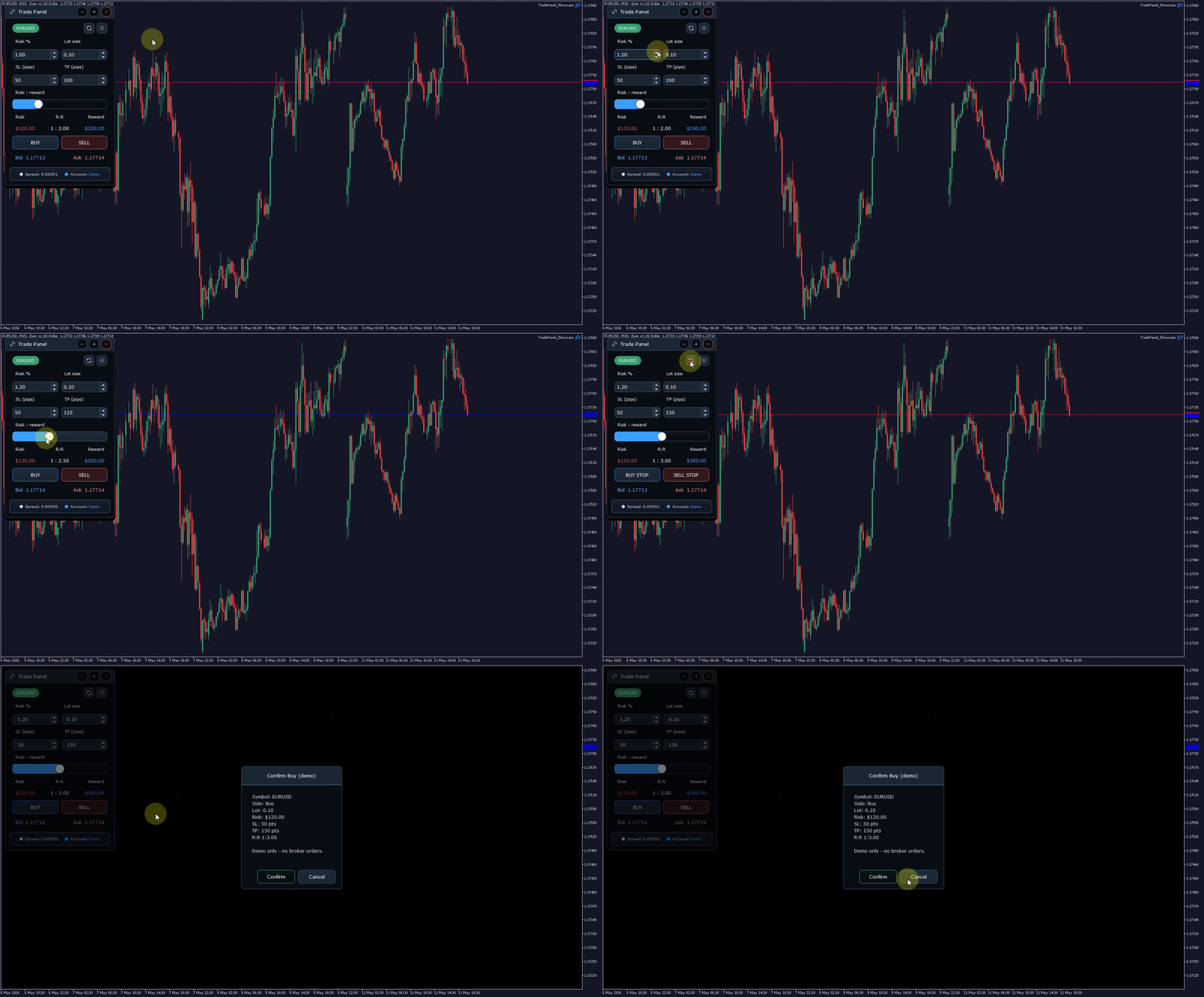
- Trade Panel Showcase — a compact trade-style interface showing how a practical chart panel can be structured.
How you receive ModernUI
The MQL5 Market product includes the paid ModernUI Launcher EA. The launcher acts as a showcase demo and provides access to the current ModernUI library package.
Full installation instructions are provided in the linked quick-start guide and support post.
Important trading note
ModernUI is a user interface library only. It is not a trading strategy, trade copier, broker execution system or automatic trading product.
The trade-style demos are interface demonstrations. They do not place, modify or close trades by themselves. You remain responsible for your own trading logic, validation, risk handling and broker execution code.
Basic usage
Typical include:
#include <ModernUI\ModernUI.mqh>
A ModernUI project normally initializes a MuiRoot instance, builds the panel in OnInit, forwards chart events through OnChartEvent, updates through OnTimer, and shuts down cleanly in OnDeinit.
What ModernUI is not
- It is not a trading strategy
- It is not a trade copier
- It is not a trade manager by itself
- It does not place trades for you
- It does not guarantee trading results
- It does not replace your own EA logic
Support
ModernUI support is handled publicly through the official ModernUI MQL5 support thread and the product comments. This keeps common questions, fixes and usage examples visible for other developers.
For support, please include your ModernUI version, the demo or file involved, the exact compiler error or Experts log message, and whether the issue also happens in one of the supplied demos.
Summary
ModernUI gives MQL5 developers a practical way to build cleaner chart-hosted interfaces in MetaTrader 5. It includes reusable controls, fast wrappers, themes, showcase demos and documentation so you can build professional panels without starting every interface from scratch.