IMManager for MT5
- Utilities
-
Artur Kharatyan
 ⭐ My Products:
🚀 iMManager for MT5: Turn your MT5 chart into a visual trading system with automatic risk and lot calculation. - Version: 1.3
- Updated: 12 April 2026
- Activations: 10
Visual Risk Control and Professional Trade Management for MetaTrader 5
Full User Manual:
iMManager for MT5 - User Manual (Part 1)
iMManager for MT5 - User Manual (Part 2)
Download the Demo Version (Demo Accounts Only): iMManager Demo (v1.0, v1.3)
iMManager (iMoney Manager) transforms your MetaTrader 5 chart into a visual trading and risk management system.
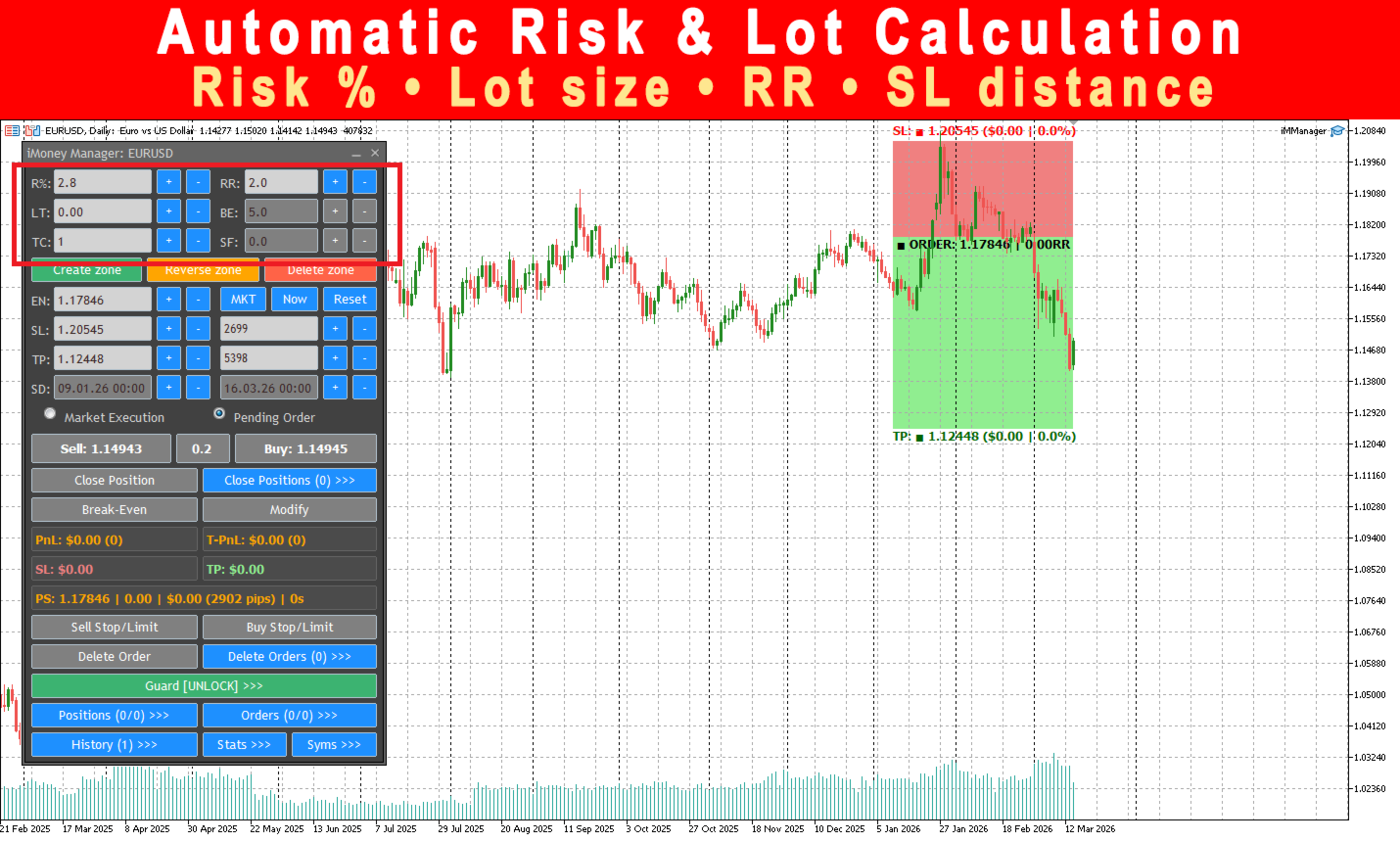
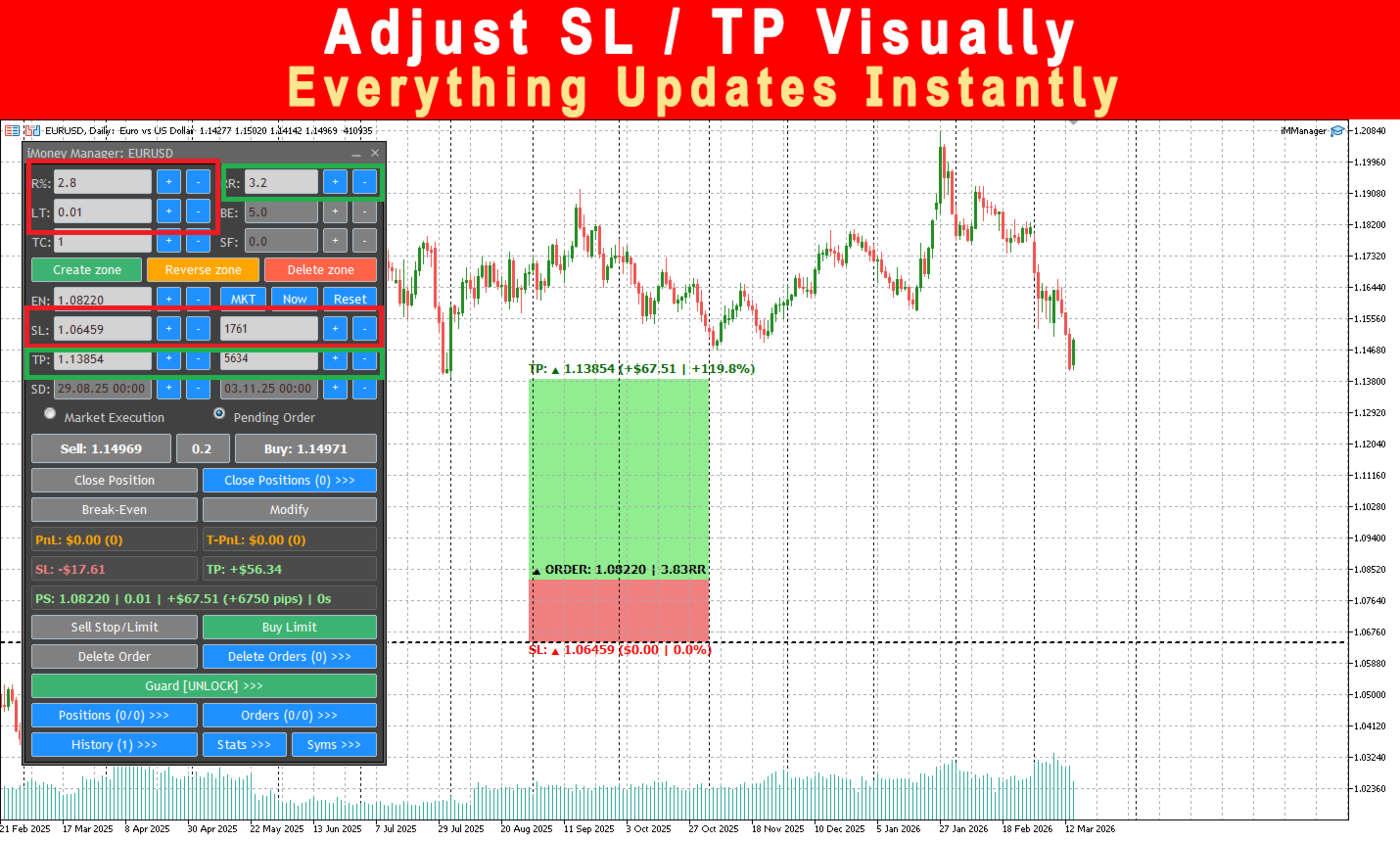
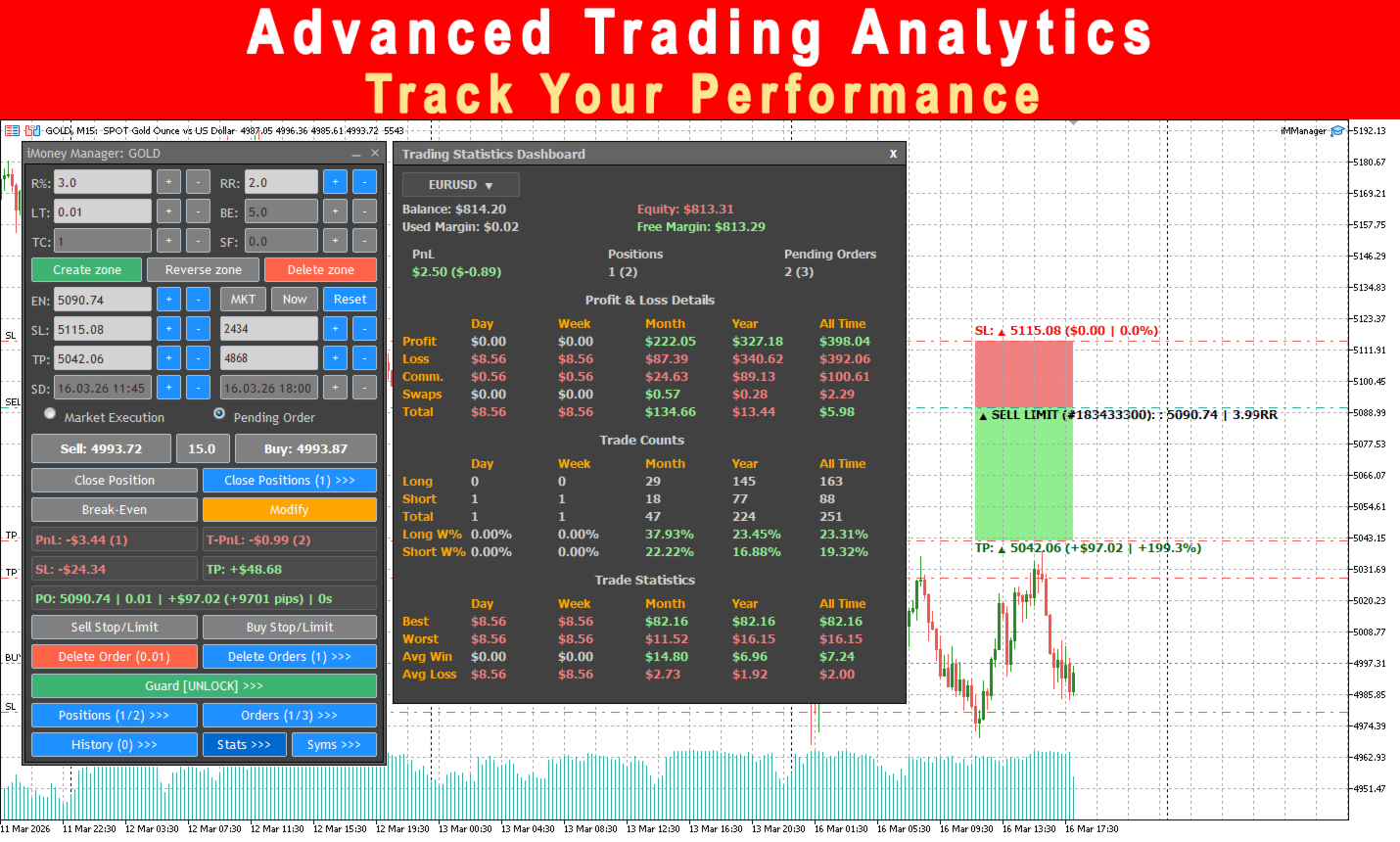
Instead of manually calculating lot sizes and risk, simply draw a trading zone on the chart and the EA automatically calculates:
• Risk %
• Lot size
• Risk/Reward ratio
• Stop Loss and Take Profit distances
• Monetary risk and profit
All values update instantly in real time.
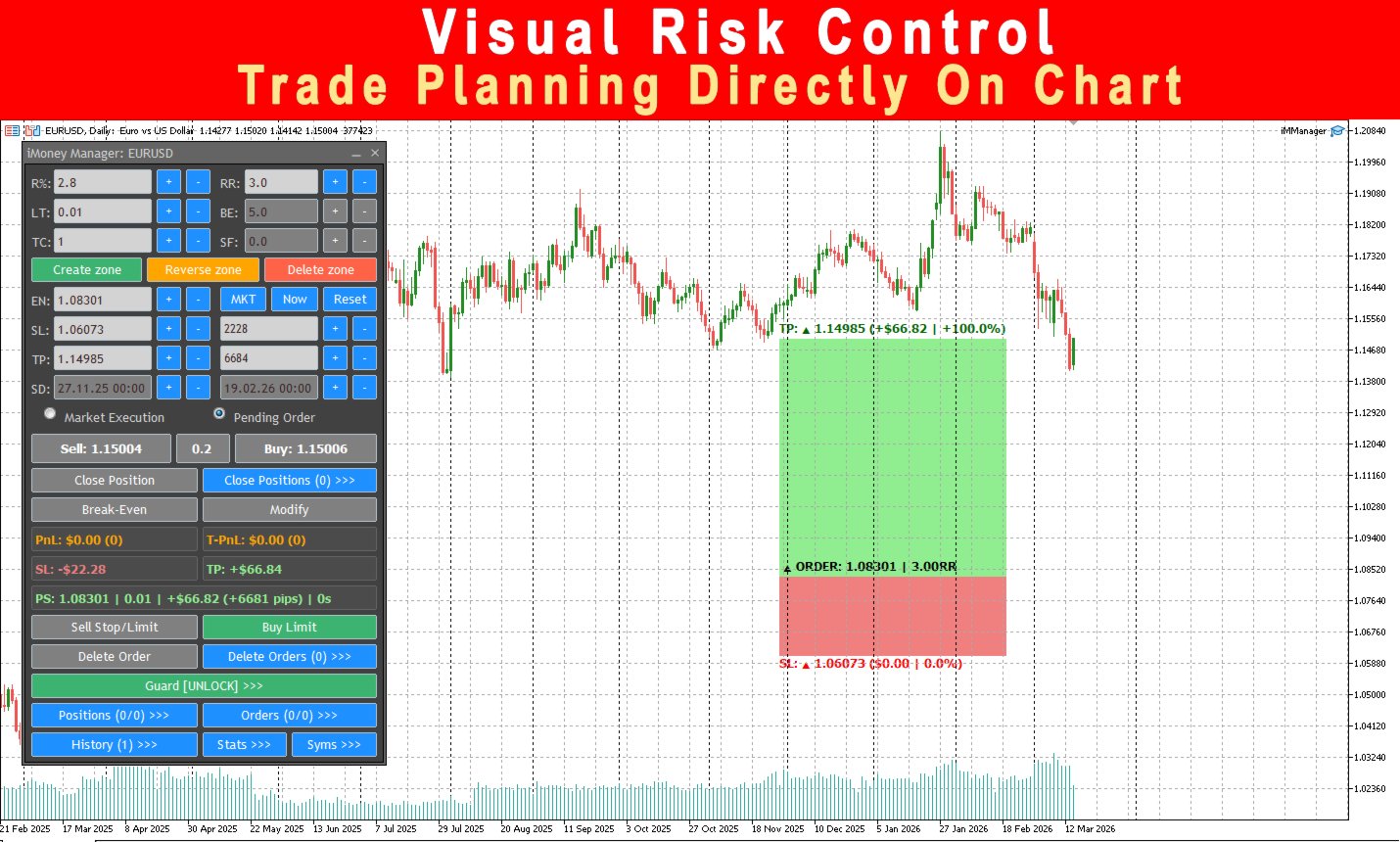
Visual Trading Zones
Plan trades directly on the chart by defining:
• Entry
• Stop Loss
• Take Profit
• Trade time range
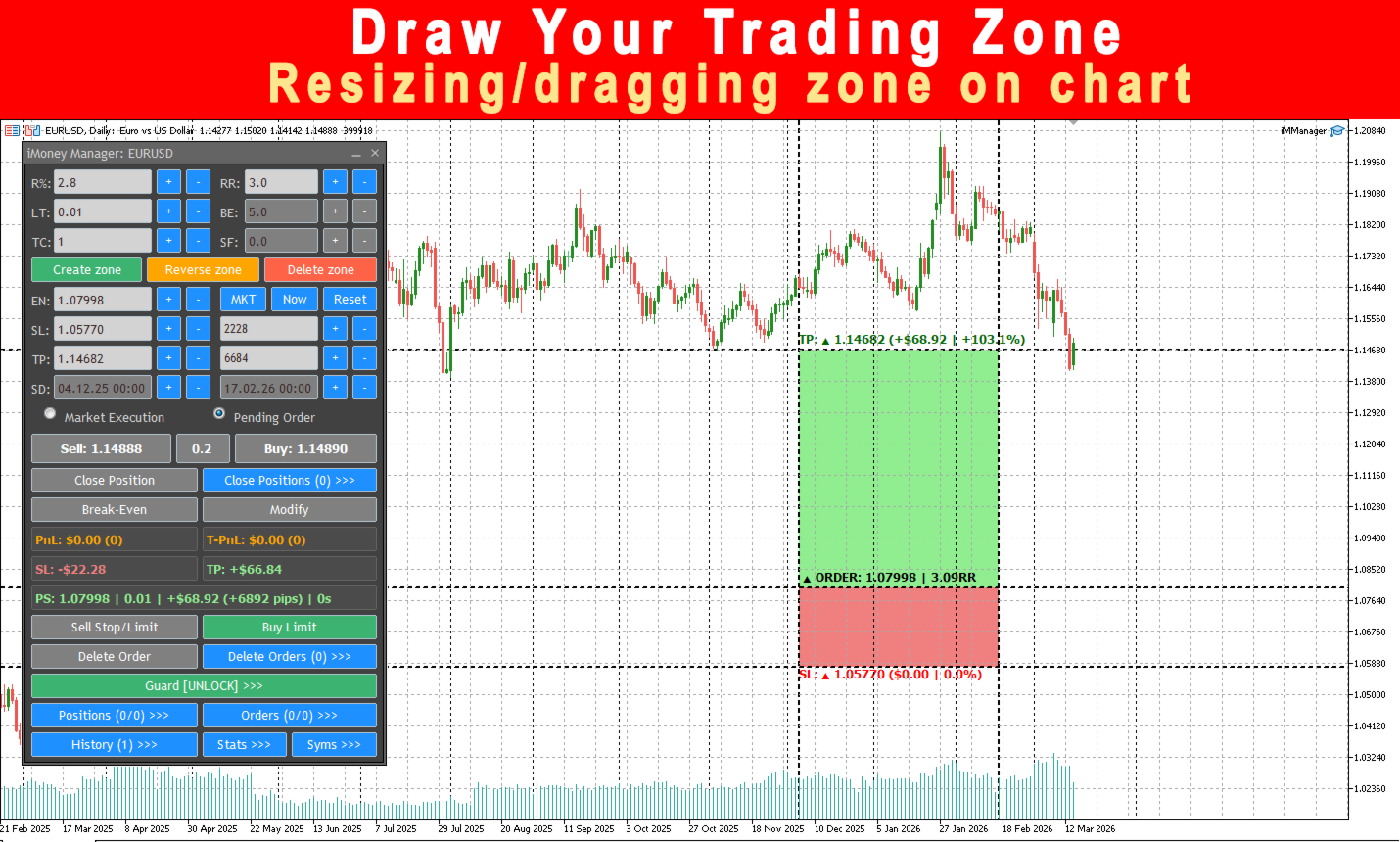
Move or resize the zone and the EA automatically recalculates all risk parameters.
Automatic Risk and Position Size Calculation
The built-in risk engine calculates position size using:
• Account balance
• Stop Loss distance
• Risk percentage
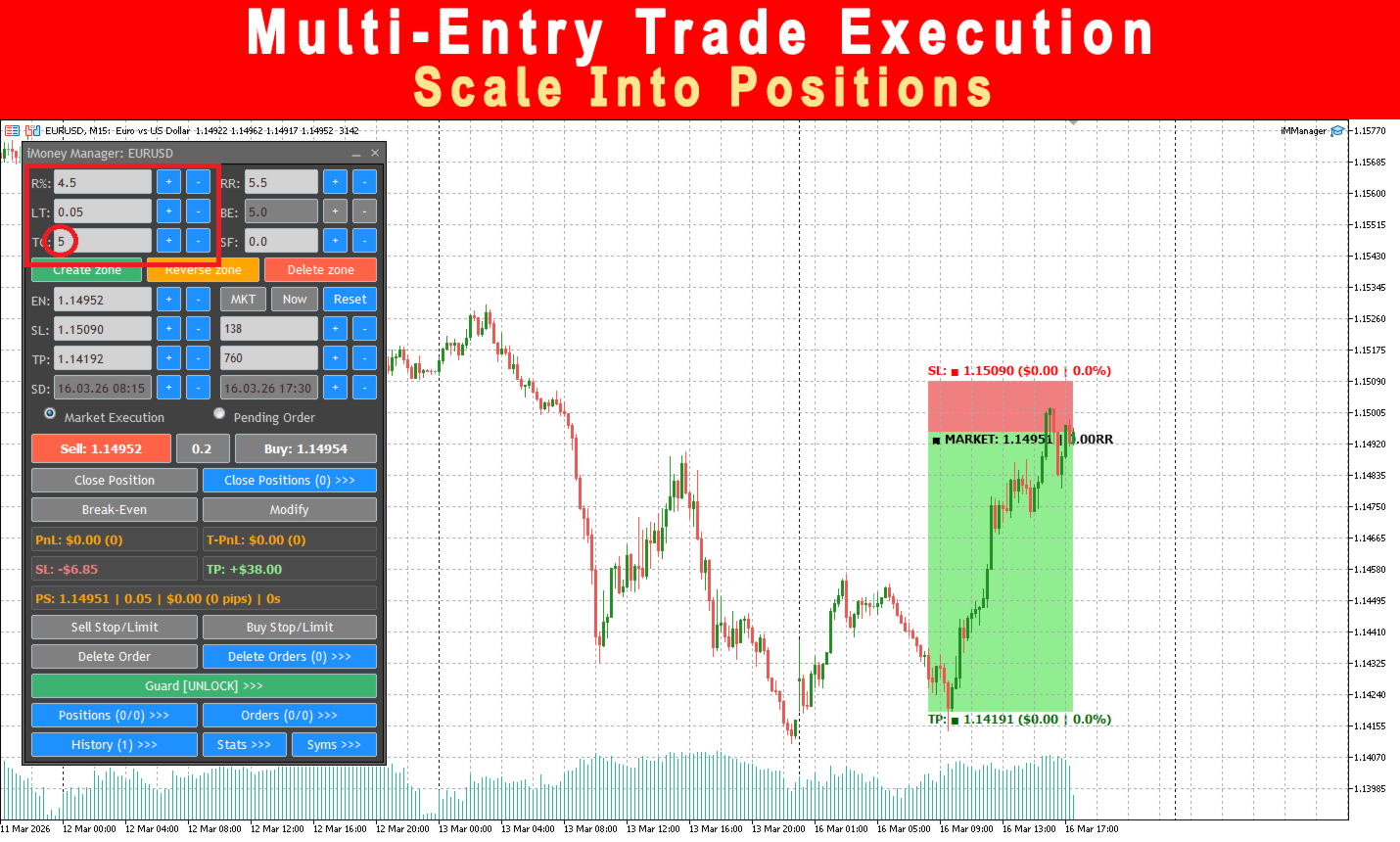
• Trade count (multi-entry)
Changing Risk %, Lot size, or Stop Loss automatically synchronizes all values.
Market and Pending Order Execution
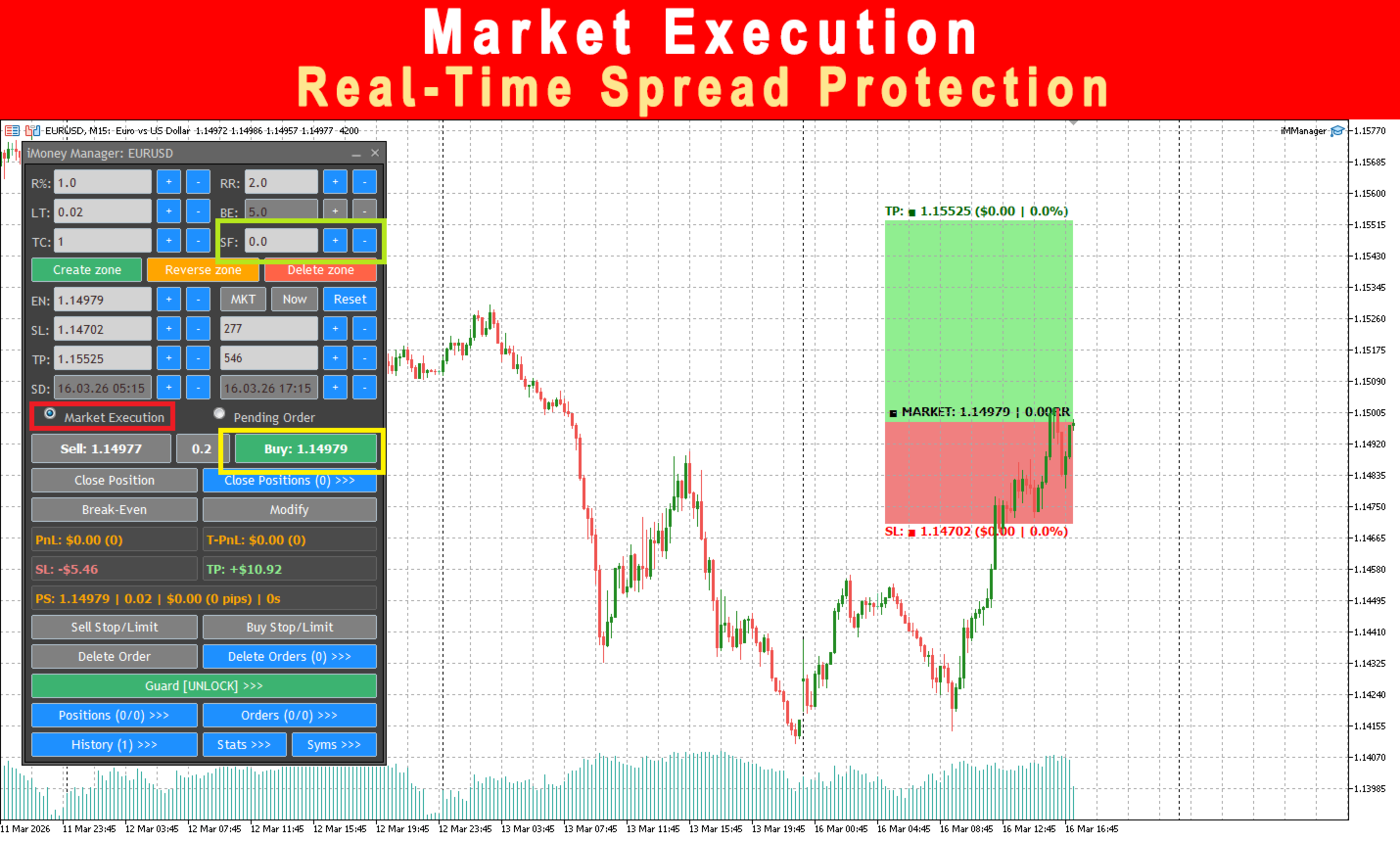
Market Execution
• Instant Buy/Sell orders
• Real-time spread monitoring
• Spread Filter protection
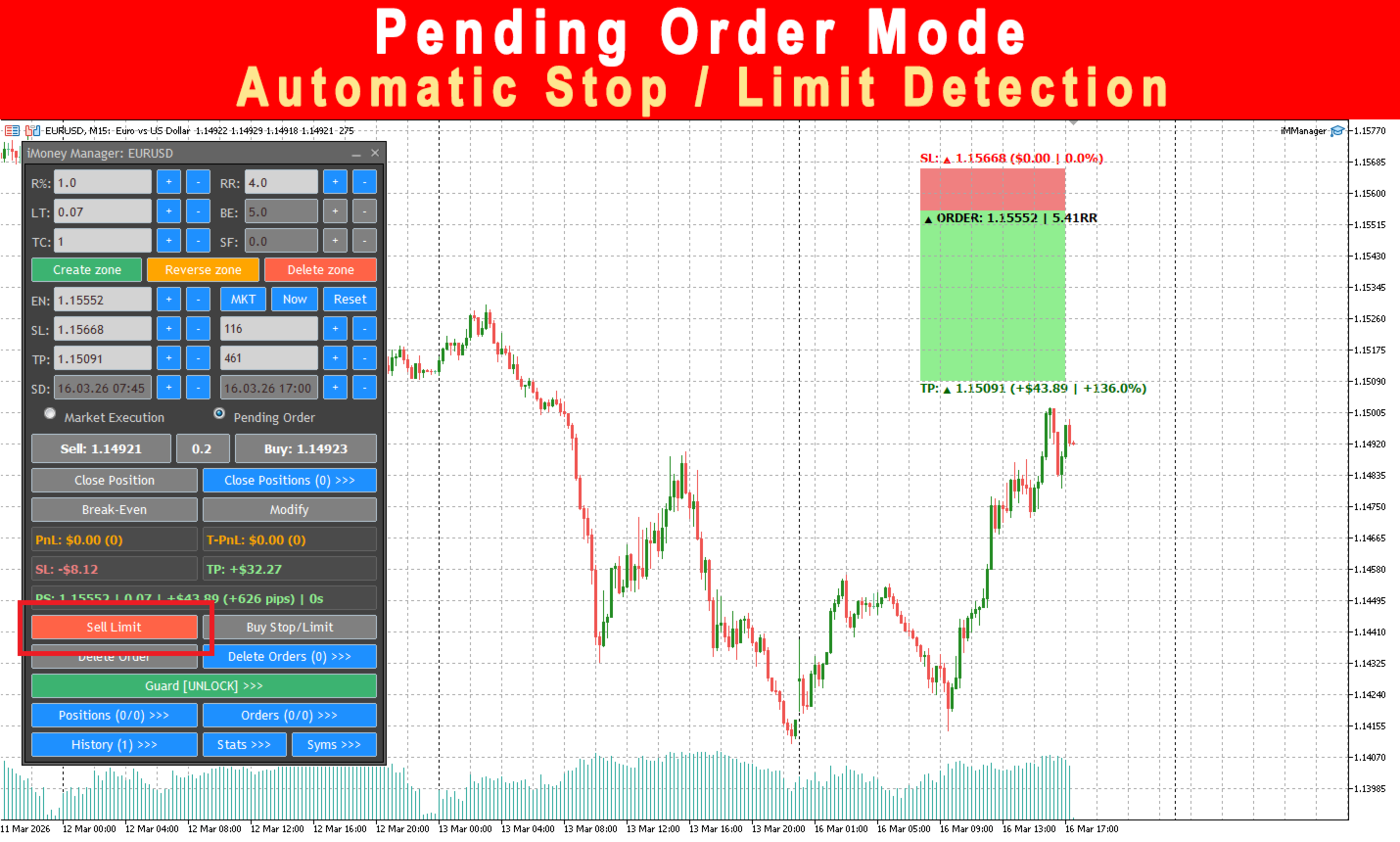
Pending Orders
• Automatic Stop/Limit detection
• Place Buy Stop/Limit or Sell Stop/Limit easily
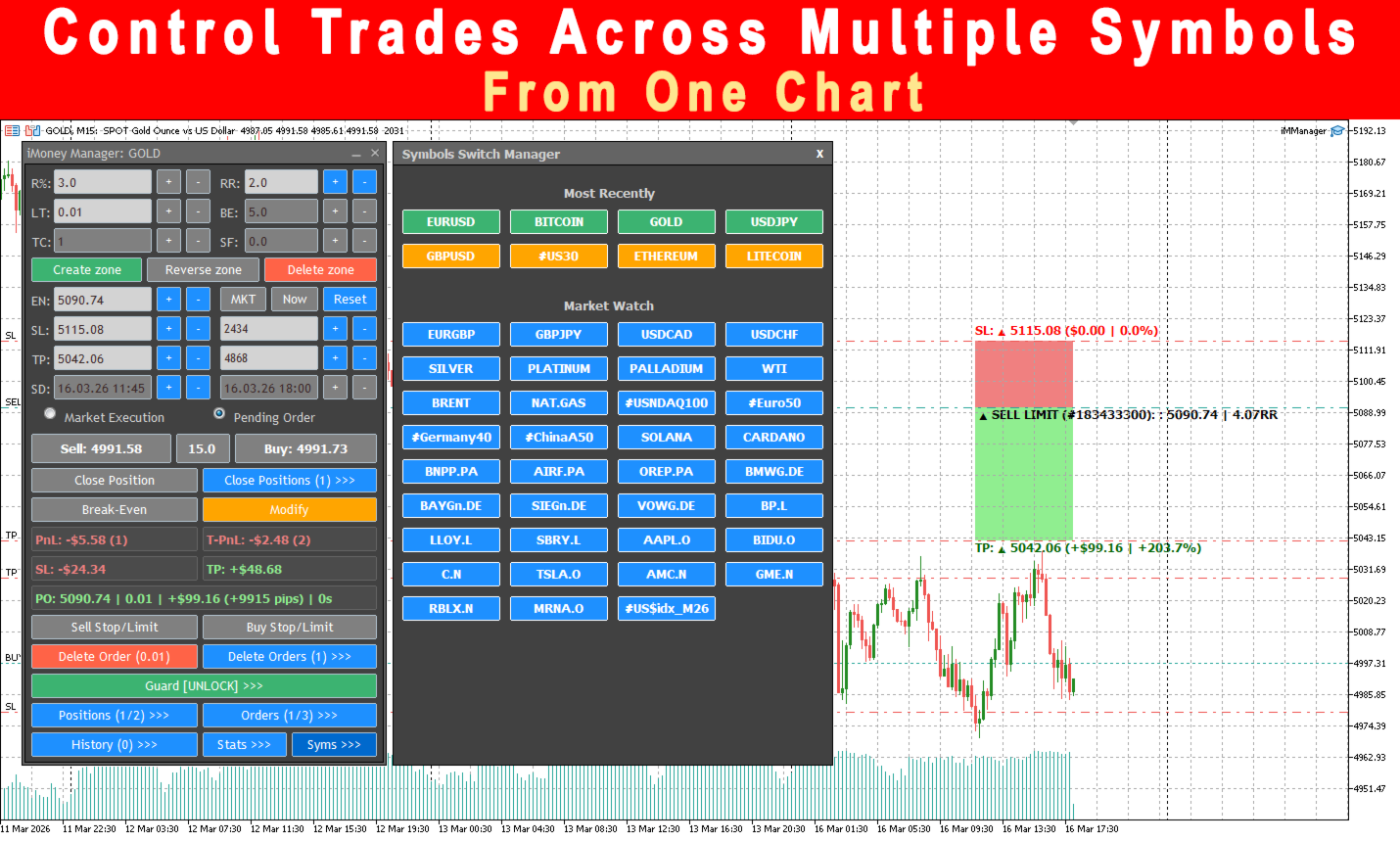
Multi-Symbol Trade Management
iMoney Manager allows you to control trades across multiple symbols from one chart.
You can:
• Switch between symbols directly from the panel
• Preview positions from other symbols
• Automatically switch to the correct chart
• Manage trades without manually opening multiple charts
This allows centralized management of all trades in your account.
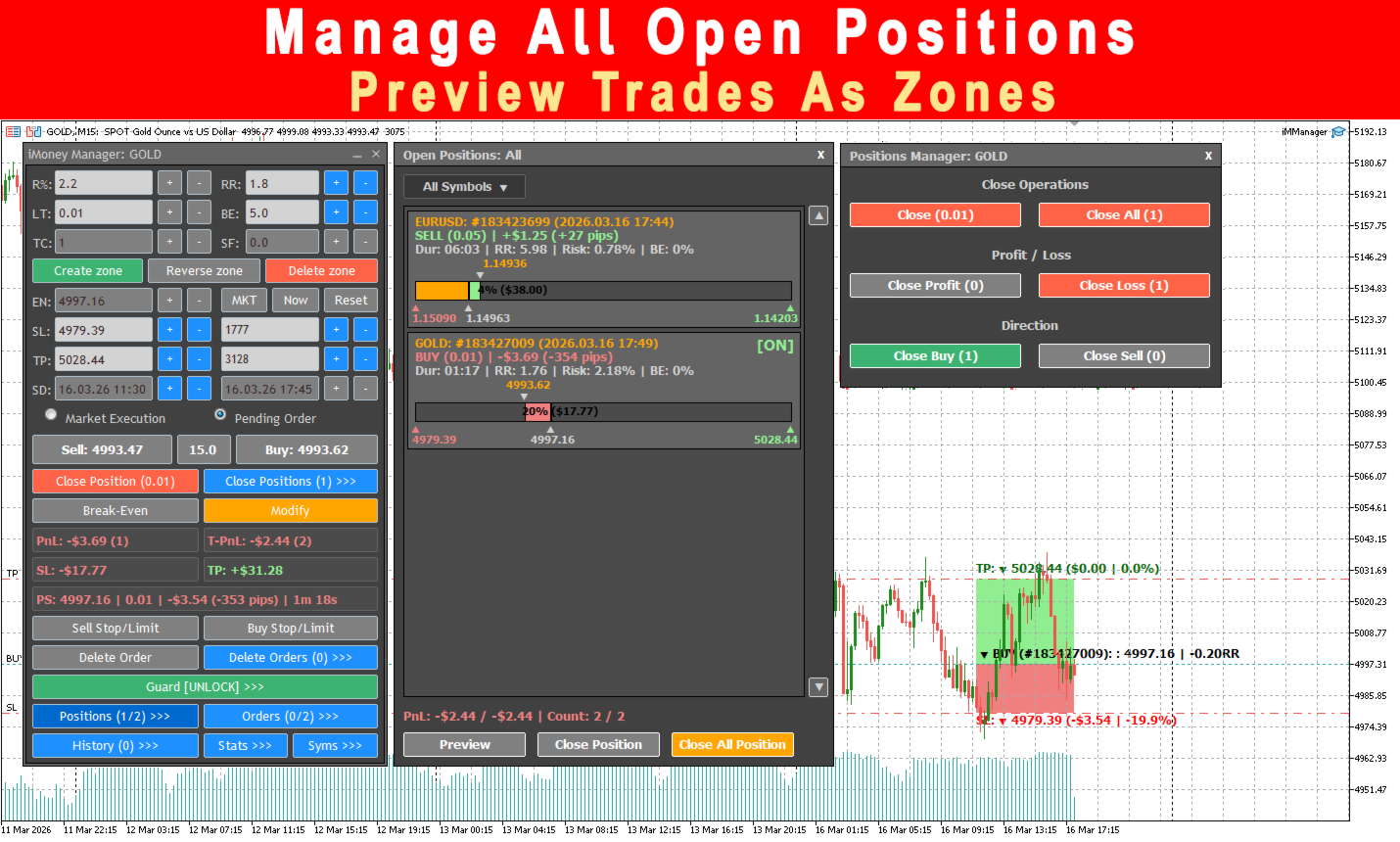
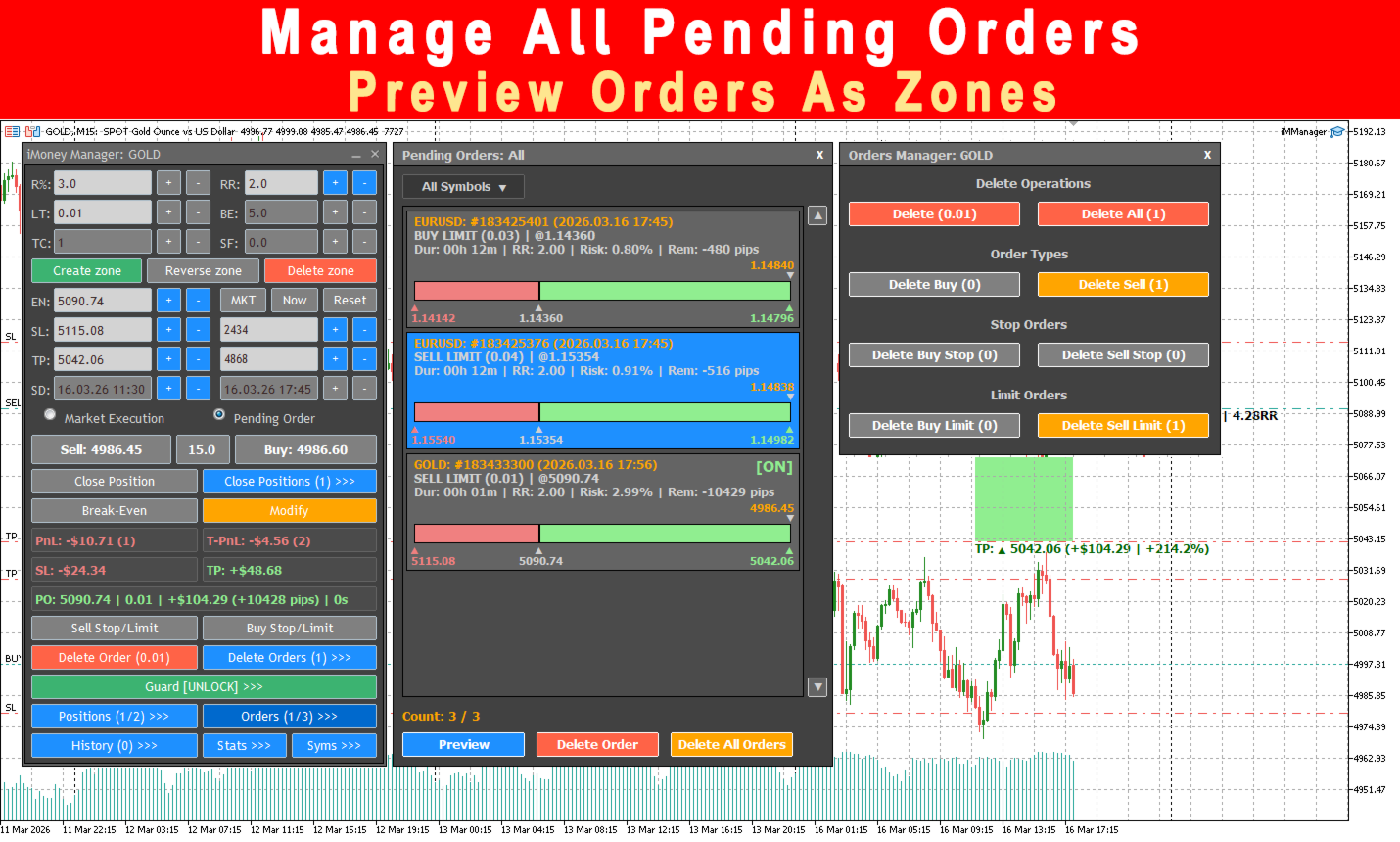
Position and Order Management
You can manage trades from:
• Open Positions panel
• Pending Orders panel
• Closed Positions (History) panel
From these panels you can:
• Close positions
• Modify Stop Loss / Take Profit
• Activate Break-Even
• Preview trades as visual zones on the chart
• Delete pending orders
• Filter and manage trades by symbol
• Manage positions across multiple symbols from one chart
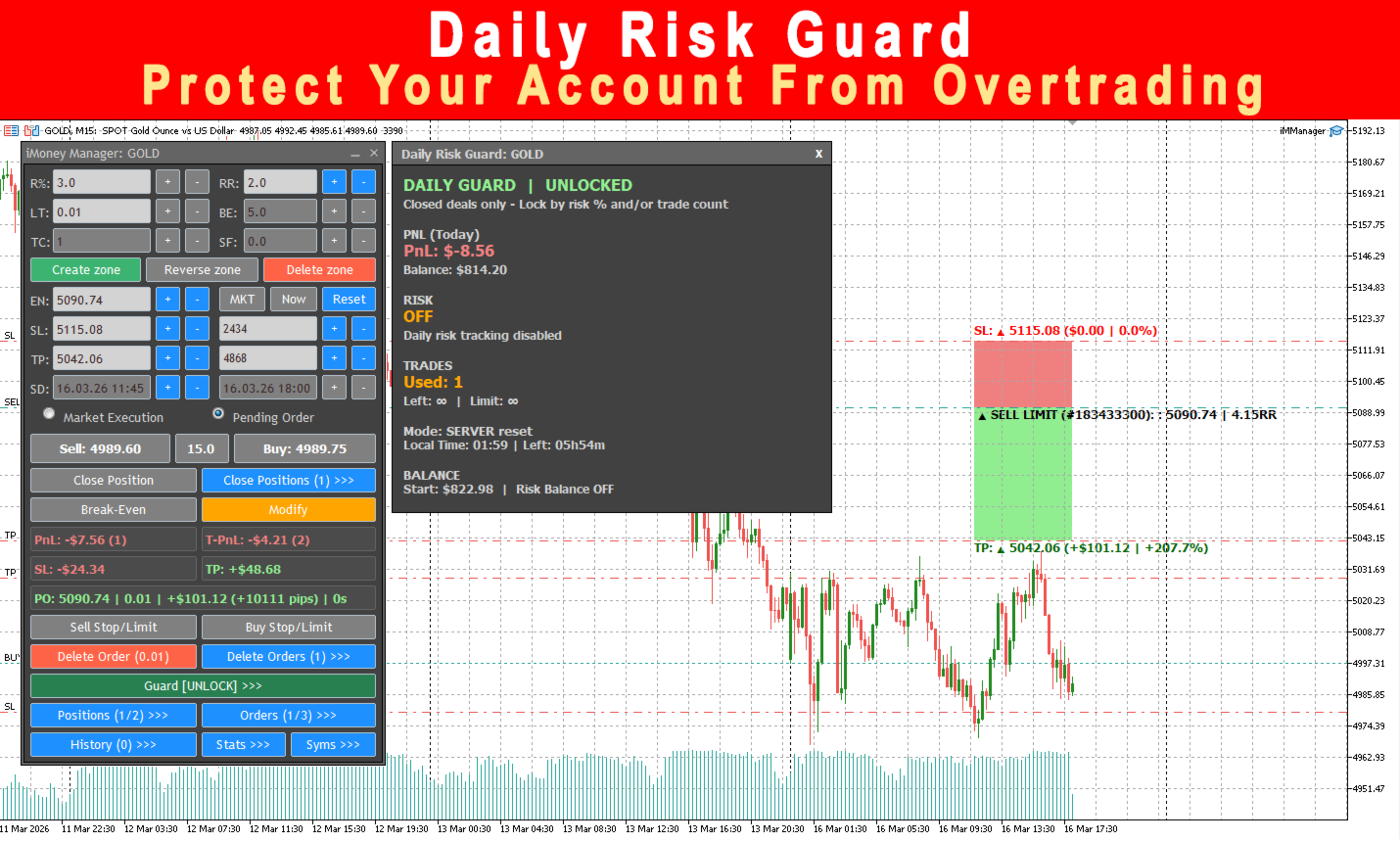
Daily Risk Guard
Protect your account with built-in daily limits:
• Maximum daily risk %
• Maximum daily trade count
When limits are reached:
• Trading is locked
• New trades are blocked
This helps prevent overtrading and excessive losses.
Trading Statistics Dashboard
Track your performance with built-in analytics:
• Balance / Equity
• Day, Week, Month, Year PnL
• Win rate statistics
• Best and worst trades
• Average win / loss
Additional Features
• Spread Filter protection
• Break-Even automation
• Cross-symbol trade preview
• Multi-Entry Trade Execution
• One-Click trading or confirmation mode
• Interactive zone editing on chart
• Full keyboard hotkey support
Designed For Traders Who Want
• structured trade planning
• visual risk control
• disciplined execution
• professional trade management
Important:
iMManager is a trading assistant.
It does not generate trading signals and does not guarantee profits.