RM Divergence Pro
- Indicators
- Mohammadreza Mahdi Mavaddat
- Version: 1.0
- Activations: 5
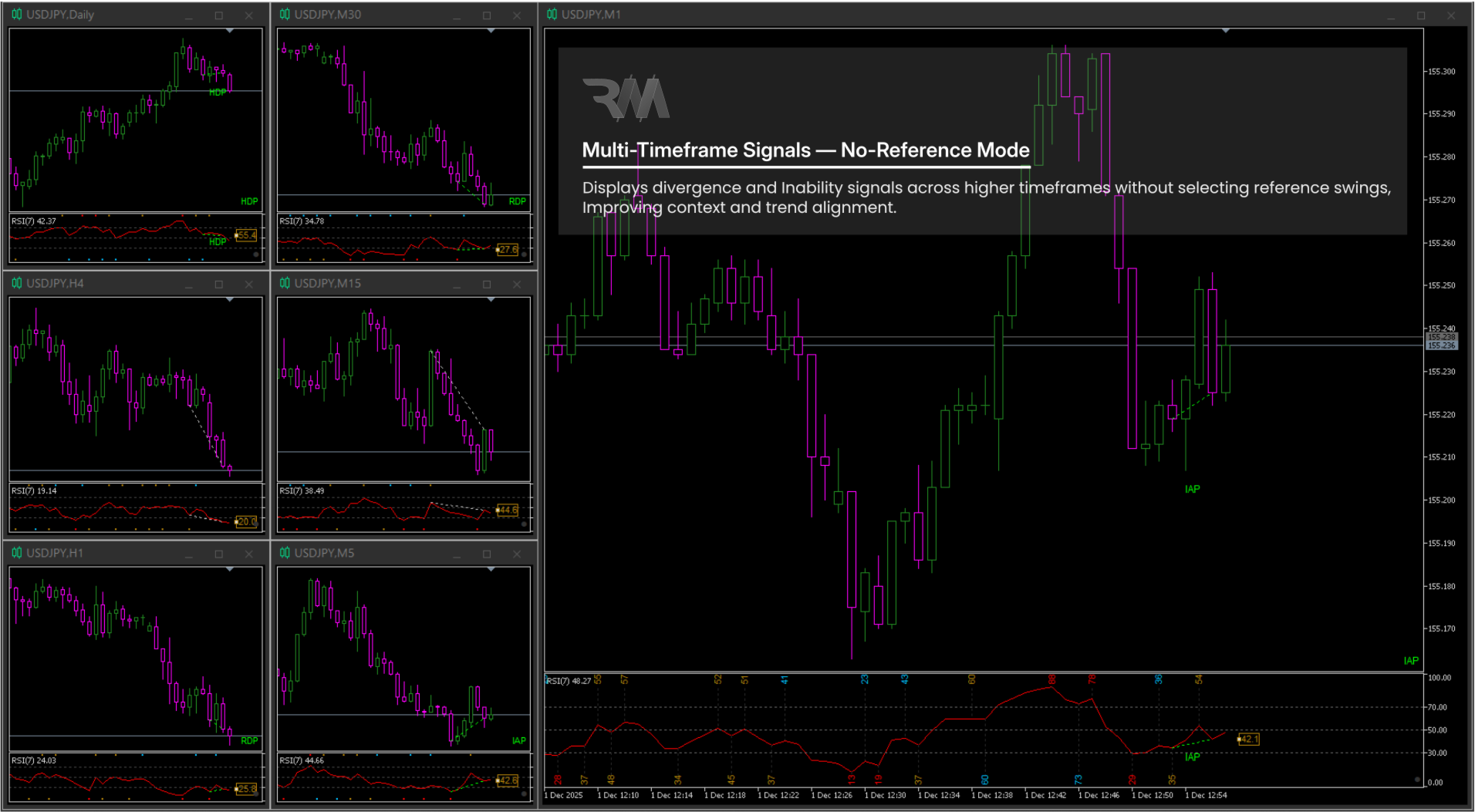
RM Divergence Pro is a professional, non-repainting RSI divergence indicator designed for traders who want real structural insight beyond classic divergence tools.
It accurately detects Regular Divergence (RD), Hidden Divergence (HD), Inability (IA), and Potential Divergence (P-DVG) using stable swing-based logic.
Built for clarity, precision, and clean market structure analysis.
--------------------------------------------------
OVERVIEW
RM Divergence Pro is an advanced RSI-based divergence engine that focuses on real market structure rather than noisy indicator signals.
Instead of relying on simple price-to-RSI comparisons, it uses confirmed RSI swings and price structure to detect meaningful divergence and exhaustion conditions.
This approach provides clean, stable, and professional-grade signals suitable for serious discretionary traders.
--------------------------------------------------
IMPORTANT – DEMO VERSION NOTES (STRATEGY TESTER)
The demo version works only inside the Strategy Tester.
Strategy Tester limitations (not indicator limitations):
• Slower object clicking
• Minor redraw delays
• Reduced UI responsiveness
Important:
To see the result of any click or interaction in the Strategy Tester, at least one price tick must be executed.
If the Strategy Tester is paused, after each click:
• Press the F12 key to generate a single price tick
• The indicator will then update and display the result correctly
On live charts:
• Interaction is instant
• Drawing is smooth and fully real-time
--------------------------------------------------
FULL DIVERGENCE & INABILITY LOGIC
RM Divergence Pro supports the following signal types:
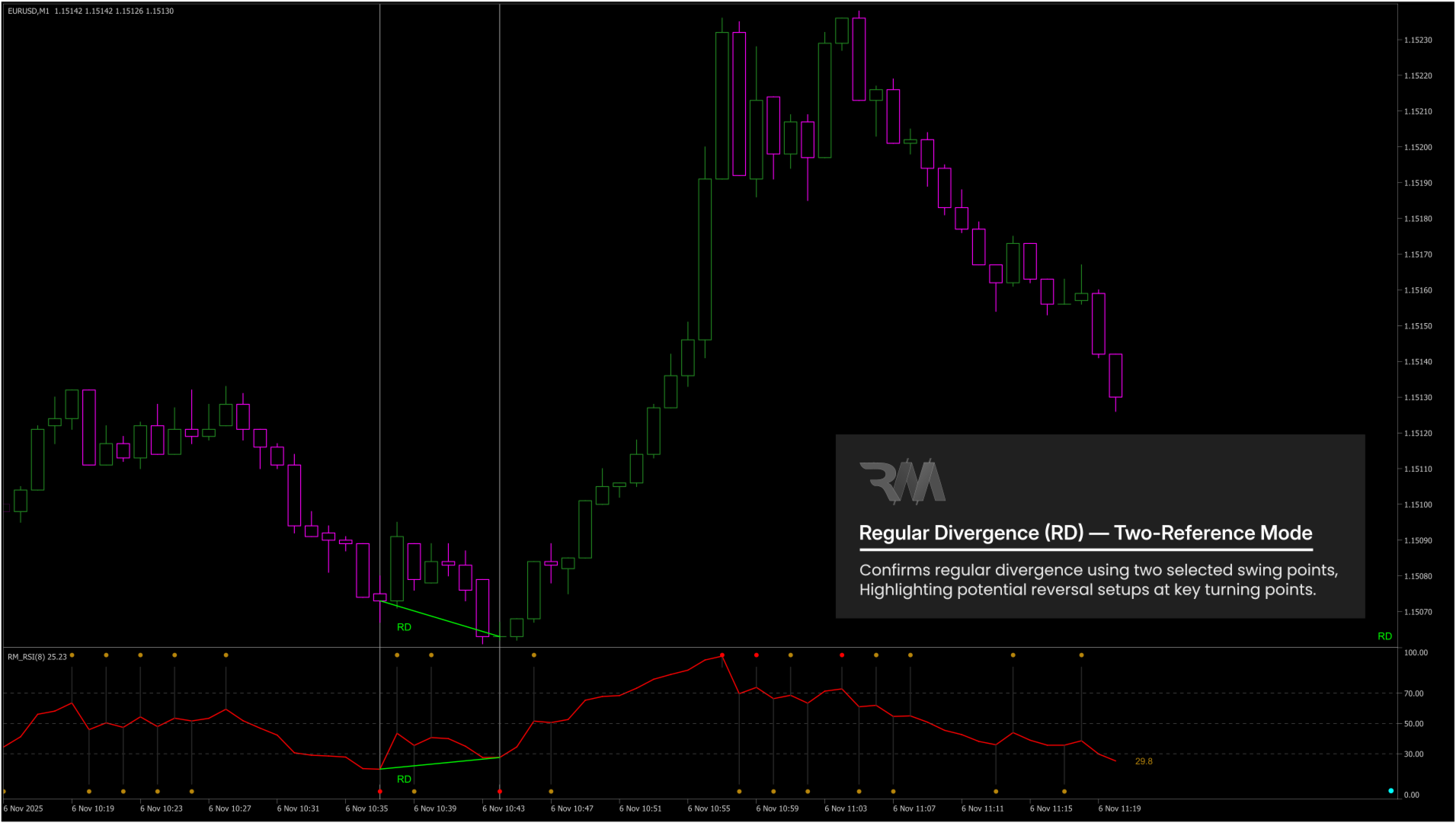
• Regular Divergence (RD) – identifies potential trend reversals
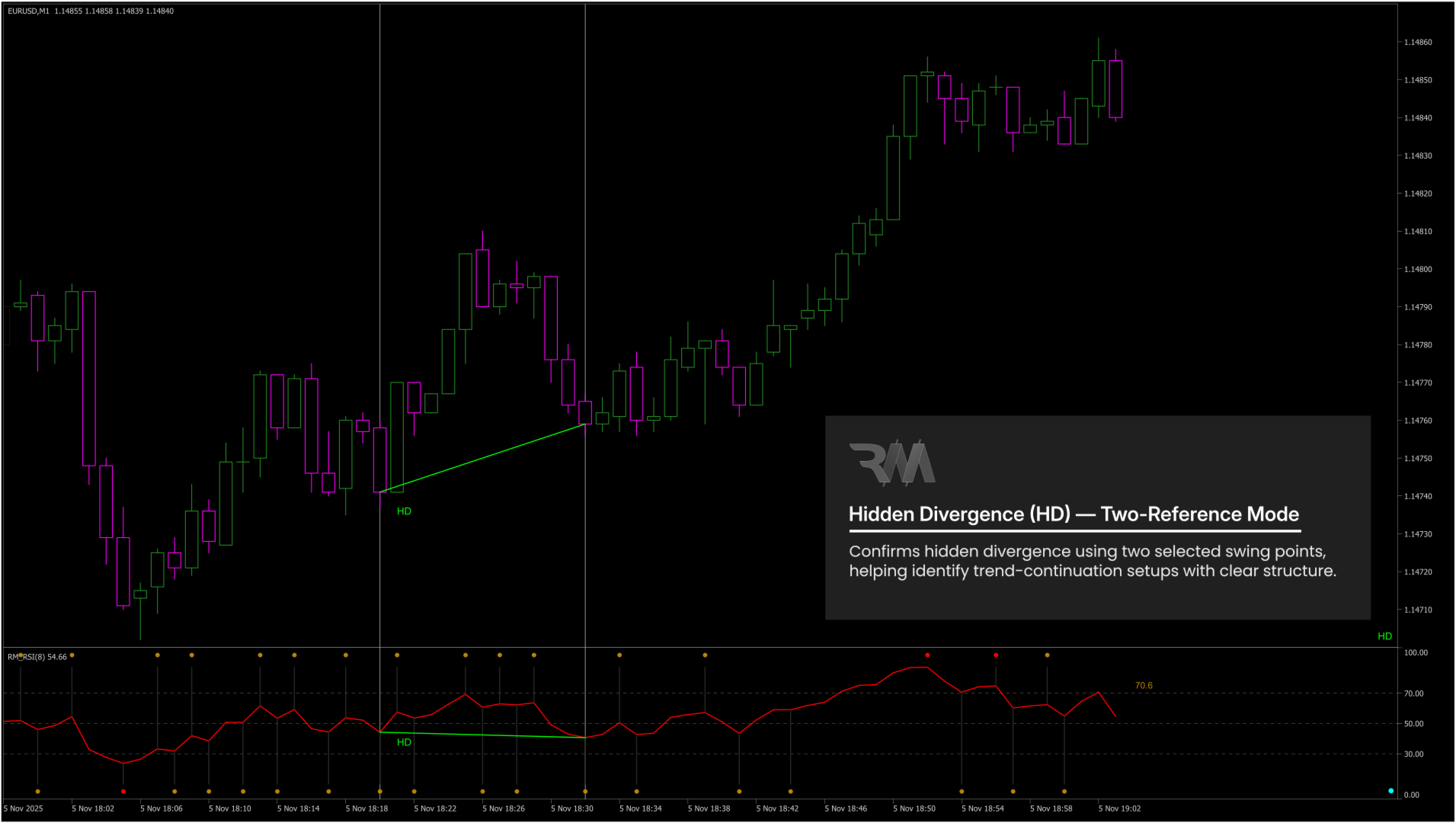
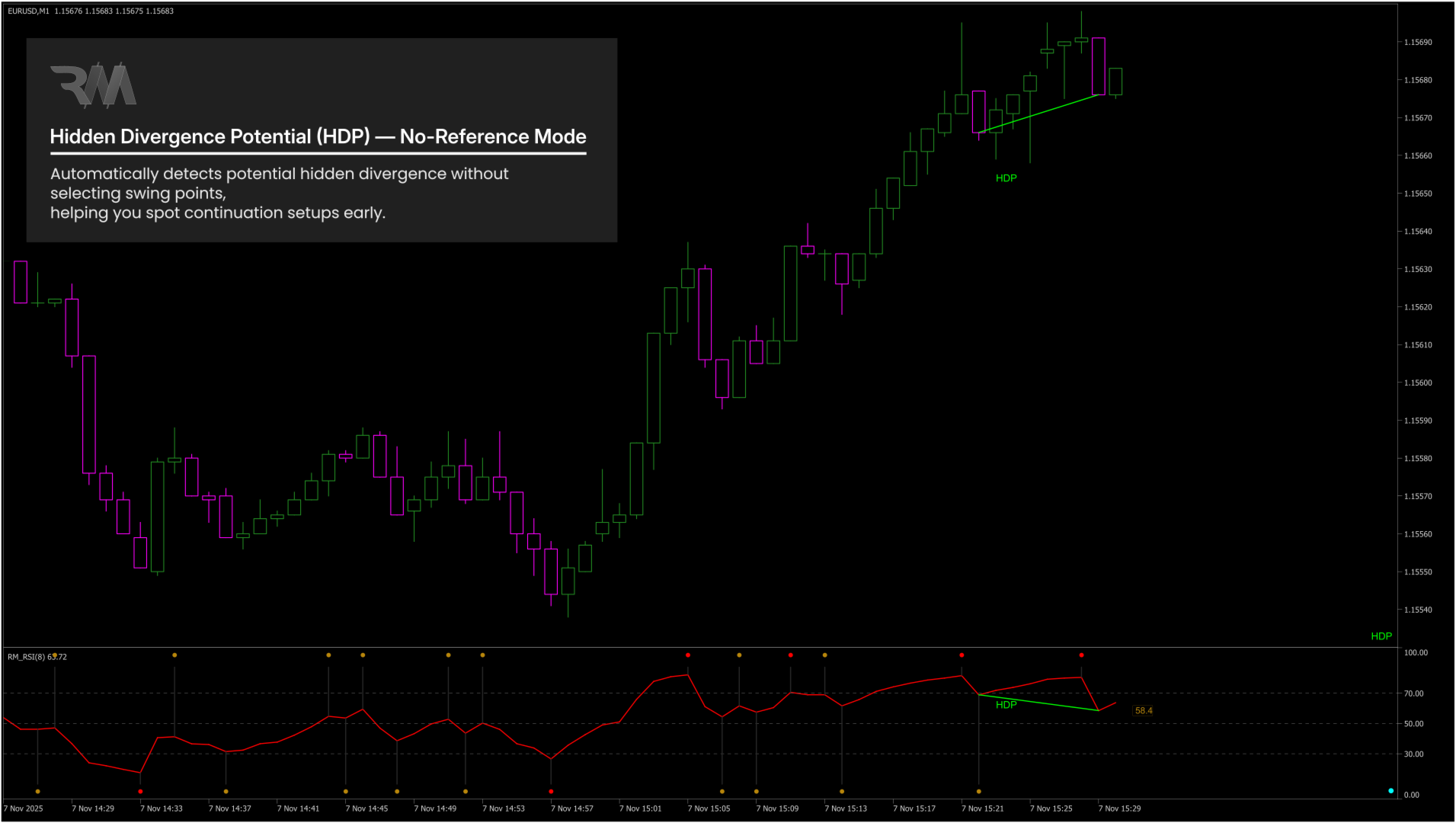
• Hidden Divergence (HD) – identifies trend continuation after corrections
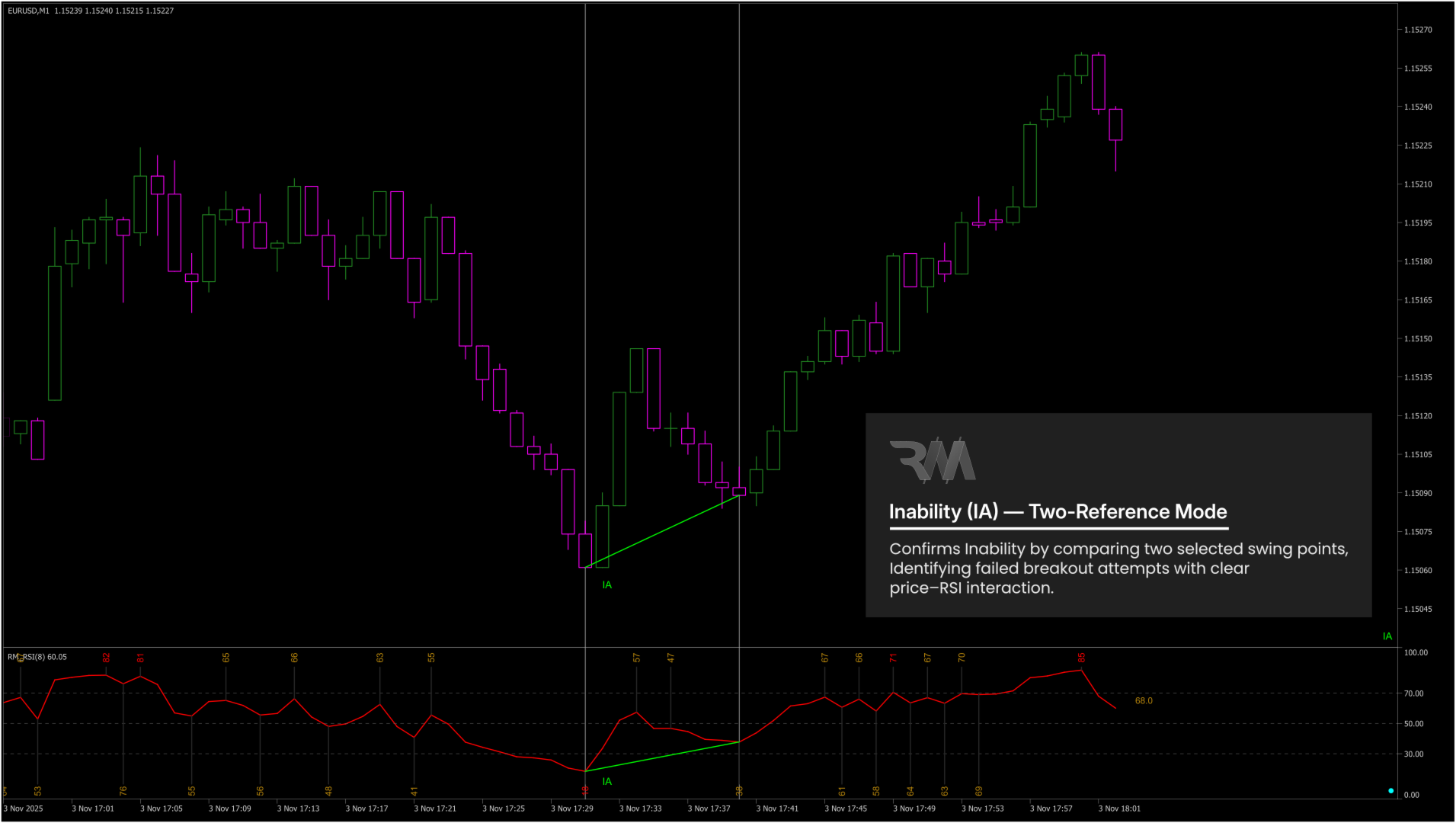
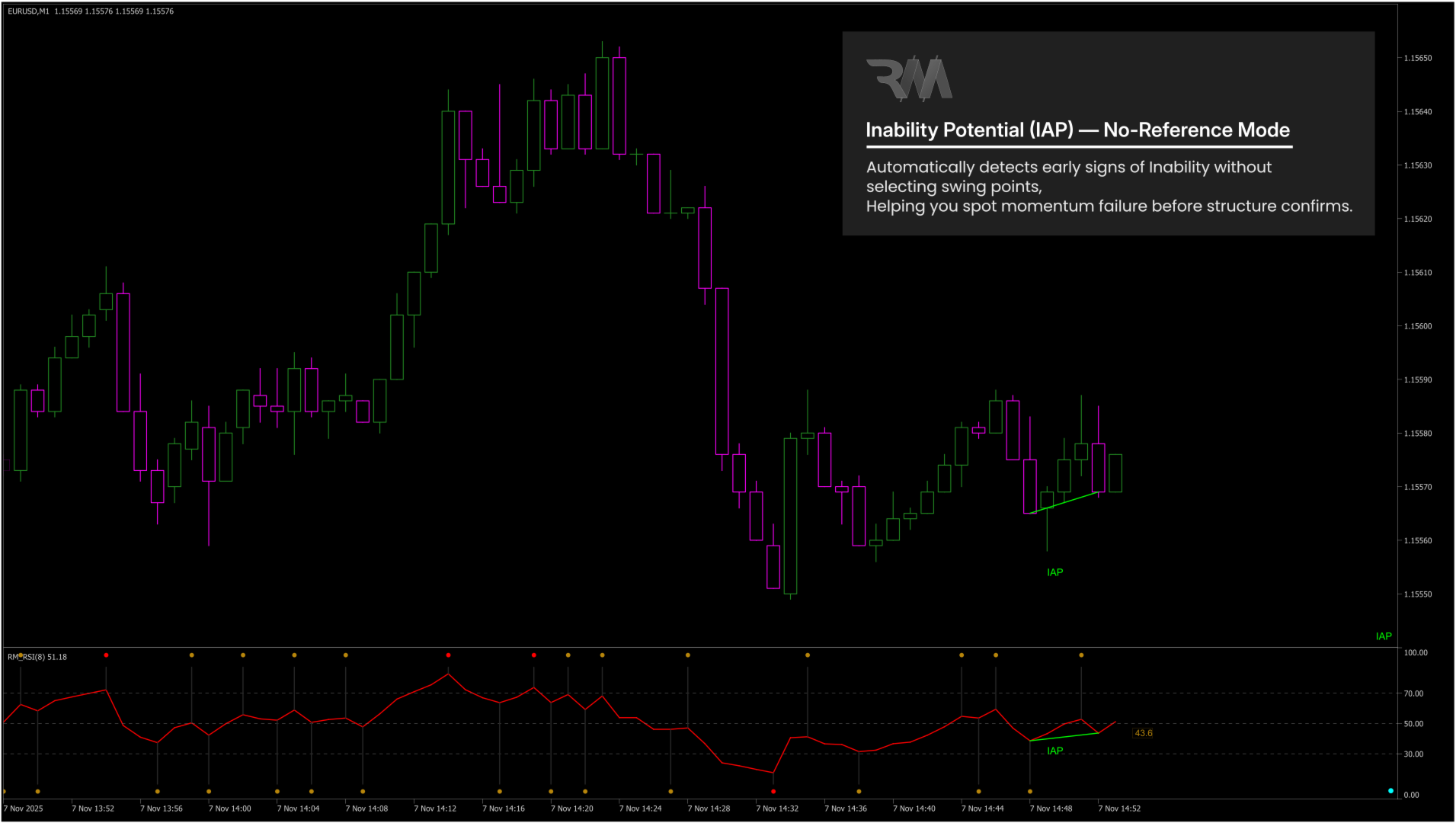
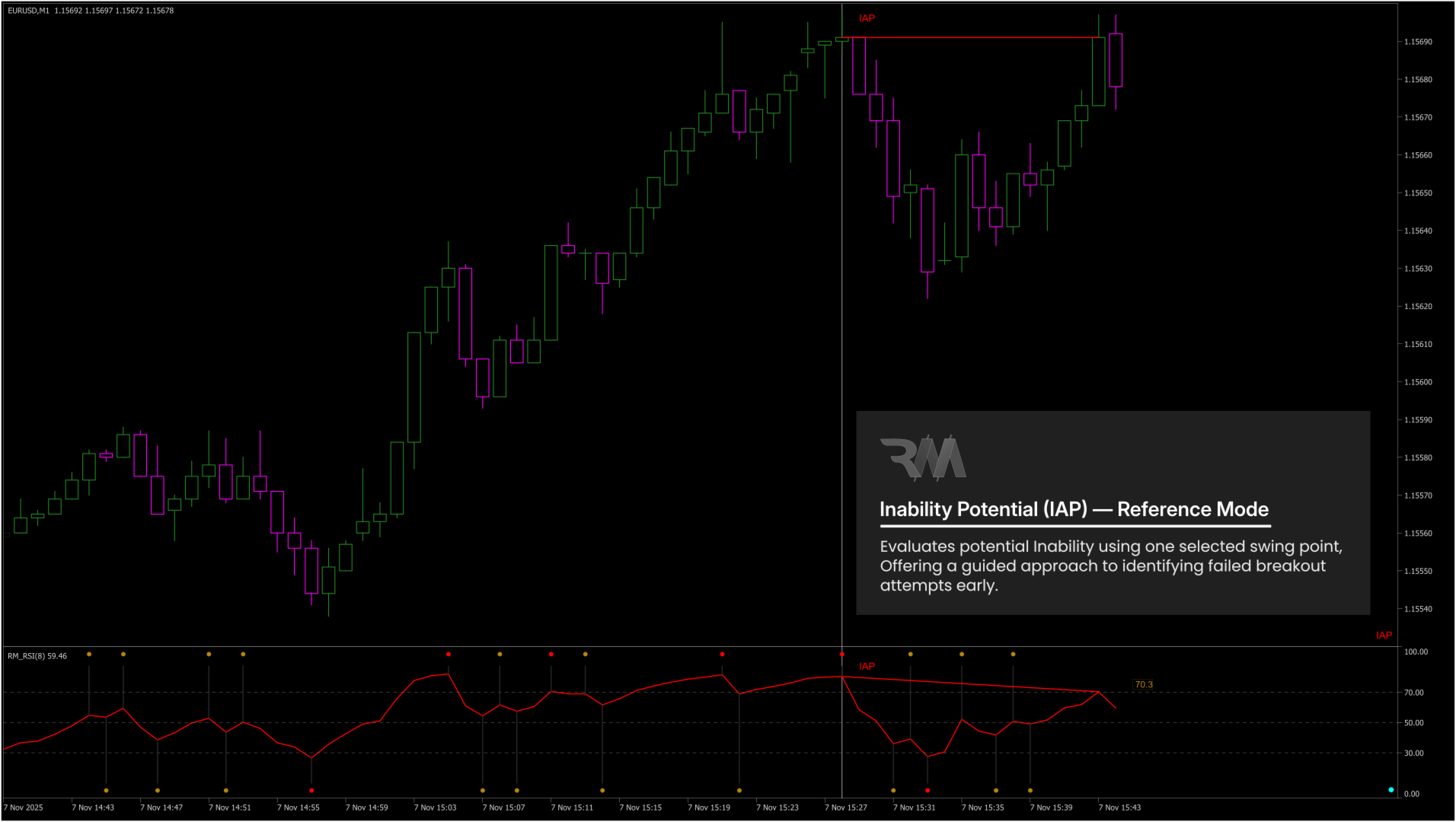
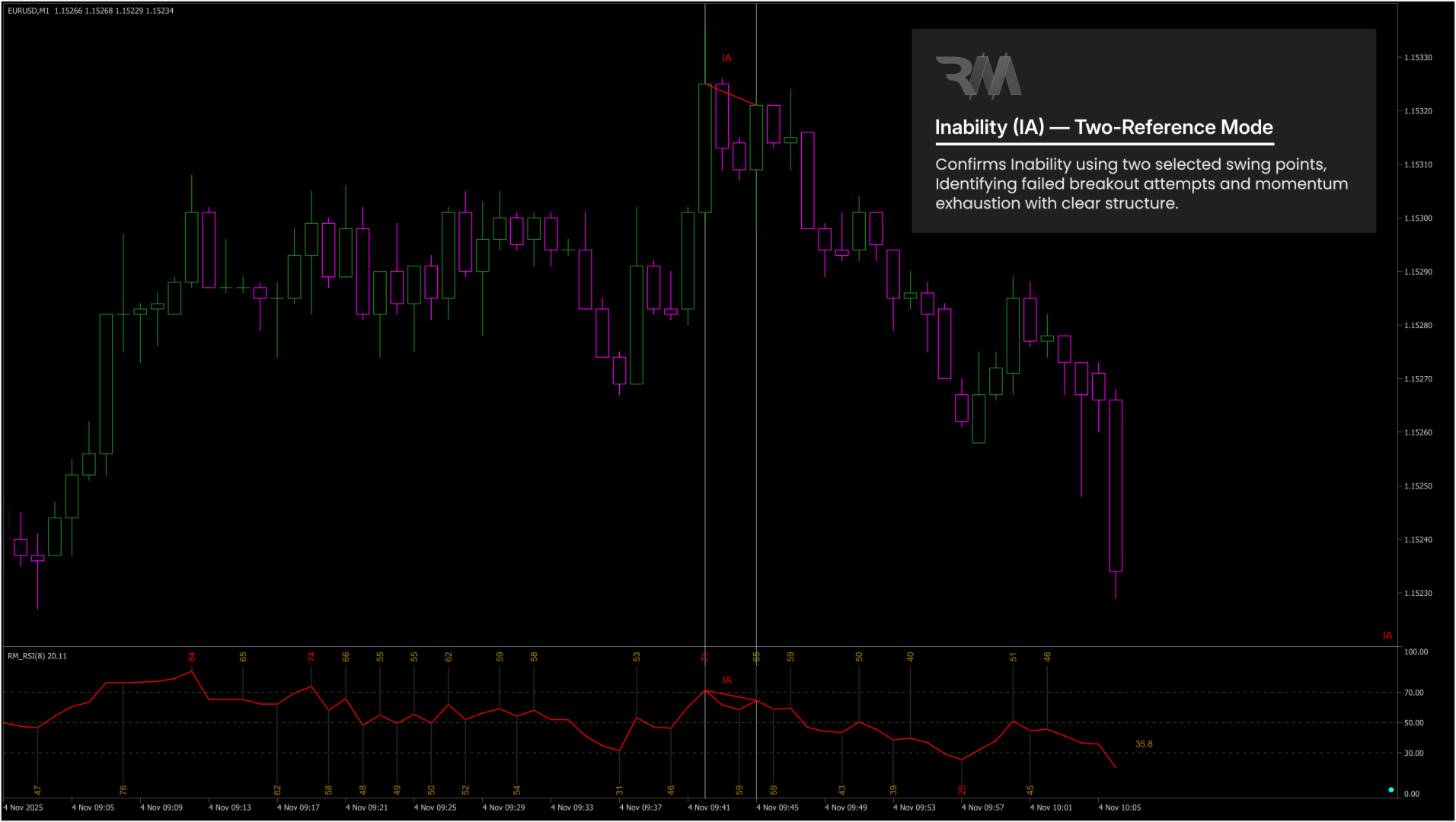
• Inability (IA) – identifies failed breakout or breakdown structures
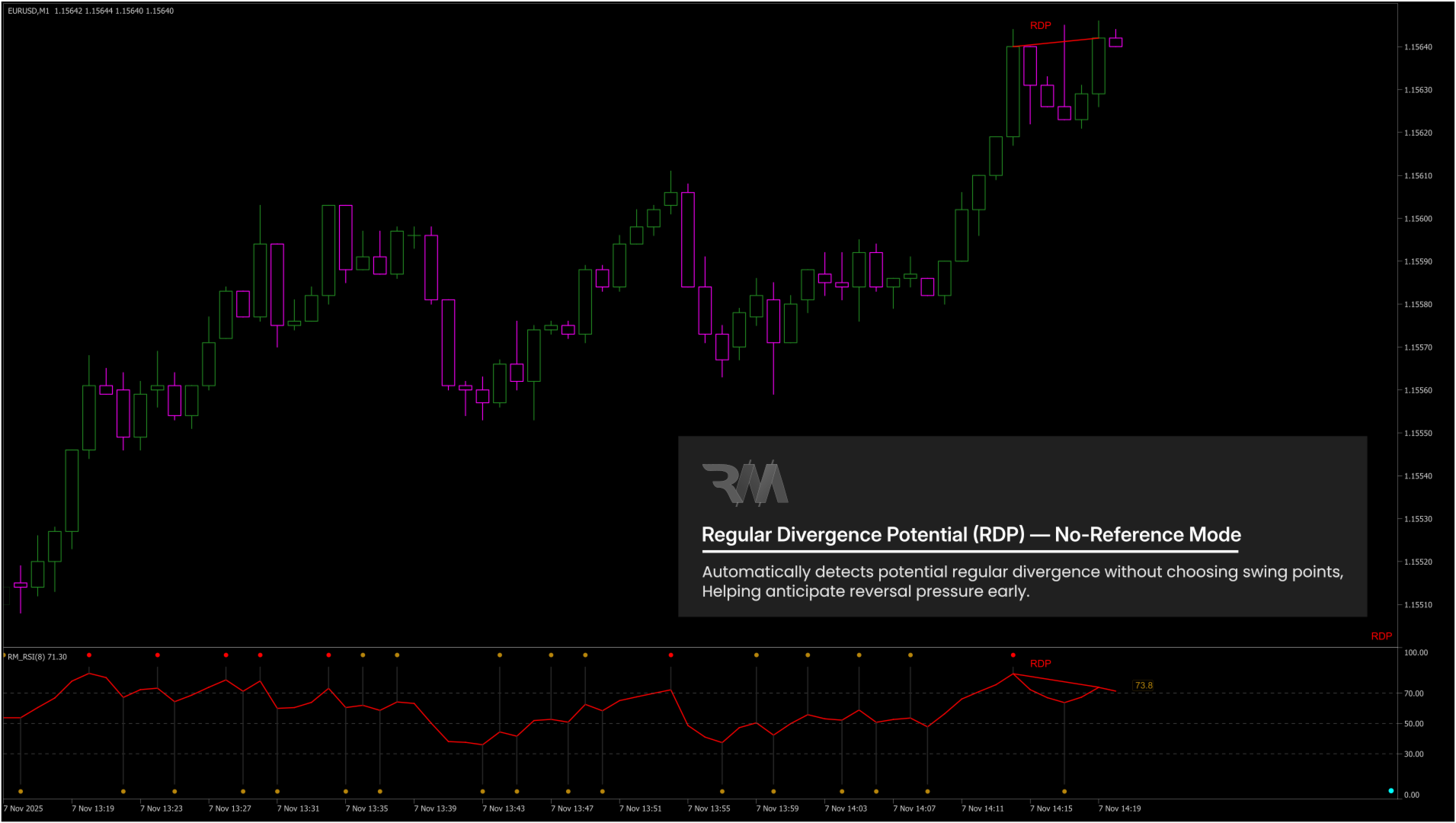
• Potential Divergence (P-DVG) – early warning before full confirmation
--------------------------------------------------
WHAT IS INABILITY (IA) AND WHY IT MATTERS
Inability (IA) occurs when the market attempts to continue but fails structurally.
Bearish IA conditions:
• Price fails to form a Higher High
• RSI fails to form a Higher High
• Result: Bearish IA (failed breakout)
Bullish IA conditions:
• Price fails to form a Lower Low
• RSI fails to form a Lower Low
• Result: Bullish IA (failed breakdown)
IA highlights structural exhaustion, not classic divergence.
It appears when the market tries to continue but clearly lacks momentum.
--------------------------------------------------
HOW RM DIVERGENCE PRO WORKS
1. Scans RSI to detect confirmed swing highs and lows
2. Builds swing-based test zones used exclusively for IA detection
3. Evaluates structural tests, failures, and momentum behavior
4. Confirms RD, HD, IA, and P-DVG using stable swing logic
5. Draws clean price and RSI structures with zero repaint after confirmation
--------------------------------------------------
CLEAN, STABLE, LOW-NOISE SIGNALS
Signals are confirmed only when:
• Price structure makes sense (swings, tests, failures)
• RSI supports the structure (momentum loss or imbalance)
This produces:
• Highly reliable signals
• Minimal noise
• Clear real-time interpretation
--------------------------------------------------
PROFESSIONAL IMPLEMENTATION
• Non-repainting once swings are confirmed
• Works on all symbols and all timeframes
• Optimized object drawing and performance
• Excellent for fast-moving markets (e.g. XAUUSD)
• Supports manual swing selection for custom analysis
--------------------------------------------------
HOW TO USE IN TRADING
• End of trend: use Regular Divergence (RD)
• End of correction: use Hidden Divergence (HD)
• Failed breakouts or breakdowns: use Inability (IA)
Suggested workflow:
• Identify market structure (HH, HL, LH, LL)
• Use RD at exhaustion zones
• Use HD during pullbacks
• Monitor IA near key support and resistance levels
• Always combine with proper risk management
--------------------------------------------------
ANALYSIS MODES (REFERENCE SELECTION)
RM Divergence Pro supports three analysis modes based on user interaction.
Mode 1 – Manual Divergence / IA (Two-Swing Mode)
• Click an older swing
• Click a newer swing
The indicator compares price and RSI and classifies RD, HD, or IA.
Mode 2 – Potential Divergence / IA with Reference
• Click the current RSI value
• Click a previous swing
The indicator detects early-forming RD, HD, or IA using the selected reference.
Mode 3 – Potential Divergence / IA (Auto Mode)
• Click only the current RSI value
The indicator automatically finds the last relevant swing and displays early potential signals.
Reset Button
• Clears all manual selections and restores auto mode.
--------------------------------------------------
ONE INSTANCE PER CHART (IMPORTANT)
RM Divergence Pro is intentionally limited to one instance per chart to ensure:
• No overlapping drawing objects
• No conflicting swing calculations
• Maximum clarity and stability
If another instance is added, MT5 automatically blocks duplicate loading.
--------------------------------------------------
QUICK START GUIDE
1. Attach RM Divergence Pro to the chart
2. Observe RSI swing formation
3. Identify RD, HD, or IA signals
4. Always evaluate signals within market structure and support/resistance context
--------------------------------------------------
INPUT PARAMETERS
RSI – Core Settings
• RSI Period – Defines the calculation period of the RSI.
• Applied Price – Selects the price used for RSI calculation (Close, Open, High, Low, etc.).
--------------------------------------------------
RSI – Swings & Markers
• Number of Swings – Sets how many RSI swings are calculated and displayed.
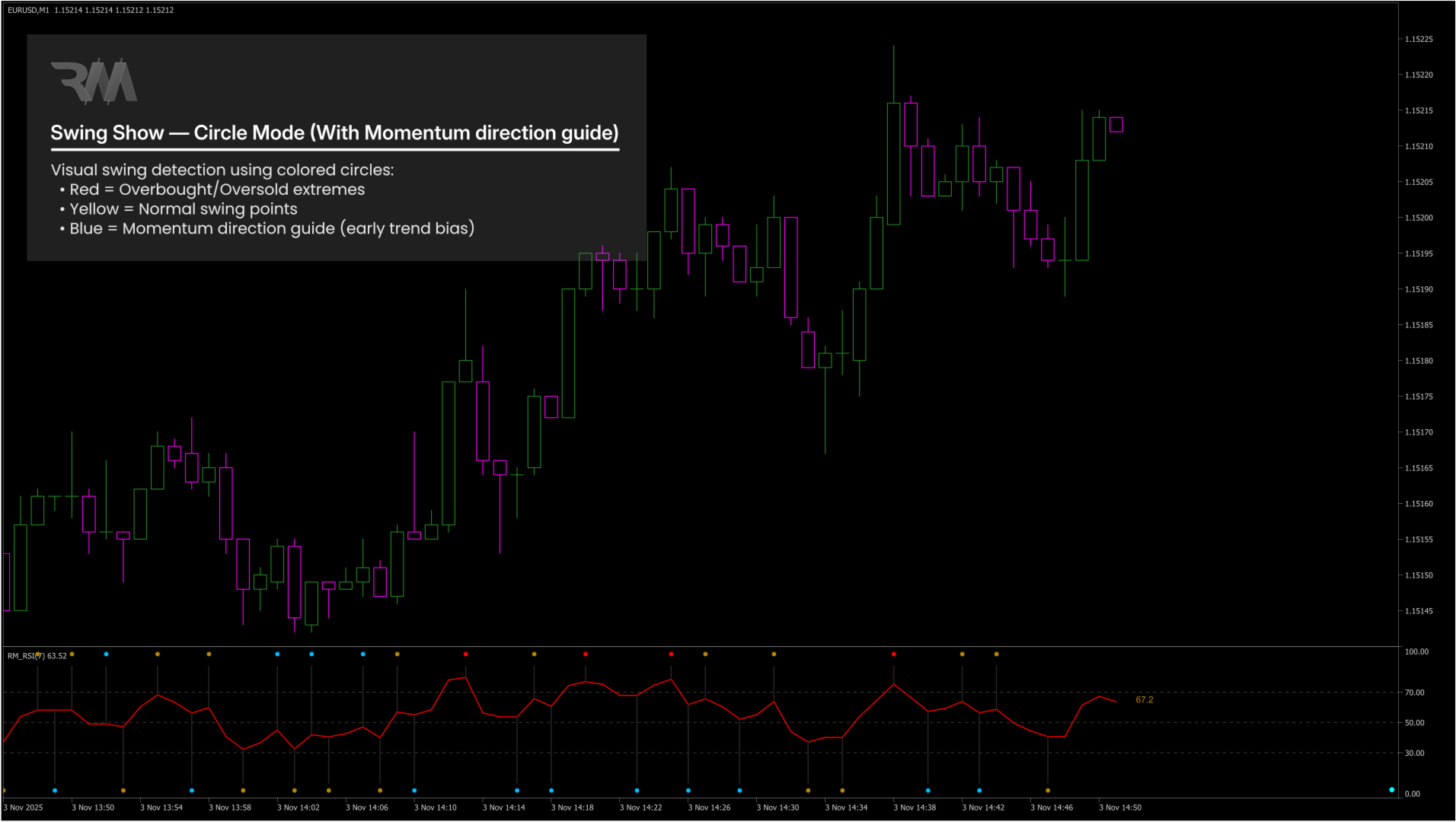
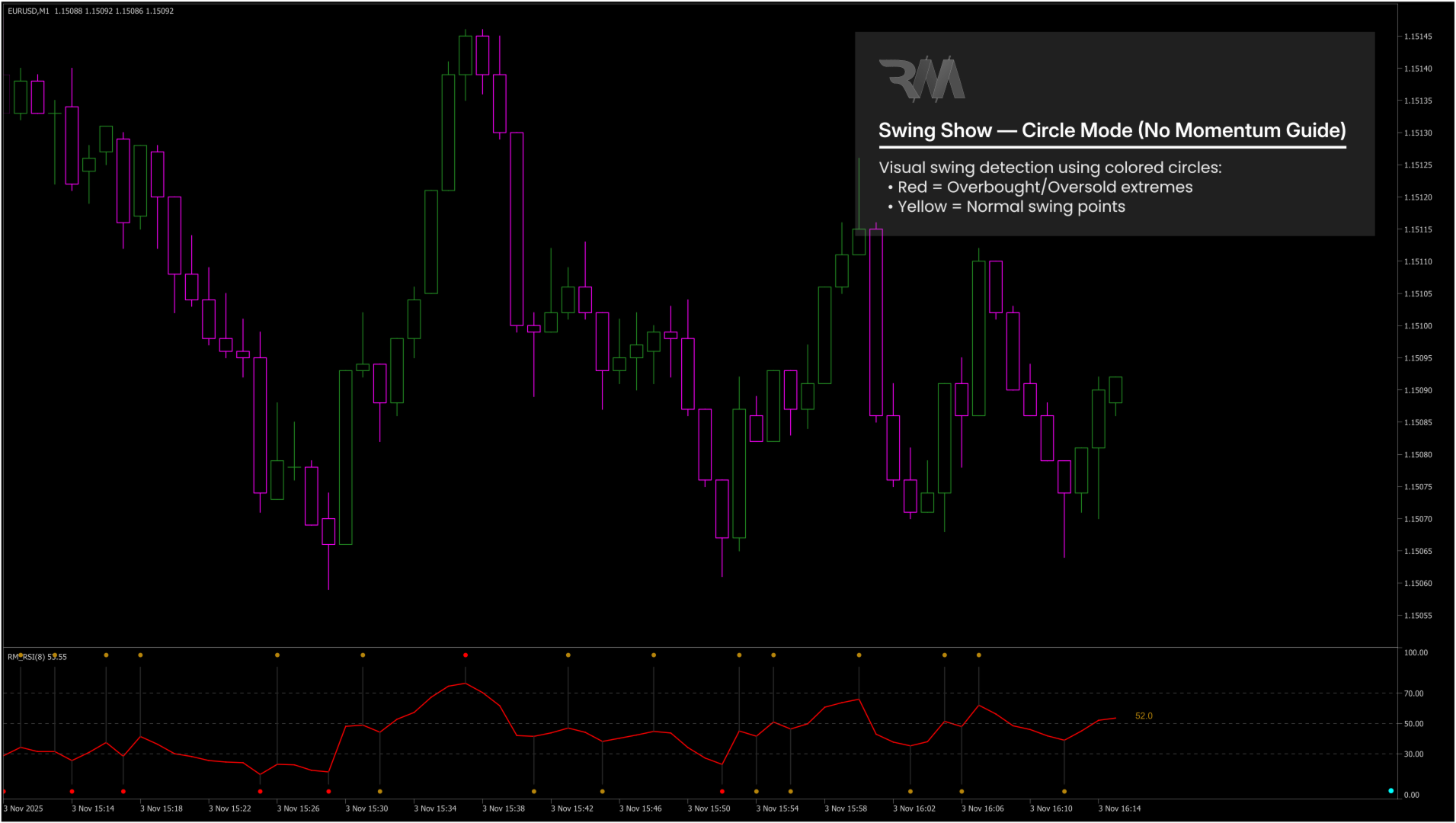
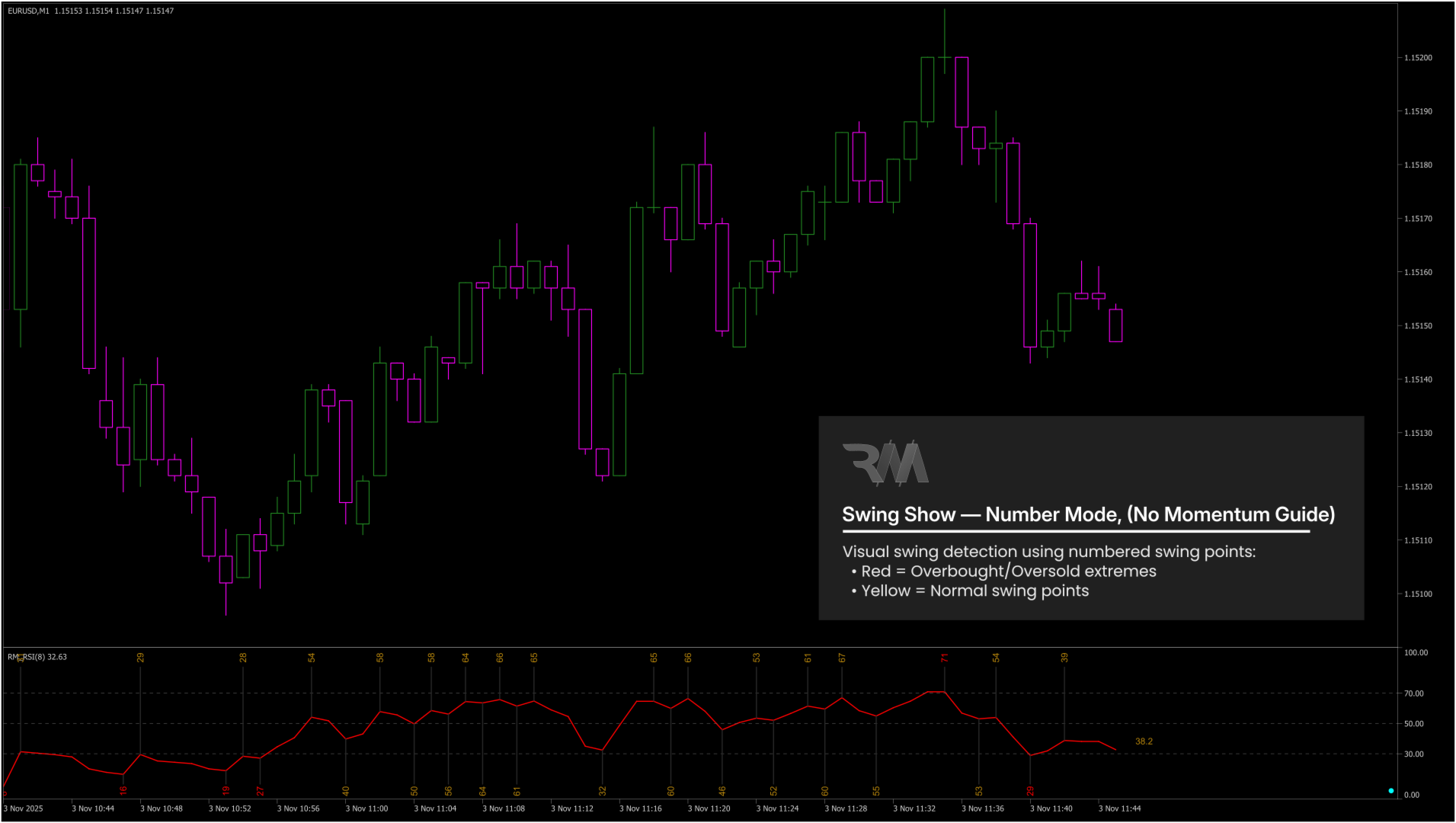
• Swing Display Mode – Displays RSI swings using colored circles or numeric labels.
• Font / Marker Size – Controls the size of swing markers and numbers.
• Swing Price Source – Uses Close price or High/Low for swing comparison.
--------------------------------------------------
Divergence – Labels & Display Mode
• Divergence Label Mode – Controls where divergence labels are displayed:
(main chart, RSI window, fixed corner label, or combinations).
• Fixed Label Corner – Selects the corner position of the fixed divergence label.
• Divergence Label Font Size – Adjusts the font size of divergence labels.
--------------------------------------------------
Divergence – Line Colors
• Color Lines by Divergence Type – Enables automatic line coloring based on signal type.
• Regular Divergence Colors – Colors for bullish and bearish Regular Divergence.
• Hidden Divergence Colors – Colors for bullish and bearish Hidden Divergence.
• Inability Colors – Colors for bullish and bearish Inability signals.
• Price & RSI Line Colors – Sets line colors on the price chart and RSI window.
• Label Color by Divergence – Automatically colors labels based on divergence type.
--------------------------------------------------
Colors – General Style
• RSI Line Color – Changes the color of the RSI line.
• Swing & Vertical Line Colors – Controls the colors of swing and vertical guide lines.
• Swing Text Colors – Colors for normal, extreme, and trend-guide swing labels.
• Last RSI Text Color – Color of the live RSI value label.
• Divergence Label Text Color – Default color for divergence labels.
--------------------------------------------------
UI – Reset Button
• Show Reset Button – Displays a reset button in the RSI window.
• Reset Button Color – Sets the button color.
• Reset Button Size – Adjusts the size of the reset button.
--------------------------------------------------
History – Auto Signals on Chart
• Enable History Display – Shows historical divergence letters on the chart.
• Show RD History – Displays past Regular Divergence signals (R).
• Show HD History – Displays past Hidden Divergence signals (H).
• Show IA History – Displays past Inability signals (I).
• History Font – Font used for historical signal letters (R / H / I).
--------------------------------------------------
All parameters are designed for clear visual control and can be adjusted without affecting signal logic.