
RM Divergence Pro
- Indicatori
-
Mohammadreza Mahdi Mavaddat
 I am a trader, market analyst, and software developer focused on building practical tools for technical analysis and price action trading.
 - Versione: 2.0
- Aggiornato: 1 settembre 2026
- Attivazioni: 5
RM Divergence Pro - Indicatore di divergenza e incapacità RSI:
È un indicatore di divergenza RSI non ridipinto basato sulla struttura del mercato.
Rileva divergenza regolare, divergenza nascosta, incapacità e divergenza potenziale utilizzando oscillazioni RSI confermate, comportamento dei prezzi e filtri strutturali.
Panoramica:
RM Divergence Pro è uno strumento di divergenza basato su RSI focalizzato sulla logica strutturale.
Utilizza i massimi e i minimi confermati dell'RSI insieme al comportamento della struttura dei prezzi per rilevare divergenze, esaurimento e modelli di continuazione falliti.
Ciò fornisce segnali tecnici adatti ai trader discrezionali.
Caratteristiche e capacità principali:
- Logica di non riverniciatura dopo la conferma dello swing RSI
- Rilevamento basato sull'oscillazione RSI (non valori RSI grezzi)
- Diversi tipi di segnali in un unico strumento:
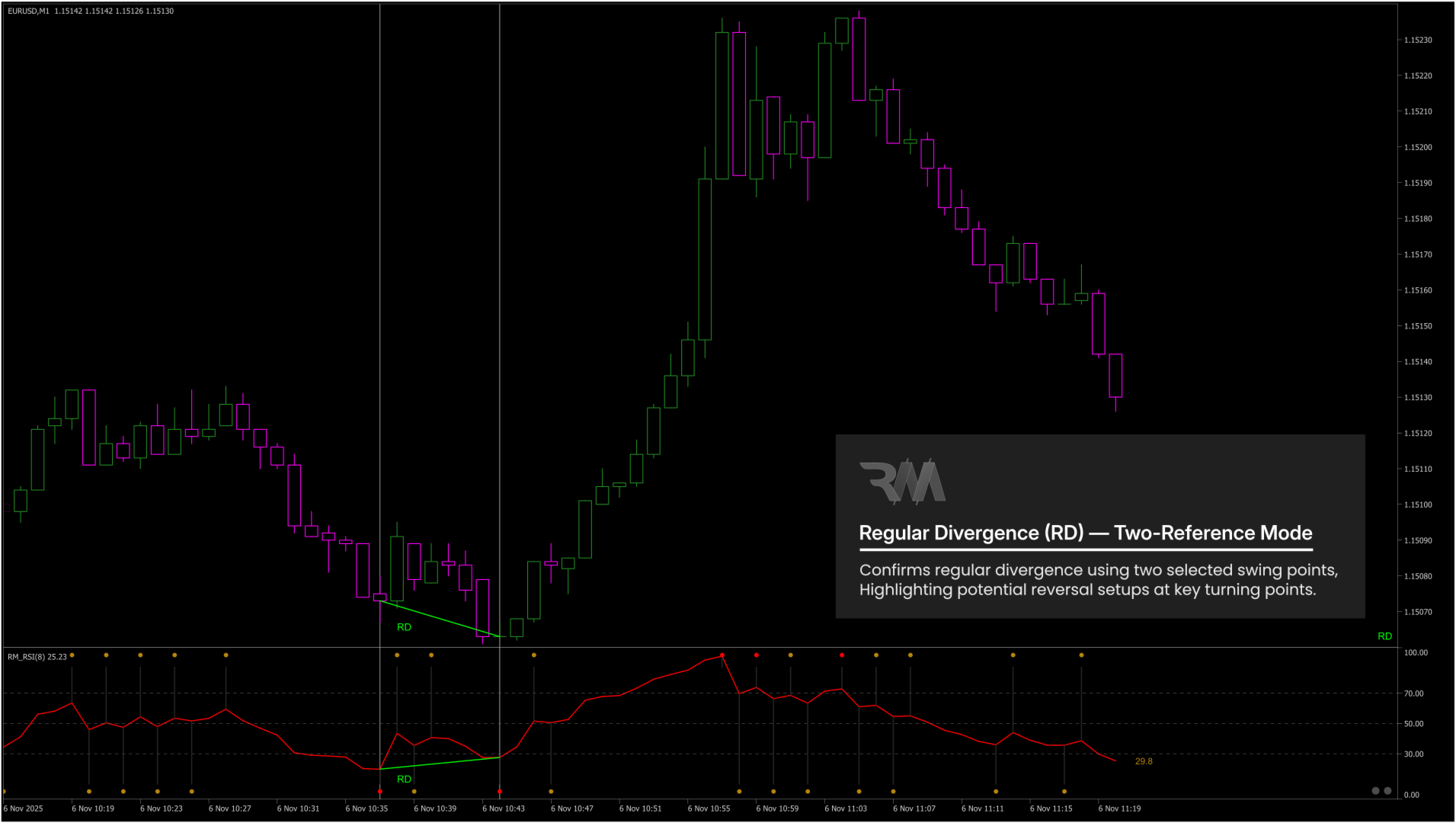
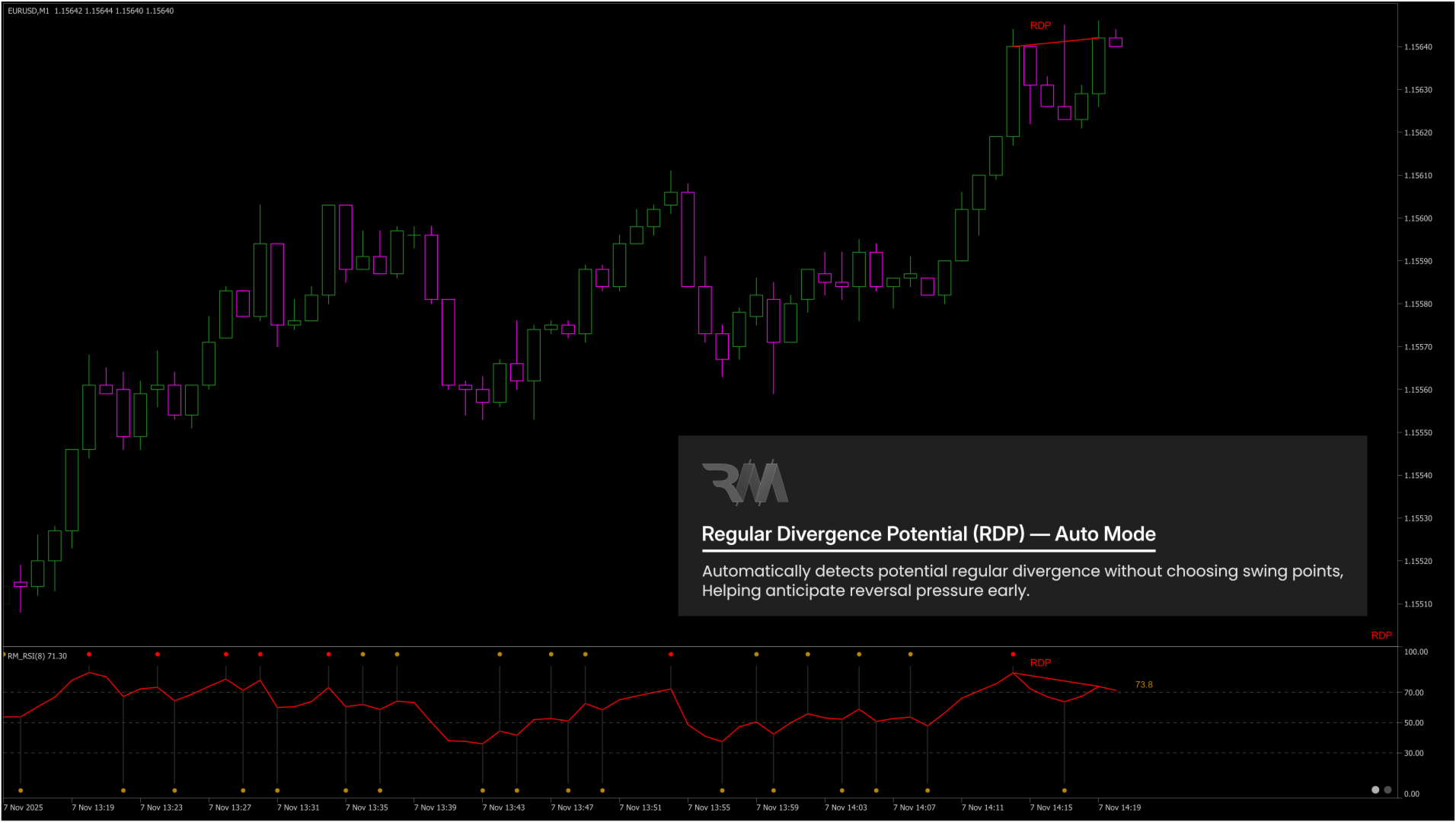
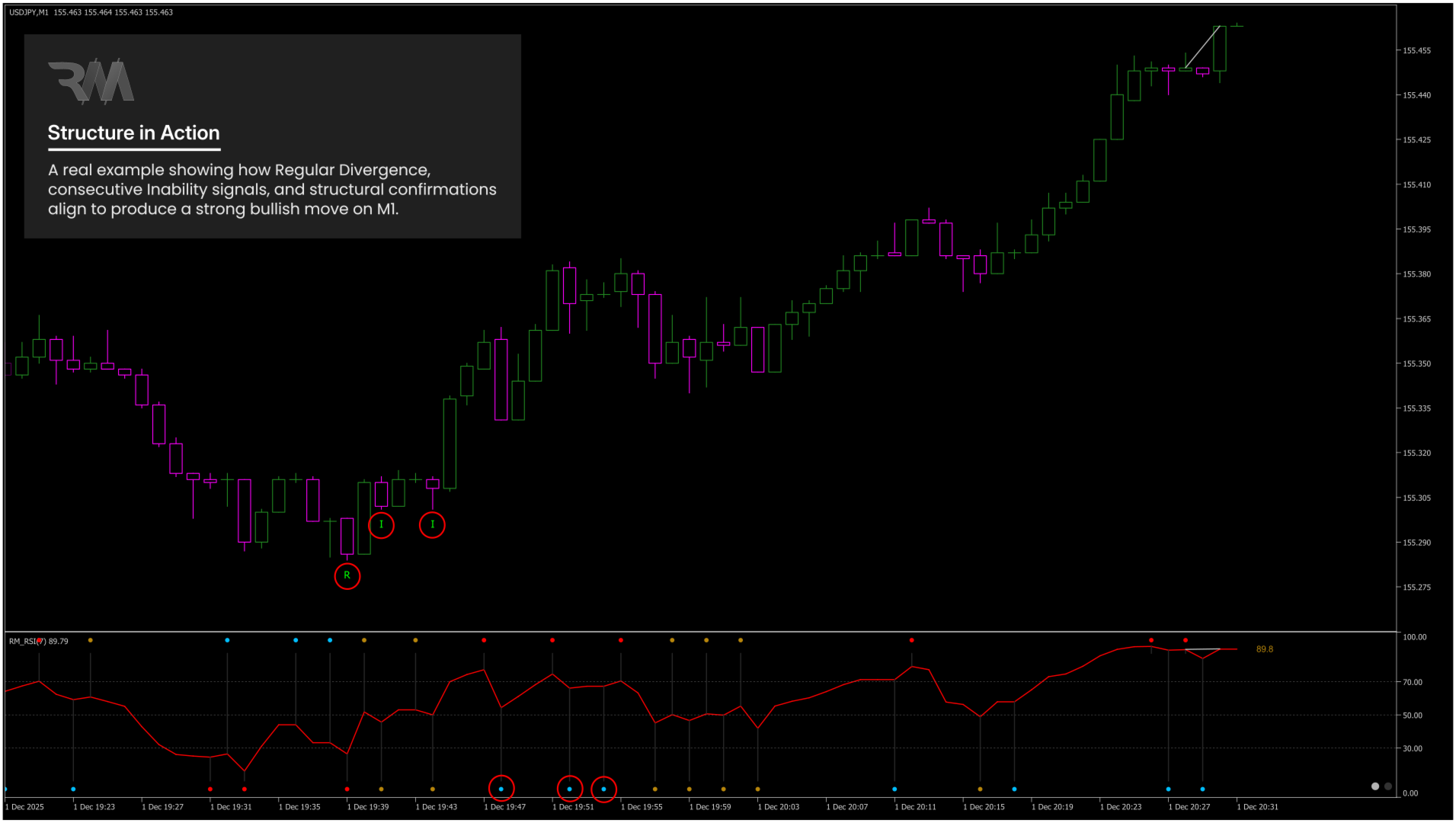
- Divergenza regolare (RD)
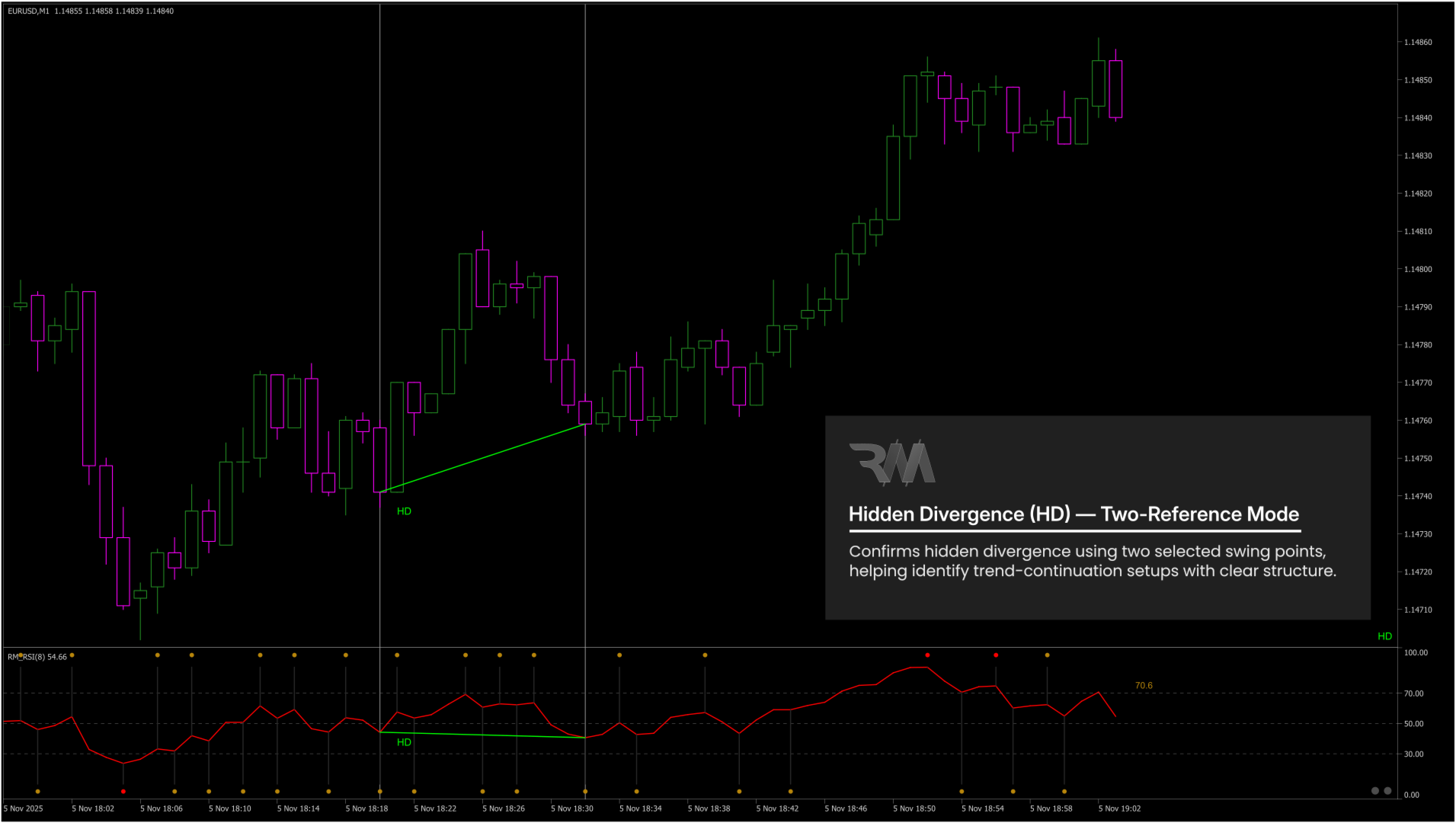
- Divergenza nascosta (HD)
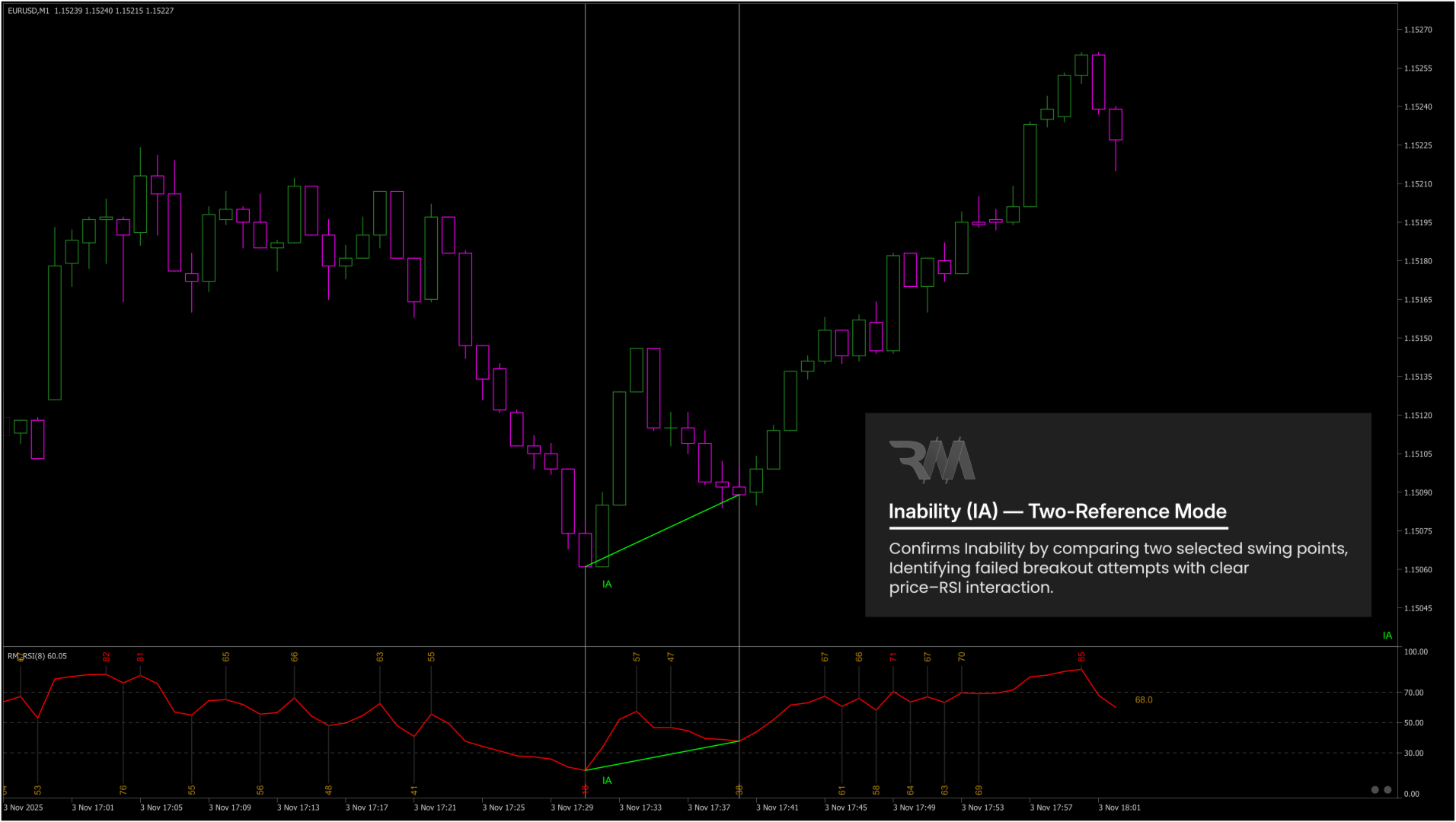
- Incapacità (IA)
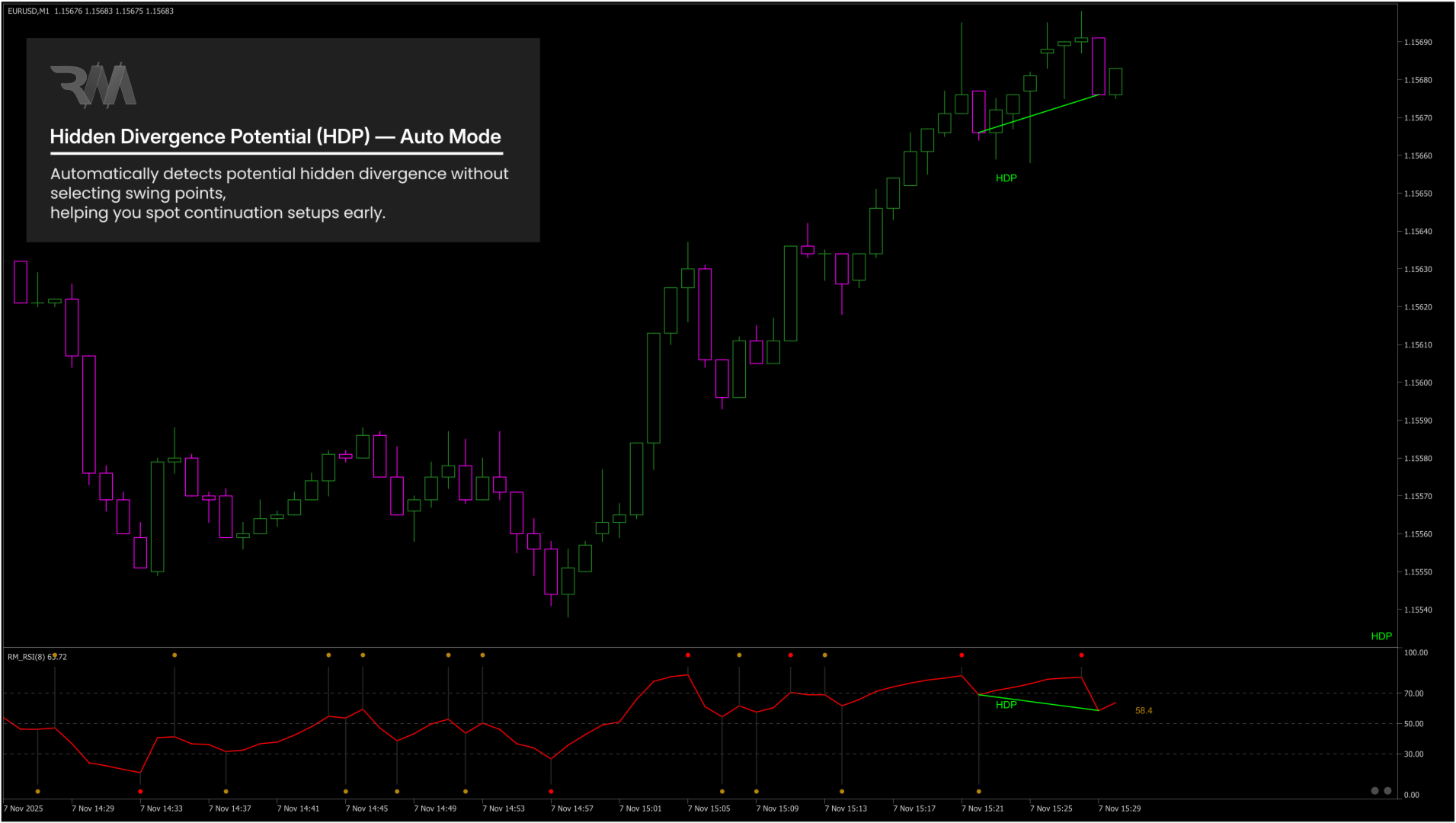
- Divergenza potenziale (P-DVG)
- Rilevamento True Inability (IA) per sblocchi e guasti non riusciti
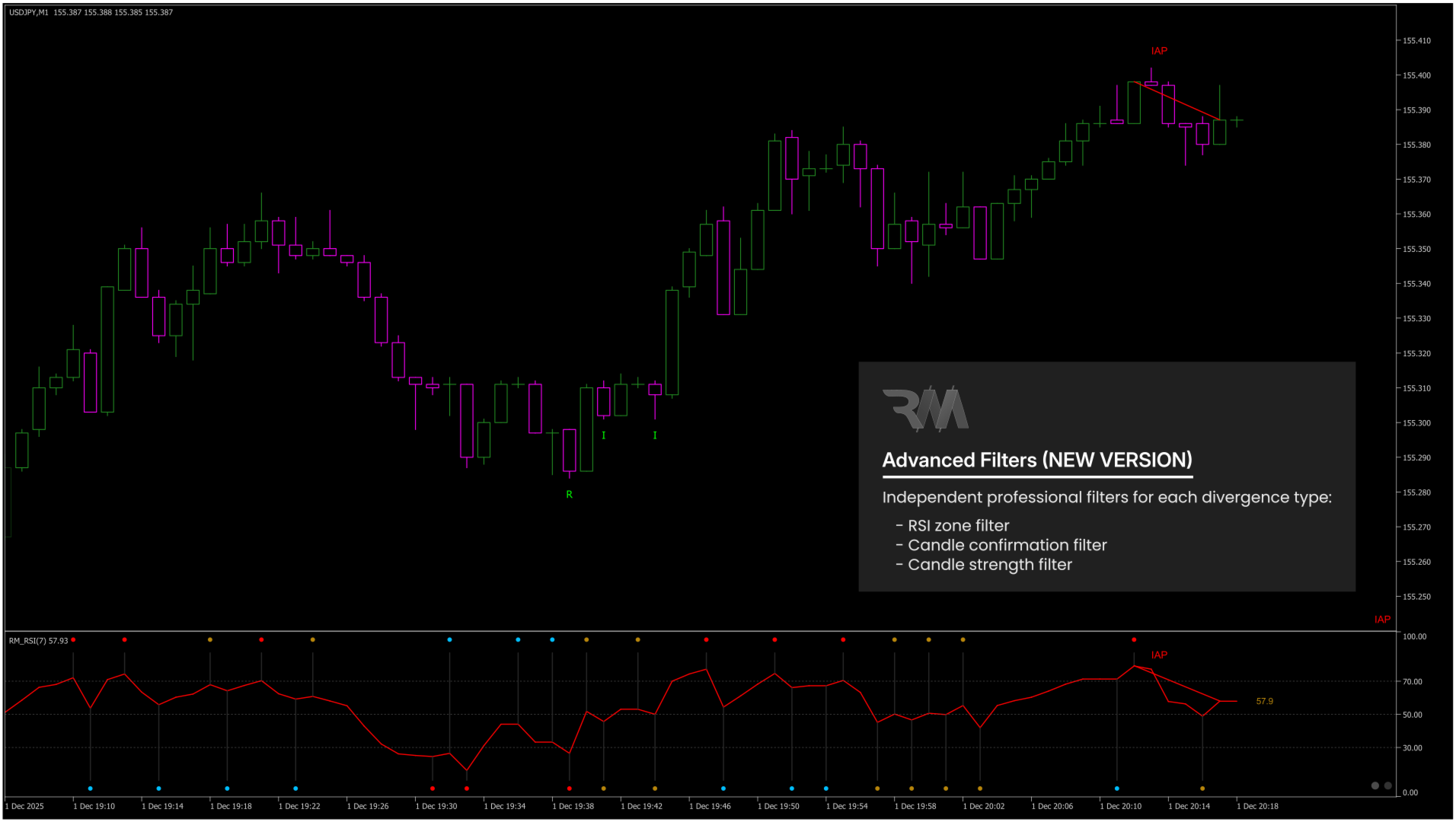
- Filtri indipendenti per ogni tipo di divergenza (NUOVA VERSIONE):
- Filtro di zona RSI
- Filtro della media mobile
- Filtro di conferma della candela
- Filtro intensità candela (intensità da 0 a 100 in luoghi ravvicinati)
- Filtro media mobile flessibile con metodo MA, periodo e prezzo applicato selezionabili
- Le divergenze rialzista e ribassista possono essere filtrate in modo indipendente in base alla posizione del prezzo rispetto alla media mobile
- Rilevamento precoce con modalità di divergenza potenziale
- Modalità di analisi manuale, basata su riferimenti e completamente automatica
- Struttura visiva pulita e chiara sui grafici dei prezzi e dell'RSI
- Controllo completo su colori, etichette, caratteri e modalità di visualizzazione
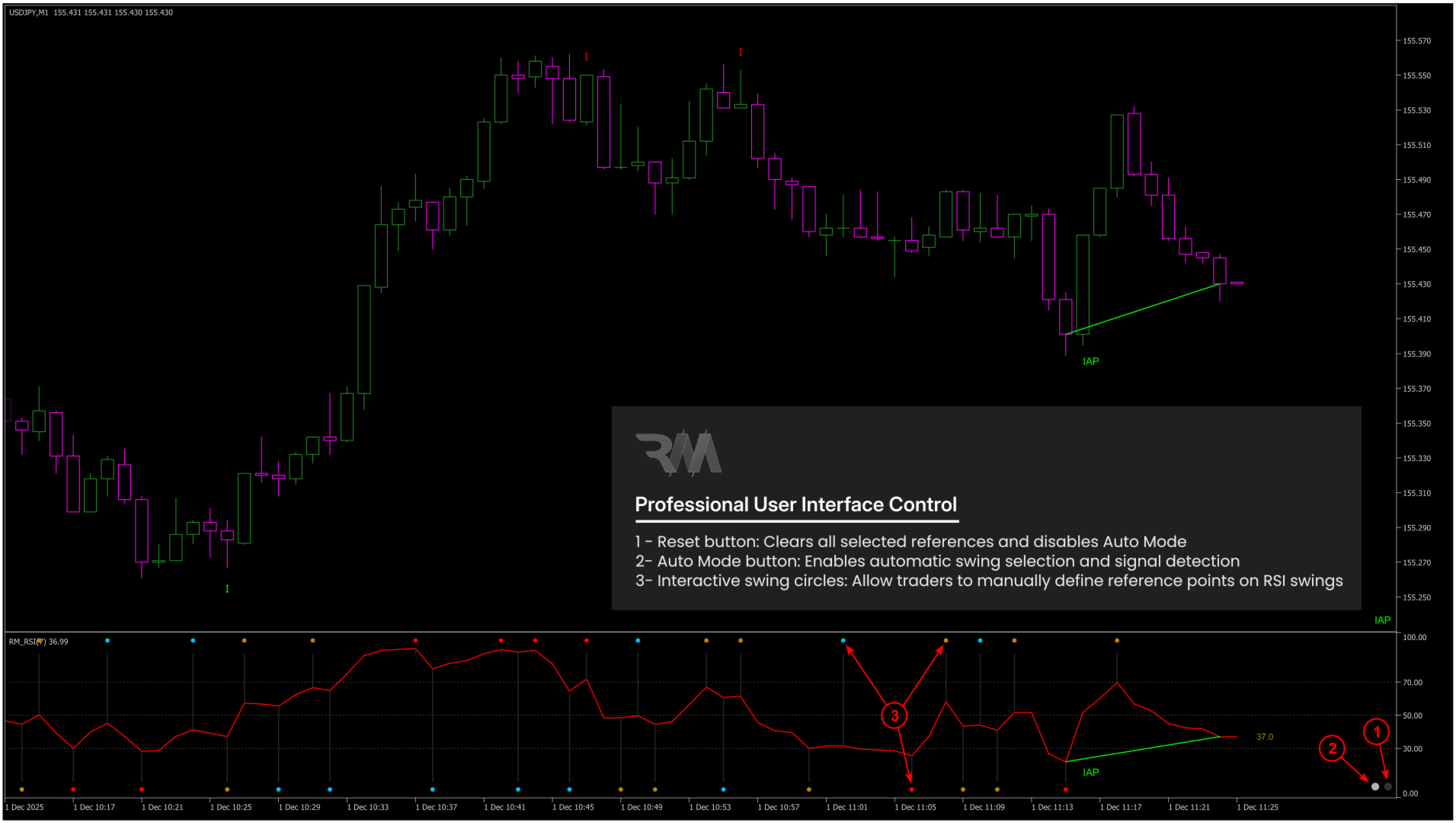
- Pulsante di ripristino integrato per il controllo immediato dell'interazione
- Pulsante Auto integrato per il controllo immediato dell'interazione
- Prestazioni ottimizzate per mercati in rapida evoluzione
- Funziona su tutti i simboli e tutti i tempi
- Protezione a istanza singola per grafico per la massima stabilità
- Modalità automatica all'avvio (mantiene automaticamente attiva la modalità automatica durante il caricamento dell'indicatore o la modifica dell'intervallo di tempo).
Tipi di segnali supportati:
- Divergenza regolare (RD)
- Identifica il potenziale esaurimento e inversioni di tendenza.
- Divergenza nascosta (HD)
- Identifica la continuazione del trend dopo pullback o correzioni. (Utilizzato principalmente in modalità referenziata)
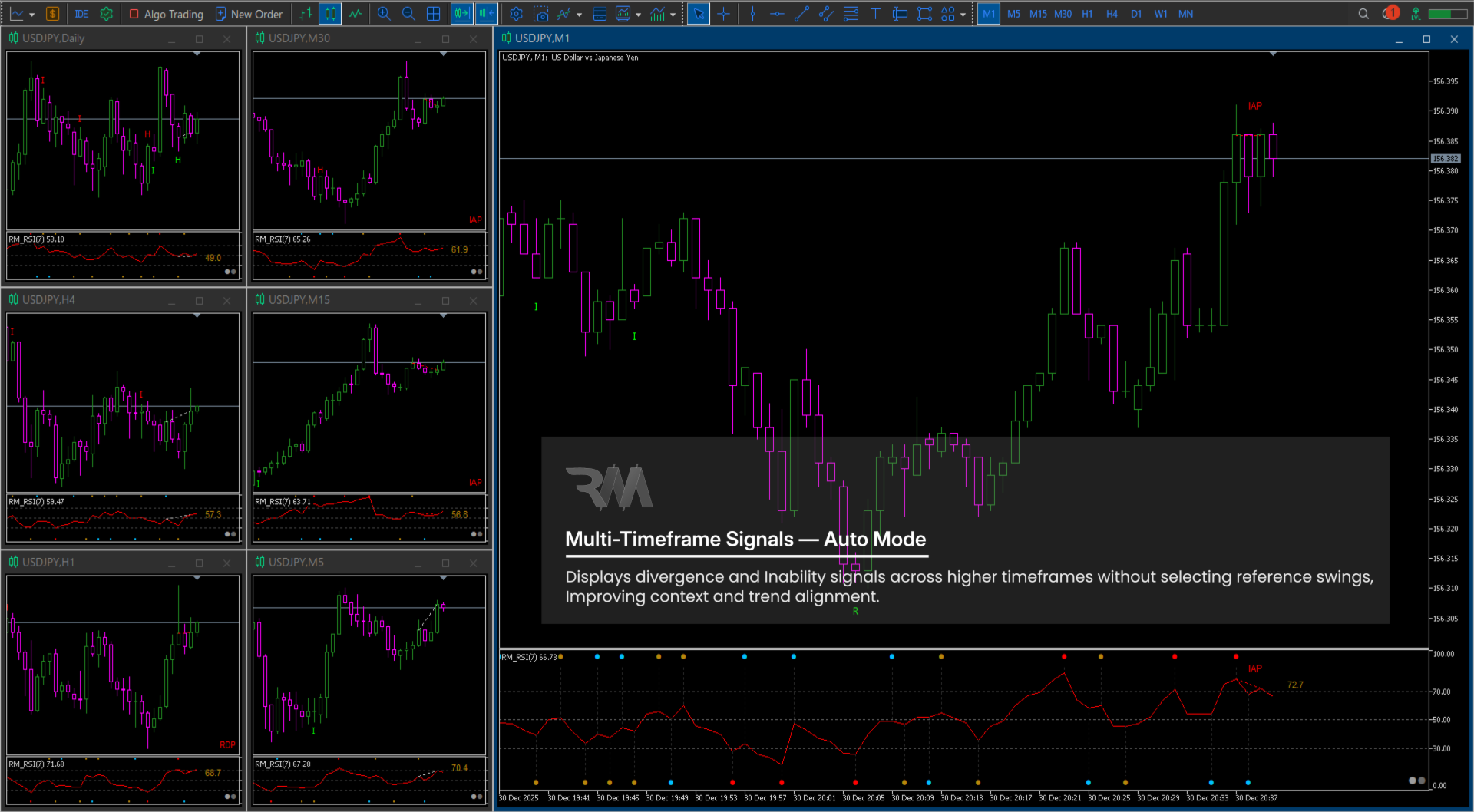
- Identifica rotture o rotture fallite causate da debolezza strutturale. (Utilizzato principalmente in modalità automatica)
- Incapacità (IA)
- Identifica rotture o rotture fallite causate da debolezza strutturale.
- Divergenza potenziale (P-DVG)
- Fornisce segnali di allarme tempestivi prima della conferma completa.
Come si usa (guida pratica):
- Allega RM Divergence Pro alla carta.
- Osserva la formazione dello swing RSI nella finestra RSI.
- Scegli la modalità di analisi:
- Divergenza manuale/IA (modalità a due oscillazioni)
- Fare clic su uno swing RSI più vecchio.
- Fare clic su uno swing RSI più recente.
- L'indicatore classifica automaticamente RD, HD o IA.
- Divergenza potenziale/IA (con riferimento)
- Fare clic sul pulsante Automatico.
- Fare clic su uno swing RSI precedente.
- L'indicatore rileva RD, HD o IA a formazione precoce.
- Divergenza potenziale/IA (modalità automatica)
- Fare clic solo sul pulsante Auto.
- L'indicatore seleziona automaticamente lo swing più rilevante.
- Divergenza manuale/IA (modalità a due oscillazioni)
- Utilizzare il pulsante Reimposta per:
- Cancella tutte le selezioni manuali.
- Disattiva immediatamente la modalità completamente automatica.
Come candidarsi al trading:
- Utilizzare la Divergenza Regolare (RD) vicino alle potenziali zone di esaurimento del trend.
- Utilizzare la divergenza nascosta (HD) durante i pullback in trend forti.
- Utilizzare Inability (IA) vicino ai livelli chiave di supporto e resistenza per identificare i tentativi di continuazione falliti.
- Conferma sempre i segnali all’interno della struttura del mercato e delle regole di gestione del rischio.
Parametri di input:
| Gruppo di input | Ingresso | Descrizione |
|---|---|---|
| RSI: impostazioni principali | ||
| Periodo RSI | Definisce il periodo di calcolo dell'RSI. | |
| Prezzo applicato | Seleziona la fonte del prezzo utilizzata per il calcolo dell'RSI (Chiusura, Apertura, Alto, Basso, ecc.). | |
| RSI: Swing e Marker | ||
| Numero di candele | Imposta il numero di candele da analizzare per il calcolo dello swing RSI e il rilevamento della divergenza. | |
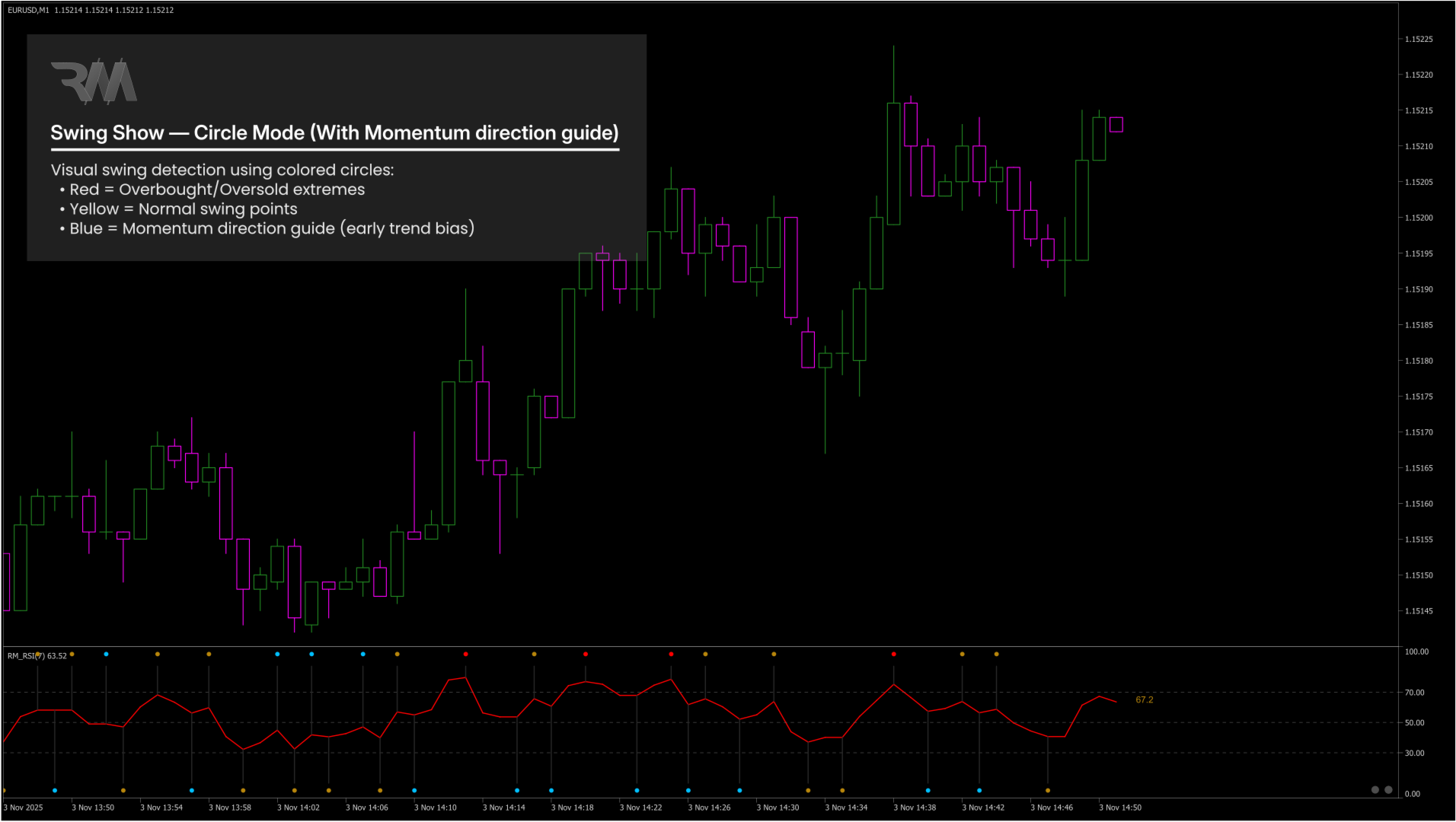
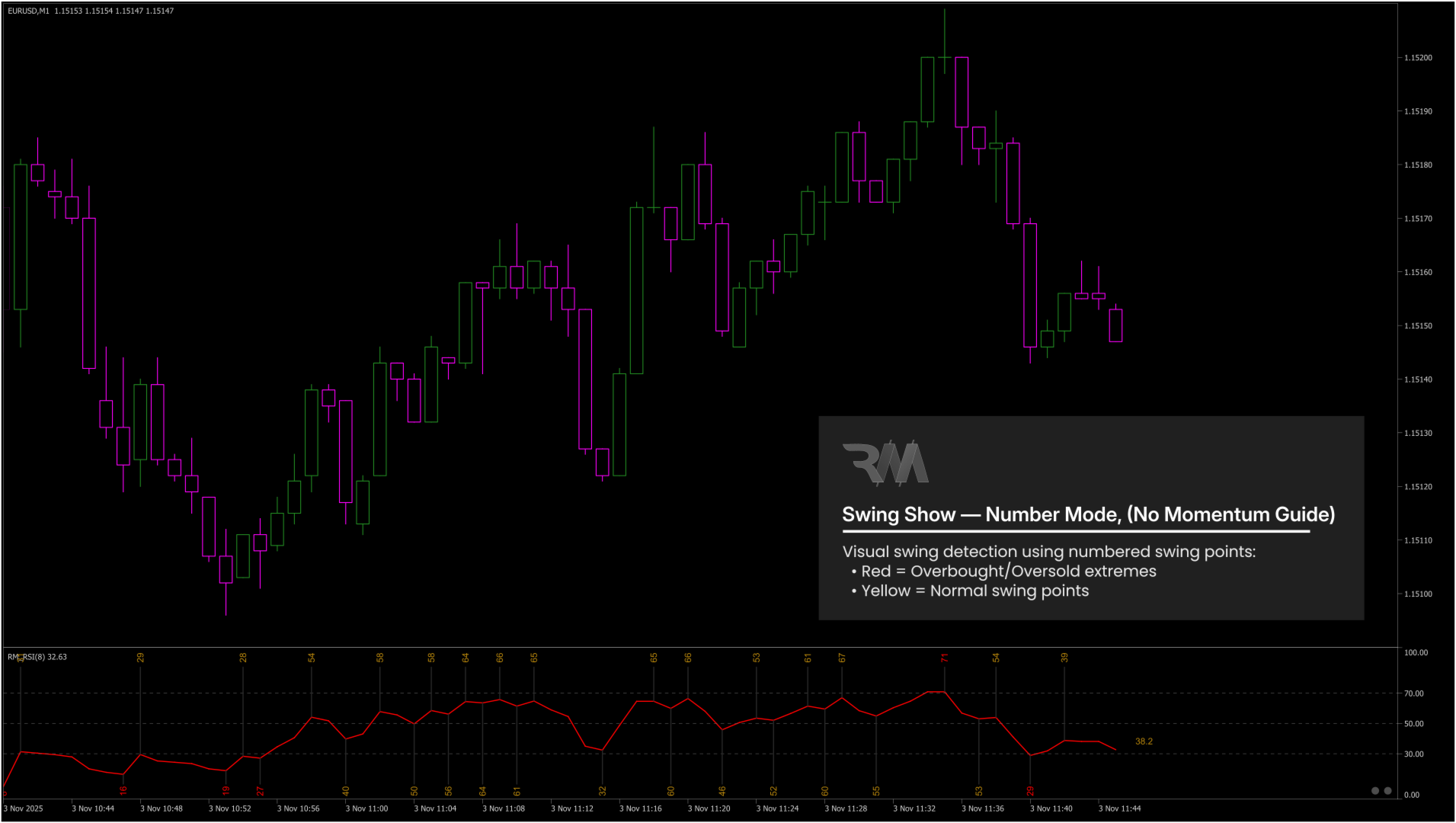
| Modalità di visualizzazione oscillante | Visualizza gli swing RSI come valori numerici o cerchi colorati. | |
| Dimensione carattere/marcatore | Controlla la dimensione dei marcatori e dei valori di swing. | |
| Fonte del prezzo oscillante | Utilizza il prezzo di chiusura o gli estremi massimo/basso per il confronto dello swing. | |
| Divergenza: etichette e modalità di visualizzazione | ||
| Segnali di filtro (interruttore principale) | Abilita o disabilita tutti i filtri. | |
| Visualizzazione della cronologia (interruttore principale) | Abilita o disabilita le lettere della divergenza storica (R / H / I). | |
| Carattere storico | Carattere utilizzato per le lettere di segnalazione storiche. | |
| Modalità etichetta divergenza | Controlla dove vengono visualizzate le etichette di divergenza (grafico principale, finestra RSI, etichetta ad angolo fisso o combinazioni). | |
| Angolo etichetta fisso | Seleziona la posizione dell'angolo dell'etichetta di divergenza fissa. | |
| Dimensione carattere etichetta divergenza | Regola la dimensione del carattere delle etichette di divergenza. | |
| Filtro della media mobile | ||
| Metodo MA | Seleziona il metodo di calcolo della media mobile (SMA, EMA, SMMA o LWMA). | |
| Periodo MA | Definisce il periodo di calcolo della media mobile. | |
| Prezzo applicato MA | Seleziona la fonte del prezzo utilizzata per il calcolo della media mobile (Chiusura, Apertura, Alto, Basso, ecc.). | |
| Divergenza regolare (RD): Filtri e visualizzazione | ||
| RD: Abilita segnali (live/potenziale/cronologico) | Abilita i segnali di divergenza regolare. | |
| RD: mostra la lettera della cronologia (R) | Mostra i segnali RD storici (R). | |
| RD: utilizza la convalida del filtro di zona RSI | Convalida i segnali RD in base alla posizione RSI. | |
| RD: usa il filtro della candela di conferma (Engulf). | Richiede il comportamento della candela di conferma per RD. | |
| RD: usa il filtro dell'intensità della candela | Filtra i segnali RD in base all'intensità della posizione vicina (0–100). | |
| RD: usa il filtro MA | Abilita il filtro della media mobile per la divergenza regolare (RD). | |
| Filtro zona RD: rialzista valido se RSI <= | RSI massimo per il secondo swing | |
| Filtro zona RD: ribassista valido se RSI >= | RSI minimo per il secondo swing | |
| Filtro Engulf RD: tipo Engulf | Seleziona come viene valutata la candela di conferma (Chiusura vs Apertura o Chiusura vs Alto/Basso). | |
| Intensità della candela RD: 0 .. 100 | Posizione vicina della candela rispetto a alta/bassa | |
| RD: colore del segnale rialzista | ||
| RD: colore del segnale ribassista | ||
| Divergenza nascosta (HD): Filtri e visualizzazione | ||
| HD: Abilita segnali (live/potenziale/cronologico) | Abilita i segnali di divergenza nascosta. | |
| HD: mostra la lettera della cronologia (H) | Mostra i segnali HD storici (H). | |
| HD: utilizza la convalida del filtro di zona RSI | Convalida i segnali HD in base alla posizione RSI. | |
| HD: usa il filtro della candela di conferma (Engulf). | Richiede il comportamento della candela di conferma per l'HD. | |
| HD: usa il filtro dell'intensità della candela | Filtra i segnali HD in base all'intensità della posizione vicina (0–100). | |
| HD: usa il filtro MA | Abilita il filtro della media mobile per la divergenza nascosta (HD). | |
| Filtro zona HD: rialzista valido se RSI <= | RSI massimo per il secondo swing | |
| Filtro zona HD: ribassista valido se RSI >= | RSI minimo per il secondo swing | |
| Filtro Engulf HD: tipo Engulf | Seleziona come viene valutata la candela di conferma (Chiusura vs Apertura o Chiusura vs Alto/Basso). | |
| Intensità della candela HD: 0 .. 100 | Posizione vicina della candela rispetto a alta/bassa | |
| HD: colore del segnale rialzista | ||
| HD: colore del segnale ribassista | ||
| Incapacità (IA): Filtri e visualizzazione | ||
| IA: Abilita segnali (live/potenziale/cronologico) | Abilita i segnali di incapacità. | |
| IA: mostra la lettera della cronologia (I) | Mostra i segnali IA storici (I). | |
| IA: utilizzare la convalida del filtro di zona RSI | Convalida i segnali IA in base alla posizione RSI. | |
| IA: Usa il filtro della candela di conferma (Engulf). | Richiede il comportamento della candela di conferma per IA. | |
| IA: Usa il filtro dell'intensità della candela | Filtra i segnali IA in base all'intensità della posizione vicina (0–100). | |
| IA: Usa il filtro MA | Abilita il filtro della media mobile per l'incapacità (IA). | |
| Filtro di zona IA: rialzista valido se RSI <= | RSI massimo per il secondo swing | |
| Filtro zona IA: ribassista valido se RSI >= | RSI minimo per il secondo swing | |
| Filtro Engulf IA: tipo Engulf | Seleziona come viene valutata la candela di conferma (Chiusura vs Apertura o Chiusura vs Alto/Basso). | |
| Intensità della candela IA: 0 .. 100 | Posizione vicina della candela rispetto a alta/bassa | |
| IA: colore del segnale rialzista | IA: colore del segnale ribassista | |
| Divergenza: colori e stile delle linee | ||
| Colore per tipo di divergenza | Colora automaticamente le linee in base a RD/HD/IA. | |
| Prezzo e colori della linea RSI | Imposta i colori delle linee di divergenza sui grafici dei prezzi e dell'RSI. | |
| Colore dell'etichetta in base alla divergenza | Colora automaticamente le etichette in base al tipo di divergenza. | |
| Stile: colori generali | ||
| Colori altalena e linea verticale | Controlla i colori dell'oscillazione e delle linee guida. | |
| Colori del testo oscillante | Colori separati per swing normali, estremi e di tendenza. | |
| Colore del testo dell'ultimo RSI | Colore dell'etichetta del valore RSI in tempo reale. | |
| Colore del testo dell'etichetta divergenza | Colore dell'etichetta predefinito quando non è colorato per tipo. | |
| Interfaccia utente: pulsante di ripristino e automatico | ||
| Ripristina e colore pulsante automatico | Imposta il colore del pulsante Reset e Auto. | |
| Ripristina e dimensione pulsante automatico | Regola la dimensione del pulsante Reset e Auto. | |
| Modalità automatica all'avvio | Abilita automaticamente la modalità automatica all'avvio dell'indicatore. Inoltre mantiene attiva la modalità automatica dopo aver modificato l'intervallo di tempo. |
Tutti i parametri di input sono progettati per chiarezza visiva e pieno controllo da parte dell'utente senza influenzare la logica di divergenza principale.
Nota finale:
RM Divergence Pro è uno strumento analitico basato sulla struttura progettato per assistere i trader nell'analisi tecnica del mercato.













































I love when an indicator doesn't repaint signals! Also, this indicator by itself knows turning points pretty well. I'm using it just as an additional confirmation and filter for my current trading strategy.