Reverse Copier for Prop Firms
- Utilities
- Version: 1.0
- Activations: 5

📌 Instructions for Using Reverse Copier EA
-
Attach EA to Charts
-
Open MetaTrader and attach the EA to any chart on both accounts (master & slave).
-
Make sure AutoTrading is enabled.
-
-
Master Account (Signal Sender)
-
Set Mode = Master in EA settings.
-
This account will send trade signals.
-
-
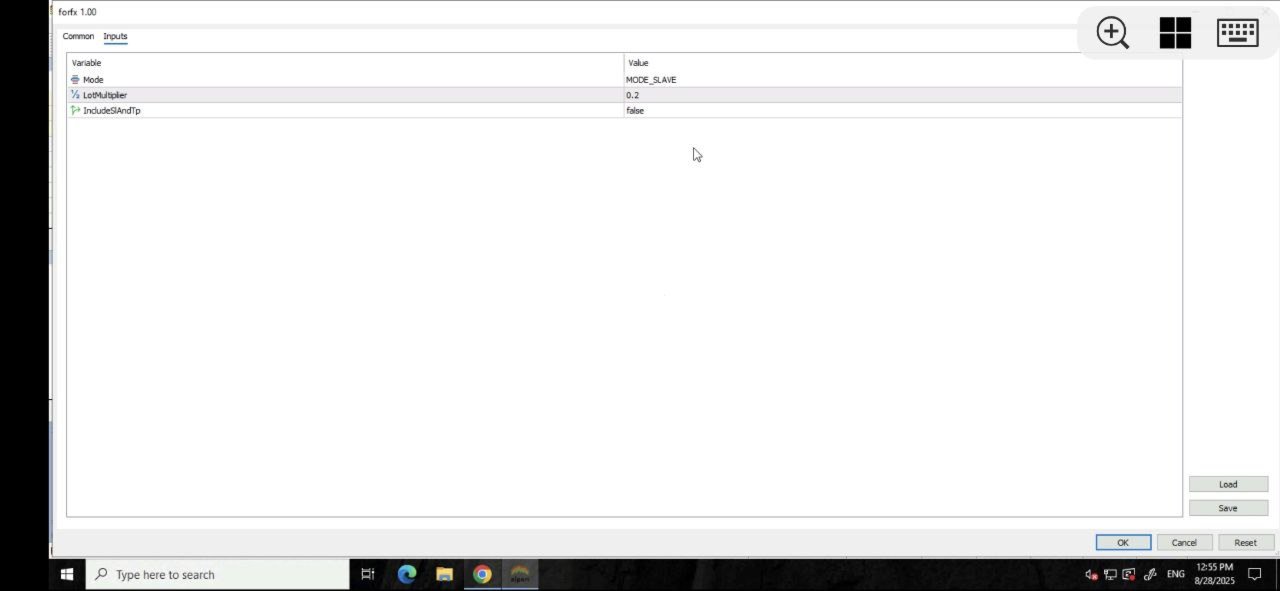
Slave Account (Signal Receiver)
-
Set Mode = Slave in EA settings.
-
This account will receive trades in reverse (opposite direction).
-
-
Lot Multiplier
-
In Slave EA settings, set Multiplier to control lot size.
-
Example: 1.0 → same lot size as master.
-
Example: 2.0 → double the master’s lot size.
-
Example: 0.5 → half the master’s lot size.
-
-
-
Check Settings
-
Both accounts must be running at the same time.
-
Keep charts open while EA is active.
-
👉 Simple as that: Master Mode = sender, Slave Mode = receiver, set Multiplier = lot size control.