Telegram Notifier EA

Telegram Notifier EA: Instant MT5 Trade Alerts & Reports

Stay connected to your trading account 24/7 with the most comprehensive Telegram notifier on the MQL5 marketplace. This powerful Expert Advisor instantly sends all your MetaTrader 5 trading activity directly to your phone, tablet, or desktop via Telegram. Never miss an important market event or trade execution again.

Whether you're away from your terminal or managing multiple accounts, this EA gives you the peace of mind that comes from being constantly informed. With fully customizable message templates and automated performance reports, you get the information you want, exactly how you want it.

Key Features:

  • Instant Event Notifications: Get real-time alerts for trade openings, closings, modifications, and pending order placements/deletions.

  • Automated Performance Reports: Receive daily, weekly, and monthly summaries of your trading performance, including P/L, win rate, and total volume.

  • Fully Customizable Messages: Take full control of your alerts. Use our extensive list of placeholders ( {SYMBOL} , {PROFIT} , etc.) to design your own unique notification formats.

  • Chart Screenshots: Automatically attach a chart screenshot on trade open and/or close to visually confirm your setup.

  • Advanced Scheduling: Configure the exact day and hour for your weekly and monthly reports.

  • Utility Functions: On-chart buttons allow you to instantly test your Telegram connection, send a screenshot, or get a full account summary on demand.

  • Simple & Reliable: Easy to set up and runs seamlessly in the background.

Take control of your trading information. Download the Telegram Notifier EA today!

## How to Setup with Telegram

Follow these four simple steps to connect the EA to your Telegram account.

Step 1: Get Your Telegram Bot Token

  1. Open Telegram and search for the user @BotFather .

  2. Start a chat and send the command /newbot .

  3. Follow the prompts to choose a name and username for your bot.

  4. BotFather will give you an API Token. Copy this token and save it.

Step 2: Get Your Chat ID

  1. In Telegram, search for the user @userinfobot .

  2. Start a chat with it. It will immediately reply with your unique Chat ID. Copy this and save it.

  3. Crucial: Find the bot you created in Step 1 and send it a message (typing /start is sufficient). A bot cannot message you first, so you must initiate the conversation.

Step 3: Configure MetaTrader 5

  1. In your MT5 terminal, go to Tools → Options.

  2. Click on the "Expert Advisors" tab.

  3. Check the box ✅ "Allow WebRequest for the following URLs:".

  4. Click the + button and add this exact URL: https://api.telegram.org

Step 4: Install and Configure the EA

  1. Place the Telegram Notifier EA.ex5 file in your MQL5/Experts/ folder.

  2. Drag the EA from the "Navigator" window onto any chart.

  3. Go to the "Inputs" tab.

  4. Paste your Bot Token and Chat ID into the first two fields.

  5. Configure the rest of the settings as you wish.

  6. Click OK. Ensure the main "Algo Trading" button in your MT5 toolbar is turned on (green).

## FAQ & Common Problems

  • Q: I'm not receiving any notifications.

    • A: Check these three things:

      1. Is the main "Algo Trading" button in your MT5 toolbar green?

      2. Did you correctly add https://api.telegram.org in the WebRequest settings (Step 3)?

      3. Did you send the /start message to your bot (Step 2)?

  • Q: I get a "Code: 400" error in the "Experts" tab.

    • A: This almost always means your Chat ID is incorrect or you haven't sent the first /start message to your bot. Please double-check both.

  • Q: I get a "Code: 404" error in the "Experts" tab.

    • A: This means your Bot Token is incorrect. Go back to @BotFather and copy the token again.

  • Q: The daily/weekly/monthly reports are not sending at the time I expect.

    • A: The report_hour setting is based on your Broker's Server Time, not your local time. You can see the server time in your "Market Watch" window in MT5.

  • Q: The screenshots I receive are blank.

    • A: This is a rare timing issue where the EA reads the file before it's fully saved. The EA has a built-in 1.5-second delay to prevent this. If it persists, it may be due to a slow computer or virtual machine.

## Testing the EA Features

The EA includes on-chart buttons to easily test its main functions.

  1. Test Text Messages: Click the "Test Message" button. You should receive a simple text message in Telegram.

  2. Test Screenshots: Click the "Test Screenshot" button. You should receive a screenshot of the chart, sent as a document.

  3. Test Account Data: Click the "Account Summary" button to receive a message with your current balance, equity, and margin details.

  4. Test Trade Alerts: On a demo account, open a new trade. You should receive the "Trade Opened" alert. Then, close the trade to test the "Trade Closed" alert.


Recommended products
TradingCoPilot
Viktor Mitrofanov
Trading Co-Pilot for MetaTrader 5 Advanced Position Management for Manual Traders Trading Co-Pilot is a professional trade management assistant designed for traders who open positions manually and want precise, automated control over risk and profit handling. It does not open trades. It manages them intelligently. You focus on entries. The Co-Pilot protects and optimizes the exit. How It Works Once you open a manual position, Trading Co-Pilot automatically: • Applies Stop Loss • Sets Take Profit
FREE
CosmiCLab SMC FIBO CosmiCLab SMC FIBO is a professional trading indicator designed for traders who use Smart Money Concepts (SMC), market structure analysis and Fibonacci retracement levels. The indicator automatically detects market swings and builds Fibonacci levels based on the latest impulse movement. It also identifies market structure changes such as BOS (Break of Structure) and CHOCH (Change of Character), helping traders understand the current market direction. CosmiCLab SMC FIBO also pr
SlopeChannelB MT5
MIKHAIL VINOGRADOV
SlopeChannelB – a technical analysis tool that constructs a sloping price movement channel, offering unique opportunities to assess the current market situation and find trading signals. Main features of the indicator: Sloping price movement channel : The indicator helps visualize support and resistance levels, which may indicate potential reversal points or trend continuations. Various line colors and background highlighting : Sloping support and resistance levels are displayed in differen
Candlestick Pattern Scanner is a multi-timeframe and multi-symbol dashboard and alert system that checks all timeframes and currency pairs for different candlestick patterns that are formed in them. Scanner is integrated   with support and resistance zones so you can check the candlestick patterns in most important areas of the chart to find breakout and reversal patterns in the price chart. Download demo version   (works on M4,M6,M12,H3,H8 timeframes and 20 symbols of Market Watch window) Read
TradePilotmt5
Hossein Khalil Alishir
TradePilot Expert Advisor (EA) for MetaTrader 5 TradePilot is a professional and user-friendly Expert Advisor (EA) for MetaTrader 5 (MT5) . It simplifies automated trading , risk management , and trade execution with a smart trading panel . Perfect for beginners and experienced traders looking for a reliable trade manager EA with automated lot size calculation and smart position management. Key Advantages User-Friendly Trading Panel: Customizable panel with buttons and hotkeys for fast ex
This EA is primarily used for scalping XAUUSD. Purpose Removes emotion from trade management   - automatically protects positions and takes profits so you don't have to make difficult decisions under pressure. What It Does ️   Auto Stop Loss Sets SL based on recent highs/lows + buffer No more manual placement stress   Auto Partial Profits Two modes: Fixed Movement : Close 50% after X price movement R-Ratio : Close 50% at 1.2R profit target Locks in gains while letting winners run. ️   One
RSI Currency Strength Meter is a powerful and elegant multi-currency indicator that measures the real-time relative strength of the 8 major currencies using RSI logic. By calculating the smoothed performance of each currency across its major pairs and applying the RSI formula, it delivers clean and responsive strength lines that make it easy to spot which currencies are truly strong or weak at any moment. This indicator is particularly useful for visualizing currency correlations and divergence
Crypto_Forex Indicator "WPR with 2 Moving Averages" for MT5, No Repaint. - WPR itself is one of the best oscillators for scalping. - "WPR and 2 Moving Averages" Indicator allows you to see Fast and Slow Moving Averages of WPR oscillator. - Indicator gives opportunities to see the price corrections very early. - It is very easy to set up this indicator via parameters, it can be used on any time-frame. - You can see Buy and Sell entry conditions on the pictures. - With PC and Mobile alerts on WP
The Automatic Order Management Panel for MetaTrader 5 is an advanced tool designed for professional traders, offering convenient and efficient management of all types of orders on the MT5 platform. The panel is inspired by professional order management systems used in institutional trading terminals, offering a seamless and fast trading experience. Key Features: Supports all types of orders: The panel handles market orders (buy/sell), as well as all types of pending orders such as: Buy Limit Se
Force Trade X MT5 is an EA based on Force Index. Force Index parameters such as Period, BuyShift, BuyValue, SellShift, and SellValue can be adjusted. Force Trade X MT5 applies BTN TECHNOLOGY's state-of-the-art intelligent technology to help you create optimal results for your trades. May your dreams come true through Force Trade X MT5. Good luck. === Inquiries === E-Mail:support@btntechfx.com
TradeStats Pro – Lot & Risk Analytics Panel for MT5 TradeStats Pro is an analytics panel for MetaTrader 5 that displays trading history and account statistics in a structured, readable format directly on the chart. Account Overview The panel shows real-time account data including balance, equity, margin, free margin, floating profit/loss, win rate, profit factor, and maximum drawdown in both value and percentage. Lot Exposure Tracking Total buy lot, sell lot, and net lot exposure from open posi
FREE
Multi Symbol Trailing
Vladimir Karputov
5 (1)
The "   Multi Symbol Trailing   " utility moves Stop Loss for all positions that are currently open (multi-symbol trailing). It is intended primarily to assist in manual trading. There are no restrictions for the utility either by the name of the currency pair or by the individual identifier (Magic number) - the utility processes absolutely all positions that are currently open. The unit of measurement for the "   Trailing Stop   " and "   Trailing Step   " parameters is points (the difference
Visual Dolphin Indicator
AL MOOSAWI ABDULLAH JAFFER BAQER
Visual Dolphin Indicator Unlock the rhythm of the market with the Visual Dolphin Indicator, your ultimate tool for identifying and capitalizing on market trends with clarity and confidence. Designed for both novice and experienced traders, this indicator eliminates the noise and guesswork, providing crystal-clear buy and sell signals directly on your chart. The Logic Behind the Waves The core of the Visual Dolphin Indicator is a sophisticated yet intuitive dual-wave system based on moving avera
Chart Background Changer Utility
AL MOOSAWI ABDULLAH JAFFER BAQER
5 (1)
Chart Background Changer Utility v1.90 Professional Chart Customization Tool for MetaTrader 5 Product Description Transform your MetaTrader 5 trading experience with the Chart Background Changer Utility - a professional tool that allows you to personalize your charts with custom backgrounds, images, or colors. Whether you want to create a more visually appealing workspace or reduce eye strain with custom colors, this utility makes it simple and effortless. Key Features Three Background Modes:
DDKiller Pro
Njaratahiry Michael Randrianiaina
Stop Blowing Your Account. Once and For All. DDKiller Pro is the MT5 risk guardian that runs silently on your chart and shuts down trading the moment you hit a limit — whether you're grinding a prop firm challenge or managing your own CFD account. The problem every trader knows: You set your rules. You break them anyway. One revenge trade. One overleveraged position. One session that erases a month of gains. DDKiller Pro removes that decision from your hands entirely. What it does: The second yo
Check Execution
Ivan Zaidenberg
1 (1)
This script will show you information about the execution speed of market orders. Instruction 1. Press " File/Open Data Folder " 2. Copy the log-files from  ../Logs   to   ../MQL5/Files 3. Run the CheckExec script on EURUSD chart, for example 4. Select parameters: AllOrders - check execution time of all market orders for EURUSD, OpenOrders - check execution time of market orders which where used to open positions on EURUSD, CloseOrders - check execution time of market orders which where used to
Automatic profit locking when target profit is reached EquityTargetCloser   — is a utility expert advisor for MetaTrader 5 that automatically closes all market positions and deletes pending orders as soon as   equity exceeds the current balance by a specified profit amount . After all positions are closed, the target automatically increases: the new threshold = new balance + specified profit. The EA does not open trades, it only manages existing positions, helping to reliably lock in profit and
Auto Breakeven MT5
Volodymyr Hrybachov
A utility for automatically setting breakeven levels, transfers trades to breakeven   when passing a given distance   . Allows you to minimize risks. Created by a professional trader for traders.       Utility       works with any market orders opened manually by a trader or using advisors. Can filter trades by magic number. The utility can work with any number of orders simultaneously. MT4 version https://www.mql5.com/ru/market/product/57076 WHAT THE UTILITY CAN DO: install virtulnoe levels   b
Bober Real MT5
Arnold Bobrinskii
4.88 (16)
Bober Real MT5 is a fully automatic Forex trading Expert Advisor. This robot was made in 2014 year and did a lot of profitbale trades during this period. So far over 7000% growth on my personal account. There was many updates but 2019 update is the best one. The robot can run on any instrument, but the results are better with EURGBP, GBPUSD, on the M5 timeframe. Robot doesn't show good results in tester or live account if you run incorrect sets. Set files for Live accounts availible only for cu
The indicator builds current quotes, which can be compared with historical ones and on this basis make a price movement forecast. The indicator has a text field for quick navigation to the desired date. Options: Symbol - selection of the symbol that the indicator will display; SymbolPeriod - selection of the period from which the indicator will take data; IndicatorColor - indicator color; Inverse - true reverses quotes, false - original view; Next are the settings of the text field, in w
LT Rainbow Trend
Thiago Duarte
5 (1)
Do you, like me, like to trade with the trend? Then this indicator will help you! Rainbow Trend is a trend indicator, which uses several Moving Averages on the chart. It measures different trend strenght zones for different periods: very long term, long term, mid term, short term and very short term. Each zone has its color, and it is possible to have sound alert when the prices leaves a zone and enters another. Its configuration is very simple. If you find any bug or have any suggestions, conta
OneClick Auto Close MT5
Kyra Nickaline Watson-gordon
5 (2)
A utility to close all orders automatically when conditions meet. Various options are available to filter or select orders : Conditions : Closing conditions. 3 different conditions can be defined. EA will close orders anytime one or more defined conditions meet. Conditions can be defined based on account properties or selected orders properties. Also a fixed time to close orders is available. Type of orders : Buy / Sell / Buy Limit / Sell Limit / Buy Stop / Sell Stop Symbol Selection : All / Ch
Size Bars
Viktor Loginov
Size Bars – индикатор отображает на графике максимальный, минимальный, текущий и средний размер баров (свечей) за выбранный период. Отображаемые параметры индикатора Size Bars: 1)       Текущий размер бара в писах (по максимум/минимум, тело бара). 2)       Максимальный, минимальный и средний размер свечей BUY . 3)       Максимальный, минимальный, средний размер свечей SELL . 4)       Количество свечей BUY и количество свечей SELL . 5)       Среднее количество свечей подряд BUY и SELL . 6)     
Order Book, known also as Market Book, market depth, Level 2, - is a dynamically updated table with current volumes of orders to buy and to sell specific financial instument at price levels near Bid and Ask. MetaTrader 5 provides the means for receiving market book from your broker, but in real time only, without access to its history. The indicator OrderBook Cumulative Indicator accumulates market book data online and visualizes them on the chart. In addition, the indicator can show the market
Hidden SL TP Manager Utility MT5
AL MOOSAWI ABDULLAH JAFFER BAQER
Hidden SL-TP Manager for MT5 Protect Your Trades from Stop Hunting with Invisible SL/TP Levels Price: $30 USD What is Hidden SL-TP Manager? Hidden SL-TP Manager is an advanced MetaTrader 5 utility that creates invisible stop loss and take profit levels for your trades. While traditional SL/TP levels are visible to brokers and can potentially be targeted during market volatility, our stealth technology keeps your risk management strategy completely hidden. Key Features Complete Stealth Mode: Set
The utility works with horizontal lines: Prof1, Prof2, Loss1, Loss2. These lines, which have strictly fixed names, are drawn by the trader on any chart in his terminal. There are options to create all the lines at once or select any of the four. The purpose of the lines becomes obvious when looking at their names. The Prof1 and Prof2 lines indicate the Take Profit levels for the transaction, but are presented in a visual form, which makes it easier for the trader to perceive the information. Th
Overview Candle Timer Countdown Pro displays a smooth, accurate countdown to the close of the current candle, accompanied by a circular progress arc that gives you an instant visual sense of time remaining. Unlike other timers that freeze between ticks or drift out of sync, this indicator uses server time interpolation to deliver a stutter-free countdown on every timeframe from M1 to MN. Whether you trade scalping setups on the 1-minute chart or swing positions on H4, knowing exactly when the cu
It's a trading dashboard appears on strategy tester, allows you to backtest your own strategies, testing them on multiple symbols and timeframes. It is equipped with useful features such as risk management, trailing stops, breakeven points, and more, enabling you to evaluate and refine your strategies effectively. Trading panels are typically designed to facilitate real-time trading and may not function properly on a strategy tester. However, this particular trading panel is specifically designe
MT5 Drawdown Tracker – Track Your EA’s Performance with Precision! Take your trading analysis to the next level with our MT5 indicator designed to monitor, record, and report the drawdown of any Expert Advisor. Whether you’re fine-tuning your strategies or optimizing risk management, this tool gives you the insights you need. Key Features: Effortless Tracking: Automatically monitors the drawdown levels of your EAs with precision. Comprehensive Data Storage: Accurately logs each drawdown event,
This EA puts simple, useful close buttons right on your chart—so you’re always one click away from managing your positions. Whether you want to clean up before the market closes or just take profits without hassle, Custom Close EA helps you do it fast, safely, and your way. What it does: Close All – Instantly closes every open trade. Close Profitable – Closes only trades that are in profit. Close Losing – Closes only trades that are in loss. Close Symbol Only – Closes trades only for t
Buyers of this product also purchase
Trade Assistant MT5
Evgeniy Kravchenko
4.42 (210)
It helps to calculate the risk per trade, the easy installation of a new order, order management with partial closing functions, trailing stop of 7 types and other useful functions. Additional materials and instructions Installation instructions - Application instructions - Trial version of the application for a demo account Line function -   shows on the chart the Opening line, Stop Loss, Take Profit. With this function it is easy to set a new order and see its additional characteristics bef
Forex Trade Manager MT5
InvestSoft
4.98 (651)
Welcome to Trade Manager MT5 - the ultimate risk management tool designed to make trading more intuitive, precise, and efficient. This is not just an order placement tool; it's a comprehensive solution for seamless trade planning, position management, and enhanced control over risk. Whether you're a beginner taking your first steps, an advanced trader, or a scalper needing rapid executions, Trade Manager MT5 adapts to your needs, offering flexibility across all markets, from forex and indices t
TradePanel MT5
Alfiya Fazylova
4.87 (154)
Trade Panel is a multi-functional trading assistant. The app contains over 50 trading functions for manual trading and allows you to automate most trading tasks. Before making a purchase, you can test the demo version on a demo account. Download the trial version of the application for a demonstration account: https://www.mql5.com/en/blogs/post/750865 . Full instructions here . Trade. Allows you to perform trading operations in one click: Open pending orders and positions with automatic risk cal
FarmedHedge Pair Trading Dashboard
Tanapisit Tepawarapruek
5 (3)
Farmed Hedge Yield Farming | All Markets (Manual - Hybrid - Semi/Automated EA) MULTI-ASSET SUPPORT Trade any asset available on your broker - Forex: Major, Minor, Exotic pairs - Crypto: BTC, ETH, XRP, SOL, BNB - Stocks: Apple, Tesla, Amazon, Google, etc. - Commodities: Gold, Silver, Oil, Gas - Indices: US30, NAS100, SPX500, DAX40 - Any CFD your broker offers VERIFIED TRADING RESULTS - Farmed Hedge Yield Axi Copy:  https://www.mql5.com/en/signals/2356376 - Farmed Hedge Yield Exn Copy:   https:/
Beta Release The Telegram to MT5 Signal Trader is nearly at the official alpha release. Some features are still under development and you may encounter minor bugs. If you experience issues, please report them, your feedback helps improve the software for everyone. Telegram to MT5 Signal Trader is a powerful tool that automatically copies trading signals from Telegram channels or groups directly to your MetaTrader 5 account. It supports both public and private Telegram channels, and you can conn
Power Candles Strategy Scanner - Self-Optimizing Multi-Symbol Setup Finder Power Candles Strategy Scanner runs the same self-optimizing engine that powers the Power Candles indicator - on every symbol in your Market Watch, side by side. One panel tells you which symbols are statistically tradable right now, which strategy wins on each, the optimal Stop Loss / Take Profit pair, and pings you the moment a fresh signal fires. This tool is part of the Stein Investments ecosystem - 18+ tools plus Max
Exp COPYLOT CLIENT for MT5
Vladislav Andruschenko
3.91 (33)
Professional Trade Copier for MetaTrader 5 Fast, professional, and reliable trade copier for MetaTrader . COPYLOT allows you to copy Forex trades between MT4 and MT5 terminals with support for Hedge and Netting accounts. COPYLOT MT5 version supports: - MT5 Hedge to MT5 Hedge - MT5 Hedge to MT5 Netting - MT5 Netting to MT5 Hedge - MT5 Netting to MT5 Netting - MT4 to MT5 Hedge - MT4 to MT5 Netting MT4 version Full Description +DEMO +PDF How To Buy How To Install How to get Log Files H
YuClusters
Yury Kulikov
4.93 (43)
Attention: You can view the program operation in the free version  YuClusters DEMO .  YuClusters is a professional market analysis system. The trader has unique opportunities to analyze the flow of orders, trade volumes, price movements using various charts, profiles, indicators, and graphical objects. YuClusters operates on data based on Time&Sales or ticks information, depending on what is available in the quotes of a financial instrument. YuClusters allows you to build graphs by combining da
AntiOverfit PRO MT5
Enrique Enguix
5 (4)
Before you buy an EA, check whether it really holds up or just got lucky in a backtest. Most robots are sold with a beautiful backtest. Rising equity curve. Good profit factor. Very few doubts. And yet, many of those EAs fall apart as soon as the market stops moving the way it did in that historical run. Why? Because a backtest only proves one thing: that the strategy worked on one specific price path. It does not prove it will hold up under different paths. It does not prove it is robust. And i
Copy Cat More Trade Copier MT5 is a local trade copier and a complete risk management and execution framework designed for today’s trading challenges. From prop firm challenges to personal portfolio management, it adapts to every situation with a blend of robust execution, capital protection, flexible configuration, and advanced trade handling. The copier works in both Master (sender) and Slave (receiver) modes, with real-time synchronization of market and pending orders, trade modifications, pa
The product will copy all telegram signal to MT5 ( which you are member) , also it can work as remote copier.  Easy to set up, copy order instant, can work with almost signal formats, image signal,  s upport to translate other language to English Work with all type of channel or group, even channel have "Restrict Saving Content", work with  multi channel, multi MT5 Work as remote copier: with signal have ticket number, it will copy exactly via ticket number. Support to backtest signal. How to s
Anchor Trade Manager
Kalinskie Gilliam
5 (2)
Anchor: The EA Manager Run your full EA portfolio without conflicts, without stacked risk, and without watching every chart yourself. Anchor coordinates up to 64 Expert Advisors on a single account so only one trades at a time. Attach Anchor to any chart. Type your EA names and magic numbers in one line. Anchor handles the rest. Built for portfolios. Built for discipline. Built for prop firms. The Problem Running multiple EAs on the same account creates risk. Two gold EAs can open opposite posit
Telegram to MT5 Coppy
Sergey Batudayev
5 (9)
Telegram to MT5: The Ultimate Signal Copying Solution Simplify your trading with Telegram to MT5, the modern tool that copies trading signals directly from Telegram channels and chats to your MetaTrader 5 platform, without the need for DLLs. This powerful solution ensures precise signal execution, extensive customization options, saves time, and boosts your efficiency. [ Instructions and DEMO ] [ FAQ ] [ How atach logs properly ] [ Settings descrition ] Key Features Direct Telegram API Integrati
Footprint Chart Pro — Professional OrderFlow EA for MetaTrader 5 Version 6.34 | Professional tool for real traders | Institutional-Grade Visualization DEMO USERS - PLEASE SELECT EVERY TICK / REAL TICK WHEN TESTING AND YOU HAVE DOWNLOADED HISTORICAL DATA. IF YOU SEE A WAITING SCREEN AND IT IS NOT DOWNLOADING, IT MEANS YOU HAVE LOW HISTORICAL DATA. TRY 1 MIN AND 5 MIN FIRST ON 1 DAY DATA. ONE DAY DATA SHOULD BE THE NEWEST AND MOST CURRENT DATE. PLEASE WAIT UNTIL THE MARKET HAS ROLLED OVER PERIOD.
HINN Lazy Trader
ALGOFLOW OÜ
5 (2)
The core idea: using the user interface, you configure the parameters the chart must meet before entering a position (or positions), choose which entry models to use, and set the rules for when trading and planning should end. Lazy Trader  handles the rest: it  takes over all the routine chart watching and execution! full description  :: 3 key videos [1] ->  [2]   ->  [3] What can it do? - Understands Larry Williams market structure - Understands swing market structure by Michael Huddleston
AXR Prop Guard
Stoyan Kirilov Karlov
AXR Prop Guard AXR Prop Guard is an account-wide risk protection utility for MetaTrader 5. It is built for prop-firm traders, funded-account challenges, and serious private account protection. It is part of the AXR tool line. For updates and contact options, use the official MQL5 pages: AXR MQL5 Channel: product updates, release notes and new AXR tools Telegram: open the seller profile ; the Telegram contact is listed in the profile description. After purchase, please send me a private message t
Timeless Charts
Samuel Manoel De Souza
5 (5)
Timeless Charts is an advanced charting solution designed for professional traders seeking for custom charts / custom timeframes , including seconds charts / seconds timeframe, renko charts / renko bars, cluster charts / footprint charts and advanced tools present in most of the popular platforms. Unlike traditional offline charts or simplistic custom indicators, this solution constructs fully custom bars with true timestamp accuracy , down to miliseconds, allowing for a powerful and precise tr
Risk Manager for MT5
Sergey Batudayev
4.31 (16)
Expert Advisor Risk Manager for MT5 is a very important and in my opinion necessary program for every trader. With this Expert Advisor, you will be able to control the risk in your trading account. Risk and profit control can be carried out both in monetary terms and in percentage terms. For the Expert Advisor to work, simply attach it to the currency pair chart and set the acceptable risk values ​​in the deposit currency or in % of the current balance. [Instruction for Risk Manager parameter
Bots Builder Pro MT5
Andrey Barinov
4.17 (6)
This is exactly what the name says. Visual strategy builder . One of a kind. Turn your trading strategies and ideas into Expert Advisors without writing single line of code. Generate mql source code files with a few clicks and get your fully functional Expert Advisors, which are ready for live execution, strategy tester and cloud optimization. There are very few options for those who have no programming skills and can not create their trading solutions in the MQL language. Now, with Bots Builde
Trade Manager DaneTrades
Levi Dane Benjamin
4.28 (29)
DaneTrades Trade Manager is a professional trade panel for MetaTrader 5, designed for fast, accurate execution with built‑in risk control. Place market or pending orders directly from the chart while the panel automatically calculates position size from your chosen risk, helping you stay consistent and avoid emotional decision‑making. The Trade Manager is built for manual traders who want structure: clear risk/reward planning, automation for repeatable management, and safeguards that help reduc
DrawDown Limiter
Haidar Lionel Haj Ali
5 (20)
Drawdown Limiter EA You are in the right place if you were searching for Drawdown control, Drawdown limiter, Balance protection, Equity Protection or Daily Drawdown Limit related to Prop Firm, FTMO, or Funded account trading, or if you want to protect your trading account. Have you suffered from controlling your drawdown when trading funded accounts? This EA is meant for you. Prop firms usually set a rule called “Trader Daily Drawdown”, and if it is not respected, you are disqualified.  I am an
Effortlessly manage multiple trading accounts The Local Trade Copier EA is a solution for individual traders or account managers who need to execute trade signals from external sources or who need to manage several accounts at the same time, without the need for a MAM or a PAMM account. It copies from up to 8 master accounts to unlimited slave accounts . [ Installation Guide | Update Guide | Troubleshooting | FAQ | All Products  ] 100% self hosted Easy to install and use It can copy from MT4 t
MT5 to Telegram Signal Provider turns your trading account into a signal provider. Every trade action, whether manual, by EA or from your phone, is instantly sent as a message to Telegram. You can fully customize the format or use a ready-made template for quick setup. [ Demo ] [ Manual ] [ MT4 Version ] [ Discord Version ]     New: [ Telegram To MT5 ] Setup A step by step user guide is available. Key Features Ability to customize order details sent to subscribers You can create a tiered subs
Grid Manual MT5
Alfiya Fazylova
4.9 (21)
Grid Manual is a trading panel for working with grid strategies. The utility is universal, has flexible settings and an intuitive interface. It works with a grid of orders not only in the direction of averaging losses, but also in the direction of increasing profits. The trader does not need to create and maintain a grid of orders, the utility will do it. It is enough to open an order and the "Grid manual" will automatically create a grid of orders for it and will accompany it until the close. F
Trade Manager DashPlus
Henry Lyubomir Wallace
5 (13)
DashPlus is an advanced trade management tool designed to enhance your trading efficiency and effectiveness on the MetaTrader 5 platform. It offers a comprehensive suite of features, including risk calculation, order management, advanced grid systems, chart-based tools, and performance analytics. Key Features 1. Recovery Grid Implements an averaging and flexible grid system to manage trades during adverse market conditions. Allows for strategic entry and exit points to optimize trade recovery
The News Filter MT5
Leolouiski Gan
4.77 (22)
This product filters   all expert advisors and manual charts   during news time.  It is able to remove any of your EA during news and automatically reattach them after news ends. This product also comes with a complete  order management system   that can handle your open positions and pending orders before the release of any news. Once you purchase   The News Filter , you will no longer need to rely on built-in news filters for future expert advisors, as this product can filter them all from her
Take a Break MT5
Eric Emmrich
4.75 (24)
News filter, equity guard & session control for all your EAs — one tool, full protection Take a Break has evolved from a basic news filter into a comprehensive account protection solution . It pauses your other Expert Advisors during news events or based on custom filters. When trading resumes, it automatically restores your entire chart setup , including all EA settings. Why traders choose Take a Break One news filter for all your EAs — no more relying on individual built-in filters that may o
Telegram to mt5 pro
Janet Abu Khalil
3.67 (3)
Telegram to MT5 Pro — Advanced Telegram Signal Copier with Auto-Fix, Multi-TP, Risk Control and Full Trade Management Telegram to MT5 Pro — Professional Telegram Signal Copier Telegram to MT5 Pro is a high-performance trade copier that automatically executes signals from Telegram directly into your MetaTrader 5 account, with full control over risk, execution, and trade management. The system consists of two components: • The Expert Advisor (EA) running inside MetaTrader 5 • A companion desktop
Trade Copier Pro MT5
Vu Trung Kien
4 (4)
Trade Copier Pro MT5 is a tool to copy trade remotely to multiple MT4, MT5 and cTradfer accounts at different computers/locations over internet. This is an ideal solution for you if you are a signal provider and want to copy your trades to other receivers globally on your own rules. One provider can copy trades to multiple receivers and one receiver can get trade from multiple providers as well. The provider can even set the subscription expiry for each receiver, so that receiver will not be abl
Ultimate Extractor
Clifton Creath
5 (9)
Ultimate Extractor - Professional Trading Analytics for MT5 *****this is the local HTML version of Ultimate Extractor. !!!!!it is not compatible with Cloud!!!! For the online version please reach out to me directly****** Ultimate Extractor transforms your MetaTrader 5 trading history into actionable insights with comprehensive analytics, interactive charts, and real-time performance tracking. What It Does Automatically analyzes your MT5 trading history across all Expert Advisors and generates
More from author
This indicator is designed to automate the process of identifying and visualizing market structure, a cornerstone of price action and Smart Money Concepts (SMC) trading. It intelligently maps the flow of the market by plotting Higher Highs (HH), Higher Lows (HL), Lower Highs (LH), and Lower Lows (LL) directly on your chart. How It Works The indicator's logic is based on detecting pivot swing points using a configurable number of bars to the left and right of a candle. It then uses these pivots t
FREE
Pip Calculator
Breneer Jacinto
1 (1)
Pip Value Calculator - Instant Risk Assessment on Your Chart This powerful and lightweight utility instantly calculates the precise monetary value for any pip movement, displaying it directly on your chart so you can assess risk and potential profit at a glance. At its core, the indicator's sophisticated calculation engine runs silently with every price tick, ensuring the information you see is always up-to-date. It automatically detects the instrument you are trading—whether it's a Forex pair,
FREE
The Color Change MA is a versatile custom indicator designed for MetaTrader 4, providing clear visual signals on trend direction and momentum. It features a Moving Average (MA) line that intelligently changes color based on the MA's position relative to the current candle's open and close prices, with an optional but powerful RSI (Relative Strength Index) filter for enhanced confirmation. Key Features: Dynamic Color-Changing MA: Green:   Indicates a bullish bias.   By default, this occurs when t
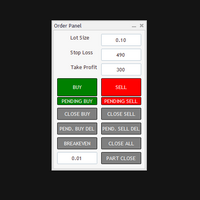
Order Manager Pro: The Ultimate Trade Management Panel Take full control of your manual trading with Order Manager Pro , the all-in-one trade management utility designed for speed, precision, and flexibility. Stop juggling multiple windows and complex calculations. This powerful panel places every critical trading function right on your chart, allowing you to react to market movements instantly and manage your risk flawlessly. Whether you are a scalper, day trader, or swing trader, this tool wi
FREE
Session X
Breneer Jacinto
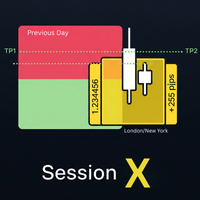
Master the market sessions and trade breakouts with confidence. Session X is a complete, all-in-one trading assistant for MetaTrader 5, designed to give you a clear edge in today's markets. This powerful tool automatically identifies the most critical price ranges—key market sessions and the Previous Day Range  —and equips you with a professional suite of tools to trade them. Go beyond simple boxes and get high-quality, confirmed breakout alerts, automatic profit targets, and all the essential
FREE
Hour Candle
Breneer Jacinto
Time your trades perfectly with the Ultimate Candle Timer . This professional tool for MetaTrader 5 gives you a precise and smooth countdown to the next candle without any lag. It's built for traders who need reliable performance and runs efficiently without slowing down your computer. Unlike other timers, it provides a steady, second-by-second countdown that works perfectly even when the market is slow.
FREE
The Color Change MA is a versatile custom indicator designed for MetaTrader 4, providing clear visual signals on trend direction and momentum. It features a Moving Average (MA) line that intelligently changes color based on the MA's position relative to the current candle's open and close prices, with an optional but powerful RSI (Relative Strength Index) filter for enhanced confirmation. Key Features: Dynamic Color-Changing MA: Green: Indicates a bullish bias. By default, this occurs when the M
Triple Momentum Pro - The Ultimate 3-in-1 Trend Indicator for MT4 Unlock the power of Triple Momentum Pro , the all-in-one indicator that combines three powerful, customized trend-following systems into a single, easy-to-read visual tool. Stop cluttering your charts with multiple indicators and get clear, confident signals for any market and any timeframe. Key Features: Three Powerful Indicators in One: Combines a unique FollowLine trend-tracker, a classic SuperTrend , and the dynamic PMax (Prof
Previous Line
Breneer Jacinto
Master the Market with the Previous Line Indicator! Automated Support and Resistance! Are you tired of manually drawing support and resistance lines every single day? The Previous Line indicator is the ultimate tool for traders who value precision and efficiency. This powerful MetaTrader 5 indicator automatically identifies and draws the most significant horizontal support and resistance levels from previous price periods, letting you focus on your strategy. Key Features: Automatic S/R Levels
Triple Momentum - 3-in-1 Trend Indicator with Push Alerts Dominate the trend with Triple Momentum , the ultimate all-in-one indicator for MetaTrader 5. This powerful tool combines three renowned trend-following systems— FollowLine, SuperTrend, and PMax —into a single, clean, and highly effective visual display. Stop cluttering your charts and gain a clear, confident edge in any market by leveraging the power of triple confirmation for your entry, exit, and trade management strategies. Overview &
Advanced Session Boxes with World Clock This indicator provides a comprehensive solution for visualizing the major forex trading sessions directly on your chart. It is designed to help traders identify the market's most active periods by highlighting the price action during the Sydney, Tokyo, London, and New York sessions. In addition to session boxes, the indicator includes a sleek, on-screen dashboard that acts as a world clock and session status panel, ensuring you're always in sync with glob
Volatility Bar Colorizer: See Spikes & Squeezes Instantly Stop guessing if a market move is significant. The Volatility Bar Colorizer is a professional-grade indicator that instantly reveals the hidden strength behind every candlestick, allowing you to trade with greater clarity and confidence. By intelligently coloring bars based on their size relative to the Average True Range (ATR), this powerful tool cleans up your chart and lets you see high-momentum spikes and low-volatility squeezes at a
The Trend Confirmation Dashboard is a powerful MetaTrader 5 indicator designed to provide an at-a-glance overview of the market trend across multiple timeframes. By consolidating trend information into one convenient on-chart panel, traders can quickly assess the strength and alignment of trends without switching between charts. This tool is perfect for traders who use multi-timeframe analysis to confirm trade entries, identify the dominant market direction, and avoid trading against stronger u
Identify the key institutional support, resistance, and balance zones that matter most. The Daily Fixed Range Volume Profile is a powerful analytical tool that visualizes the distribution of tick volume (Forex) or real exchange volume (Futures/Stocks) at distinct price levels. Unlike standard indicators, this tool anchors itself dynamically to the start of the current trading day and the last three trading days, providing you with four independent, high-definition volume histograms. It acts like
Filter:
No reviews
Reply to review