Telegram Notifier EA

Telegram Notifier EA: Instant MT5 Trade Alerts & Reports

Stay connected to your trading account 24/7 with the most comprehensive Telegram notifier on the MQL5 marketplace. This powerful Expert Advisor instantly sends all your MetaTrader 5 trading activity directly to your phone, tablet, or desktop via Telegram. Never miss an important market event or trade execution again.

Whether you're away from your terminal or managing multiple accounts, this EA gives you the peace of mind that comes from being constantly informed. With fully customizable message templates and automated performance reports, you get the information you want, exactly how you want it.

Key Features:

  • Instant Event Notifications: Get real-time alerts for trade openings, closings, modifications, and pending order placements/deletions.

  • Automated Performance Reports: Receive daily, weekly, and monthly summaries of your trading performance, including P/L, win rate, and total volume.

  • Fully Customizable Messages: Take full control of your alerts. Use our extensive list of placeholders ( {SYMBOL} , {PROFIT} , etc.) to design your own unique notification formats.

  • Chart Screenshots: Automatically attach a chart screenshot on trade open and/or close to visually confirm your setup.

  • Advanced Scheduling: Configure the exact day and hour for your weekly and monthly reports.

  • Utility Functions: On-chart buttons allow you to instantly test your Telegram connection, send a screenshot, or get a full account summary on demand.

  • Simple & Reliable: Easy to set up and runs seamlessly in the background.

Take control of your trading information. Download the Telegram Notifier EA today!

## How to Setup with Telegram

Follow these four simple steps to connect the EA to your Telegram account.

Step 1: Get Your Telegram Bot Token

  1. Open Telegram and search for the user @BotFather .

  2. Start a chat and send the command /newbot .

  3. Follow the prompts to choose a name and username for your bot.

  4. BotFather will give you an API Token. Copy this token and save it.

Step 2: Get Your Chat ID

  1. In Telegram, search for the user @userinfobot .

  2. Start a chat with it. It will immediately reply with your unique Chat ID. Copy this and save it.

  3. Crucial: Find the bot you created in Step 1 and send it a message (typing /start is sufficient). A bot cannot message you first, so you must initiate the conversation.

Step 3: Configure MetaTrader 5

  1. In your MT5 terminal, go to Tools → Options.

  2. Click on the "Expert Advisors" tab.

  3. Check the box ✅ "Allow WebRequest for the following URLs:".

  4. Click the + button and add this exact URL: https://api.telegram.org

Step 4: Install and Configure the EA

  1. Place the Telegram Notifier EA.ex5 file in your MQL5/Experts/ folder.

  2. Drag the EA from the "Navigator" window onto any chart.

  3. Go to the "Inputs" tab.

  4. Paste your Bot Token and Chat ID into the first two fields.

  5. Configure the rest of the settings as you wish.

  6. Click OK. Ensure the main "Algo Trading" button in your MT5 toolbar is turned on (green).

## FAQ & Common Problems

  • Q: I'm not receiving any notifications.

    • A: Check these three things:

      1. Is the main "Algo Trading" button in your MT5 toolbar green?

      2. Did you correctly add https://api.telegram.org in the WebRequest settings (Step 3)?

      3. Did you send the /start message to your bot (Step 2)?

  • Q: I get a "Code: 400" error in the "Experts" tab.

    • A: This almost always means your Chat ID is incorrect or you haven't sent the first /start message to your bot. Please double-check both.

  • Q: I get a "Code: 404" error in the "Experts" tab.

    • A: This means your Bot Token is incorrect. Go back to @BotFather and copy the token again.

  • Q: The daily/weekly/monthly reports are not sending at the time I expect.

    • A: The report_hour setting is based on your Broker's Server Time, not your local time. You can see the server time in your "Market Watch" window in MT5.

  • Q: The screenshots I receive are blank.

    • A: This is a rare timing issue where the EA reads the file before it's fully saved. The EA has a built-in 1.5-second delay to prevent this. If it persists, it may be due to a slow computer or virtual machine.

## Testing the EA Features

The EA includes on-chart buttons to easily test its main functions.

  1. Test Text Messages: Click the "Test Message" button. You should receive a simple text message in Telegram.

  2. Test Screenshots: Click the "Test Screenshot" button. You should receive a screenshot of the chart, sent as a document.

  3. Test Account Data: Click the "Account Summary" button to receive a message with your current balance, equity, and margin details.

  4. Test Trade Alerts: On a demo account, open a new trade. You should receive the "Trade Opened" alert. Then, close the trade to test the "Trade Closed" alert.


Produits recommandés
Global Stop Loss and Take Profit Manager Drag Lines Auto Apply Already using my free Global Stop Loss and Take Profit Setter? This is the always on version. Instead of setting levels once, you drag two lines on the chart and every manual position on that symbol — plus every new one you open — instantly inherits the Stop Loss and Take Profit. No clicking into each order. No forgetting a stop. Global Stop Loss and Target Manager is a drag-and-drop risk tool for manual traders on MetaTrader 5. Pu
SafePair Manual Trader Pro MultiPairs SafePair Manual Trader Pro MultiPairs est un Expert Advisor avancé pour MetaTrader 5, conçu pour accompagner le trading manuel professionnel, la gestion semi-automatique des opérations, la surveillance multi-symboles, la planification du risque et l’analyse intelligente du marché à partir d’un seul panneau de contrôle puissant. Cet EA est conçu pour les traders qui recherchent une exécution manuelle rapide, un contrôle structuré du risque, une assistance int
Guardian Magic GT
Carlos Eduardo Rivas Istacuy
Guardian Magic GT - Risk Management Expert Advisor for MetaTrader 5 PROTECT YOUR TRADING CAPITAL WITH INTELLIGENT RISK MANAGEMENT Guardian Magic GT is a professional-grade Expert Advisor designed to safeguard your trading operations by implementing sophisticated risk control mechanisms. Whether you run a single bot or manage multiple automated trading systems simultaneously, Guardian Magic GT provides real-time monitoring and automatic position management to ensure your account stays within your
Apex Zone Reversal
Joseph Muguai Nguru
Here is the MQL5-compliant product description translated into French, Italian, and Turkish: French (Français) Apex Zone Reversal Aperçu du produit Apex Zone Reversal est un indicateur d'analyse technique développé pour MetaTrader 5 (MT5). Il est conçu pour aider les traders à identifier les zones de support, de résistance et de retournement du marché sur la base du cadre ZORRO et des retours de la structure du marché. Caractéristiques principales Cartographie des zones : Identifie automatiqueme
TradingCoPilot
Viktor Mitrofanov
Trading Co-Pilot for MetaTrader 5 Advanced Position Management for Manual Traders Trading Co-Pilot is a professional trade management assistant designed for traders who open positions manually and want precise, automated control over risk and profit handling. It does not open trades. It manages them intelligently. You focus on entries. The Co-Pilot protects and optimizes the exit. How It Works Once you open a manual position, Trading Co-Pilot automatically: • Applies Stop Loss • Sets Take Profit
FREE
HedgeSafe Trade Assistant Un panneau de trading manuel pour MetaTrader 5 centré sur la maîtrise du risque. HedgeSafe aide à préparer, valider et gérer une opération directement sur le graphique avant de cliquer sur BUY ou SELL. HedgeSafe n'est ni un service de signaux, ni un outil de prévision, ni un robot IA, ni une stratégie automatique. Il ne choisit pas la direction et ne promet aucun profit. Chaque décision reste sous le contrôle du trader. Fonctions principales Calcul du lot selon un pourc
SC Copier Starter
Nino Rosano Calabro'
SC-Copier Starter est le composant opérationnel du système SC-Copier : il reçoit les opérations du Master et les réplique sur le compte Slave. Il s’installe sur un second client MetaTrader 5 actif sur le même ordinateur ou VPS que le compte Master. La communication s’effectue localement entre les deux terminaux, sans services web, DLL ni infrastructure externe. Le Receiver gère les ouvertures, les fermetures complètes ou partielles ainsi que les modifications du Stop Loss et du Take Profit. Chaq
CosmiCLab SMC FIBO CosmiCLab SMC FIBO is a professional trading indicator designed for traders who use Smart Money Concepts (SMC), market structure analysis and Fibonacci retracement levels. The indicator automatically detects market swings and builds Fibonacci levels based on the latest impulse movement. It also identifies market structure changes such as BOS (Break of Structure) and CHOCH (Change of Character), helping traders understand the current market direction. CosmiCLab SMC FIBO also pr
SlopeChannelB MT5
MIKHAIL VINOGRADOV
SlopeChannelB – un outil d'analyse technique qui construit un canal de évolution des prix incliné, offrant des opportunités uniques pour évaluer la situation actuelle du marché et trouver des signaux de trading. Caractéristiques principales de l'indicateur : Canal de mouvement des prix incliné : L'indicateur aide à visualiser les niveaux de support et de résistance, qui peuvent indiquer des points de retournement potentiels ou des continuations de tendance. Couleurs variées des lignes et mi
Candlestick Pattern Scanner is a multi-timeframe and multi-symbol dashboard and alert system that checks all timeframes and currency pairs for different candlestick patterns that are formed in them. Scanner is integrated   with support and resistance zones so you can check the candlestick patterns in most important areas of the chart to find breakout and reversal patterns in the price chart. Download demo version   (works on M4,M6,M12,H3,H8 timeframes and 20 symbols of Market Watch window) Read
Trade Copilot - Panneau semi-automatique de gestion du risque pour l'Or (XAUUSD) et tout instrument Trade Copilot est un panneau de trading semi-automatique conçu pour les traders manuels qui souhaitent la discipline d'un EA sans renoncer au contrôle de leurs propres entrées. Vous décidez de la direction et du niveau ; le panneau calcule automatiquement la taille du risque, place le stop-loss, gère le take-profit et protège la position. FONCTIONNALITÉS PRINCIPALES - Calcul du lot basé sur le
TradePilotmt5
Hossein Khalil Alishir
TradePilot Expert Advisor (EA) for MetaTrader 5 TradePilot is a professional and user-friendly Expert Advisor (EA) for MetaTrader 5 (MT5) . It simplifies automated trading , risk management , and trade execution with a smart trading panel . Perfect for beginners and experienced traders looking for a reliable trade manager EA with automated lot size calculation and smart position management. Key Advantages User-Friendly Trading Panel: Customizable panel with buttons and hotkeys for fast ex
Cet EA est principalement utilisé pour le scalping du XAUUSD. Objectif   Élimine l’émotion dans la gestion des trades — protège automatiquement les positions et prend des profits afin que vous n’ayez pas à prendre de décisions difficiles sous pression. Ce qu’il fait   ️ Stop Loss automatique   Définit le SL sur la base des récents hauts/bas + buffer   Fini le stress de la pose manuelle   Prises de profits partielles automatiques   Deux modes :   Mouvement fixe : ferme 50 % après un mouve
Trade Plan Desk MT5 est un tableau de bord de préparation et de contrôle des trades conçu pour structurer chaque décision avant l’exécution. Définissez votre direction, votre entrée, votre Stop Loss, votre Take Profit et votre risque. L’outil calcule le volume adapté, le ratio rendement/risque et effectue un pré-contrôle complet des conditions du broker avant toute exécution. Fonctions principales : • Plan Entry / Stop Loss / Take Profit • Risque en % ou en montant • Calcul automatique du vol
MA Flow No.2 See the Flow of Bulls & Bears at a Glance, and Keep the Rhythm of the Market in Your Hands Tired of staring at dozens of moving averages until your eyes blur? Unsure when to enter, or where to place your stop? MA Flow No.2 upgrades the humble moving average into a complete trend-trading system. No more scattered lines on your chart — instead, a living "river of bulls and bears". Up to 100 moving averages roll together in real time. On every single bar, you can see at a glance w
BulkOp Trade Manager
Ahmed Jumaa Saif Ali Almheiri
BulkOp Trade Manager Trade faster. Manage smarter. Close with confidence. BulkOp Trade Manager is a powerful MT5 utility EA built for traders who need speed, control, and clean execution directly from the chart. It is designed for active manual traders, scalpers, gold traders, and anyone who wants to manage multiple positions with less delay and fewer clicks. Why BulkOp? Ultra-fast Buy and Sell execution One-click Bulk Close Profit One-click Bulk Close Loss Keyboard trading control Bulk order e
Indicateur Crypto_Forex « WPR avec 2 Moyennes Mobiles » pour MT5, sans repeint. - Le WPR est l'un des meilleurs oscillateurs pour le scalping. - L'indicateur « WPR et 2 Moyennes Mobiles » permet de visualiser les moyennes mobiles rapide et lente de l'oscillateur WPR. - Cet indicateur permet d'anticiper les corrections de prix. - Très facile à configurer via ses paramètres, il est utilisable sur toutes les unités de temps. - Les conditions d'entrée à l'achat et à la vente sont illustrées. - Ave
Non-Repainting. Non-Redrawing. Non-Lagging. Signals appear only on confirmed bars. What you see on history is exactly what appeared in real time. Built specifically for Gold (XAUUSD) traders. Gold ML Supertrend MT5 is the only Supertrend indicator on MQL5 that learns. Instead of using a fixed multiplier, it runs a K-means clustering algorithm on recent price data to find the optimal band width. Then it adapts that width per trading session (Asia/London/NY) based on what actually worked. The resu
DDKiller Pro
Njaratahiry Michael Randrianiaina
Arrête de faire sauter ton compte. Une bonne fois pour toutes. DDKiller Pro est le gardien du risque MT5 qui tourne silencieusement sur ton graphique et coupe le trading dès qu'une limite est atteinte — que tu passes un challenge prop firm ou que tu gères ton propre compte CFD. Le problème que tout trader connaît : Tu fixes tes règles. Tu les enfreins quand même. Un trade de vengeance. Une position surleviéragée. Une session qui efface un mois de gains. DDKiller Pro retire cette décision de tes
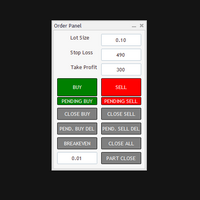
The Automatic Order Management Panel for MetaTrader 5 is an advanced tool designed for professional traders, offering convenient and efficient management of all types of orders on the MT5 platform. The panel is inspired by professional order management systems used in institutional trading terminals, offering a seamless and fast trading experience. Key Features: Supports all types of orders: The panel handles market orders (buy/sell), as well as all types of pending orders such as: Buy Limit Se
Force Trade X MT5 is an EA based on Force Index. Force Index parameters such as Period, BuyShift, BuyValue, SellShift, and SellValue can be adjusted. Force Trade X MT5 applies BTN TECHNOLOGY's state-of-the-art intelligent technology to help you create optimal results for your trades. May your dreams come true through Force Trade X MT5. Good luck. === Inquiries === E-Mail:support@btntechfx.com
Trading Rules Enforcer is a deterministic account-discipline monitor for trade-count, loss, time and exposure rules. Key functions: - Clear rule status dashboard - Trading-session restrictions - Overtrading controls - Symbol and Magic Number scope - Daily loss and exposure monitoring - Clear blocking reasons - Operational event history The utility enforces rules configured by the user. It does not generate entry signals, predict market direction or guarantee trading results. Test all rule comb
Trade Panel Pro — Terminal professionnel de gestion des risques et d'exécution d'ordres pour MetaTrader 5 Trade Panel Pro est un utilitaire avancé de trading et de gestion des risques « tout-en-un » pour MetaTrader 5, conçu pour les day traders actifs et les professionnels. Il allie un calcul précis des risques à une exécution ultra-rapide des ordres, vous aidant à protéger votre capital et à gérer facilement vos trades avec plusieurs objectifs. Avantages principaux et fonctionnalités clés
DR Trade and Risk Manager: The Foundational Algorithmic Risk Console for MT5 For the discretionary trader, the greatest adversary is not the market; it is the undisciplined self. You have a solid strategy, but in moments of high pressure, do you follow your rules with perfect consistency? Do you cut losses without hesitation? Do you let winners run without cutting them short out of fear? For most, the answer is no. This gap between strategy and execution is where profits are lost. DR Trade and R
Check Execution
Ivan Zaidenberg
1 (1)
This script will show you information about the execution speed of market orders. Instruction 1. Press " File/Open Data Folder " 2. Copy the log-files from  ../Logs   to   ../MQL5/Files 3. Run the CheckExec script on EURUSD chart, for example 4. Select parameters: AllOrders - check execution time of all market orders for EURUSD, OpenOrders - check execution time of market orders which where used to open positions on EURUSD, CloseOrders - check execution time of market orders which where used to
Verrouillage automatique des bénéfices lors de l'atteinte du bénéfice cible EquityTargetCloser   — est un conseiller expert utilitaire pour MetaTrader 5 qui ferme automatiquement toutes les positions de marché et supprime les ordres en attente dès que   les capitaux propres (Equity) dépassent le solde actuel du montant de bénéfice spécifié . Après la fermeture de toutes les positions, l'objectif est automatiquement relevé : le nouveau seuil = nouveau solde + bénéfice spécifié. L'EA n'ouvre pas d
Bober Real MT5
Arnold Bobrinskii
4.88 (16)
Bober Real MT5 is a fully automatic Forex trading Expert Advisor. This robot was made in 2014 year and did a lot of profitbale trades during this period. So far over 7000% growth on my personal account. There was many updates but 2019 update is the best one. The robot can run on any instrument, but the results are better with EURGBP, GBPUSD, on the M5 timeframe. Robot doesn't show good results in tester or live account if you run incorrect sets. Set files for Live accounts availible only for cu
L'indicateur construit les cotations actuelles, qui peuvent être comparées aux cotations historiques et, sur cette base, faire une prévision de l'évolution des prix. L'indicateur dispose d'un champ de texte pour une navigation rapide jusqu'à la date souhaitée. Option : Symbole - sélection du symbole que l'indicateur affichera ; SymbolPeriod - sélection de la période à partir de laquelle l'indicateur prendra des données ; IndicatorColor - couleur de l'indicateur ; HorisontalShift - décalage
VegaXLR Manual Backtest Helper
Anderson Luiz Toledo Dos Santos
VegaXLR Manual Backtest Helper pour MetaTrader 5 est un assistant visuel de backtesting conçu pour les traders qui souhaitent tester, revoir et organiser des stratégies discrétionnaires directement sur le graphique MT5. Au lieu d’utiliser des feuilles de calcul ou de noter les résultats manuellement, vous pouvez dessiner des opérations sur l’historique des prix, simuler des entrées et sorties, calculer des métriques de performance et inspecter chaque opération dans un panneau clair directement s
OneClick Auto Close MT5
Kyra Nickaline Watson-gordon
5 (2)
A utility to close all orders automatically when conditions meet. Various options are available to filter or select orders : Conditions : Closing conditions. 3 different conditions can be defined. EA will close orders anytime one or more defined conditions meet. Conditions can be defined based on account properties or selected orders properties. Also a fixed time to close orders is available. Type of orders : Buy / Sell / Buy Limit / Sell Limit / Buy Stop / Sell Stop Symbol Selection : All / Ch
Les acheteurs de ce produit ont également acheté
Trade Assistant MT5
Evgeniy Kravchenko
4.43 (216)
It helps to calculate the risk per trade, the easy installation of a new order, order management with partial closing functions, trailing stop of 7 types and other useful functions. Additional materials and instructions Installation instructions - Application instructions - Trial version of the application for a demo account Line function -   shows on the chart the Opening line, Stop Loss, Take Profit. With this function it is easy to set a new order and see its additional characteristics bef
Bienvenue sur Trade Manager EA, l’outil ultime de gestion des risques conçu pour rendre le trading plus intuitif, précis et efficace. Ce n’est pas seulement un outil d’exécution d’ordres ; c’est une solution complète pour la planification des trades, la gestion des positions et le contrôle des risques. Que vous soyez débutant, trader expérimenté ou scalpeur ayant besoin d’une exécution rapide, Trade Manager EA s’adapte à vos besoins, offrant une flexibilité sur tous les marchés, des devises et i
================================================================================ POC BREAKOUT - V20.72. Full Professional Grade Toolkit ================================================================================ POC Breakout is a full MetaTrader 5 trading dashboard for discretionary traders who want breakout signals, Point of Control (POC) context, volume profiles, order flow, market structure, news, alerts, and advanced trade planning in one professional workspace. Attached directly to you
Telegram to MT5 Multi-Channel Copier   copie automatiquement les signaux de trading de vos canaux Telegram directement vers MetaTrader 5. Pas de bots, pas d'extensions de navigateur, pas de copie manuelle. Un signal arrive sur Telegram et l'EA ouvre le trade dans votre terminal en quelques secondes. Et avant de copier un canal, le backtester intégré vous montre ce que ce canal aurait fait sur votre compte. Le produit comprend deux composants : une application Windows qui écoute vos canaux Telegr
TradePanel MT5
Alfiya Fazylova
4.88 (170)
Trade Panel est un assistant commercial multifonction. L'application contient plus de 50 fonctions de trading pour le trading manuel et permet d'automatiser la plupart des tâches commerciales. Instructions d'utilisation : https://www.mql5.com/fr/blogs/post/762589 Version d'essai de l'application pour un compte démo : https://www.mql5.com/fr/blogs/post/762644 Comment installer l'application : https://www.mql5.com/fr/blogs/post/762645 Comment tester l'application en mode visuel : https://www.mql5.
Copiez les signaux Telegram avec vos propres règles de trading Telegram to MT5 Signal Trader copie automatiquement les signaux de trading au format texte provenant de canaux et de groupes Telegram publics et privés vers MetaTrader 5. Gérez plusieurs fournisseurs et comptes MT5 depuis une seule application de bureau, avec des paramètres de risque et de trading propres à chaque fournisseur . Aucun bot Telegram ni configuration d'API n'est nécessaire pour copier les signaux. Connectez-vous simpleme
Grid Manual MT5
Alfiya Fazylova
4.73 (22)
Grid Manual est un panneau de trading permettant de travailler avec une grille d'ordres. L'utilitaire est universel, possède des paramètres flexibles et une interface intuitive. Il fonctionne avec une grille d'ordres non seulement dans le sens des pertes, mais aussi dans le sens de l'augmentation des profits. Le commerçant n'a pas besoin de créer et de maintenir une grille d'ordres, l'utilitaire le fera. Il suffit d'ouvrir une ordre et "Grid Manual" créera automatiquement une grille de ordres po
Power Candles Strategy Scanner - Outil de recherche de configurations multi-symboles à optimisation automatique Le Power Candles Strategy Scanner utilise le même moteur d'auto-optimisation que celui qui alimente l'indicateur Power Candles, pour chaque symbole de votre Market Watch, en parallèle. Un panneau vous indique quels symboles sont statistiquement négociables à l'instant, quelle stratégie est la plus performante pour chacun, la paire Stop Loss / Take Profit optimale, et vous alerte dès qu
Footprint Chart Pro — Professional OrderFlow EA for MetaTrader 5 Version 6.34 | Professional tool for real traders | Institutional-Grade Visualization DEMO USERS - PLEASE SELECT EVERY TICK / REAL TICK WHEN TESTING AND YOU HAVE DOWNLOADED HISTORICAL DATA. IF YOU SEE A WAITING SCREEN AND IT IS NOT DOWNLOADING, IT MEANS YOU HAVE LOW HISTORICAL DATA. TRY 1 MIN AND 5 MIN FIRST ON 1 DAY DATA. ONE DAY DATA SHOULD BE THE NEWEST AND MOST CURRENT DATE. PLEASE WAIT UNTIL THE MARKET HAS ROLLED OVER PERIOD.
Exp COPYLOT CLIENT for MT5
Vladislav Andruschenko
3.97 (35)
Copieur professionnel de trades pour MetaTrader 5 Un copieur de trades rapide, professionnel et fiable pour MetaTrader . COPYLOT permet de copier des trades Forex entre les terminaux MT4 et MT5 avec prise en charge des comptes Hedge et Netting . La version MT5 de COPYLOT prend en charge : - MT5 Hedge → MT5 Hedge - MT5 Hedge → MT5 Netting - MT5 Netting → MT5 Hedge - MT5 Netting → MT5 Netting - MT4 → MT5 Hedge - MT4 → MT5 Netting Version MT4 Description complète + DEMO + PDF Comment acheter Comme
HINN MagicEntry Extra
ALGOFLOW OÜ
4.74 (19)
HINN MAGIC ENTRY – the ultimate tool for entry and position management! SIMPLE. FASTEST. INTUITIVE. MAX AUTOMATED. Place orders by selecting a level directly on the chart! full description   ::  demo-version  :: 60-sec-video-description Key features: - Market, limit, and pending orders - Automatic lot size calculation - Automatic spread and commission accounting - Unlimited partitial take-profits  - Breakeven and trailing stop-loss and take-profit  functions - Invalidation leves - Intuitive, a
Signal Trading View to MT5 Pro
Mirel Daniel Gheonu
4.5 (2)
Signal TradingView to MT5 Pro Automator Exécution professionnelle instantanée entre TradingView et MetaTrader 5 Automatisez votre stratégie de trading avec le pont de communication le plus robuste entre les alertes TradingView et l'exécution réelle sur MT5. Conçu pour les traders qui exigent vitesse, flexibilité et une gestion des risques impeccable, cet Expert Advisor transforme tout message d'alerte en un ordre au marché ou à cours limité précis. POINTS FORTS ET AVANTAGES Moteur d'analyse univ
MT5 to Telegram Signal Provider est un utilitaire facile à utiliser et entièrement personnalisable qui permet l'envoi de signaux spécifiés vers un chat, un canal ou un groupe Telegram, transformant ainsi votre compte en fournisseur de signaux. Contrairement à la plupart des produits concurrents, il n'utilise pas d'importations DLL. [ Démonstration ] [ Manuel ] [ Version MT4 ] [ Version Discord ] [ Canal Telegram ]  New: [ Telegram To MT5 ] Configuration Un guide utilisateur étape par étape est
Farmed Hedge Yield Farming | All Markets (Manual - Hybrid - Semi/Automated EA) VERIFIED TRADING RESULTS - Farmed Hedge Yield Axi Copy:  https://www.mql5.com/en/signals/2356376 - Farmed Hedge Yield Exn Copy:   https://www.mql5.com/en/signals/2356404 - Farmed Hedge Yield V Copy:  https://www.mql5.com/en/signals/2357156 IMPORTANT NOTICE: FarmedHedge is a MANUAL-FOCUSED TRADING UTILITY ,not a fully automated EA. Results shown on this Signal include manual trades and overall strategic management.
Copy your MT5 trades to Interactive Brokers You keep using MT5. Every order you open or close is sent to your IB account. In real time. No coding. No changes to your strategy or EA. Try it first Rent 1 month: $30. Test on a live or paper account. What it does Real-time copying: same direction, reverse, or one side only. Map any MT5 symbol to any IB symbol. Set a lot ratio for each. Forex, Futures, Stocks, CFDs, Metals and Crypto. Position sync: both accounts checked, any difference fixed. Optio
Trading Chaos Expert
Hennadii Stanilevych
5 (11)
This software has no equals in the world and represents a universal trade "console" covering trading signals, automated market entry, setting of Stop Loss and Take Profit, as well as Trailing Profit for multiple trades at the same time in a single open window. Intuitive control of the Expert Advisor in "three clicks" ensures a comprehensive use of all its functions on different computers, including tablets PCs. Interacting with additional signal indicators that mark the chart to give a real mark
Anchor Trade Manager
Kalinskie Gilliam
5 (9)
Your EAs cannot see each other, but Anchor can. Anchor gives you one place to coordinate your EAs, manage risk, and decide when trading is allowed. It works alongside the trading bots you already use without any changes to them. The Problem One EA opens a trade. Then another starts trading. The next thing you know, you wake up to multiple grids built across your account. Each EA may be doing exactly what it was designed to do, but together they can place far more risk on your account than you in
The News Filter MT5
Leolouiski Gan
4.78 (23)
Ce produit filtre tous les conseillers experts et les graphiques manuels pendant les heures de publication des actualités, de sorte que vous n'avez pas à vous soucier des pics de prix soudains qui pourraient détruire vos configurations de trading manuelles ou les transactions entrées par d'autres conseillers experts. Ce produit est également livré avec un système de gestion des ordres complet qui peut gérer vos positions ouvertes et vos ordres en attente avant la publication de toute actualité.
Gardez l'indicateur auquel vous faites confiance. Automatisez les tâches qui l'entourent. Vous disposez déjà d'un indicateur MT5 fiable, mais vous devez encore surveiller le graphique, attendre un signal, calculer le lot, passer l'ordre et gérer chaque position à la main ? Stratiora Signal Engine MT5 relie ces étapes. Il transforme les signaux Buy et Sell de buffers compatibles en un processus automatisé complet : entrée, calcul du volume, Stop Loss, Take Profit, filtres, gestion des positions
Trade Copier Ultimate
Janitha Sandaruwan Amaradasa Wickramasingha Arachchilage
5 (5)
Trade Copier Ultimate - Telegram to MT5 Signal Copier Trade Copier Ultimate automatically copies Telegram trading signals into MetaTrader 5. The EA can read signal messages, detect the symbol, order type, entry price, Stop Loss, Take Profit levels and selected update commands, then execute or manage the trade in MT5 using your lot and risk settings. It is more than a basic Telegram to MT5 copier. TCU also supports Bot API and user-account Bridge workflows, Discord signal routing, local MT5 to MT
EA Overfitter
Stephen J Martret
5 (1)
That backtest looks great. But will it still be making money tomorrow, next week, next month? EA Overfitter re-runs your EA on 100 price histories it has never seen. One score tells you if the edge is real. A backtest tells you what an EA did on one price history — the one that happened to occur. What you cannot tell from it is how much of that result was the strategy and how much was the particular path. EA Overfitter answers that. It builds up to 100 synthetic price histories your EA has n
Trade Indicator Assistant   is a powerful MT5 utility designed to turn indicators into automated trading systems. Its main feature is the ability to automatically detect an indicator’s   BUY and SELL signal buffers , without requiring you to know the buffer numbers, search through indicator settings, or modify the indicator source code. Bonus Indicator:   After purchasing Trade Indicator Assistant, contact me to receive   Trade Signal Pro   completely free as a bonus indicator. [Download Demo V
Welcome to ENTRY IN THE ZONE AND SMC MULTI TIMEFRAME  SPECIAL BENEFIT / FOR OUR MQL5 CUSTOMERS FREE ACCESS TO THE NEW TOOL  — COMING SOON — Learn more on our official website  : https://www.fableedge.net Entry In The Zone and SMC Multi Timeframe is a real-time market analysis tool based on Smart Money Concepts (SMC), designed to analyze market structure, price direction, and key trading zones. It supports both Single-Timeframe Analysis and Multi-Timeframe Analysis, providing a clearer view of th
Quant Panel
Kevin Craig E Gittins
QUANT PANEL Independent per-algo analytics, protected MT5 history and professional PDF reporting Quant Panel is built for traders who run several Expert Advisors or strategies on one MT5 account and need to know how each algo is actually performing. Instead of treating the terminal as one combined portfolio, Quant Panel groups closed positions by EA comment or magic number and calculates every strategy independently. It gives you one clear dashboard for comparing algos, finding weak systems and
YuClusters
Yury Kulikov
4.93 (43)
Attention: You can view the program operation in the free version  YuClusters DEMO .  YuClusters is a professional market analysis system. The trader has unique opportunities to analyze the flow of orders, trade volumes, price movements using various charts, profiles, indicators, and graphical objects. YuClusters operates on data based on Time&Sales or ticks information, depending on what is available in the quotes of a financial instrument. YuClusters allows you to build graphs by combining da
Trade Dashboard MT5
Fatemeh Ameri
4.94 (135)
Trade Dashboard simplifies how you open, manage, and control your trades, with built-in lot size calculation. It allows you to execute trades, manage risk, and control positions directly on the chart, with tools such as partial close, breakeven, and trailing stop. Designed to reduce manual work and help you stay focused on your trading decisions. A demo version is available for testing. Detailed explanations of features are provided within the MQL5 platform. Installation instructions are include
Premium Trade Manager - Le panneau de trading avec un coach intégré Premium Trade Manager intègre un coach de trading directement dans votre graphique, avec un moteur d'exécution complet en dessous. Configurez le trade comme vous le faites toujours, puis laissez Max, votre coach de trading IA, analyser ce setup exact par rapport à votre compte en direct et vous donner un verdict clair avant de vous engager : le stop est-il discipliné, le risque est-il raisonnable, une publication à fort impact e
Panneau de trading pour MetaTrader 5 — contrôle professionnel du trading en un clic depuis le graphique et le clavier Un panneau de trading avancé conçu pour les traders actifs, afin d’ouvrir, gérer et clôturer des positions bien plus rapidement qu’avec l’interface standard de MetaTrader. Cette solution s’adresse à ceux qui veulent contrôler positions, ordres en attente, profit global et exécution depuis un seul espace de travail professionnel. Il ne s’agit pas d’un simple utilitaire. C’est un
Smart Stop Scanner – Analyse multi-actifs des stop-loss basée sur la structure réelle du marché Vue d’ensemble Smart Stop Scanner offre une surveillance professionnelle des niveaux de stop-loss sur de nombreux marchés. Le système identifie automatiquement les zones de stop les plus pertinentes à partir de la structure réelle du marché, des ruptures importantes et de la logique du price action, puis affiche toutes les informations dans un panneau clair, cohérent et optimisé pour les écrans haut
Binance Quotes Updater
Andrey Khatimlianskii
5 (1)
This service is designed to stream online cryptocurrency quotes   from the Binance exchange to your MetaTrader 5 terminal. You will find it perfectly suitable if you want to see the quotes of cryptocurrencies in real time — in the Market watch window and on the MetaTrader 5 charts. After running the service, you will have fully featured and automatically updated  cryptocurrency charts in your MetaTrader 5. You can apply templates, color schemes, technical indicators and any non-trading tools to
Plus de l'auteur
Pip Calculator
Breneer Jacinto
1 (1)
Pip Value Calculator - Instant Risk Assessment on Your Chart This powerful and lightweight utility instantly calculates the precise monetary value for any pip movement, displaying it directly on your chart so you can assess risk and potential profit at a glance. At its core, the indicator's sophisticated calculation engine runs silently with every price tick, ensuring the information you see is always up-to-date. It automatically detects the instrument you are trading—whether it's a Forex pair,
FREE
This indicator is designed to automate the process of identifying and visualizing market structure, a cornerstone of price action and Smart Money Concepts (SMC) trading. It intelligently maps the flow of the market by plotting Higher Highs (HH), Higher Lows (HL), Lower Highs (LH), and Lower Lows (LL) directly on your chart. How It Works The indicator's logic is based on detecting pivot swing points using a configurable number of bars to the left and right of a candle. It then uses these pivots t
FREE
Session X
Breneer Jacinto
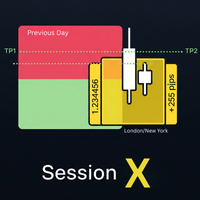
Master the market sessions and trade breakouts with confidence. Session X is a complete, all-in-one trading assistant for MetaTrader 5, designed to give you a clear edge in today's markets. This powerful tool automatically identifies the most critical price ranges—key market sessions and the Previous Day Range  —and equips you with a professional suite of tools to trade them. Go beyond simple boxes and get high-quality, confirmed breakout alerts, automatic profit targets, and all the essential
FREE
Hour Candle
Breneer Jacinto
Time your trades perfectly with the Ultimate Candle Timer . This professional tool for MetaTrader 5 gives you a precise and smooth countdown to the next candle without any lag. It's built for traders who need reliable performance and runs efficiently without slowing down your computer. Unlike other timers, it provides a steady, second-by-second countdown that works perfectly even when the market is slow.
FREE
The Color Change MA is a versatile custom indicator designed for MetaTrader 4, providing clear visual signals on trend direction and momentum. It features a Moving Average (MA) line that intelligently changes color based on the MA's position relative to the current candle's open and close prices, with an optional but powerful RSI (Relative Strength Index) filter for enhanced confirmation. Key Features: Dynamic Color-Changing MA: Green: Indicates a bullish bias. By default, this occurs when the M
Triple Momentum Pro - The Ultimate 3-in-1 Trend Indicator for MT4 Unlock the power of Triple Momentum Pro , the all-in-one indicator that combines three powerful, customized trend-following systems into a single, easy-to-read visual tool. Stop cluttering your charts with multiple indicators and get clear, confident signals for any market and any timeframe. Key Features: Three Powerful Indicators in One: Combines a unique FollowLine trend-tracker, a classic SuperTrend , and the dynamic PMax (Prof
The Color Change MA is a versatile custom indicator designed for MetaTrader 4, providing clear visual signals on trend direction and momentum. It features a Moving Average (MA) line that intelligently changes color based on the MA's position relative to the current candle's open and close prices, with an optional but powerful RSI (Relative Strength Index) filter for enhanced confirmation. Key Features: Dynamic Color-Changing MA: Green:   Indicates a bullish bias.   By default, this occurs when t
Triple Momentum - Indicateur de Tendance 3-en-1 avec Alertes Push Dominez la tendance avec Triple Momentum , l'indicateur tout-en-un ultime pour MetaTrader 5. Cet outil puissant combine trois systèmes de suivi de tendance renommés — FollowLine, SuperTrend et PMax — en un seul affichage visuel, clair et très efficace. Cessez d'encombrer vos graphiques et obtenez un avantage clair et confiant sur n'importe quel marché en exploitant la puissance de la triple confirmation pour vos stratégies d'entré
Advanced Session Boxes with World Clock This indicator provides a comprehensive solution for visualizing the major forex trading sessions directly on your chart. It is designed to help traders identify the market's most active periods by highlighting the price action during the Sydney, Tokyo, London, and New York sessions. In addition to session boxes, the indicator includes a sleek, on-screen dashboard that acts as a world clock and session status panel, ensuring you're always in sync with glob
Volatility Bar Colorizer: See Spikes & Squeezes Instantly Stop guessing if a market move is significant. The Volatility Bar Colorizer is a professional-grade indicator that instantly reveals the hidden strength behind every candlestick, allowing you to trade with greater clarity and confidence. By intelligently coloring bars based on their size relative to the Average True Range (ATR), this powerful tool cleans up your chart and lets you see high-momentum spikes and low-volatility squeezes at a
Bien sûr. Voici les descriptions pour votre indicateur MQL5, traduites en français et formatées pour le Market MQL5. 1. Description Courte (Nom du Produit/Titre) Ceci est le titre principal de votre produit sur le Market. Tableau de Bord de Confirmation de Tendance : Analyseur MA & RSI Multi-Périodes 2. Description Complète (Pour l'onglet "Description") Ceci est le texte détaillé qui explique ce que fait votre indicateur. Vous pouvez le copier et le coller directement dans le champ de descriptio
Identify the key institutional support, resistance, and balance zones that matter most. The Daily Fixed Range Volume Profile is a powerful analytical tool that visualizes the distribution of tick volume (Forex) or real exchange volume (Futures/Stocks) at distinct price levels. Unlike standard indicators, this tool anchors itself dynamically to the start of the current trading day and the last three trading days, providing you with four independent, high-definition volume histograms. It acts like
Filtrer:
Aucun avis
Répondre à l'avis