Trade Flow
- Utilità
- Maksim Novikov
- Versione: 1.0
- Attivazioni: 20
Trade Flow — MT5 manual trading panel: 1‑click orders, chart lines, smart closing, trailing stop
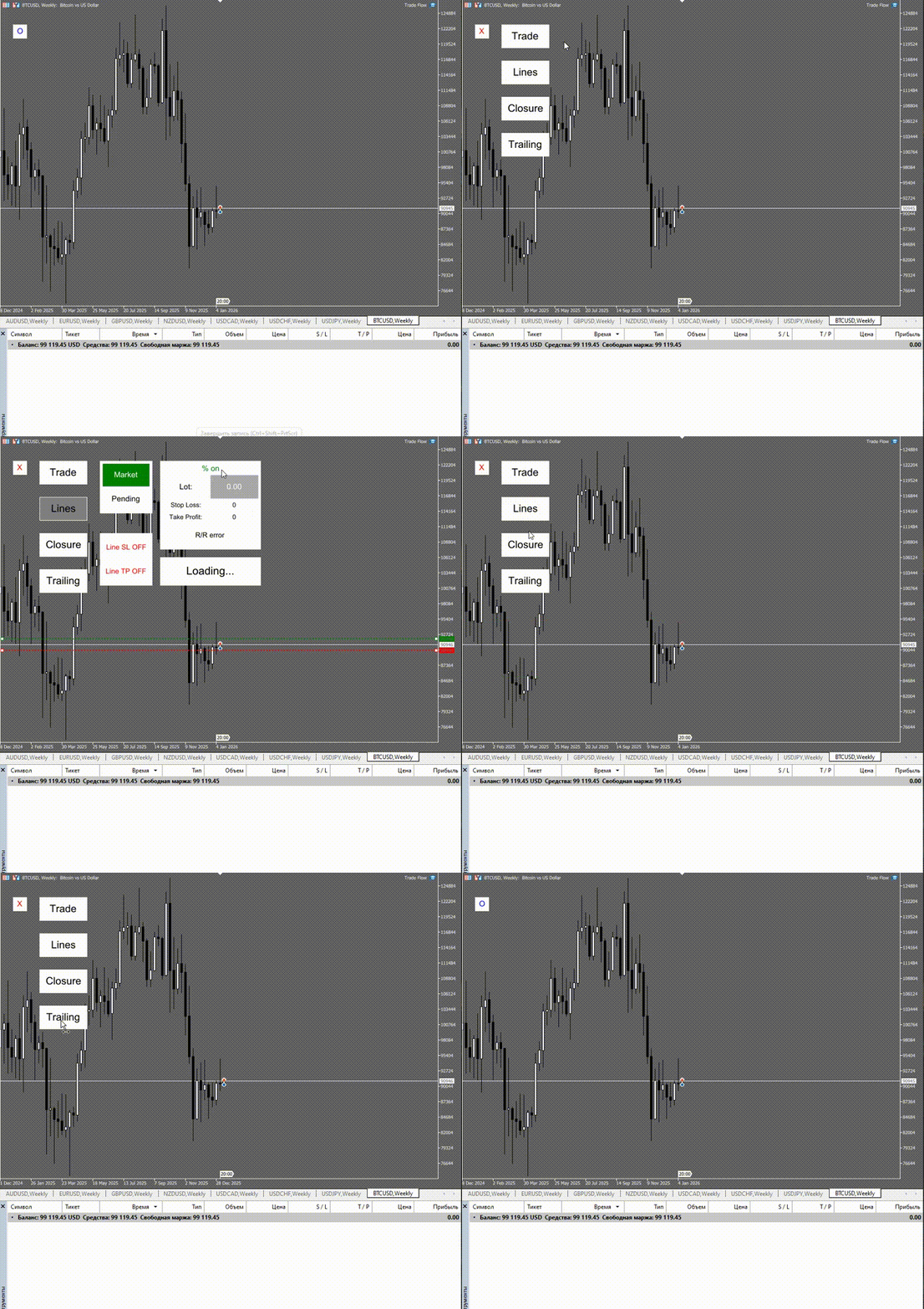
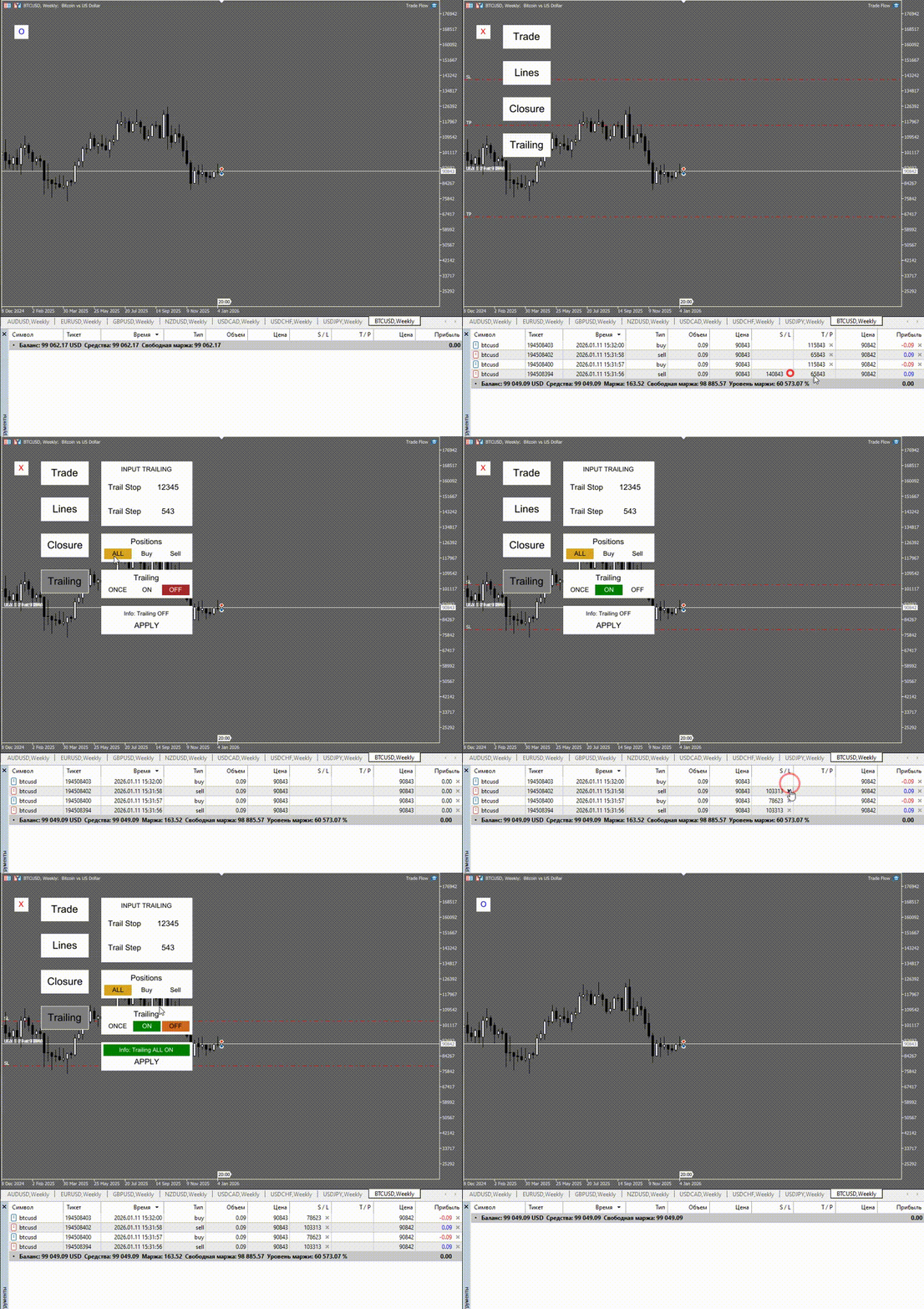
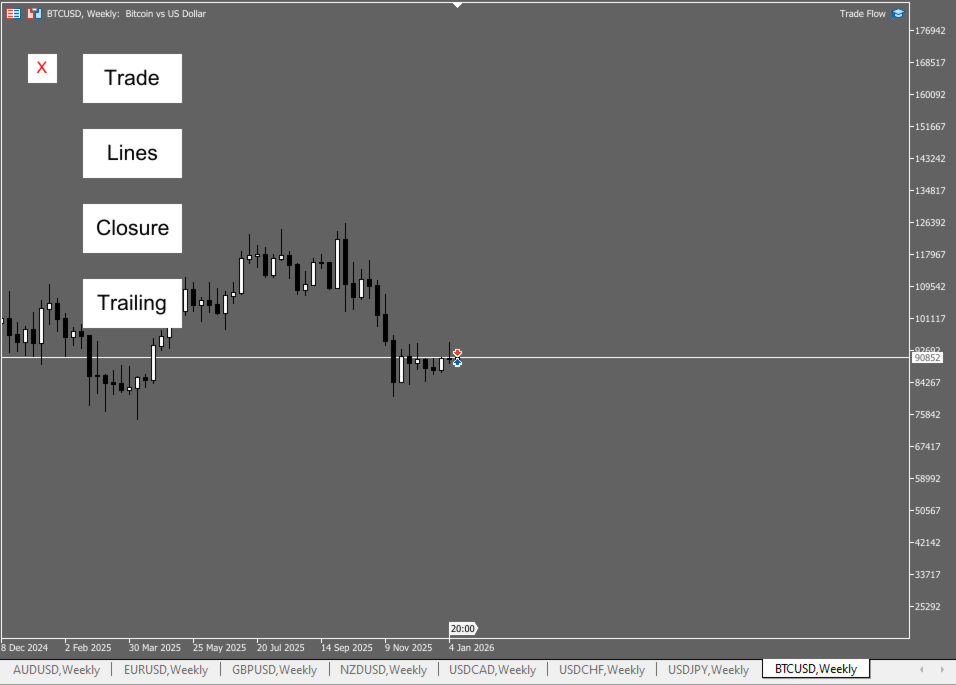
Trade Flow is a MetaTrader 5 utility designed to speed up manual trading and position management on the current chart symbol. Open trades in one click, set Entry/SL/TP using chart lines, close profitable/losing positions by BUY/SELL logic, and protect profits with trailing stop.
Best for: intraday, scalping, active manual trading, multiple positions.
Goal: fewer clicks and fewer mistakes → faster execution → better risk control.
Highlights
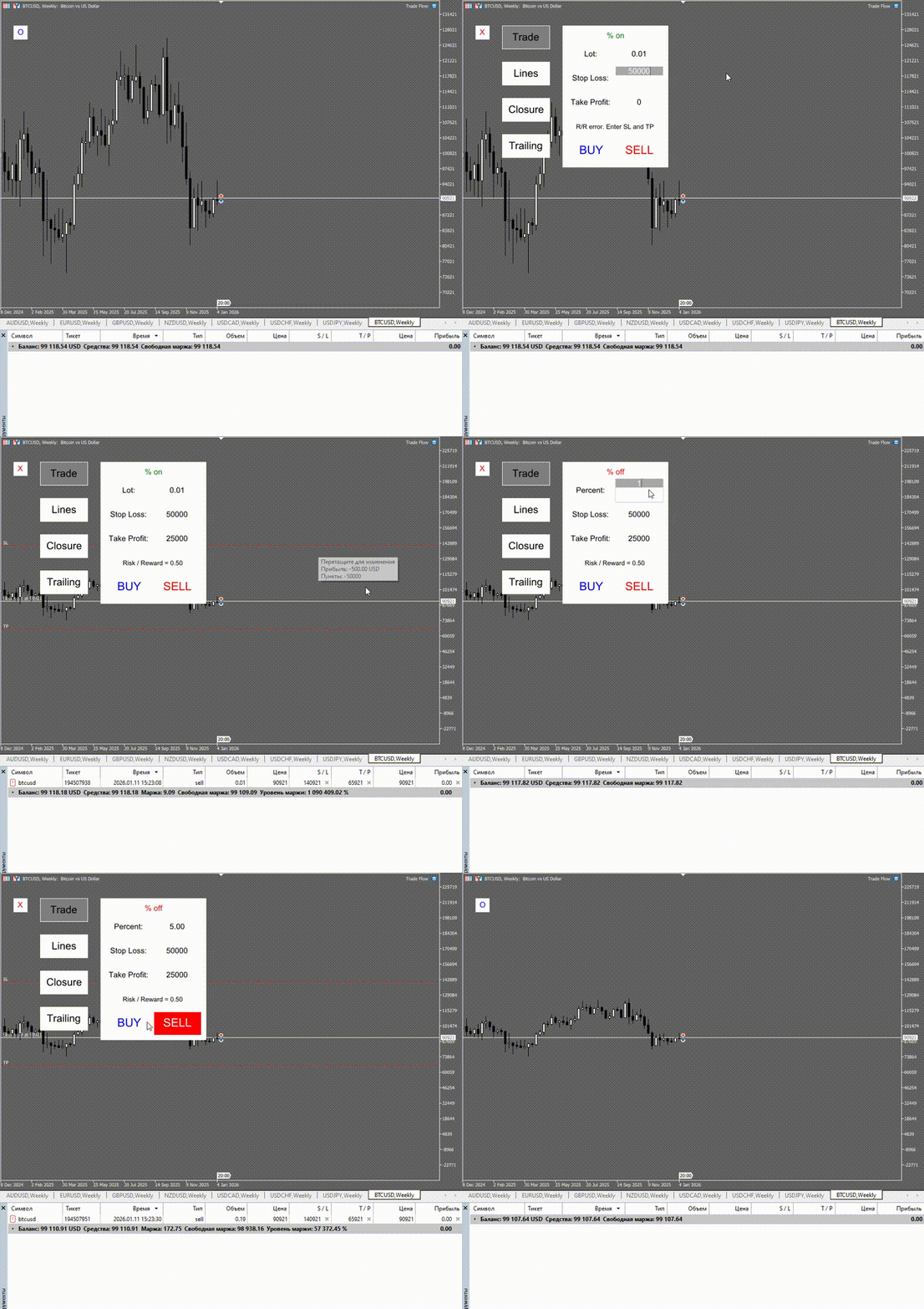
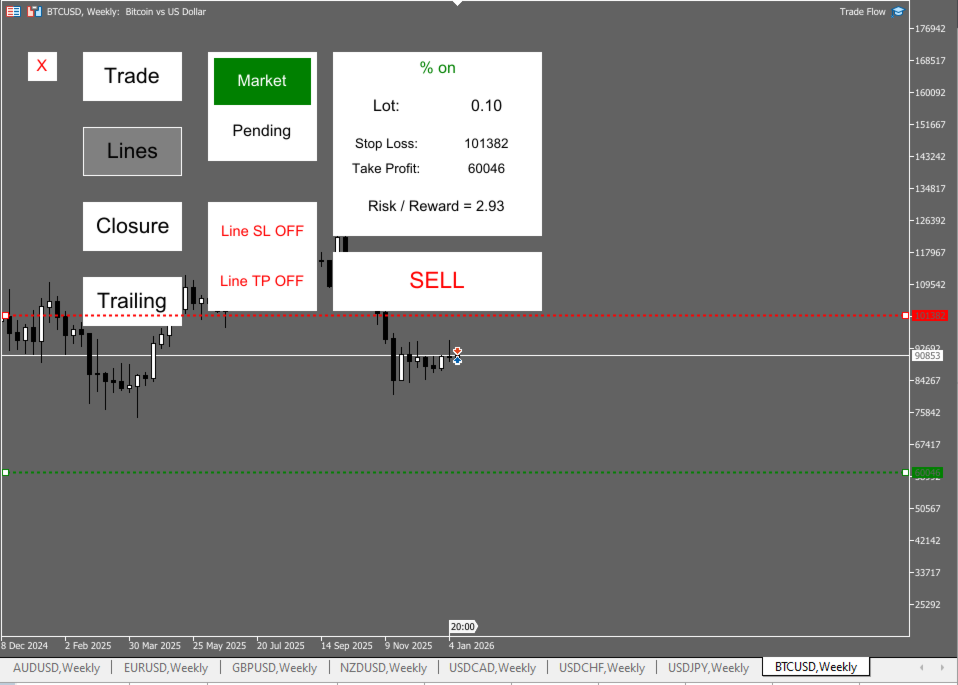
- One‑click BUY/SELL with predefined parameters
- Lot sizing: Fixed lot or % of deposit
- Stop Loss / Take Profit in points + Risk/Reward on the panel
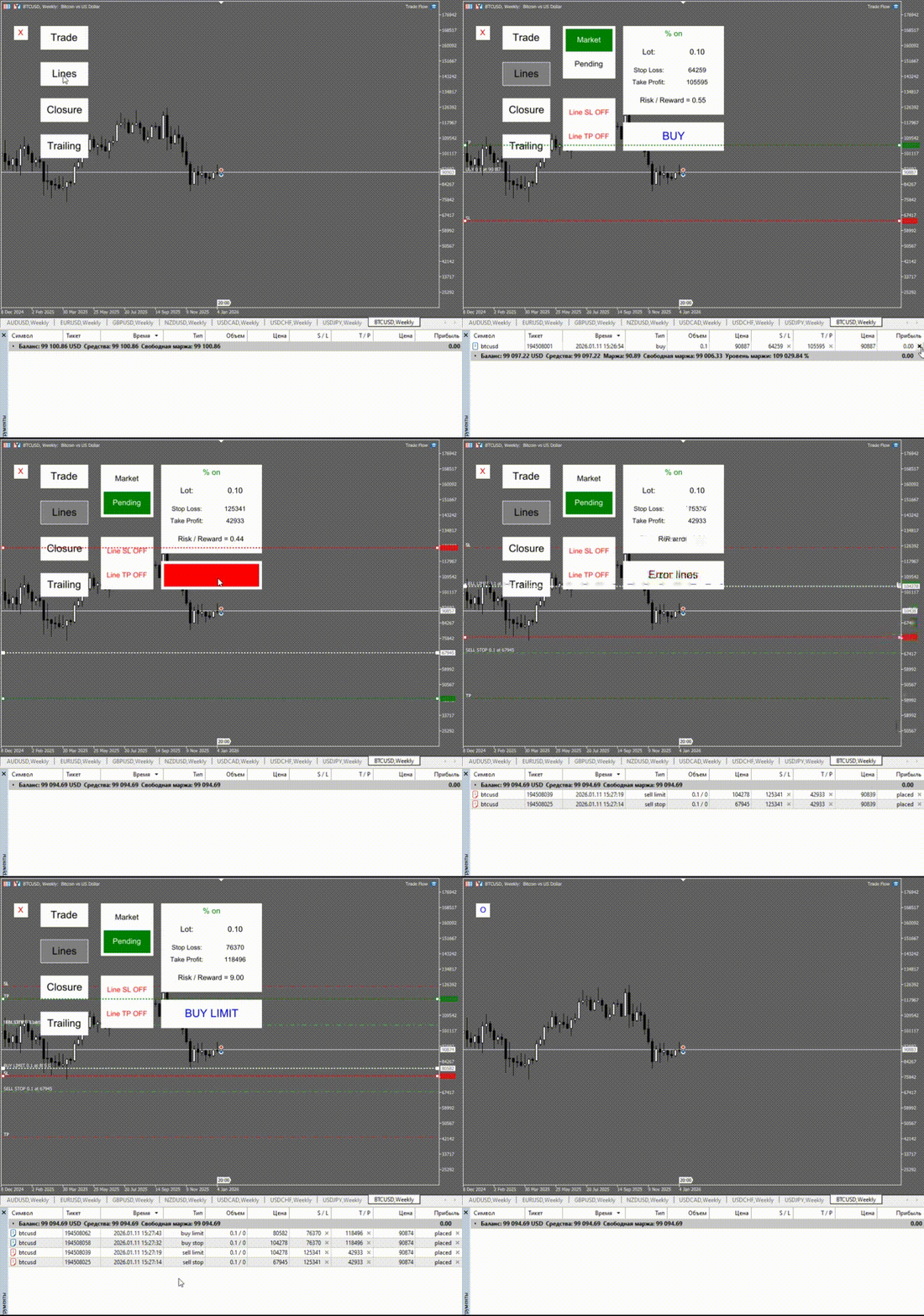
- LINES trading: Entry / SL / TP via chart lines
- MARKET and PENDING modes
- Automatic pending order type detection (BUY STOP / BUY LIMIT / SELL STOP / SELL LIMIT) based on line positions
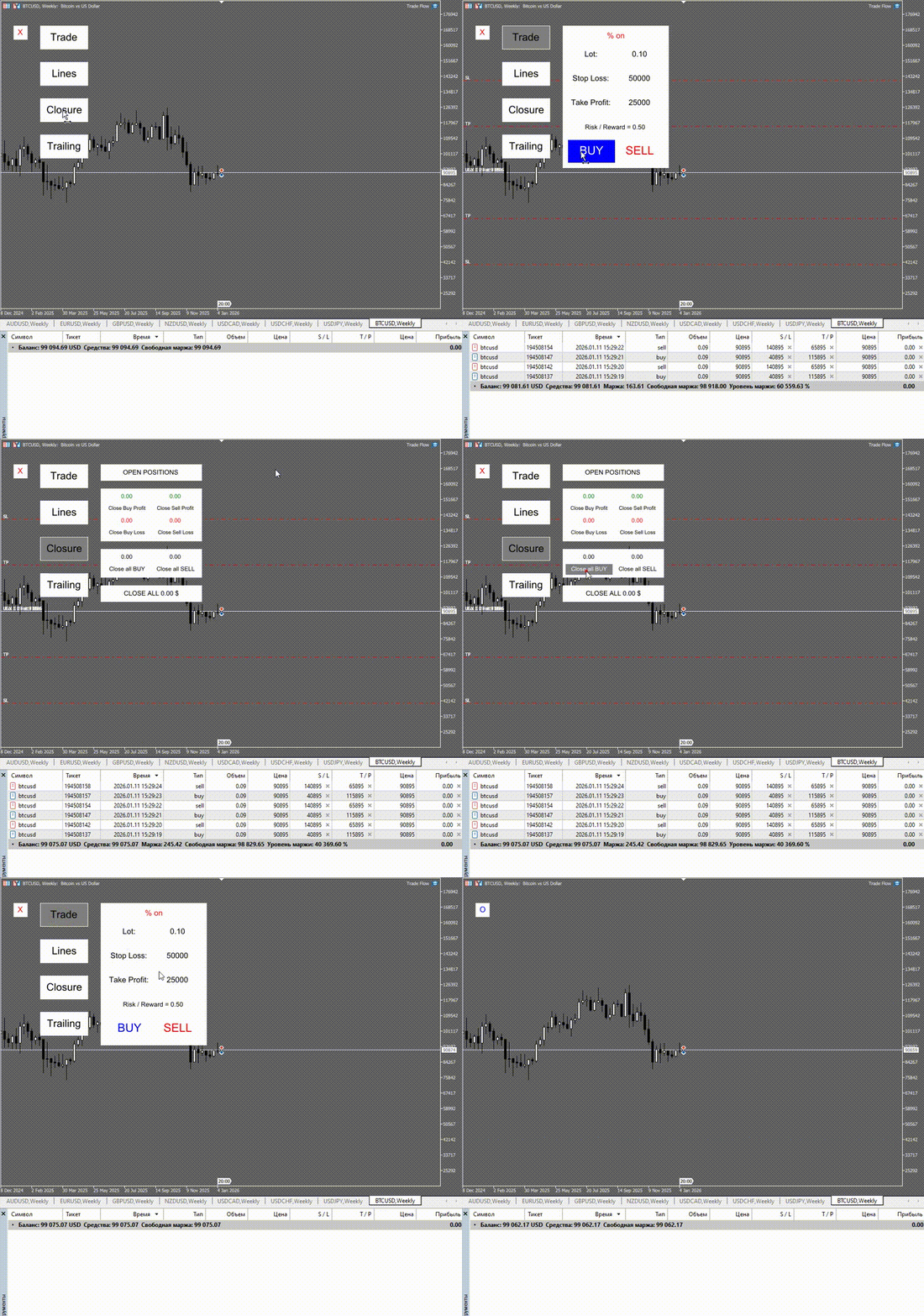
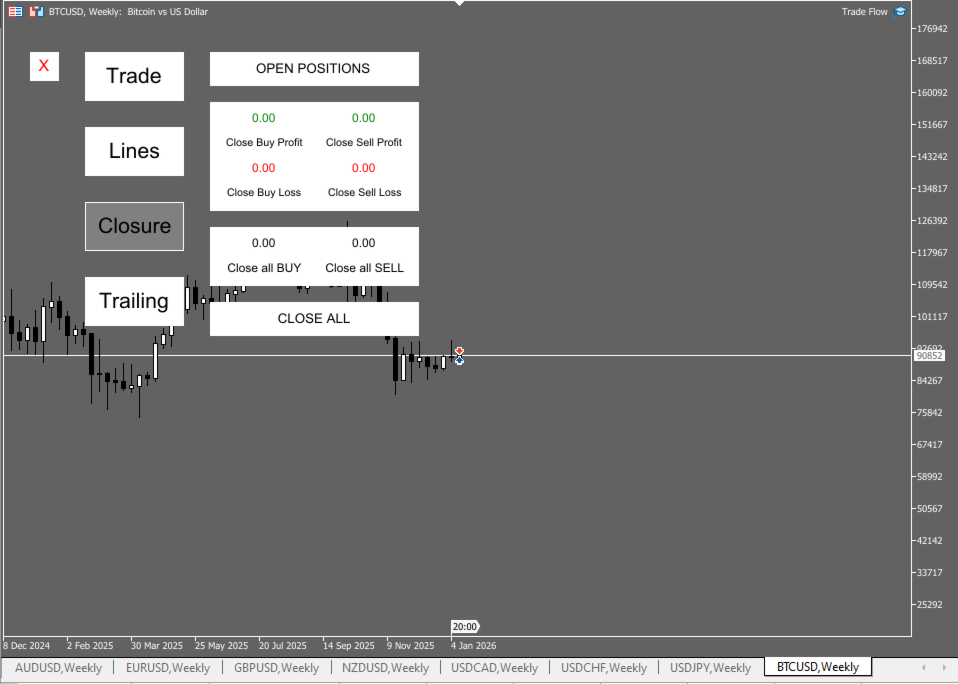
- Smart position closing (profit/loss filters for BUY and SELL)
- Trailing Stop modes: ON / OFF / ONCE
- Magic Number filter (manage only selected trades)
- Works only with the current chart symbol (safe: no actions on other instruments)
Modules
1) TRADE — fast execution
- Choose lot mode: Fixed or % of Deposit
- Set SL/TP (points)
- Click BUY or SELL — trade is opened and Risk/Reward is calculated
2) LINES — visual chart trading
- Drag Entry / SL / TP lines on the chart
- The panel automatically prepares the correct order button (Market or proper Pending type)
- You can toggle SL/TP lines ON/OFF and enable them back anytime
3) CLOSURE — position management
Close positions by logic:
- profitable BUY only / losing BUY only / all BUY
- profitable SELL only / losing SELL only / all SELL
- CLOSE ALL — close all positions for the current symbol
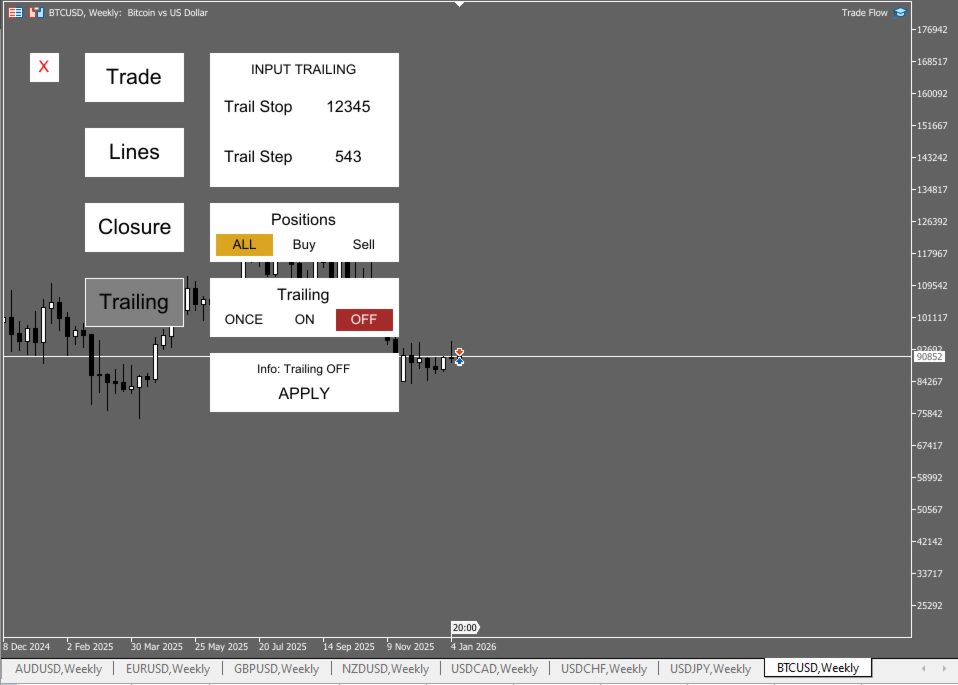
4) TRAILING — trailing stop
- Select: ALL / BUY / SELL
- Mode: ON, OFF, ONCE (move SL once and stop)
- Parameters: Trail Stop / Trail Step
- APPLY button applies settings to selected positions
Notes
- The panel manages trades only on the symbol where it is attached.
- Execution depends on broker conditions (StopLevel/FreezeLevel, spread, execution).
- Please test on Demo before live trading.
FAQ
Does it work on hedging and netting accounts?
Yes. Position behavior depends on the account type.
Can I manage only my panel trades?
Yes, use the Magic Number filter.
Is there a demo version?
Yes, a demo is available to test with your broker.