FVG Gap Detector
- Experts
-
Ahmed Mohammed Bakr Bakr
 I am a professional MQL5 and Python developer with over 10 years of experience in algorithmic trading and automated trading systems.
 - Versione: 2.60
- Aggiornato: 22 dicembre 2025
- Attivazioni: 15
XAU Gap Detector — MQL5 Expert Advisor
Automated FVG (Fair Value Gap) trading for XAU with multi-timeframe detection, EMA filtering, money-management options, trailing/breakeven logic and clear visual confirmations — built for scalpers and swing traders who want a configurable, safety-first EA.
Multi-TF FVG detector for XAU with EMA trend filter, adaptive money management, trailing & breakeven — plug into MT5 and trade smarter.
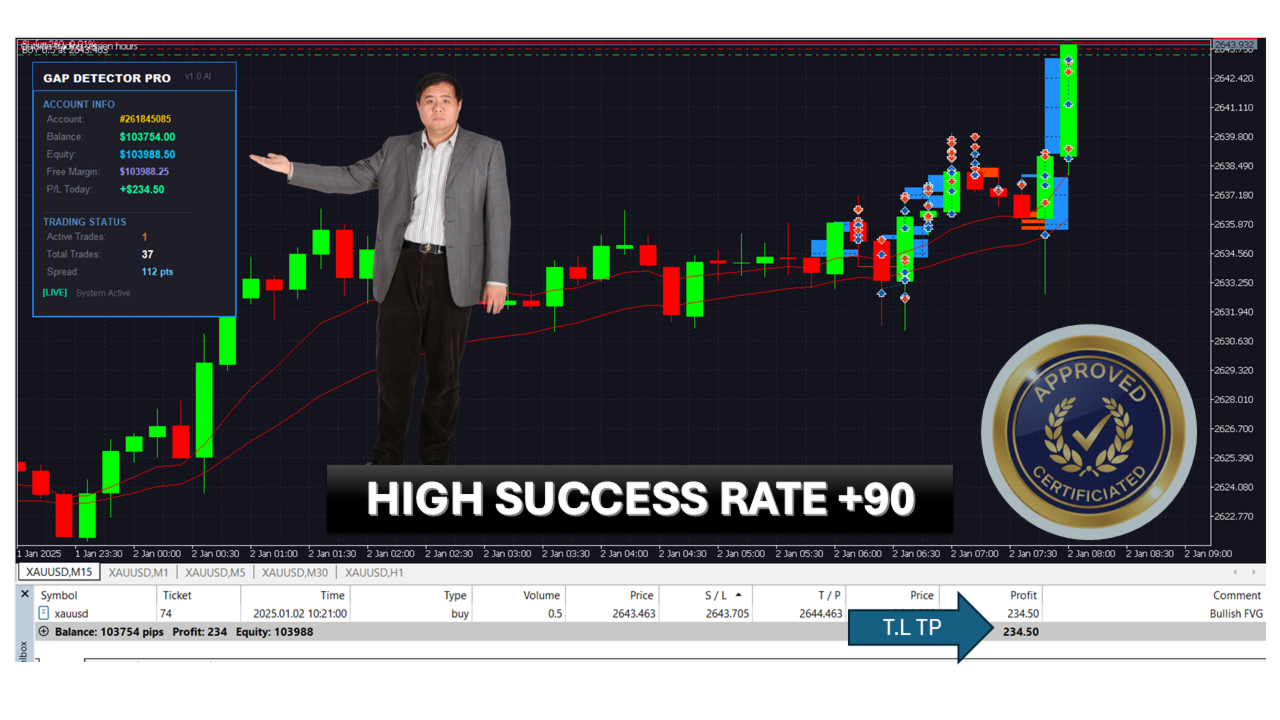
What this EA does (user-facing summary)This Expert Advisor scans multiple timeframes for Fair Value Gaps (FVGs) on XAU, applies optional EMA trend filtering and price-action confirmations, then places trades with configurable risk, fixed lots or money-management, stop loss, take profit, trailing stop and breakeven logic. It draws FVG rectangles and confirmation markers on the chart so you can visually validate signals. Time-of-day controls and Friday blocking reduce exposure during risky hours.
Key features-
Multi-timeframe FVG detection: M1, M5, M15, M30, H1, H4, D1 (individually enabled/disabled).
-
Minimum gap thresholds per timeframe to avoid tiny/insignificant gaps.
-
EMA filter (fast + slow) to align entries with the trend.
-
Price-action confirmation option (require close above/below FVG).
-
Flexible risk options: fixed lot or money-management by risk percentage.
-
Standard protective functions: SL, TP, trailing stop (with minimum profit before trailing activates).
-
Breakeven stop activation with buffer.
-
Trading hours filter and Friday disable to avoid sessions you don’t want to trade.
-
Visuals: bullish/bearish FVG colors, confirmed markers and adjustable rectangle width.
-
Lightweight and configurable — suitable for backtesting and live trading.
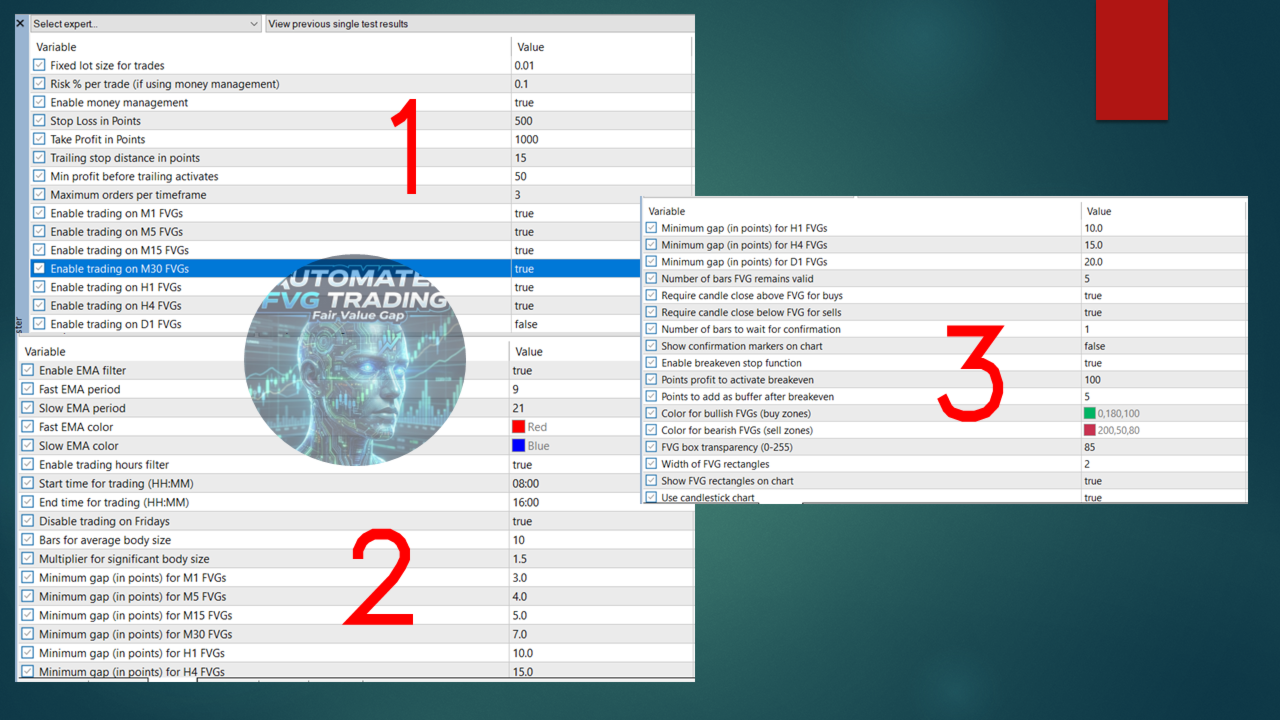
Trading Parameters
-
FixedLotSize — Lot size when money management is off.
-
RiskPercentage — % of account risk per trade (used if UseMoneyManagement = true ).
-
UseMoneyManagement — Toggle between fixed lots and percentage risk.
-
StopLossPoints / TakeProfitPoints — Protective SL/TP in points.
-
TrailingStopPoints — Distance in points for trailing stop.
-
MinimumProfitPoints — Trailing activates only after this profit is reached.
-
Enable<Mxx>Trading — Turn detection/trading on or off per timeframe (M1, M5, M15, M30, H1, H4, D1).
EMA Filter
-
UseEMAFilter — Enable the EMA trend filter.
-
FastEMA / SlowEMA — Periods for fast and slow EMA (default 9 & 21).
-
FastEMAColor / SlowEMAColor — Draw colors for EMAs.
Trading Hours
-
UseTradingHours — Enable time-based trading restrictions.
-
TradingSessionStart / TradingSessionEnd — Trading window (HH:MM).
-
NoTradingOnFriday — Prevent new trades on Fridays.
FVG Detection
-
LookbackPeriod — Bars used to compute average body size.
-
BodyMultiplier — Multiple of average body that indicates a significant body.
-
M*_MinFVGGap — Minimum gap size in points required to consider an FVG valid per timeframe.
-
FVG_ValidBars — How many bars a detected FVG remains valid.
Price Action Confirmation
-
RequireCloseAboveFVG / RequireCloseBelowFVG — Require close beyond FVG for buys/sells.
-
ConfirmationBars — Number of bars to wait for confirmation.
-
ShowConfirmationMarkers / ConfirmationColor — Visual markers for confirmed FVGs.
Breakeven
-
UseBreakevenStops — Enable breakeven.
-
BreakevenTriggerPoints — Profit needed to move SL to breakeven.
-
BreakevenBufferPoints — Extra buffer above breakeven.
Visuals
-
BullishFVGColor , BearishFVGColor , ConfirmedFVGColor — Customize colors.
-
FVGWidth — Rectangle stroke width.
-
ShowFVGVisuals — Toggle FVG visuals.
-
Use ECN/Zero spread accounts
-
UseMoneyManagement = true (RiskPercentage = 1.0)
-
StopLossPoints = 500, TakeProfitPoints = 1000
-
TrailingStopPoints = 15, MinimumProfitPoints = 50
-
EnableM1Trading = false (turn on only after live testing)
-
EnableM5 / M15 / H1 = true, H4 / D1 = optional for swing signals
-
UseEMAFilter = true (FastEMA 9, SlowEMA 21)
-
UseTradingHours = true (e.g., 08:00 — 16:00) and NoTradingOnFriday = true
These defaults prioritize controlled risk and avoid hyperactive micro-TF trading until you validate performance.
-
Backtest across each timeframe and over different market regimes (trending, ranging).
-
Use a demo account for a sustained period (minimum several weeks) before going live.
-
Start with low risk (0.5–1% per trade) and monitor slippage/spread sensitivity on XAU.
-
Check visual markers and logged trade rationale to confirm EA logic matches expectations.
-
Once satisfied, deploy to a small live account and scale gradually.
-
Designed primarily for XAU (gold) instrument — check symbol naming in your broker (e.g., XAUUSD , XAUUSD+ ).
-
Spread, slippage and broker execution speed materially affect results; test with your broker’s demo account.
-
Trailing and breakeven depend on tick updates — low-liquidity sessions may behave differently.
-
No news filter built in — consider using a separate economic calendar/news block if you want to avoid high-impact events.
-
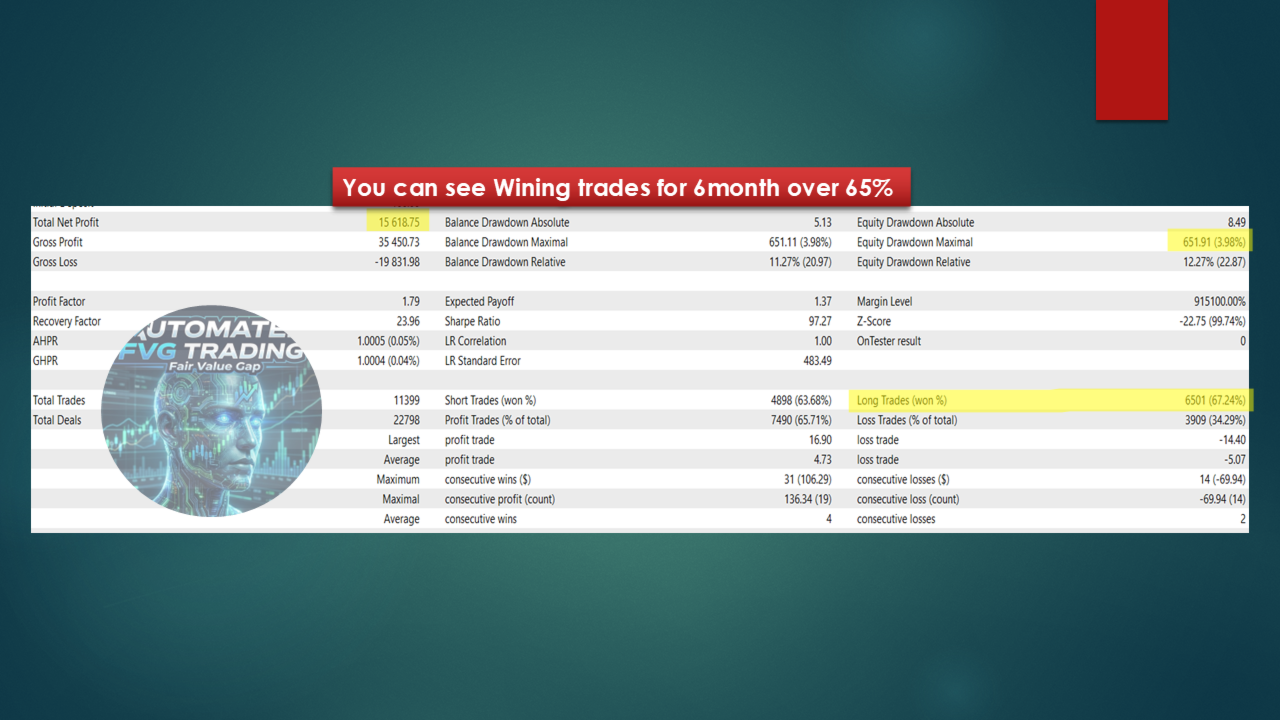
Past backtests are not guarantees of future returns. Always manage position sizing and diversification.
-
Place the EA .mq5 and any accompanying .ex5 files into MQL5/Experts .
-
Attach to an XAU chart at your desired timeframe (or a neutral timeframe if EA scans multiple TFs).
-
Configure inputs from the EA properties dialog before starting.
-
Monitor the journal and logs for any runtime messages.
-
v1.0 — Initial release: Multi-TF FVG detection, EMA filter, money management, trailing & breakeven, visual markers.
-
v1.1 — (future) Add news filter, improve FVG validity logic, performance optimizations.
Trading involves risk. Past performance does not guarantee future results. This EA is a tool — use proper risk management, backtest thoroughly, and consider consulting a professional. The author is not responsible for trading losses.