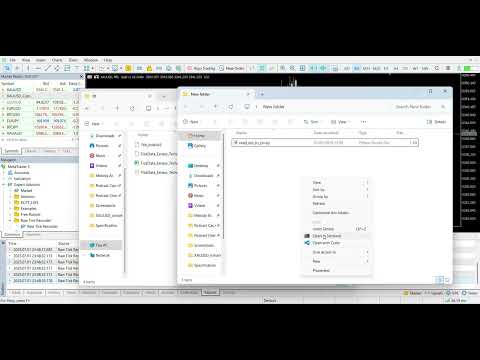
Raw Tick Recorder
- Utilità
-
The Hung Ngo
 Hi, I’m Ngo The Hung — a Senior Software Developer specializing in algorithmic trading systems for MetaTrader 4 and MetaTrader 5.
 - Versione: 1.50
- Aggiornato: 9 luglio 2025
- Attivazioni: 5
Raw Tick Recorder EA for MetaTrader 5
For full setup instructions and demo version that works on chart (not just Strategy Tester), visit: Full User Guide – Raw Tick Recorder
Public channel: CLICK HERE
Raw Tick Recorder EA is a lightweight utility that captures every tick from your broker's price feed in real time. It records bid/ask data with millisecond accuracy and exports to multiple formats, including .csv, .bin, and .bi5.
This EA does not send, modify, or manage orders. It only listens and writes data.
Ideal for traders, data analysts, and machine learning engineers who need raw, reliable, and well-structured tick datasets.
Use Cases
- Collect high-resolution tick data from your broker
- Build accurate tick-level backtests
- Feed AI/ML pipelines and quant models
- Analyze latency, spread behavior, and execution quality
- Export clean data in multiple file formats for any purpose
Key Benefits
| Challenge | Solution |
|---|---|
| Broker history is incomplete or rounded | Captures real-time bid/ask with millisecond precision |
| Need .bi5 format for Tickstory/JForex | Exports native Dukascopy-compatible .bi5 format |
| Worried about data loss during restart | Appends to existing files automatically |
| Heavy I/O load on system | Buffered write + time-based flush keeps system light |
| Timezone mismatch in logs | Option to convert timestamps to GMT |
| No insight into recording context | Generates daily .json metadata with config info |
Supported File Formats
| Format | Extension | Contents | Use Case |
|---|---|---|---|
| CSV | .csv | Timestamp, Bid, Ask | Simple data analysis (Excel, Python) |
| Binary | .bin | 40 bytes/tick (high-speed structured) | Efficient custom parsing |
| Dukascopy | .bi5 | Compressed format, hourly split | Compatible with JForex, Tickstory |
Output Structure
- .csv / .bin → Saved in: TickData/<Symbol>/
- .bi5 → Hourly rotation in: TickData/<Symbol>/YYYY/MM/DD/
- .json → Metadata file includes broker, config, session info
Input Parameters
| Parameter | Description | Default |
|---|---|---|
| SaveToCSV / SaveToBinary | Enable/disable export formats | true / false |
| BinaryFormat | Choose .bin / .bi5 / BOTH | BOTH |
| ConvertToGMT | Toggle GMT timestamps | false |
| BufferSize | Ticks to buffer before writing | 1000 |
| FlushIntervalSeconds | Backup flush interval | 30 |
| OutputFolder | Target base folder | TickData |
Hover over each input in MT5 for tooltip hints.
How to Use
- Open a chart for the symbol you want to record
- Attach Raw Tick Recorder EA to the chart
- Configure inputs (format, path, buffer, etc.)
- Click OK → Status panel will appear bottom-left
- Leave terminal or VPS running to keep recording
One chart = one symbol. Use multiple charts for multi-symbol logging.
Notes
- Fully MQL5 native, sandboxed – no DLLs, no web access
- Compatible with all brokers and assets
- Detects and logs zero-spread scenarios
- Restarts without overwriting data
- Minimal CPU (<1%) and disk load – ideal for 24/7 VPS
- Comes with 5 activations per purchase
A Python parser is available to convert .bin/.bi5 to .csv.
You’ll find the script inside the Full User Guide.
Disclaimer
This tool does not execute trades or provide signals. It only records price data for analysis purposes. Please test on demo before using in production.