OrderBook Radar Suite
- Utilities
-
Ludovic Marc Marie Moncla
 Trader and MQL5 developer. I build practical tools for MetaTrader 5 and trade a trend-following method.
What I publish on MQL5:
- Market: indicators and utilities for MetaTrader 5 (trend signals, risk management, a local trade copier and a news filter). - Version: 1.0
- Activations: 10
OrderBook Radar Suite: order book radar, risk manager panel and news guard in a single Expert.
MetaTrader 5 accepts one Expert per chart. This suite puts three tools on the same chart: you see where the orders are, you size and manage the trade, and you know when the next news release is due. Each module has its own panel that you move with the mouse, and each one can be switched off in the inputs.
1. Order book radar
- Order book ladder beside the chart, merged from Binance, Coinbase, OKX, Bybit, Kraken, Bitstamp, Bitfinex, Gate and MEXC, with cumulative depth.
- The largest buy and sell walls marked by a light beam and a price label.
- Crowd panel: share of long and short futures accounts on Binance, Bybit, OKX, Bitget, Gate and HTX, with a contrarian reading and an optional alert.
- Forex and metals: order book and open positions from OANDA and the Myfxbook community outlook, through your own access to these services.
- The radar can also draw on another chart of the same symbol.
2. Risk manager panel
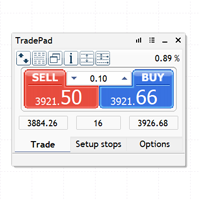
- Risk per trade in percent of the account or in cash: the lot is computed from the risk and the stop loss distance, or you fix the lot.
- Stop loss and take profit lines that you drag on the chart; take profit in percent, cash or multiples of the risk (R).
- Market and pending orders sent from the panel, with a confirmation step.
- Break-even and trailing stop, in R or in points.
- Global close: closes everything at a profit target or a loss limit, on the floating result or on the day.
3. News guard
- Upcoming releases of the MetaTrader 5 economic calendar for the currencies of the chart symbol, with impact, countdown and vertical lines on the chart.
- Alert a chosen number of minutes before a release, with optional push notification.
- Optional protection: closes positions and deletes pending orders before a high-impact release.
Setup
- For the radar, open Tools, Options, Expert Advisors, tick "Allow WebRequest for listed URL" and add these addresses, each one starting with https:// : api.binance.com, fapi.binance.com, api.exchange.coinbase.com, www.okx.com, api.bybit.com, api.kraken.com, www.bitstamp.net, api-pub.bitfinex.com, api.gateio.ws, api.mexc.com, api.bitget.com, api.hbdm.com.
- For forex and metals in the radar add: api-fxpractice.oanda.com / api-fxtrade.oanda.com, , and enter your OANDA API token or your Myfxbook login in the inputs.
- Drag the suite on a chart and allow algorithmic trading if you want to send orders from the risk panel.
Good to know
- The radar and the news guard only display information. Orders are sent only when you press a button of the risk panel, and positions are closed only by the rules you switch on (trailing, global close, news protection).
- Radar data goes straight from each provider to your terminal. Some sources require your own authorisation (API token or account) and are subject to the terms of the provider.
- The radar and the calendar need an Internet connection and do not work in the Strategy Tester.
- The contrarian reading is information about positioning. It is not a trading signal or advice.