OrderBook Radar
- Utilities
-
Ludovic Marc Marie Moncla
 Trader and MQL5 developer. I build practical tools for MetaTrader 5 and trade a trend-following method.
What I publish on MQL5:
- Market: indicators and utilities for MetaTrader 5 (trend signals, risk management, a local trade copier and a news filter). - Version: 1.0
- Activations: 10
OrderBook Radar: the order book of the big crypto exchanges, drawn in light on your chart.
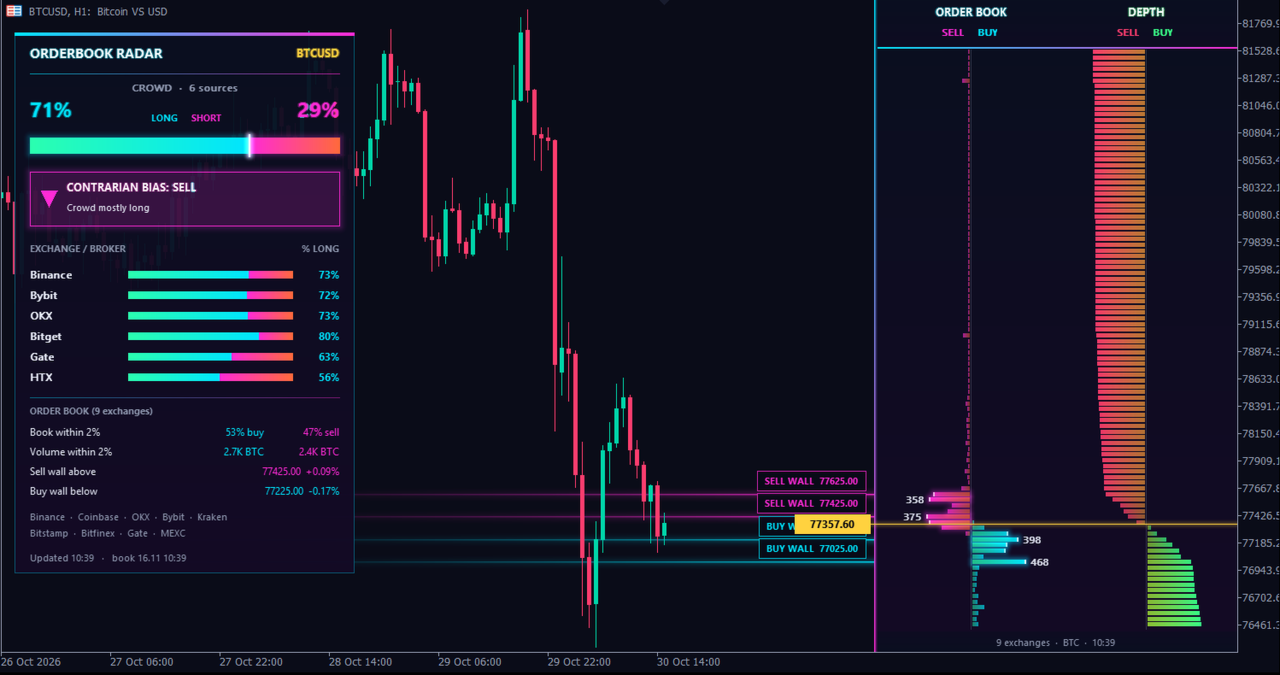
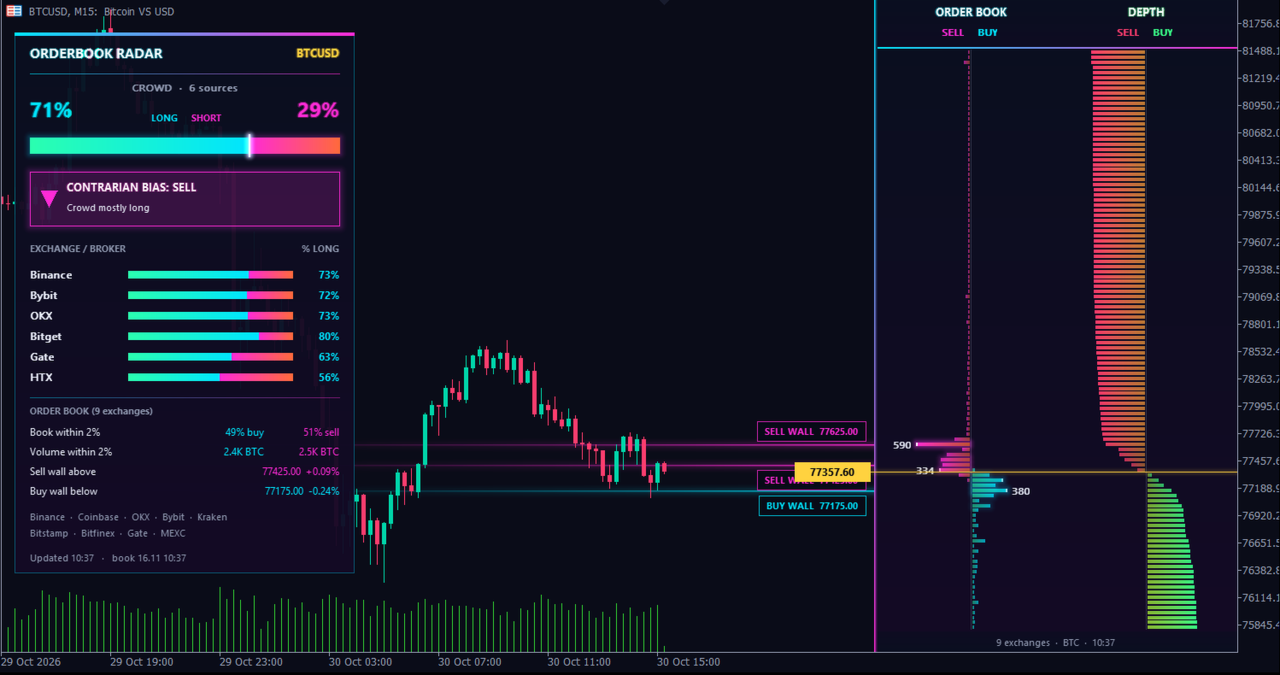
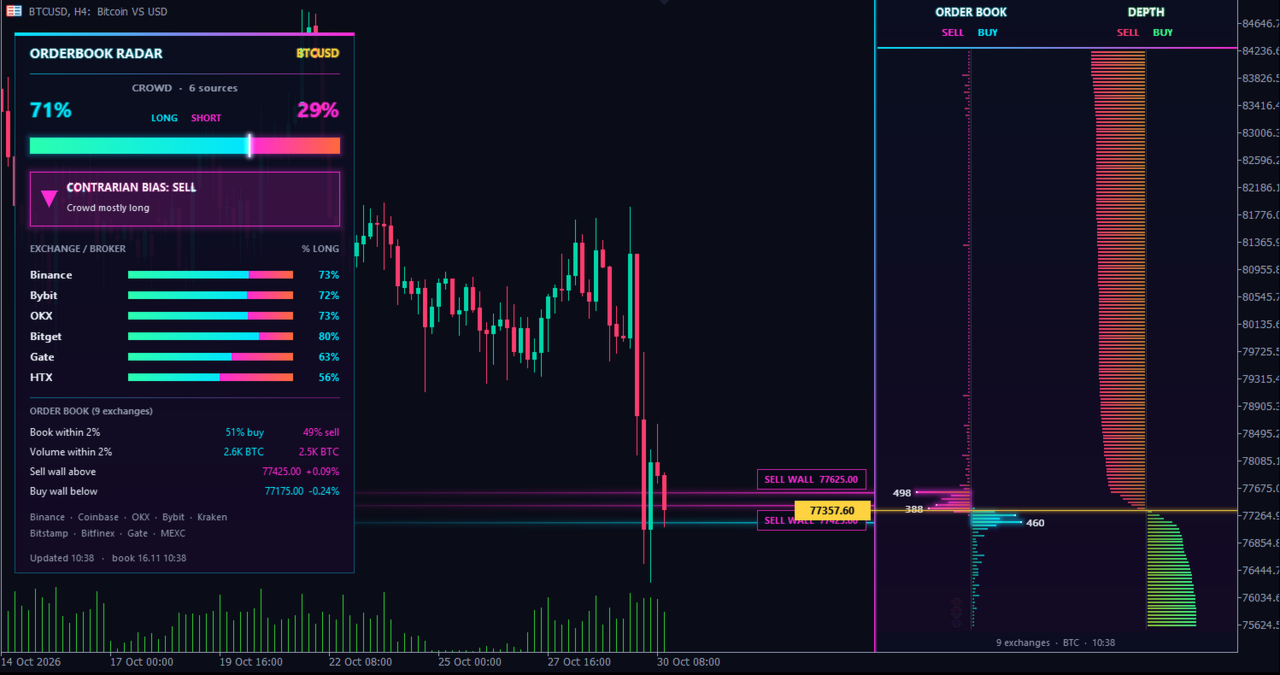
OrderBook Radar reads the order books of nine major exchanges, merges them on one price ladder beside your chart, and shows where the largest buy and sell orders are waiting. A second panel shows how futures accounts are positioned, long or short.
What you see
- Order book ladder: buy and sell orders at each price level, merged from Binance, Coinbase, OKX, Bybit, Kraken, Bitstamp, Bitfinex, Gate and MEXC.
- Depth: cumulative volume on each side of the price.
- Walls: the largest order clusters above and below the price, marked by a light beam and a price label on the chart.
- Crowd panel: share of long and short futures accounts on Binance, Bybit, OKX, Bitget, Gate and HTX, with a weighted average.
- Contrarian reading: when the crowd is heavily on one side (threshold in the inputs), the panel shows the opposite direction. Optional alert.
- Live price marker, panel you can move with the mouse, English or French, optional dark chart colours.
- Forex and metals: order book and open positions per price level from OANDA, and the Myfxbook community outlook, through your own access to these services.
Markets and data
- Crypto: BTC, ETH, SOL, XRP, BNB, DOGE, ADA, LTC, BCH, LINK, AVAX, DOT, TRX, XLM, UNI, ATOM, NEAR, SUI, TON and APT quoted in USD. An exchange that does not list a coin is skipped.
- Crypto order books are refreshed every minute (adjustable); long/short ratios every five minutes.
- Forex and metals: major and cross pairs, gold and silver.
- Data goes straight from each provider to your terminal. Some sources require your own authorisation (API token or account) and are subject to the terms of the provider.
Setup
- In MetaTrader 5 open Tools, Options, Expert Advisors and tick "Allow WebRequest for listed URL".
- Add these addresses, each one starting with https:// : api.binance.com, fapi.binance.com, api.exchange.coinbase.com, www.okx.com, api.bybit.com, api.kraken.com, www.bitstamp.net, api-pub.bitfinex.com, api.gateio.ws, api.mexc.com, api.bitget.com, api.hbdm.com.
- For forex and metals add: api-fxpractice.oanda.com / api-fxtrade.oanda.com, , and enter your OANDA API token or your Myfxbook login in the inputs.
- Drag OrderBook Radar on a chart. If an address is missing, the panel names it.
Good to know
- This is a utility: it never opens, changes or closes a trade.
- It needs an Internet connection and does not work in the Strategy Tester, where WebRequest is not available.
- The contrarian reading is information about positioning. It is not a trading signal or advice.