NorgHFT
- Experts
-
Jackson Fonseca Nazare
I'm a trader and MQ4/MQ5 programmer. I like working with robots that have a profit target and daily loss ratios. Most EAs fail because they don't have a risk-reward ratio configuration, and most traders still don't understand that to become a millionaire in forex you have to start as a billionaire - Version: 1.20
- Updated: 14 September 2026
- Activations: 10
NORG HFT MT5 is an automated trading Expert Advisor for MetaTrader 5.
The system analyzes short-term tick activity, price movement, volatility and directional market conditions. It is mainly configured for XAUUSD on the M5 timeframe.
The Expert Advisor does not reproduce institutional high-frequency trading infrastructure. It does not require direct market access, colocation or specialized trading hardware.
Trading Logic
NORG HFT MT5 evaluates incoming market ticks and uses internal calculations to identify changes in price activity, volatility and direction.
When the configured entry conditions are met, the Expert Advisor can open a trading cycle and manage additional positions according to its grid and basket settings.
The strategy can use either fixed grid spacing or ATR-based dynamic spacing.
Basket management is based on the volume-weighted average entry price of the active positions.
Market Analysis
The Expert Advisor uses several internal components to evaluate market conditions before opening new trading cycles.
The analysis includes:
-
Directional market structure
-
Volatility conditions
-
ATR-based price extension
-
RSI-based momentum conditions
-
Candle structure
-
Tick volume behavior
-
Price rejection conditions
An exhaustion filter can temporarily block new entries when the configured conditions indicate an extended market movement.
Grid Management
The Expert Advisor supports two grid spacing methods.
Fixed mode uses a predefined distance between positions.
ATR mode adjusts the distance between positions according to current market volatility.
Available grid settings include:
-
Initial lot size
-
Grid spacing mode
-
Fixed grid distance
-
ATR period
-
ATR multiplier
-
Minimum grid distance
-
Maximum grid distance
-
Lot multiplier
-
Maximum number of positions
-
Basket take-profit distance
-
Minimum interval between entries
The user can configure these parameters according to the selected symbol, account size and risk preference.
Risk Controls
NORG HFT MT5 includes configurable account and trading-cycle controls.
Available controls include:
-
Daily equity gain threshold
-
Daily drawdown limit
-
Account-level equity gain threshold
-
Account-level drawdown limit
-
Equity reference mode
-
Position closing scope
When a configured threshold is reached, the Expert Advisor can stop opening new positions or close positions according to the selected settings.
These functions are risk-management tools. They do not eliminate trading risk and do not guarantee any trading result.
Account Compatibility
The Expert Advisor can operate on MetaTrader 5 accounts that use Hedging or Netting modes, subject to the trading conditions provided by the broker.
A configurable Magic Number is used to identify positions managed by the Expert Advisor.
Execution may vary depending on spread, commission, liquidity, slippage, broker conditions and market activity.
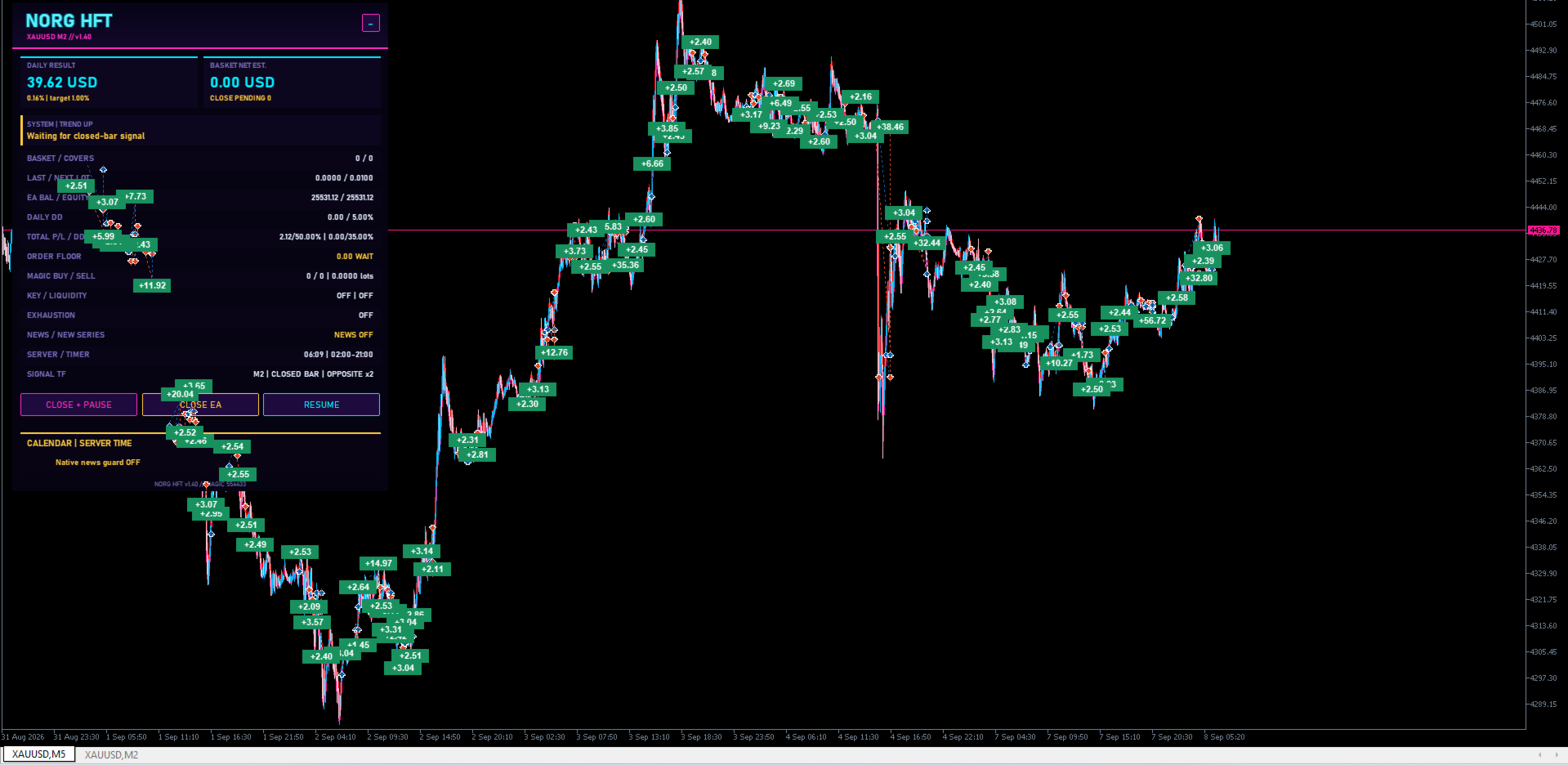
Visual Information
The Expert Advisor includes optional chart information.
The user can choose between:
-
Information panel and trade result tags
-
Information panel only
-
Trade result tags only
-
Visual elements disabled
The visual mode does not change the trading logic.
Suggested Configuration
The default configuration is mainly intended for:
Symbol: XAUUSD
Timeframe: M5
The Expert Advisor can be tested with different settings, but results may vary depending on the symbol, broker, spread, commission, tick data and execution conditions.
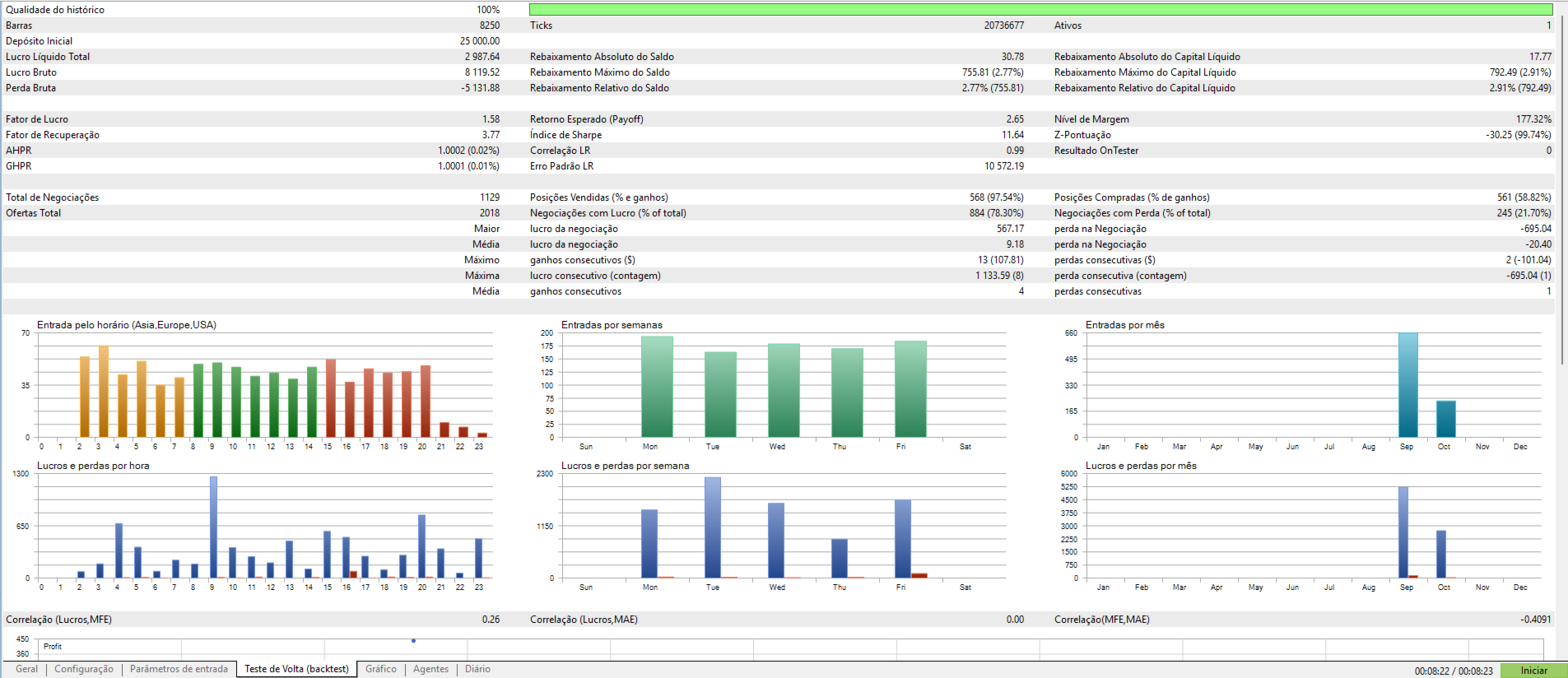
Strategy Tester
For testing in MetaTrader 5, the "Every tick based on real ticks" modeling mode is recommended when real tick data is available.
This testing mode provides more detailed tick simulation for strategies that use tick activity and dynamic position management.
Historical test results are not a guarantee of future trading results.
Risk Notice
Trading financial instruments involves risk.
Automated trading systems can generate both profitable and losing trades. Market conditions, execution quality, spread, commission, slippage and user-selected parameters can affect trading results.
Users should evaluate the Expert Advisor and its settings before using it on a live trading account.
Position size and risk parameters should be selected according to the user's own account conditions and risk tolerance.
Parameter Reference Guide
1. General Settings
-
InpMagicNumber ( 554433 ): Unique identifier for orders placed by this EA. Assign a distinct number for each active chart.
-
InpInitialLot ( 0.01 ): Initial position volume for every newly initiated cycle.
-
InpSlippage ( 50 ): Maximum allowable execution slippage in points.
-
InpShowEngineVisuals ( false ): When set to true , draws real-time algorithmic calculation levels and support/resistance baselines directly on the chart.
2. Panel & Visual Analytics
-
InpVisualMode ( NORG_VISUAL_TAGS_ONLY ): Configures on-chart GUI elements:
-
NORG_VISUAL_ALL : Displays both the information dashboard and closed trade profit tags.
-
NORG_VISUAL_PANEL_ONLY : Displays the dashboard only.
-
NORG_VISUAL_TAGS_ONLY : Displays historical entry/exit profit markers on the chart.
-
NORG_VISUAL_OFF : Completely disables visual elements to maximize execution performance.
-
-
InpPanelCorner ( CORNER_RIGHT_LOWER ): Chart anchor corner for the dashboard.
-
InpPanelX / InpPanelY ( 12 / 24 ): Pixel offsets from the chart corner.
-
InpPanelFontSize ( 8 ): Font size used on the live dashboard.
-
InpProfitTagLimit ( 50 ): Maximum count of closed-deal profit markers displayed on chart.
-
InpProfitTagFontSize ( 8 ): Font size of profit markers.
-
InpProfitTagWinColor / InpProfitTagLossColor: Color styling for winning and losing trade markers.
3. Grid & Basket Management
-
InpGridSpacing ( NORG_GRID_ATR ): Calculation model for subsequent basket layer distances:
-
NORG_GRID_FIXED : Static distance in points defined by InpGridStep .
-
NORG_GRID_ATR : Dynamic volatility-scaled spacing.
-
-
InpGridStep ( 300 ): Baseline step distance in points.
-
InpLotMultiplier ( 1.2 ): Exponential lot sizing multiplier for consecutive layers.
-
InpMaxGridOrders ( 99 ): Hard cap on the maximum allowable positions per cycle.
-
InpBasketTakeProfit ( 250 ): Take-profit distance in points calculated from the volume-weighted average price.
4. Dynamic ATR Grid Tuning
-
InpGridATRTimeframe ( PERIOD_CURRENT ): Timeframe sampled for dynamic volatility calculations.
-
InpGridATRPeriod ( 14 ): Period for the ATR volatility calculation.
-
InpGridATRMultiplier ( 1.75 ): Scaling multiplier applied to current volatility to calculate layer spacing.
-
InpGridMinStep ( 600 ): Minimum floor spacing in points (prevents over-clustering during tight market consolidations).
-
InpGridMaxStep ( 0 ): Maximum cap spacing in points ( 0 = uncapped).
-
InpGridMinSeconds ( 1 ): Anti-whipsaw filter enforcing a minimum cooldown between consecutive fills.
5. Account Equity Protection (Guard)
-
InpDailyProfitTarget ( 2.0 ): Daily gain target as a percentage ( % ) of the day's starting equity ( 0 = disabled). Operations halt until the next session once achieved.
-
InpMaxDailyDrawdown ( 25.0 ): Maximum daily equity drawdown limit ( % ) from day-start balance ( 0 = disabled).
-
InpAccountProfitTarget ( 10.0 ): Total cycle profit objective ( % ) ( 0 = disabled).
-
InpMaxAccountDrawdown ( 20.0 ): Total maximum permissible drawdown ceiling ( % ) before liquidation safeguards engage ( 0 = disabled).
-
InpAccountDDReference ( NORG_DD_INITIAL_BALANCE ):
-
NORG_DD_INITIAL_BALANCE : Maximum drawdown measured against initial reference balance.
-
NORG_DD_PEAK_EQUITY : Trailing drawdown calculated from highest observed peak equity.
-
-
InpAccountReferenceBalance ( 0 ): Initial reference capital ( 0 = auto-detects current account capital on launch).
-
InpRiskResetID ( 0 ): Risk cycle identifier. Increment this value manually to clear previous tracking and start a fresh risk tracking cycle.
-
InpGuardCloseScope ( NORG_GUARD_THIS_EA ):
-
NORG_GUARD_THIS_EA : Protective liquidations close only trades matching this EA's symbol and magic number.
-
NORG_GUARD_ACCOUNT : Liquidates all exposure across the entire account upon hitting a safety threshold.
-
6. Proprietary Trend Engine Settings
-
InpTrendAmplitude ( 5 ): Lookback sensitivity parameter for structural swing identification. Lower values increase signal responsiveness; higher values isolate macro trend structure.
-
InpTrendHistoryBars ( 600 ): Bar buffer depth used for internal mathematical calibration.
7. Proprietary Volatility Band Engine
-
InpBbPeriod ( 20 ): Lookback period for baseline volatility bands.
-
InpBbDeviations ( 2.0 ): Standard deviation width multiplier for external boundaries.
-
InpBbZonesPercent ( 20.0 ): Percentage width establishing internal algorithmic trigger zones.
-
InpBbDeviationType ( NORG_DEV_REGULAR ): Mathematical dispersion formula ( NORG_DEV_REGULAR for population deviation, or NORG_DEV_SAMPLE for sample variance).
8. Smart Exhaustion Filter
-
InpUseExhaustionFilter ( true ): Enables multi-factor detection to prevent opening new cycles during climactic market overextensions.
-
InpExhaustionRsiPeriod ( 14 ): Lookback period for momentum exhaustion tracking.
-
InpExhaustionRsiUpper / Lower ( 72.0 / 28.0 ): Extreme upper and lower thresholds that trigger exhaustion penalties.
-
InpExhaustionAtrPeriod ( 14 ): Period used to calculate price extension from the volatility mean.
-
InpExhaustionAtrRatio ( 1.8 ): Maximum permissible extension factor before a stretch warning is assigned.
-
InpExhaustionWickRatio ( 1.5 ): Rejection wick-to-body threshold detecting aggressive institutional absorption.
-
InpExhaustionRunBars ( 4 ): Minimum consecutive unidirectional candles flagged as a potential climax run.
-
InpExhaustionVolPeriod ( 20 ): Moving average period for tick volume benchmarking.
-
InpExhaustionVolRatio ( 1.6 ): Tick-volume climax multiplier threshold.
-
InpExhaustionMinScore ( 6 ): Composite threshold score (scale 1–12) required to safely block new position initiation.
-
InpExhaustionCooldown ( 2 ): Number of closed bars following an exhaustion spike where new initial trades remain blocked.
-
InpLogExhaustionBlocks ( true ): Outputs detailed diagnostic messages to the terminal Experts log whenever an entry is safely filtered out.
Operational Guidelines
-
Strategy Tester: For accurate backtesting results, always test with "Every tick based on real ticks". This guarantees precise modeling of rapid tick dynamics, dynamic ATR grid fills, and slippage.
-
Risk Management: Always configure InpInitialLot , InpMaxDailyDrawdown , and InpMaxAccountDrawdown in accordance with your account size and specific risk tolerance.