ICT Order Blocks Structure
- Indicators
- Version: 1.0
- Activations: 10

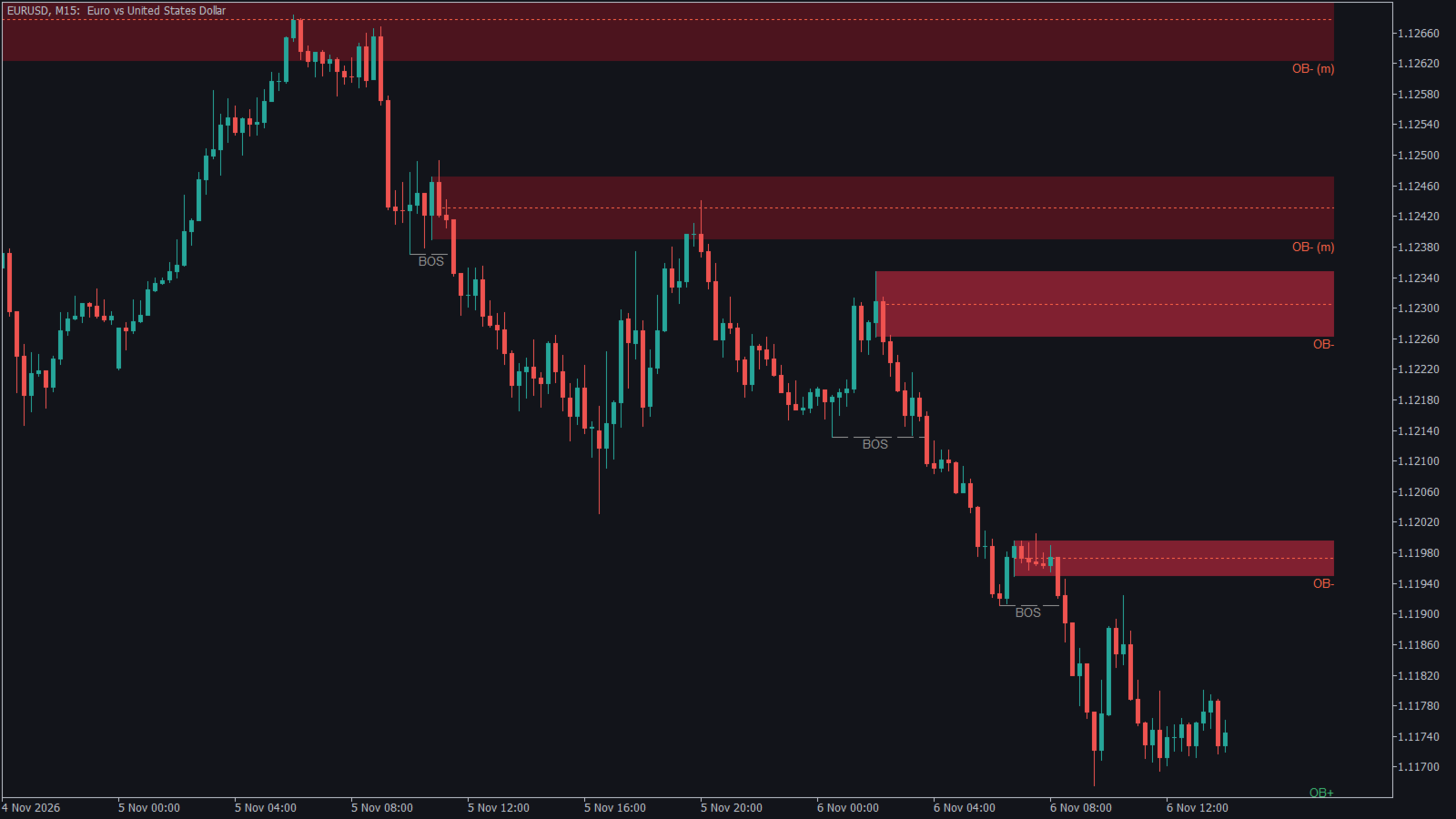
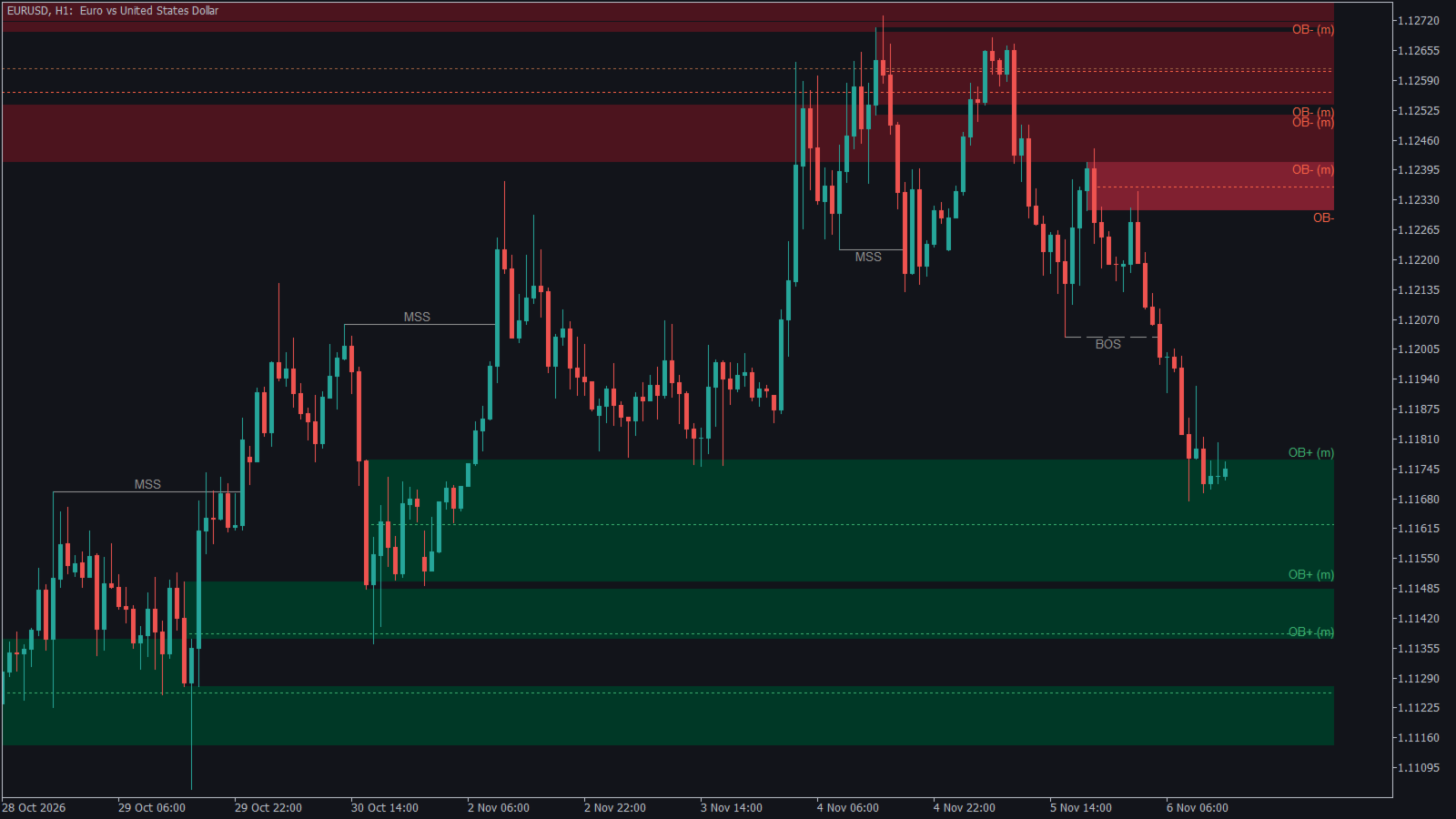
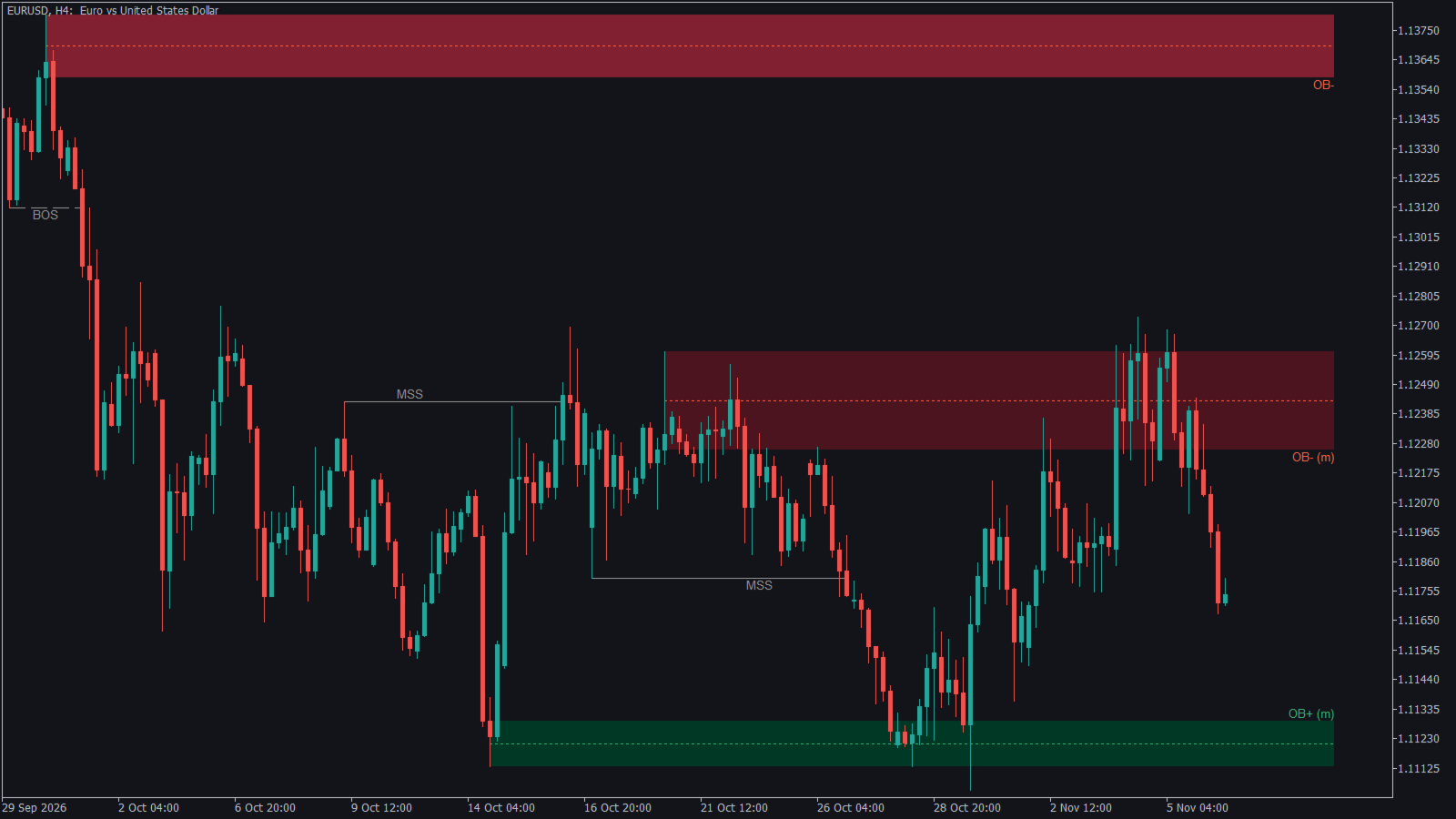
ICT Order Blocks Structure finds and draws ICT / Smart Money order blocks automatically, directly from market structure. It does not guess zones from candle colour alone: an order block is only drawn after price confirms it with a break of structure, and it stays on the chart only while it is still valid.
How it works
- Swing points – swing highs and lows are detected with a configurable number of bars on each side.
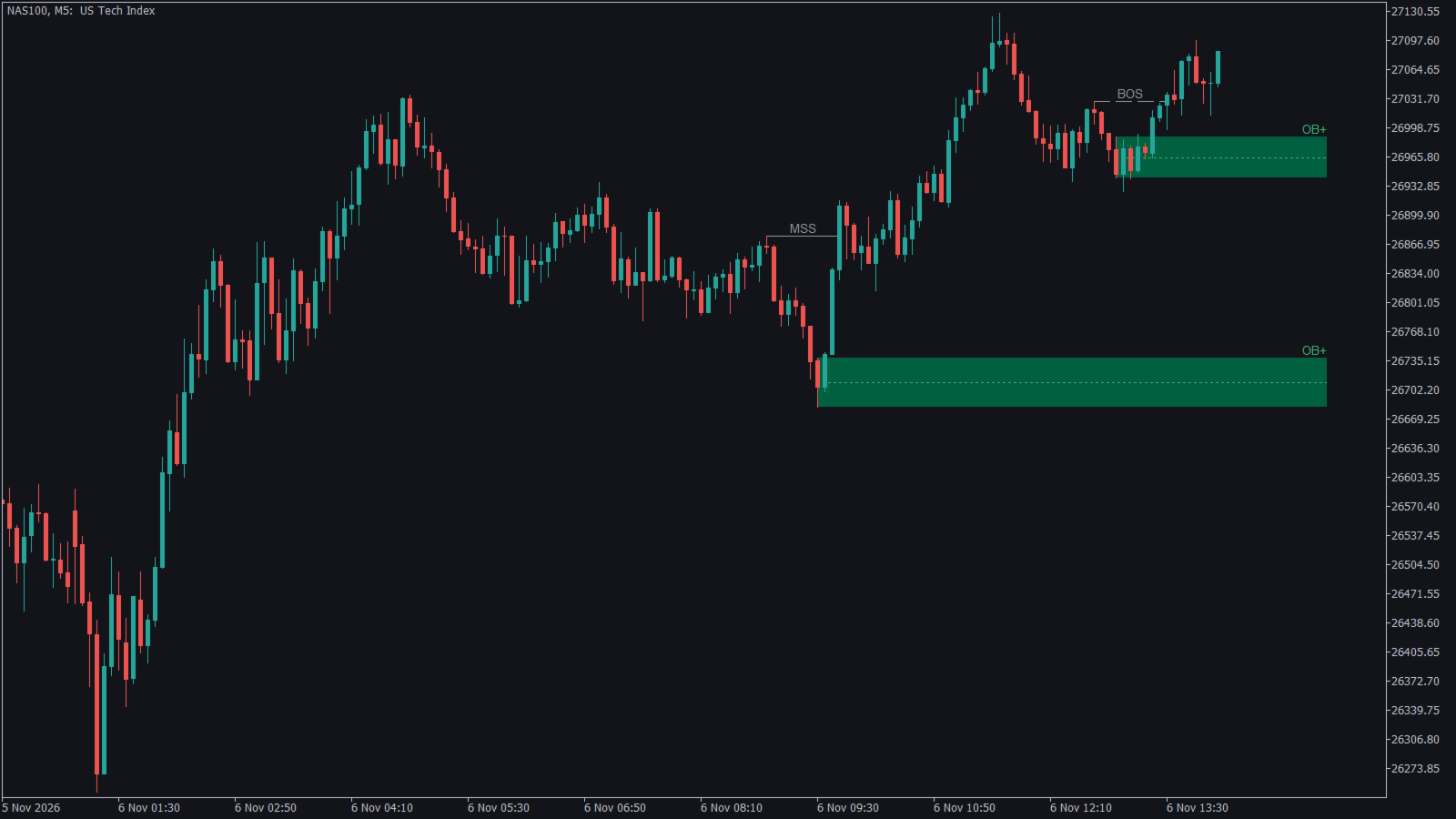
- Break of structure – a candle close above the last swing high (or below the last swing low) confirms a BOS. When the direction of the structure flips, the line is labelled MSS (market structure shift).
- Order block – the last opposite candle before the impulsive leg that broke structure becomes the order block (bullish OB = last down candle before the move up, bearish OB = last up candle before the move down).
- Displacement filter – optionally, an OB is kept only if the breaking leg contains a fair value gap (FVG). This removes weak, non-institutional moves.
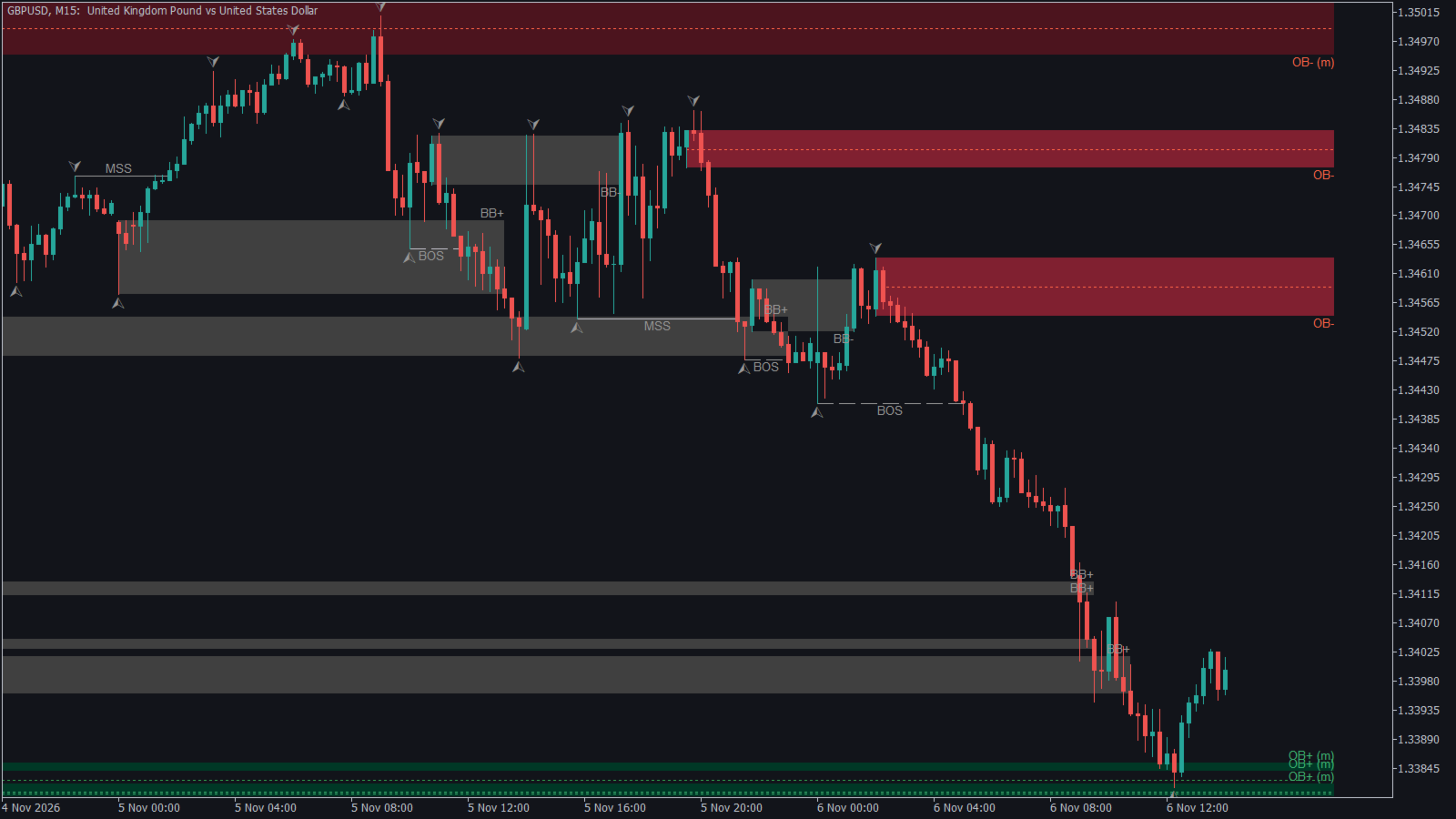
- Mitigation – once price trades back into the zone, the block is marked as mitigated (lighter colour, "(m)" label). When a candle closes through the zone, the block is invalidated and removed, or kept in grey as a breaker block if you wish.
Features
- Bullish and bearish order blocks with 50 % mean-threshold line.
- BOS and MSS structure lines.
- Three zone definitions: wick to wick, body only, or ICT open-to-extreme.
- Mitigated and broken (breaker) blocks tracked in real time, tick by tick.
- Pop-up and push alerts when price enters an active order block (one alert per block).
- Colours adapt automatically to dark or light chart backgrounds, and can be overridden.
- Light on resources: calculations run once per new bar; objects are prefixed ICTOB_ and removed when the indicator is detached.
- Works on any symbol and any timeframe (forex, metals, indices, crypto).
- No repainting: a block is drawn only after a confirmed swing and a candle close beyond it, and never moves afterwards.
Inputs
- Swing length (5) – bars on each side of a swing point. Higher = fewer, stronger structure levels.
- Bars analysed (800) – history scanned on each new bar.
- Require displacement (FVG) (true) – keep only order blocks confirmed by an imbalance.
- Zone definition (Wick) – Wick / Body / Open-to-extreme.
- Active OB per side (8) – maximum bullish and bearish blocks displayed.
- Keep mitigated OB (true) – keep touched blocks until they are broken.
- Show broken OB (false) – display invalidated blocks in grey (breaker blocks).
- Mean line (true) – 50 % line of each block.
- Extend right (15) – bars of extension to the right of the current candle.
- Fill rectangles (true).
- Show BOS / MSS (true), Show swings (false).
- Colours – bullish, bearish, broken and structure colours (clrNONE = automatic).
- Alerts – pop-up alert and push notification.
Suggested use
- Read the higher timeframe (H4 / H1) for direction and the fresh, unmitigated blocks.
- Wait for price to return into a block in the direction of the last MSS, then look for a lower timeframe confirmation (M5 / M15 structure break or FVG) before entering.
- Stop loss beyond the block, first target at the opposite liquidity (previous swing).
- Scalping: swing length 3–5 on M1–M5. Intraday: 5 on M15–H1. Swing trading: 8–10 on H4–D1.
A complete PDF guide (how the ICT order block strategy works, how to set every parameter, trade plan) can be downloaded from this blog post: https://www.mql5.com/en/blogs/post/779507