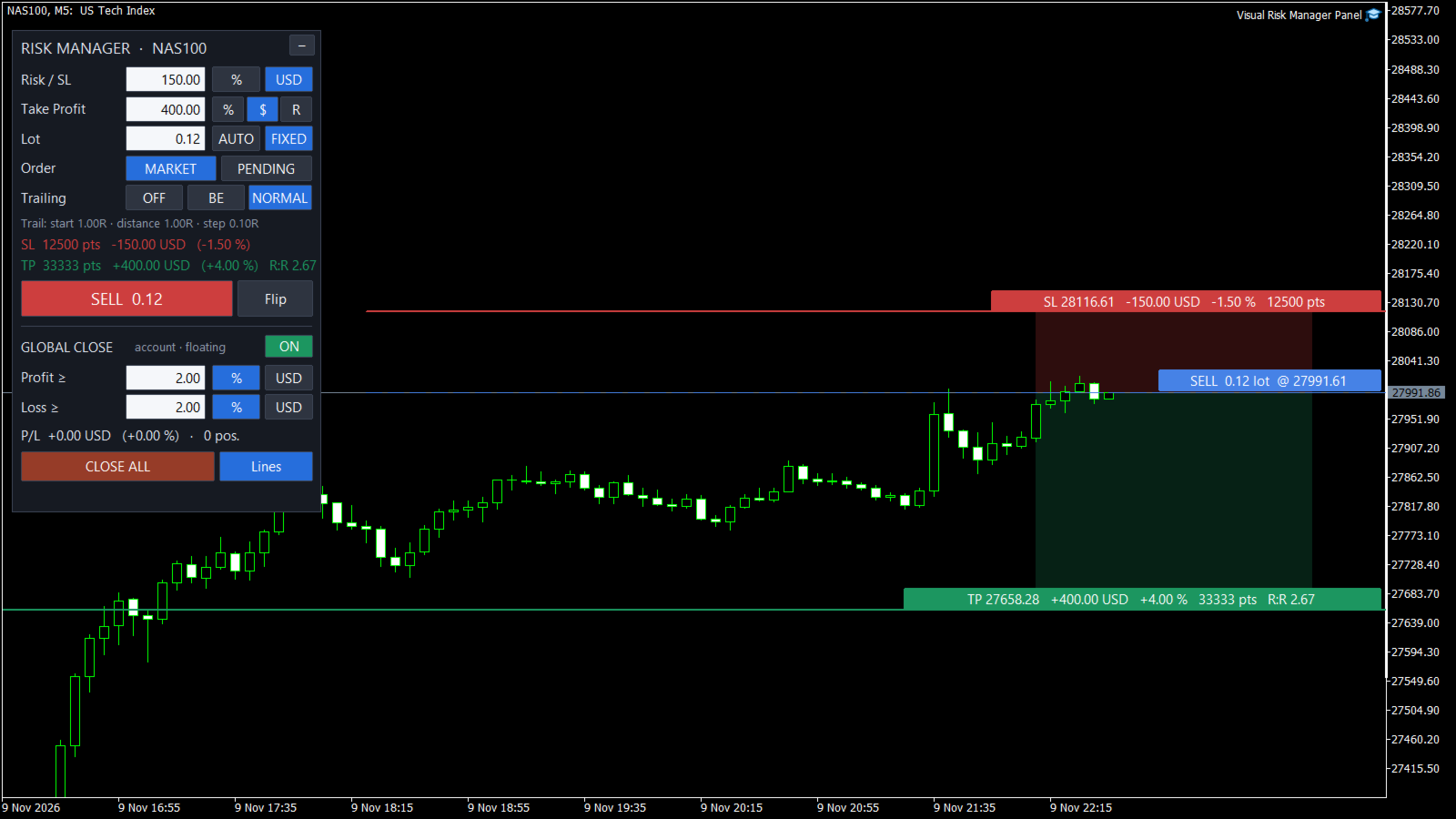
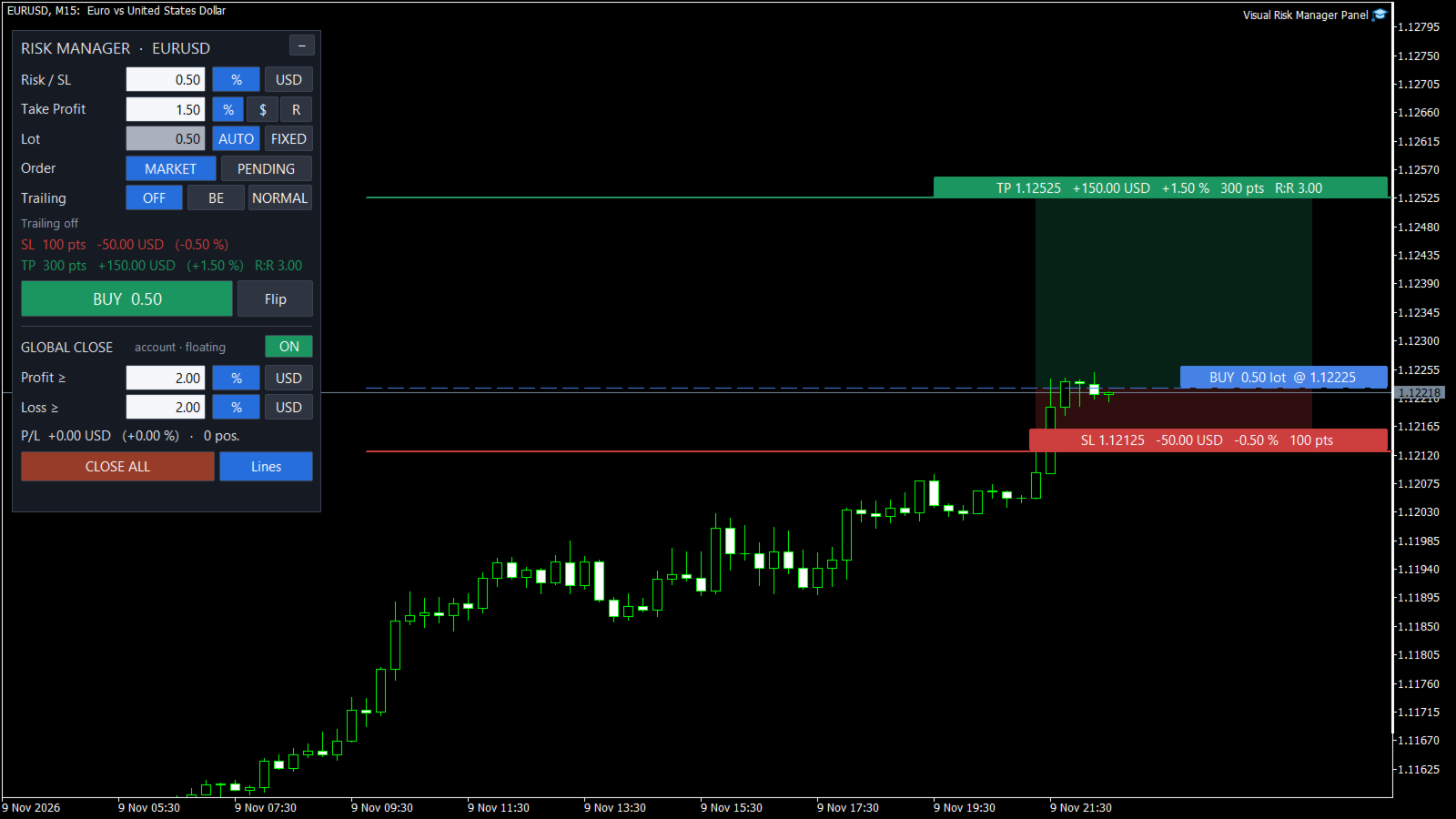
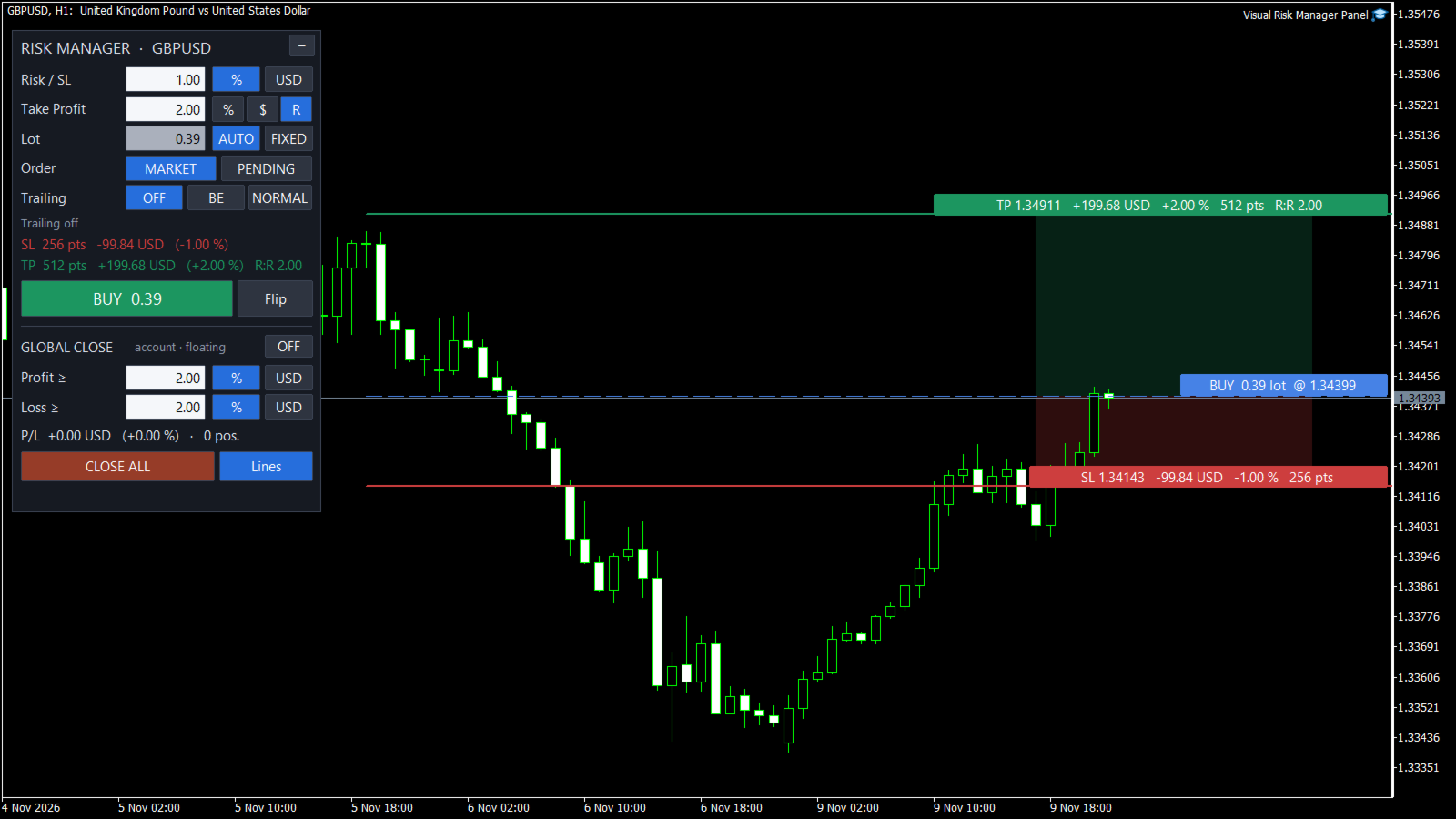
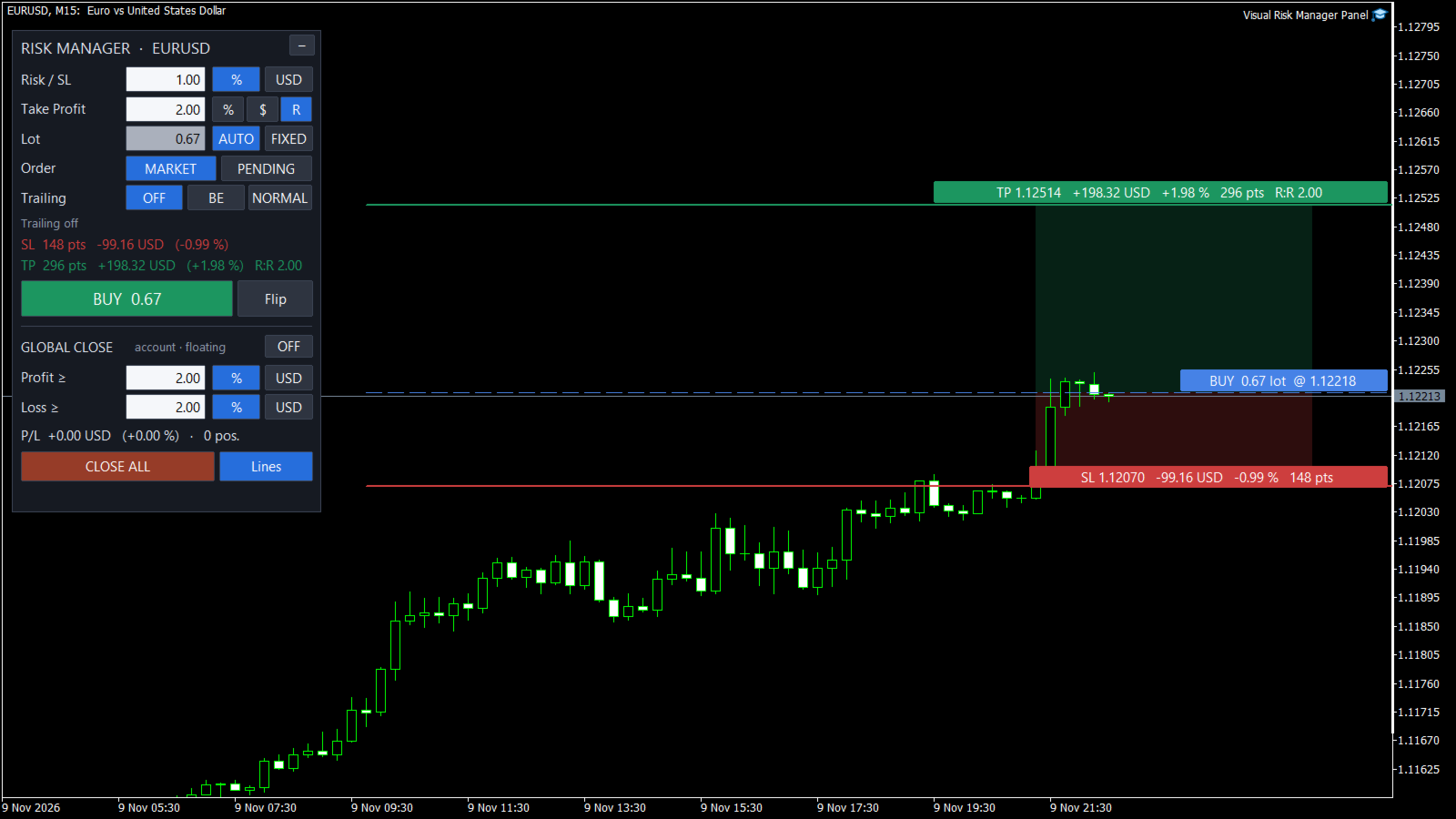
Visual Risk Manager Panel

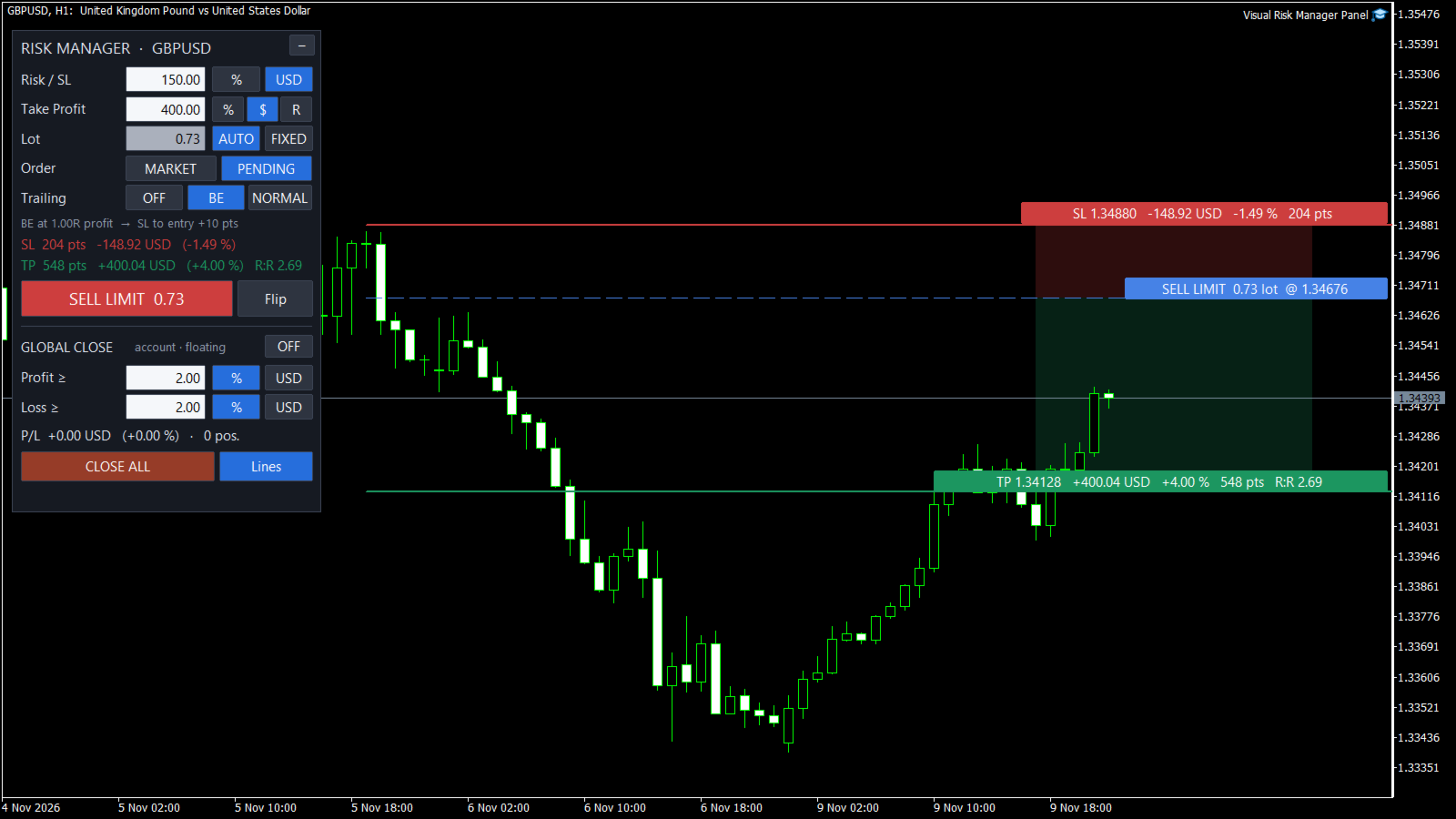
Visual Risk Manager Panel is a trade panel for MetaTrader 5 that puts risk first. You decide how much you accept to lose on a trade, as a percentage of your account or as an amount of money, and the panel computes the lot size, draws the trade on the chart and manages it for you.

Main features

  • Risk in % or in cash. The lot is calculated automatically from your risk and from the stop loss distance. A fixed lot mode is also available: the stop loss is then placed where the loss equals your risk.
  • Take profit in %, in cash or in R (multiple of the risk).
  • Visual and interactive. Entry, stop loss and take profit lines are dragged with a single click. A tag on each line shows the price, the money, the percentage, the points and the reward-to-risk ratio.
  • Market and pending orders. The button shows exactly what will be sent: BUY, SELL, BUY LIMIT, SELL STOP and so on.
  • Break-even and trailing stop, with thresholds in R or in points.
  • Global close. All positions are closed when the total profit or the total loss reaches a percentage or an amount. In daily mode the panel blocks new orders until the next day.
  • Close All button, confirmation before each order, foldable panel.
  • Works on forex, metals, indices and crypto, with any account currency, on netting and hedging accounts.

How to use it

  • Attach the panel to a chart and enable Algo Trading.
  • Type your risk and drag the red line to your stop loss level: the lot is updated instantly.
  • Check the tags, then click the BUY / SELL button.

Inputs

  • Risk: unit (% or cash), value, automatic or fixed lot, basis for percentages (balance or equity).
  • Take profit: unit (%, cash or R) and value (0 = no take profit).
  • Trailing: mode (off, break-even, normal), unit of the thresholds (R or points), break-even trigger and offset, trailing start, distance and step.
  • Global close: on/off, scope (whole account or chart symbol), measured result (floating or day), profit target, loss limit, deletion of pending orders.
  • General: management of manually opened positions, confirmation, maximum slippage, magic number, order comment, panel position.

The panel is an interactive tool: buttons and line dragging need a live chart (demo or real account) and do not work in the Strategy Tester. The panel never opens a trade on its own. It does not predict the market and does not guarantee any profit.
More from author
TSM Breakout
Ludovic Marc Marie Moncla
TSM Breakout is a fully automated Expert Advisor implementing time-series momentum - the most extensively documented market anomaly in the academic literature (Moskowitz, Ooi & Pedersen; the classic Turtle rules) - combined with a daily trend filter. HOW IT TRADES - Buys when the close breaks above the highest high of the last 55 bars; sells on a break of the lowest low - Initial stop loss proportional to volatility (2 x ATR) on every single trade - no exceptions - Exit on a break of the opposi
ICT Order Blocks Structure
Ludovic Marc Marie Moncla
ICT Order Blocks Structure finds and draws ICT / Smart Money order blocks automatically, directly from market structure. It does not guess zones from candle colour alone: an order block is only drawn after price confirms it with a break of structure, and it stays on the chart only while it is still valid. How it works Swing points – swing highs and lows are detected with a configurable number of bars on each side. Break of structure – a candle close above the last swing high (or below the last s
Trend Pulse Signals
Ludovic Marc Marie Moncla
Trend Pulse Signals draws a trend line that follows volatility and gives buy and sell signals that are confirmed when the candle closes. Signals are never repainted: what you see in the history is what you would have seen live. Main features ATR trend line , green in an uptrend and red in a downtrend. Buy and sell arrows printed only on closed candles, with an optional EMA trend filter. Levels of the last signal: entry, stop loss and three targets expressed as multiples of the risk. Statistics p
Mirror Trade Copier
Ludovic Marc Marie Moncla
Mirror Trade Copier copies the positions of one MetaTrader 5 account to one or several other accounts running on the same computer or VPS. Attach it as Master on the source account and as Slave on each receiving account, with the same channel name. Main features Copies new positions, stop loss and take profit changes, partial closes and closes, several times per second. Lot size on the Slave: proportional to the balance, Master lot multiplied by a coefficient, or fixed lot. Symbol mapping: remov
News Guard
Ludovic Marc Marie Moncla
News Guard puts the economic calendar on your chart: the upcoming releases for the currencies you trade, their impact, a countdown and an alert before each one. It can also protect the account around high-impact news. Main features News panel for the currencies of the chart symbol, or for your own list of currencies: date, currency, impact, title and countdown. Vertical lines on the chart at the time of each release, coloured by impact. Alerts a chosen number of minutes before a release, as a po
Filter:
No reviews
Reply to review