Centron Genesis
- Indicators
- Version: 9.4
- Updated: 2 November 2026

Centron Genesis SS_v9 Trend System (FREE Version)
Welcome to Centron Genesis! We present to you a professional semi-automated analytical tool designed for traders who are tired of dangerous grid and martingale systems. We believe in honest, clean trading.
This is the FREE version of our flagship indicator, designed to give you a real experience of our trading logic.
🎁 What is included in the FREE version?
· Full functionality for two of the most popular trading instruments: XAUUSD (Gold) and EURUSD (Euro).
· No time limits. You can test it on a demo or real account for as long as you want.
· Lifetime access absolutely free.
⚠️ IMPORTANT: Limitations of the FREE Version
Please note that the FREE version generates full trading signals (balls, arrows, and alerts) STRICTLY on XAUUSD (Gold) and EURUSD (Euro).
If you attach the indicator to any other currency pairs (GBPUSD, USDJPY, AUDJPY, etc.), only the informational panel will be displayed with a notification: FREE VERSION: full signals on XAUUSD / EURUSD only. No visual signals or alerts will be generated on other pairs.
To trade on all 30+ currency pairs with full accuracy, please use our PRO version.
🔥 Key Features & Trading Logic:
· M30 + M1 Synergy: The indicator analyzes the higher timeframe (M30) to determine the main trend and waits for a strict confirmation signal on the lower timeframe (M1).
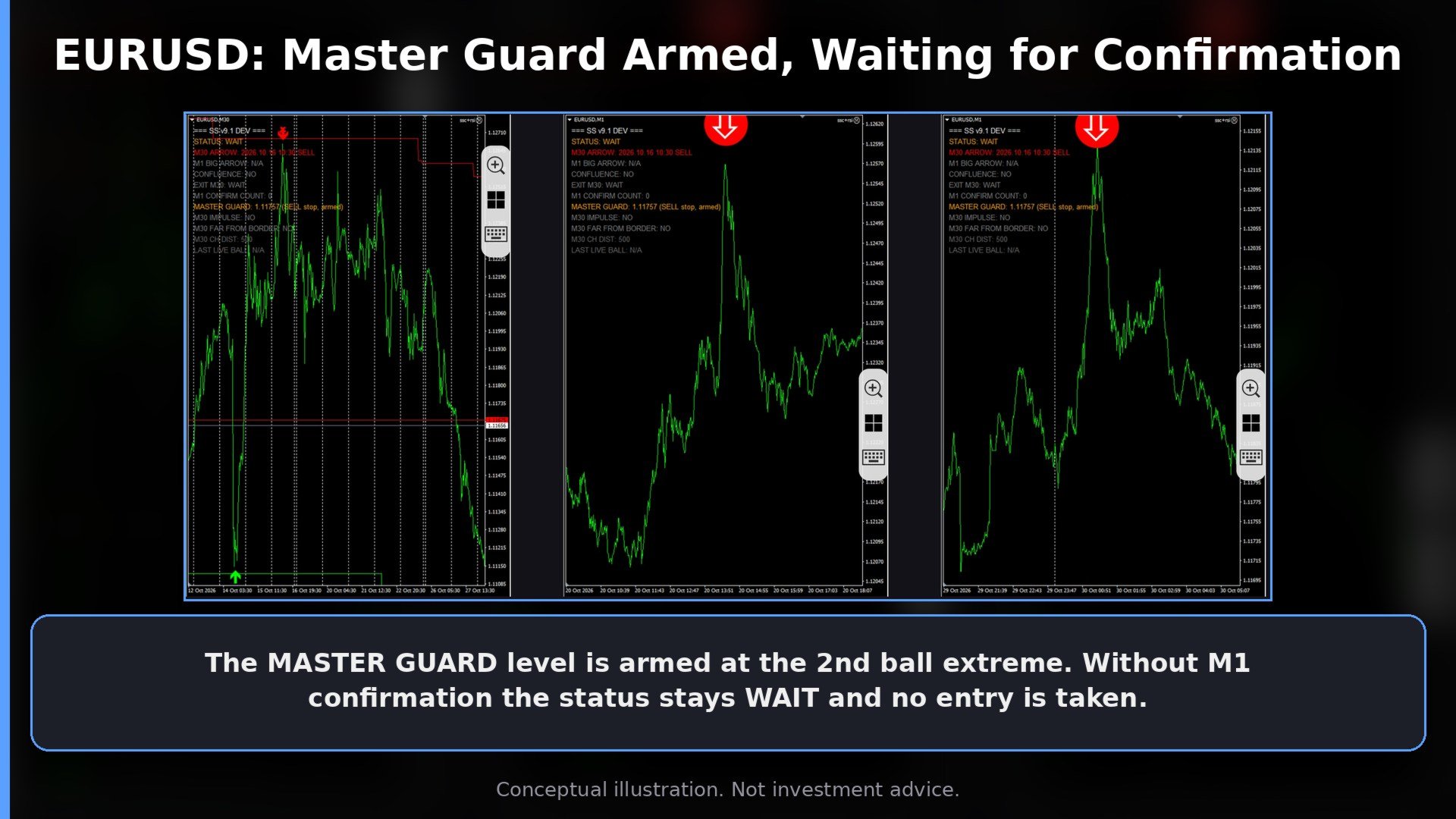
· Master Guard (Risk Management): The algorithm automatically calculates the Stop Loss level based on the signal's extreme. It helps you protect your deposit from sudden market reversals.
· "Black Box" System: All internal technical parameters, filters, and settings are hidden. You cannot accidentally break the logic.
· No Repaint: Signals are strictly fixed on closed bars.
📊 How to read the Info Panel:
· STATUS: [ WAIT / GO! ] — WAIT means the system is waiting. GO! means a confirmed entry signal has occurred.
· M30 ARROW / M1 BIG ARROW — Displays the time and direction of the last signals.
· CONFLUENCE: [ YES / NO ] — Confirms if the M30 trend and M1 signal match.
· M1 CONFIRM COUNT: [ 0/1/2 ] — Counter for delayed synergy. If it reaches 2, a valid entry signal is generated.
· EXIT M30 / MASTER GUARD — Shows the exit signal or the recommended Stop Loss level.
🛠 Installation Guide:
1. Open MetaTrader 4.
2. Go to File -> Open Data Folder.
3. Open the MQL4 folder, then the Indicators folder.
4. Copy the downloaded .ex4 file into this folder.
5. Restart MetaTrader 4 or right-click in the "Navigator" window and select "Refresh".
6. Open the EURUSD or XAUUSD chart and switch to the M1 timeframe.
7. CRITICAL: Scroll your chart back (press the "Home" key) to load enough historical data.
8. Drag the indicator onto the M1 chart and click OK.
📢 Community & Support (Telegram):
We are building a community of sane traders! We share live signals, discuss logic, and provide direct support.
👉 How to join: Due to MQL5 rules, we cannot post direct links here. Please go to my Seller Profile and look at the "About Me" section. The Telegram link is there.
⚠️ Risk Warning:
Trading involves high risks. This indicator does not guarantee profit. Always test on a demo account before using real funds. No grids
or martingales are used. Your capital is at risk.