Wave Volume Structure
- Indicators
-
Ahmed Hamed Hamed Eadwan
 Hello, I'm Ahmed — a trader and MQL5 developer based in the
United Arab Emirates, and the founder of R protocols.
I've been writing code since 1984 and trading the markets since 2006.
For many years, I developed trading tools for my own use, refining them
through real market experience. - Version: 1.0
- Activations: 5
Wave Volume Structure
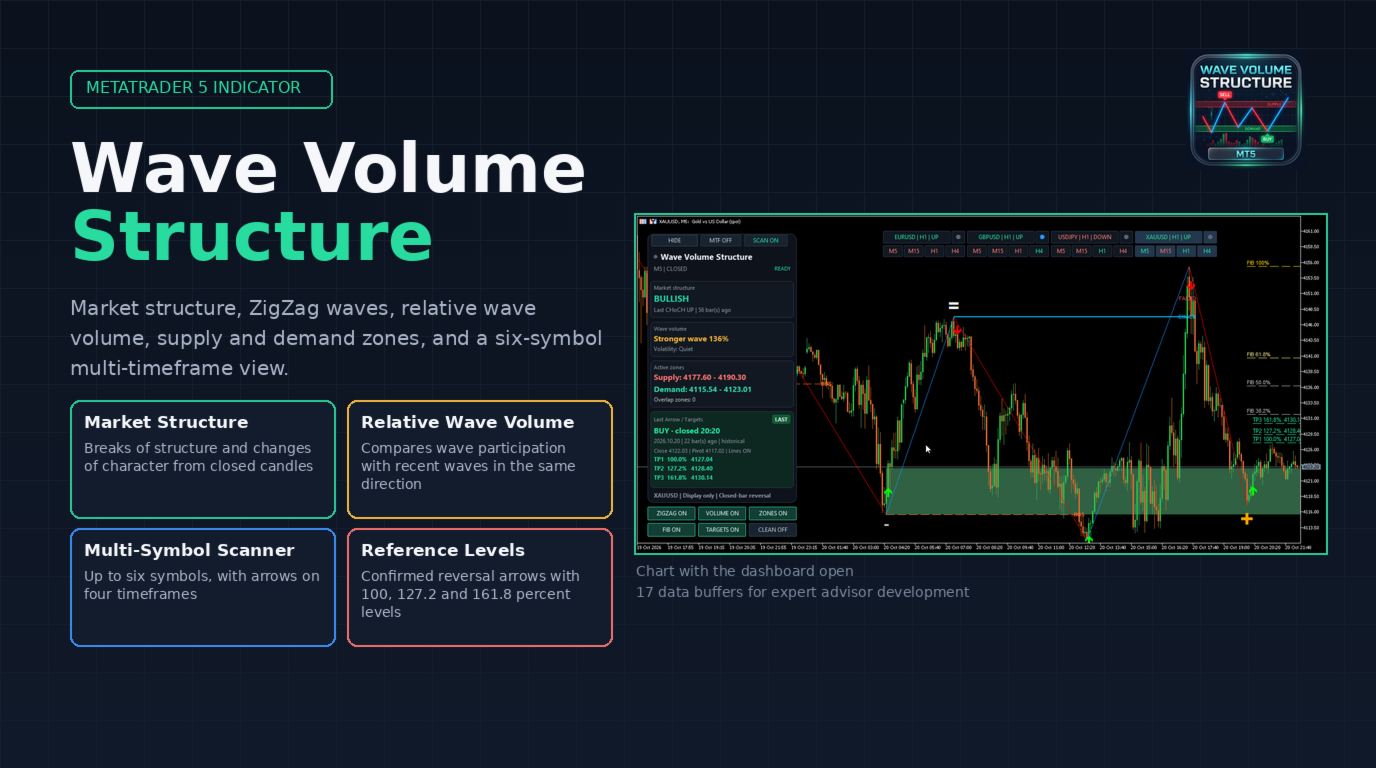
Wave Volume Structure is a MetaTrader 5 indicator for viewing market structure, ZigZag waves, relative wave volume, supply and demand zones, and optional reversal arrows. Its dashboard combines chart readings with views across several timeframes and symbols.
This is an analysis and visualization tool. It does not place trades, manage orders, or guarantee trading results. Buy and sell arrows and take profit reference levels are analytical displays, not instructions to trade or guaranteed outcomes.
Structure and zones
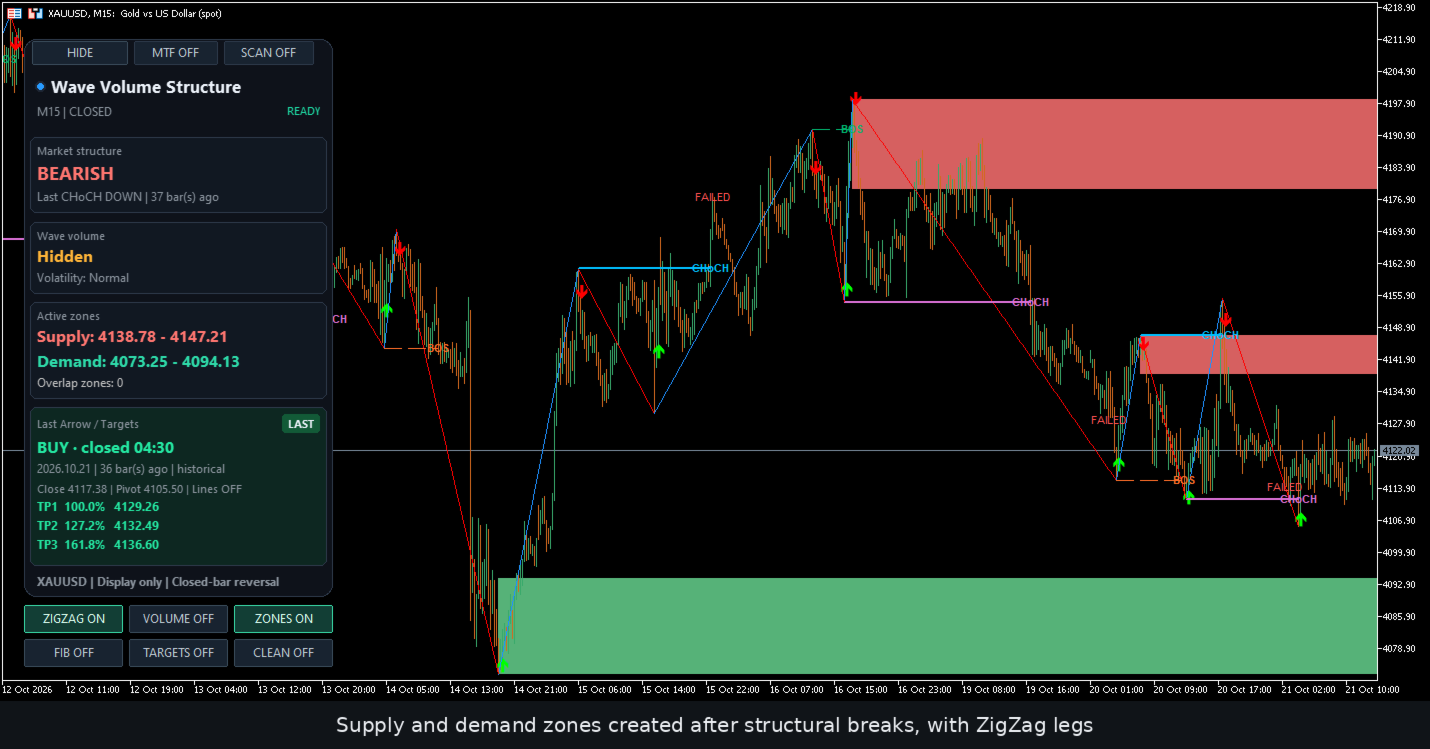
- Market structure marks breaks of structure and changes of character from closed candle breaks of ZigZag swing levels.
- Wave display draws rising and falling ZigZag legs, with an optional developing leg on the forming candle.
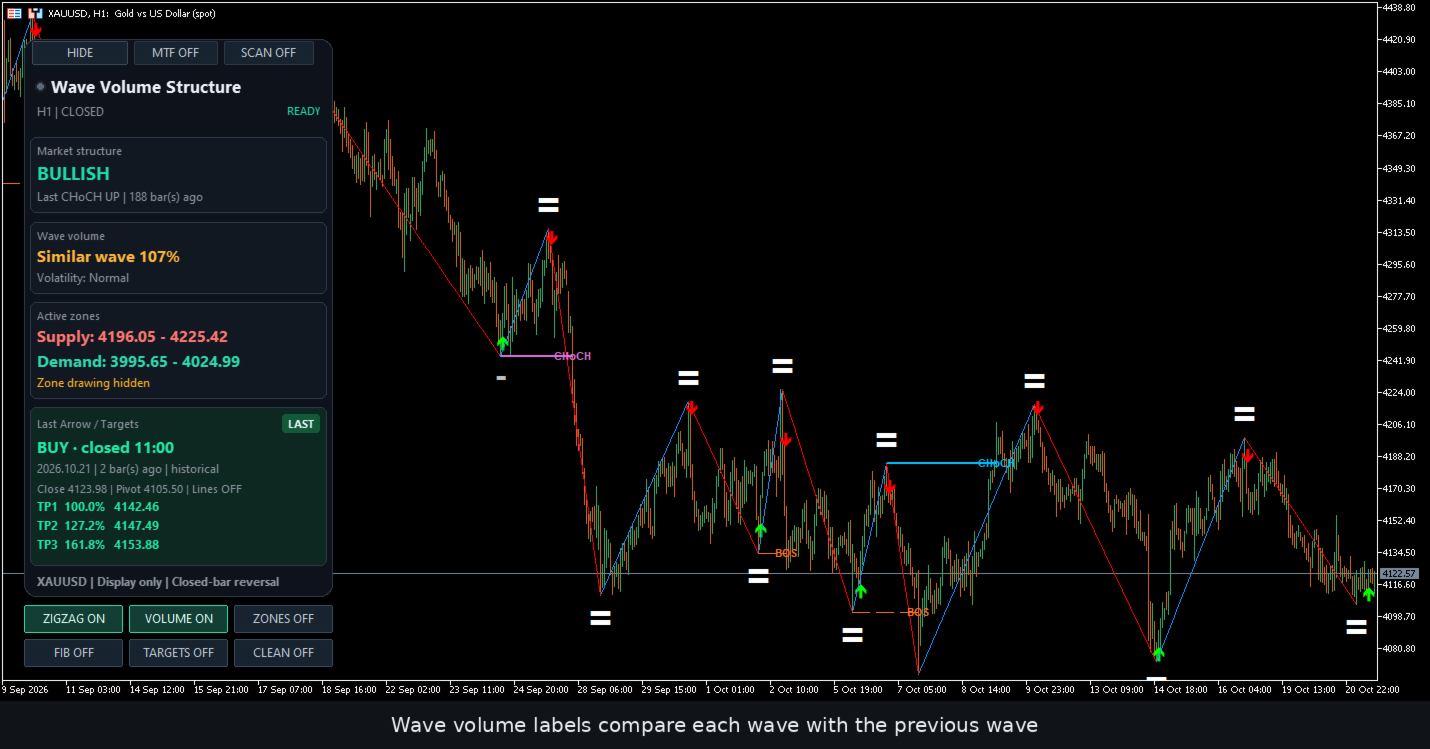
- Wave volume displays cumulative volume or relative participation. Relative readings compare average volume per bar with the median of up to three prior valid waves in the same direction.
- Supply and demand zones are created after structural breaks. The indicator tracks tests, invalidation, overlapping zones, and failed tests. Wick mode checks the completed candle's high or low against the boundary. Close mode checks its closing price.
Arrows and levels
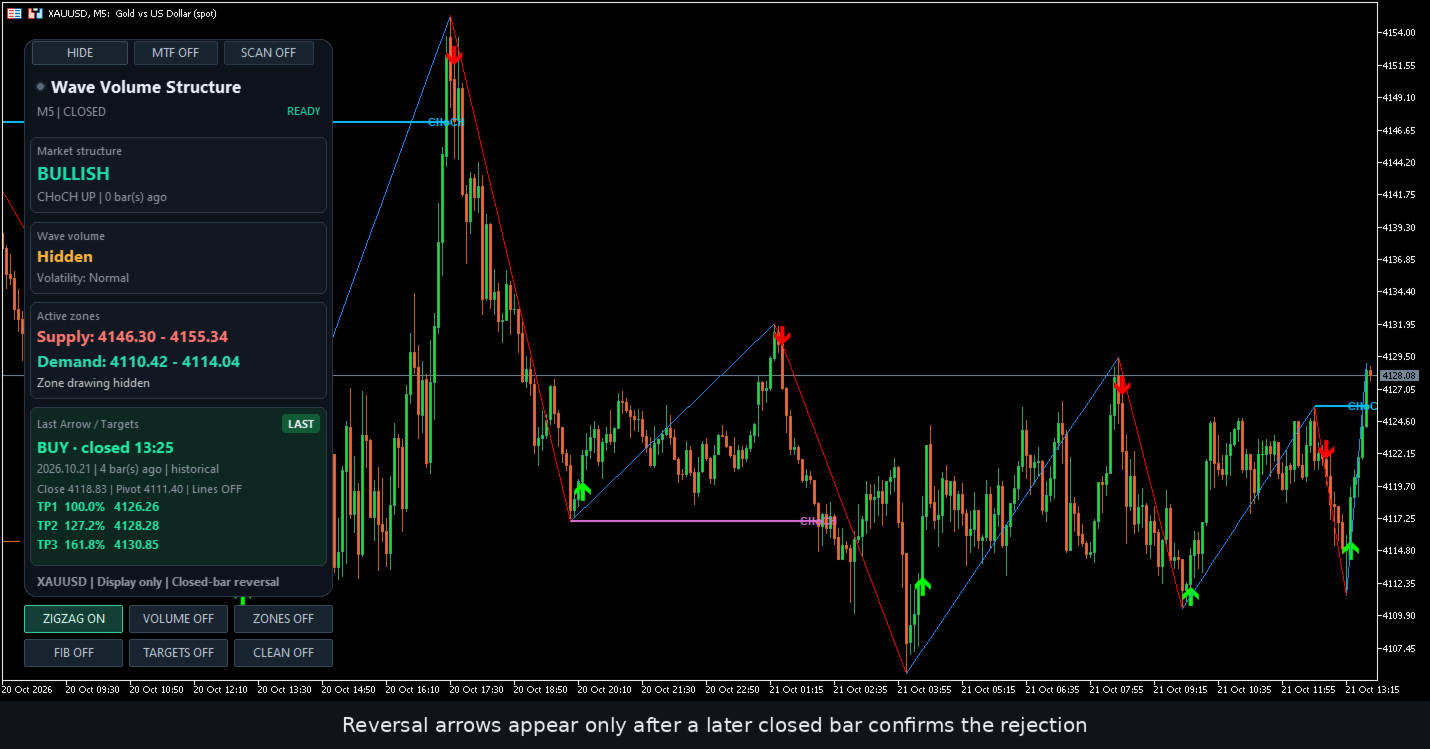
- Reversal arrows offer confirmation from closed rejection candles. Optional filters check divergence between price and Williams' Percent Range, or weakening wave volume. The volume filter can also compare price movement per bar.
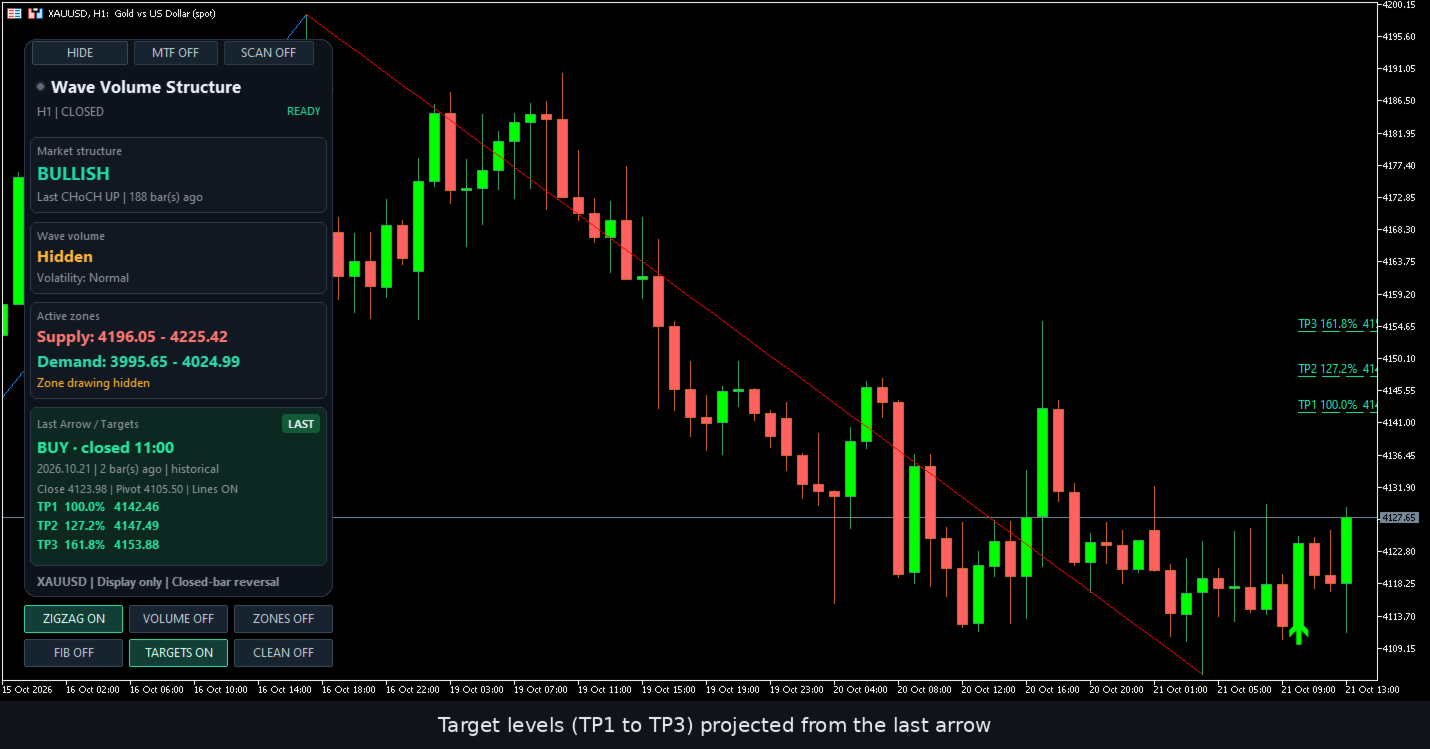
- Reference levels include Fibonacci levels and three target projections at 100 percent, 127.2 percent, and 161.8 percent. Targets use the last closed arrow's candle close and its distance to an eligible earlier pivot. These are display levels only, with no order placement or target hit detection.
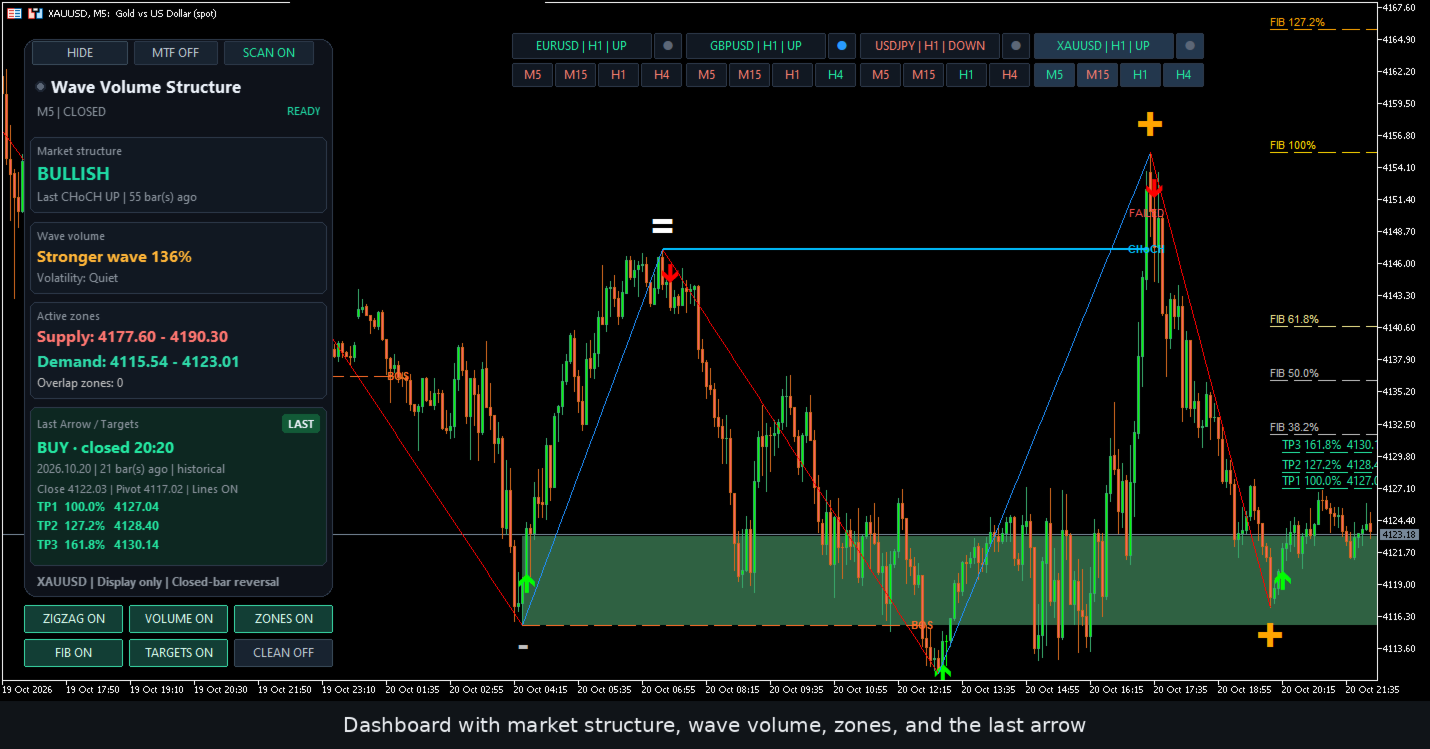
The three projections are labelled TP1, TP2, and TP3 on the chart. The TARGETS button shows or hides these projections.
Dashboard and symbol views
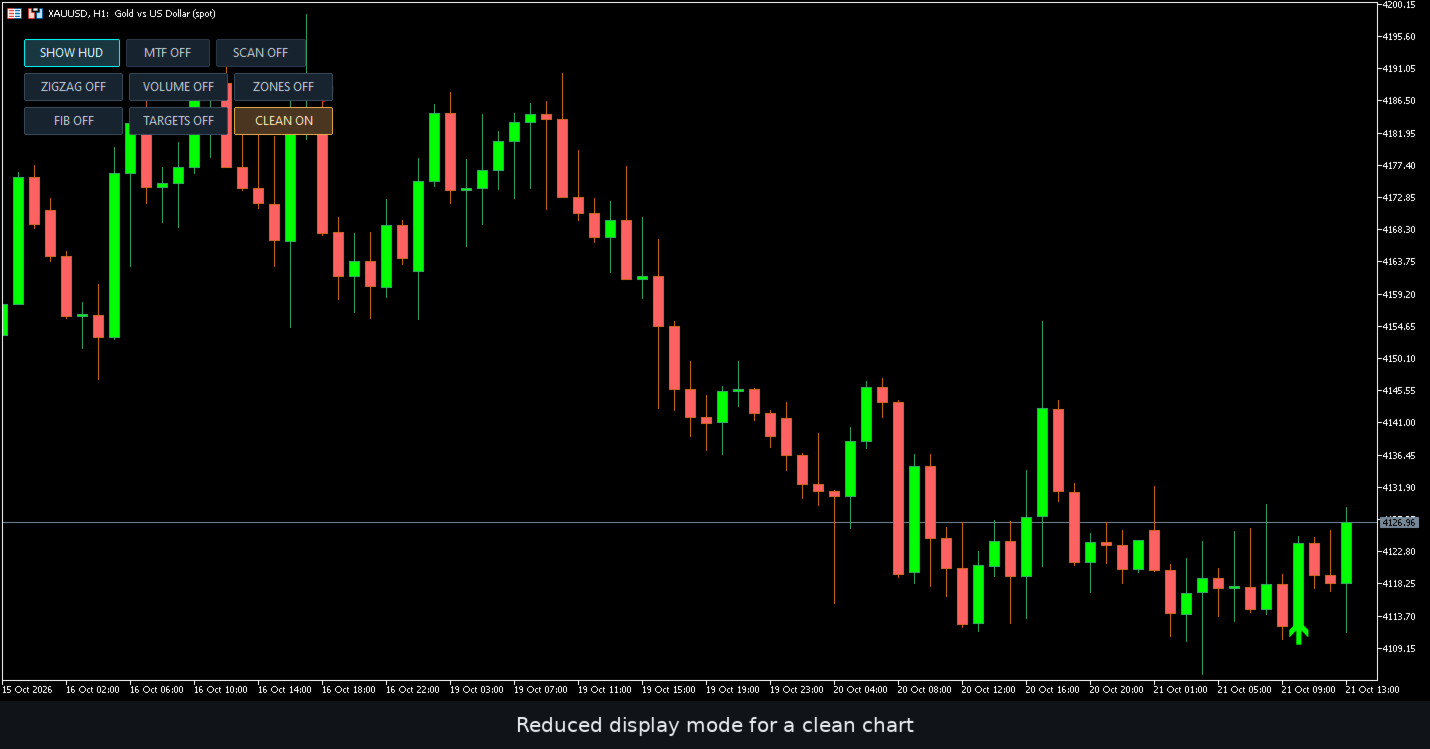
The dashboard shows market structure, wave volume, volatility, active zones, and details of the last arrow. Controls toggle waves, volume labels, zones, Fibonacci levels, targets, a reduced display mode, and panel visibility. A Legacy dashboard style remains selectable as an alternative to the default canvas dashboard.
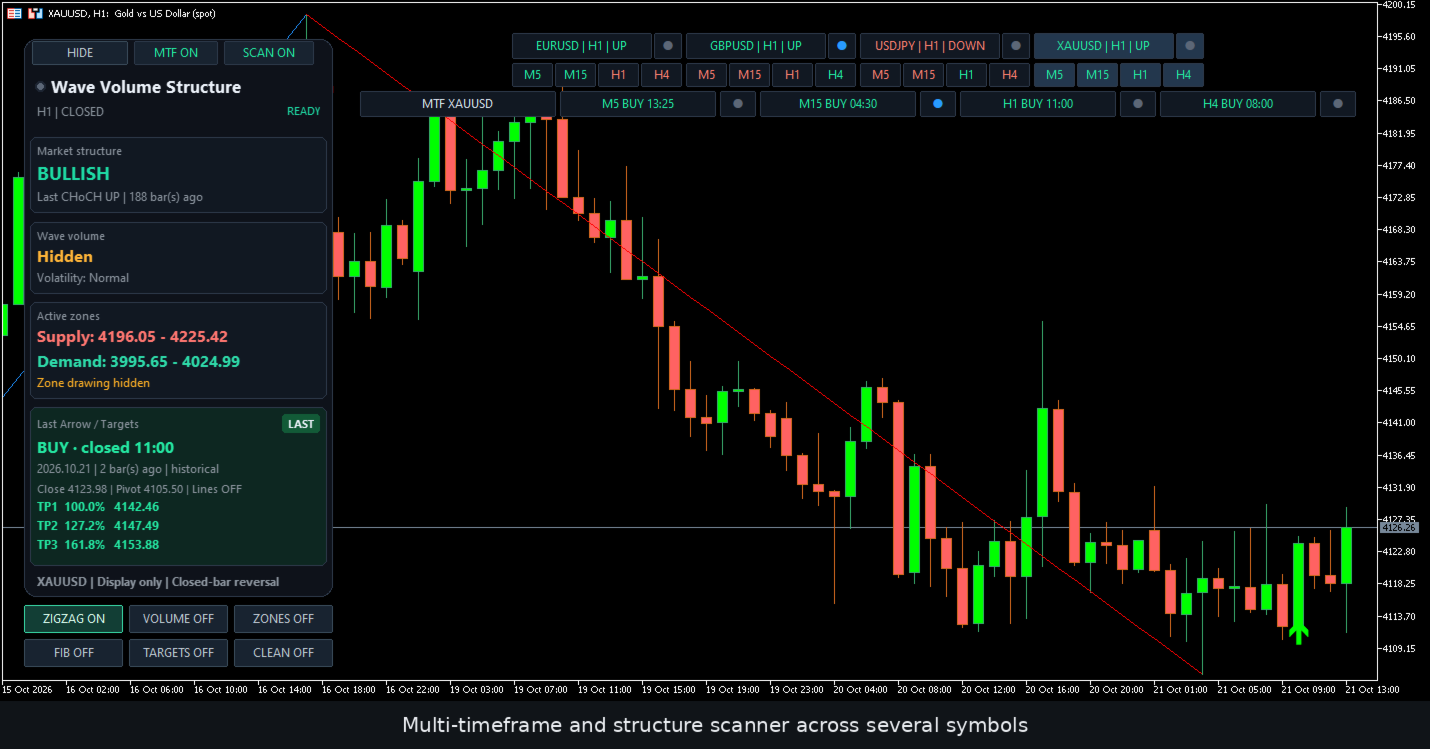
The multi-timeframe bar, shown as MTF on the chart, shows the latest historical arrow found on a closed candle for the five minute, fifteen minute, one hour, and four hour timeframes. Displayed times refer to the arrow candle's close in server time, not necessarily the current candle. A reading of NONE means that no arrow was found in the available closed-bar calculation history. WAIT means that the required data or calculation is not yet ready.
The scanner, opened with the SCAN button, supports up to six symbols in total, including the chart symbol. Cards show structural direction on a selected reference timeframe, one hour by default. Optional miniature panels show arrows from the four timeframes listed above. Clicking a card changes the symbol inspected by the timeframe bar without changing the main chart.
Structure and arrow direction are independent. A bullish structure can coexist with a sell arrow, or vice versa. The latest arrow may be historical rather than a new event.
Optional divergence lamps compare price with Williams' Percent Range. Blue indicates detected divergence, gray indicates none, and yellow indicates waiting for data or an eligible reference. The lamps provide context and do not activate the separate arrow divergence filter.
Recalculation and arrow modes
The underlying ZigZag calculation includes the forming candle. Historical pivots, waves, and derived marks can move, disappear, or appear on earlier candles during recalculation or history updates. Placement on a closed candle does not mean that a mark is permanent or was available in real time at that candle.
With reversal confirmation enabled, arrows are placed on qualifying closed rejection candles after a pivot. A live pivot arrow mode is available when reversal confirmation and the volume filter are both disabled and the confirmation bar count is zero. Hiding the developing wave leg does not prevent other layers from changing during recalculation.
Optional pivot locking retains selected pivot records in memory. Confirmed arrow pinning requires reversal confirmation and stores up to 512 arrows per indicator instance. Both features are limited to the current indicator session. Reinitializing or removing the indicator, changing its timeframe, or restarting the terminal resets these records. They do not freeze every analytical layer.
Settings and display controls
Swing settings include depth, price deviation in symbol points, the backstep window, and the history window. The backstep window suppresses weaker candidates of the same type. It is not a guaranteed minimum distance between opposite pivots.
Reversal confirmation is enabled by default. The divergence and weakening wave filters, pivot locking, and arrow pinning are disabled by default. Wave lines, volume labels, Fibonacci levels, and target lines start hidden in a fresh session. The controls can enable these layers and open the timeframe bar and scanner.
An optional chart arrow matching setting is disabled by default. When enabled, arrow cells matching the chart's symbol and timeframe read the chart's own closed arrow buffer. Other cells use separate calculation instances, which can retain different calculation states. This setting changes the local arrow display source, not structure, divergence lamps, or the arrow algorithm.
Operating requirements
- MetaTrader 5 requires sufficient synchronized price history. Scanner symbols must match the broker's exact names, including any suffix or prefix.
- Updates are driven by ticks arriving on the host chart, not by an independent timer. Readings for other symbols may wait for history or calculation readiness.
- Tick volume is the default. Real volume requires data supplied by the broker or exchange. Selecting real volume does not automatically fall back to tick volume if it is unavailable.
- Alerts are optional and the master alert switch is off by default. Popup, push, sound, and email channels are configurable. Push and email require the corresponding terminal settings.
- The calculation core and font resources are embedded in the compiled product. No additional font installation or external services are required.
For automated strategy development, the main indicator provides 17 data buffers for arrows, pivots, oscillator readings, waves, filter diagnostics, market structure, and zone boundaries. These historical values remain subject to recalculation.