Order Blocks Precision EA
- Experts
-
Carlos Dante Diaz
 Hi, I'm Carlos Díaz, a programmer and algorithmic trader from Argentina with more than 10 years of experience as a trader. I design, code and test all my Expert Advisors in MQL5, using MetaEditor and the MetaTrader 5 Strategy Tester.
 - Version: 1.1
- Updated: 2 October 2026
- Activations: 20
Order Blocks Precision EA
Order Blocks Precision EA is an automated Expert Advisor for MetaTrader 5 that trades order blocks using pending limit orders.
How it works
The EA looks for a clear directional move of at least three consecutive candles. Once the move is confirmed, it places a limit order at the origin of that move:
- Long setups: at the high of the last red candle before the bullish move.
- Short setups: at the low of the last green candle before the bearish move.
The stop loss is based on the range of that last opposite candle, and the take profit is a multiple of the stop distance that you set. Every order is sent with its stop loss and take profit already defined. The EA does not use martingale or grid techniques.
Built-in filters
Three filters check market conditions before an order is placed: one for directional strength, one for volatility (it only allows trading when volatility is inside a range relative to its own recent average), and one for market activity. Each filter has its own settings.
Trade management
- Pivot-to-pivot trailing stop, which can be enabled or disabled from the parameters.
- Automatic exit when a very large candle appears in the direction of the trade.
- Pending orders stay active until they are filled or replaced by a more recent setup.
Risk and settings
- Two position sizing modes: percentage of balance risked per trade, or fixed volume.
- Take profit ratio, entry distance and trailing margin are adjustable.
- Long and short trades can be enabled separately.
- Optional trading time window and optional time to close all positions and pending orders.
Recommended use
The EA is designed for M5 and M15 and can be used on several symbols. Spreads, commissions and execution differ between brokers, so please run the Strategy Tester with your own broker's data and start on a demo account before trading live.
Very important: Magic Number. Use a different Magic Number on every chart where you load the EA, whether it is another symbol or the same symbol on another timeframe (for example, SP500 on M5 and on M15). If two charts share the same Magic Number, each one acts on the other's positions and orders: it may close trades, move the trailing stop, or replace pending orders that do not belong to it.
Usage and optimization recommendations
- Each run of the genetic algorithm explores about 10,000 combinations; the time it takes depends on your computer.
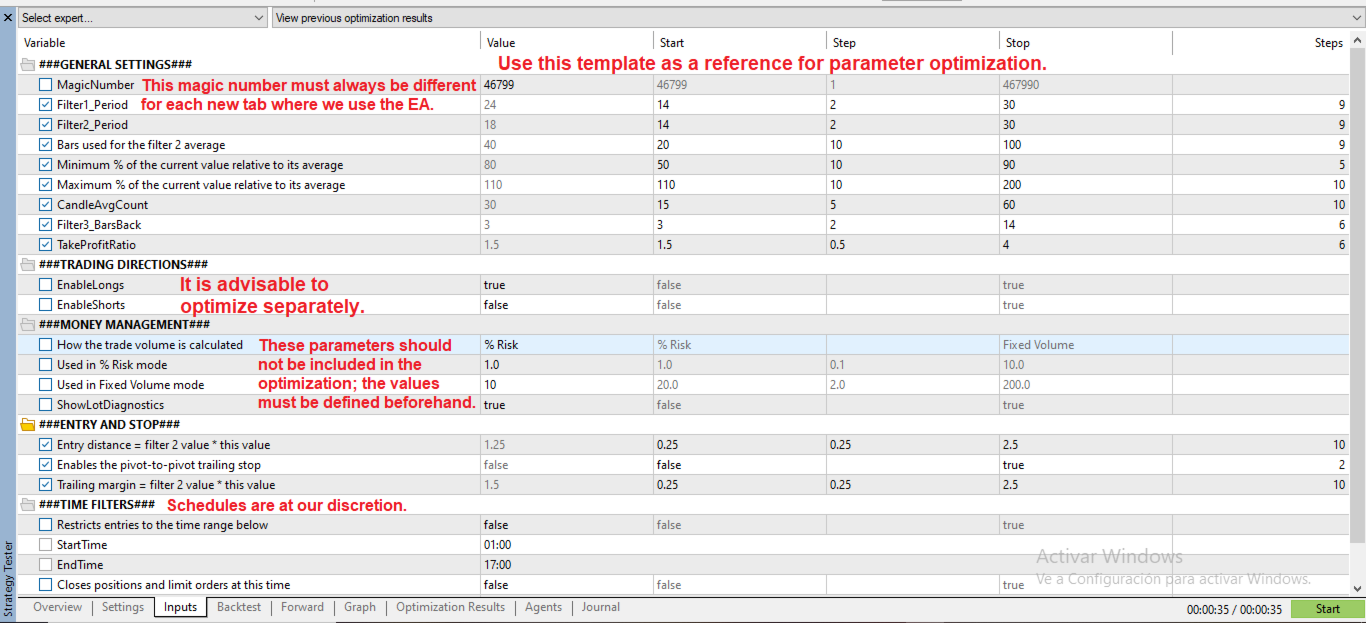
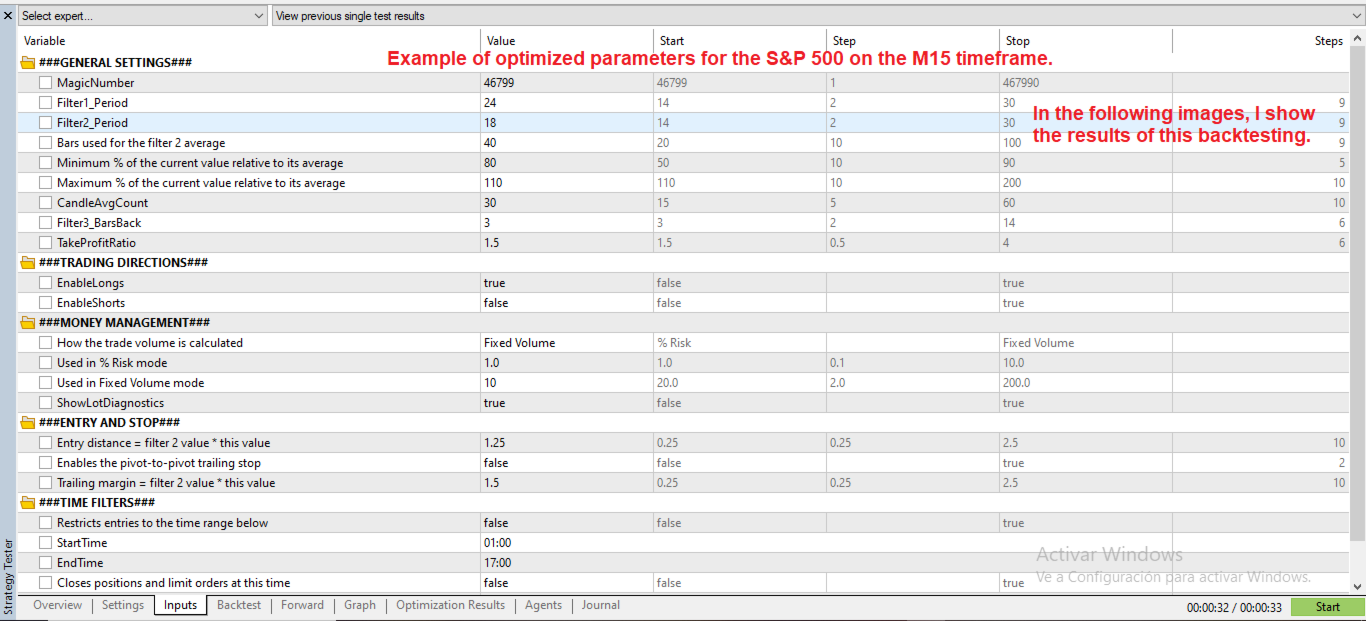
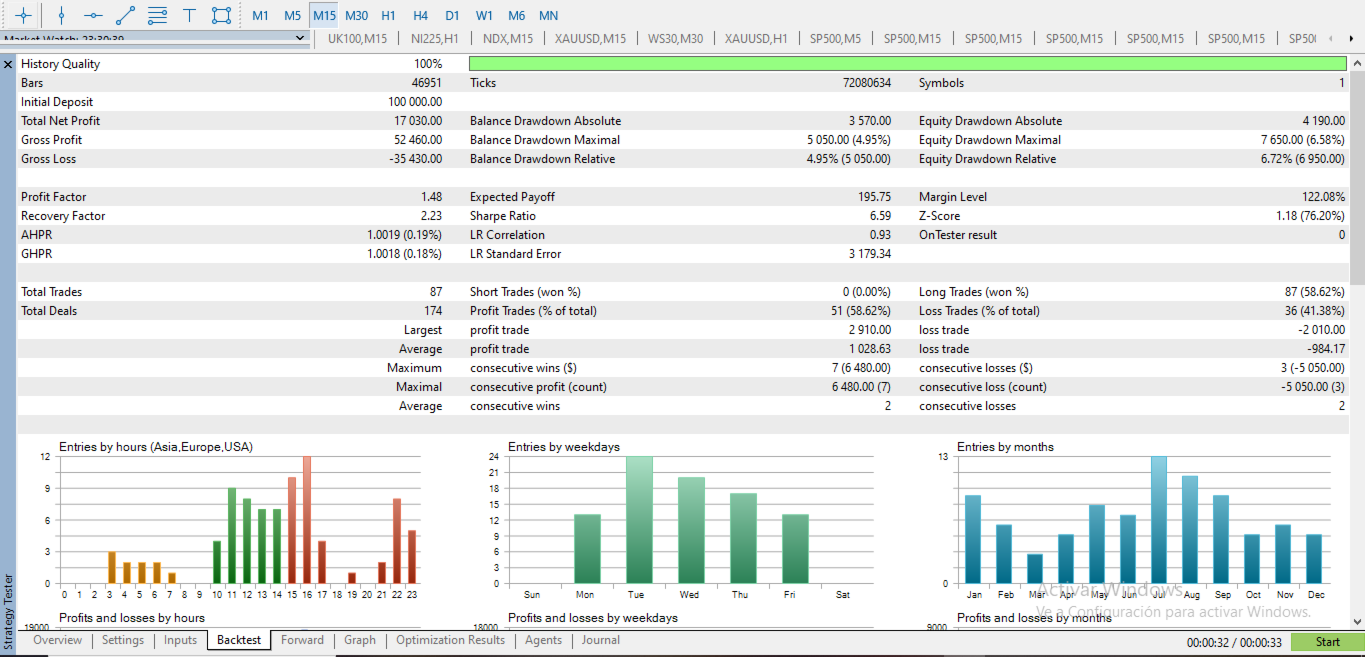
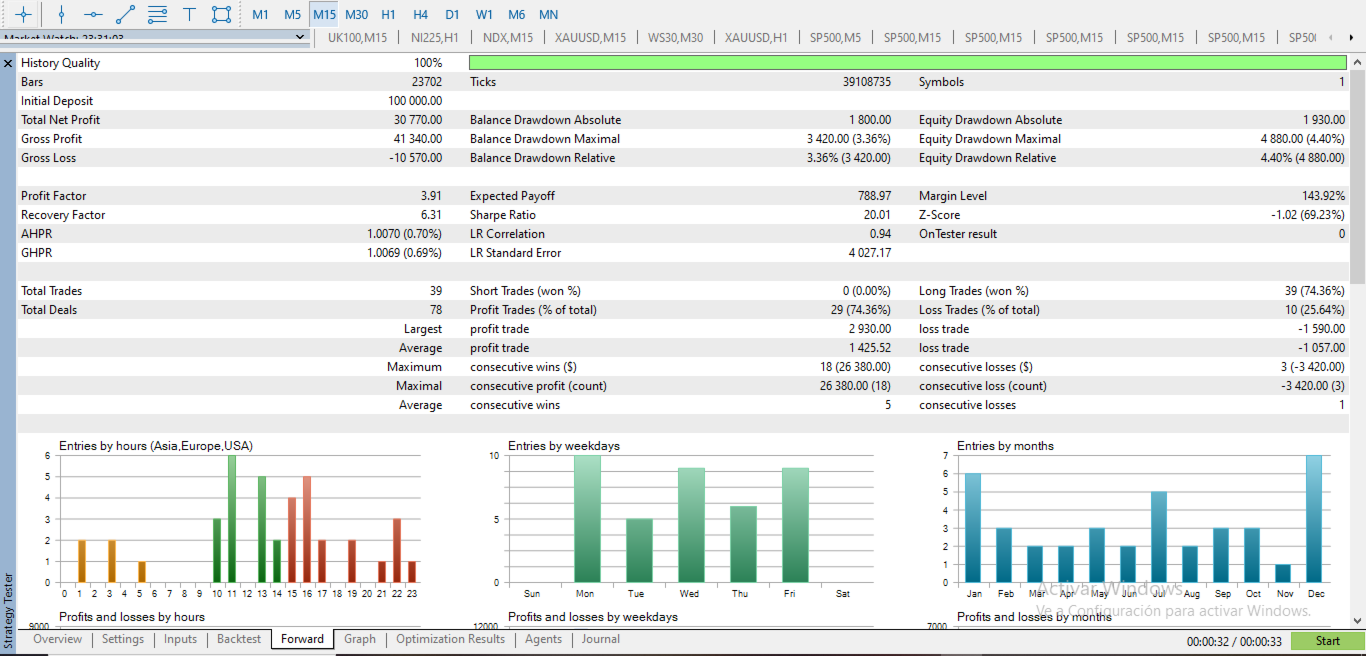
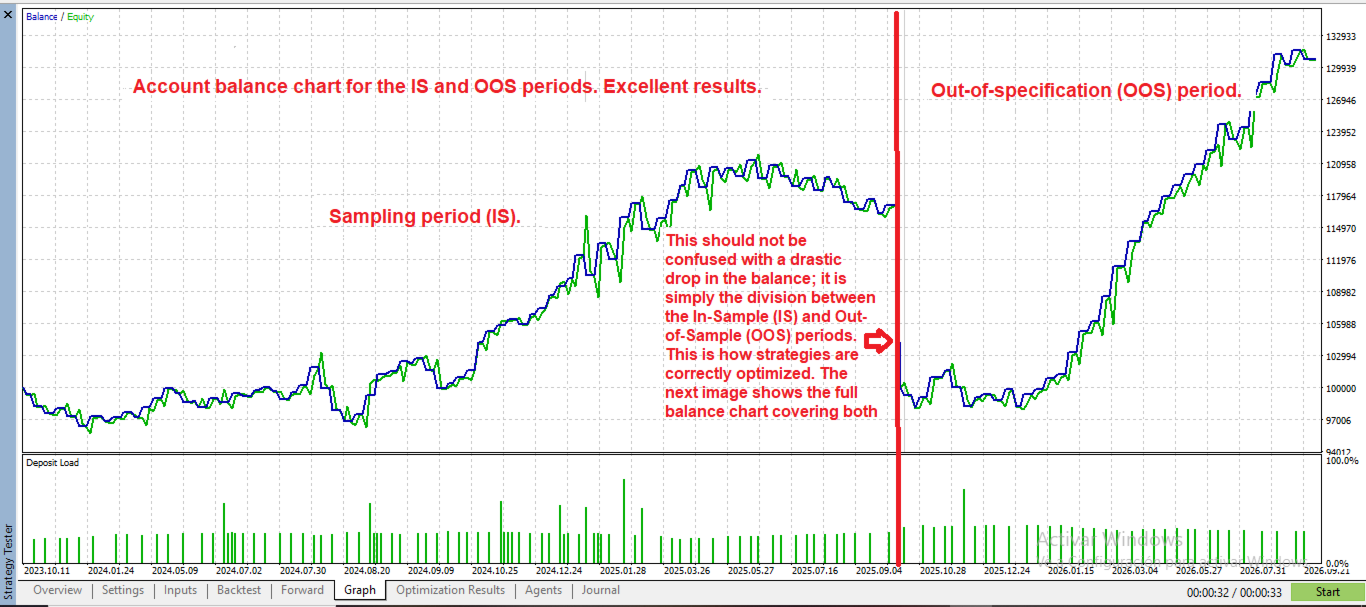
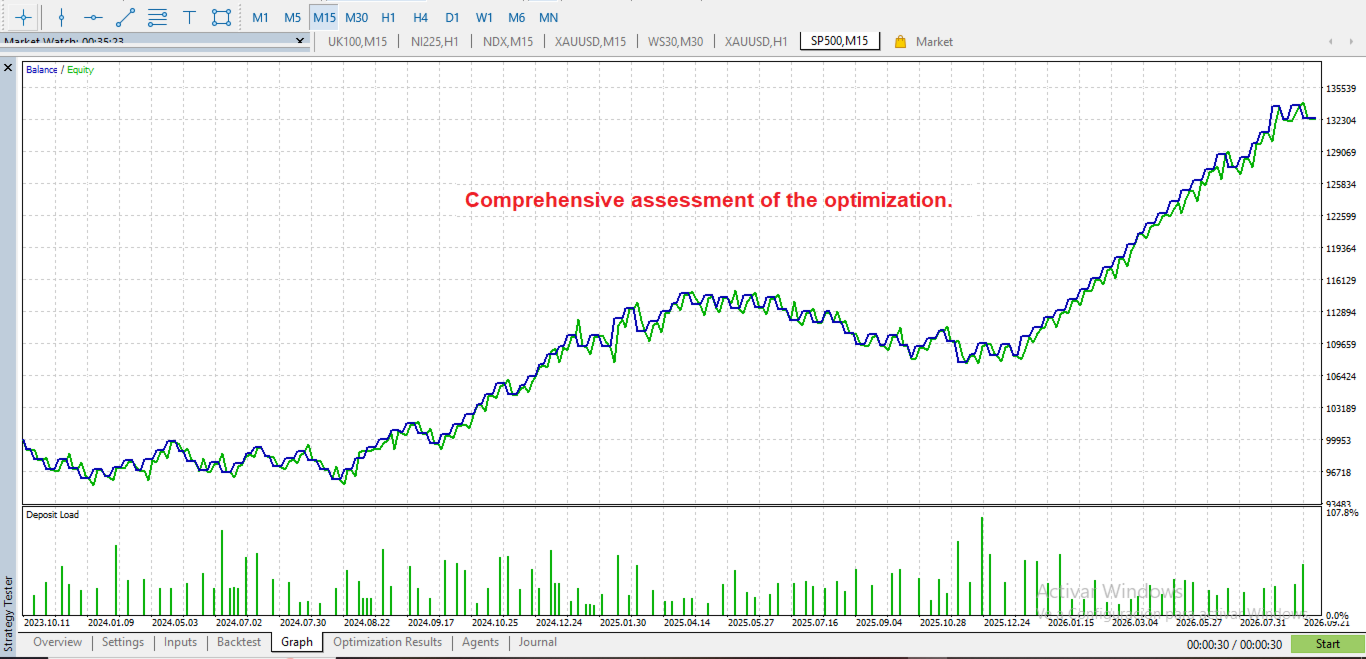
- The screenshots include an example optimization setup, which works as a starting point for different symbols.
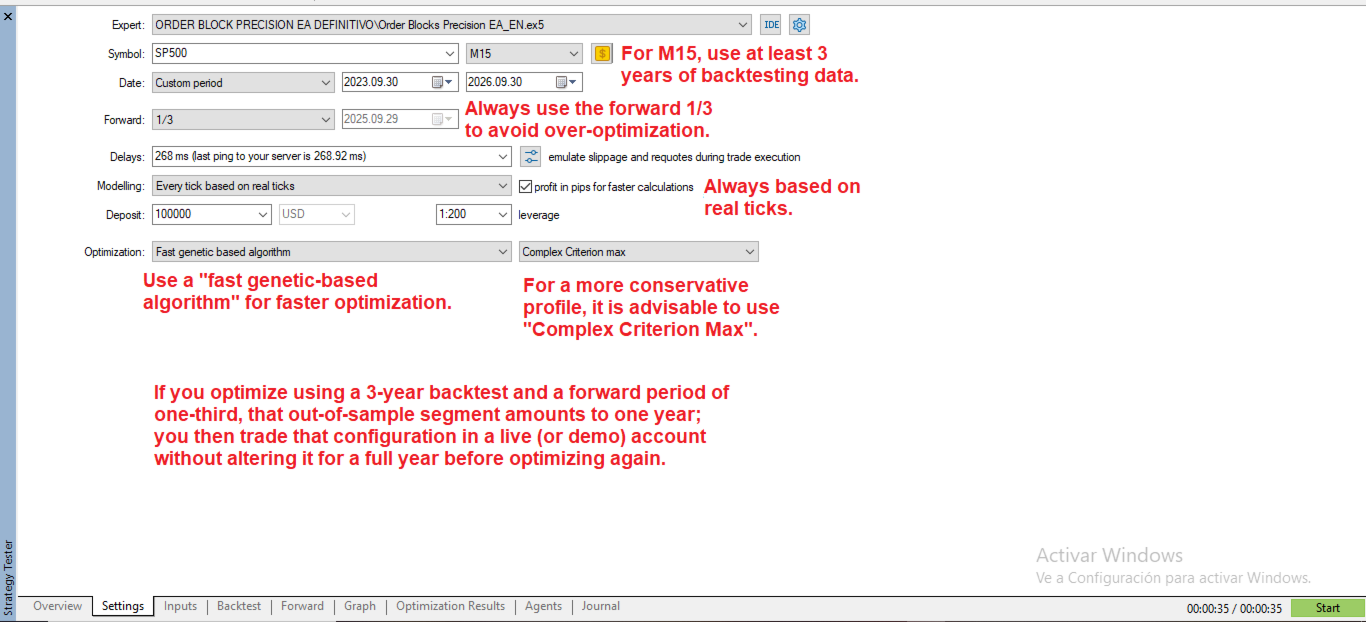
- Always use a forward period in the optimization, and then trade on a demo account for the same length of time as the forward period before going live.
- Start with both long and short trades enabled. If, after analyzing the results, one side performs clearly worse than the other, you can optimize them separately or leave enabled only the side that works best.
- The EA is designed to be optimized with risk in %. If on some symbol it does not work well this way, which is uncommon, use fixed volume. You can also choose it if you simply prefer to work with a fixed lot size.
- The trailing stop can be tested enabled and disabled: it is one more parameter in the optimization, and you can leave it fixed at the value that performs best on your symbol.
- Suggested modeling: "Every tick based on real ticks", optimization with the fast genetic based algorithm and the "Complex Criterion max" criterion.
Suggested optimization values
| Parameter | Default value | Start | Step | Stop |
|---|---|---|---|---|
| Filter1_Period | 17 | 14 | 2 | 30 |
| Filter2_Period | 14 | 14 | 2 | 30 |
| Bars used for the filter 2 average | 50 | 20 | 10 | 100 |
| Minimum % of the current value relative to its average | 70 | 50 | 10 | 90 |
| Maximum % of the current value relative to its average | 150 | 110 | 10 | 200 |
| CandleAvgCount | 24 | 15 | 5 | 60 |
| Filter3_BarsBack | 5 | 3 | 2 | 14 |
| TakeProfitRatio | 1.5 | 1.5 | 0.5 | 4 |
| Entry distance = filter 2 value * this value | 0.8 | 0.25 | 0.25 | 2.5 |
| Enables the pivot-to-pivot trailing stop | true | false | – | true |
| Trailing margin = filter 2 value * this value | 1.1 | 0.25 | 0.25 | 2.5 |
The Magic Number, the volume mode and size, the long and short trade settings and the time filters are not optimized: leave them fixed according to your own risk criteria and trading approach.
What each parameter does
- Magic Number: identifies the trades of each instance of the EA. It must be different on every chart.
- Filter1_Period: period of the directional strength filter (filter 1).
- Filter2_Period: period of the volatility filter (filter 2).
- Bars used for the filter 2 average: number of bars used to calculate the reference average of filter 2.
- Minimum % of the current value relative to its average: minimum percentage of the current filter 2 value relative to its average. Below this value, no trades are taken.
- Maximum % of the current value relative to its average: maximum percentage of the current filter 2 value relative to its average. Above this value, no trades are taken.
- CandleAvgCount: number of candles used to calculate the average candle size, which the EA uses to classify candles, including the "giant candle" used by the automatic exit.
- Filter3_BarsBack: number of bars used for the average of the market activity filter (filter 3).
- TakeProfitRatio: multiple of the stop loss distance that defines the take profit.
- Entry distance = filter 2 value * this value: additional distance applied to the entry level. It is calculated as the filter 2 value multiplied by this value.
- Enables the pivot-to-pivot trailing stop: enables or disables the trailing stop.
- Trailing margin = filter 2 value * this value: margin kept from the last pivot when the stop is moved. It is calculated as the filter 2 value multiplied by this value.
Notes
- Enter times in HH:MM format, matching the opening time of a candle on your chart timeframe. The time filters use the local time of the computer or VPS where the terminal is running.
Risk warning: trading in financial markets involves risk of loss. Past results do not guarantee future performance. This EA does not promise profits.
Support is provided through the comments section of this product and through the mql5.com messaging system.