Equilibrium Boxes
- Indicators
-
Carlos Dante Diaz
 Hi, I'm Carlos Díaz, a programmer and algorithmic trader from Argentina with more than 10 years of experience as a trader. I design, code and test all my Expert Advisors in MQL5, using MetaEditor and the MetaTrader 5 Strategy Tester.
 - Version: 1.0
- Activations: 10
Equilibrium Boxes: dynamic balance areas with POC, ATR-based classification and EA-ready buffers
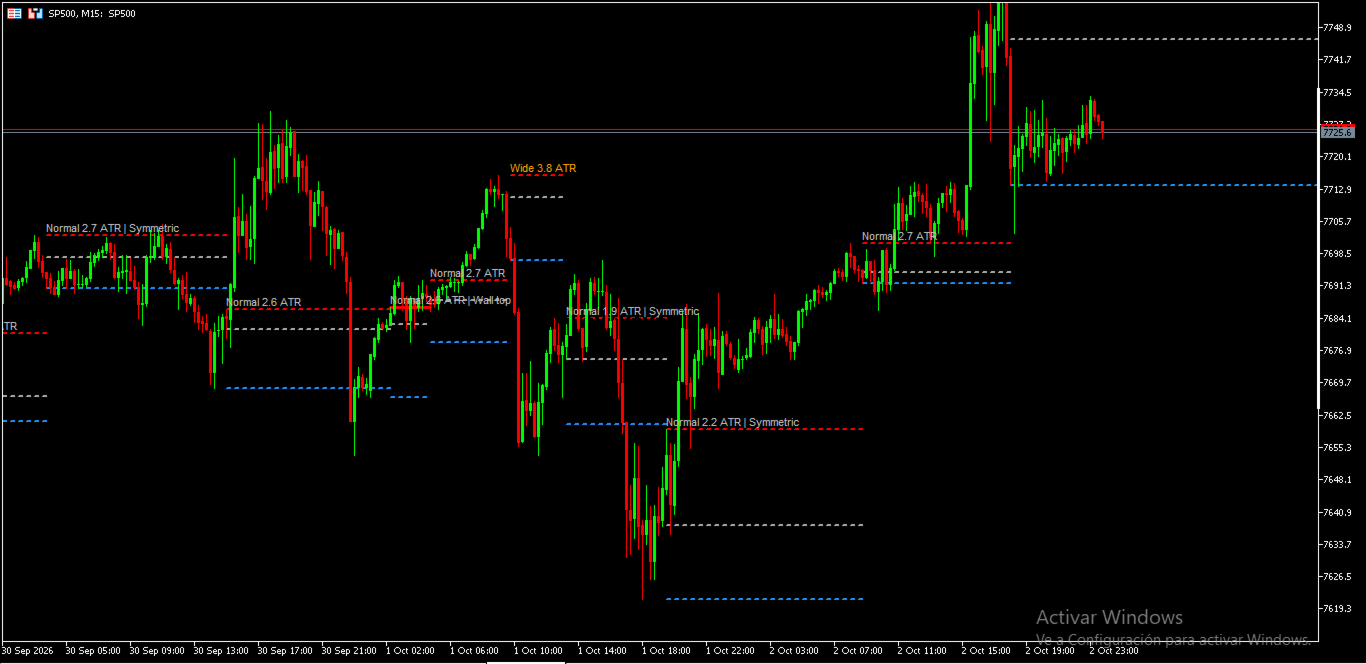
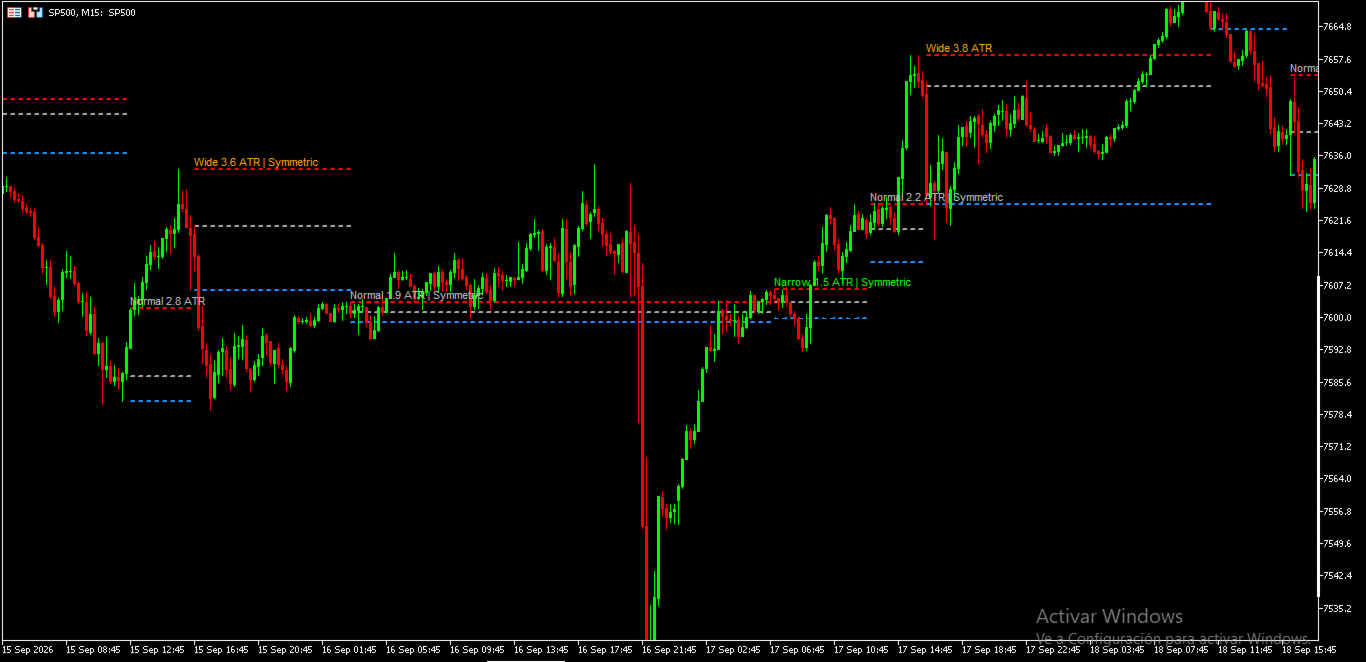
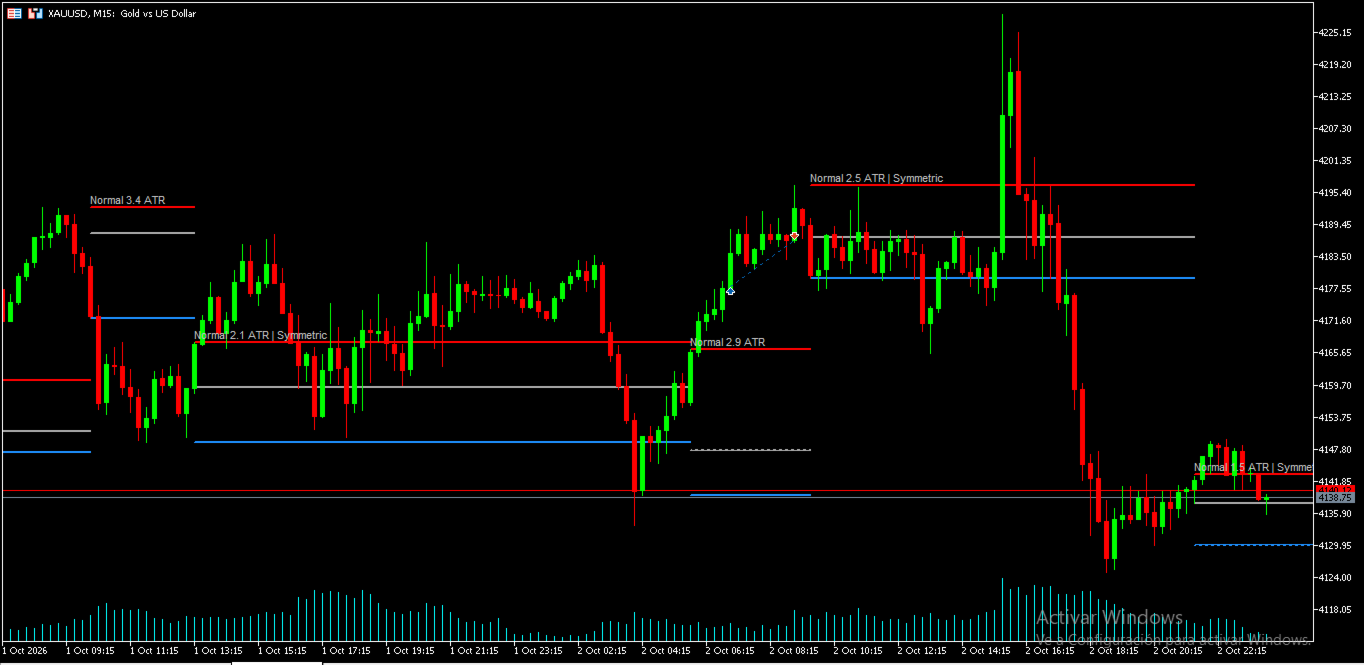
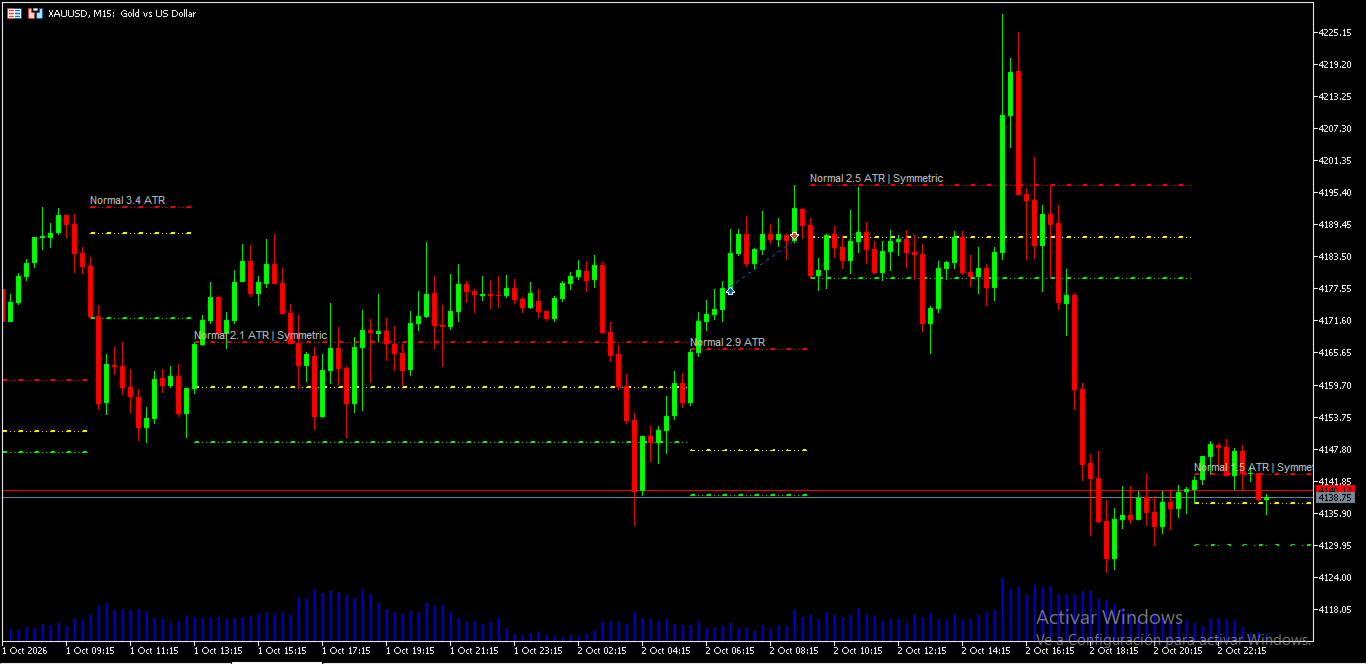
Equilibrium Boxes draws balance areas on your chart as price develops. Each box has a top, a bottom and a Point of Control (POC). A new box appears when momentum says the previous one no longer applies, so the boxes follow the market instead of being tied to a fixed session or range.
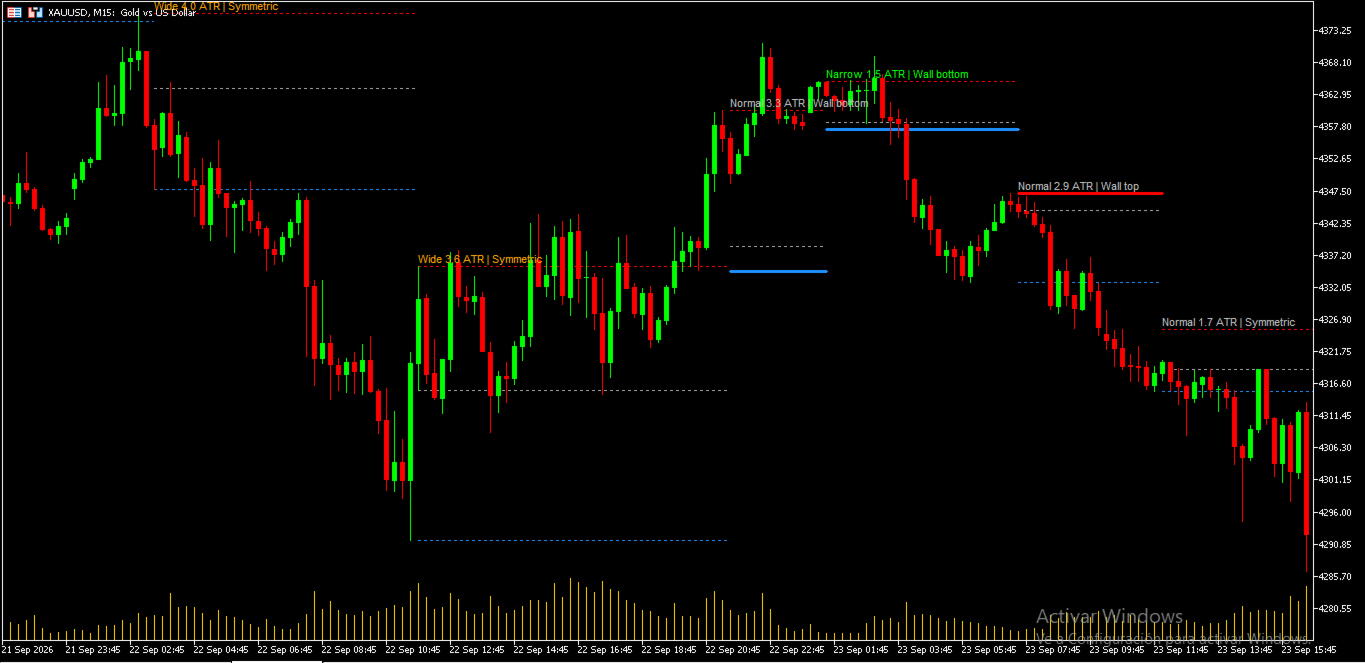
Each box is also measured and classified, so you can see at a glance how tight or wide the balance is, whether the POC is pressed against an edge, and whether the box is symmetrical.
How it differs from a standard volume profile
A classic volume profile shows how volume is distributed across price levels over a session or a chosen range. Equilibrium Boxes answers a different question: where is price in balance right now, and how tight is that balance?
- Boxes are created automatically from momentum, with no need to select a range by hand.
- Every box is classified by its width in ATR (narrow, normal or wide).
- The POC position is evaluated, flagging walls and symmetrical boxes.
- All the data is exposed through buffers, so it can be used directly in an EA or another indicator.
Features
- Dynamic boxes with top, bottom and POC lines.
- Two ways to define the box limits:
- High and low of the segment.
- Value Area edges (VAH/VAL), with an adjustable Value Area %.
- Two ways to trigger a new box:
- Balance after an impulse, when momentum fades.
- Momentum regime change, bullish or bearish.
- Width classification in ATR (narrow, normal, wide) with adjustable thresholds.
- Wall detection: when the POC sits close to the top or the bottom, that edge is drawn thicker and solid.
- Symmetry detection: when the POC is near the center of the box.
- On-chart labels showing the class, the width in ATR and the wall or symmetry flag, with a color for each class.
- Boxes are confirmed on closed bars.
- Works on any symbol and timeframe. Volume is based on tick volume.
- Line colors, width and style are adjustable. The last box can be extended to the right.
- An instance ID lets you run several copies on the same chart.
Buffers for EA / indicator development
Each buffer holds the values of the box that is active on that bar, and it is 0 where no box exists yet. Read them with iCustom and CopyBuffer ; shift 1 is the last closed bar.
| Buffer | Content |
|---|---|
| 0 | POC |
| 1 | Top |
| 2 | Bottom |
| 3 | State: +1 above the box, -1 below the box, 0 inside |
| 4 | Class: 1 narrow, 2 normal, 3 wide |
| 5 | Wall: +1 at the top, -1 at the bottom, 0 none |
| 6 | Box width in ATR |
| 7 | Symmetrical: 1 yes, 0 no |
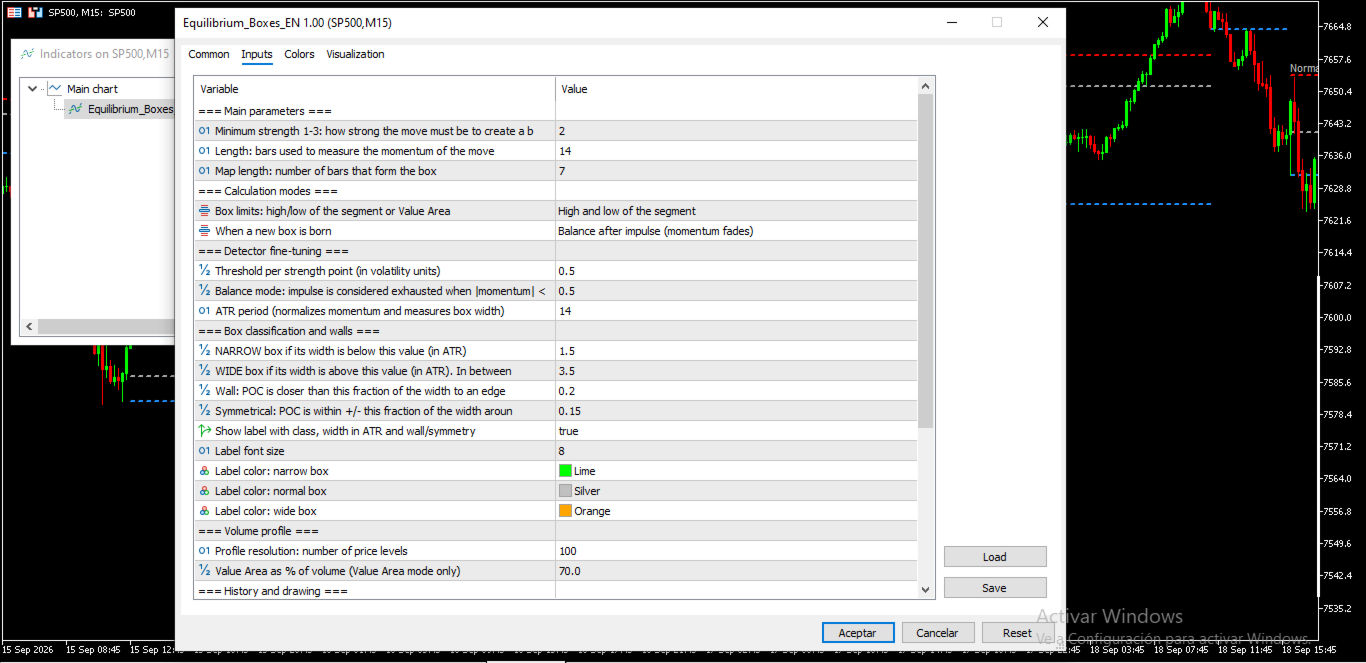
Main inputs
- Minimum strength (1 to 3): how strong a move must be to create a box.
- Length: bars used to measure momentum.
- Map length: number of bars that form each box.
- Box limits mode and new-box trigger mode.
- Signal unit, balance factor and ATR period, for fine-tuning the detector.
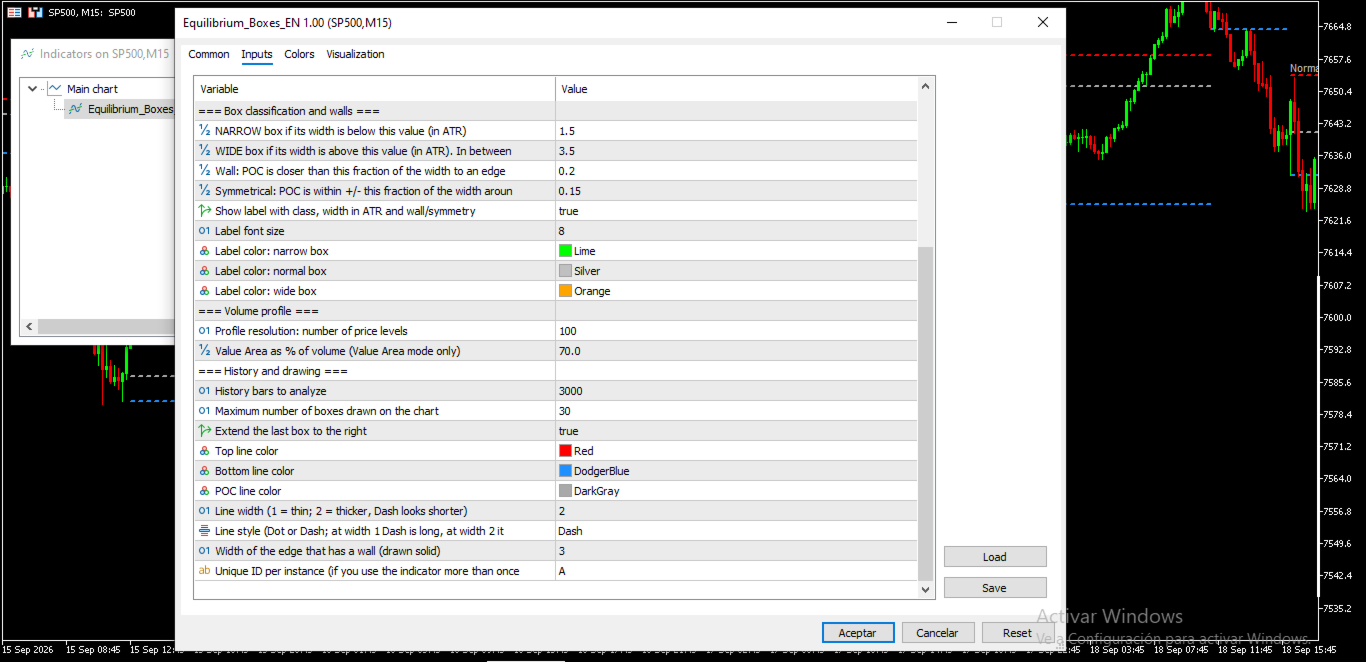
- Narrow and wide thresholds in ATR, wall threshold and symmetry tolerance.
- Volume profile resolution and Value Area %.
- History bars, maximum number of boxes drawn, colors, line width and style.
Best used with a volume profile
The boxes tell you where balance areas start and end, how wide they are and where their POC sits. A volume profile shows the full volume distribution inside and around them, so using both lets you compare the box POC with the profile's high- and low-volume areas. It pairs naturally with my Volume Profile Multiple indicator.
Notes
Equilibrium Boxes is an analysis tool. It does not generate trade signals on its own and does not guarantee any result. Trading involves risk. Test it on a demo account and in the Strategy Tester before using it with real funds.
Antes de pegarla
- Revisá que lo de "confirmed on closed bars" sea lo que ves en vivo, y no pongas "non-repainting" en la ficha si no lo verificaste vos.
- Podés enlazar tu Volume Profile Multiple en la última frase de la sección de uso conjunto, usando el link de producto del propio Market.
- Subí capturas con las etiquetas visibles (angosta, ancha, muro) y una con los inputs, porque ayudan más que el texto.