Stopline Trade Manager MT5
- Utilities
- Version: 1.0
- Activations: 10

Your entry. Your exit. Your way.
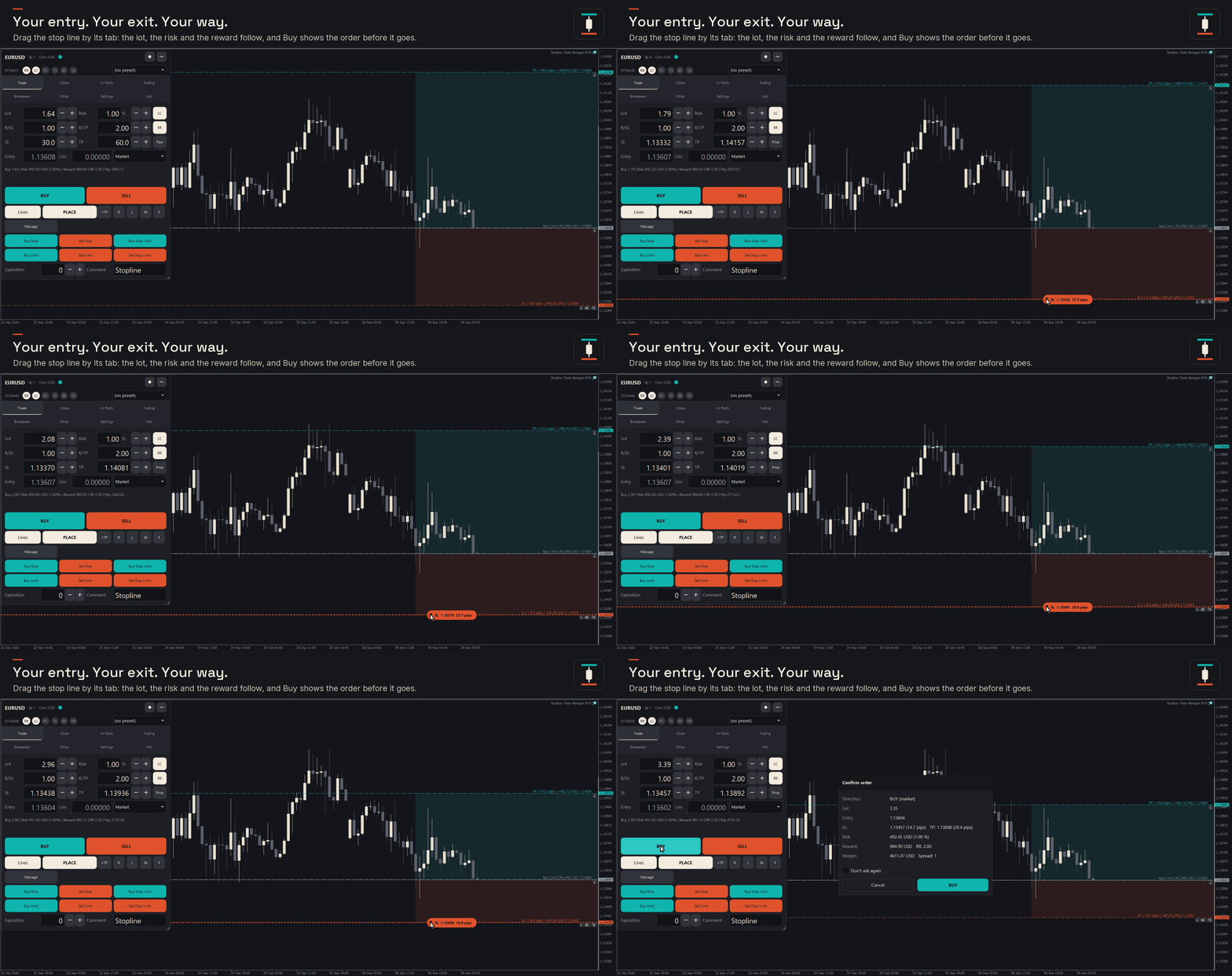
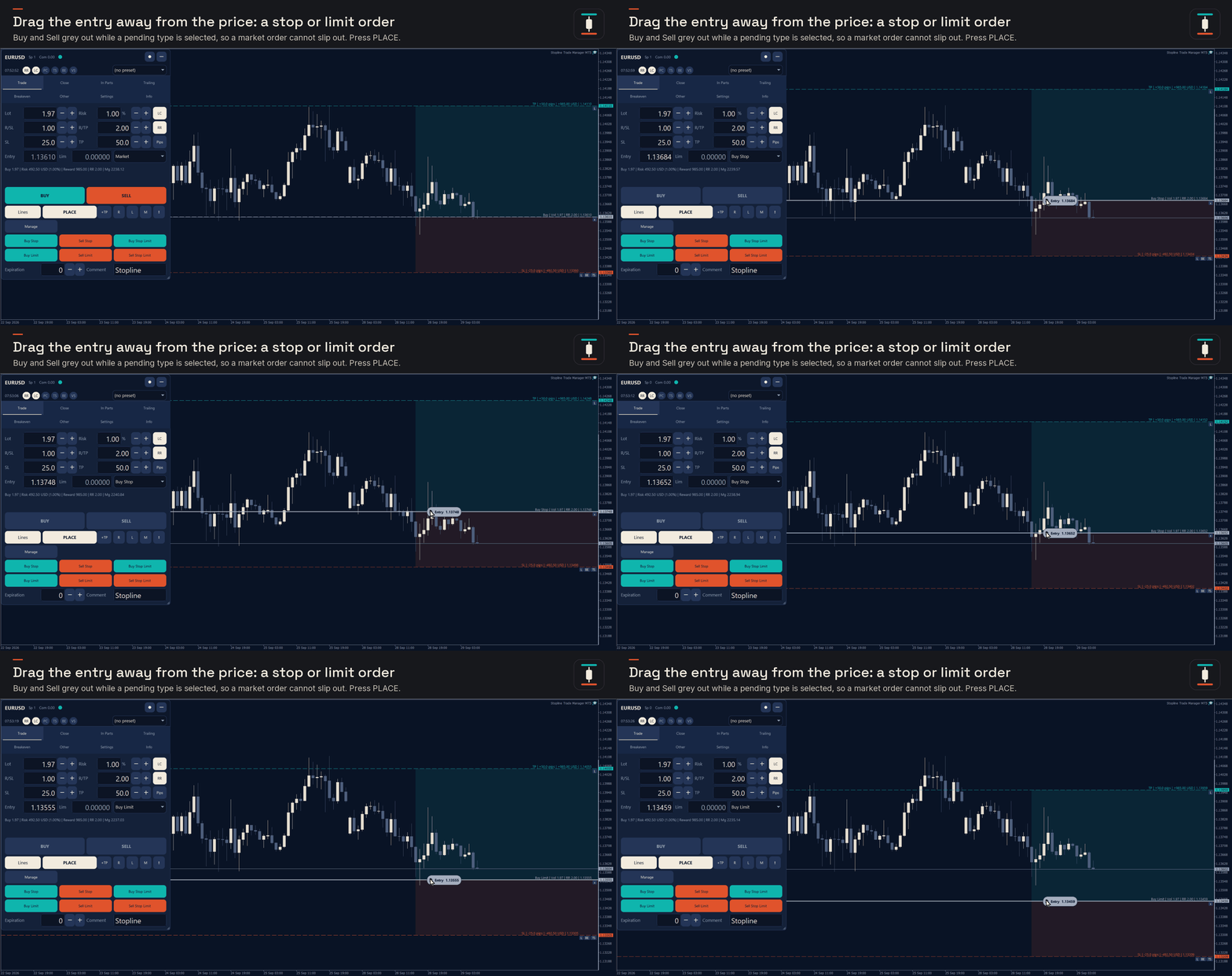
Stopline Trade Manager is a trade manager for traders who choose their own entries and want every order sized from the risk they set and the stop they place. Drag the orange stop line to where your stop belongs: the lot, the money at risk and the reward-to-risk ratio update while you drag. Press Buy or Sell, or drag the entry line away from the price and the order becomes a stop or limit order. After the entry, the panel runs the exits you planned: partial close, trailing stop and breakeven.
Launch price: $49 for the first 10 copies, then $99.
The free demo runs only in the Strategy Tester, which shows the panel but does not pass mouse clicks to it. To try it on your own charts first, rent it for 1 month ($30).
Plan and place the trade
- Lot size from your risk and the stop distance, with 9 risk bases: a fixed amount, or a percent of balance, equity, free margin or another base you choose.
- Position size worked out from the tick value your account actually books, never rounded above your risk, with a warning when the broker's published value differs.
- Reward-to-risk lock: move the stop and the target keeps your ratio.
- Every MetaTrader 5 order type, stop-limit included, from the lines, the order-type list or the keyboard.
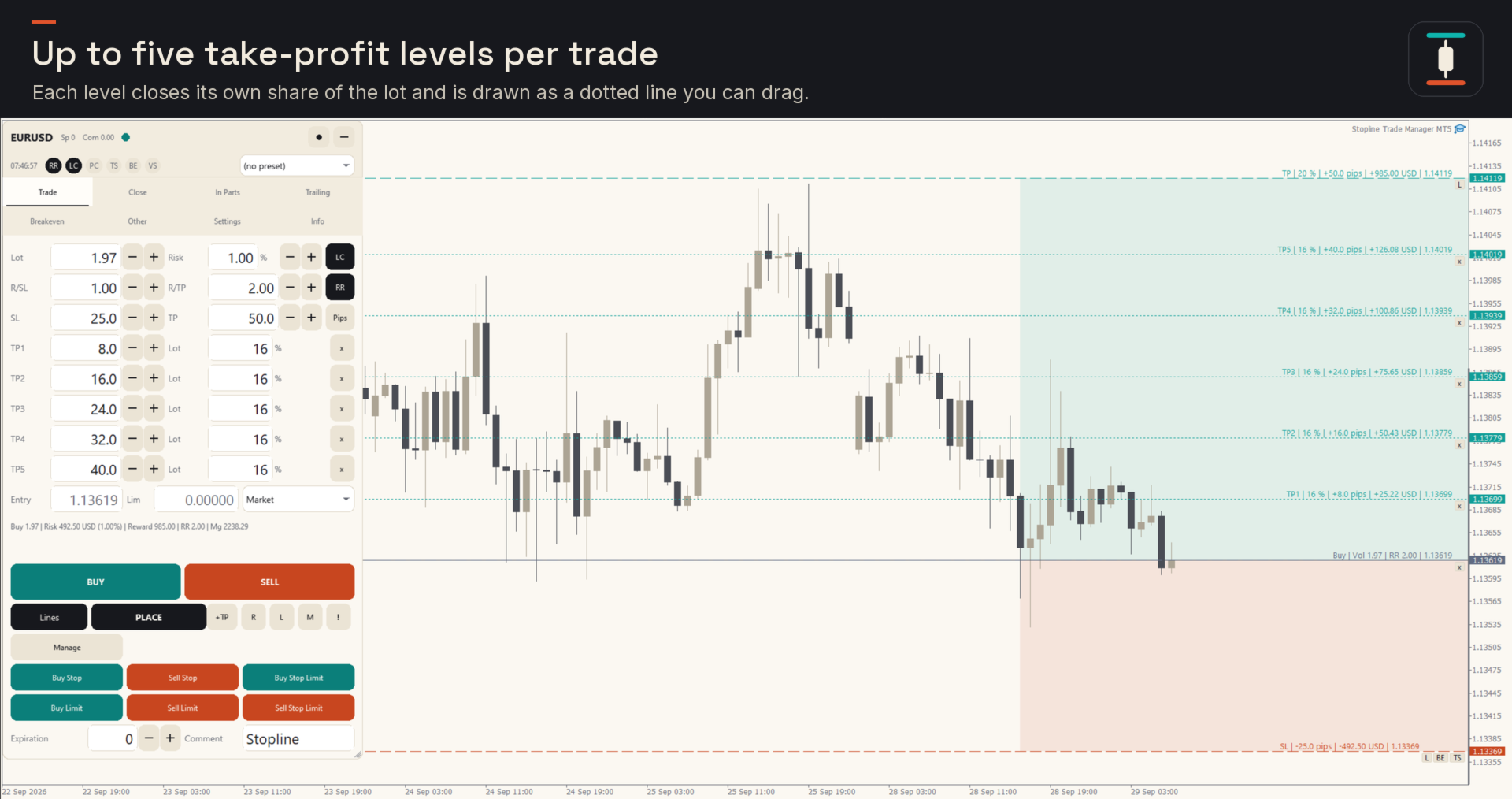
- Up to 5 take-profit levels per trade, each closing its own share of the lot.
- A confirmation with lot, risk, stop and target before anything is sent. Buy and Sell stay greyed out while a pending order type is selected.
Manage the exits
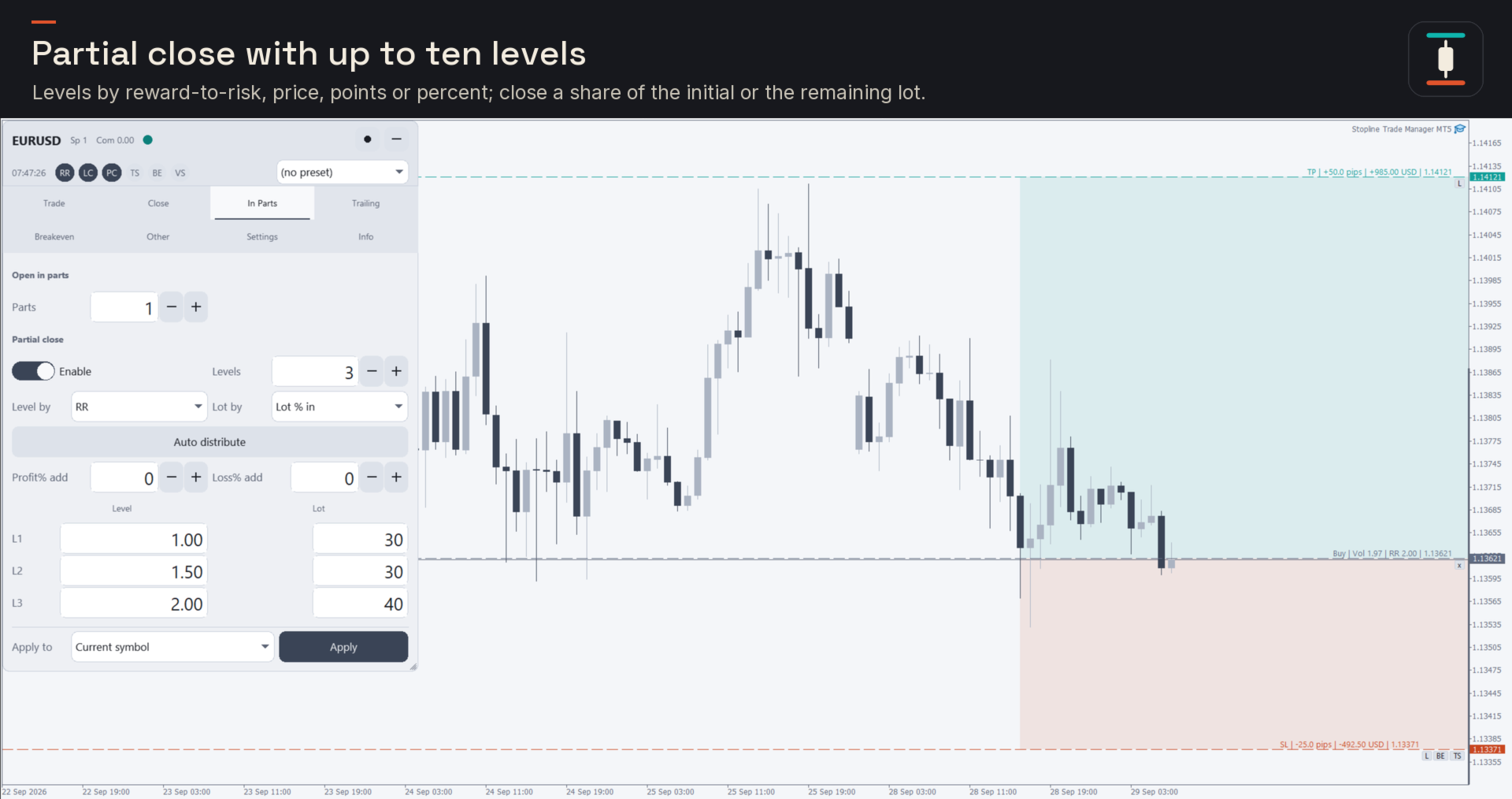
- Partial close with up to 10 levels, set automatically or by price, points, reward-to-risk, percent change or percent of the take profit or stop loss.
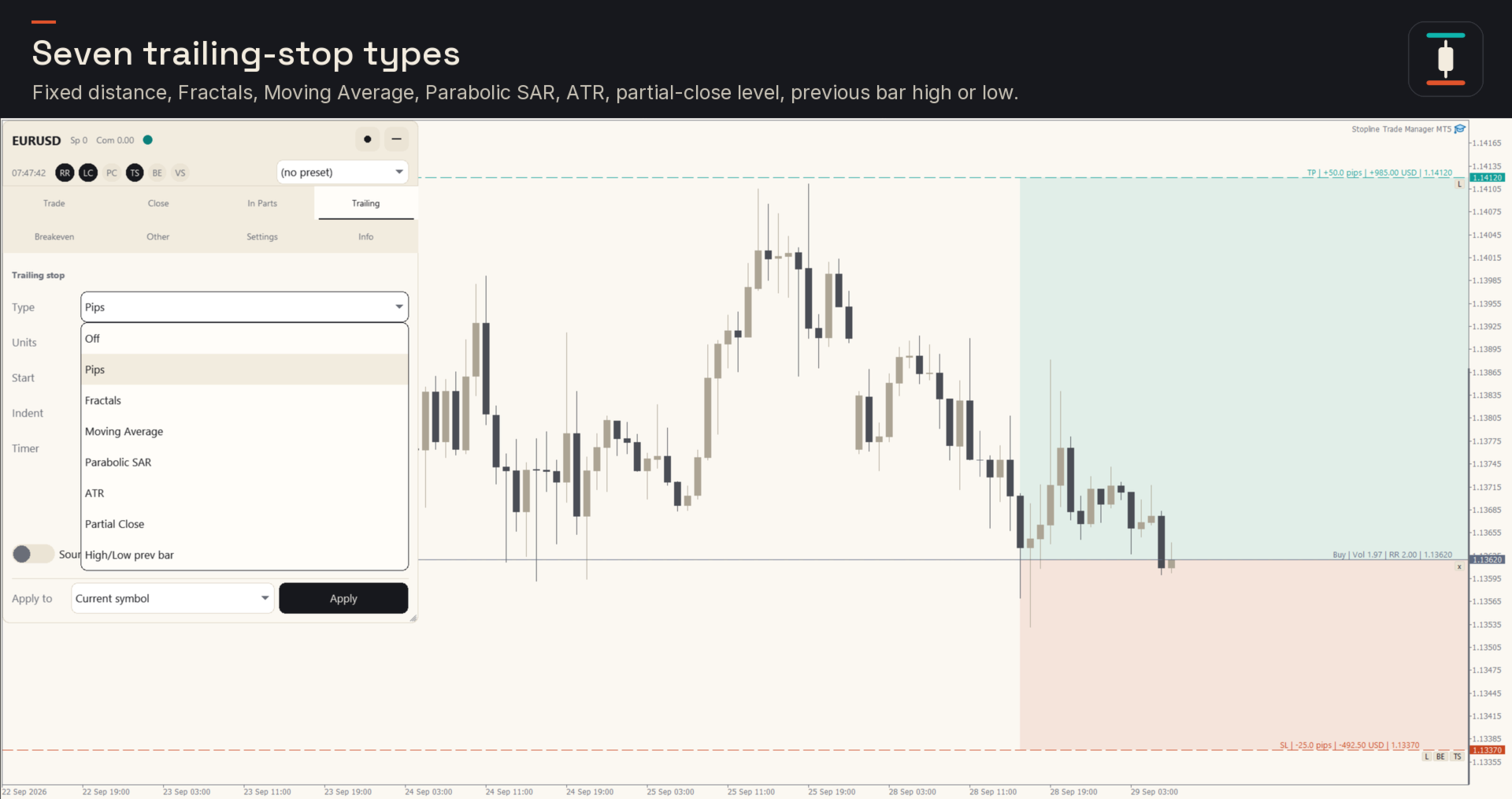
- 7 trailing stop types: fixed distance, Fractals, Moving Average, Parabolic SAR, ATR, the last partial-close level, and the previous bar's high or low.
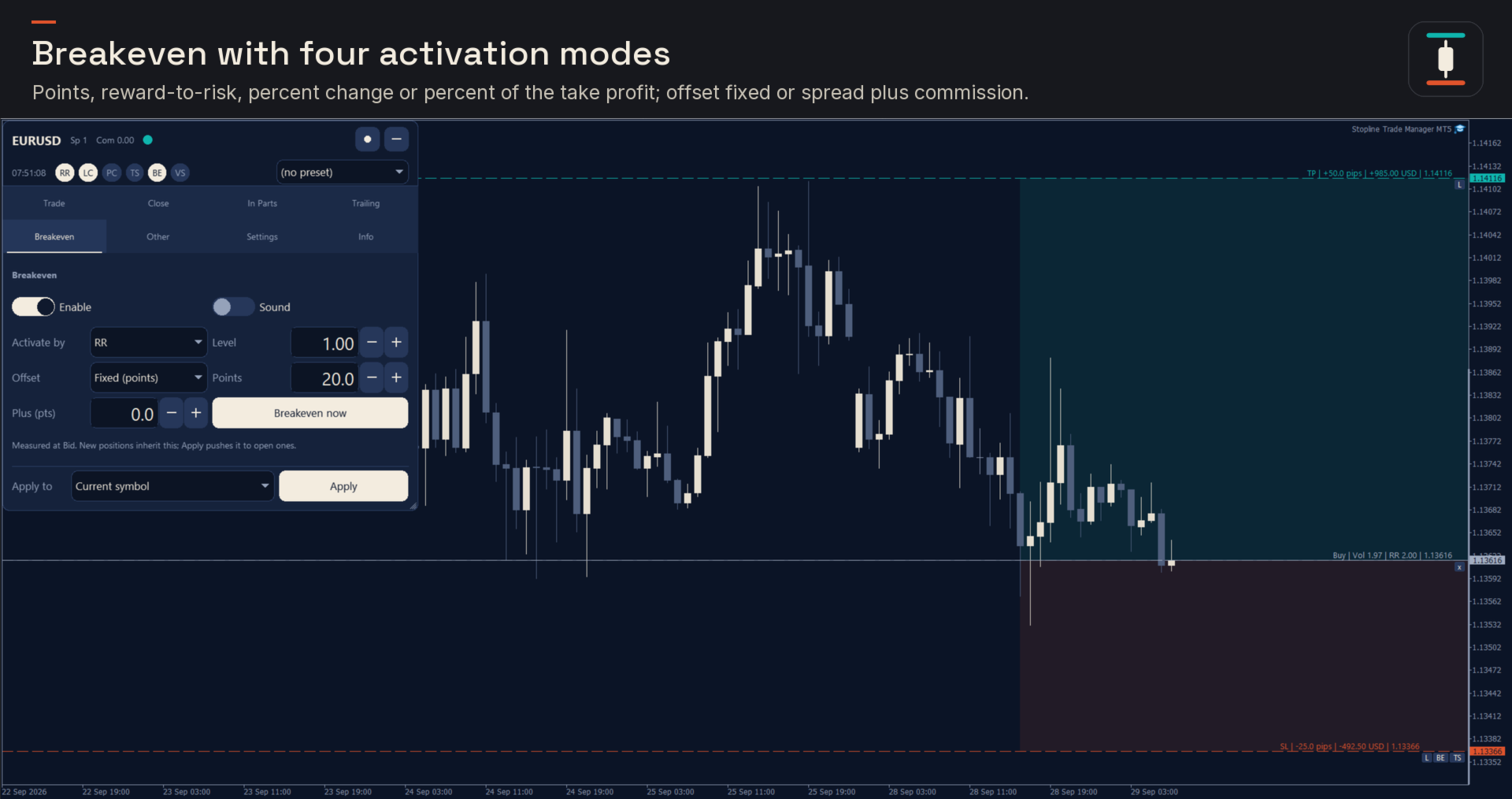
- Breakeven with 4 activation modes, an offset for spread and commission, and a Breakeven now button and hotkey.
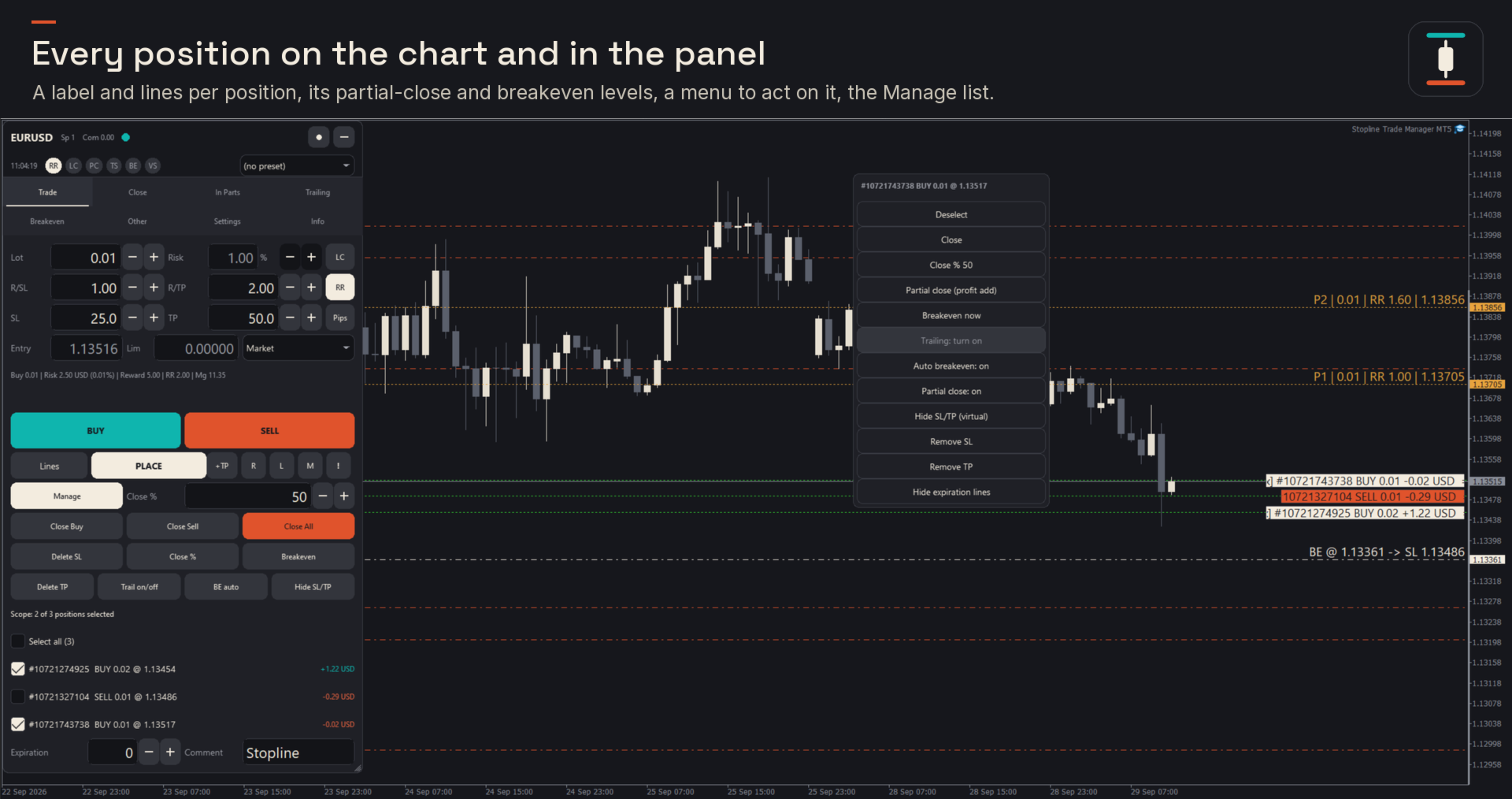
- A label for each position on the chart, with a menu to close, close half, move the stop to breakeven or switch trailing on and off.
Advanced orders
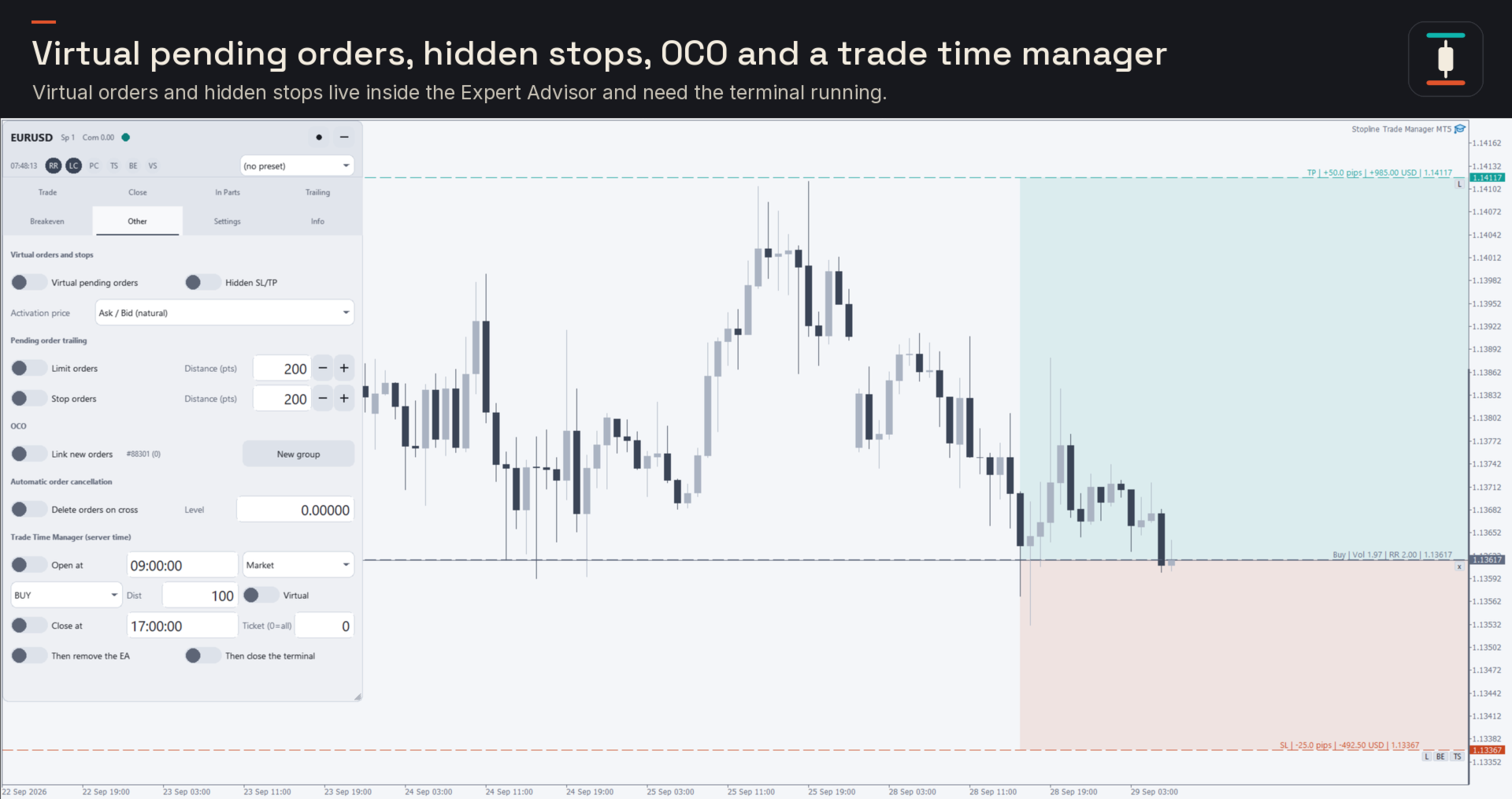
- Virtual pending orders and a hidden stop loss and take profit, kept inside the Expert Advisor.
- OCO: the first order that fills cancels the others.
- An automatic cancellation level, trailing for limit and stop orders, and a trade time manager that opens or closes at a set server time.
Close and stay within your limits
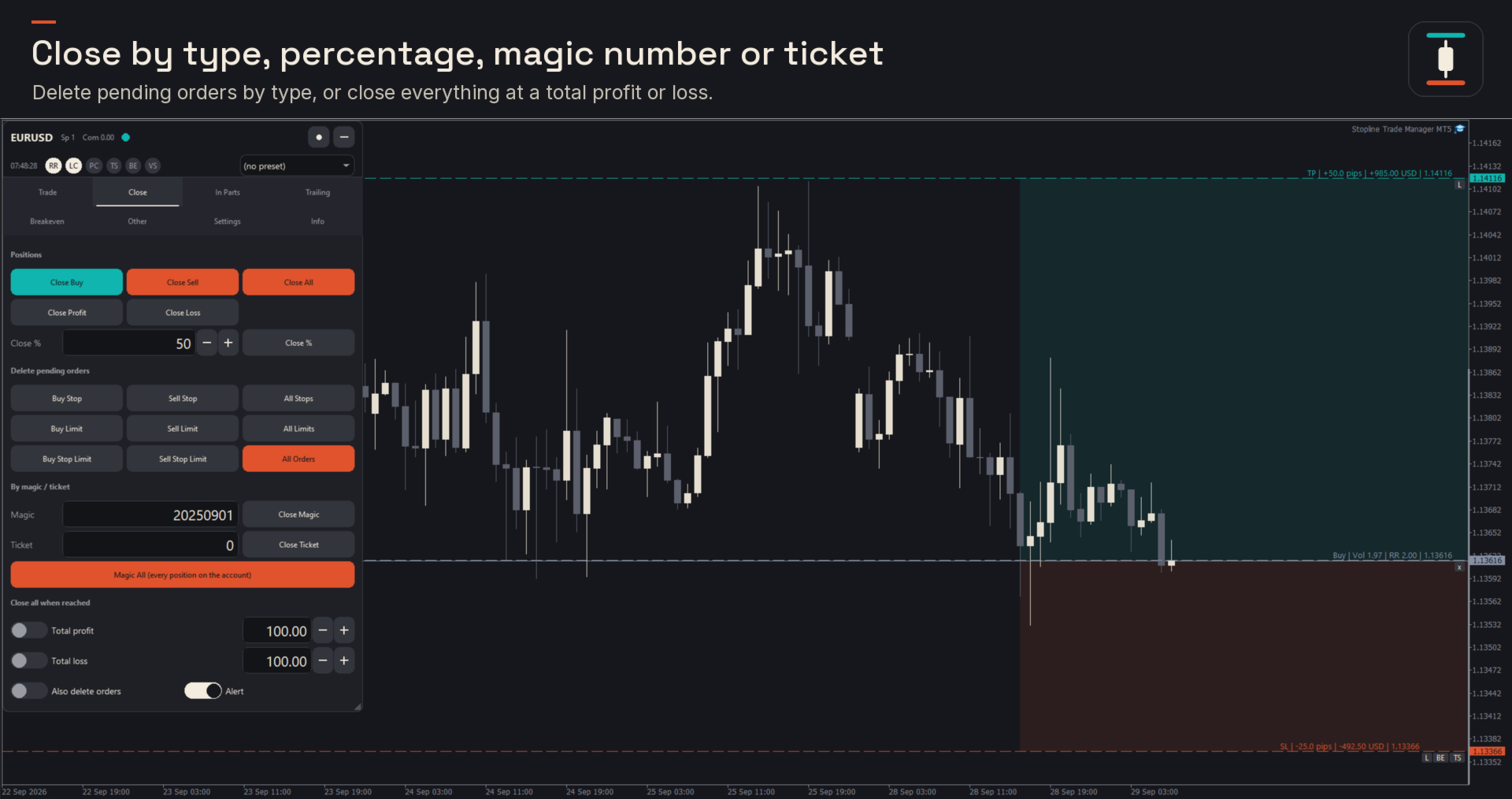
- Close by type, by percentage, by magic number or ticket, or close everything at a total profit or loss; delete pending orders by type.
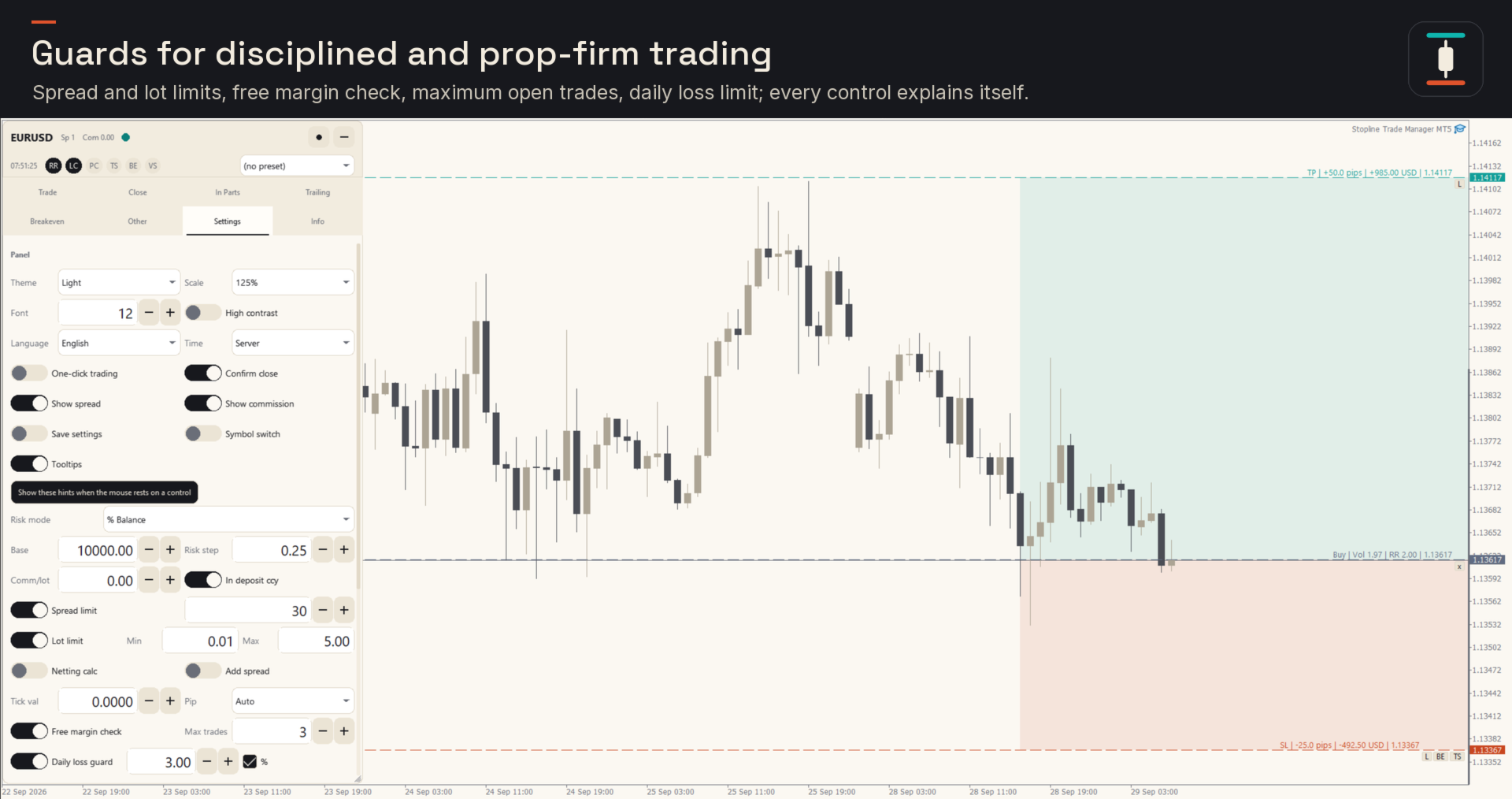
- Risk management guards for disciplined and prop firm trading: daily loss limit, maximum open trades, maximum exposure per symbol, spread limit, lot limit and a free margin check.
Alerts, screenshots and statistics
- Price alerts placed with one key at the mouse, and alerts when the price breaks your own horizontal or trend lines, by pop-up, sound, push notification and e-mail.
- Screenshots of every open, close and partial close, if you want them.
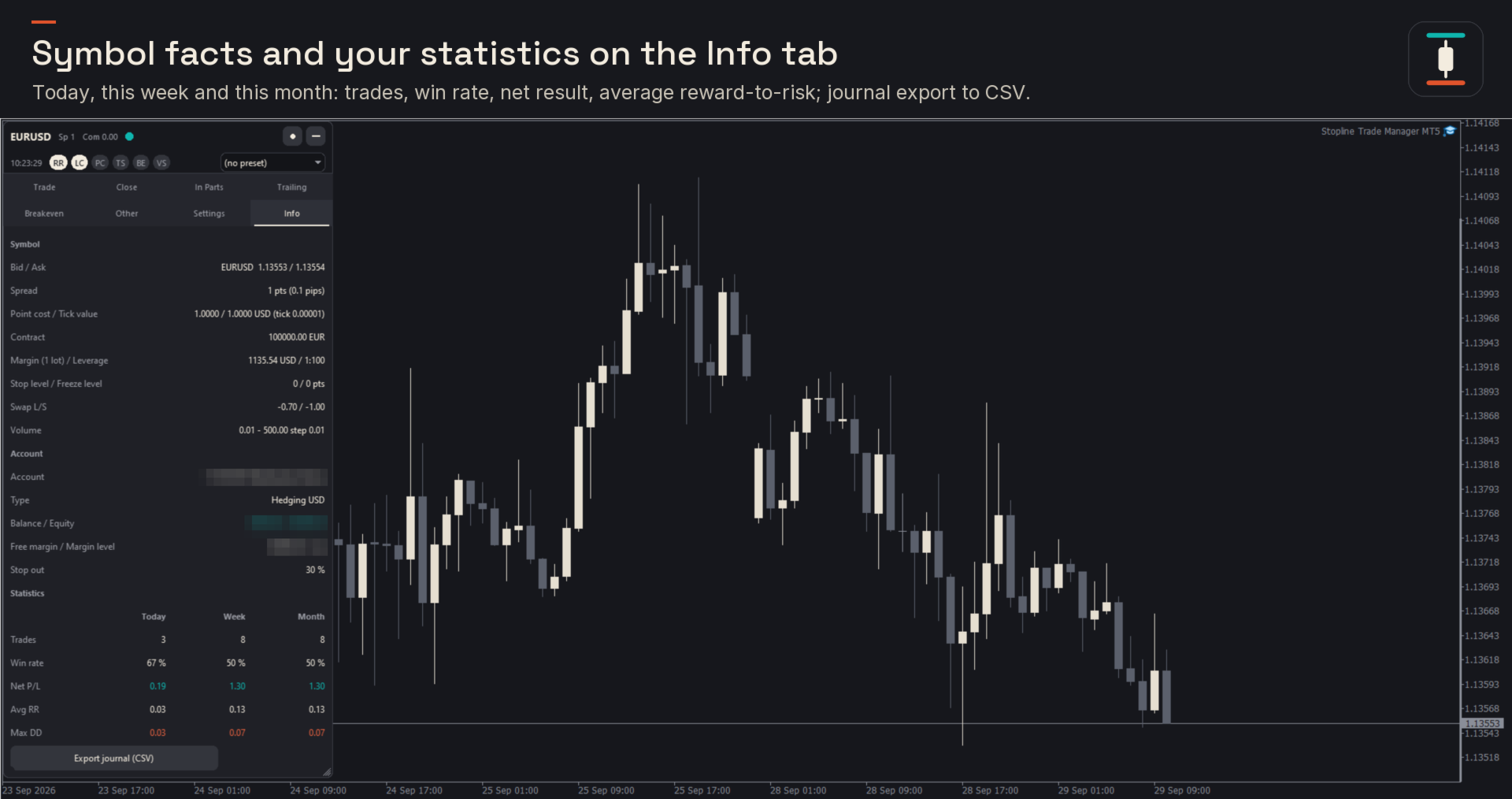
- Statistics for today, this week and this month, and the trade journal as a CSV file.
The panel
- Configurable hotkeys, hover hints on every control, presets, and settings saved per symbol.
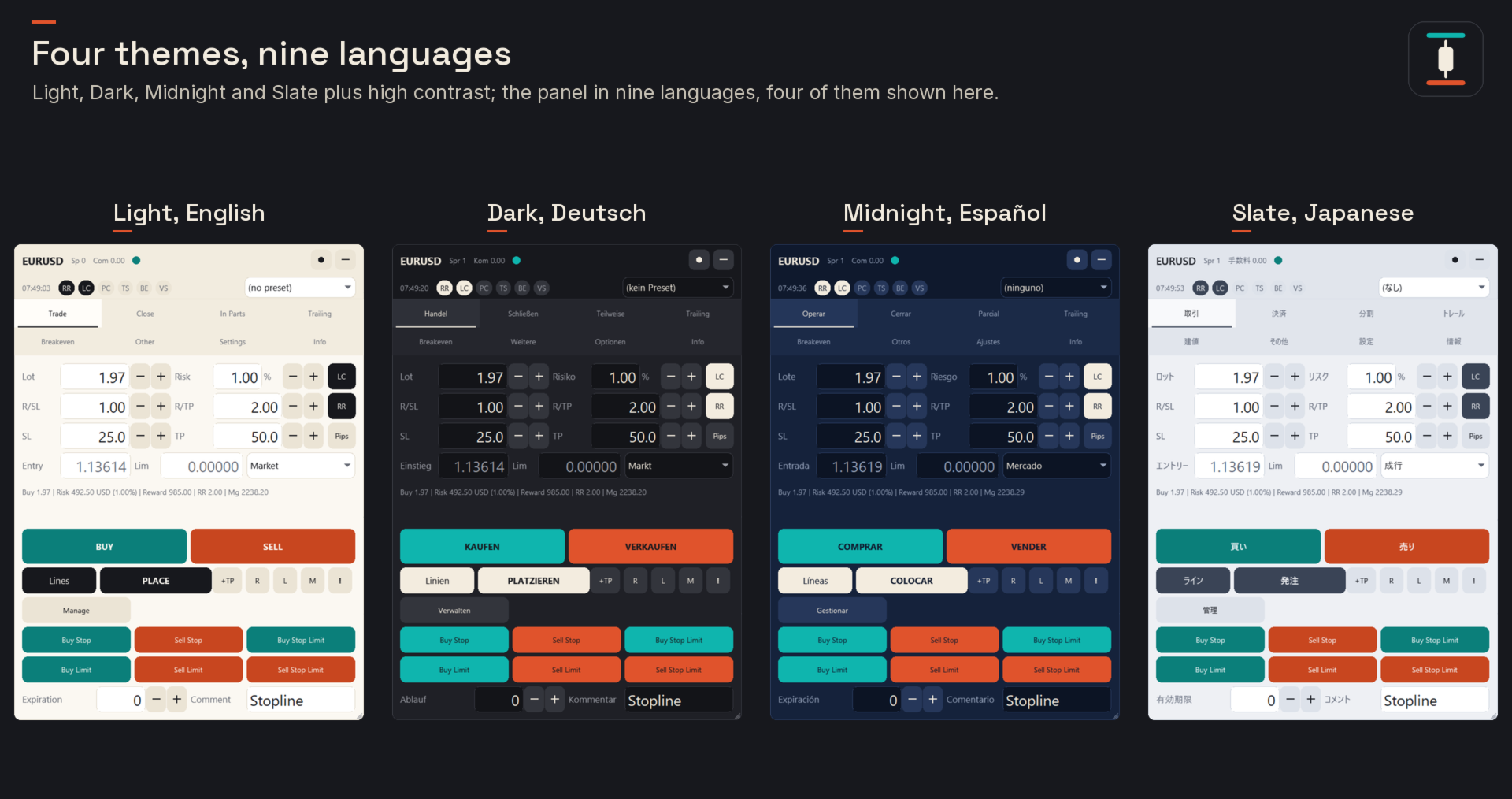
- 9 languages: English, Russian, German, French, Spanish, Chinese, Portuguese, Japanese and Italian.
- 4 themes plus high contrast, 4 panel sizes that follow the display scaling, and a minimized toolbar with Buy, Sell, Place and Close.
What it is not
Stopline Trade Manager does not generate signals, predict prices or open trades by itself; the only exception is a scheduled open that you set up in the trade time manager. Virtual pending orders and hidden stops exist only while the terminal is running and connected, so use a VPS or real stops when that matters. It manages only its own trades unless you choose otherwise, so it can run next to your other Expert Advisors. For MetaTrader 4 there is a separate product, Stopline Trade Manager MT4.
Requirements
- MetaTrader 5, a hedging or netting account, and any symbol your broker offers: forex, metals, indices, stocks and crypto CFDs.
- Algo Trading enabled. Push and e-mail alerts use the terminal's own notification settings.
- On a Mac: MetaTrader 5 for macOS from MetaQuotes (macOS 10.15.7 or later, Intel and Apple silicon).
- No DLL, no internet connection of its own and no external licence check; 10 activations.
Support and updates
The full manual, with every tab, input and hotkey, is in the Stopline Trade Manager blog post, and answers to common questions are in the first post of the Comments tab. Ask there or send a private message on MQL5: every question is answered within 24 hours. Please include your MetaTrader 5 build, the symbol and the lines from the Experts tab. Updates are free and listed in What's new.
Trading on margin carries a high level of risk and can lose more than you expect; Stopline Trade Manager is a tool for placing and managing your own trades and gives no signals, advice or promise of results.