TrailScope MT5
- Indicators
- Version: 1.0
- Activations: 5

Chandelier Exit & Multi-Timeframe Monitor
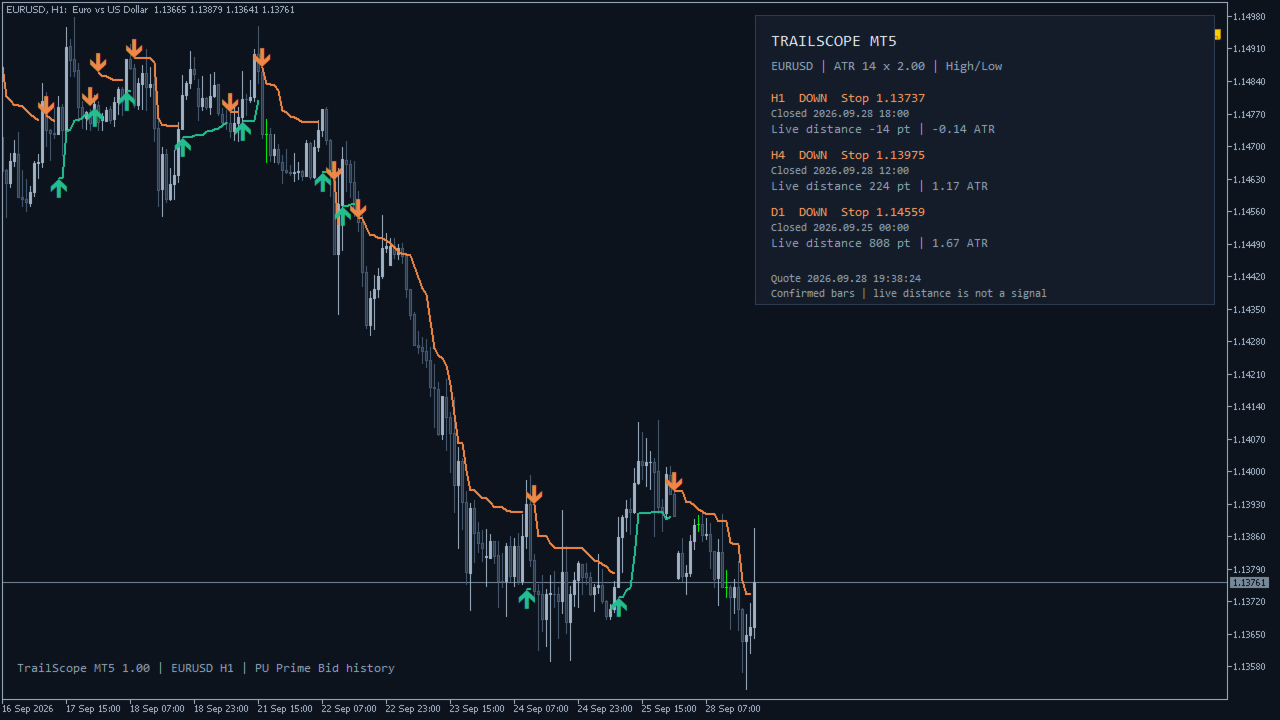
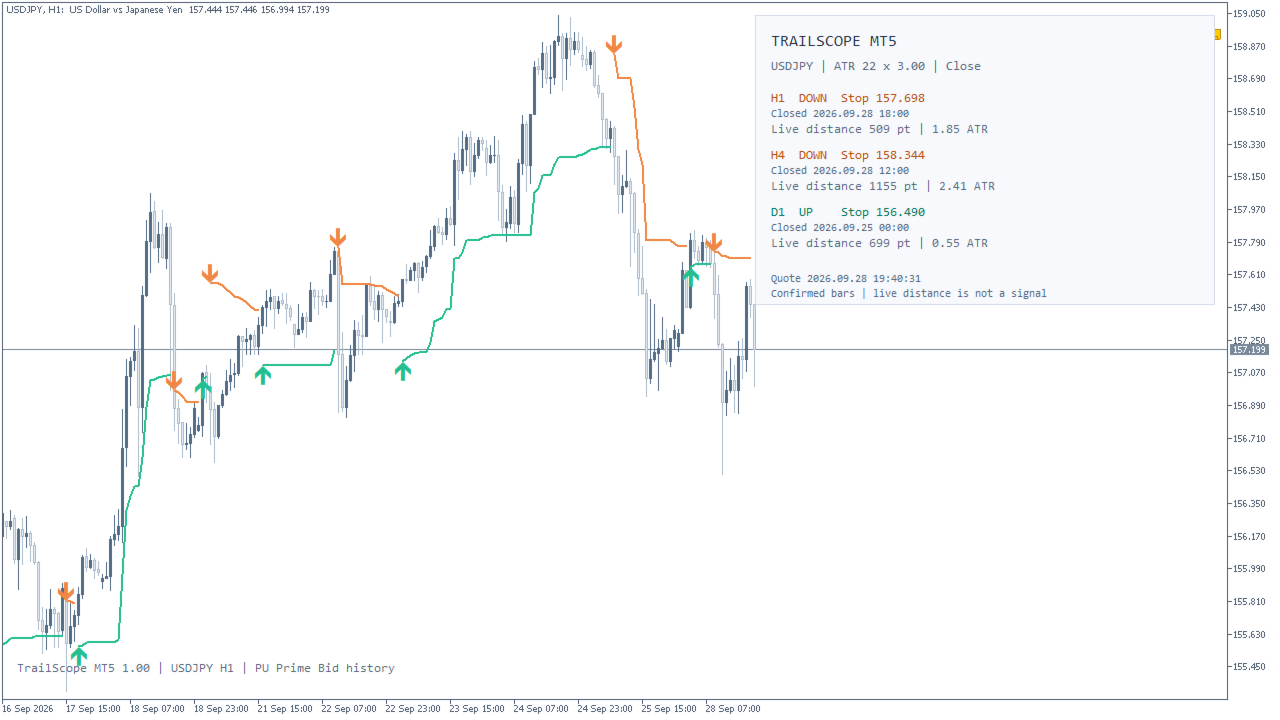
TrailScope MT5 lets you follow confirmed Chandelier Exit levels on your MetaTrader 5 chart and compare three timeframes in one panel. The indicator combines an ATR trailing stop overlay, direction-change markers and a live distance readout.
What you see
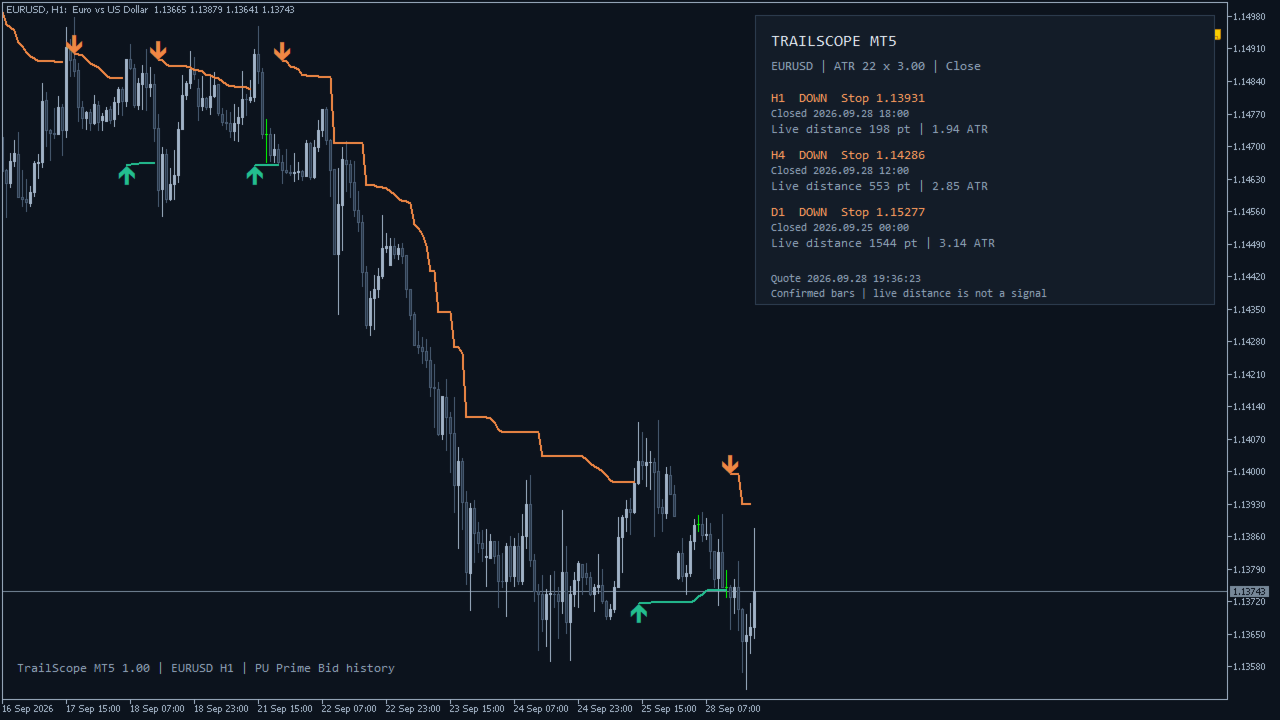
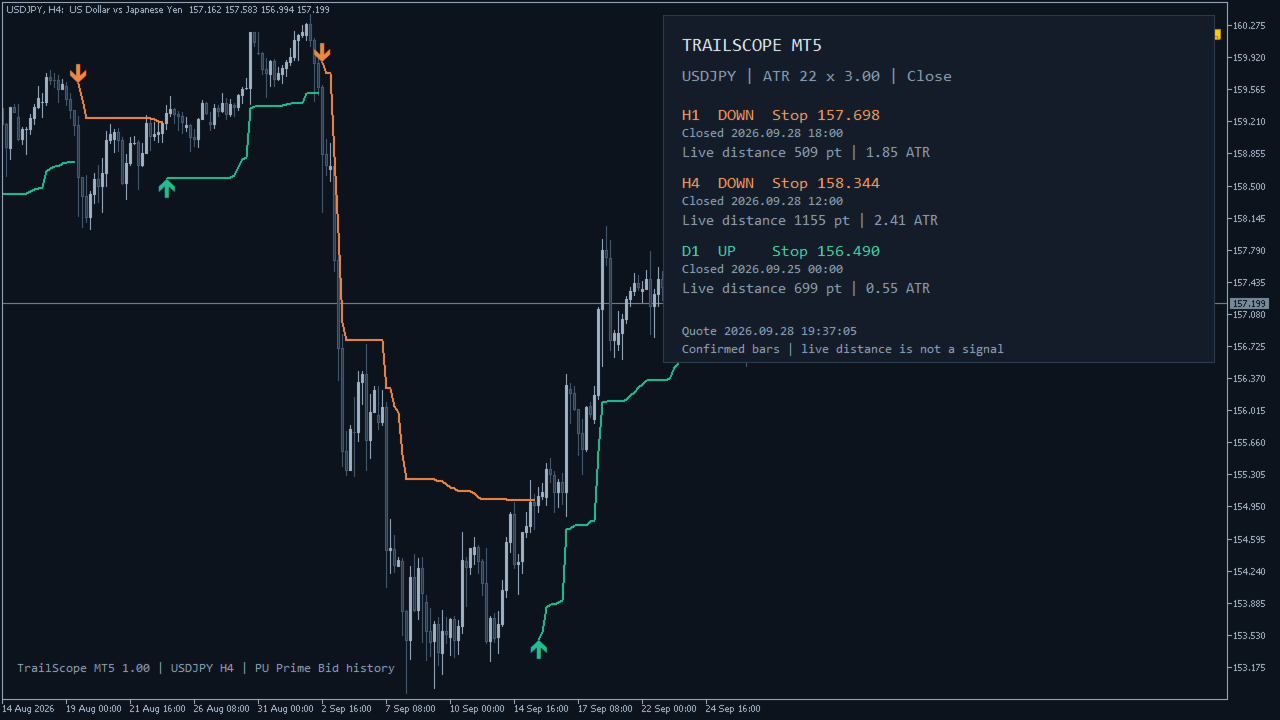
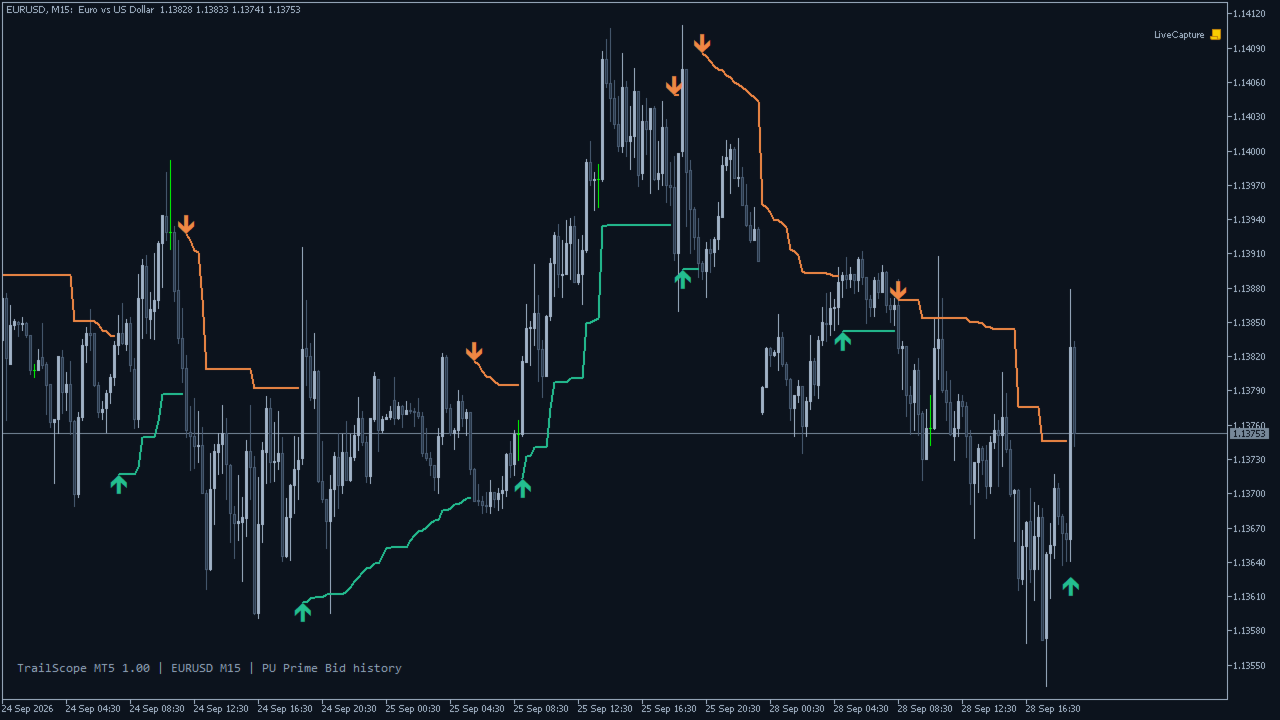
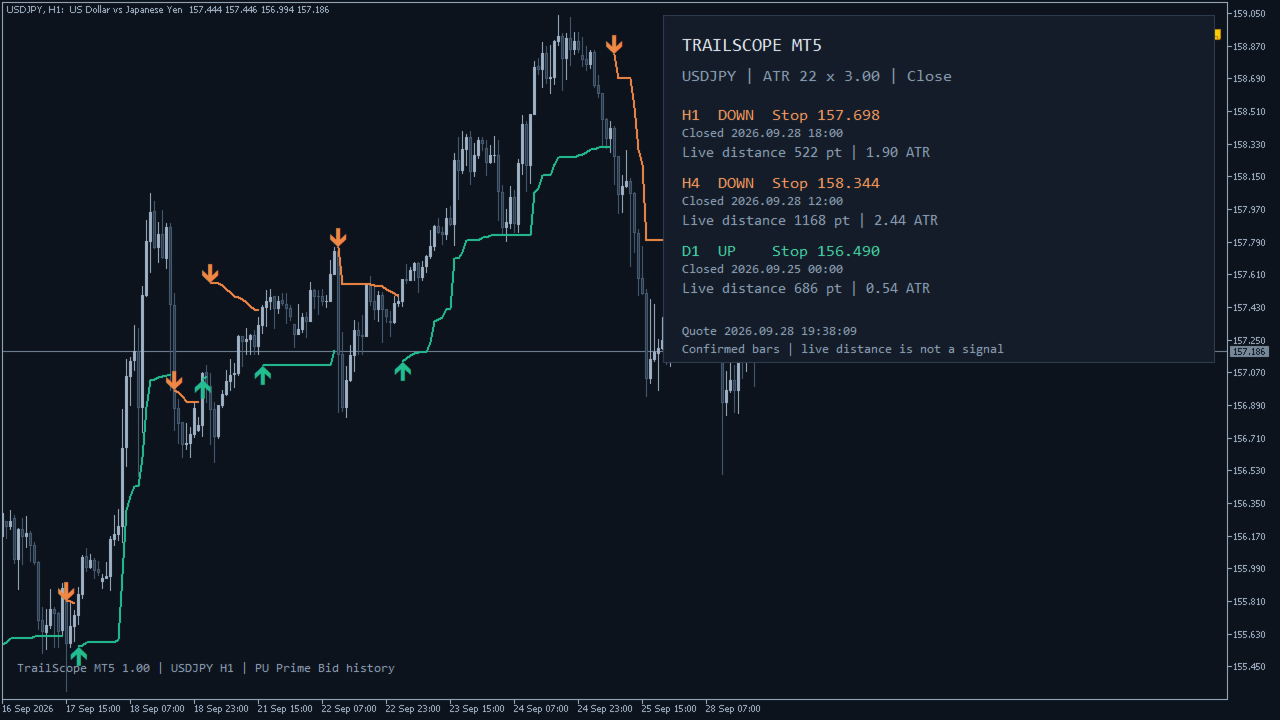
- Confirmed stop lines. The active long or short level is plotted after the chart candle closes.
- Direction-change markers. An upward or downward marker identifies a change in the calculation's direction.
- Three independent timeframes. The panel defaults to H1, H4 and D1. Each row uses its own latest closed candle.
- Live distance to the confirmed level. View the signed distance from Bid in symbol points and ATR units, with quote time shown.
- Optional notifications. Enable terminal popups or mobile push for the chart, the panel, or both.
- Light, Dark and Auto themes. Choose the panel corner and font size.
How it works
The calculation uses Wilder ATR and a rolling price extremum. Defaults are ATR period 22, multiplier 3 and close-based extrema. High/low extrema are also available.
During an up direction, the active long level trails below the rolling high or highest close. During a down direction, the active short level trails above the rolling low or lowest close. Direction changes use strict comparisons with the previous stops.
The open candle has no signal or plotted stop value. Historical values use the data available from the broker; corrected or extended history can cause a recalculation. Different feeds and history starting points can produce different results.
Reading the panel
UP / DOWN describes the calculation's current confirmed direction, not a prediction. Stop is an indicator level, not an order placed with your broker. Closed shows the opening time of the last closed source candle.
Live distance is positive while Bid is on the direction's expected side of the stop and negative after Bid crosses that level. An intrabar crossing is not a confirmed new signal. Points are not pips. The ATR ratio uses ATR before applying the multiplier.
Loading history, insufficient data and unavailable quotes are shown explicitly. Offline, the confirmed level remains visible and live distance displays N/A.
Setup
Attach the indicator to a chart, select the ATR settings and choose up to three panel periods. Notifications are off by default. For mobile push, configure your own MetaQuotes ID in the terminal's Notifications settings and then enable PushAlerts.
Startup, reloading, reconnection and history resynchronization do not replay old signals. Duplicate chart/panel periods use one source per instance. Delivery is subject to terminal configuration, network availability and MT5 notification limits; failures are written to the log without automatic retry.
Simultaneous push events wait in a queue with at least 6.1 seconds between attempts per instance. Reconnection and source resynchronization cancel pending events that are no longer current.
Inputs
- AtrPeriod (22): lookback for ATR and price extrema; minimum 2.
- AtrMultiplier (3.0): positive multiplier applied to ATR for the stop distance.
- UseCloseExtremums (true): use closes; false uses High/Low extrema.
- PanelTf1 / PanelTf2 / PanelTf3 (H1 / H4 / D1): independent panel periods; CURRENT follows the chart period.
- ShowPanel (true): show or hide the panel.
- Theme (Auto): Auto, Light or Dark.
- PanelCorner (Right upper): panel position on the chart.
- FontSize (10): panel font size, from 8 to 16.
- PopupAlerts / PushAlerts (false / false): enable terminal or mobile notifications.
- AlertChart / AlertPanel (true / false): choose eligible signal sources when notifications are enabled.
For automated reading, buffers 0–4 provide the active long stop, active short stop, upward flip price, downward flip price and direction (+1/-1). Read shift 1 for the latest confirmed candle; shift 0 is empty.
Intended use
An ATR trailing stop and multi-timeframe trend monitor for discretionary analysis or integration through five documented indicator buffers. It does not open, close or modify trades and does not set a broker Stop Loss. It does not calculate position size, profit targets or expected returns.
Assess its behavior on your own broker's history and demo environment before incorporating it into a trading process. No performance or profit outcome is promised.