Crystal Trend Matrix Pro
- Indicators
-
Muhammad Jawad Shabir
 🔧 Expert Developer of Advanced Algorithmic Trading | AI, Neural Logic & Custom Systems
Welcome to my profile! - Version: 1.25
- Updated: 17 October 2026
- Activations: 20
Crystal Trend Matrix Pro - Non-Repainting Trend Engine with TP1/TP2/TP3, Stop Loss and Multi-Market Scanners
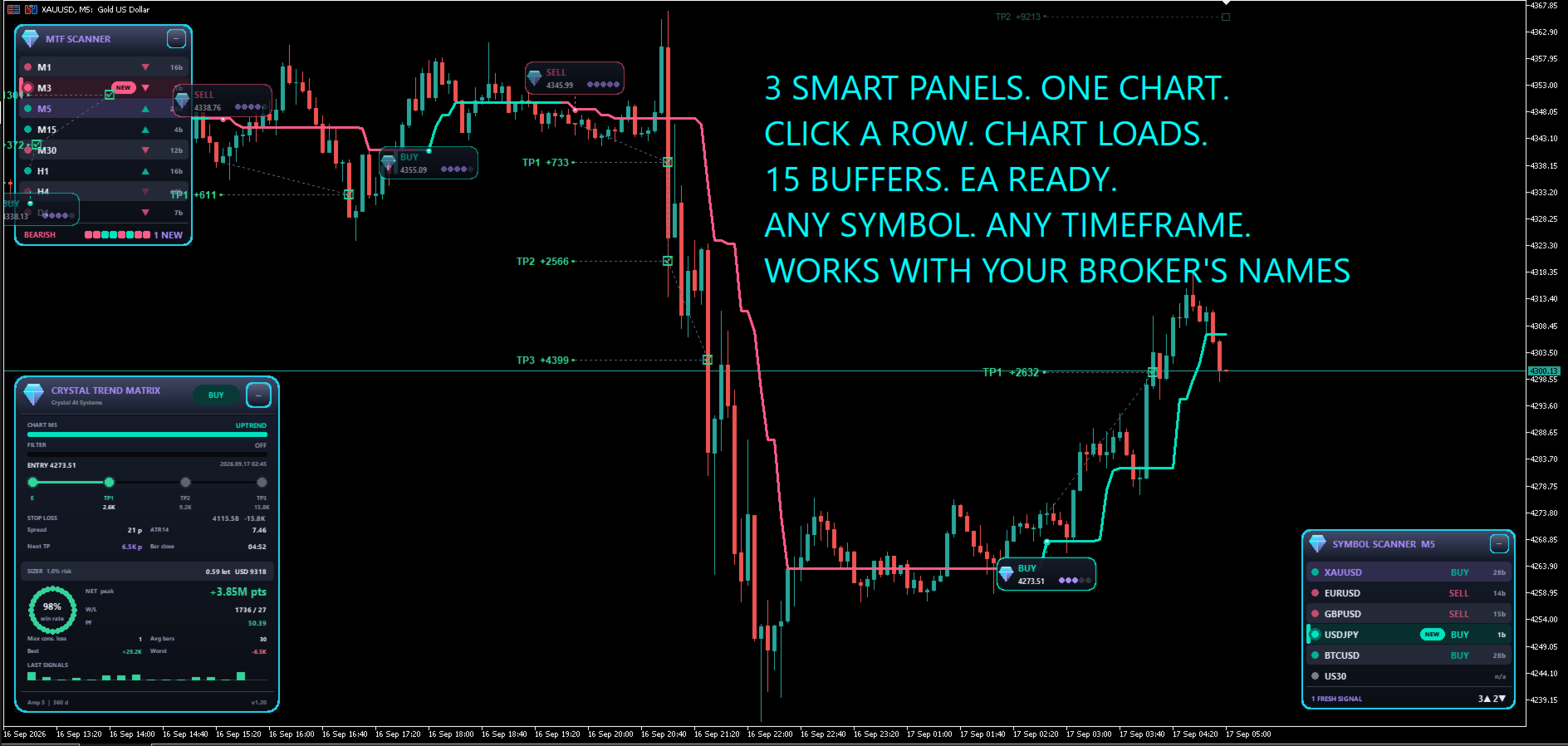
Catch the turn on a closed bar. Get the entry, the stop and three targets locked at the next open. See which timeframes and which markets agree, all from one chart.
Finding the trend is the easy part. What costs traders money is everything around it: arrows that repaint after the fact, no clear stop, targets guessed by eye, weak signals traded with the same size as strong ones, and entries taken against every higher timeframe because nobody had time to check.
Crystal Trend Matrix Pro does all of that work for you. It marks the exact bar a trend turns, prints a clean BUY or SELL card at the next open, draws and tracks a stop loss and three take-profit levels, grades every signal with a colour-coded strength meter, and scans eight timeframes and six symbols live, so you stop guessing, stop chasing and stop taking trades the bigger picture is already against.
Trading without it vs trading with it
| Trading without it | Trading with Crystal Trend Matrix Pro |
|---|---|
| Arrows move or vanish after the candle closes | Signals are decided on closed bars and locked at the next open. Nothing ever repaints |
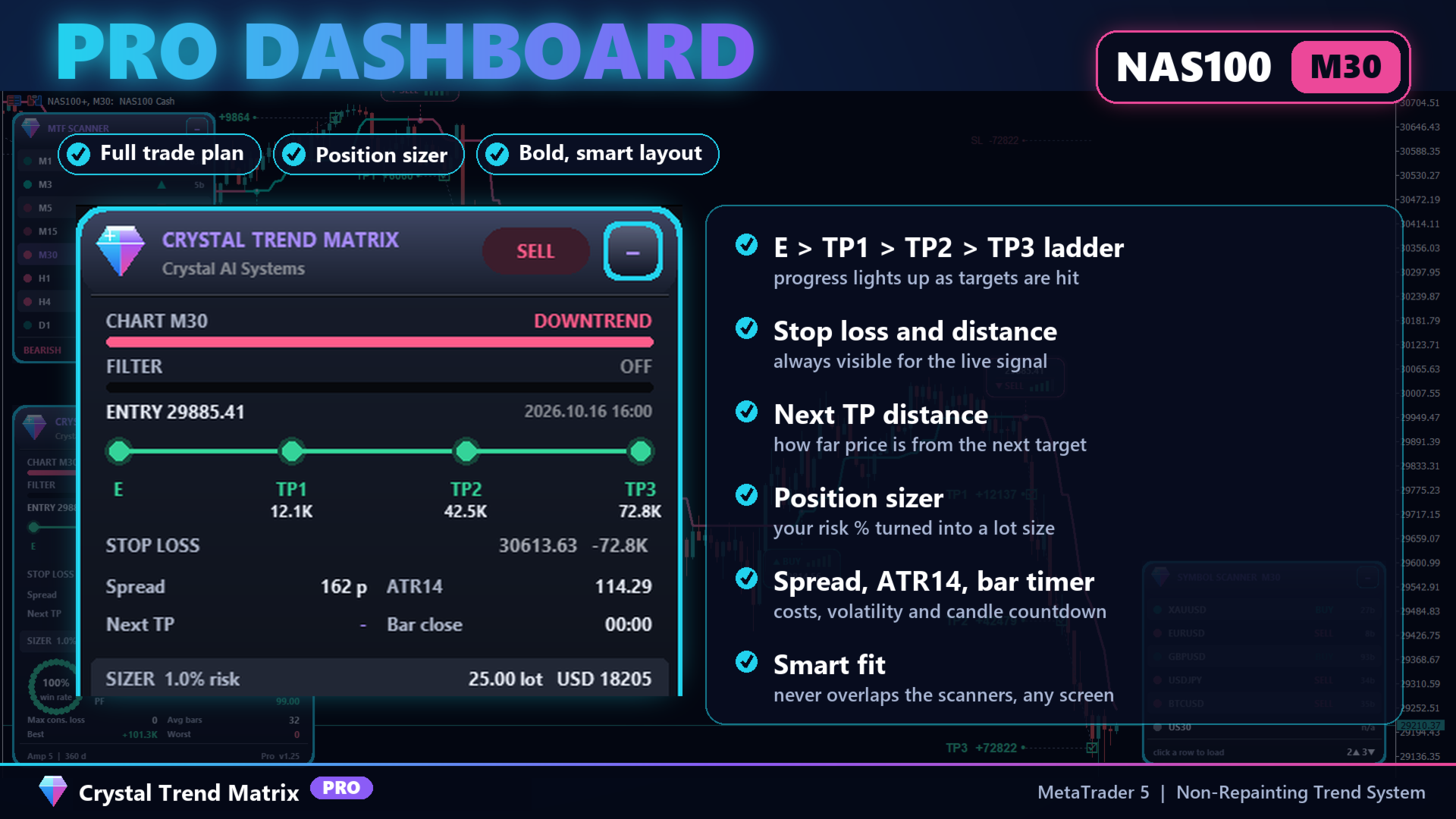
| You place the stop and targets by feel | SL, TP1, TP2 and TP3 are drawn for every signal and ticked off as price reaches them |
| Every signal looks the same | A 5-bar strength meter on each card: red, amber or green at a glance |
| You flip through timeframes and symbols to find the move | Two live scanners show 8 timeframes and 6 markets, with fresh turns highlighted |
| You calculate lot size for every trade | The dashboard turns your risk percentage into a lot size from the drawn stop |
Why traders choose it
| Benefit | What it means for you |
|---|---|
| 100% non-repainting | What you see in history is exactly what you would have seen live. Safe to automate |
| A complete trade plan | Entry, stop loss and three targets on every signal, tracked to completion |
| Signal strength at a glance | Five independent context checks summarised in one colour-coded meter |
| Multi-timeframe and multi-market | MTF consensus and a 6-symbol watch list without opening another chart |
| Built-in risk tools | Position sizer, higher-timeframe filter, session filter and daily signal cap |
| Clean, readable design | Bold panels that arrange themselves and never cover each other |
New in this version
| Area | Improvement |
|---|---|
| Signal cards | Redesigned two-line cards. The direction row always faces the candle: SELL cards sit above the signal, BUY cards below |
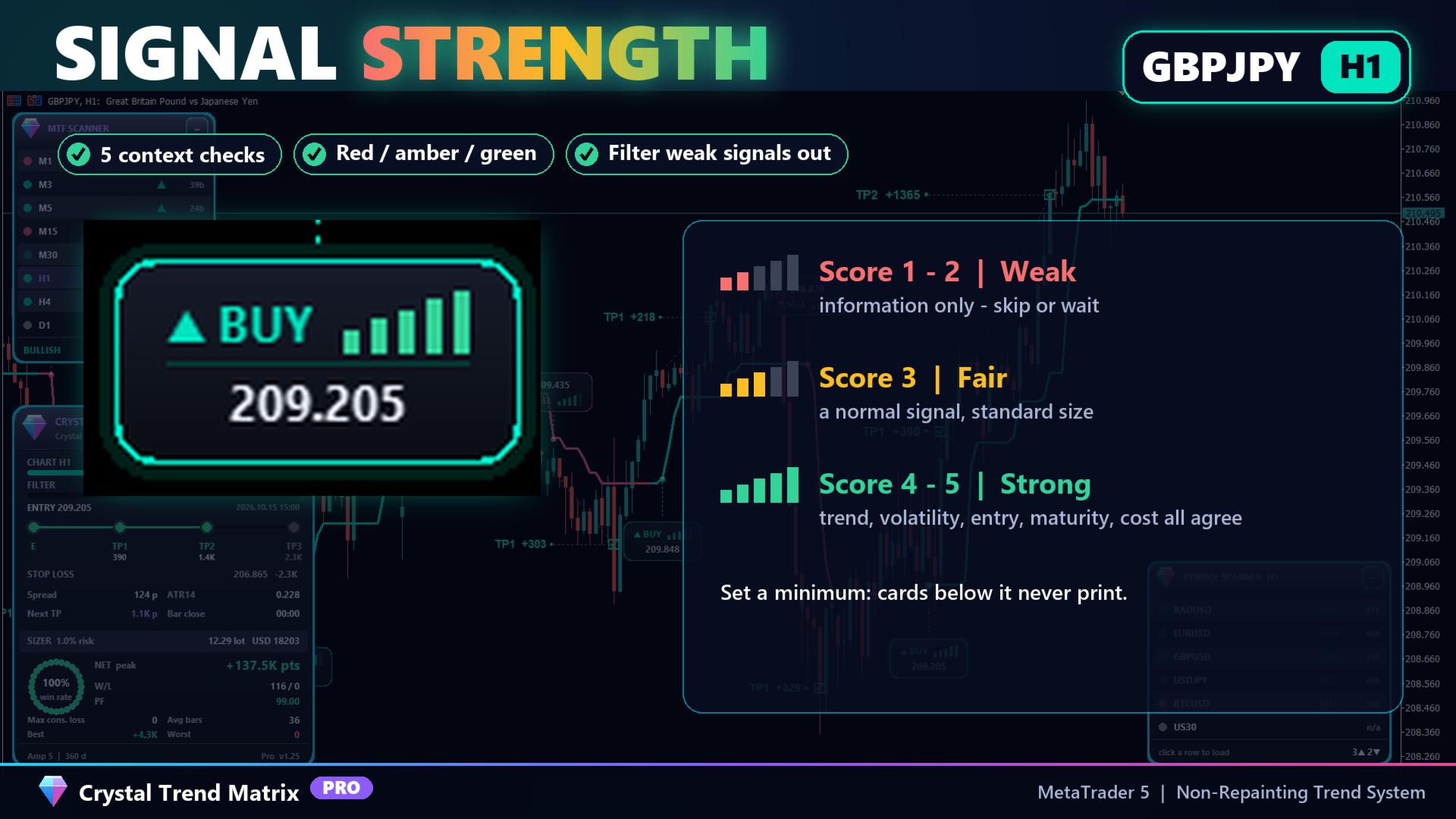
| Strength meter | Five rising bars coloured red (1-2), amber (3) or green (4-5) replace the old dots |
| Dashboard | Larger, bolder, higher-contrast text for every screen |
| Smart layout | Panels never overlap: on a short chart the dashboard compacts itself, and panels always stay in front of chart objects |
| Stability | Smoother dashboard refresh on every new bar |
Signal cards with a strength meter
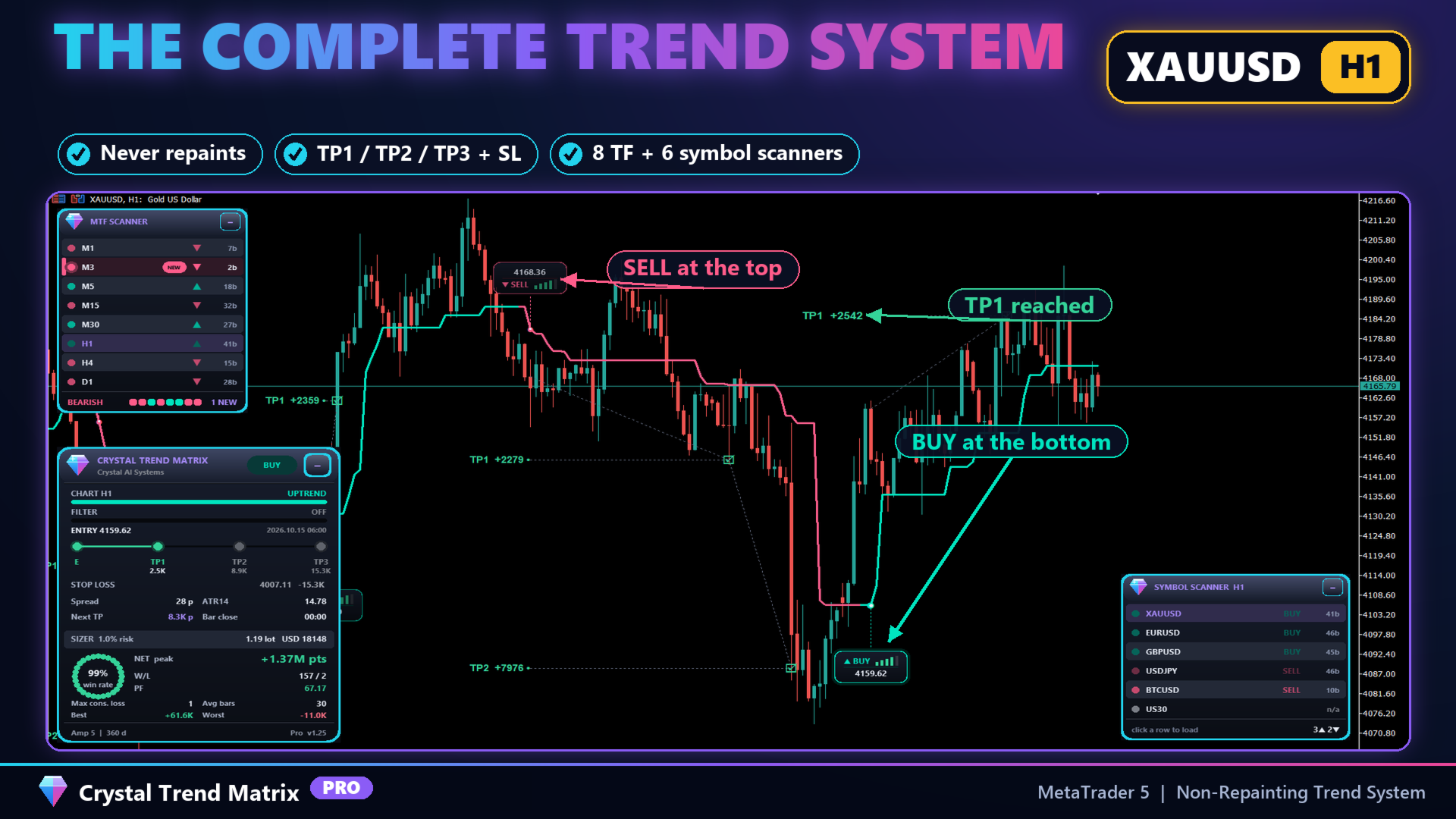
Every turn gets one compact card, placed clear of the candle and joined to the band by a dotted stem, so you always know which bar it belongs to.
| Element | What it tells you |
|---|---|
| BUY card (below the bar) | "BUY" and the strength meter on top, trigger price underneath |
| SELL card (above the bar) | Trigger price on top, "SELL" and the strength meter underneath |
| Strength meter | Filter alignment, volatility health, entry distance, trend maturity and cost efficiency, scored 1 to 5 |
| Minimum quality filter | Hide weak signals completely: no card, no alert |
The Profit Matrix: stop loss and three targets
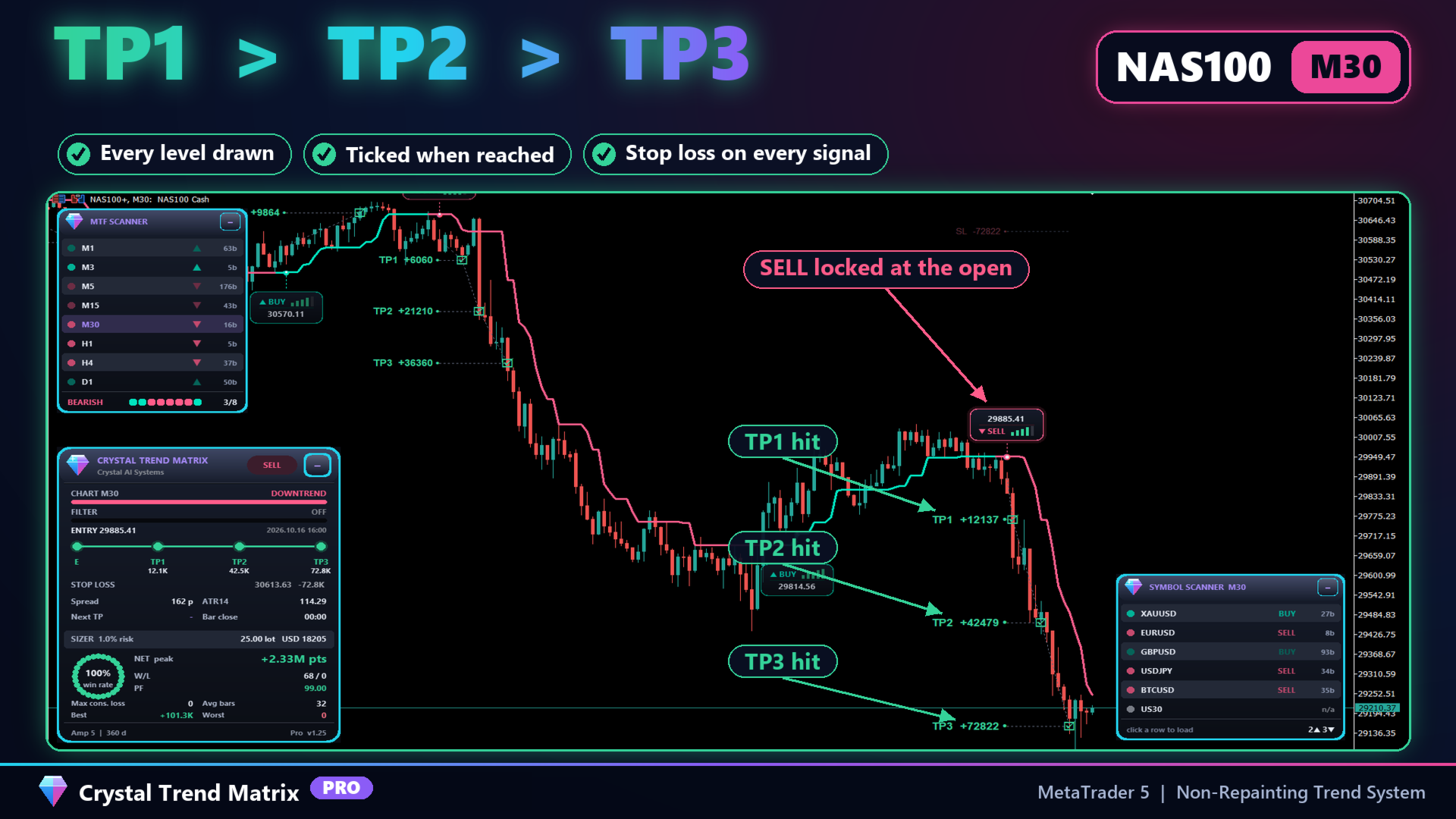
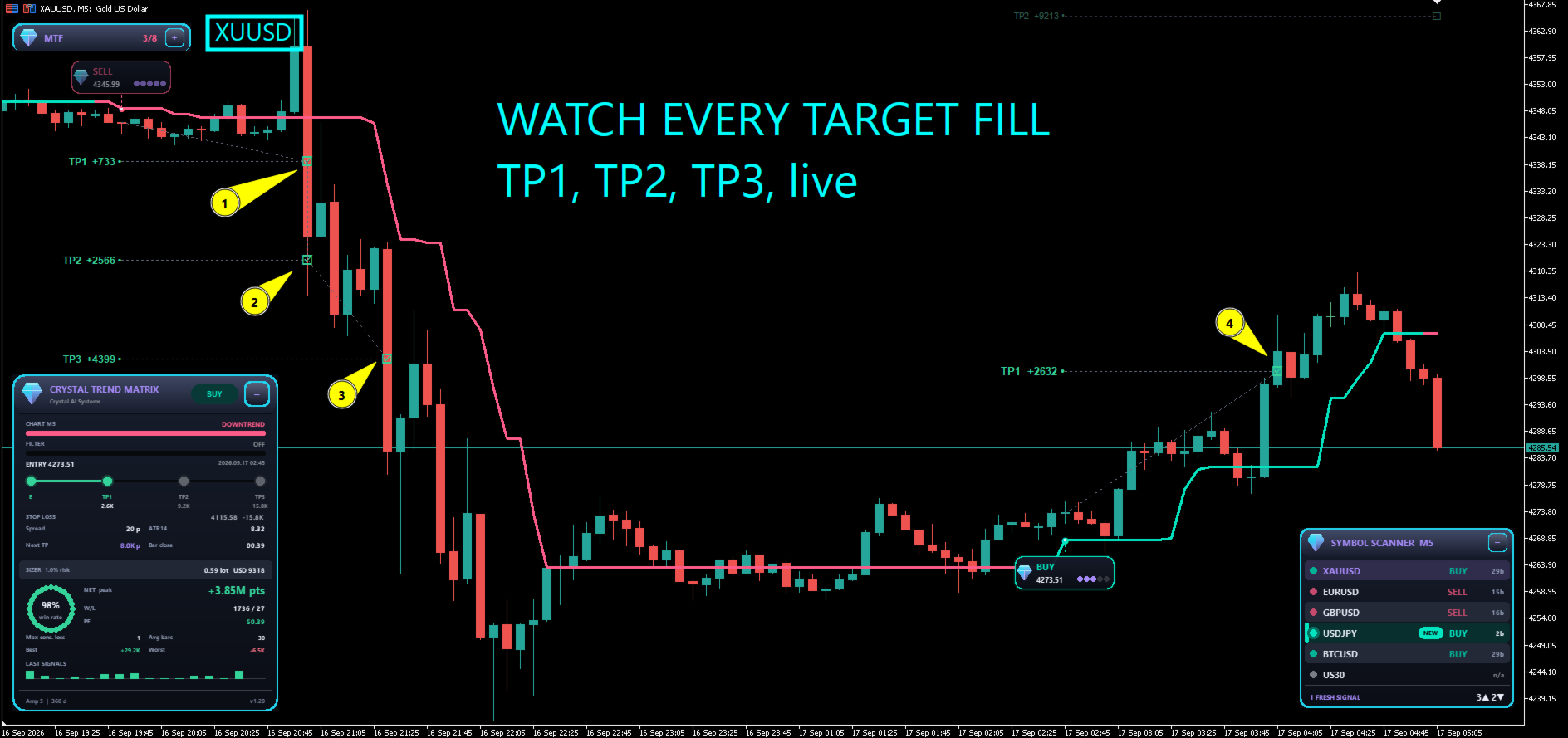
All four levels are locked at the signal's open and tracked bar by bar. Reached levels are ticked and linked on the chart; a finished signal keeps only the levels it actually reached, so history stays clean and honest.
| Base mode | Levels measured from | Best for |
|---|---|---|
| Swing Range (default) | The recent high-low range | Forex and metals |
| ATR Multiples | Average volatility | Crypto and indices |
| Fixed Points | A fixed distance | Fixed trading plans |
TP1, TP2, TP3 and the stop each have their own multiplier, so you can shape a fast scalping profile or a wide swing profile in seconds.
Three smart panels
| Panel | What you get |
|---|---|
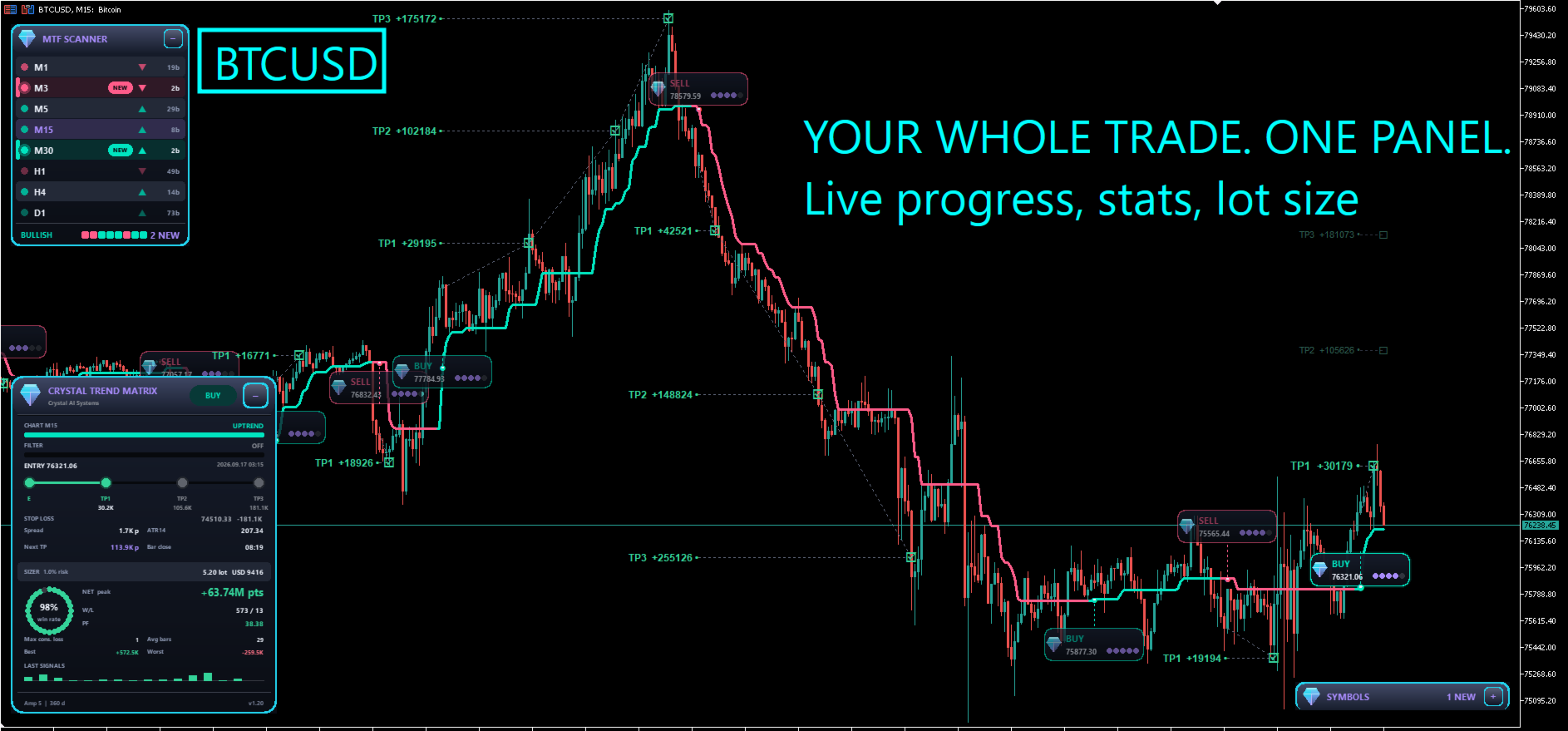
| Dashboard | Trend and filter state, entry, E-TP1-TP2-TP3 progress ladder, stop loss, spread, ATR, distance to next target, bar countdown, position sizer, statistics and a sparkline of recent results |
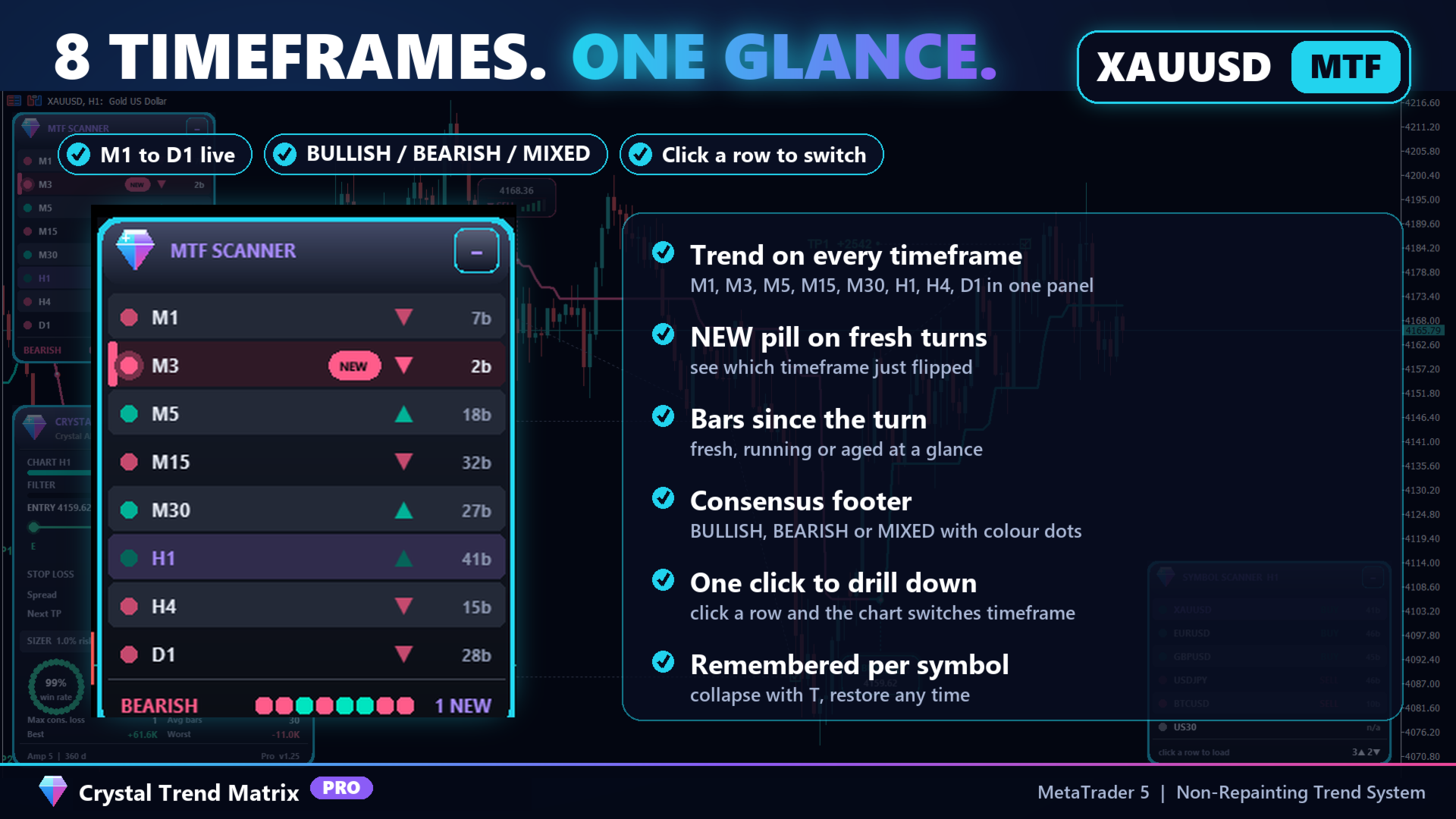
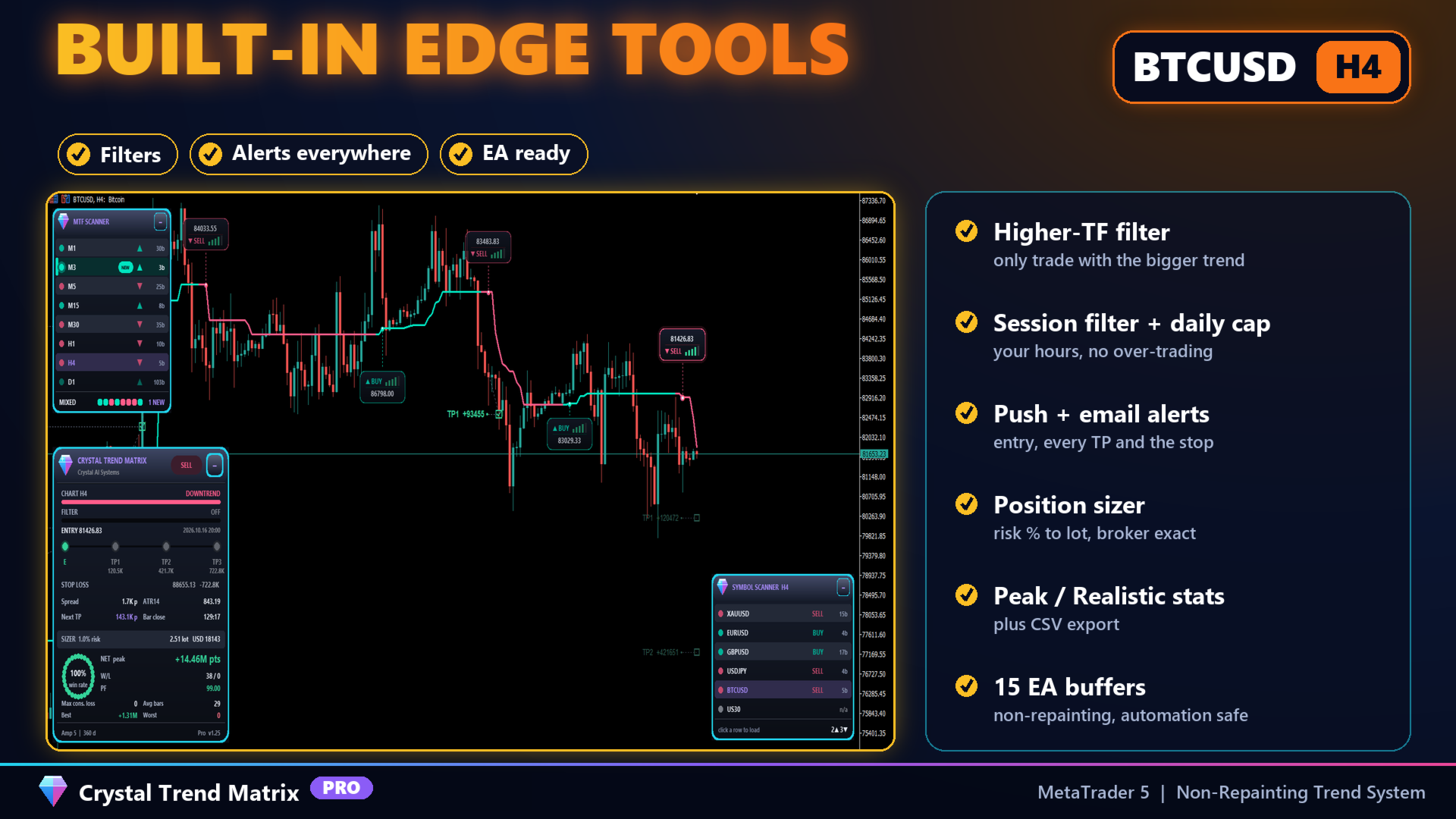
| MTF Scanner | Trend on M1, M3, M5, M15, M30, H1, H4 and D1 with a BULLISH / BEARISH / MIXED consensus. Click a row to switch timeframe |
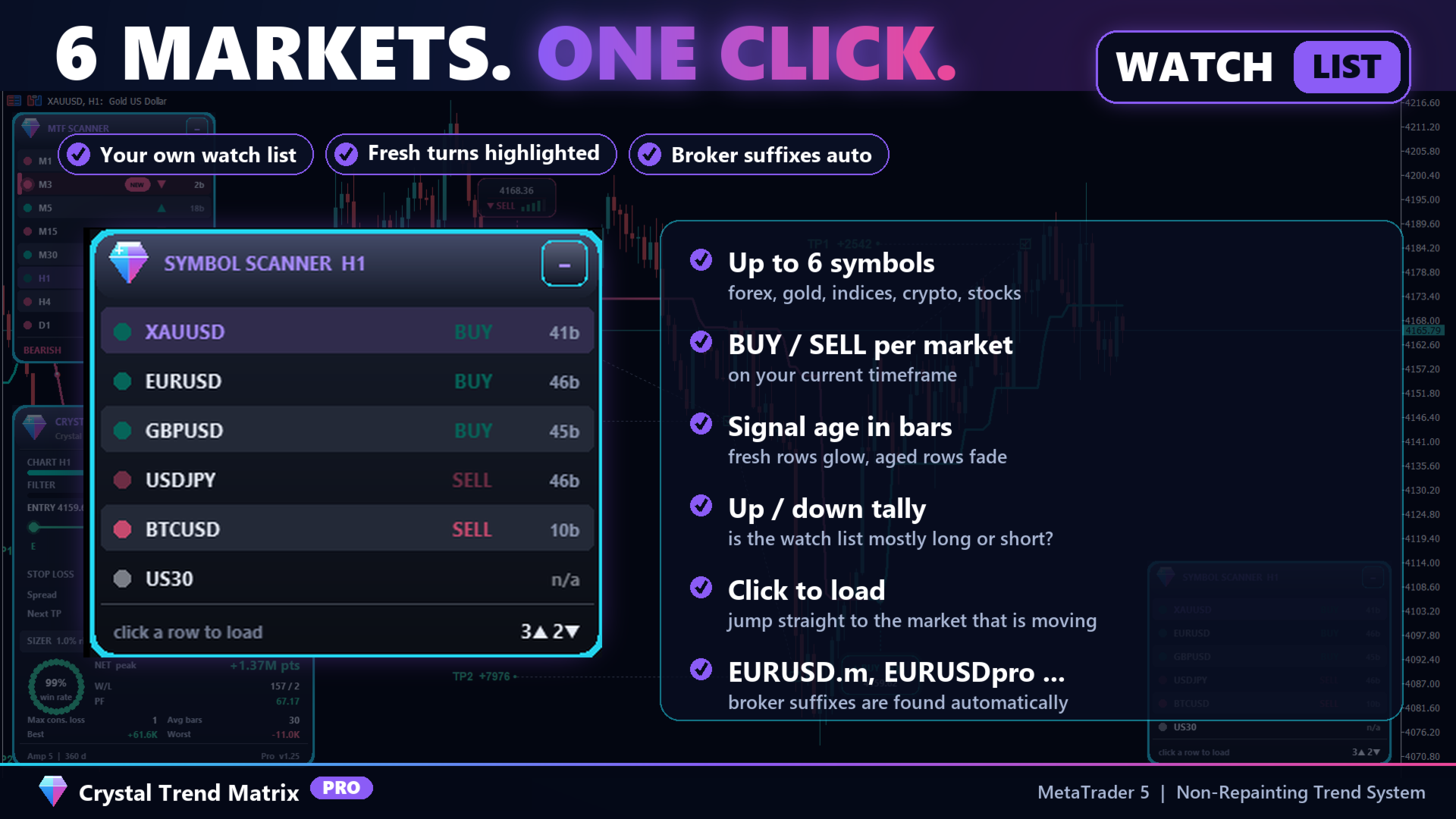
| Symbol Scanner | Up to six instruments on your timeframe, broker suffixes detected automatically. Click a row to load that market |
Fresh turns are highlighted with a NEW pill, running trends stay normal and aged trends fade, so the scanners show you where the opportunity is right now. Keyboard shortcuts: D, T, S toggle each panel, H hides them all for a clean chart.
Filters that keep you on the right side
| Filter | What it does |
|---|---|
| Higher-timeframe confluence | Blocks signals that go against the trend of the timeframe you choose, with its own amplitude and band overlay |
| Session filter | Block a time window (rollover, news) or allow signals only inside your trading session, in broker server time |
| Daily signal cap | Stops printing after N signals per day to prevent over-trading |
| Quality minimum | Prints only signals at or above your chosen strength |
Statistics you can read honestly
| Mode | Answers the question | Use it to |
|---|---|---|
| Peak | How far did each move travel once TP1 was secured? | Judge how much the market offered |
| Realistic | What would a one-third exit at each target have captured? | Judge a mechanical exit plan |
Net points, wins and losses, profit factor, maximum consecutive losses, average bars, best and worst signal, plus CSV export of every closed signal for your own analysis.
Alerts everywhere you are
| Event | Channels |
|---|---|
| New signal (with entry, SL, TP1-TP3 and strength score) | Pop-up, sound, mobile push, email |
| TP1, TP2 or TP3 reached | Pop-up, sound, mobile push, email |
| Stop loss reached | Pop-up, sound, mobile push, email |
Ready for automation
Fifteen documented buffers expose the band, trend state, direction, entry triggers, stop, all three targets, the filter band and the quality score. Because signals are fixed at the bar open, an Expert Advisor reading shift 0 sees exactly what you see live. The full buffer map is listed inside the indicator's settings.
Suggested starting points
| Market | Timeframe | Setup |
|---|---|---|
| Gold (XAUUSD) | M15 - H1 | Amplitude 5, Swing Range, H4 filter, quality 3, London and New York session |
| Forex majors | H1 - H4 | Amplitude 8-9, Swing Range, D1 filter, quality 4 |
| Indices (US30, NAS100) | M5 - M15 | Amplitude 4, ATR Multiples, M30 filter, cash session only |
| Crypto (BTCUSD, ETHUSD) | H1 - H4 | Amplitude 7, ATR Multiples, H4 filter, lower risk per trade |
| Swing and position | H4 - D1 | Amplitude 9-12, Swing Range, D1 or W1 filter |
Settings at a glance
| Group | What you control |
|---|---|
| Core Settings | Amplitude, calculation range, signals kept on chart, step filter |
| Profit Matrix | Base mode, TP1 / TP2 / TP3 multipliers, stop coefficient |
| Signal Quality | Scoring on or off, minimum quality, entry distance, cost ratio |
| Filters | Higher timeframe, session window, daily cap |
| Appearance | Four themes (Prism, Obsidian Emerald, Carbon Rose, Daylight) or custom colours, cards, levels |
| Panels | Positions, width, UI scale, scanner symbols and font, freshness thresholds |
| Risk, Alerts, Export | Risk per trade, statistics mode, alert events and channels, CSV export |
How to trade it
If you are new
- Attach it with default settings and read the MTF Scanner footer: BULLISH, BEARISH or MIXED.
- Take only cards in the direction of that consensus, with an amber or green strength meter.
- Use the drawn stop and the lot from the sizer. Take part of the position at TP1 and move the stop to entry.
- Let the rest run to TP2 / TP3 or until an opposite card prints.
If you are experienced
- Switch on the higher-timeframe filter and set the quality minimum to 3 or 4.
- Use the Symbol Scanner to rotate into whichever market shows a fresh turn.
- Shape the TP / SL profile per market and judge it in Realistic statistics mode.
- Automate the rules through the buffers with your own Expert Advisor.
Who it is for
- Intraday and swing traders who want a full plan with every signal, not just an arrow
- Multi-market traders who want to see where the move is without opening a dozen charts
- Traders who want objective filters for quality, timeframe, session and frequency
- EA developers who need a reliable, non-repainting signal source
Compatibility
| Item | Details |
|---|---|
| Platform | MetaTrader 5 |
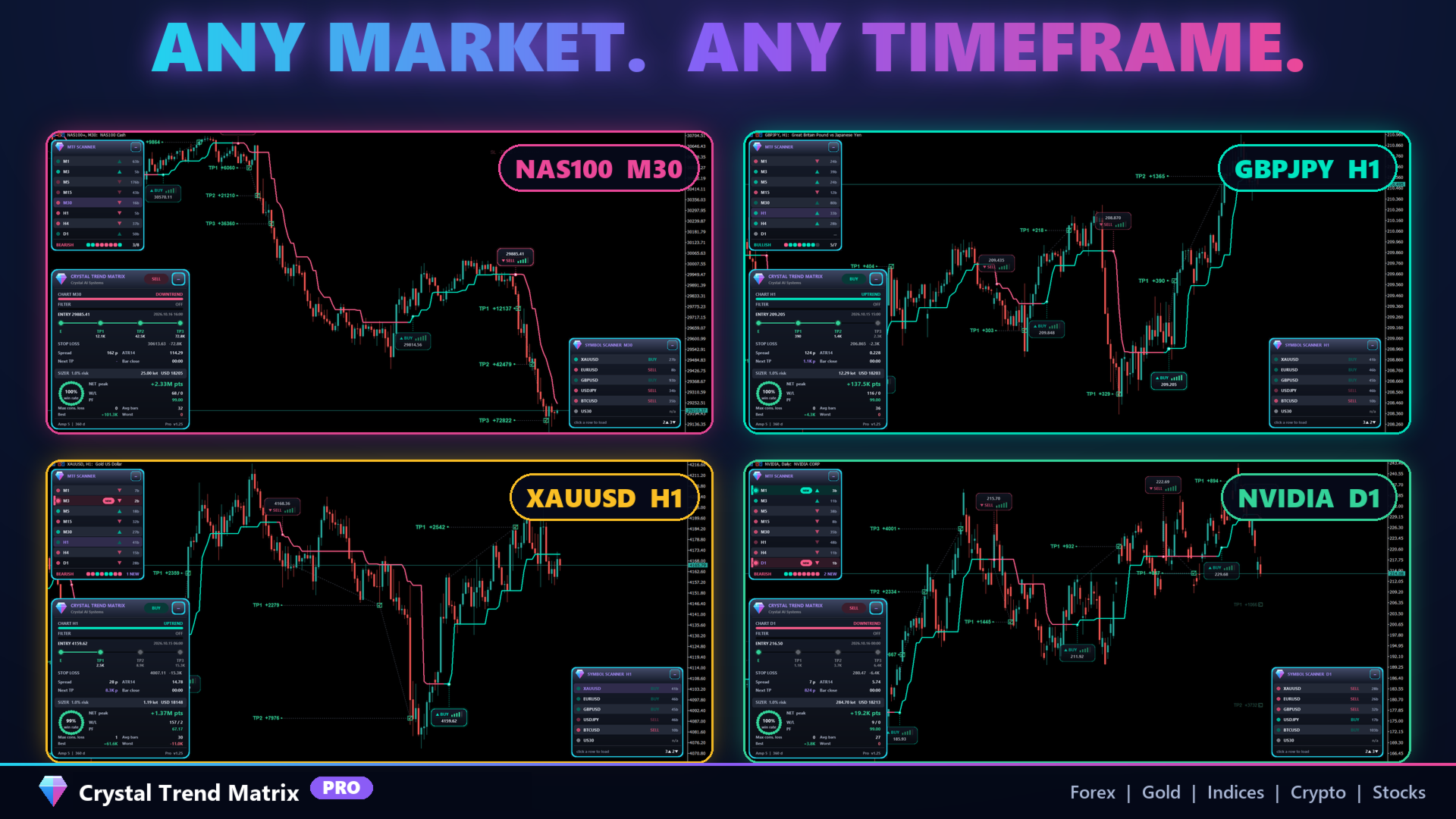
| Markets | Forex, metals, indices, crypto, energies, stock CFDs: any symbol your broker offers |
| Timeframes | All, M1 to MN |
| Accounts | Hedging and netting, any account currency |
| Alerts | Pop-up, sound, mobile push (needs your MetaQuotes ID in the terminal), email (needs SMTP settings) |
| User guide | A detailed PDF manual is available. Ask in the comments or by private message |
The indicator does not place trades. The scanners run on live charts only and are switched off in the Strategy Tester, and MetaTrader does not deliver push or email alerts from the tester. Alerts are silent while history is first drawn, so attaching to a chart never floods you with old signals.
Support
Setting requests and questions are welcome in the product comments or by private message on MQL5. Include your symbol, timeframe and settings for a fast answer. Updates are free for all buyers.
Risk disclaimer
Trading forex, metals, indices and cryptocurrencies on margin carries a high level of risk and may not be suitable for all investors. Past performance, including any statistics shown by this indicator, is not indicative of future results. Crystal Trend Matrix Pro is an analysis tool. It does not guarantee profits and does not provide financial advice. Always use proper risk management.