SMC Order Block Delta Validator
- Indicators
-
Rafael Goncalves De Faria
 I hold a degree in Computer Engineering with a specialization in Distributed Systems and Quantitative Finance. My work focuses on developing high-performance algorithms, automating trading systems, and analyzing real-time market data.
 - Version: 1.27
- Updated: 15 August 2026
- Activations: 5
📌 SMC Order Block Delta Validator - Flow-Based Confirmation
Are you tired of seeing your traditional Order Blocks broken without any price reaction? Most SMC indicators fail because they look only at chart structure, ignoring what truly moves the market: Volume and Aggression.
The SMC Order Block Delta Validator is the first Smart Money Concepts indicator that validates each order block by analyzing the flow microstructure within the origin candle. It calculates the POC (Point of Control), DPOC, and aggression Delta to deliver only those zones showing genuine institutional interest.
🚀 Why is this indicator different from others?
Unlike standard SMC indicators that draw boxes at any high or low, our indicator categorizes Order Blocks in real-time based on the strength of the origin candle:
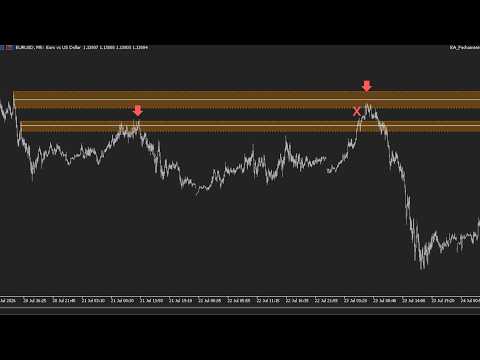
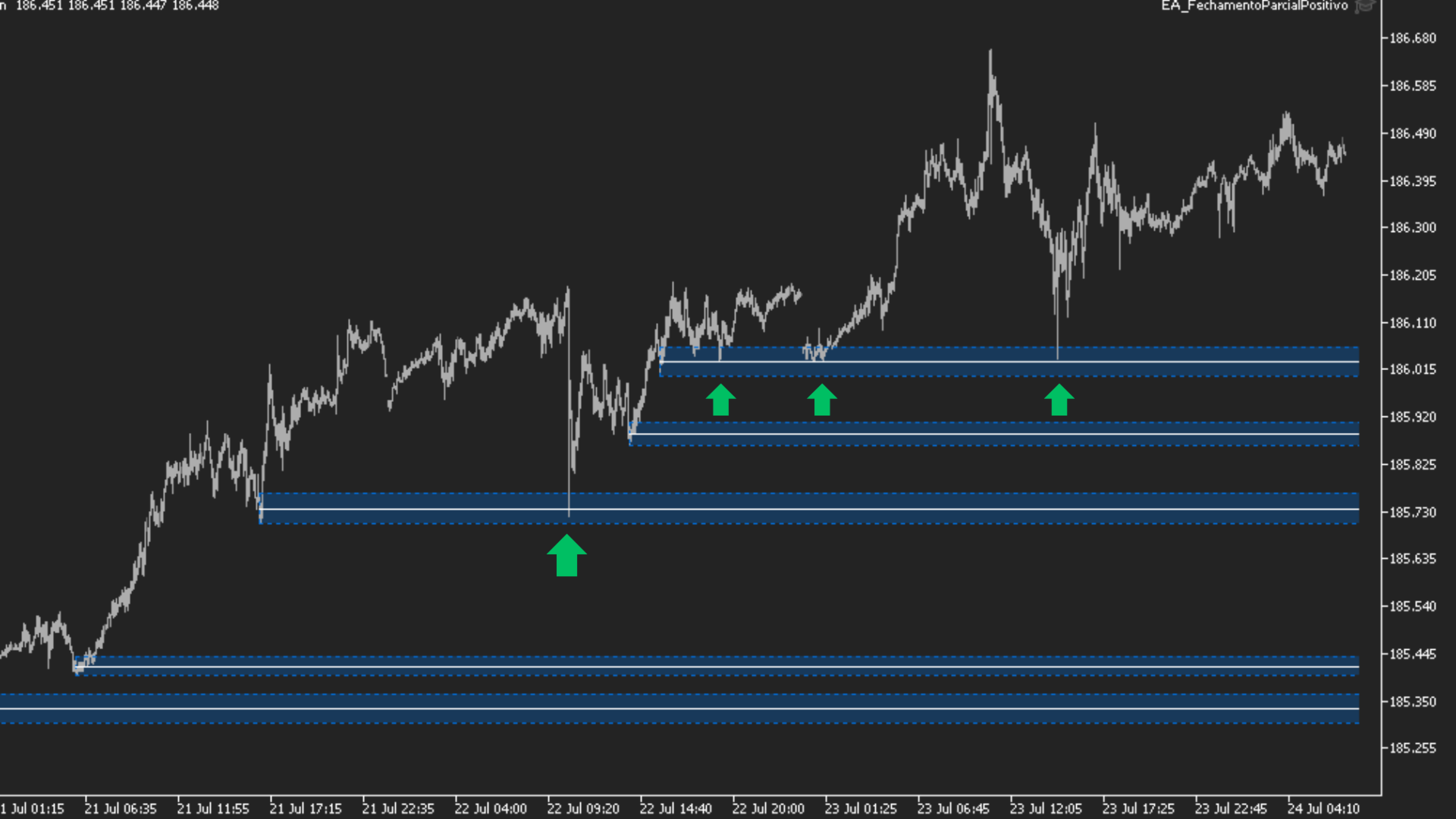
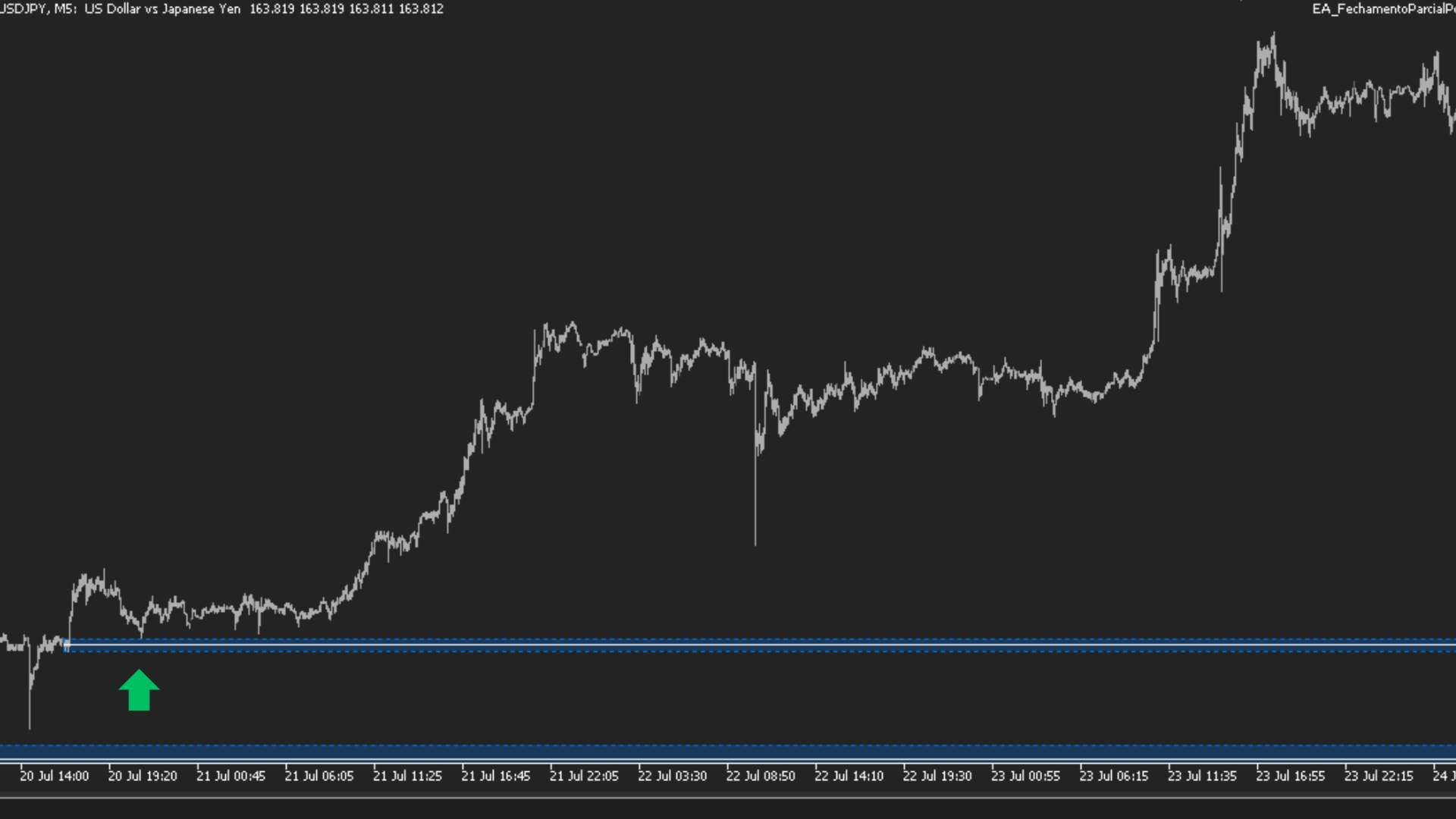
Strong Absorption (Blue / Orange): Occurs when there is massive trading volume with opposing Delta, signaling passive defense by major players (High-Accuracy Zones).
Initiative (Green / Red): Signals pure aggression from major players initiating a strong directional move (Ideal for Momentum/Breakout trades).
🛠️ Key Features
Volume Flow Validation (POC/DPOC): Identifies exactly where the highest concentration of contracts occurred within the origin candle, plotting an internal support/resistance line inside the block.
Tick Delta Reading: Identifies the imbalance between buyers and sellers during the zone's creation.
Multi-Timeframe Support (MTF - Depth): View Order Blocks from higher timeframes (e.g., H1, H4) directly on your M5 trading chart for macro confluence.
Automatic Mitigation: Boxes are removed or marked as invalid as soon as price consumes the zone's liquidity. Ultra-Lightweight Formula: An optimized algorithm that analyzes history without weighing down the MetaTrader 5 terminal.
⚙️ Input Parameters
Swing High/Low Period: Sensitivity for detecting the highs and lows that generate the blocks.
History Days: Number of past days to be rendered.
Minimum Volume Factor: Volume filter sensitivity for classifying "Strong Absorption."
Enable Depth (MTF): Enables the visualization of higher timeframes on a lower timeframe chart.
POC/DPOC Visualization: Option to toggle the drawing of internal lines on/off and customize colors and opacity.
🔍 Detailed Explanation of Features
1. Swing Period (Swing High/Low Period)
What it does: Controls the sensitivity of the chart structure in detecting highs and lows.
How it works: If set to 5 (default), the indicator will only consider a high valid if it has at least 5 lower candles to the left and 5 lower candles to the right.
Impact on the chart:
Lower values (e.g., 3 or 4) detect more Order Blocks (good for fast Scalping).
Higher values (e.g., 10 or 12) filter out noise and identify only the strongest structural Order Blocks (good for Swing Trading or long-duration Day Trading).
2. History Days (Max History Days)
What it does: Limits the amount of historical data the indicator loads and processes.
How it works: If set to 10 days, the indicator will only draw and analyze blocks created during the last 10 trading days.
Impact on the chart: This is vital for optimization. By limiting the history to the most recent weeks, the indicator remains extremely lightweight and fast, without overloading your MetaTrader 5 memory with old data from months ago that is no longer relevant to the current day. 3. Min Volume Factor
What it does: Defines the mathematical filter used to classify an Order Block as either "Strong Absorption" or "Initiative."
How it works: The robot compares the volume of the Order Block candle against the average of previous volumes. If the current volume exceeds this multiplier factor (e.g., 0.95), the indicator confirms significant institutional activity and changes the block's color to highlight this flow anomaly.
Impact on the chart:
Helps filter out "false" blocks formed by low volume (retail volume) that are typically easily broken through by price action.
4. Timeframe Depth (Depth / Multi-Timeframe)
What it does: Allows you to plot Order Blocks from higher timeframes onto your current execution chart (e.g., viewing H1 or H4 blocks while trading on the M5).
How it works: When you activate the "Show Depth" function and select the macro timeframe (e.g., PERIOD_H1), the indicator scans the macro flow and projects the larger H1 boxes directly onto your smaller M5 chart.
Impact on the chart: Dramatically increases entry precision. You can wait for the price to test a macro H1 block and-once the smaller M5 chart reaches that area—look for your entry trigger. It represents the perfect confluence of timeframes.