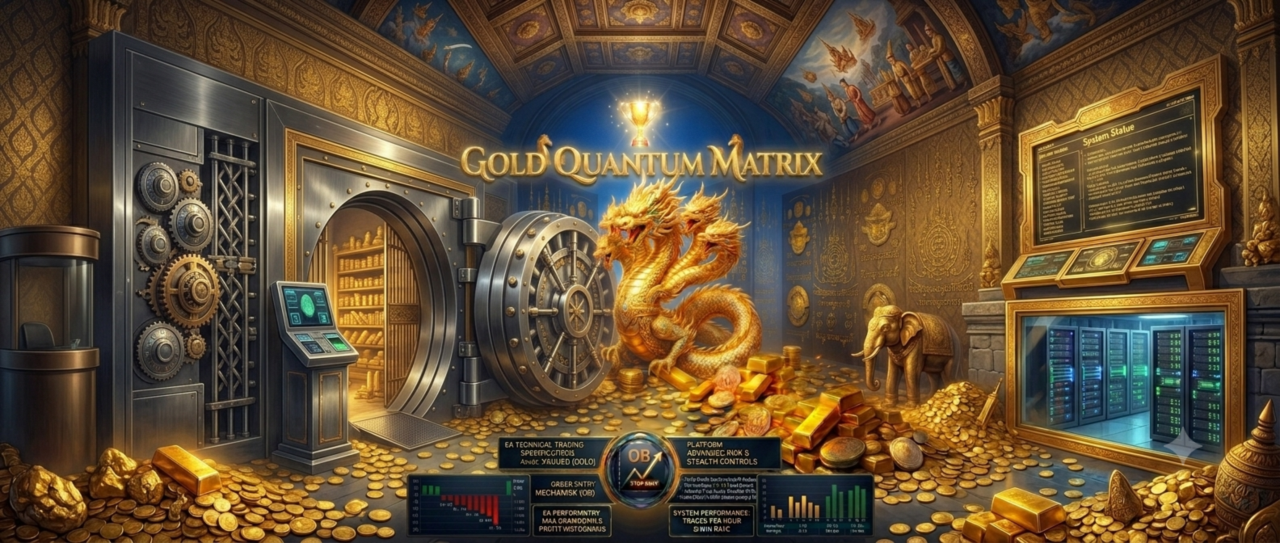
Gold Quantum Matrix
- Experts
- Version: 1.2
------------------------------
## 👑 Gold Quantum Matrix : Gold Only : TF H4
— Smart Grid System Based on SMC H4 and Volatility Mechanics
Gold Quantum Matrix is an advanced Expert Advisor (EA) designed for professional traders (source: 1). It prioritizes high precision, strict risk management, and capital protection .The EA is built on the core pillars of Smart Money Concepts (SMC) on the H4 timeframe (source: 1). It combines institutional volume tracking with mathematical daily volatility calculations (source: 1). It also features a proprietary 3-tier safety guard against Non-Farm Payroll (NFP) news (source: 1).
------------------------------
## 🚀 Professional Features## 1. Institutional SMC H4 Structure Matrix
The EA automatically detects structural trend shifts and Break of Structure (BOS) on the H4 timeframe (source: 1). This ensures you only trade in alignment with true market directions driven by major institutions .
## 2. Precision Order Block & FVG Layering
This feature eliminates the guesswork in finding reversal points (source: 1). Quantum Matrix Queen calculates precise institutional Order Blocks (OB) (source: 1). It filters for high-probability entries using Fair Value Gaps (FVG) (source: 1). Orders are sent as a Limit Grid inside liquidity zones where big institutions accumulate positions .
## 3. NFP Smart Guard — 3-Tier Edition
While other bots often suffer heavy losses during high-impact news, this EA activates a top-tier safety mechanism to protect your account during Non-Farm Payroll (NFP) releases .
* Tier 1 (MQL5 Calendar API): Tracks live news events from a highly accurate system.
* Tier 2 (Local CSV Fallback): Pulls data directly from your local folder (nfp_dates.csv) for flawless offline protection.
* Tier 3 (Hardcoded First-Friday Logic): A mathematical backup system that stands by automatically if all external data links fail .
* How it works: The EA automatically deletes pending orders and closes all running positions during news hours (source: 1). This avoids slippage and dangerous market volatility .
## 4. DD-Aware Lot Scaling
You do not need to worry about market anomalies blowing up your account (source: 1). The EA actively monitors your portfolio (source: 1). When the Drawdown (DD) hits your set limit, the system automatically scales down the lot size in steps (75% ➔ 50% ➔ 25%) to preserve your capital.
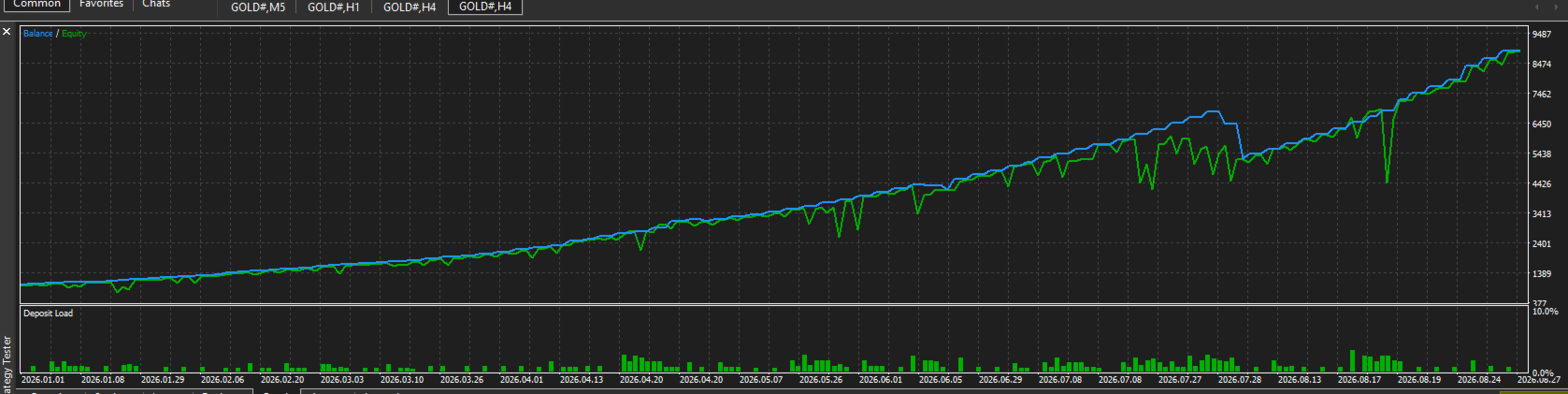
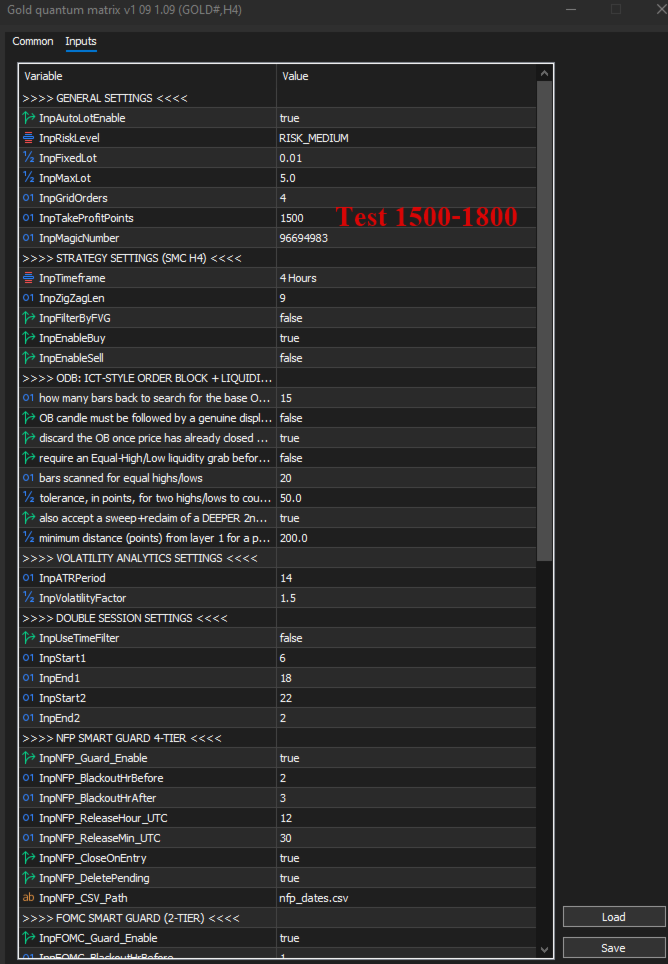
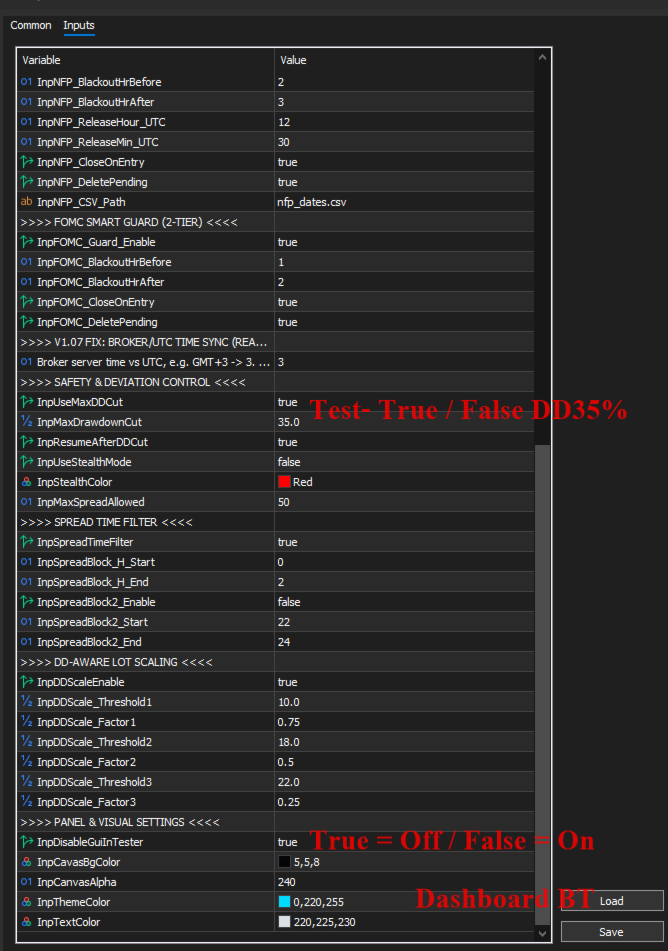
***** The EA is ready with its default settings, which include the 25% DD limit turned ON . Disabling this limit will bring higher profits, but it also means taking on more risk. Personally, I prefer to turn it OFF because I trade on the H4 timeframe with Daily trend control , making it hard to get stuck. Plus, during high volatility or NFP days, the EA will simply stop opening new orders .
## 5. Spread Time Filter
This filter protects your account from low-liquidity conditions and toxic spreads (source: 1). The EA uses a UTC hour blacklist to block trading during high-spread periods, such as market rollovers and session transitions .
## 6. Interactive HUD Dashboard & Manual Overrides
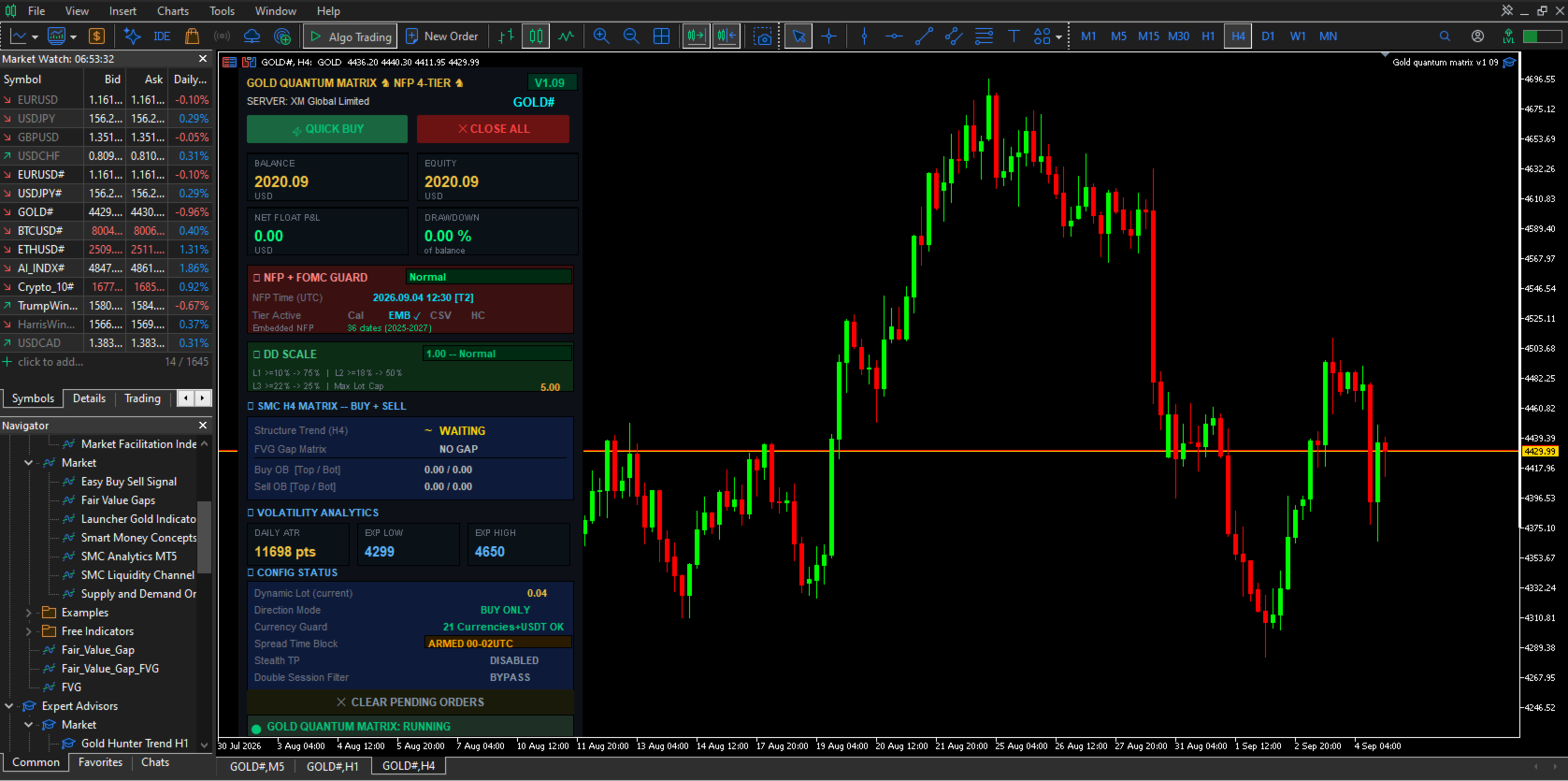
The EA features a beautiful, borderless on-chart control panel (source: 1). You can view live stats including Balance, Equity, current Drawdown, NFP countdown, and the Average True Range (ATR) (source: 1). It also includes quick buttons for Quick Buy, Close All, and Clear Pending Orders for semi-manual trading .
------------------------------
## ⚙️ Recommended Settings
* Timeframe: H4 (optimized specifically for market structure geometry)
* Supported Pairs: XAUUSD (Gold)
* Account Type: Hedging account with low spreads and fast execution (Raw/ECN recommended)
* Minimum Balance:
* Standard Account: $1,000 (for grid safety)
* Cent Account: $100
------------------------------
## 📂 Package Contents
1.Gold Quantum Matrix Expert Advisor file (.ex5)
2. Complete user manual and installation guide
3. Access to pre-optimized preset files (.set) for three risk levels: Conservative, Moderate, and Aggressive
(Note: To activate the Tier 2 NFP safety guard, simply place the provided nfp_dates.csv file into the MQL5\Files\ or Common\Files\ folder of your MT5 terminal .
------------------------------
## InpNFP_CSV_Path ( nfp_dates.csv ): Database file for monthly NFP release dates (source: 1).## How to Create and Save the File Using Notepad .
1. Copy the Text:
Highlight the text block below and press Ctrl + C (or right-click and select Copy)
# NFP Dates for QMQ EA — UTC time 12:30 (= 08:30 ET)
# Format: YYYY.MM.DD,HH:MM
# Source: BLS / tradingcalendar.com (updated Jun 2026)
# Note: Oct/Nov/Dec 2025 rescheduled due to gov shutdown
# Place this file at: MQL5\Files\nfp_dates.csv
#
# ---- 2024 ----
2024.01.05,13:30
2024.02.02,13:30
2024.03.08,13:30
2024.04.05,13:30
2024.05.03,13:30
2024.06.07,12:30
2024.07.05,12:30
2024.08.02,12:30
2024.09.06,12:30
2024.10.04,12:30
2024.11.01,12:30
2024.12.06,13:30
# ---- 2025 ----
2025.01.10,13:30
2025.02.07,13:30
2025.03.07,13:30
2025.04.04,12:30
2025.05.02,12:30
2025.06.06,12:30
2025.07.03,12:30
2025.08.01,12:30
2025.09.05,12:30
# Oct 2025 CANCELLED (gov shutdown)
2025.11.20,13:30
2025.12.16,13:30
# ---- 2026 ----
2026.01.09,13:30
2026.02.11,13:30
2026.03.06,13:30
2026.04.03,12:30
2026.05.08,12:30
2026.06.05,12:30
2026.07.02,12:30
2026.08.07,12:30
2026.09.04,12:30
2026.10.02,12:30
2026.11.06,13:30
2026.12.04,13:30
# ---- 2027 ----
2027.01.08,13:30
2027.02.05,13:30
2027.03.05,13:30
2027.04.02,12:30
2027.05.07,12:30
2027.06.04,12:30
2027.07.02,12:30
2027.08.06,12:30
2027.09.03,12:30
2027.10.01,12:30
2027.11.05,13:30
2027.12.03,13:30
2. Open Notepad:
Press the Windows key, type Notepad, and press Enter .
3. Paste the Text:
Press Ctrl + V inside the Notepad window .
4. Save the File:
* Go to the top menu and select File > Save As...
* In the Save as type: dropdown, change it from Text Documents (.txt)* to All Files (.) (source: 1). This prevents Windows from adding an accidental ".txt" extension
* Name the file exactly as required: nfp_dates.csv
* Crucial: Save the file into the correct MT5 system directory
C:\Users\[Your_Username]\AppData\Roaming\MetaQuotes\Terminal\[Terminal_ID]\MQL5\Files
* Click Save
⚡ Fastest Way to Open the Destination Folder
If you cannot find the path, use this MetaTrader 5 shortcut
1. Open MetaTrader 5
2. Click File in the top-left corner (
3. Click Open Data Folder
4. Double-click the MQL5 folder
5. Double-click the Files folder
6. Save or drop your Notepad file directly into this folder (
Note: The EA requires a .csv format (source: 1). Always make sure you select "All Files" and add .csv at the end of the filename so the system can read the news schedule properly .
------------------------------
Thai Description.
------------------------------
## 👑 Gold Quantum Matrix — ระบบ Grid อัจฉริยะตามแนวคิด SMC H4 และกลไกความผันผวน
บอทจะตรวจจับการเปลี่ยนแนวโน้มเชิงโครงสร้างและการทะลุผ่านโครงสร้างตลาด (BOS - Break of Structure) บนไทม์เฟรมใหญ่อย่าง H4 โดยอัตโนมัติ เพื่อให้มั่นใจว่าคุณจะเทรดตามทิศทางตลาดที่แท้จริงที่ขับเคลื่อนโดยสถาบันการเงินรายใหญ่เท่านั้น
หมดปัญหาการคาดเดาจุดกลับตัว บอท Quantum Matrix Queen จะคำนวณพื้นที่ Order Blocks (OB) ของสถาบันอย่างแม่นยำ และกรองสัญญาณเข้าเทรดที่มีความน่าจะเป็นสูงด้วยช่องว่างราคา Fair Value Gaps (FVG) โดยออเดอร์จะถูกส่งไปดักรอในรูปแบบตาราง (Limit Grid) ภายในโซนสภาพคล่องที่กลุ่มทุนใหญ่มักใช้สะสมสถานะ
หมดกังวลเรื่องตลาดเกิดความผิดปกติจนพอร์ตแตก บอทมีระบบตรวจสอบพอร์ตโฟลิโอเชิงรุก เมื่อระดับ Drawdown แตะเพดานที่ตั้งไว้ ระบบจะลดขนาด Lot ลงโดยอัตโนมัติเป็นขั้นบันได (75% ➔ 50% ➔ 25%) เพื่อลดความเสี่ยงและประคองพอร์ตจนกว่าตลาดจะกลับสู่สภาวะปกติ
****EA ตัวนี้ตั้งค่าพื้นฐานมาให้พร้อมใช้งานแล้ว ซึ่งจะเปิดระบบคุม DD ไว้ที่ 25% การปิดระบบนี้จะช่วยให้ได้กำไรสูงขึ้น แต่ก็ต้องแลกกับการรับความเสี่ยงที่มากขึ้นด้วย ส่วนตัวแล้วผมเลือกที่จะปิดมัน (False) เพราะเทรดบนไทม์เฟรม H4 โดยมีแนวโน้ม Day คุมอยู่ ทำให้พอร์ตลากหรือติดดอยได้ยาก แถมในช่วงที่ตลาดเหวี่ยงแรงๆ หรือวันที่มีข่าว NFP ตัว EA ก็จะไม่เปิดออเดอร์ใหม่เพิ่มด้วยครับ
ปกป้องบัญชีของคุณจากสภาวะตลาดที่มีสภาพคล่องต่ำและสเปรดเป็นพิษ บอทจะใช้ระบบบัญชีดำชั่วโมงเวลา UTC เพื่อบล็อกการเทรดในช่วงที่สเปรดมักจะถ่างตัวสูง เช่น ช่วงเปลี่ยนวัน (Market Rollover) และช่วงรอยต่อตลาด
### ขั้นตอนการสร้างและบันทึกไฟล์ด้วยโปรแกรม Notepad
กดปุ่ม Windows บนคีย์บอร์ด พิมพ์คำว่า Notepad จากนั้นกดปุ่ม Enter
หากคุณไม่แน่ใจว่าโฟลเดอร์ปลายทางข้างต้นตั้งอยู่ที่ไหน คุณสามารถใช้ทางลัดผ่านตัวโปรแกรม MetaTrader 5 ได้โดยตรงตามนี้ครับ:
**หมายเหตุ: เนื่องจากบอท EA จำเป็นต้องอ่านข้อมูลจากไฟล์นามสกุล .csv โปรดตรวจสอบอีกครั้งในขั้นตอน "Save As" (บันทึกเป็น) ว่าคุณได้พิมพ์จุดตามด้วยซีเอสวี .csv ไว้ที่ท้ายชื่อไฟล์ และเลือกชนิดไฟล์เป็น "All Files" เรียบร้อยแล้ว เพื่อให้ตัวโปรแกรมระบบสามารถอ่านข้อมูลข่าวได้อย่างถูกต้องครับ

User didn't leave any comment to the rating