RangeBox Manual Tool
- Utilities
- Version: 5.30
- Updated: 27 May 2026

RangeBox Manual Tool – Technical Description
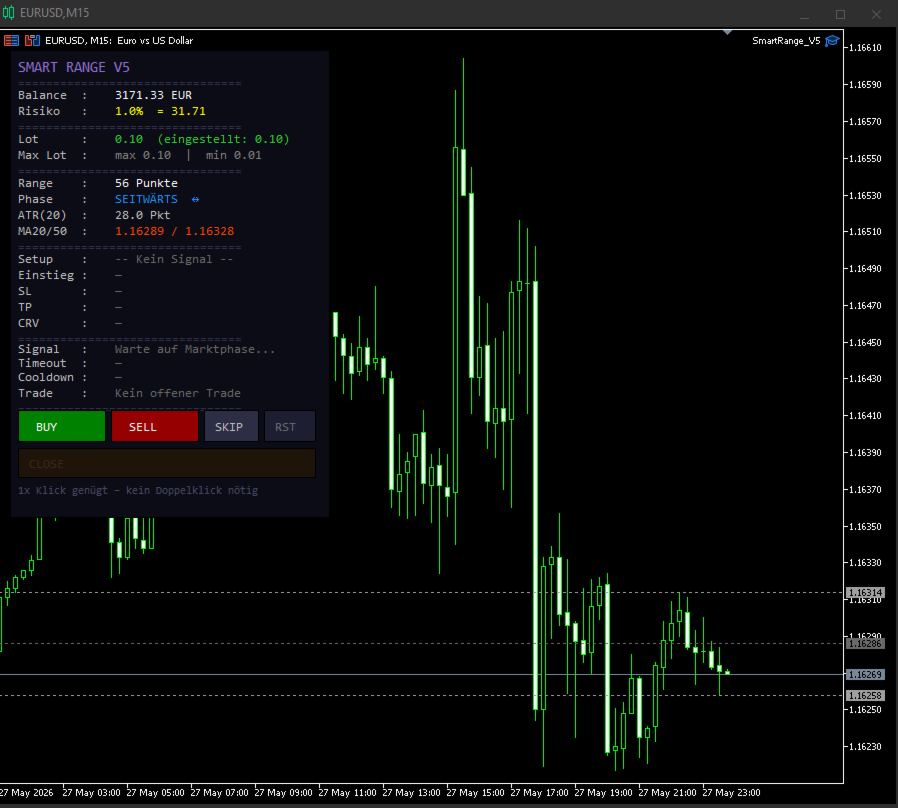
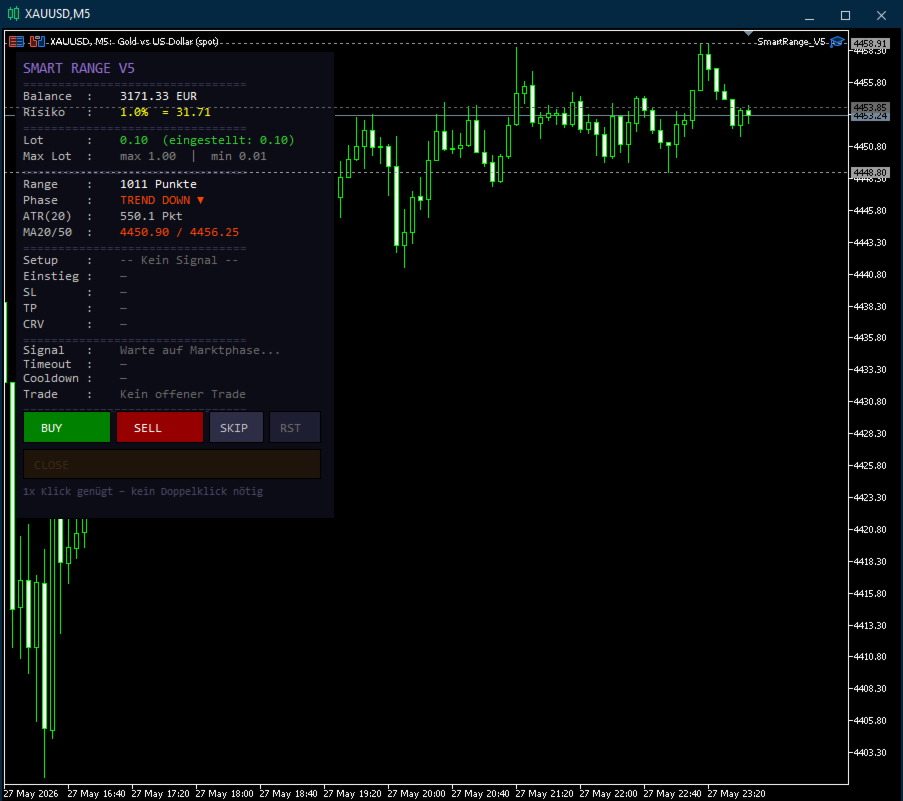
RangeBox Manual Tool is a visual analysis tool for MetaTrader 5 that automatically detects market ranges and displays them clearly on the chart. The tool does not execute any automatic trades and is designed exclusively as a visual assistant for manual trading.
Features
1. Automatic Range Detection
-
Identifies sideways market phases in real time
-
Draws a precise box around the current range
-
Highlights upper and lower boundaries of the zone
2. Market Phase Identification
-
Uses moving averages (MA Fast / MA Slow) and ATR values
-
Distinguishes between calm, trending, and impulsive phases
-
Helps prepare for potential breakouts
3. Setup Filtering
-
Filters signals based on minimum range size and price position
-
Prevents duplicate or overly frequent setups through cooldown logic
-
Ensures clean and consistent signal generation
4. Auto‑Invalidation
-
Automatically discards invalid setups after a defined point threshold
-
Removes outdated or no‑longer‑valid signals from the chart
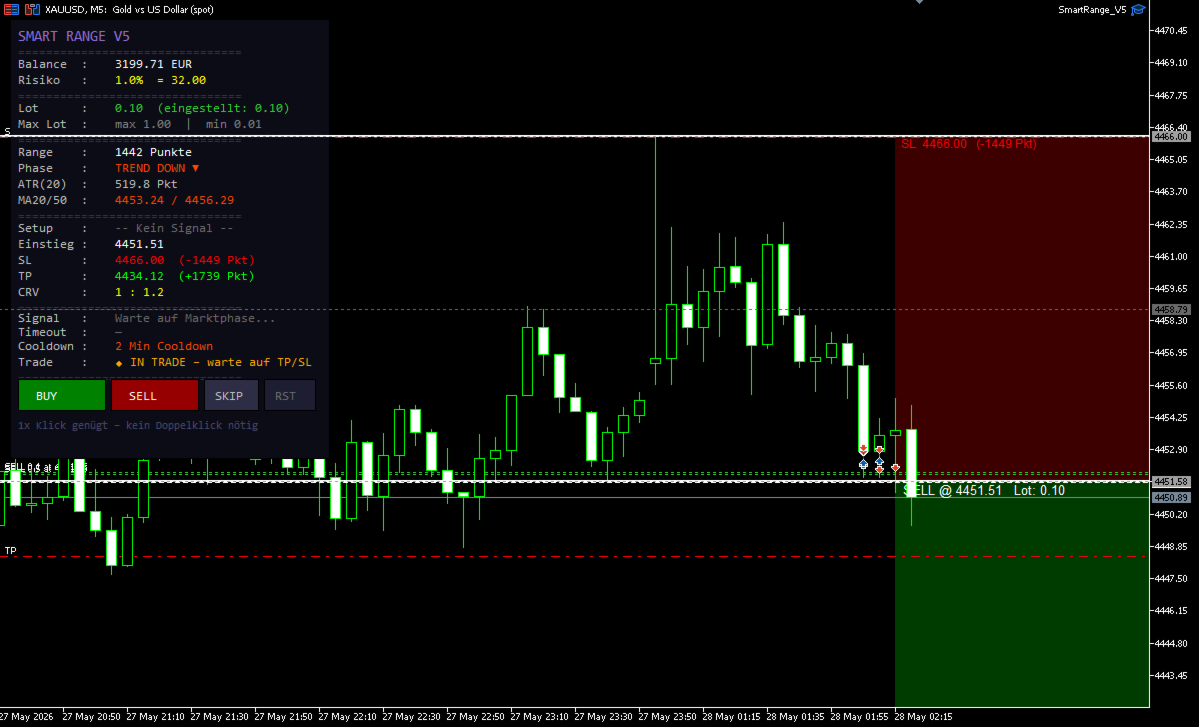
5. Risk & Lot Control
-
Adjustable lot size, risk percentage, and risk‑reward ratio
-
Supports manual risk management
-
No automatic order execution
Input Parameter Overview
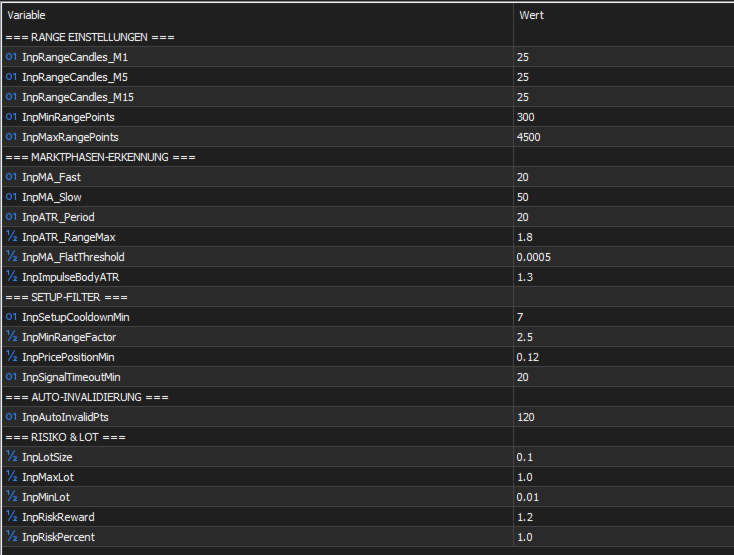
Range Settings
-
InpRangeCandles_M1/M5/M15 → Number of candles used for range detection
-
InpMinRangePoints → Minimum point size of a valid range
-
InpMaxRangePoints → Maximum point size of a valid range
Market Phase Identification
-
InpMA_Fast / InpMA_Slow → Fast and slow moving averages for trend detection
-
InpATR_Period → ATR calculation period
-
InpATR_RangeMax → Maximum ATR factor for range phases
-
InpMA_FlatThreshold → Threshold for detecting flat market conditions
-
InpImpulseBodyATR → Candle‑body‑to‑ATR ratio for impulse detection
Setup Filter
-
InpSetupCooldownMin → Minimum time between setups
-
InpMinRangeFactor → Multiplier for minimum range size
-
InpPricePositionMin → Minimum price distance from range boundaries
-
InpSignalTimeoutMin → Time limit before a setup expires
Auto‑Invalidation
-
InpAutoInvalidPts → Point distance after which a setup becomes invalid
Risk & Lot
-
InpLotSize → Default lot size
-
InpMaxLot / InpMinLot → Maximum and minimum lot limits
-
InpRiskReward → Risk‑to‑reward ratio
-
InpRiskPercent → Percentage risk per trade
Use Cases
This tool is ideal for traders who:
-
Trade ranges, breakouts, or rejection setups
-
Prefer clear visual structures on the chart
-
Trade manually and make their own decisions
-
Want to better understand market phases
Testing Information
The RangeBox Manual Tool has been tested exclusively in live market conditions. Backtesting is not supported due to the dynamic nature of market phase detection. All results are based on real‑time observations.
Important Notes
-
The tool does not open or close trades automatically.
-
It is an analysis and visualization tool, not a trading system.
-
Trading results depend on personal experience, strategy, and risk management.
-
No guarantee of profits or future performance.