QiwiX EA
- Experts
- Version: 1.30
- Updated: 12 August 2026
- Activations: 10

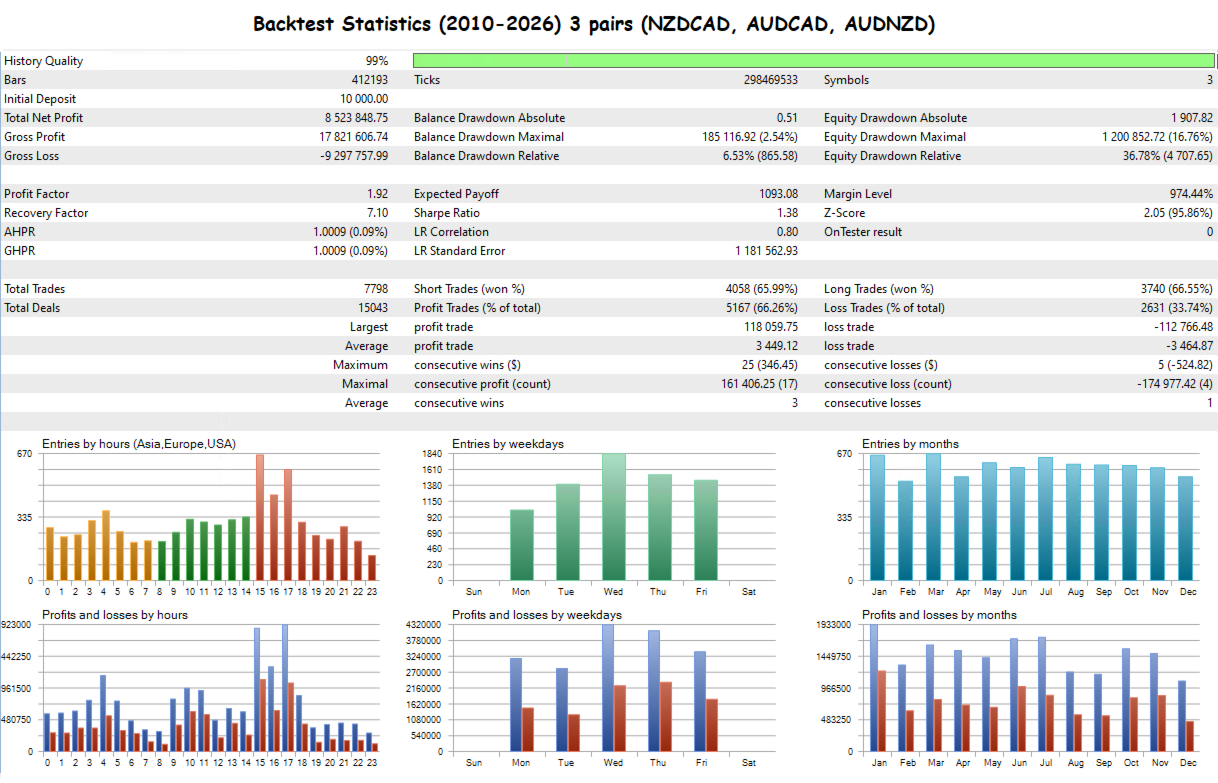
- Simultaneous trading on 3 flat pairs
- Controlled lot increase for safe averaging
- Partial profit taking
- S&P 500 Volatility Filter (48 hours pause)
- Configurable Stop Loss level
- Deposit: from 1000 USD
- Leverage: 1:500
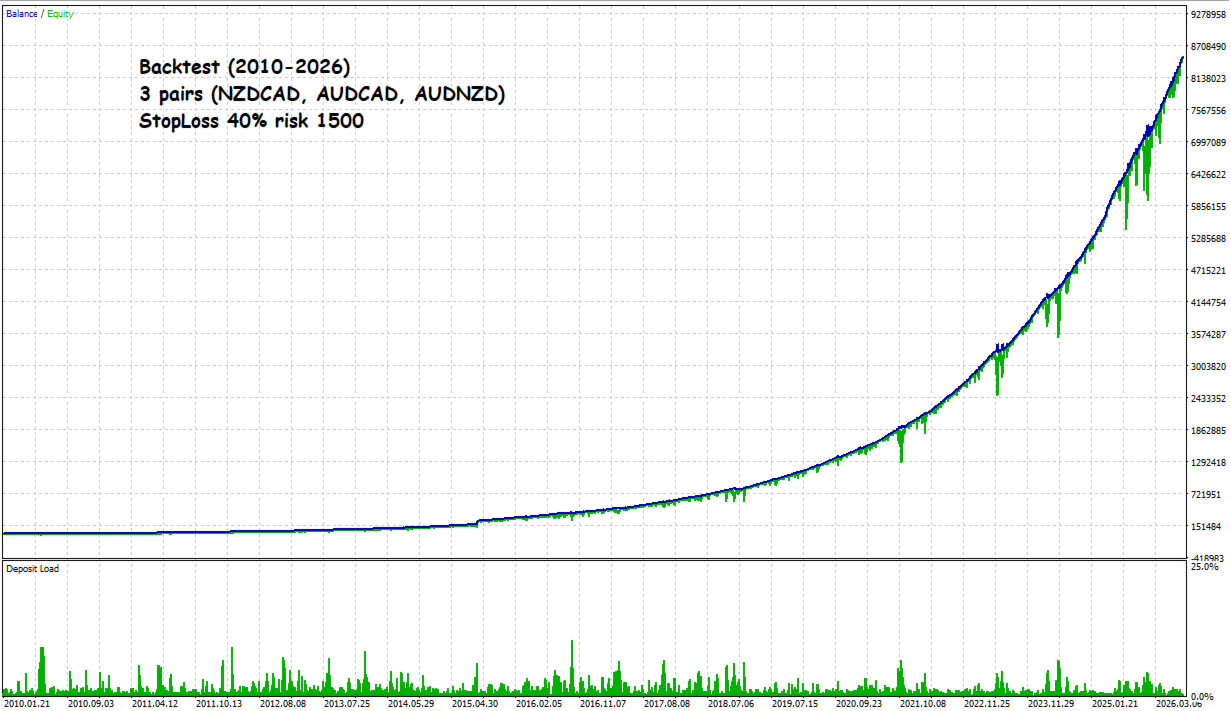
- Stop loss: 40%
- Account Type: Hedging
- Pairs: NZDCAD, AUDCAD, AUDNZD
- VPS usage is mandatory
Add an Expert Advisor to the chart of one of the three pairs (either NZDCAD, AUDCAD, or AUDNZD), any timeframe, you do not need to add an adviser to all charts!
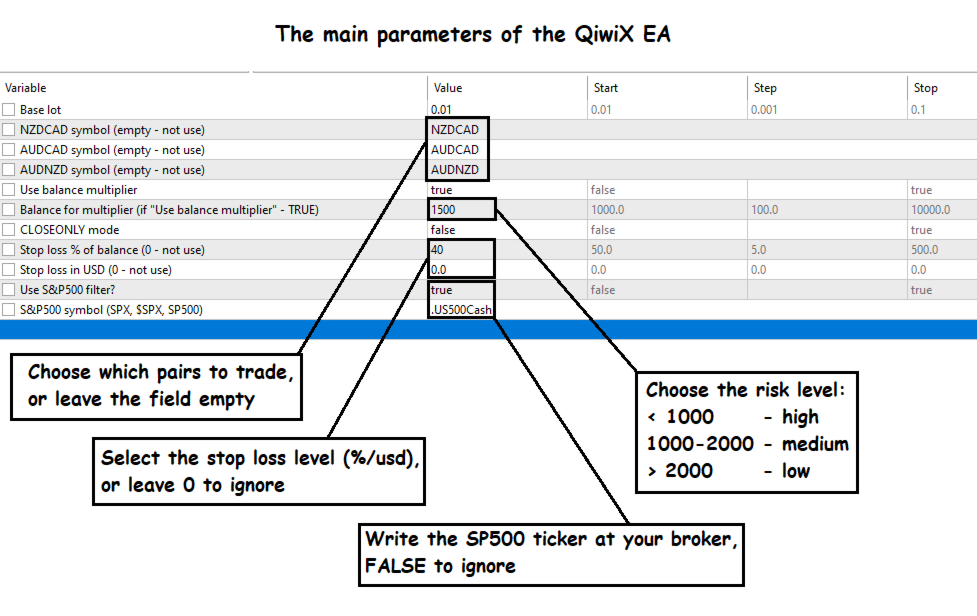
Multicurrency Advisor• Baselot - the base lot for trading, if the "Use balance multiplier" parameter is set to FALSE, then trading proceeds based on this lot value, if "Use balance multiplier" is TRUE, then based on the account balance
• AUDNZD symbol (empty - not use) - the ticker of the AUDNZD symbol at your broker, if left empty, trading on the symbol does not occur
• Balance for multiplier (if "Use balance multiplier" is TRUE), the number is indicated by which the trading lot increases (for example, with a balance of 10000 usd and the parameter value 2000 - the base lot will be multiplied by 5)
- <1000 - high risk
- 1000-2000 - medium risk
- >2000 - low risk
• CLOSEONLY mode - when activated with the value TRUE, the EA switches to the closing mode only (since the grid algorithm is used, the current grids will be completed, new ones will not start)
• Stop loss in USD (0 - not use) - the stop loss level in USD will work if the difference between the balance and funds reaches this value, if 0 is specified - the stop loss is not taken into account
• S&P500 symbol (SPX, $SPX, SP500) - specify the ticker of the SP500 symbol at your broker
• Magic number - specify the adviser's unique magic number.
• Maximum spread (in points, 0 = no filter) - specify the maximum spread in points, 0 - do not use a spread filterBefore starting trading on a live account, be sure to test the QiwiX EA and determine an acceptable level of risk for yourself (the stop loss level and the increasing coefficient of the trading lot)!