
RTH Chart Custom Session
- Utilities
- Version: 1.2
- Updated: 1 July 2026

Features:
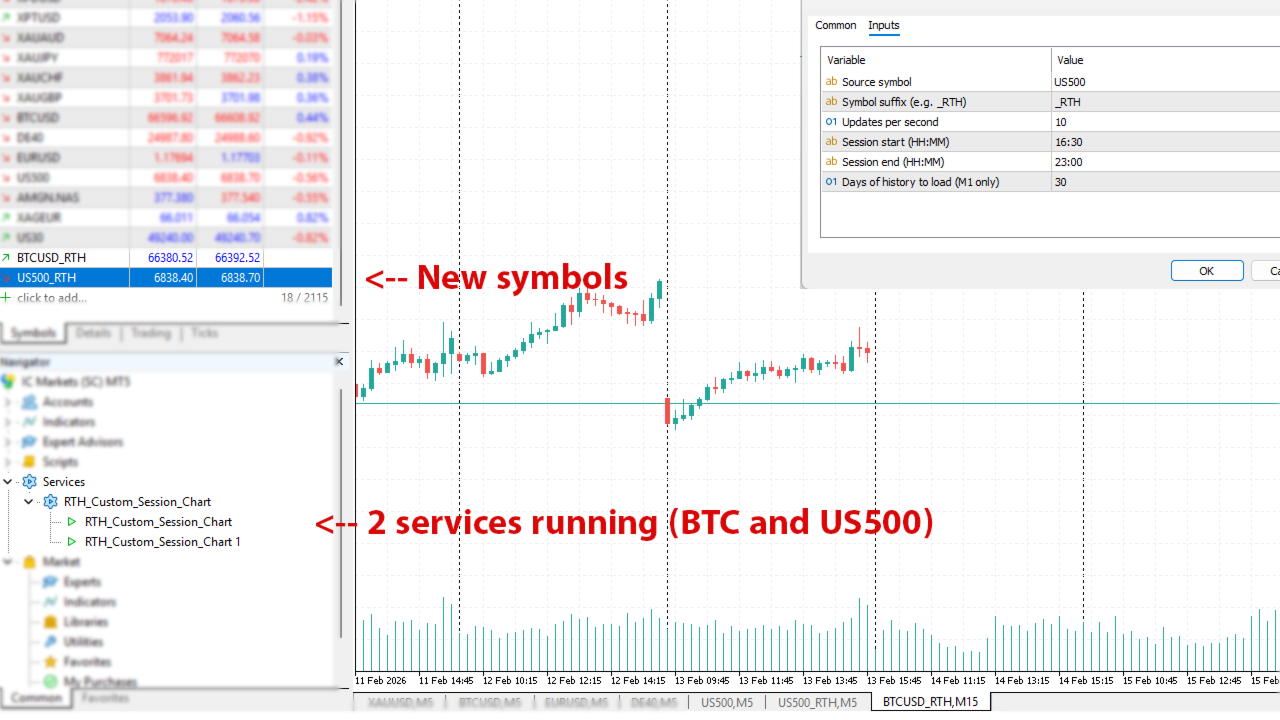
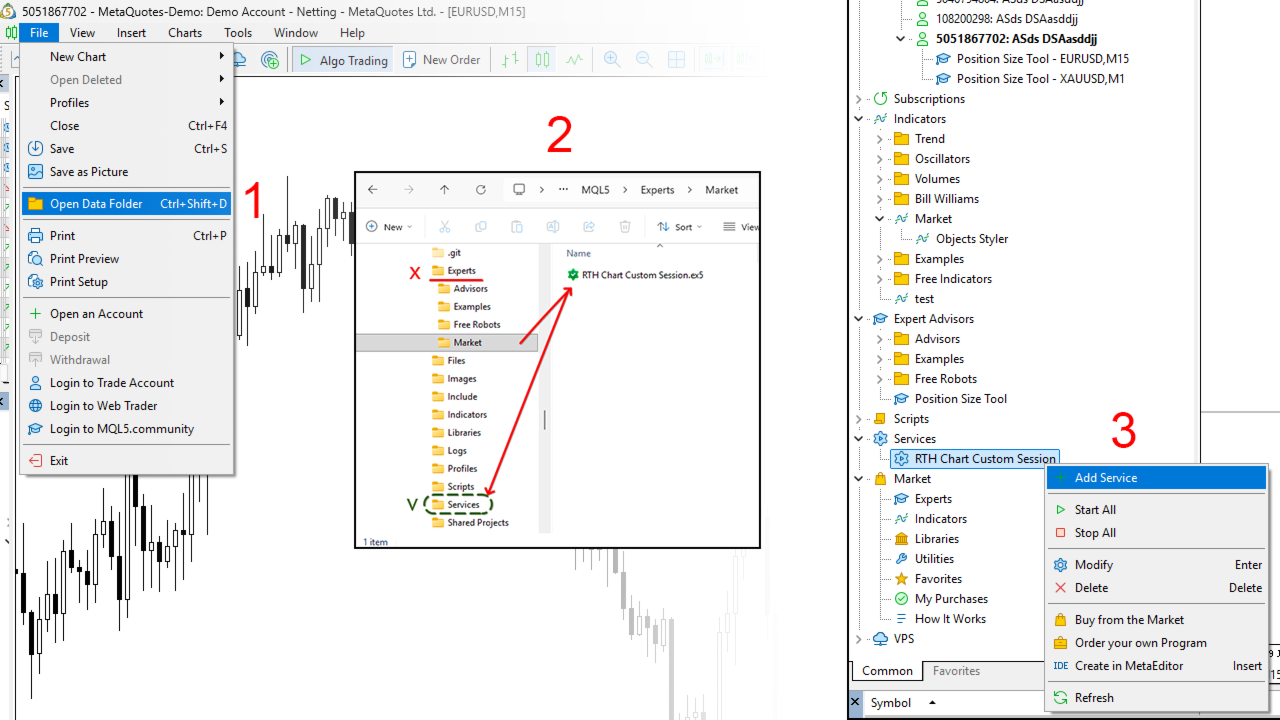
- Run as a Service: Set it up once and forget it. Services start automatically with MT5, running in the background. No need to keep a source chart open or attach indicators.
-
True Data Filtering: Removes low-volume overnight data to provide a clearer view of gaps, volume nodes, and session highs/lows.
-
Automated Workflow: Automatically downloads M1 history, creates the custom symbol, and routes live ticks in real-time.
-
Smart Time Routing: Full support for standard intraday sessions (e.g., 09:30–16:00) and cross-midnight sessions (e.g., London/Asia overlaps or crypto sessions).
-
Performance Optimized: High-speed tick processing with configurable update frequency to save CPU resources.
-
Auto-Maintenance: Built-in history cleanup ensures your terminal stays fast by removing data older than your specified history depth.
Use cases: Filter night session (Globex) on Indices (US500, DE40 etc). Show only RTH session. Display only one session (London/NY or custom session).
-
Enter the Source Symbol (e.g., US500 or AAPL).
-
Define your Start/End Time.
-
The service creates a new symbol with your chosen suffix (e.g., _RTH ). It automatically download last 30 (set in settings) 1 minute bar and build a chart.
-
A new chart opens automatically, showing only the filtered data.
- Then multiple times per second it checks for new ticks on original symbol and add new ticks to custom chart.






































perfect tools. very very good. thank you very much!